
The cheapest email list can turn out to be the most expensive mistake in your outbound budget.
You pay for the contacts, add them to your email campaign, and start sending. Then the bounces come in, the replies don’t, and you’re left wondering whether the problem is your copy or the data you just bought.
Worse, a bad list can damage your sending reputation. One agency reported a 7% spam complaint rate after sending a single campaign to a purchased list, compared with a 0.2% benchmark. Its ESP blocked the send, its domain reputation dropped from good to bad, and recovery took more than three months.
That’s why I wouldn’t choose an email list provider based on contact volume or price alone. I’d want to know how accurate the data is, how much each verified contact costs, and what happens when the contacts I pay for turn out to be useless.
I checked the live pricing of six email list providers, calculated the cost per verified contact, and looked into their policies for unusable data.
Here’s how they compare.
Database size is the number every vendor leads with, and it is the least useful one for deciding where to spend. A 500 million contact database with a 40% match rate hands you fewer usable records than a smaller one that finds 85%.
Here is what actually changes your bill and your results.
A single-source provider looks in its own records and gives you what is there. If the contact is missing, you get nothing, and on some tools you still pay for the attempt.
A multi-source provider queries one database, finds nothing, then moves to the next one until a verified match comes back.
The gap is wide. Single-source tools typically return verified emails for 30% to 60% of a target list, while multi-source enrichment pushes that past 78%.
This is the biggest hidden cost when you buy an email list, and it never appears on a pricing page.
Some providers deduct a credit the moment you request a contact, found or not. Others charge only when a verified address comes back.
On a 5,000 contact list with a 60% match rate, the first model bills you 5,000 credits for 3,000 usable records. The second bills you 3,000.
Credit expiry quietly turns a cheap plan into an expensive one.
Credits that vanish at the end of the month force you to either burn them on contacts you do not need yet, or accept that you paid for data you never took. Expiring credits are the single most common complaint in Apollo's recent reviews.
Credits that roll forward let you buy in bulk and pull lists when a campaign actually calls for them.
B2B contact data decays at roughly 22.5% a year on a compounding basis, and ZeroBounce's own 2024 analysis puts the real figure closer to 28%.
So a provider that last verified a record six months ago may already have lost a sixth of its accuracy before you download anything.
Providers that verify at the moment you reveal a contact, rather than serving from a pre-built cache, carry far less of this risk. Running your own email validity check after export closes what is left.
A cheap list of the wrong people costs more than an expensive list of the right ones.
Look past job title and company size at what else you can filter on. Hiring signals, funding rounds, technology stack and competitor followers let you build a list that already has a reason to reply attached to it.
Take the plan price, divide by the credits, then adjust for the match rate and whether empty results are billed.
That number is your real cost per contact, and it rarely matches the headline. Checking it against published deliverability statistics tells you whether a vendor's accuracy claim is plausible.
I ranked these on cost per verified contact, how precisely you can target, and what happens to your money when the data is wrong.
Leadsforge is the best place to buy an email list in 2026 because it pulls verified contacts from more than 20 data providers and charges you only when it finds one. Those two mechanics together give it the lowest real cost per usable contact in this comparison.
I priced every provider here on the same basis, which is what one verified email address costs on the entry plan. Leadsforge lands near two cents. Apollo's extra credits sit around twenty cents and BookYourData's smallest pack works out at forty.
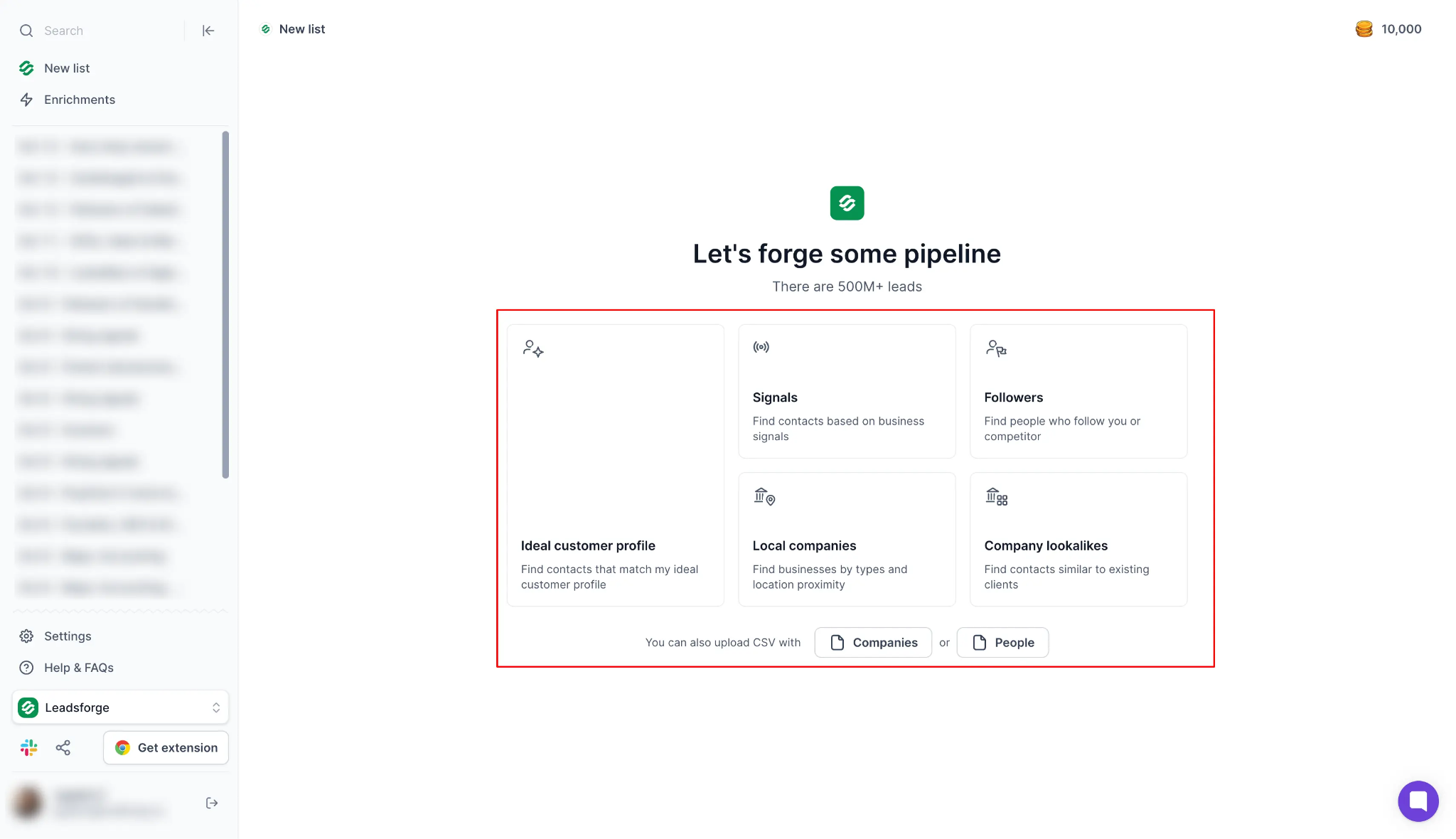
The multi-source model is why that number holds up in practice. When the first provider has no verified record, Leadsforge moves to the next one and keeps going until it finds a match or confirms there is not one.
You are not stuck inside one vendor's coverage gaps, which is the usual reason a purchased list underdelivers against the count you paid for.
Targeting works differently from the filter-stacking the rest of this list requires. You describe your ideal customer in plain language, get a filtered list back, then layer on company lookalikes, competitor followers or buying signals such as funding rounds and hiring activity.
For teams already running outbound, the list moves straight into Salesforce, HubSpot, Attio, Folk, GoHighLevel or Breakcold, and the API is on every plan rather than gated behind an upgrade.
Bonus read: I compared 13 email finder tools across US, EMEA and APAC contacts if you want the wider landscape.
Pull your first list with 100 free credits and check the match rate against your own ICP before you spend anything.
Apollo.io is second on this list because it is the only option here where buying the list and sending the first email happen in the same place. For a small team without a separate sequencing tool, that removes an integration step and one monthly bill.
The reason I would still buy US lists here is the contributor network. Apollo builds its data from its own crawling plus delivery signals fed back by more than 200,000 users, and that feedback loop is something a purely scraped database cannot replicate.
US accuracy is estimated around 88%, the strongest among the mid-market tools in this comparison.
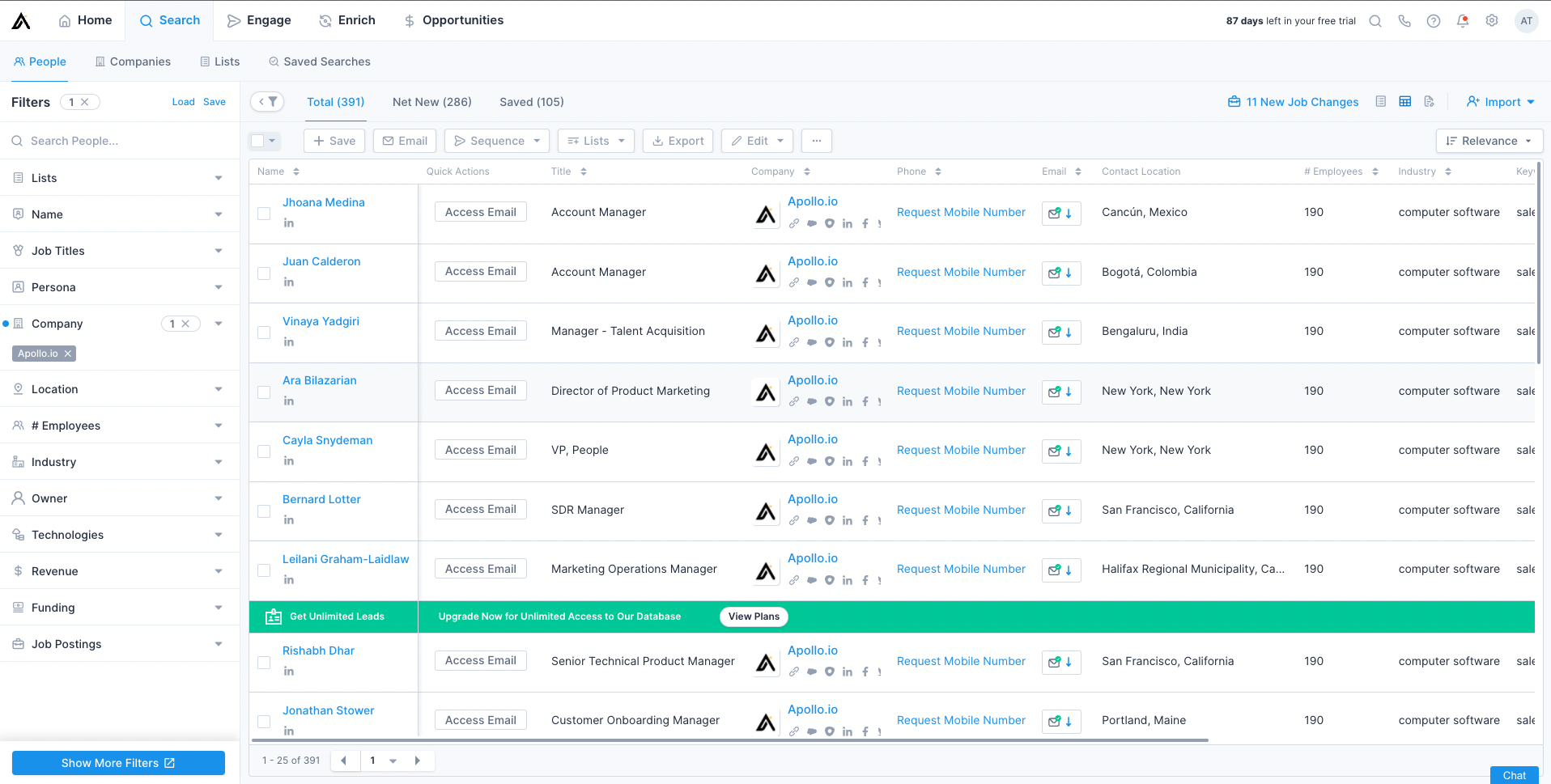
Two things keep it out of first place. Credits expire at the end of every billing cycle with no rollover, so an unused allowance is money gone.
Accuracy outside the United States also drops to roughly 60%, and reviewers report bounce rates between 15% and 35% on contacts marked verified. Plan for a verification pass before any EMEA or APAC send rather than trusting the export.
Bonus read: Apollo also features in my breakdown of email sending tools if you are weighing the sequencing side.
ZoomInfo is third because of what comes attached to each record rather than what the records cost. If you need org charts, intent data, technographics and leadership change alerts on every contact, nothing else here comes close.
That depth has one clear buyer, which is an enterprise North American team with RevOps support and an approved data budget.
Everything about the commercial model argues against it for anyone else. There is no published pricing, and the market median contract sits at $33,500 a year across 1,571 tracked purchases, with deals observed from $7,233 to $156,053.
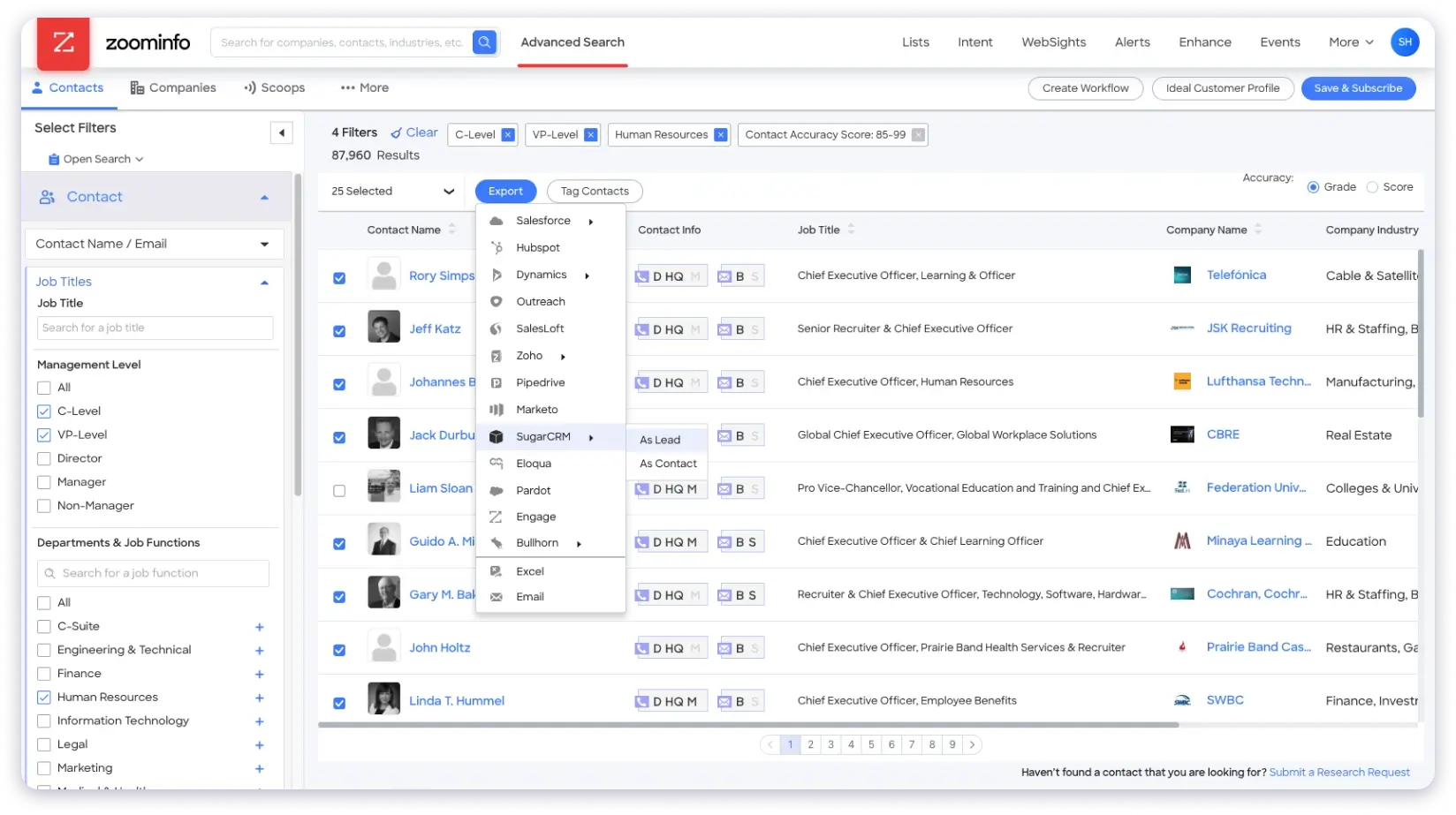
ZoomInfo markets accuracy up to 95% on first-party data, while independent analysis puts real email accuracy nearer 75% to 85%. That means a meaningful share of your export bounces before you have verified anything.
Contracts are annual, renew automatically, and usually require 60 days of cancellation notice. Its Trustpilot score of 1.7 is driven mostly by billing and contract disputes rather than by the data itself.
BookYourData is fourth and it is the only provider here that lets you buy an email list without signing up for anything ongoing. You pay once, take the contacts, and leave, which fits teams whose prospecting is occasional rather than continuous.
That model is also what earns its ratings. It holds 4.9 on both G2 and Capterra, the highest scores in this group, and the reason is the refund mechanism rather than the marketing.
Every record passes an eight-step real-time check at export covering MX lookup, SMTP handshake, catch-all detection, disposable address filters, role-account filters and domain reputation. If a batch breaches the bounce threshold, your credits come back.
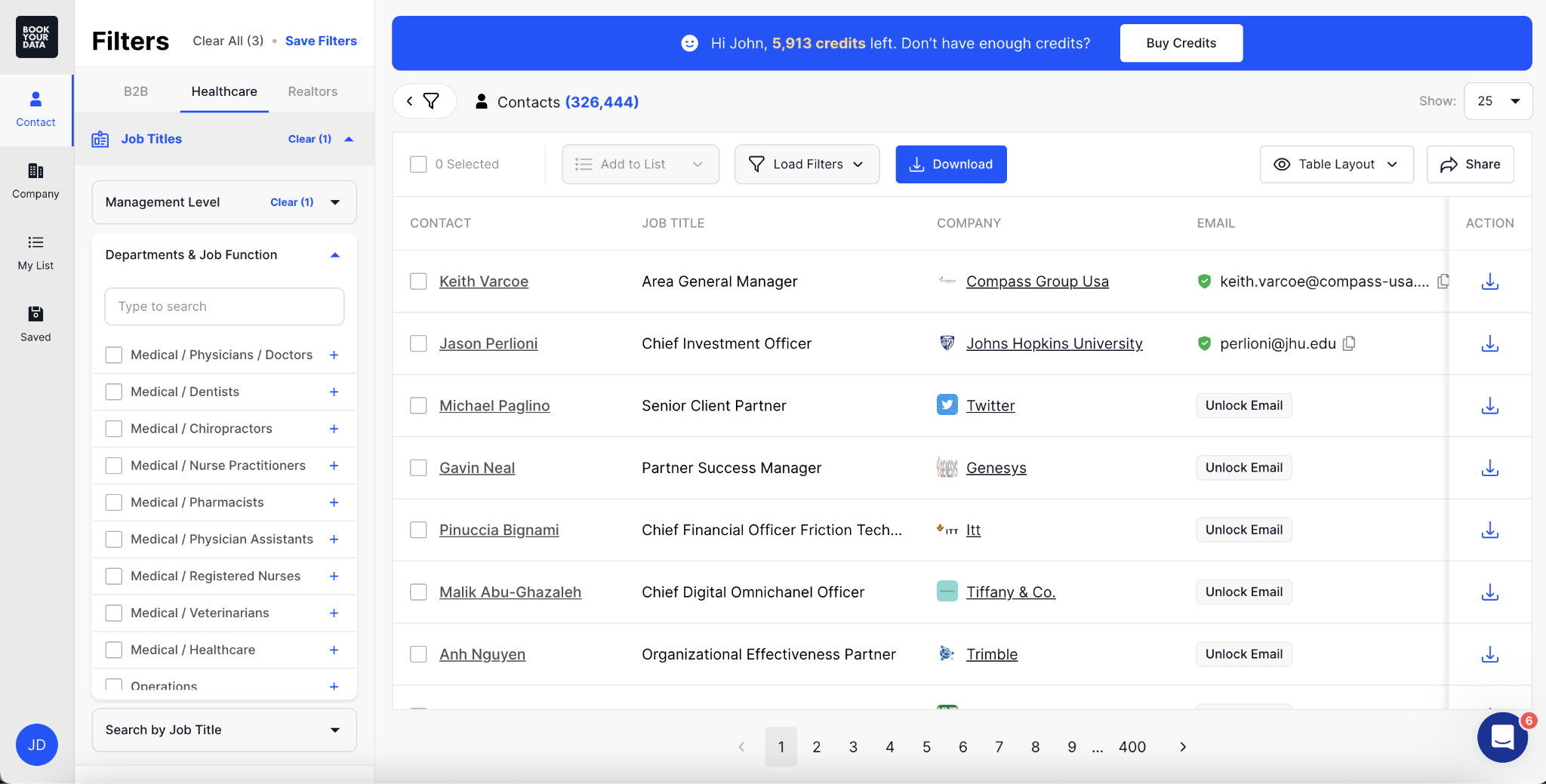
Read the 97% deliverability guarantee closely though. It covers whether an address accepts mail, not whether the person still holds that job, which matters when data decays 22% to 28% a year.
Cost per contact is the highest here at volume, and thin filtering is the most frequently raised complaint in its reviews.
Snov.io sits fifth because it bundles finding, verifying and sending into one low-priced subscription, which makes it a reasonable entry point for a small team testing outbound for the first time.
At $29.25 a month on annual billing for 1,000 credits, it is the cheapest subscription here, and ease of use is the most praised attribute across its reviews.
The data claims need checking before you rely on them. Its B2B Lead Finder page states 500M+ contacts while its own FAQ refers to more than 50 million, and I could not resolve that gap from published sources.
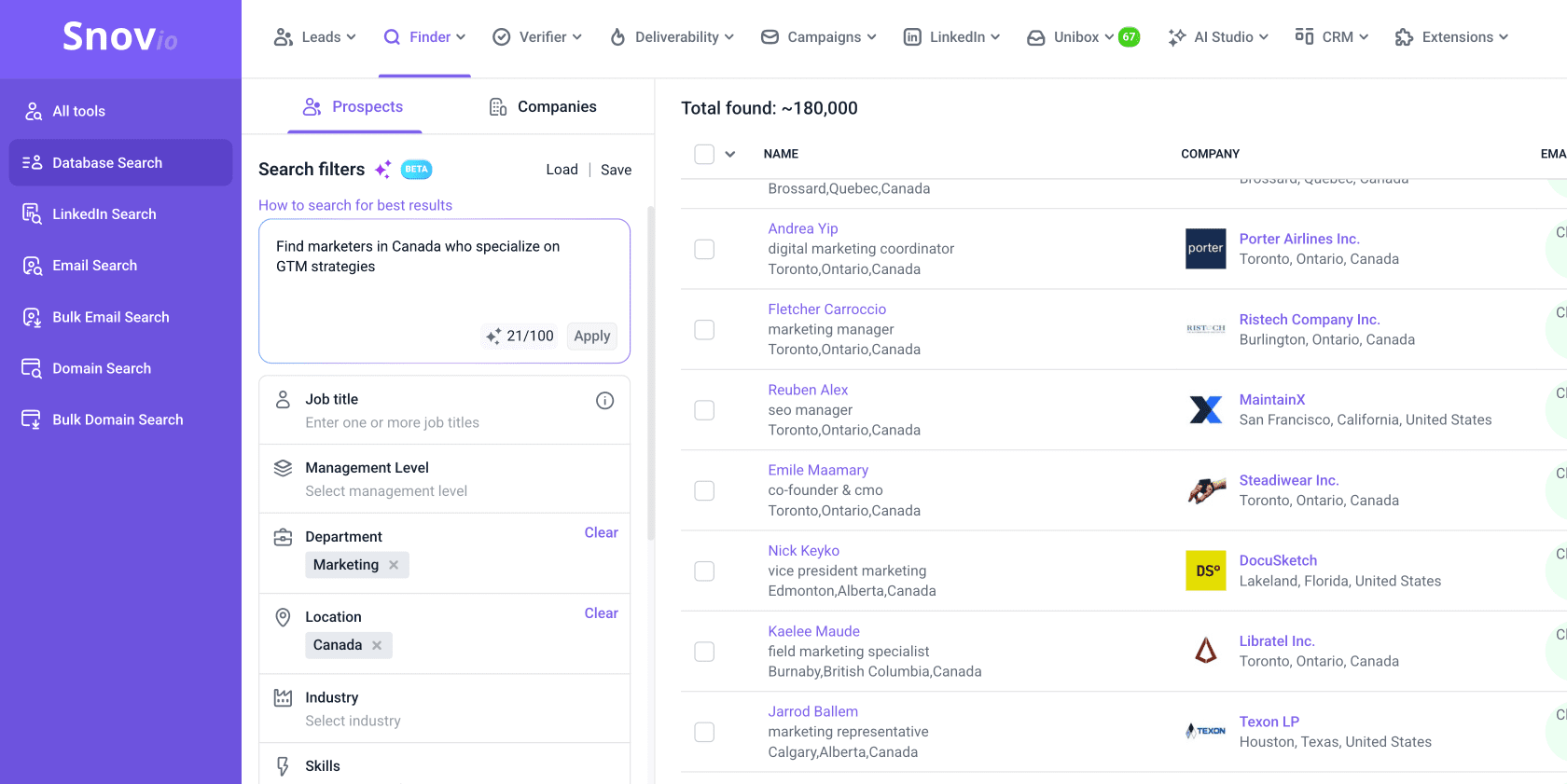
Verification runs a seven-step SMTP process, but catch-all addresses return an unknown status and are treated as unconfirmable. Catch-all domains are common in enterprise environments, so that limitation affects real lists.
Snov.io also publishes no deliverability guarantee, and monthly credits expire after 30 days with no rollover.
Bonus read: I reviewed the platform's warmup side separately in my Snov.io warmup review.
All prices pertain to the yearly billing model where stated. Check snov.io for current rates.
Saleshandy Lead Finder closes the list, and it is the closest competitor to Leadsforge on data architecture. It checks nine data providers at the moment you reveal a contact rather than serving from a stored cache, which reduces the staleness problem that affects static lists.
It also carries the strongest compliance paperwork here, with SOC 2, GDPR and ISO 27001 certifications. If your procurement team asks for documentation before approving a data vendor, this is the easiest one to clear.
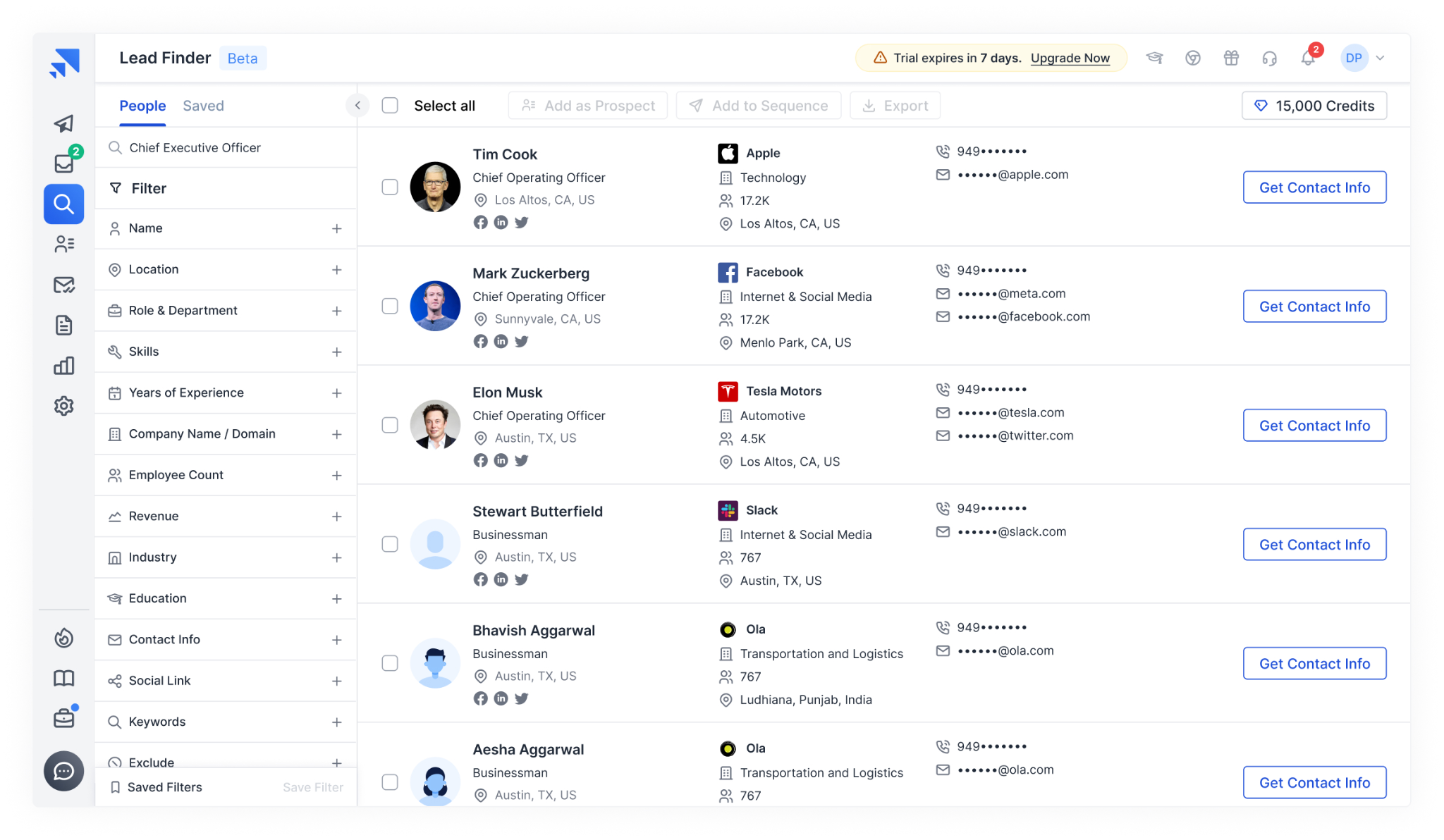
The vendor reports 98% accuracy and an average bounce rate under 3%, and charges nothing for results it cannot verify. Those figures are self-reported and have not been independently audited, so treat them as a claim rather than a benchmark.
Where it falls behind Leadsforge is credit policy and plan gating. Credit rollover is not stated for monthly plans, and API access only opens up on the Pro tier.
Bonus read: Saleshandy appears alongside Apollo and Snov.io in my roundup of cold email providers.
Yes in most jurisdictions, but the rules differ by region and the liability sits with you rather than the vendor.
Under CAN-SPAM in the United States, buying a B2B list and cold emailing it is legal with no prior consent required. You need accurate sender identification, an honest subject line, a physical postal address and a working opt-out honoured within ten business days. Penalties reach $53,088 per non-compliant email.
Under GDPR in the EU and UK, B2B cold email is permitted under legitimate interest, but you must complete and document a three-part balancing test and disclose where the data came from. Penalties reach €20 million or 4% of global annual revenue.
CASL in Canada is the strictest of the three. It requires express or documented implied consent before the first message, with penalties up to CAD $10 million, and purchased lists rarely carry verifiable consent.
The practical point is that a vendor saying it is GDPR compliant is not a defence. You remain liable for every contact regardless of who sold it to you. If you want the detail by region, I broke down whether cold emailing illegal claims hold up under each framework.
Buying well is half the job. The other half is the first 30 days, and this is where most purchased lists turn into blacklisted domains.
Microsoft is stricter still, with its own authentication mandate for senders above 5,000 emails a day. The Microsoft bulk sender rules are worth reading before a large send.
You cannot track any of this without seed inboxes across providers, which is what an email seed list gives you.
Leadsforge is the best place to buy an email list in 2026 because it charges only for verified matches, its credits never expire, and querying twenty-plus sources gives it the lowest real cost per usable contact here.
Apollo wins if you need data and sending in one US-focused platform. BookYourData wins if you buy two or three times a year and refuse a subscription.
Test Leadsforge with 100 free credits and measure the match rate on your own ICP before committing budget.
Between $0.02 and $0.45 per verified contact depending on the provider and volume. Leadsforge sits near $0.02 on its entry plan, Saleshandy around $0.023, Snov.io near $0.06, and BookYourData at $0.40 on its smallest pack. ZoomInfo is contract-priced with a market median near $33,500 a year.
Yes in the US under CAN-SPAM with no consent required, and in the EU and UK under GDPR legitimate interest with a documented balancing test. Canada is stricter and requires consent before the first message under CASL. Liability stays with you, not the vendor.
Aim for under 1% after your own verification. Unverified purchased lists commonly bounce between 10% and 20%, and reviewers report 15% to 35% on some providers. If a seed test shows more than 2% hard bounces, do not send to that list.
Mailchimp prohibits purchased lists under its terms and can suspend the account. HubSpot allows non-opt-in contacts in its CRM but restricts marketing email to them. Use a cold outreach platform instead of a marketing email tool.
Fourteen to twenty-one days at 10 to 20 emails a day, then ramp only once seed inbox placement clears 80% on Gmail and Outlook. Sending to a purchased list from a cold domain is the fastest way to a reputation problem.
B2B contact data decays between 22% and 28% a year, so roughly a quarter of a list goes stale every twelve months. Re-verify before any reuse past three months, and buy from providers that verify at the moment of reveal rather than from a cache.
A static list is a one-time file that starts decaying the moment it is delivered. A lead database lets you search and pull fresh verified records whenever you need them. Of the six here, BookYourData is closest to a static purchase, while the rest are searchable databases.
