New to email outreach? Here's the rule:
You can’t just spin up a fresh inbox and start blasting hundreds of cold emails. You’ll get slammed by spam filters instantly.
You warm it up first.
Email warm-up is the process of gradually building your sender reputation with inbox providers like Gmail, Outlook, and Yahoo. It trains them to trust you as a real person instead of another spammer.
Do it properly, and far more of your emails land in the primary inbox instead of getting buried in spam.
A solid warm-up is the difference between getting actual replies... and getting completely filtered out.
In this guide, I’ll break down exactly how it works step-by-step — the practical way that delivers results in 2026. Let’s get your emails seen.
The email warm-up process is the practice of slowly and steadily increasing your sending volume on a brand-new or dormant email account.
It proves to Email Service Providers (ESPs) like Gmail, Outlook, and Yahoo that you are a legitimate human rather than a spammer
ESPs maintain a reputation profile for every sending domain and mailbox. During warmup, they track a specific set of signals. They look at whether recipients open your emails, reply to them, and mark them as important. They also watch for bounces and spam complaints.
Here is the part most guides get wrong. ESPs do not care how many emails you send. They care about what happens after you hit send.
A mailbox sending 50 emails a day with zero replies tells Gmail nobody wants those messages. A mailbox sending 10 emails a day with a 30% reply rate tells Gmail people do. The second mailbox builds reputation faster despite lower volume.
Warmup creates a controlled history of positive engagement over 14 days. Once enough trust accumulates, ESPs start routing your emails to the primary inbox instead of spam.
Hours spent writing great cold emails mean nothing if they land in spam.
The downstream impact is straightforward. Low deliverability kills open rates. Low open rates kill replies. No replies means no meetings booked. At that point, your copy and targeting are irrelevant because nobody is seeing the email.
I have watched teams spend entire months troubleshooting reply rates when the real issue was that their mailboxes were never warmed properly.
Warmup is not a nice-to-have. It is where every cold email campaign starts.
For most senders, yes. Two reasons.
Manual warmup is a full-time job. You would need to email 5 to 10 contacts every day, ask them to open and reply, track which providers they use, and gradually increase volume over weeks. For one or two mailboxes with patient friends, that works.
But warmup also never stops. Turn it off and your reputation starts slipping within days. That is the part where manual effort falls apart. It is not a project with an end date. It is an ongoing habit.
If you are sending a handful of emails a week, manual warmup can work. If you are running real outbound at any scale, you need a tool to handle it automatically.
Before any warmup activity begins, your email authentication records need to be configured. Three protocols matter.
If any of these are misconfigured, no amount of warmup will save your deliverability. ESPs flag unauthenticated emails before engagement signals even come into play.
I have a detailed breakdown of how to set up SPF, DKIM, and DMARC for cold outreach if you need the full walkthrough. Warmforge also runs automated SPF, DKIM, and DMARC health checks once you connect your mailbox, so you will know right away if something is misconfigured.
The process itself is straightforward once you understand what ESPs are looking for.
I follow the same six steps every time I set up a new mailbox for cold outreach, and the order matters. Skipping ahead or rearranging steps is usually where things go wrong.
Start by connecting your Google Workspace or Microsoft 365 mailboxes to Warmforge.
Setup takes a few minutes, and warmup emails start sending immediately after you confirm.
If you are warming up multiple mailboxes, connect them all at once so they ramp in parallel. This saves time when you are scaling infrastructure for outbound.
Warmforge offers one free warming slot for a Google or Microsoft mailbox if you want to test the process before committing to a paid plan.
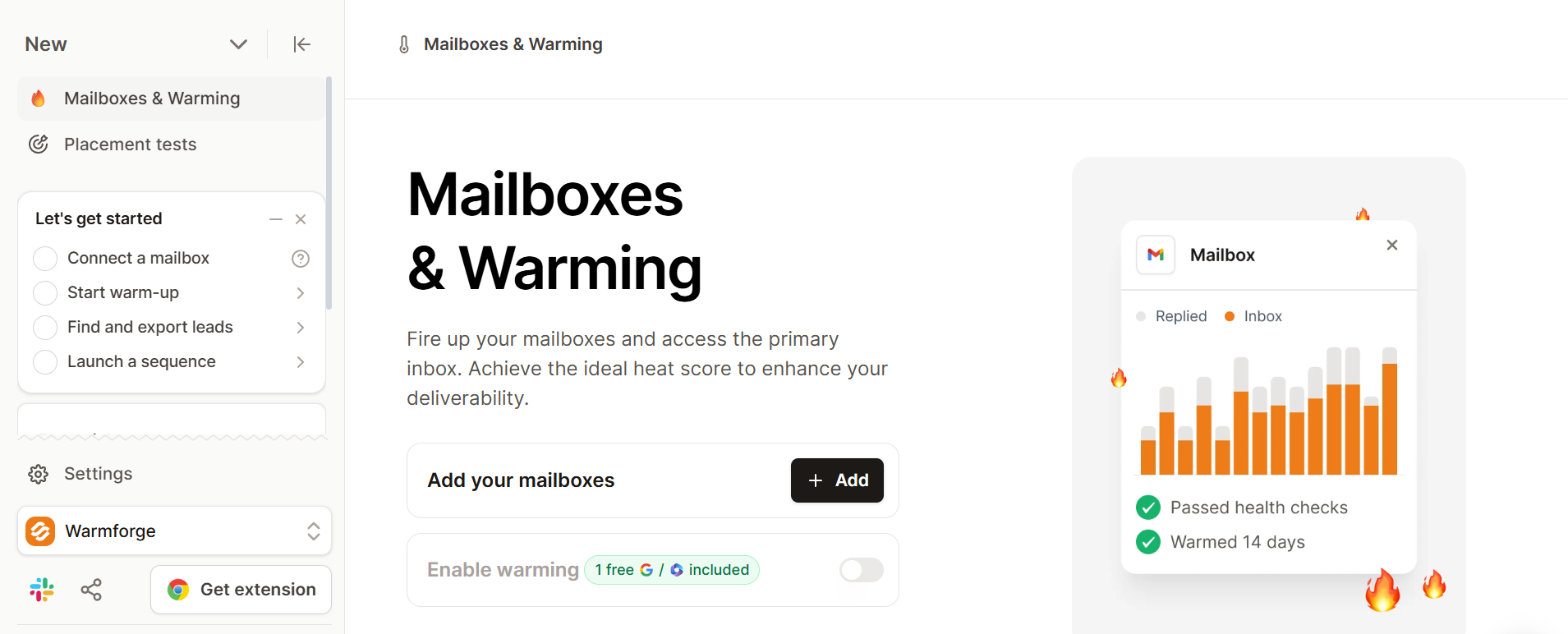
Warmforge handles the ramp automatically, but it helps to understand what is happening.
The tool starts with low volume, around 5 to 10 emails per day, and increases gradually. Volume grows by roughly 10 to 15% daily under the ceiling you set. No sudden spikes. No manual adjustments needed.
ESPs flag new mailboxes that suddenly push high volume. A brand-new address sending 100 emails on day one looks like spam to every major provider.
This is where reputation actually gets built.
Warmforge sends AI-generated emails through a network of real inboxes. These are not generic templates. They are unique, conversation-like messages that mimic how actual business professionals communicate. Replies come back threaded naturally, the way a real response would.
ESPs track whether these emails get opened, replied to, and moved out of spam. The quality of these interactions matters more than the count. Providers have become sophisticated enough to spot repetitive warmup patterns, so the emails need to look and feel like genuine exchanges.
Here is the ramp schedule I follow for cold outreach mailboxes.
If inbox placement drops during any phase, pause the increase and let the mailbox stabilize before continuing.
Do not guess whether warmup is working. Warmforge gives you real-time numbers.
The heat score is the metric that tells you when a mailbox is ready. A score of 85 or higher means your mailbox has built enough reputation to handle real campaigns. Below 75 after 14 days means something needs attention.
The deliverability center dashboard tracks heat score alongside inbox placement rate, reply rates, and bounce rates across providers. I check it daily during the warmup window because catching problems early is much easier than fixing them after they compound.
If your score stalls, run an inbox placement test to see exactly which ESPs are routing you to spam. Warmforge includes one free placement test per month on every plan.
This is the mistake I see more than any other.
Once your heat score hits 85+ after 14 days, you can start sending cold outreach. But do not shut off warmup. Keep it running in the background at 5 to 10 emails per day.
Sender reputation is not permanent. It degrades without ongoing positive signals. Cold prospects reply at much lower rates than a warmup network, so your engagement ratios will drop if warmup is not supplementing them.
I have seen mailboxes go from 90%+ inbox placement to below 70% within two weeks of pausing warmup. Keeping it active is your safety net.
Sign up and get your free warming slot and placement test
Not every provider treats new senders the same way. Knowing the differences helps you avoid surprises.
That said, the practical takeaway is simple.
Warm up across multiple providers, not just one. Warmforge's network spans Gmail, Outlook, Yahoo, and others, which gives you broader reputation coverage from day one.
I have seen the same warmup failures repeat across dozens of outbound setups.
The process itself is not complicated, but these five mistakes quietly wreck deliverability before most teams even notice.
Jumping from 5 to 50 emails per day in a few days trips spam filters. Stick to a gradual 10 to 15% daily increase.
Your reputation needs ongoing positive signals. Pausing warmup while sending cold email is the fastest way to watch emails land in spam.
SPF, DKIM, and DMARC are non-negotiable. Without them, no amount of warmup fixes deliverability.
A dropping heat score is an early warning. Catching it in the first few days means a quick fix. Ignoring it means weeks of recovery.
Every mailbox you plan to use for outreach needs its own warmup. Warming one and sending from five others does nothing for the other four.
Here are the benchmarks I track in the Warmforge dashboard during and after warmup.
If inbox placement sits below 80% after two full weeks, check three things. Verify your DNS records are configured correctly. Review whether volume ramped too aggressively. And run a placement test to pinpoint which ESPs are the problem.
Even a small spike in spam complaint rates can undo weeks of progress, so keep a close eye on that number.
Most guides stop at "start sending campaigns." But what you do after warmup matters just as much.
Sender reputation fluctuates with your ongoing sending behavior. Stop sending for 10 to 14 days and inbox placement can drop below 70%. If your cold campaigns generate high bounce rates or spam complaints, reputation erodes even with warmup running.
Here is what I do after the initial 14 days.
I keep warmup active at 5 to 10 emails per day. I check heat scores weekly rather than only during the ramp. I run a placement test at least once a month to verify inbox rates across Gmail and Outlook. And I watch bounce rates on every campaign, because anything above 2% is an immediate red flag.
The cold email deliverability guide on the Warmforge blog goes deeper on long-term reputation management if you want the full picture.
Warmup is not a phase. It is ongoing maintenance for your sender reputation. Turn it off and your deliverability goes with it.
Check your deliverability health with a free placement test
The recommended period is 14 days. Some mailboxes reach healthy heat scores faster, but rushing the process risks triggering ESP filters. I always follow the full 14-day ramp before sending cold outreach.
You technically can, but your emails will almost certainly land in spam. New mailboxes have no sender reputation, and ESPs treat unknown senders as suspicious by default.
Yes, always. Stopping warmup causes engagement ratios to drop. Keep it running at 5 to 10 emails per day to maintain sender reputation in the background.
A heat score of 85 or higher means your mailbox is ready for real campaigns. Anything below 75 after 14 days signals an issue with DNS, ramp speed, or warmup quality.
Manual warmup means emailing contacts who open and reply by hand. It works for one or two mailboxes but breaks down fast at scale. Automated tools like Warmforge handle engagement, ramp, and monitoring across dozens or hundreds of mailboxes.
The core process is the same, but the providers score senders differently. Google focuses on engagement quality while Microsoft is stricter with new senders. Using a warmup network that spans both providers covers your bases.
Start at 5 to 10 per day and increase by 10 to 15% daily. By day 14, you should reach 20 to 25 warmup emails per day.

