
The success of a cold email campaign comes down to more than just copy and timing. It comes down to whether the emails on your list are real, active, and safe to send to. A perfect subject line does nothing if the address bounces.
And a bounce doesn't just cost you a single email. It chips away at your sender reputation, one bad send at a time.
That's where an email validity check earns its place in every outbound workflow. It's the fastest way to catch invalid, disposable, and risky addresses before they hurt your deliverability.
I've run campaigns where a quick verification pass was the difference between 90% inbox placement and watching half a list land in spam.
In this guide, I'll walk you through five ways to verify an email address in 2026, ranked from fastest to most manual. You'll also see what a valid email actually needs to pass, and what to do after your list is clean.
Let's break it down.
The fastest way to run an email validity check is to use an email verification tool. A good one runs syntax, DNS, MX, catch-all, and disposable checks in a single pass. For deeper accuracy or bulk lists, layer in SMTP tests, DNS lookups, and bulk verification inside your sending tool.
Here's how the five methods compare:
Some of these checks take 30 seconds. Others need infrastructure and a bit of time. I've ranked them from most accurate and easiest to most manual, so you can pick the one that fits your situation.
If you only remember one method from this guide, make it this one. An email verification tool is the fastest and most accurate way to check if an address is safe to send to.
Here's what a good tool actually runs when you paste in an address:
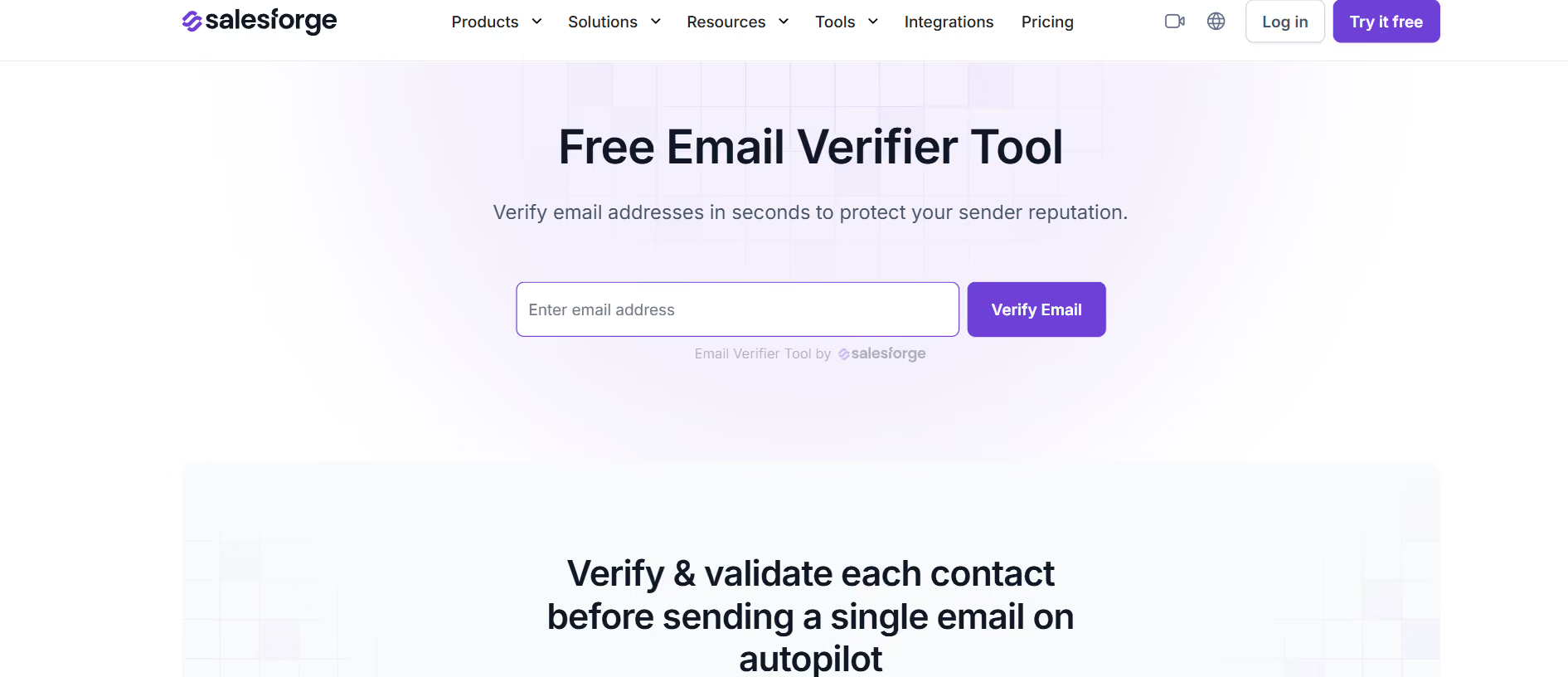
The Salesforge email verification tool runs all eight checks in one pass. It gives you a 0 to 100 score with a breakdown of each parameter. A high score means the address is safe for cold outreach. A low score tells you exactly why sending would be risky.
Every domain that accepts email has MX (Mail Exchange) records in its DNS. These records tell mail servers where to deliver messages. If a domain has no MX records, no email address at that domain can receive mail.
Running an MX lookup is a quick way to filter out entire domains that will bounce every email you send them.
From any terminal, run:
nslookup -type=MX example.com
You'll get back a list of mail servers with priority numbers, where the lowest number is preferred. If you see results, the domain is set up to accept email. If you get nothing, treat every address at that domain as invalid.
Here's what this method can confirm and what it can't. It proves the domain accepts email. It does not prove that a specific mailbox exists or is active.
That's why MX lookups pair well with authentication checks. A domain with valid MX records but broken SPF, DKIM, or DMARC is a red flag. It suggests the domain is either misconfigured or being spoofed.
You can use Salesforge’s free tools to check,
Run all three when you want a full picture of a domain's authentication health.
An SMTP ping is one of the more accurate ways to verify an email without sending an actual message. It works by opening a conversation with the recipient's mail server. The server responds with a code that tells you if the address is accepted, before any actual email is delivered.
Here's how the handshake plays out. Your server connects to the recipient's mail server on port 25. It identifies itself, then attempts to hand off the message. The recipient's server responds with a status code before the email is actually delivered.
Two codes matter most:
SMTP ping is great in theory. In practice, it breaks down fast at scale.
Modern mailbox providers like Gmail, Outlook, and most enterprise ESPs actively defeat SMTP probing. They rate-limit connections, use greylisting to delay responses, and return misleading codes to protect user privacy. What used to be a reliable manual check is now a coin flip on the biggest providers.
Use SMTP ping for one-off diagnostics when you already suspect an address is dead. Don't rely on it as a workflow for verifying a list.
Syntax checking is the fastest email validity check on this list. It's also the least accurate on its own.
What it does well is catch obvious typos and format errors. Common examples: a missing @ symbol, spaces or commas in the wrong spot, or a typo in the domain like "gmail.com".
What it misses is everything after the syntax level. A perfectly formatted address like [email protected] will pass every regex you throw at it, but the mailbox doesn't exist.
Use syntax checking as a pre-filter, not as a standalone method. It's cheap and fast. It also catches 5 to 10% of the worst addresses before you spend credits on a full verification run.
Once you're sending cold email at any real volume, one-off verification tools stop being enough. You need a workflow that verifies at scale, at the point of import, without adding an extra step to your day.
That's why most serious cold email platforms bake verification into the sending workflow. When you import a list, the platform runs the same eight checks I covered earlier. It flags or removes risky addresses before your first sequence goes live.
If you're sending 500+ emails a day, this is where you want your verification happening. One tool, one workflow, no extra credits to buy.
Salesforge handles this natively. If you send from a platform that verifies before it sends, you skip the manual pre-check step entirely. Verified list, warmed mailboxes, and sending sequences all live in the same place.
An email validity check isn't a nice-to-have. It's the difference between landing in the inbox and slowly wrecking your sender reputation.
Here's the chain. When you send to an invalid address, the email bounces. When your bounce rate climbs, mailbox providers like Gmail and Outlook start to notice. Your sender reputation drops. Your inbox placement follows. Open rates fall. Reply rates fall. Deals dry up.
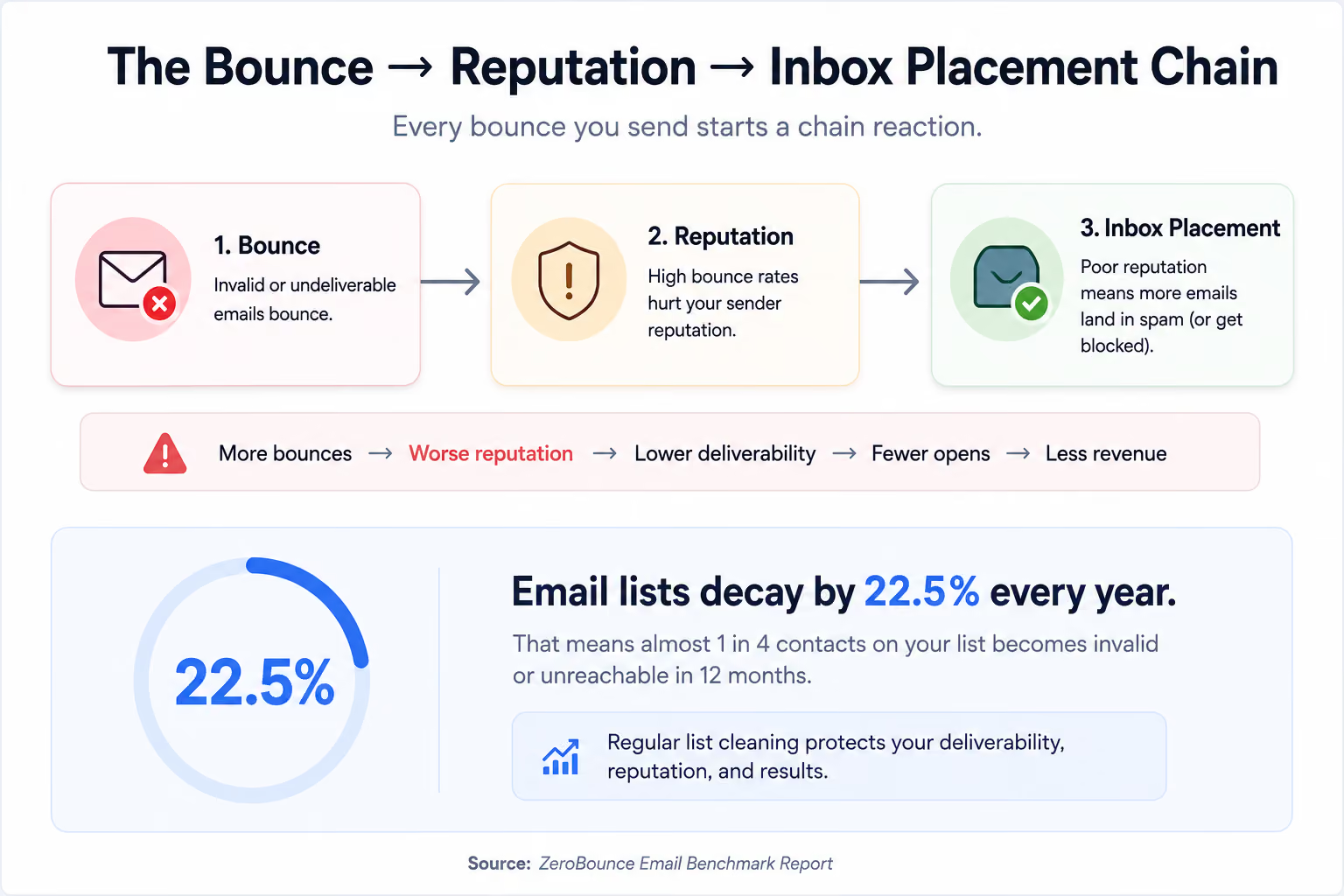
Google's guidance is clear: keep your bounce rate under 0.3%. Cross 5%, and providers may start reviewing your account. Cross 10%, and you're looking at a temporary suspension.
The problem is that email lists don't stay clean on their own. Around 22.5% of email addresses go invalid every year as people change jobs, close accounts, or shut down domains. What was a clean list six months ago is already 10% stale today.
That's why regular verification matters. Running an email validity check before each campaign catches the decay before it costs you inbox placement. If your bounce rate is climbing, it's the first thing you should monitor email bounce rate and the first thing you should fix.
Now that you know the methods, let's break down what "valid" actually means at the technical level. A good email validity check runs eight parameters. Each one filters out a specific type of risky address.
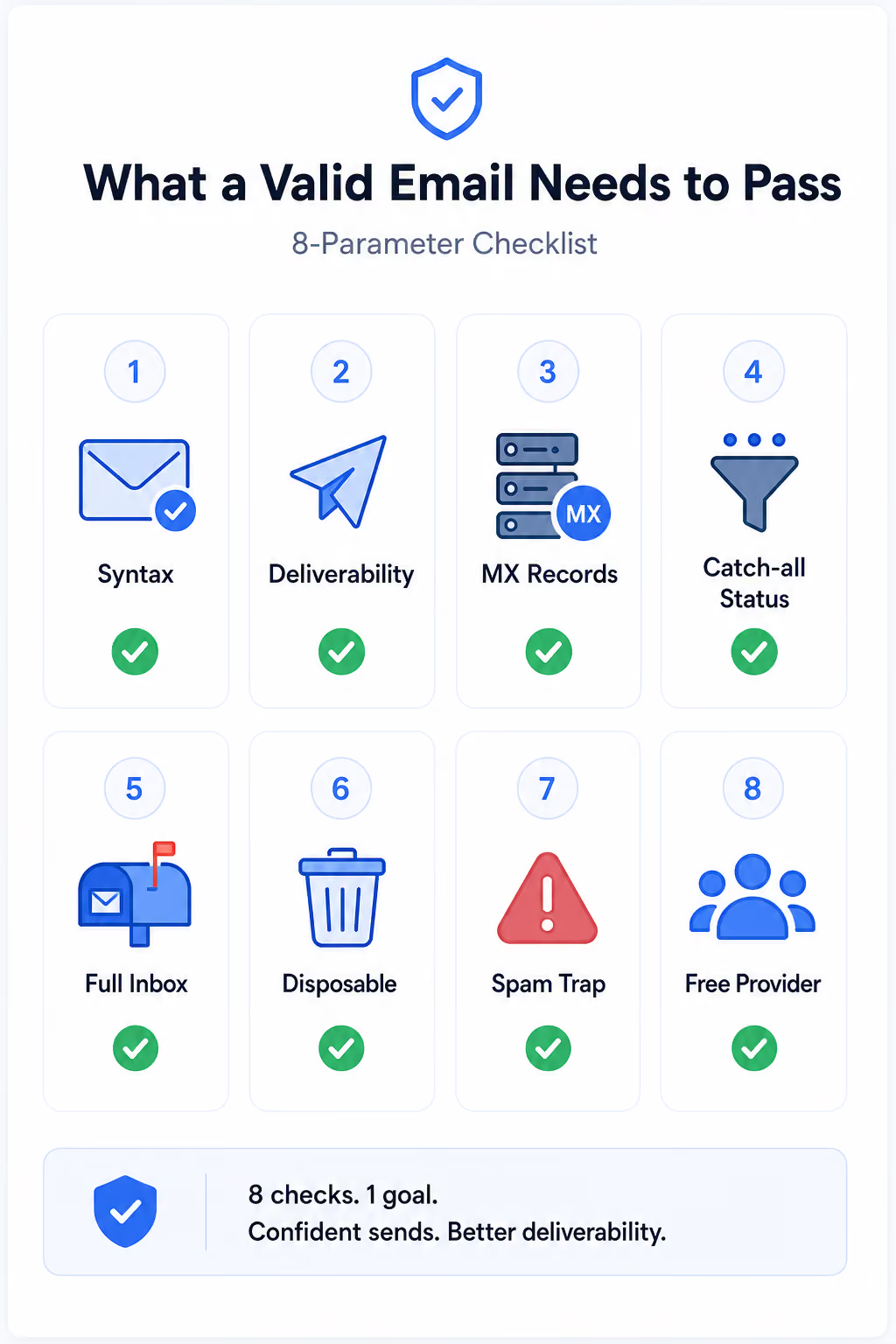
Here's what each check looks for and why it matters:
For a broader view on staying clean, this rundown of tools that reduce bounce rates covers what to layer alongside a verifier.
The right method depends on your list size, how often you're verifying, and how much you're sending. Here's how I think about it:
Layering methods almost always beats picking one. A syntax pre-check plus a verification tool catches more than either does alone. For what to test after verification, this guide on how to check email deliverability covers the metrics that matter most.
A verified list is only half the deliverability equation. The other half is the infrastructure sending those emails.
Even a clean list won't reach the inbox if your mailboxes aren't warmed. Broken DNS records and unmonitored placement will kill deliverability just as fast. This is where a lot of teams stall out. They verify, they hit send, and they wonder why open rates never climb.
Here's what should happen after your validity check:
This is exactly what Warmforge is built for. It runs your warmup, tracks your heat score, and runs placement tests across Google and Microsoft. DNS and blacklist monitoring live in the same dashboard. The free plan includes one warming slot and one placement test to get started.
For the full picture on protecting sender reputation, run through the deliverability checklist built for sales teams.
An email validity check isn't optional at any real cold email volume. The methods I walked through cover every situation. Spot-checking a single address works. Cleaning a list of hundreds works. Running validation on thousands inside your sending platform works. Pick the one that fits your list size and workflow.
But verification alone doesn't get you into the inbox. Once your list is clean, your mailboxes still need warmup, your DNS still needs to pass, and your placement still needs monitoring.
That's where Warmforge comes in. Warmforge handles the warmup, tracks your heat score, and runs placement tests. Your verified list actually reaches the people you're trying to reach.
Start with a free warm up and a free placement test
Yes, you can verify an email address without sending a message. Common methods include syntax checks, DNS and MX record lookups, SMTP pings, and dedicated email verification tools. Verification tools are the fastest and most accurate. They run all four checks in one pass. They also add catch-all, disposable, and spam trap detection on top.
The best tools operate at 95 to 99% accuracy on standard mailboxes. Accuracy drops for catch-all domains, where the mail server accepts all incoming email regardless of whether the mailbox exists. Some tools handle catch-alls better than others. If most of your list uses catch-all domains, look for a verifier that flags them clearly instead of marking them unknown.
Email validation checks whether the address is properly formatted. It looks at syntax, structure, and format only. Email verification goes further. It confirms whether the mailbox actually exists and can receive mail. Most modern tools bundle both into a single check, but the two terms are technically different steps.
A catch-all address is one where the domain is configured to accept all incoming email, whether or not the specific mailbox exists. This makes verification tricky, since the mail server always responds with a success code during an SMTP check. Most verifiers flag catch-alls as "risky" or "unknown". The safest approach is to send to catch-alls sparingly and prioritize confirmed valid addresses. Treat any catch-all bounce as a signal to remove the address from future sends.
Verify your list every time you launch a new cold email campaign. Email lists decay by roughly 22.5% per year, which means a list that was clean six months ago is now measurably stale. If you're sending weekly, verify weekly on any new imports. If you're sending monthly, run a full list check before every campaign.
Aim for under 2% for hard bounces, and under 5% total. Google's guidance is stricter still, recommending you keep your bounce rate under 0.3% to stay in good standing. If your bounce rate crosses 5%, mailbox providers may start reviewing your account. If it crosses 10%, you're looking at temporary sending suspension.
