Many outreach tools now offer email warmup as a built-in feature. Snov.io email warmup is one of them.
When warmup is built into the same tool you use for outreach, it’s important to know how the warmup actually behaves once it’s turned on.
To understand that, I reviewed Snov.io’s email warmup closely.
In this article, I explain what happens after you enable it, how warmup sending works, where engagement comes from, and what the dashboard shows, so you can decide if it fits your setup.
Key Takeaways
Snov.io Email Warmup is a built-in warmup feature, not a dedicated warmup tool. It works inside the Snov.io outreach platform.
You turn warmup on per mailbox, and Snov.io automatically handles sending and replies to build basic inbox activity.
Warmup emails run only within Snov.io’s warmup system and never go to real prospects or campaign contacts.
The dashboard shows where warmup emails land (inbox, spam, promotions) and basic trends by email provider.
Warmup behavior, pacing, and interaction partners are system-controlled, with no manual adjustment options.
It does not provide deliverability reports like placement tests or deeper inbox health checks, like blacklist monitoring and DNS issues.
Warmforge is the best dedicated email warmup alternative; it provides always-on warmup, placement testing, inbox health visibility, and technical deliverability checks.
Enter your email to get a custom plan & stack recommendation for your
business
It's being carefully crafted by AI
Please check your mailbox in 5 minutes
What Exactly Is Snov.io Email Warmup?
Snov.io Email Warmup is a built-in feature inside Snov.io that automatically sends and replies to emails from your mailbox to support inbox placement & sender reputation.
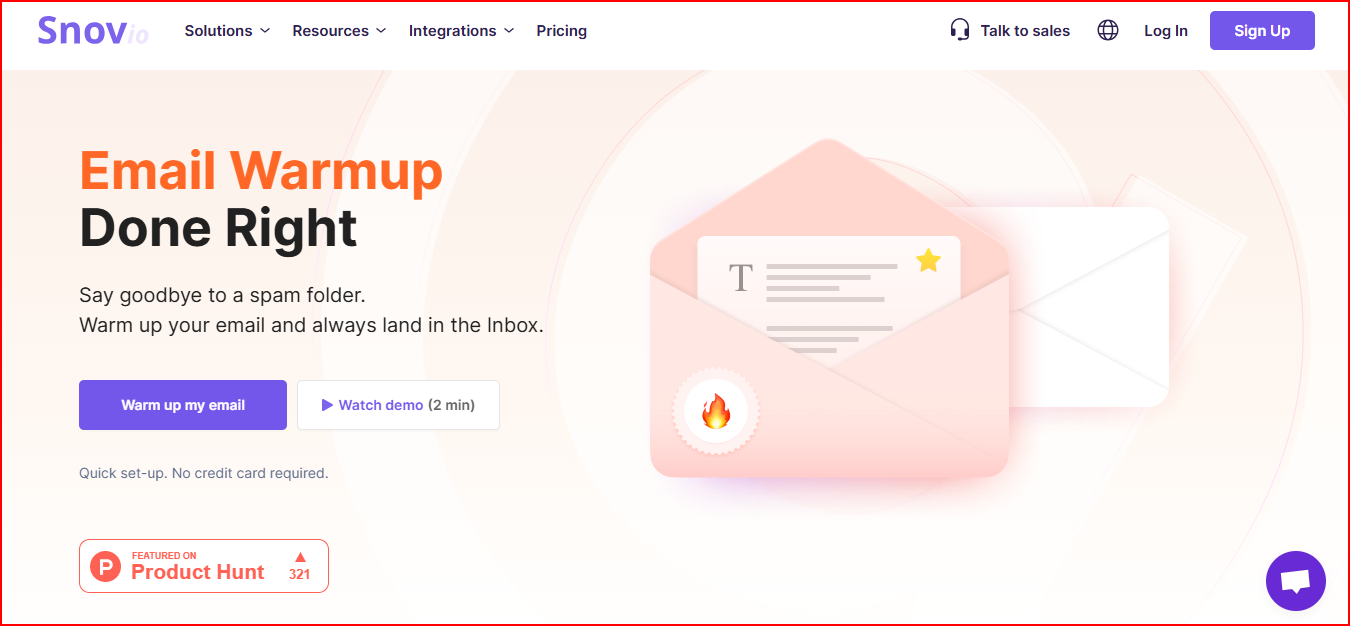
This image shows the Snov.io email warmup home page
Since Snov.io is an outreach tool, email warmup works inside the same platform you use for campaigns, not as a separate product.
Once you turn on email warmup, Snov.io handles everything automatically.
It sends, opens, and replies to emails using AI-powered conversations, keeping your inbox active in the background.
Snov.io also provides options like premium warmup pools, provider-specific warmup, and a dashboard that shows warmup progress and inbox placement by provider.
How Snov.io Email Warmup Works
Here’s exactly what happens after you turn on email warmup inside Snov.io.
Step 1: You turn on warmup for a mailbox
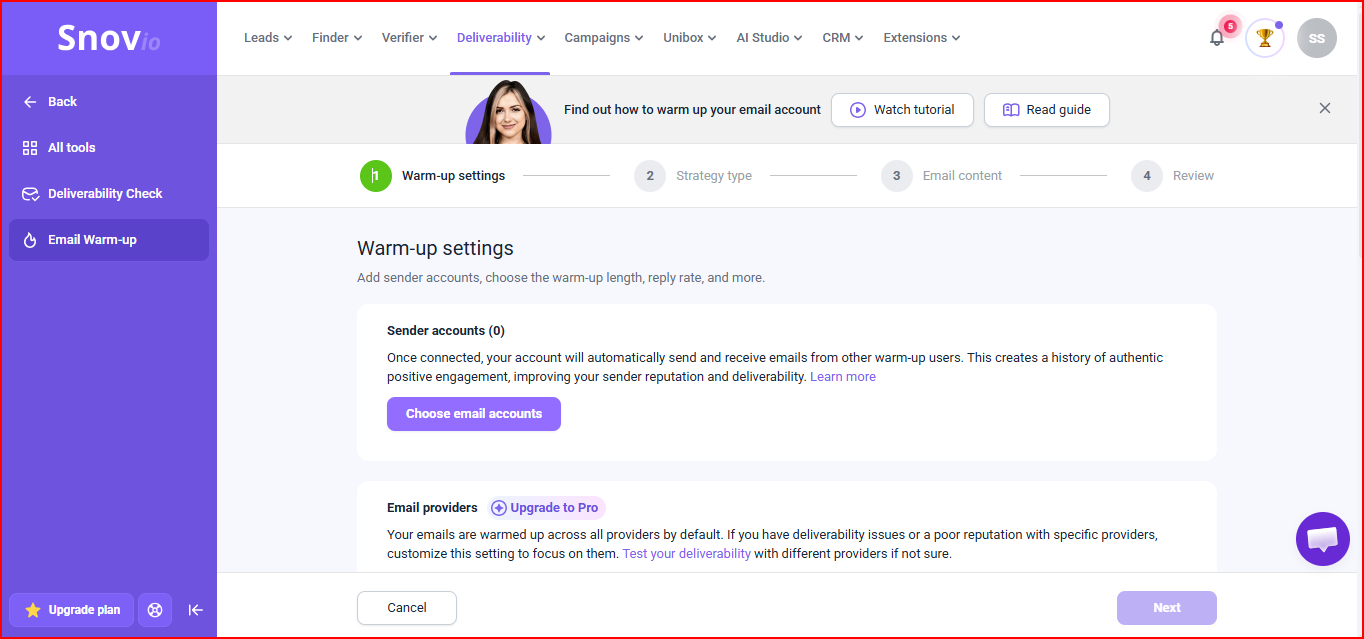
This image shows the Snov.io email warmup settings
Inside Snov.io, you enable email warmup for the mailbox you want to use for outreach
Step 2: Choose a warmup strategy
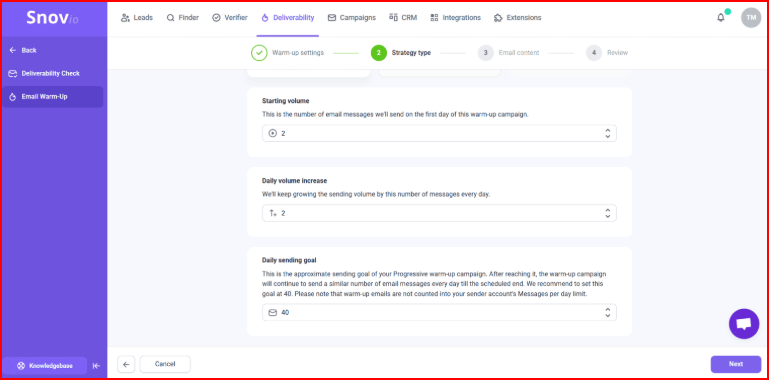
This image shows the Snov.io email warmup settings- choosing strategy
Snov.io offers three warmup strategies: Progressive for new inboxes, Steady for existing inboxes, or Custom to create your own warmup strategy.
You simply pick the one that fits your inbox and move on.
Step 3: Snov.io starts warmup automatically
Once enabled, Snov.io sends emails from your mailbox, opens them, and replies within the same threads.
You don’t control how many emails are sent, and you don’t write any warmup content.
Step 4: Engagement is created by AI
Replies and interactions are generated using AI-powered conversations, so activity continues without manual effort.
Step 5: Warmup runs through Snov.io’s pools
Warmup emails go through standard or premium pools, including business or corporate mailboxes and provider-specific warmup, depending on your plan.
Step 6: You can monitor progress in the dashboard
The dashboard shows warmup status and inbox placement by provider while the warmup continues running.
For me, it felt very simple. I just turned it on and let it run.
That part was easy.
I could see the inbox vs spam trends in the dashboard, but there wasn’t a clear signal telling me “this inbox is fully ready.”
I had to decide for myself when the inbox was safe to scale.
If you’re managing infrastructure setup separately, you can use infrastructure tools like Infraforge and Primeforge, which offer pre-warmed domains and mailboxes with automated DNS setup.
These allow you to start without waiting for warmup period and scale quickly and safely.
Snov.io Email Warmup Pricing
Snov.io does not price email warmup separately. Warmup is included inside its outreach plans, and what you get depends on the plan.
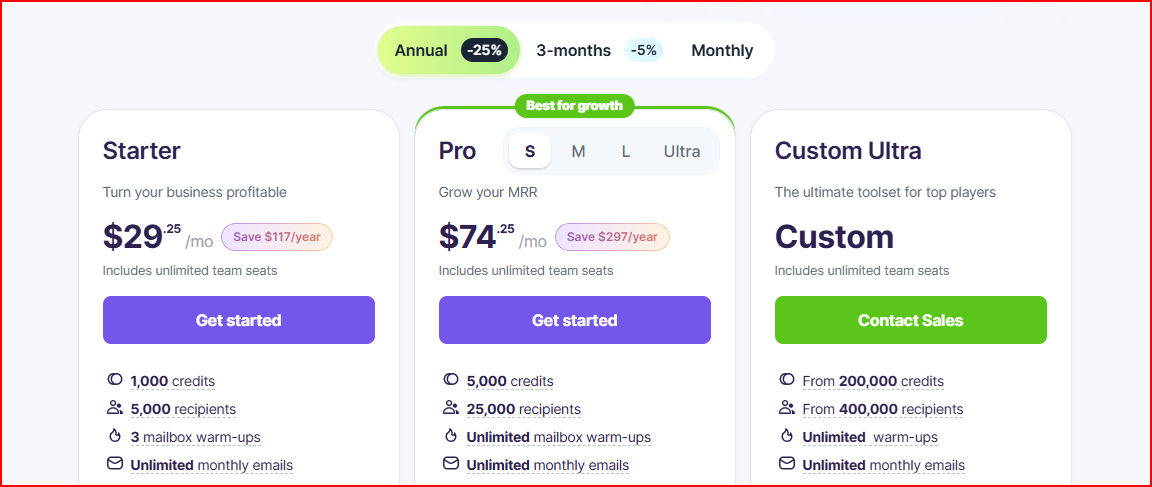
This image shows the Snov.io pricing
Starter – $29.25/month (billed annually)
This plan includes 3 mailbox warm-ups along with unlimited email sending and core outreach features.
It works if you’re warming a small number of inboxes.
Pro – $74.25/month (billed annually)
This plan gives you unlimited mailbox warm-ups, plus a premium warm-up pool and specific domain warm-up.
It’s built for growing outreach and higher warmup needs.
Custom Ultra – Custom pricing
This plan includes unlimited warm-ups at scale, with custom credits, recipients, and priority support.
It’s meant for high-volume or advanced use cases.
LinkedIn Automation (Add-on)
Available on any paid plan, starting at $69/month.
This add-on automates LinkedIn actions alongside email outreach.
Since warmup is bundled inside the outreach plans, I couldn’t just pay for warmup alone.
If someone only wants a standalone warmup tool, this setup may not feel like the right fit.
The 5 Most Important Things to Know Before Using Snov.io Email Warmup
Here are the key things you should know about how Snov.io email warmup it behaves in real use.
1. What Snov.io Email Warmup Is Designed to Handle
Snov.io email warmup is designed to handle warmup execution only inside the outreach workflow.
It runs automated warmup activity so your inbox is active before or during campaigns, and it shows basic placement trends while warmup is running.
Because it is built in and not a dedicated warmup tool, its scope stops at warmup execution.
It does not provide inbox-level health checks like monitoring of DNS, MX records, blacklist status, and placement tests to verify inbox vs spam delivery.
2. Which Email Providers Are Supported During Warmup
In Snov.io email warmup, you can run warmup on mailboxes from all major email service providers. Warmup works once the mailbox is connected to Snov.io, regardless of provider.
There’s no separate warmup setup based on provider. Warmup activity runs through Snov.io’s system after the mailbox is added.
3. How Warmup Scales Across Multiple Mailboxes
In Snov.io email warmup, warmup runs per mailbox, not at an account-wide level. Each mailbox needs to be connected and warmed up individually.
The number of mailboxes you can warm up at the same time depends on your plan.
On lower tiers, warmup is limited to a small number of mailboxes, while higher tiers allow more or unlimited warmups.
You don’t get a centralized way to manage warmup behavior across many mailboxes. Each mailbox follows the same warmup rules on its own.
4. How Warmup Pool Quality Changes as You Upgrade
In Snov.io email warmup, the type of inboxes your mailbox interacts with during warmup depends on which tier you’re on.
With the Starter plan, warmup runs through a standard pool, where your inbox exchanges emails with a general mix of warmup inboxes.
When you move to the Pro plan, warmup expands to premium options, including interactions limited to business or corporate inboxes and specific provider warmup.
You can’t switch these pools manually. The warmup pool changes automatically when you move from Starter to Pro.
5. What You Can (and Can’t) See During Warmup
While email warmup is running in Snov.io, the dashboard shows where warmup emails are landing, along with placement trends by email provider and the current warmup status of each mailbox.
It does not show is why emails land in a certain folder or what to fix if placement looks poor. There are no technical checks or alerts related to DNS, MX records, blacklist status, or spam risk.
Overall, I found it simple and easy to run.
But I also felt limited; I could see placement trends, yet I didn’t have deeper control or clear signals telling me when an inbox was truly ready to scale.
It works well for basic warmup, but it’s not built for scaling high-volume outreach or managing deliverability at scale.
What Snov.io Email Warmup Does Well
Here’s where Snov.io Email Warmup performs well for teams that want a simple, built-in warmup experience inside their outreach workflow:
It runs directly inside Snov.io, so there’s no need to connect or manage a separate warmup tool.
You can get started quickly, without dealing with technical setup or warmup rules.
Once it’s on, warmup runs quietly in the background, so you don’t have to watch it every day.
Warmup stays separate from real outreach, so your live campaigns and prospect emails aren’t touched.
The dashboard makes it easy to see where emails are landing - inbox, spam, or promotions.
You can also spot provider-specific patterns early, since placement trends are shown by email provider.
As you add more mailboxes or upgrade plans, warmup scales naturally without switching tools.
Where Snov.io Email Warmup Has Clear Limitations
This is where Snov.io Email Warmup is restrictive, especially when you compare it with dedicated warmup and deliverability tools.
You can’t pause or schedule warmup independently of campaign activity; warmup is tied to the outreach environment.
There’s no built-in placement testing before or during warmup to check exactly where emails land, something that dedicated tools provide to validate deliverability.
You don’t get inbox health monitoring during warmup, such as real-time checks for DNS, MX records, blacklist status, or spam scoring, to fix issues in the early stage.
There’s no centralized deliverability dashboard that tracks inbox-level performance and alerts you to issues outside of warmup status.
You do not get advanced content and template warmup options like custom language, topic, or engagement style testing that Warmy.io and Lemwarm support.
There’s no dedicated spam risk alerting tied to warmup performance, whereas dedicated warmup services add proactive alerts when deliverability metrics dip.
Warmforge - Best Dedicated Warmup Alternative to Snov.io Email Warmup
Warmforge is a dedicated email warmup and deliverability tool designed to keep inboxes healthy.
Once you connect a mailbox, warmup runs continuously in its own environment, so it doesn’t depend on your outreach tool being active.
You can run placement tests before launching real campaigns.
This helps you check whether your emails are landing in the inbox or going to spam.
While warmup is running, Warmforge also shows inbox health signals, like spam risk and reputation changes, and checks things like domain and blacklist status.
A core differentiator is the Heat Score, which acts as a readiness benchmark.
In general, a score of 85+ indicates the inbox is in a healthy state for scaling.
This helps you to decide when to increase sending instead of guessing.
All of this is visible in one place, across multiple mailboxes, which makes it easier to understand whether your inboxes are actually ready to send.
Warmforge also recommends a structured warm-up period of around 14 days before scaling campaigns, allowing reputation to build gradually and safely.
Snov.io Email Warmup vs Warmforge
What you’re really comparing
Snov.io Email Warmup
Warmforge
What it actually is
Email warmup built inside an outreach tool
A dedicated warmup and deliverability tool
How warmup runs
Runs automatically as part of your outreach flow
Runs on its own, even when you’re not sending campaigns
Does warmup keep running?
Warmup slows or pauses when outreach stops
Warmup keeps running all the time, independently
What you see about inbox health
You mainly see inbox vs spam vs promotions trends
You see inbox health signals, risk alerts, and trends over time
Can you test placement first?
No option to test placement before warmup
You can run placement tests before real sending
Technical checks during warmup
Not part of the warmup flow
Includes things like DNS, MX, and blacklist checks
Provider-level insight
Shown, but only at a high level
More detailed breakdowns by email provider
Managing many mailboxes
Each mailbox is handled separately
All mailboxes can be monitored centrally
How pricing works
Included with Snov.io plans: Starter ~ $29.25/mo (3 warm-up inboxes) and Pro ~ $74.25/mo (unlimited warm-up inboxes)
Flexible pricing: $9 per mailbox per month (billed annually)
Personalized Outbound Strategy
Get The Right Outbound Strategy In Minutes
Enter your email to get a custom plan & stack recommendation for your
business
It's being carefully crafted by AI
Please check your mailbox in 5 minutes
Is Snov.io Email Warmup Enough on Its Own?
Snov.io Email Warmup is sufficient for basic warmup needs, especially when you want something built into your outreach workflow with minimal setup.
Its scope is limited to warming inboxes inside the platform.
It does not cover continuous warm-up outside outreach activity or deeper deliverability monitoring.
If your sending setup becomes more complex or deliverability needs closer attention, users often look at dedicated warmup tools to handle those areas alongside outreach.
Warmforge provides continuous warmup, placement testing, inbox health visibility, and technical checks that operate separately from sending activity.
This allows warmup to be treated as an ongoing process, not just an initial setup step.