
Personalized Outbound Strategy
Get The Right Outbound Strategy In Minutes
Enter your email to get a custom plan & stack recommendation for your business
It's being carefully crafted by AI
Please check your mailbox in 5 minutes

I'd bet you're here because Inboxally has become too expensive or takes too much time to manage.
Every mailbox added to your rotation becomes another sender profile. Ten profiles on the Premium plan cost $1,190 monthly before you pay to send a single campaign.
Inboxally handles seed actions, but you still choose the volume, schedule, and warmup period. Get those settings wrong on an unchecked domain, and you could scale too quickly.
Inboxally still does some things well. Real people manage their seed inboxes, and every plan includes a success manager. That support matters when an important domain gets stuck in spam.
First, decide what you need warmup to do at your scale. Each tool below solves a different part of the process. My top pick charges a flat rate per mailbox and manages the warmup plan for you.
The biggest difference is what each tool fixes: mailbox reputation, contact quality, or the entire sending setup. Warmforge is my top pick for teams running many Google Workspace or Outlook mailboxes without wanting to pay for each sender profile.
Most people leave Inboxally for one of two reasons: the cost or the need to plan warmup themselves. I judged each tool using six questions that determine whether switching will solve the problem.
Sending cold emails at scale requires more mailboxes. Because Inboxally charges per sender profile, the price rises with each one. I looked for slot-based, volume-based, or flat pricing that doesn't increase costs as quickly.
Inboxally leaves the volume, schedule, and duration to you, which only works when you understand your domain’s health. I gave more weight to tools that set the pace and adjust it based on provider responses.
Warmup is only as useful as the inboxes receiving the emails. I checked whether each platform uses aged accounts, genuine Google Workspace and Microsoft 365 mailboxes, or human-managed seeds, and whether all customers access the same pool.
A clean blacklist and valid SPF record do not guarantee inbox placement. I preferred tools showing the inbox, promotions, and spam breakdown for each provider.
Broken DNS records and invalid contacts hurt deliverability regardless of mailbox health. I checked for DNS and blacklist monitoring, alerts, and list verification where available.
Some tools warm any mailbox alongside your existing sequencer. Others only warm mailboxes used through their platform. I noted the difference because it determines whether you add a tool or replace your current one.
Best for: Cold email teams running many Google Workspace and Outlook mailboxes that want automated warmup and monitoring without paying per sender profile.
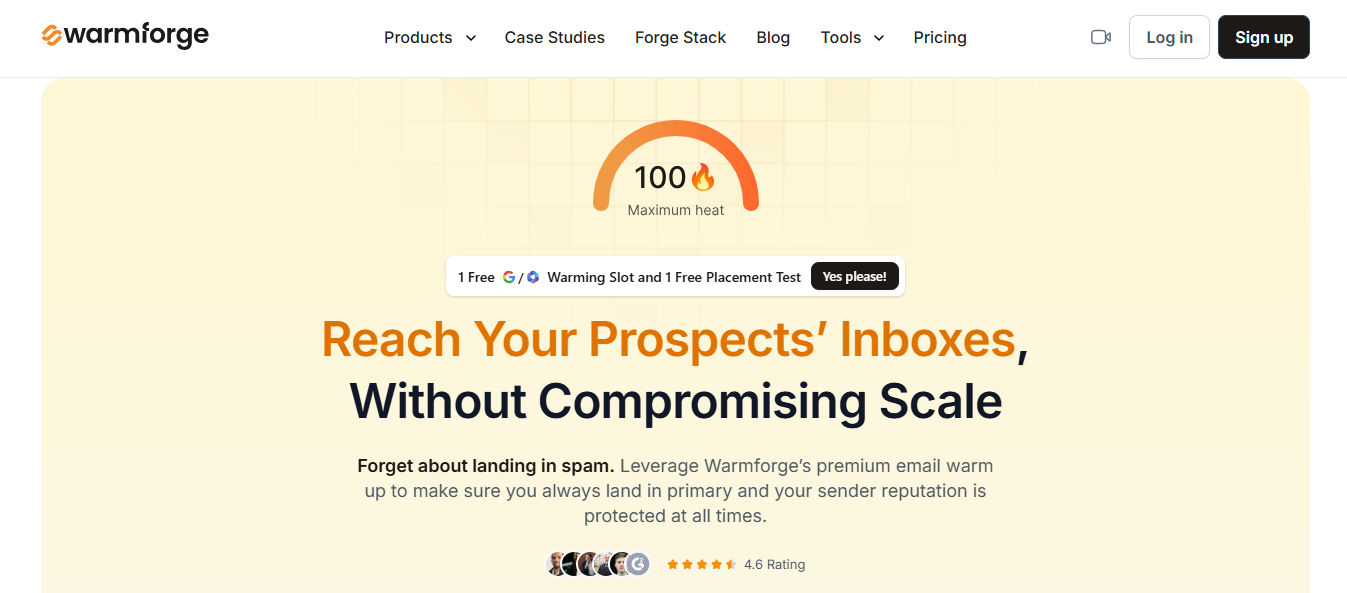
Warmforge is my pick for teams sending cold emails through Google Workspace or Outlook and wanting every mailbox warmed without managing the process. Connect a mailbox, enable warmup, and it handles the rest.
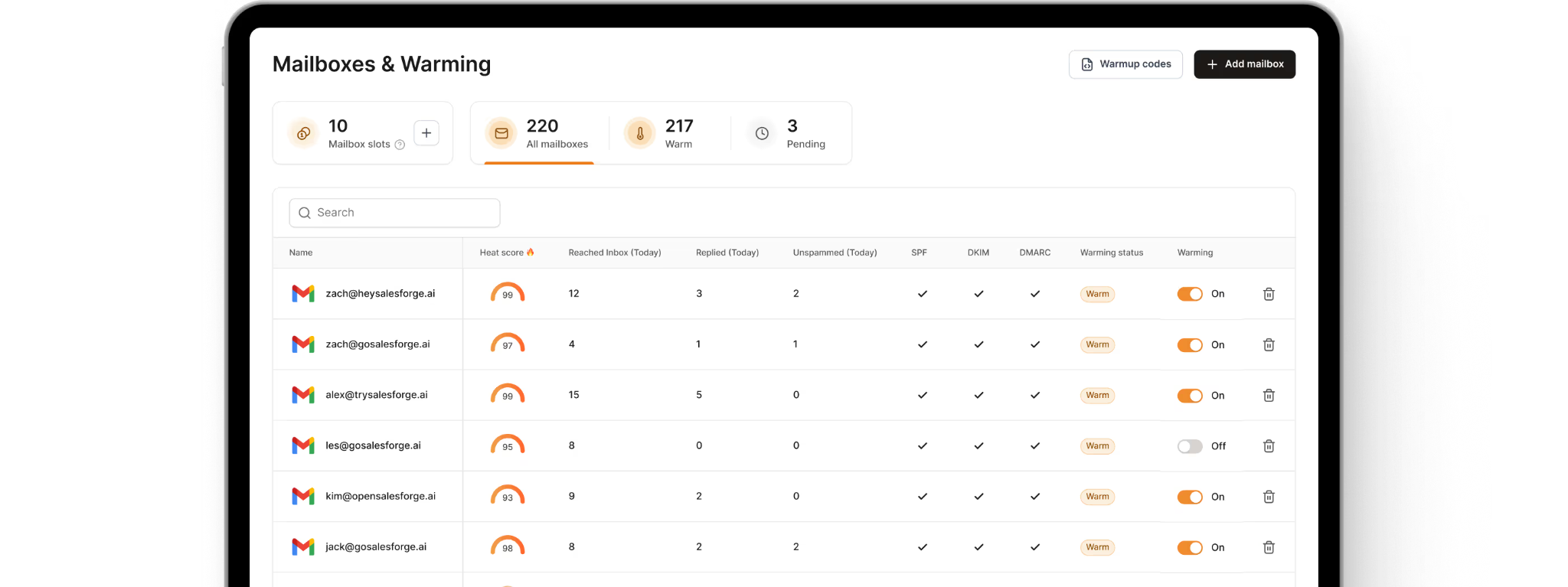
Unlike Inboxally, you do not set the volumes or schedules yourself. Allow two weeks before launching your first campaign, then keep warmup active.
The first thing to check with any warmup tool is who receives your warmup emails. Warmforge puts every customer in the same pool of aged accounts, mostly genuine Google Workspace and Microsoft 365 mailboxes. No customer is placed in a lower-quality tier.
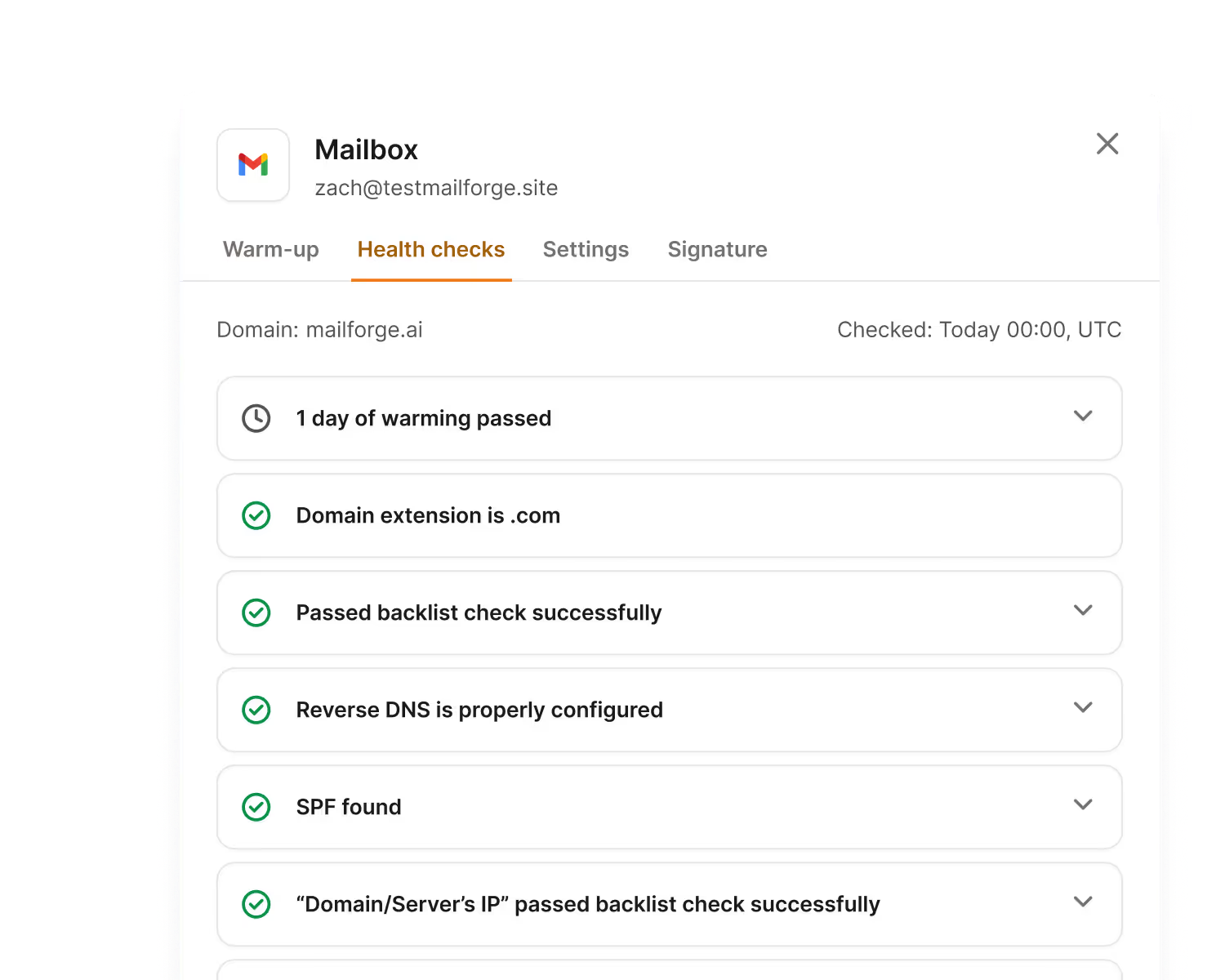
You can also see what is happening. Each mailbox receives DNS, MX, and blacklist checks with alerts.
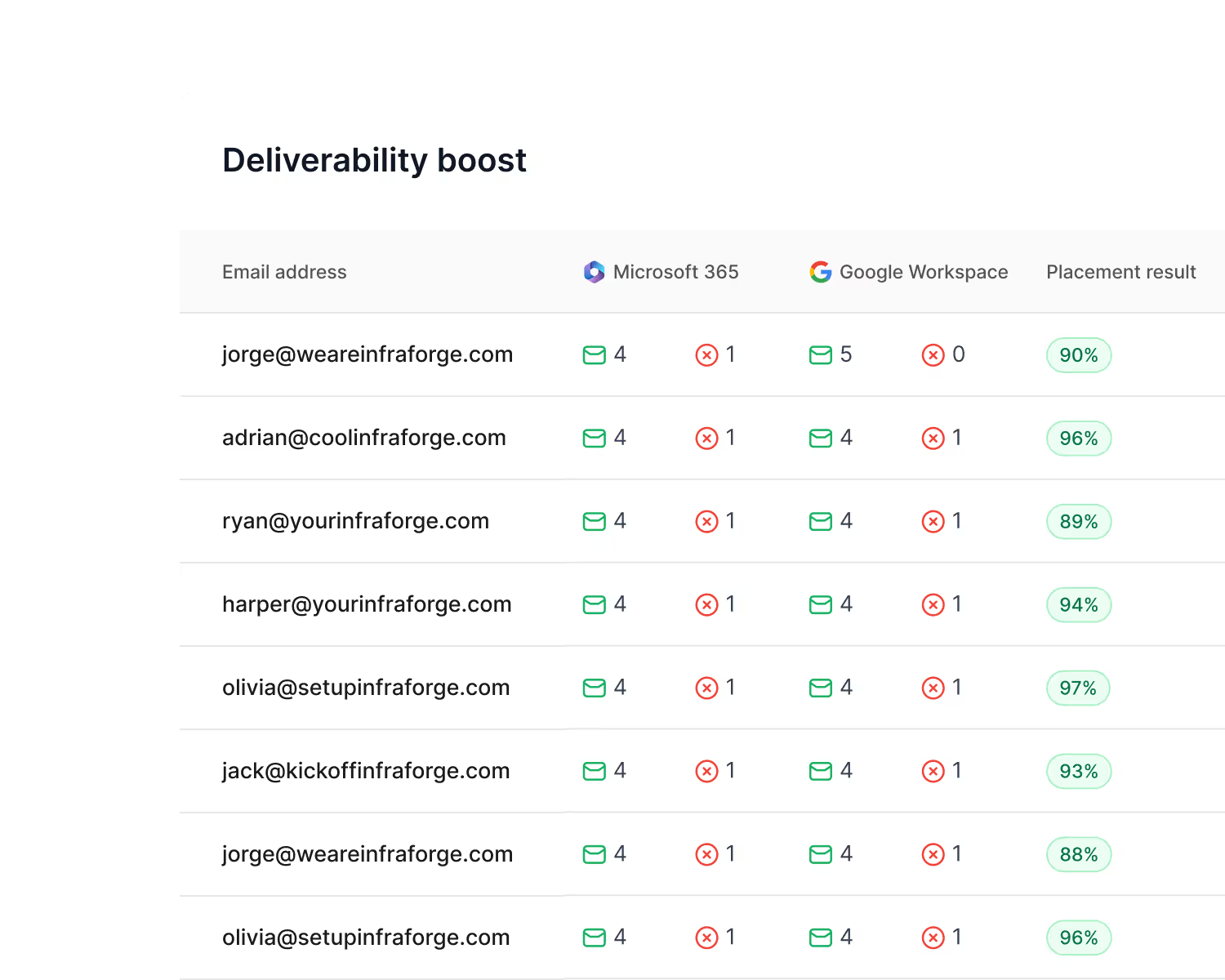
Placement tests show inbox and spam results across providers.
The trade-off is personal support. Warmforge does not offer human-managed seed accounts or an assigned success manager.
Warmforge ranks first for one main reason: Inboxally becomes more expensive with every sender profile, while cold email requires more mailboxes. Warmforge charges per reusable slot and warms every mailbox in the same pool.
Inboxally offers more support when an important domain already has problems. For teams running many cold email mailboxes, I would start with Warmforge.
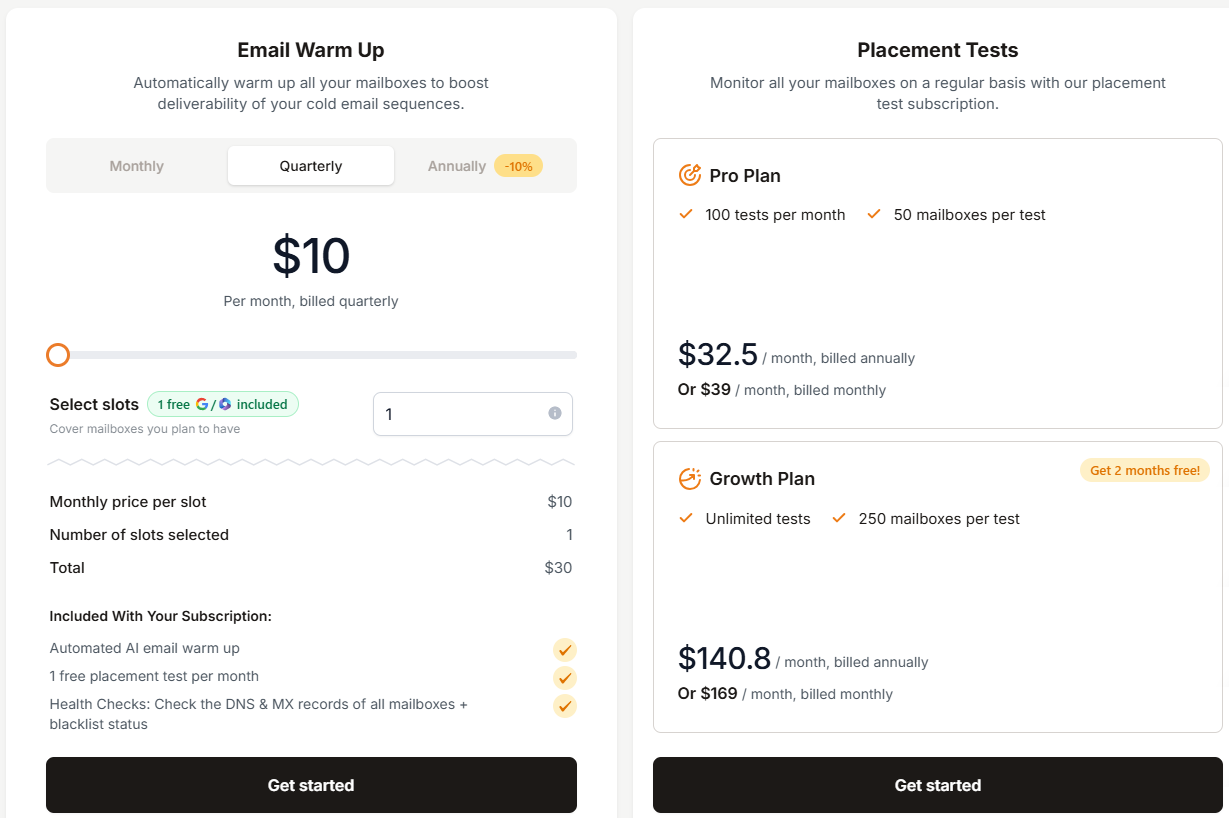
Warmforge charges per mailbox slot, with each slot covering one connected mailbox.
Inboxally costs $149 monthly for 1 sender profile, $645 for 5, and $1,190 for 10. The same mailbox counts cost $10, $50, and $100 monthly with Warmforge.
Enter your email to get a custom plan & stack recommendation for your business
Please check your mailbox in 5 minutes

Best for: Senders wanting AI to manage warmup and report how many emails reach the inbox, promotions, or spam.

Warmy.io is a warmup and deliverability platform powered by an AI engine called Adeline.
It reads your domain’s reputation signals and sets the warmup pace across more than one million real mailboxes.
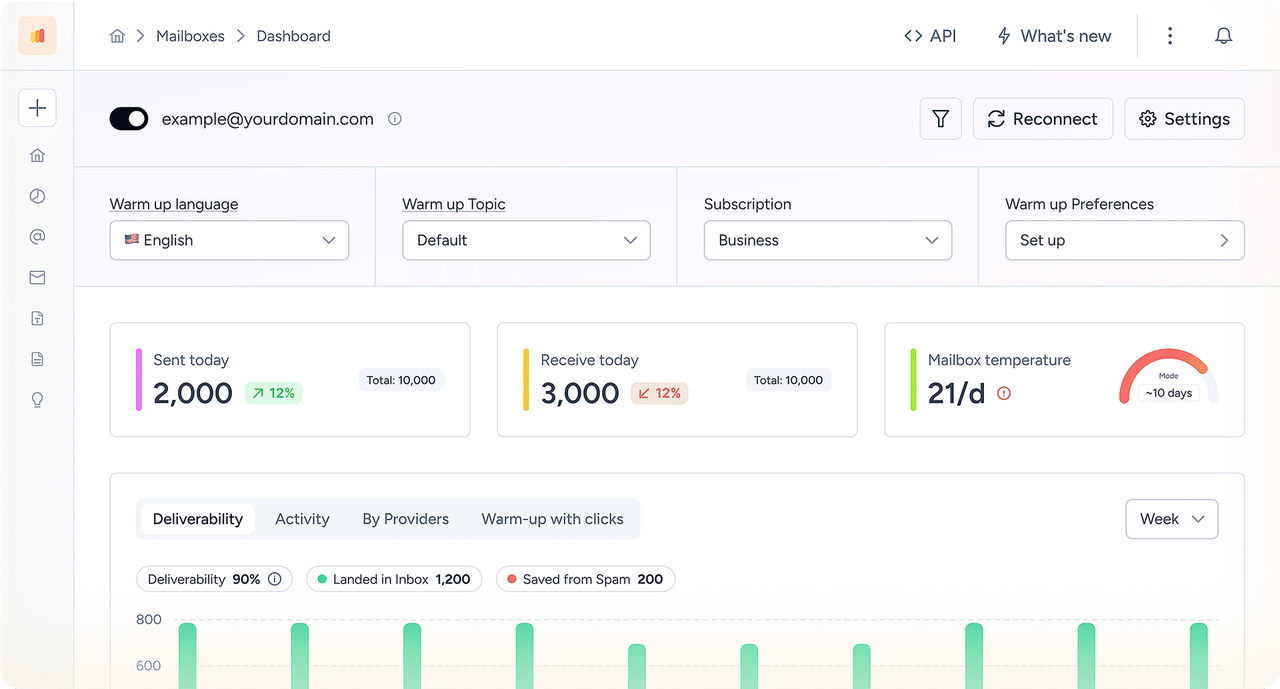
Unlike Inboxally, you do not choose the volume and schedule yourself.
You still control the settings affecting your campaigns. You can direct more warmup activity toward Gmail or Outlook based on your list and test actual campaign copy before launching.
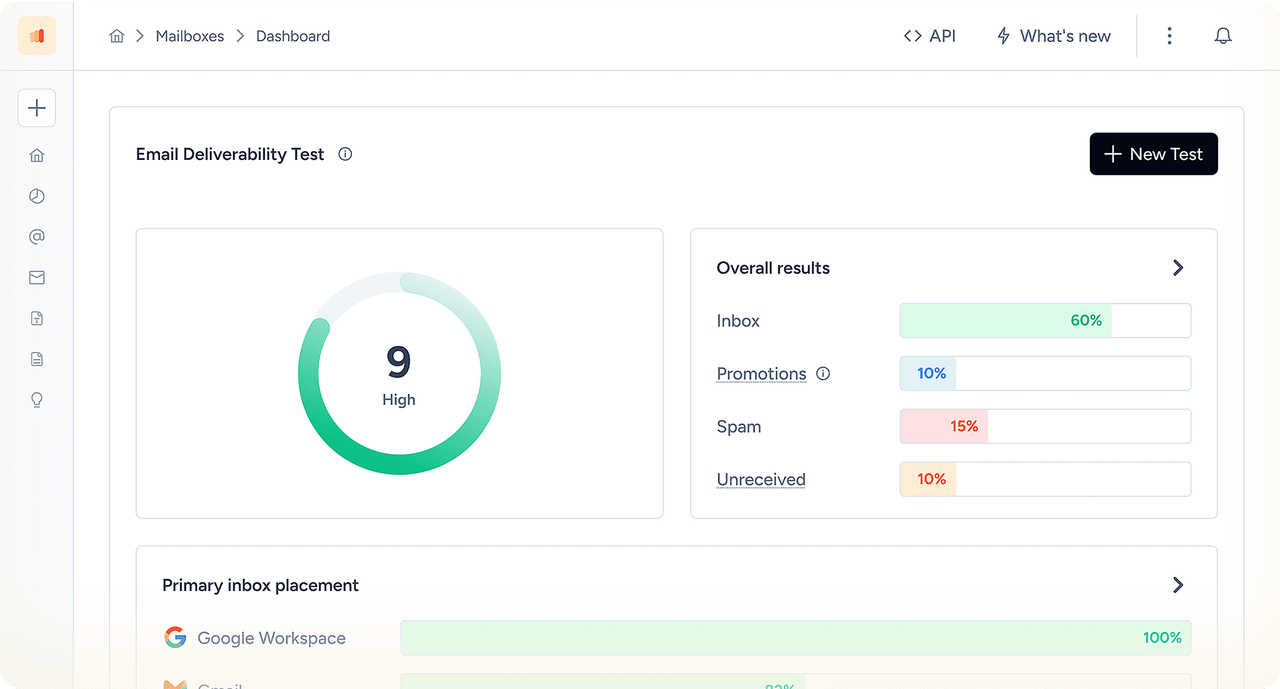
With Inboxally, you create the warmup plan. Warmy.io creates it and shows whether it is working. That makes it useful for teams managing multiple domains without a deliverability specialist.
Inboxally remains better if you want complete control over every volume and schedule. Warmy.io fits better when you want to hand off that work.

Warmy.io does not publish its prices. All three plans use volume-based pricing, with quotes provided after a demo.
Every plan includes Adeline, the 1M+ mailbox network, a 500K+ US seed list, email verification, DMARC monitoring, and full API access. The free trial lasts 7 days without a credit card, compared with Inboxally’s 10 days. Your entire team can share the mailboxes under one plan.
Best for: B2B teams whose deliverability issues come from poor-quality contacts rather than mailbox reputation.
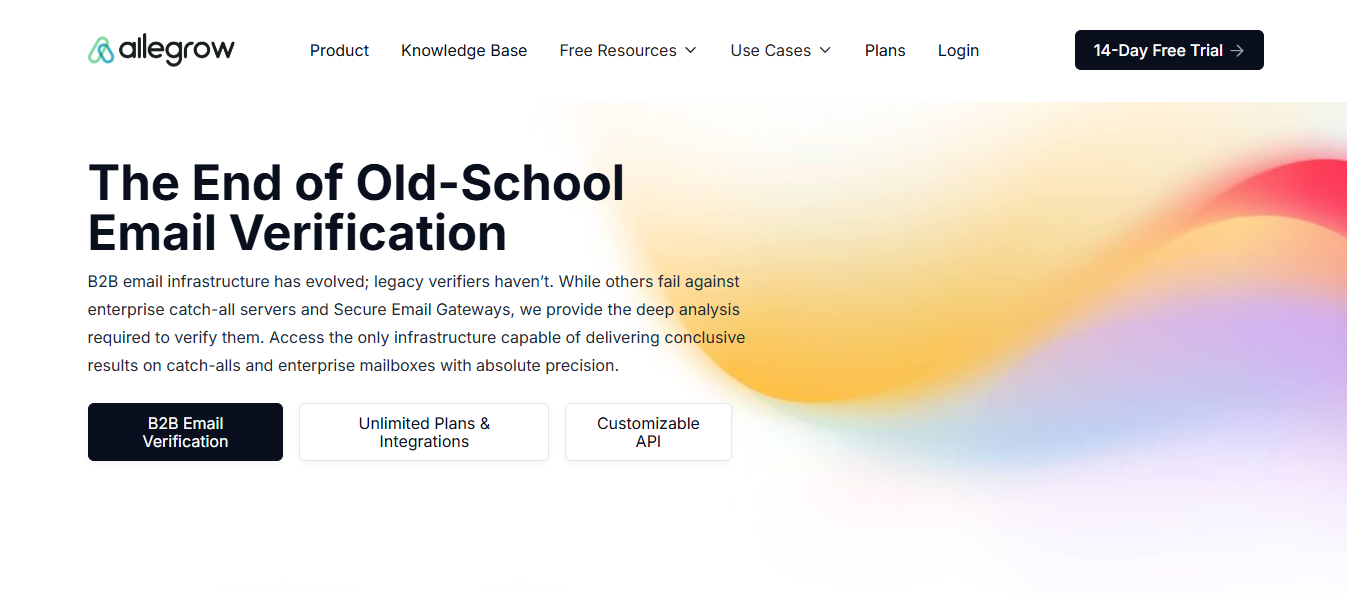
Allegrow combines email verification and pre-send protection with warmup. It flags spam traps, known spam reporters, and invalid addresses before you send. For catch-all addresses, which most verifiers label “unknown,” it provides a clear valid or invalid result.
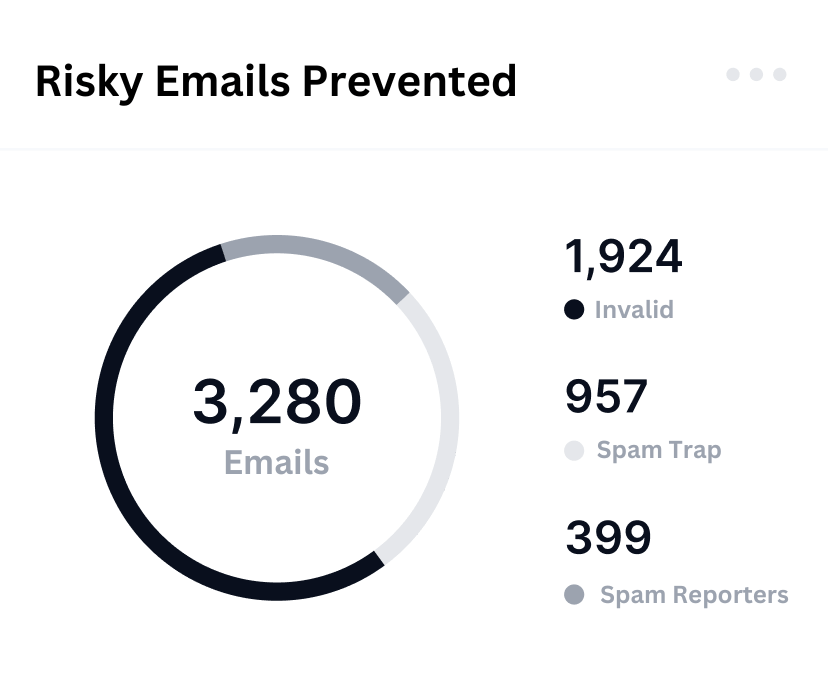
When connected to Outreach, Salesloft, or HubSpot, Allegrow checks every contact before a sequence reaches them. Contacts that became invalid after your previous cleanup never receive an email.
Its warmup feature is lighter than that of dedicated warmup platforms. If mailbox reputation is the main issue rather than contact quality, a warmup-first tool will offer more.
Inboxally improves how Gmail and Outlook view your mailbox. Allegrow prevents risky contacts from damaging that reputation in the first place.
If your list is already clean and mailbox reputation is the only issue, choose a warmup-first platform. If bounces and complaints keep causing problems, Allegrow blocks them before you send.
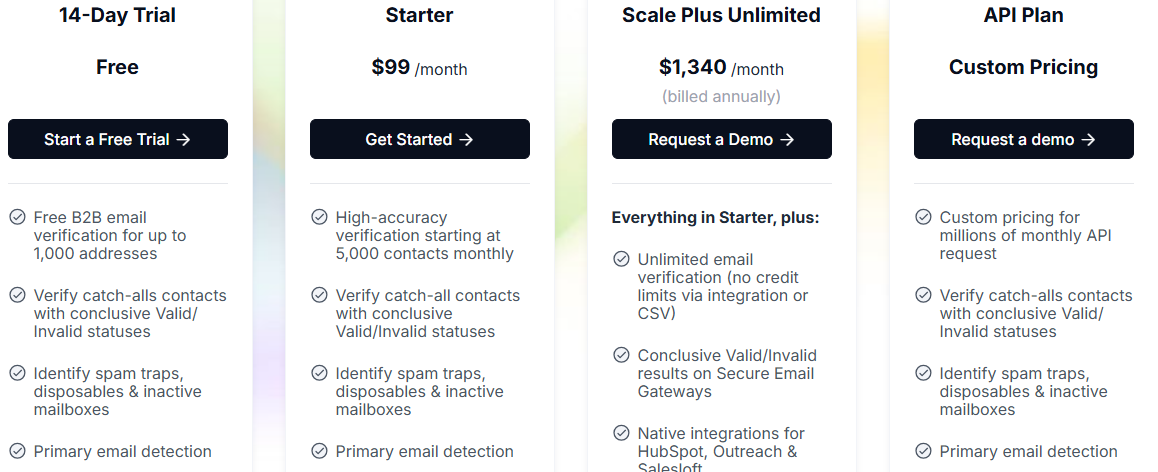
On Starter, additional credits cost $8 per 1,000 contacts. Each extra mailbox or user costs $40.
Best for: Teams choosing a new sending stack and wanting warmup built into the platform sending their campaigns.
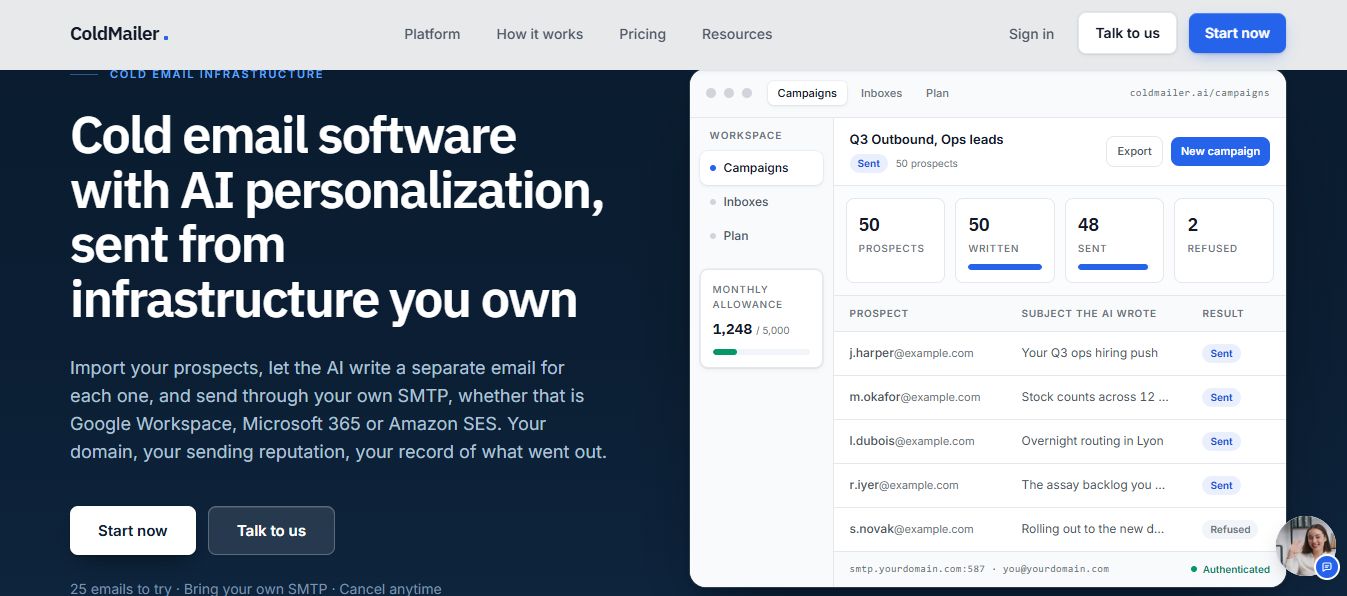
ColdMailer is a cold email platform with built-in warmup. It sends campaigns through your SMTP accounts and warms every connected mailbox, removing the need for a separate warmup subscription like Inboxally.
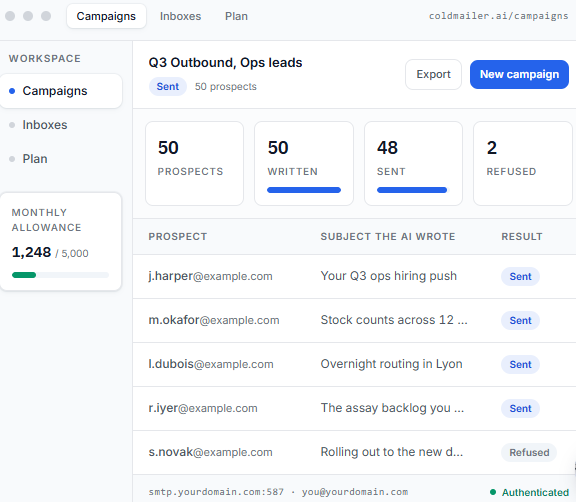
It also rotates sending volume across your connected mailboxes, letting you add senders and spread the load without more setup.
ColdMailer only warms mailboxes used through its platform, so it will not work if you keep your existing sequencer. Warmup is automated, with no human seed network or hands-on placement support. If your domain is already stuck in spam, you will need a standalone tool.
Sending cold emails at scale means spreading volume across many mailboxes. With Inboxally, every additional mailbox becomes another paid sender profile.
Inboxally’s seed network is a better fit when protecting an important sender you cannot replace. If you are choosing a new stack, ColdMailer combines sending and warmup in one tool.
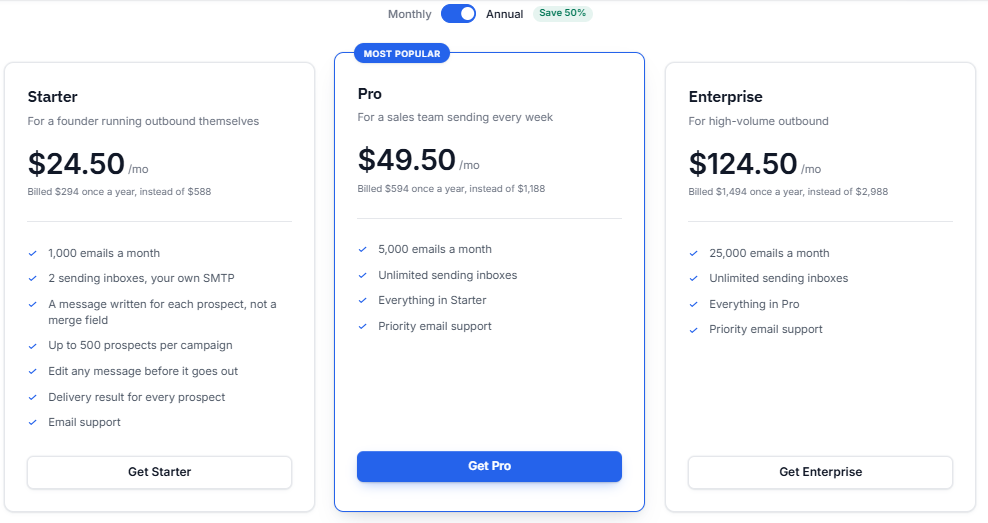
Annual billing reduces the monthly rates to $24.50, $49.50, and $124.50. New accounts receive a one-time allowance of 25 free personalized emails without a card. When you reach the plan limit, sending stops, rather than incurring an overage charge.
Best for: Small teams and agencies wanting affordable warmup across many inboxes without paying for each account.
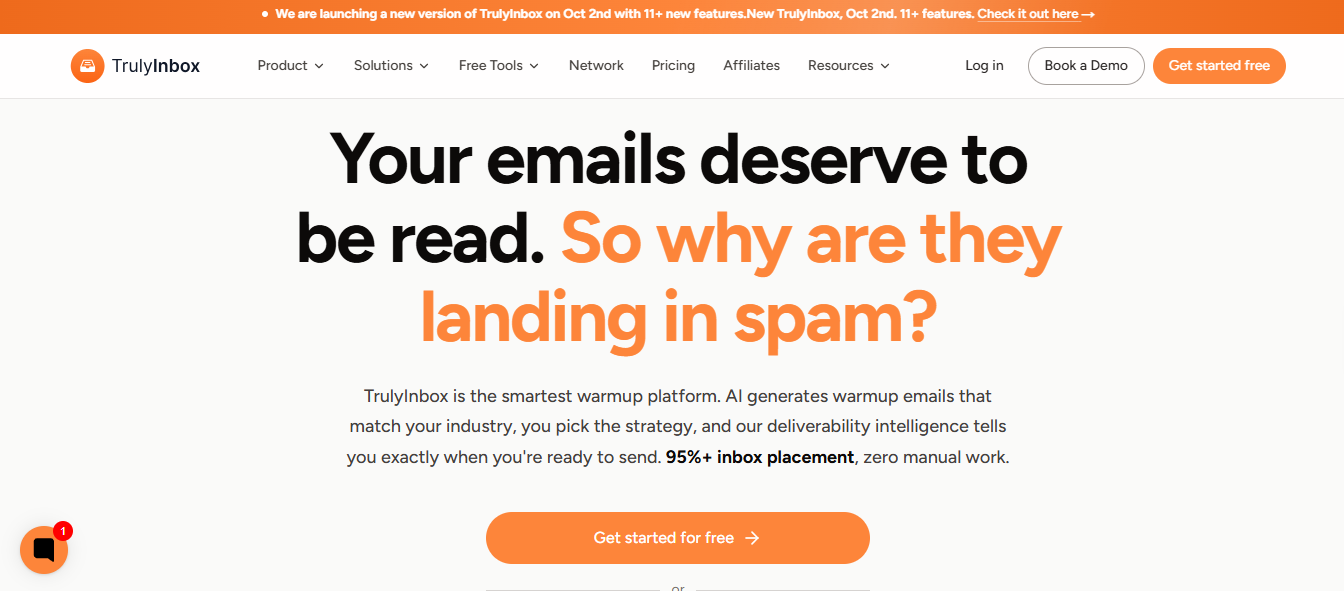
TrulyInbox is a warmup-only platform that charges for warmup emails rather than connected accounts.
Every paid plan supports unlimited inboxes, and each inbox connects through OAuth in under two minutes.
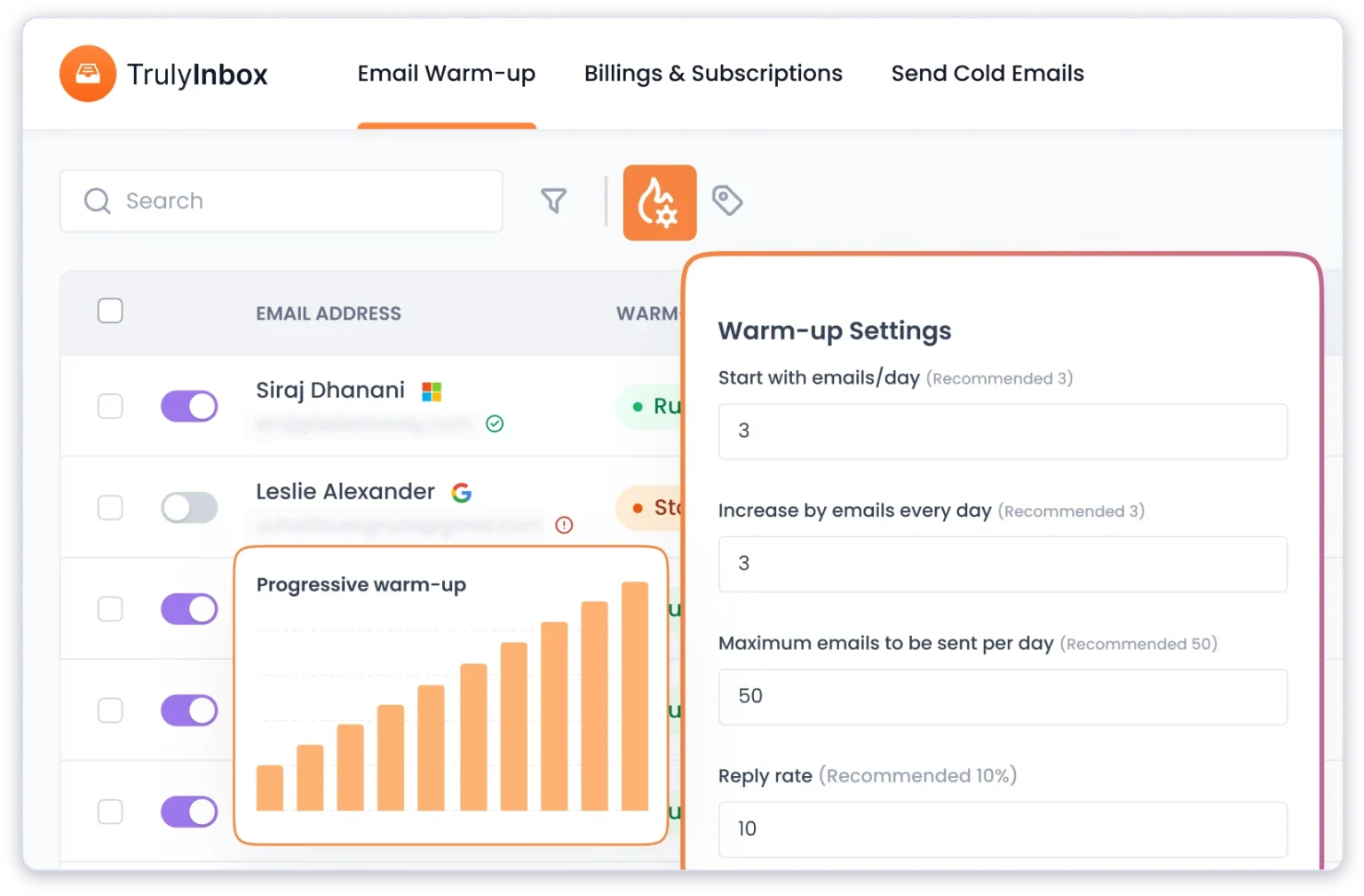
The limitation is that the daily warmup allowance is shared across all accounts. Connecting more inboxes than your plan supports means each one receives fewer warmup emails. TrulyInbox recommends two warmup emails for every cold email, so calculate your total daily volume before choosing a plan.
Compared with Inboxally, it offers less depth. TrulyInbox does not simulate scrolling or link clicks and lacks Google Postmaster and DMARC integrations.
Inboxally charges for every sender profile, so each new inbox increases your bill. TrulyInbox charges by warmup volume, meaning you pay for the activity rather than the number of accounts.
Inboxally offers more if you need scroll and click simulation or personal support. TrulyInbox works better when you want affordable warmup across every inbox.
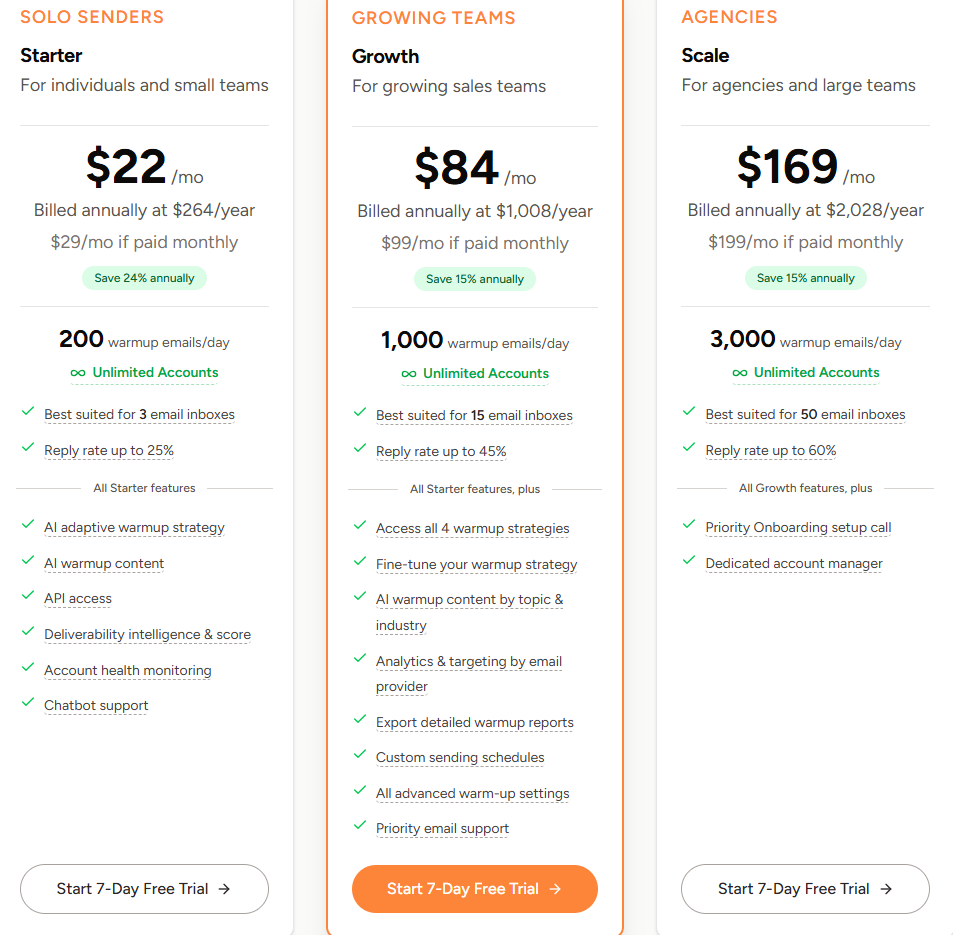
Every paid plan includes unlimited accounts and a 7-day free trial. Plans above Scale Plus use custom pricing.
Enter your email to get a custom plan & stack recommendation for your business
Please check your mailbox in 5 minutes
After comparing all five, Warmforge covers the most ground for teams sending through Google Workspace or Outlook. Warmup runs without manual volume settings, every account uses the same pool of aged business mailboxes, and health checks flag DNS and blacklist issues.
The biggest difference is cost. Ten mailboxes cost $100 monthly with Warmforge, compared with $1,190 on Inboxally Premium.
Other tools may better match specific needs. Warmy.io helps teams without a deliverability specialist, Allegrow prevents problems from poor-quality lists, ColdMailer works when replacing your sequencer, and TrulyInbox offers a free starting point.
To see where your mailboxes stand, run a free placement test on Warmforge. If you use Salesforge, warmup is already included.