
Personalized Outbound Strategy
Get The Right Outbound Strategy In Minutes
Enter your email to get a custom plan & stack recommendation for your business
It's being carefully crafted by AI
Please check your mailbox in 5 minutes

You already run cold email. You have a sending tool with warmup built in, you switched it on months ago, and lately, something feels off.
Reply rates slipped, or a domain got flagged, or you are about to add mailboxes and are not sure the warmup you have been trusting will hold.
A green warmup badge tells you the feature is running. It does not tell you who your mailbox is talking to, whether that pool of senders is clean, or whether your emails reach the inbox at all.
Most teams find the gap only after the replies thin out and the damage is already in the domain.
The warmup you cannot see is either protecting your reputation or quietly spending it. This blog is how you tell which.
Warmup builds trust with inbox providers before and during outreach.
A fresh mailbox that starts firing dozens of cold emails on day one looks wrong to Gmail and Outlook, because providers watch behavior and sudden outbound volume from a new inbox reads as suspicious.
So a proper warmup system creates healthy activity. It sends, it receives, it generates replies, it pulls messages out of spam when it needs to, and it keeps the inbox looking active instead of staged.
But activity is the floor, not the goal. What you are really after is visibility. Is this mailbox ready? Is the domain healthy?
Are messages landing in the primary inbox? Did a recent change quietly raise the risk? When those answers are in front of you, warmup stops being a background process and becomes a decision tool.
Judged that way, warmup should help you:
A system that only bounces random emails back and forth does not clear that bar. Cold email needs more care than a warmup badge implies.
10 Email Warmup Mistakes That Kill Deliverability Before Your First Campaign
The appeal of built-in warmup is obvious. It is already inside the outreach product; there is no second login, setup is faster, and billing feels simpler.
When you are starting out, that friction reduction is genuinely helpful.
The problem is that the same convenience hides the parts that matter.
Most built-in warmup exist as an add-on. The sending platform's real job is sequences, contacts, replies, and campaign management, so warmup is rarely the deepest part of the product. That shows up the moment you scale.
The pool may not be tightly controlled. It may let in poor senders. It may skip serious checks on who is participating. It may report activity without ever testing inbox placement.
Worst of all, it can make a team overconfident, because the warmup badge is green while the campaign underneath is landing in spam.
If you have ever run outbound and watched reply rates fall while every dashboard said "healthy," these are the questions you already know to ask:
When the answers come back vague, that warmup layer is not something you want carrying serious outbound.
5 Tools To Automate Your Sales Workflow in 2026
The pool is the part most teams underthink, and it is the part that quietly sets the ceiling on your results.
In warmup, your mailboxes interact with other mailboxes. When those belong to bad senders, sloppy operators, or risky infrastructure, your inbox gets pulled into a lower-quality neighborhood.
You want your sending domains sitting next to healthy senders, not mixed in with anyone willing to plug in a random inbox for a cheap warmup credit.
This is where Warmforge does the work instead of asking you to trust a badge. The pool is premium, it excludes bad actors, and it does not allow external SMTP vendors into the ecosystem.
The reason that last part matters is mechanical, not marketing: because the pool stays clean, controlled, and fully internal, the warmup environment stays stable, and a stable environment produces a signal you can actually read.
Unknown outside SMTP setups are the exact sources that drag pool quality down and blur that signal. Keeping them out is what keeps the activity trustworthy.
Put simply, a weak pool can make warmup look busy while still exposing you to bad sender behavior.
A controlled pool lowers the odds that your mailbox ever touches a risky sender. A stable pool produces cleaner patterns over time, and cleaner patterns are what you lean on when it is time to make a sending call.
Warmup is reputation training, not volume training. The senders around you shape the reputation you end up with.
That is the case for a pool that stays internal and controlled. When the warmup environment is walled off from unknown senders, the reputation risk she describes is contained by design rather than left to chance.
5 Best Practices to Improve Sender Reputation
A standalone warmup tool has one job: to protect and improve sender health. That focus changes what the product pays attention to.
When warmup is the core, pool quality, placement testing, monitoring, mailbox behavior, domain checks, and alerting are the product, not the side bullets.
If you have already felt bad deliverability, you are not asking whether a tool sends warmup emails. That question is beneath you at this point. You are asking a harder set:
Through that lens, Warmforge stands out with its automated warmup, connected mailbox warmup, placement testing, sender health monitoring, blacklist checks, DNS validation, and alerts.
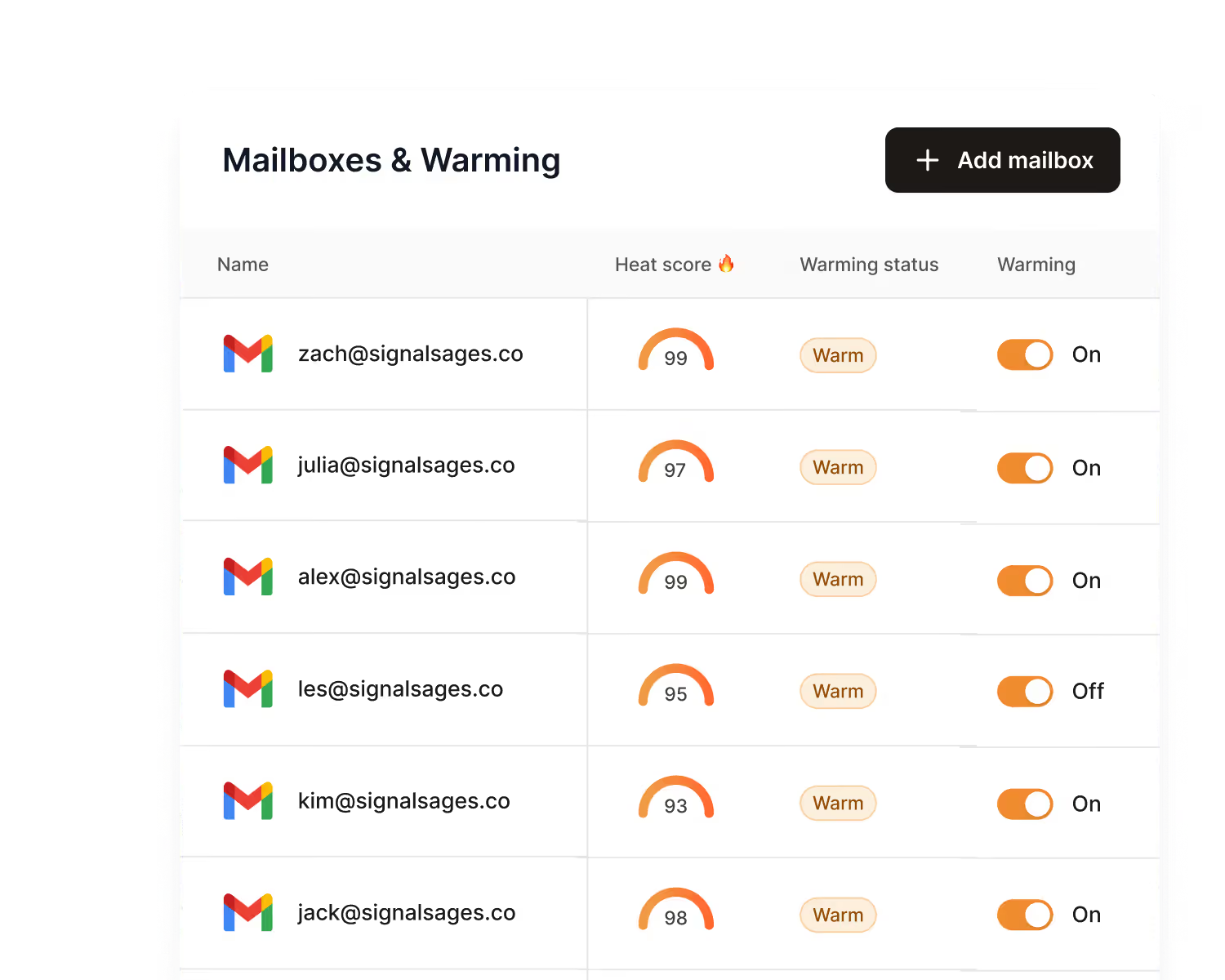
All these features answer one question you actually care about: should this mailbox be allowed to carry pipeline tomorrow?
That is why it behaves more like a deliverability control center than a warmup switch. The value is not that it makes an activity.
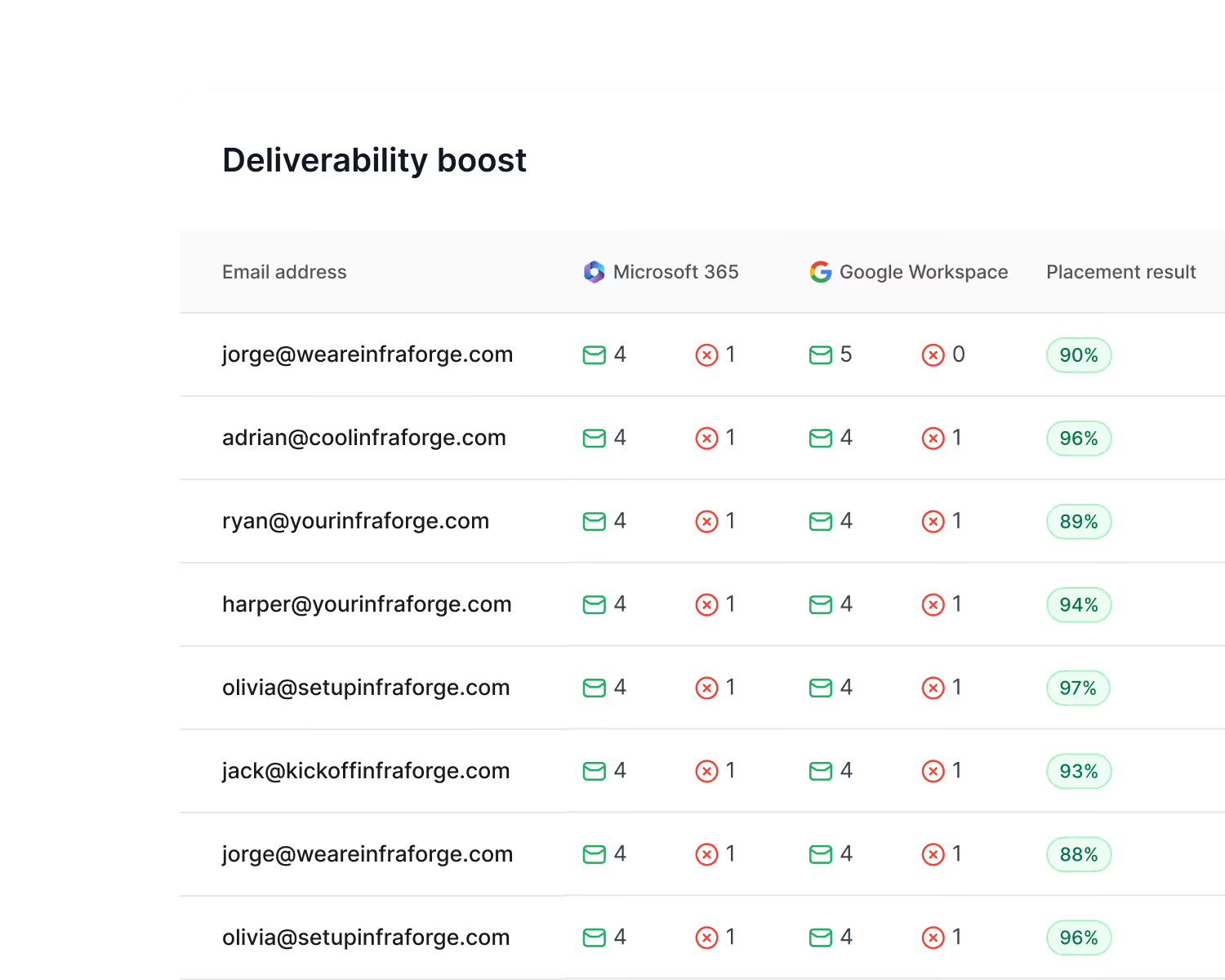
The value is that it protects the asset behind the activity, which is your mailbox reputation.
That is the whole reason the warmup layer has to be serious rather than incidental.
Deliverability is the thing that has to hold when volume and sending reputation pressure arrive, and a controlled pool is what keeps it holding.
None of this makes the built-in warmup useless.
If you are testing cold email for the first time, running very low volume, using one or two mailboxes, it will get you moving with less setup than connecting a separate system.
When the stakes are low, that friction reduction is worth something.
Built-in warmup fits when:
But once outbound becomes a real channel, upgrade the warmup layer before you scale. The cost of weak deliverability climbs faster than the cost of the tool.
Does Email Warm-Up Work in 2026? What Actually Improves Deliverability Today
By the time you are choosing a warmup tool for real, you are not buying vanity graphs.
You are buying the confidence to point a sequence at a market that matters, which means the pool itself cannot be the thing creating your risk.
So the useful questions go past "does it warm up mailboxes":
Warmforge holds up against these because its value is tied to the quality of the environment your mailbox joins.
Convenience is not the thing you are short on. Confidence that the pool is clean enough to trust.
Warmup without placement testing leaves you guessing. A mailbox can look active and still land campaigns in spam. So you want placement tests before you scale, and you read them as a go or no-go check before money goes behind a send, not as a report to file.
The question a placement test has to answer is plain: if this campaign goes out today, where does it land?
Warmforge answers across primary, promotions, spam, and undelivered.
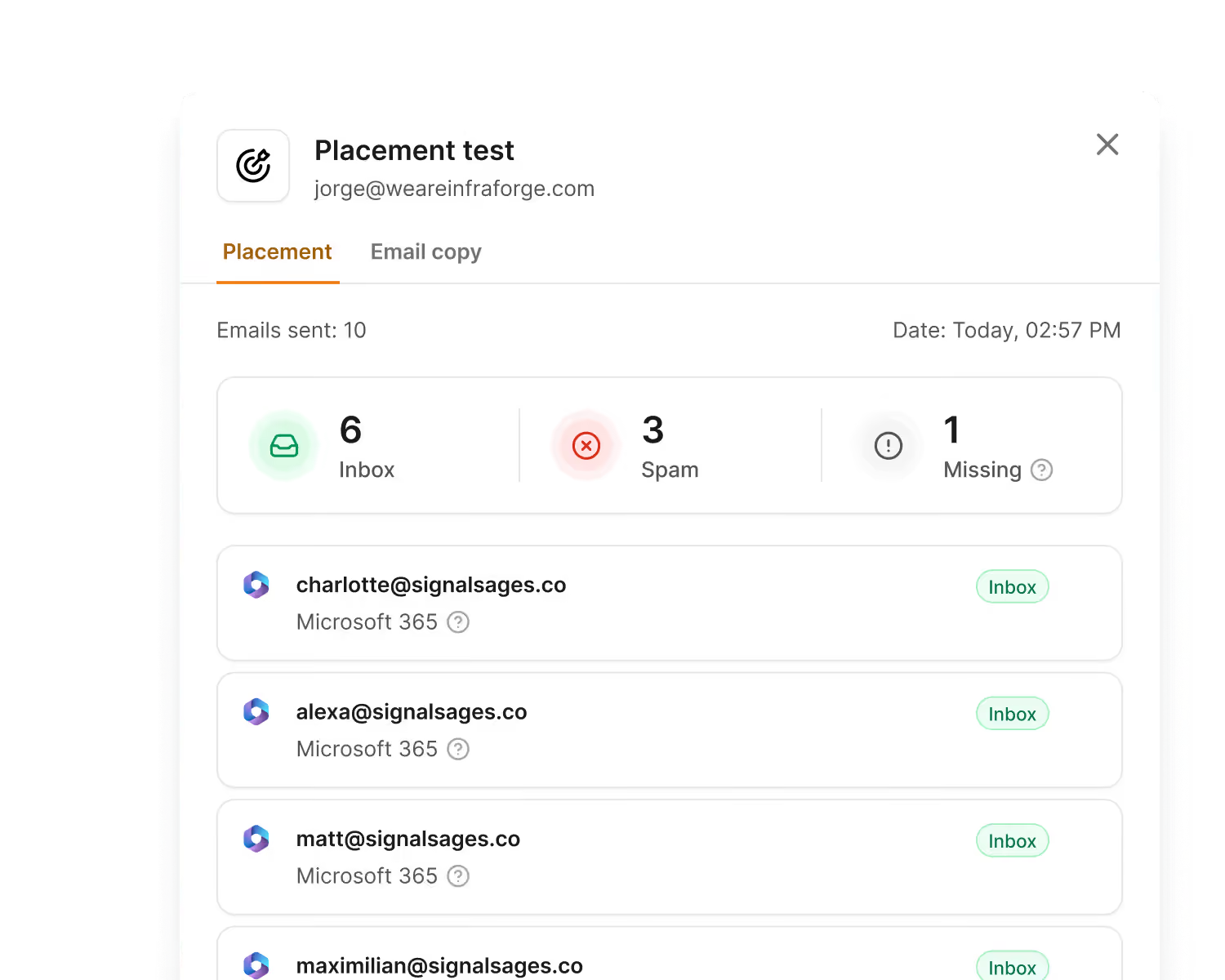
The score itself is not the useful part. What the score tells you to do next is.
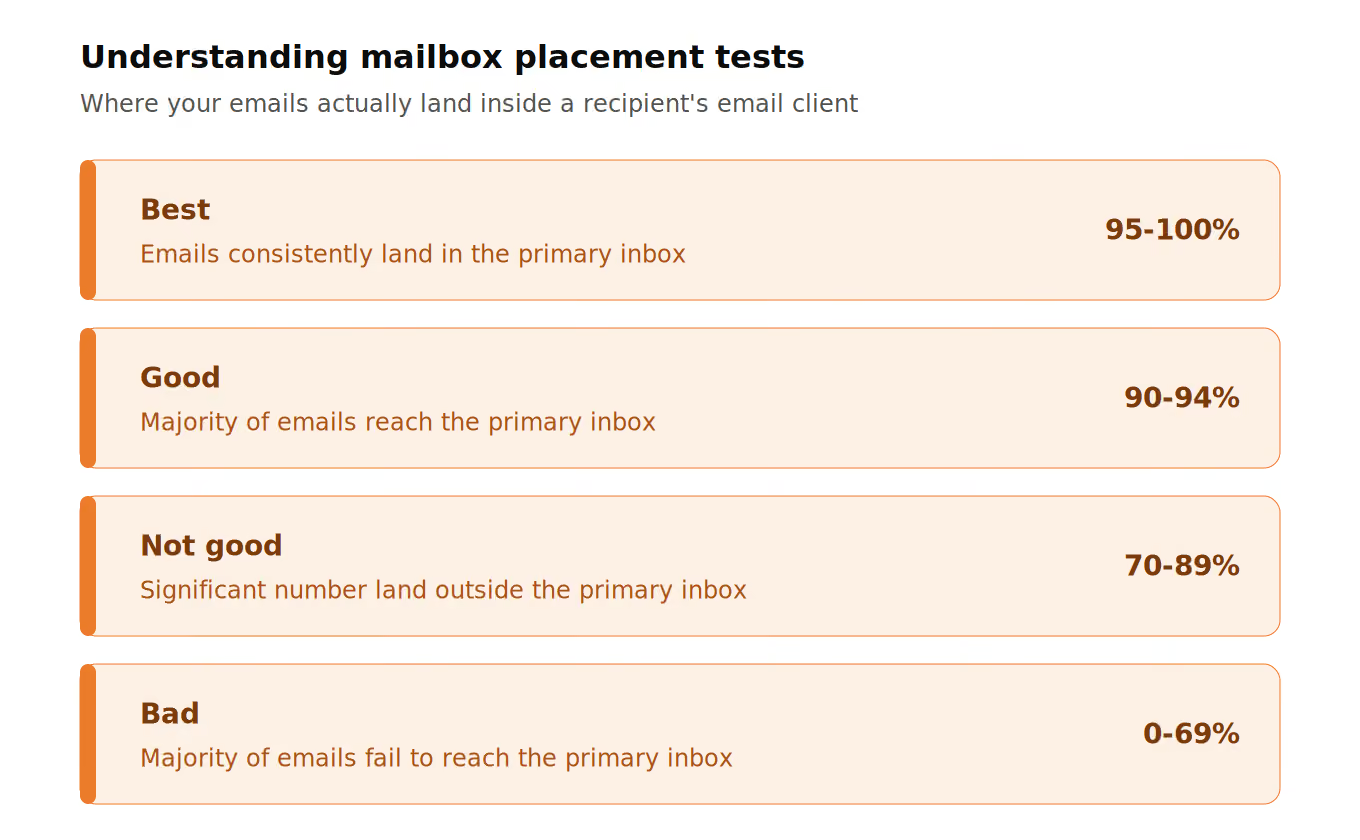
This is why warmup and placement testing belong together. Warmup activity tells you the mailbox is doing something.
Placement testing tells you whether something reaches the inbox. For a revenue team, the second answer is the one that changes the decision.
The trouble is that this kind of failure stays quiet. Nothing errors out, the sequence runs, the dashboard looks fine, and the only visible symptom is replies that never come.
A placement test turns that silent failure into something you can see before you scale.
Here is the blind spot that costs teams the most: what if warmup was never the problem?
Plenty of users stare at warmup charts while the actual fault sits in DNS.
Then they change copy, swap tools, or drop volume, when the sending base was misconfigured the whole time. Before any mailbox carries campaign volume, the basics have to be checked out:
This is where Warmforge does more than a warmup add-on. It does not pretend that mailbox activity can paper over a broken setup.
It pulls infrastructure checks into the same decision flow, which cuts false confidence.
If SPF or DKIM is broken, the next step is repair, not more warmup. If DMARC is missing or misaligned, fix it before volume. If the tracking domain looks off, review it before you blame the copy.
That uphill fight is exactly what monitoring is meant to prevent. Catching a health or authentication problem early is the difference between a quick repair and a domain you spend weeks trying to rescue.
The strongest deliverability workflows are honest about this. They tell you when to send, and they tell you when the system is not ready.
That is the kind of honesty you want before scaling.
A clean pool does not hand you permission to send recklessly. It only improves the odds that trust is built the right way.
For Google Workspace and Microsoft 365 setups, these ranges hold up as a baseline, though the exact numbers shift with domain age and provider:
Adding healthy mailboxes beats forcing one inbox harder. Horizontal scaling, more domains and mailboxes at lower daily volume, lowers concentration risk. A conservative pace holds up:
Standalone warmup earns its place right here, giving you better signals while volume climbs.
I treat Warmforge as the first daily check in the Forge Stack, because it protects the part of outbound that is hardest to rebuild: sender reputation.
Leads, sequences, LinkedIn steps, reply handling, and AI SDR work all matter, but none of them do much if the mailbox is not trusted enough to reach the inbox.
That is a working view of how to run the stack, not a claim about billing or product hierarchy. Salesforge is the command center where everything converges.
Warmforge is the layer that decides whether a mailbox is even ready to send.
The same reframe holds here. Warmup is not a setup step you clear once and forget. It is the infrastructure that decides, every day, whether the rest of the stack should be allowed to send.
Run the stack with that check up front, and the pieces line up cleanly:

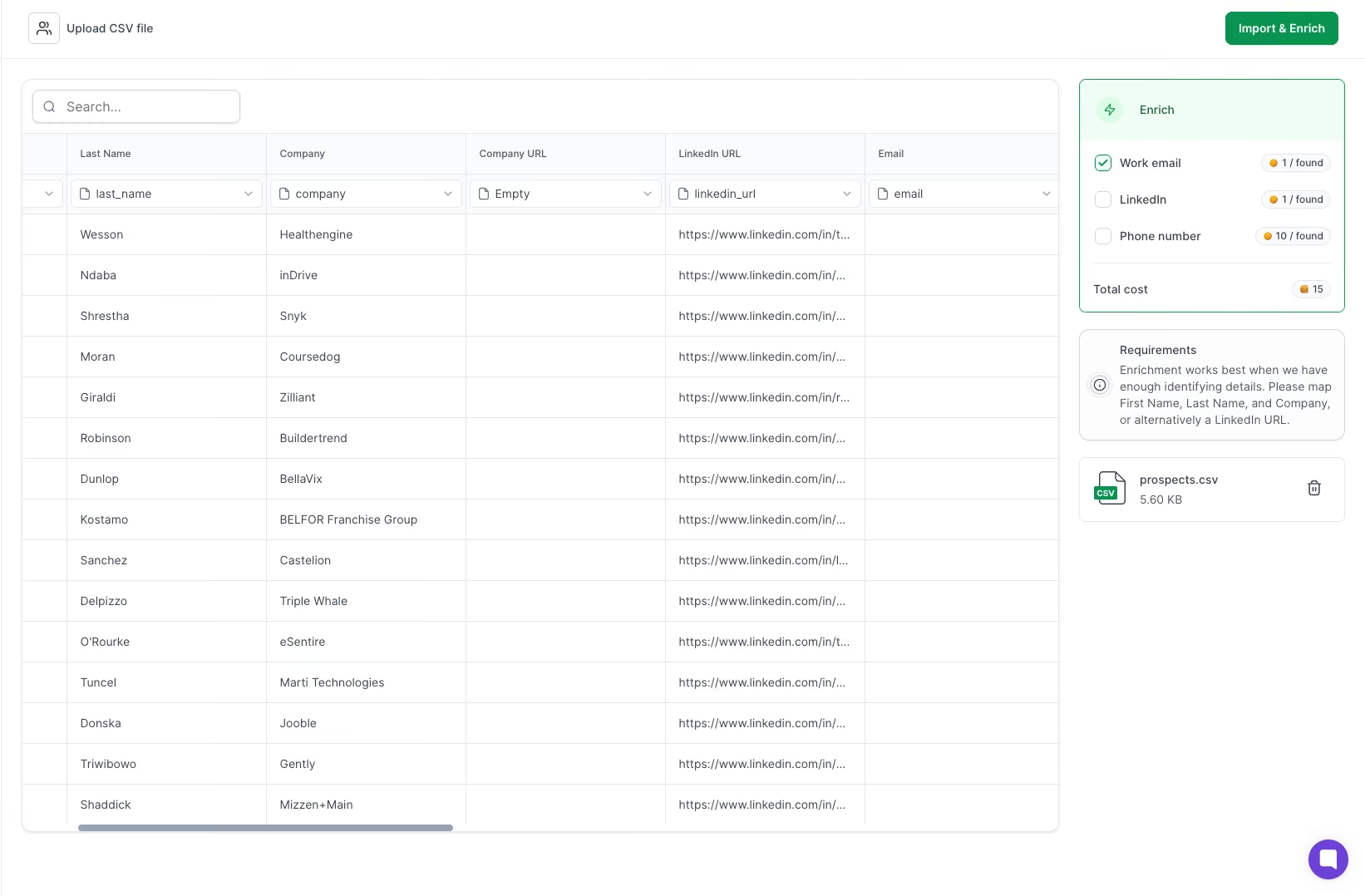
Salesforge runs the outreach. Once the signals are healthy, it handles email and LinkedIn sequences with safer sender selection and cleaner reply management.
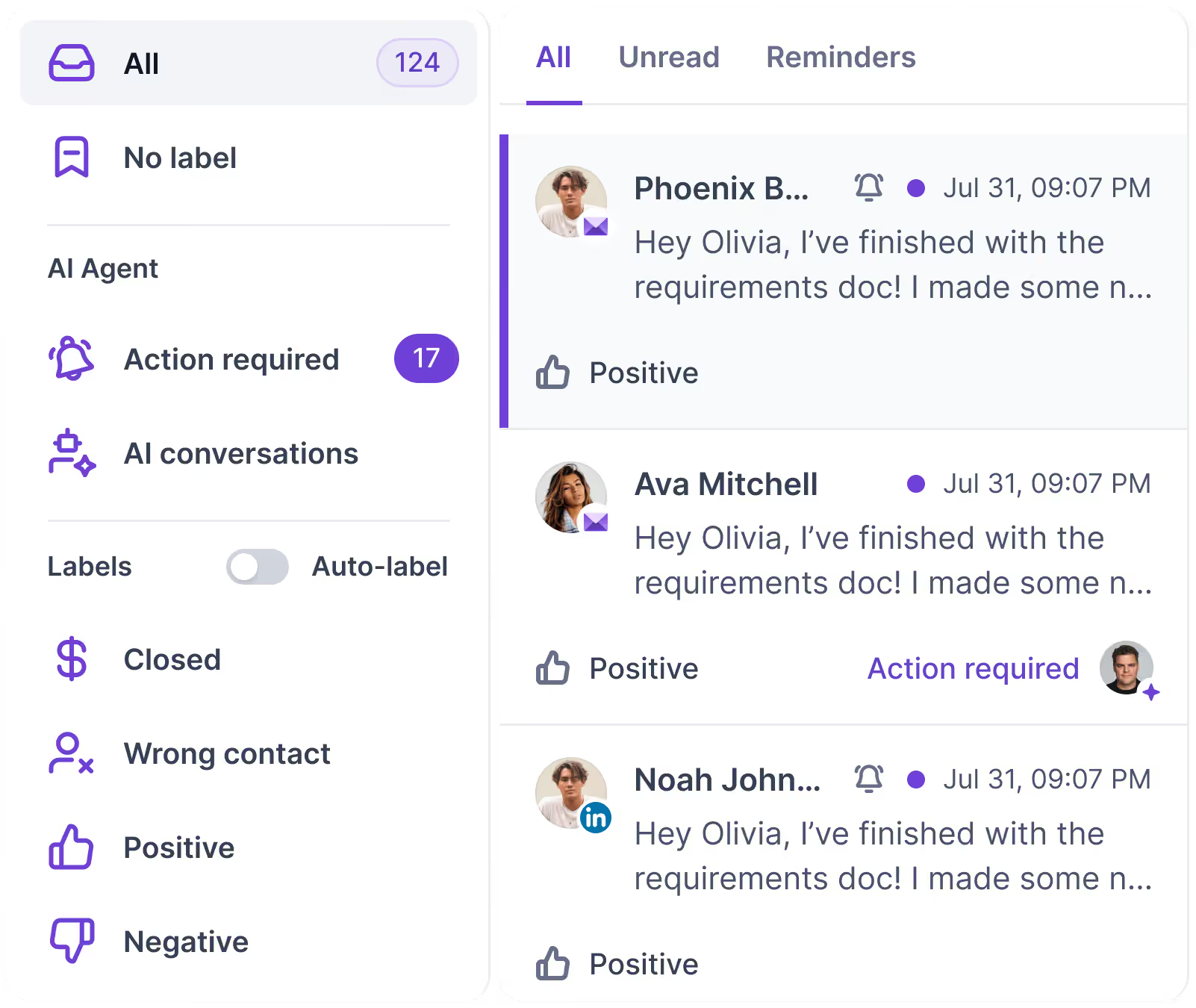
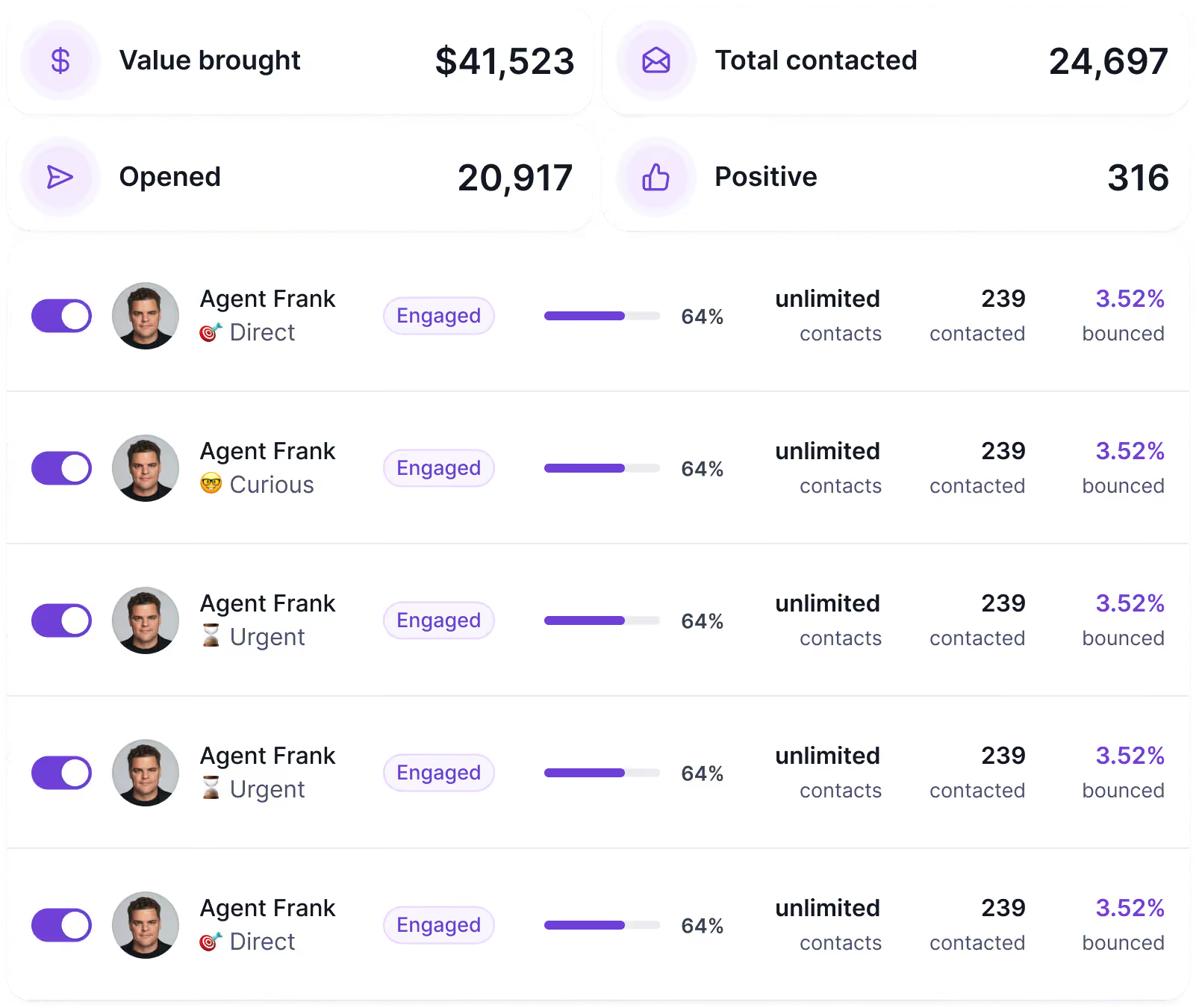
A practical workflow:
Run outbound this way, and the daily question changes. It is not "Can Salesforge send today?" It is "Does Warmforge show these mailboxes should send today?"
Enter your email to get a custom plan & stack recommendation for your business
Please check your mailbox in 5 minutes

When cold email actually drives pipeline, a standalone warmup tool pays for itself. The cost of a better system is almost always lower than the cost of damaged domains and a lost pipeline.
So it comes down to where you are. Experimenting? Start with the built-in feature, keep volume low, and stay off important domains.
Running cold email as a real channel? Do not judge warmup by convenience. Judge it by the quality of the pool your mailboxes join and the decisions it lets you make.
That is where the built-in and standalone parts part ways. Built-in warmup proves activity, and for low stakes, that is enough.
A standalone layer like Warmforge protects the reputation underneath it: a premium, fully internal pool with no external SMTPs, placement tests before you scale, and sender health, blacklist, and DNS in view.
One tells you warmup is running. The other tells you whether your mailboxes have earned the right to send.
Try Warmforge and see where your emails land before you scale.