If you’ve ever had a campaign ready before your mailboxes were, you already understand the problem pre-warmed email accounts solve.
New mailboxes usually need two to three weeks of warmup before they can safely send cold emails, delaying every launch and replacement batch.
A pre-warmed account already has that sending history, so you can connect it and start the same day. The challenge is trusting warmup that happened before you arrived. Some providers clearly state how long each mailbox was warmed. Others do not, and some assign sender names and domains you cannot change.
I compared five providers based on what you receive on day one and what it takes to keep the mailboxes healthy. Primeforge is my top pick for pre-warmed Google and Microsoft inboxes you own. I’ve also included options for dedicated IPs, lower-cost volume, and teams already using Smartlead.
Best Pre-Warmed Email Account Providers at a Glance
Primeforge: Best for ready-to-use Google and Microsoft inboxes you own (from about $3.50/mailbox).
Infraforge: Best for warmed mailboxes with dedicated IPs (from $3/mailbox).
Mailforge: Best for affordable, high-volume outreach (from $2/mailbox).
Zapmail: Best for Google or Microsoft mailboxes warmed for 12+ weeks (about $8 to $9/mailbox).
Smartlead: Best for adding warmed mailboxes directly in Smartlead ($9/mailbox, plus $18/year per domain).
What Separates a Good Pre-Warmed Email Account Provider From a Risky One?
A pre-warmed mailbox is only worth the higher price if the warmup is genuine and the mailbox stays healthy once your cold emails begin. Here’s what I would check before paying.
A reliable provider tells you how long each mailbox has been warmed. If it does not, be cautious about the “pre-warmed” label.
Warmup should not end at delivery. Choose a provider that continues warmup and monitoring, or plan to use another warmup tool.
Check whether you can choose your sender names and domains. Some providers assign generic details you cannot change.
Know what you are buying: Google Workspace, Microsoft 365, or the provider’s own mailboxes using shared or dedicated IPs.
A good provider also explains when pre-warmed accounts make sense. If you can wait a few weeks, standard mailboxes with your own warmup cost much less.
How I Evaluated Each Pre-Warmed Email Account Provider
I focused on what you receive when the mailboxes arrive and what it takes to keep them healthy. I compared each provider on:
how much warmup history each mailbox has and whether it is disclosed
time from ordering to the first send
Google Workspace, Microsoft 365, or provider-owned mailboxes
shared or dedicated IPs
SPF, DKIM, DMARC, and tracking setup
whether warmup and monitoring continue after delivery
control over sender names and domains
ownership of the mailboxes and domains
price per pre-warmed mailbox at 100 or more mailboxes
API or MCP access for managing mailboxes at scale
The 5 Best Pre-Warmed Email Account Providers in 2026
Feature
Primeforge (Top pick)
Infraforge
Mailforge
Zapmail
Smartlead
Price per mailbox
About $4.50/mo, or $3.50 annually
$3 to $4/mo
$2 to $3/mo
About $8 to $9/mo pre-warmed
$9/mo
Domain cost
About $14/year per .com
To be confirmed
$13/year per .com
$13/year per .com
$18/year, 3 mailboxes per domain
Mailbox type
Google Workspace, Microsoft 365
Infraforge's own mailboxes
Mailforge's own mailboxes
Google Workspace, Microsoft 365
To be confirmed
IPs
US
Dedicated, extra IPs available
Shared pool
US
To be confirmed
Time to first send
About 30 minutes
About 5 minutes
A few minutes
Same day, via OAuth
1 to 2 hours
Sender names and domains
Your own domains, full control
Your own domains or pre-warmed picks
You set names, pick pre-warmed or brand-based domains
Generic domains, names assigned
Generic domains, names and photos fixed
After delivery
Ongoing warmup free through Warmforge with Salesforge
Automated warmup and monitoring with alerts
Warmup not included, free through Warmforge with Salesforge
Zapmail handles warmup and health monitoring
Monitored for sender score, bounces, and placement
Primeforge is my top pick for genuine Google Workspace and Microsoft 365 inboxes that arrive pre-warmed and ready for cold email. It is the only Forge product offering Google and Microsoft accounts, which is why it ranks first.
You order the inboxes, and Primeforge handles the setup. It configures the domains, creates the mailboxes, and writes the SPF, DKIM, DMARC, and tracking records.
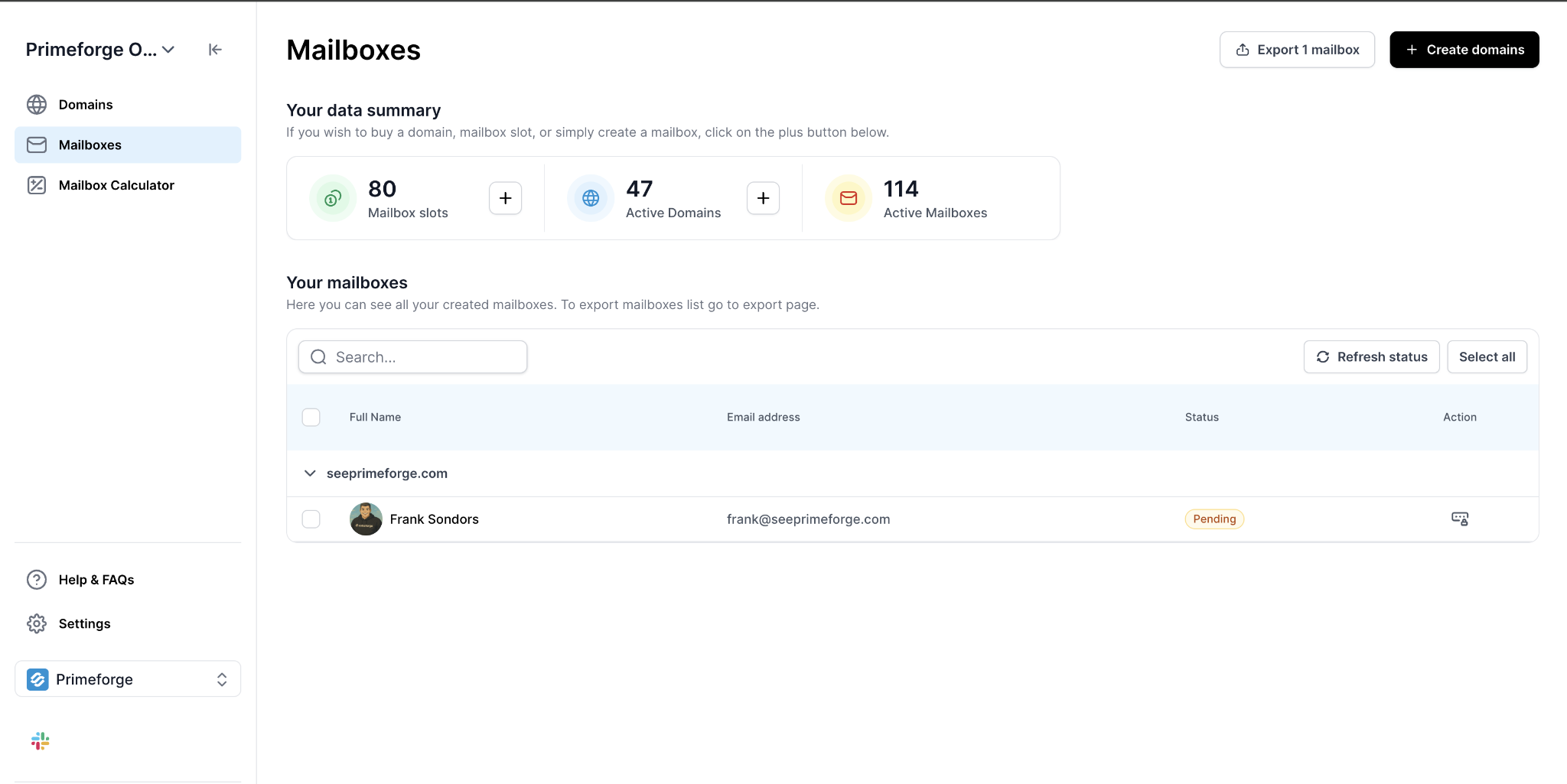
This image shows the Mailboxes in Primeforge
Everything is usually ready within 30 minutes. You own the domains and inboxes, so you keep them if you change sending tools.
Two features save time when managing many inboxes. Bulk DNS updates let you change records across all domains at once. The Forge MCP Server lets you create and manage domains and mailboxes by entering requests in Claude or Cursor.
All inboxes use US IPs. I would keep warmup active after launching. If you send through Salesforge, Warmforge handles it.
Key Features
Real Google and Microsoft inboxes: You receive Google Workspace or Microsoft 365 accounts pre-warmed for cold outreach.
Ready in about 30 minutes: Domain setup, mailbox creation, and DNS configuration happen automatically.
Full ownership: You own the domains and inboxes, not the provider.
Bulk management: Update DNS and manage mailboxes across multiple domains at once.
AI-assisted setup: Use the Forge MCP Server to manage setup through Claude or Cursor.
Works with your sender: Connect inboxes to Salesforge and other cold email platforms.
Pros and Cons
Pros
Cons
Real Google Workspace and Microsoft 365 accounts
No free trial on active mailboxes
Pre-warmed and ready in about 30 minutes
Per-mailbox cost adds up past a few hundred inboxes
You own the domains and inboxes
US IPs only
Bulk and AI-based management suits agencies
The warmup age of pre-warmed inboxes isn't listed
Pricing
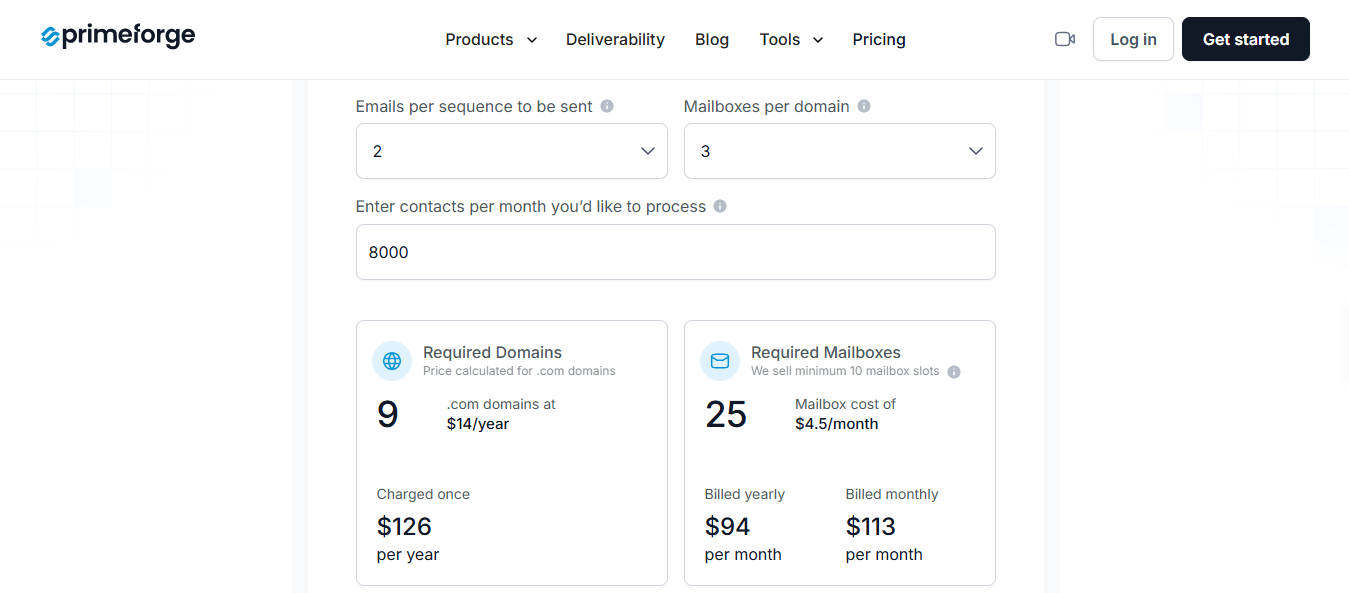
This image shows the Primeforge pricing page
Mailboxes: About $4.50 per mailbox monthly, or about $3.50 with annual billing
Domains: About $14 per year per .com
Hosting, maintenance, DNS setup, API access, and support are included. Here is the estimated cost before domain fees:
Mailboxes
Monthly Cost (Annual to Monthly Billing)
30
$105 to $135
60
$210 to $270
100
$350 to $450
250
$875 to $1,125
500
$1,750 to $2,250
Summary
Primeforge is my top choice if you want pre-warmed Google or Microsoft inboxes that you own, arrive within 30 minutes, and remain easy to manage as you grow. If you do not need Google or Microsoft accounts, Infraforge and Mailforge cost less per mailbox.
2. Infraforge
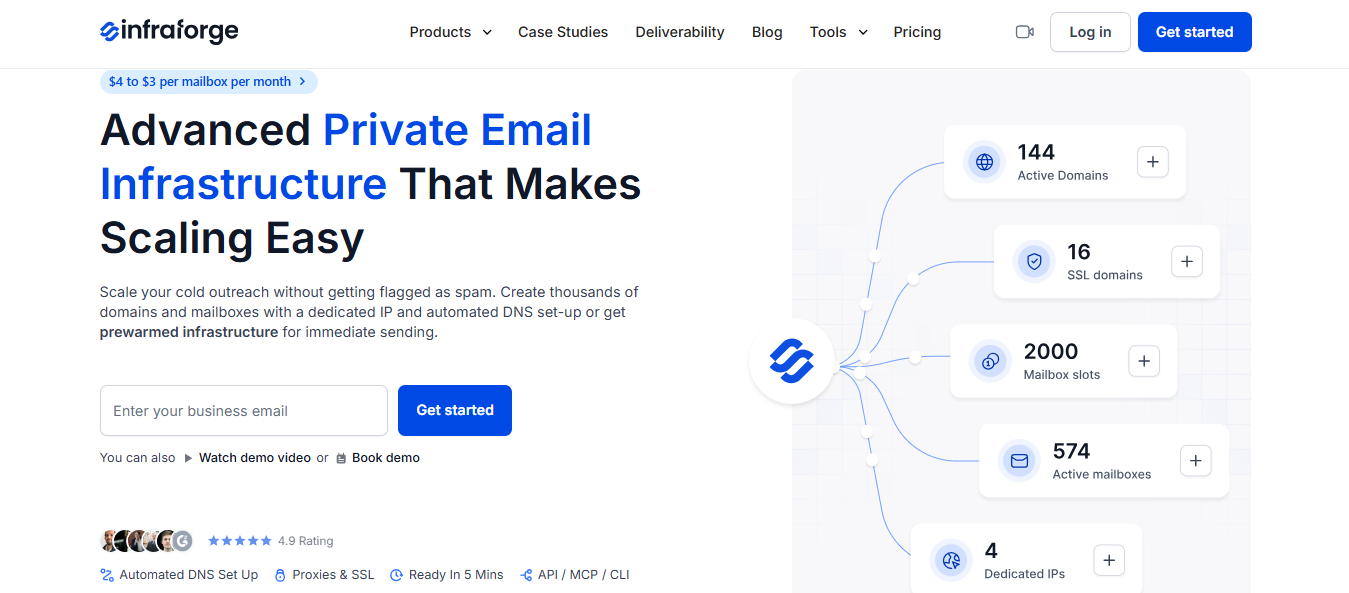
This image shows the Infraforge Homepage
Infraforge provides pre-warmed mailboxes on dedicated IPs, meaning no other sender uses the IPs carrying your emails. Your reputation depends entirely on your own sending, for better or worse.
This image shows the Dedicated IP in Infraforge
I would choose it if shared infrastructure has hurt your campaigns or you cannot risk another sender’s spam affecting your results.
Setup takes about five minutes. You can select pre-warmed domains and mailboxes and start sending immediately. Infraforge also configures SPF, DKIM, DMARC, and tracking for each domain. As your volume grows, you can add IPs and spread your sending across them.
After launch, Infraforge keeps warmup and monitoring active, rotates senders, and limits daily sending from each mailbox. It alerts you when a mailbox starts to lose health, so you do not need to check each one manually.
These are Infraforge’s mailboxes, not Google or Microsoft accounts. Choose Primeforge if you need those providers.
Key Features
Pre-warmed from the start: Choose domains and mailboxes that are already warmed instead of starting from zero.
Dedicated IPs: No other customer sends through your IPs.
Extra IPs as you grow: Multi-IP provisioning lets you add IPs as your volume increases.
Ongoing warmup: Automated warmup and deliverability alerts continue after delivery.
Replies in one place: Masterbox collects replies from every mailbox within a workspace.
Controlled volume: Infraforge rotates senders and limits daily sending from each mailbox.
Pros and Cons
Pros
Cons
IPs used only by you
The warmup age of pre-warmed mailboxes isn't listed
Warmup and monitoring continue after purchase
Not Google or Microsoft accounts
Setup takes about 5 minutes
Costs more per mailbox than Mailforge
Works with Salesforge or any sending tool
No free trial
Pricing
This image shows the Infraforge pricing
Mailboxes: $3 to $4 per mailbox monthly, depending on volume
Extra IPs: Available through Multi IP Provisioning
SSL and domain masking: Optional add-on
Your subscription includes DNS setup, hosting, and mailbox maintenance. There is no free trial, but you can create an account for free and explore the dashboard.
Estimated costs before domain fees:
Mailboxes
Monthly Cost (at $3 to $4 per mailbox)
30
$90 to $120
60
$180 to $240
100
$300 to $400
250
$750 to $1,000
500
$1,500 to $2,000
Summary
Infraforge is my choice if you want a pre-warmed start and complete control over your sending reputation. Mailforge is cheaper if you do not mind shared IPs. Choose Primeforge if you need Google or Microsoft accounts.
3. Mailforge
This image shows the Mailforge Homepage
Mailforge provides cold email mailboxes on secondary domains, keeping outreach away from your company’s primary domain. You can choose pre-warmed domains and start immediately or buy fresh ones and warm them for two weeks. Every domain includes SPF, DKIM, DMARC, and tracking setup, with visitors forwarded to your main website.
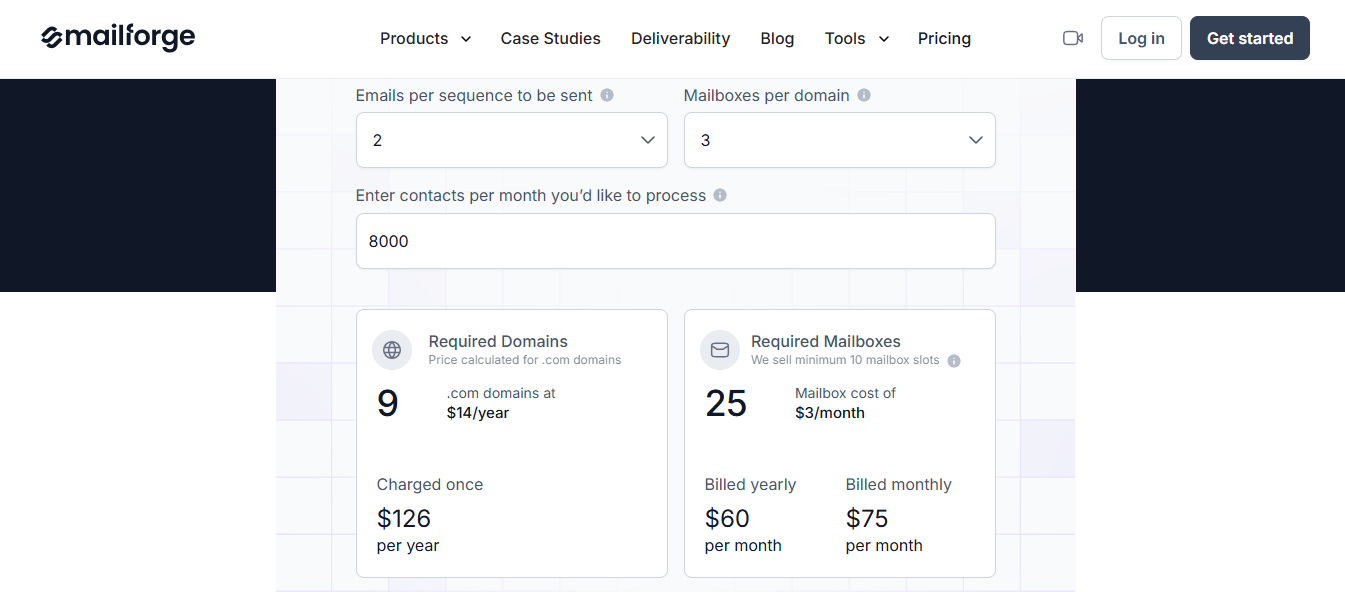
If you are unsure how many mailboxes you need, Mailforge’s calculator estimates the number using your monthly contact volume and emails per contact. A common setup uses two to three mailboxes per domain.
The trade-off is less control over IP reputation. Your mailboxes use an IP pool shared with millions of businesses, and unlike Infraforge, you cannot reserve an IP. For affordable, high-volume outreach, I think that is reasonable.
Keep warmup running after launch. If you send through Salesforge, Warmforge provides it at no extra cost.
Key Features
Pre-warmed domains: Choose them directly during setup.
Mailboxes in minutes: Domains, mailboxes, and DNS records are ready quickly without IT help.
Bulk mailbox creation: Generate sender names and signatures together, completing a 60-mailbox order in one pass.
Project workspaces: Keep each client or project in a separate workspace.
Bulk record changes: Update DNS records across several domains at once.
Sequencer-ready exports: Load mailboxes into Salesforge, Smartlead, Instantly, ReachInbox, or FirstQuadrant.
Pros and Cons
Pros
Cons
The lowest price per mailbox of the three Forge products
Shared IP pool
Pre-warmed and fresh domains in one account
The warmup age of pre-warmed domains isn't listed
Setup in minutes
Ongoing warmup isn't included
Used by 10,000+ businesses
Not Google or Microsoft accounts
Pricing
This image shows the Mailforge Pricing
Mailboxes: $3 per mailbox monthly, falling to $2 at higher volumes
Domains: $13 yearly for a .com
SSL and domain masking: Optional add-on
Hosting, maintenance, and DNS setup are included. At 200 mailboxes, the monthly cost is $484. You can create an account for free, but mailbox trials are unavailable.
Estimated costs before domain fees:
Mailboxes
Monthly Cost (at $2 to $3 per mailbox)
30
$60 to $90
60
$120 to $180
100
$200 to $300
250
$500 to $750
500
$1,000 to $1,500
Summary
I would use Mailforge when sending volume matters more than owning your IPs. Choose Infraforge for dedicated IPs or Primeforge for Google and Microsoft accounts.
4. Zapmail
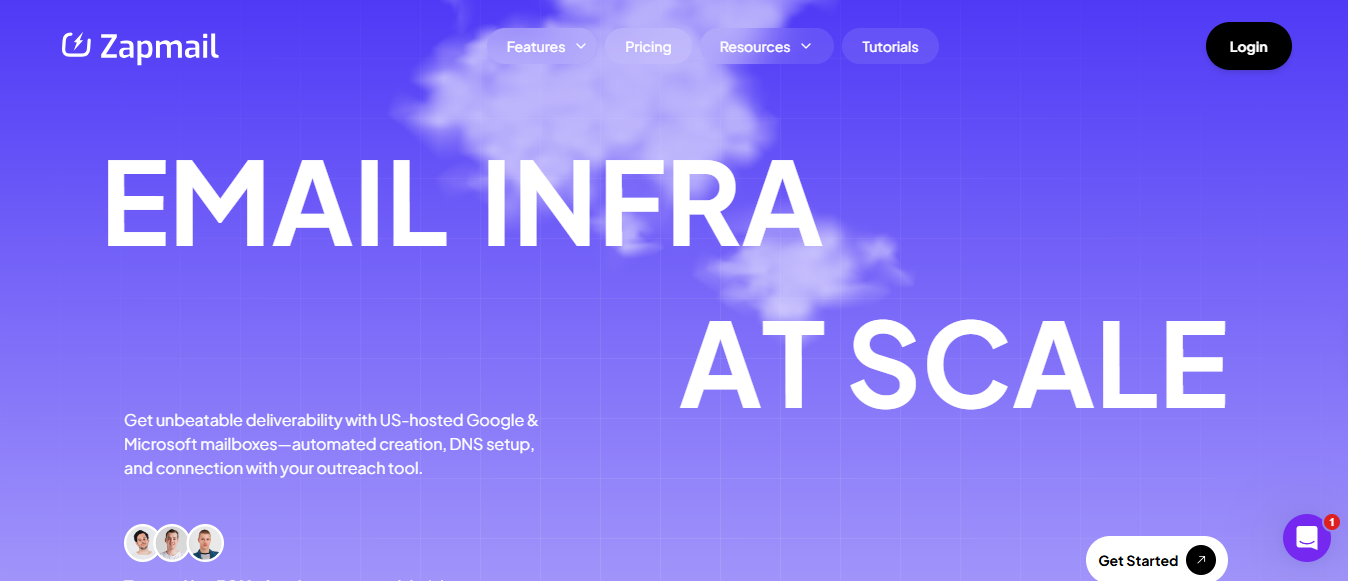
This image shows the Zapmail Homepage
I would choose Zapmail’s pre-warmed mailboxes when a campaign has a fixed start date and requires Google or Microsoft accounts.
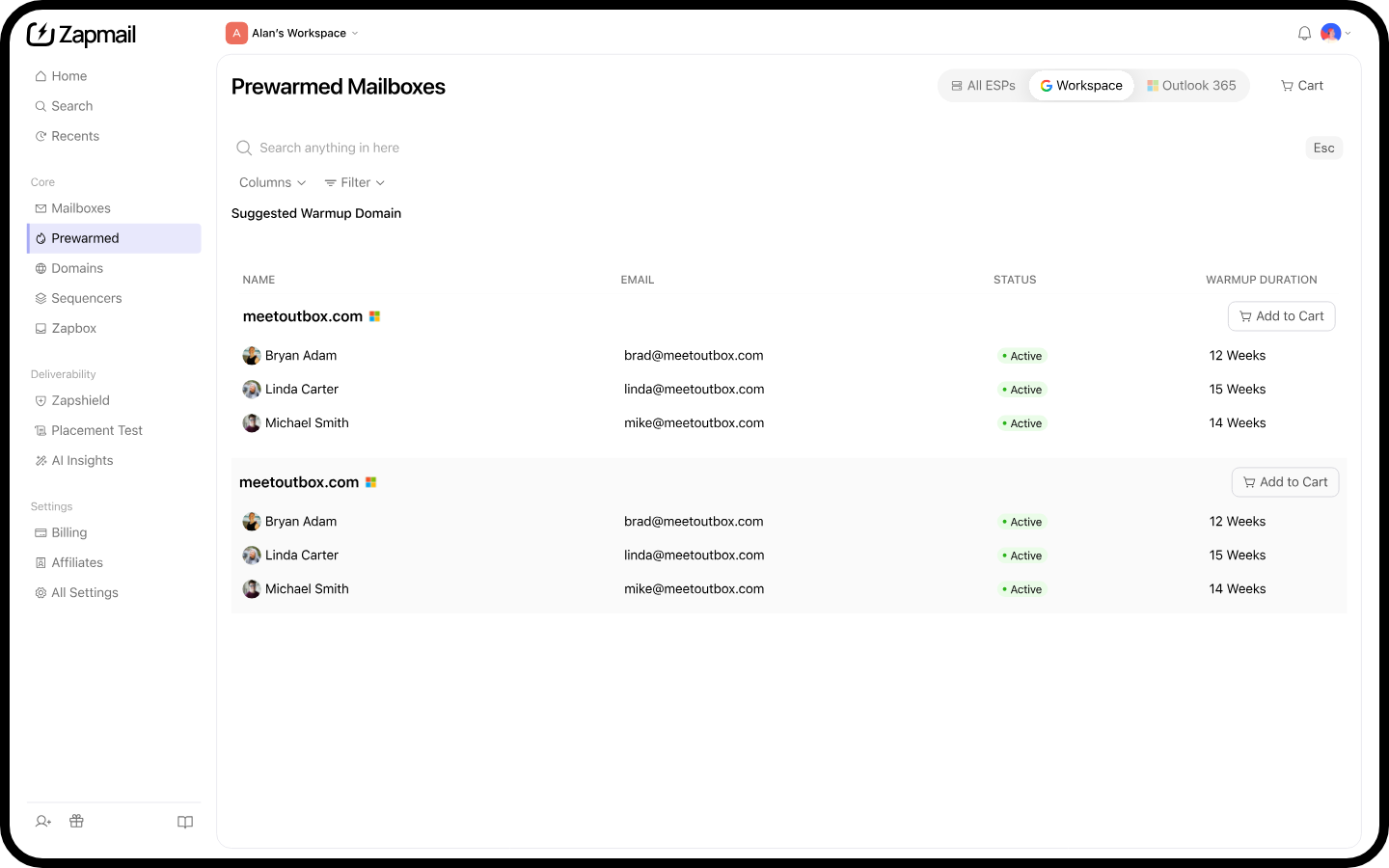
Every mailbox has at least 12 weeks of warmup history and connects to your sequencer through OAuth within minutes, letting you send on the day you buy.
This image shows the Pre-warmed mailboxes in Zapmail
The domains are generic. That helps when testing new messaging because it protects your primary domain, but prospects will not see your brand in the sender address.
I would keep warmup running after launch. The existing history gives you a head start, while ongoing warmup helps protect that reputation once cold emails begin.
Key Features
Months of history: Every mailbox comes with at least 12 weeks of warmup, so you do not start as an unknown sender.
Nothing to configure: SPF, DKIM, DMARC, and tracking domains are ready when you sign in.
One workspace per domain: Each domain has a separate workspace, keeping large orders manageable.
Ongoing monitoring: Zapmail continues watching DNS and mailbox health after you begin sending.
Accounts you own: You keep the mailboxes and any domains you purchase.
Pros and Cons
Pros
Cons
Mailboxes can send the day you buy them
Generic domains don't show your brand
12+ weeks of warmup history on every mailbox
A pre-warmed mailbox costs about three times a standard one
You own the mailboxes and the domains
API access only comes with the $299 Pro plan
A choice of Google or Microsoft accounts
Plans come in fixed sizes, so you buy in bundles
Pricing
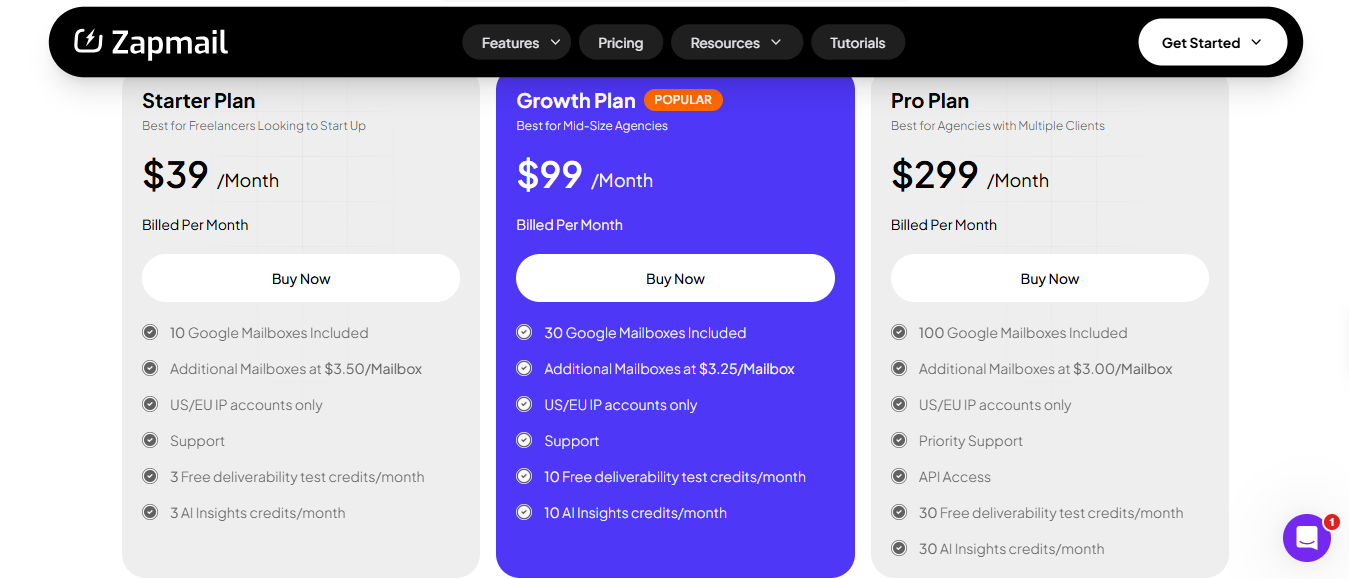
This image shows the Zapmail Pricing
Standard mailboxes: From $2.50 per mailbox monthly
Plans: $39 monthly for 10 mailboxes, up to $299 for 100 on Pro with API access
Pre-warmed mailboxes: About $8 to $9 or more per mailbox monthly
Domains: $13 yearly for a .com, with more than 10 extensions available
Estimated pre-warmed mailbox costs before domain fees:
Mailboxes
Monthly Cost (at $8 to $9 per pre-warmed mailbox)
30
$240 to $270
60
$480 to $540
100
$800 to $900
250
$2,000 to $2,250
500
$4,000 to $4,500
Summary
Zapmail lets you send immediately when you cannot wait three months to warm new Google or Microsoft mailboxes. If you have time, standard mailboxes with your own warmup cost much less. I would only pay extra when speed matters more than budget.
5. Smartlead
This image shows the Smartlead Homepage
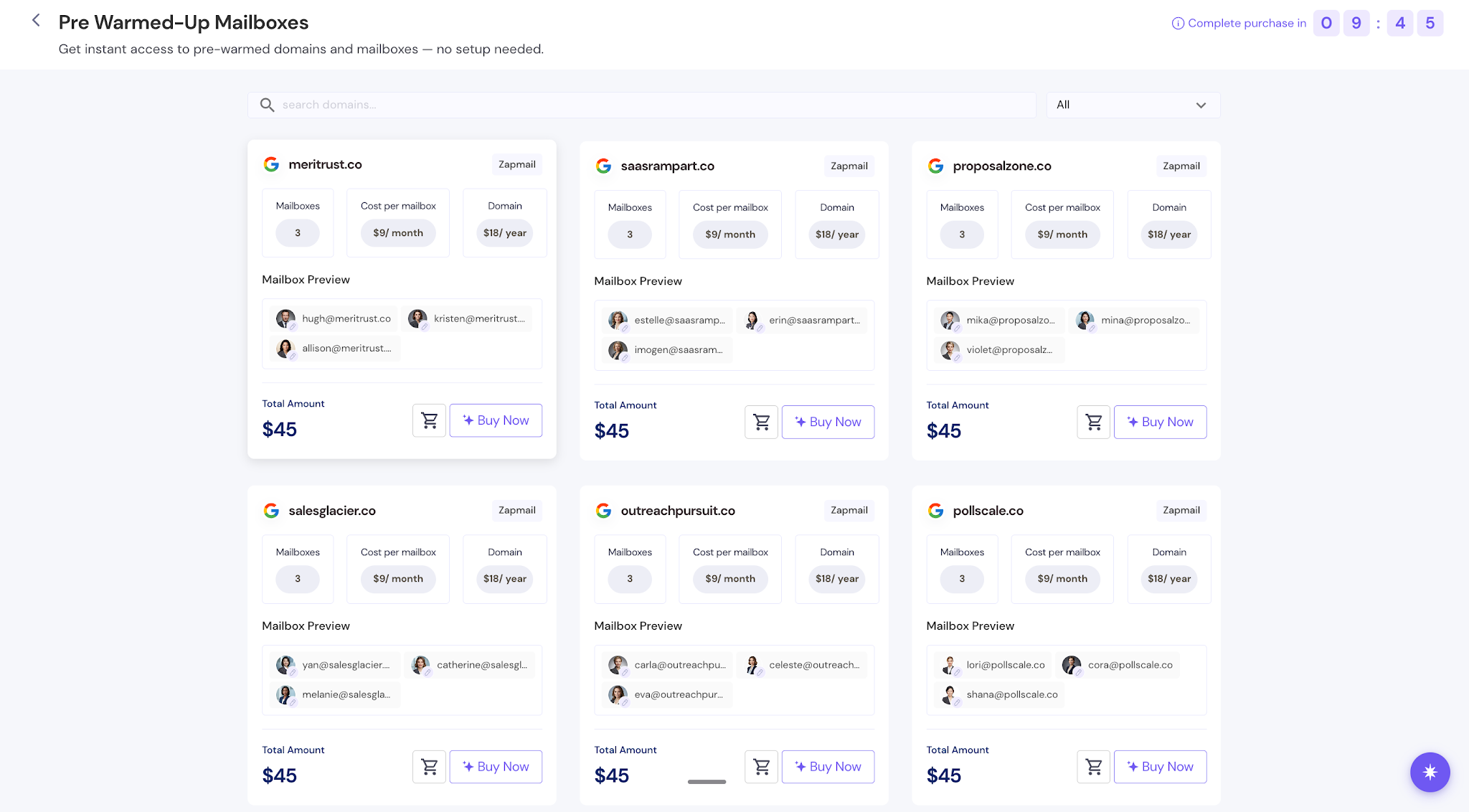
I would recommend Smartlead’s pre-warmed mailboxes only if you already use Smartlead as your sequencer. You purchase them within its dashboard, and they appear in your account within one to two hours, letting you add them to a live campaign that afternoon.
This image shows the Pre-Warmed Mailboxes in Smartlead
You trade control for speed. Smartlead chooses the domains, sender names, and profile photos, and none can be changed. These mailboxes will not work if your sales representatives need to send under their own names.
Before placing a large order, I would ask whether the mailboxes use Google or Microsoft and how long they have been warmed up. Smartlead does not disclose either detail. However, each mailbox must pass sender score, bounce rate, and inbox placement checks before being sold.
Key Features
Delivered within hours: Mailboxes appear one to two hours after payment.
Checked before sale: Only mailboxes meeting sender score, bounce, and placement requirements are listed.
Built into your sequencer: They appear in Smartlead without an export or connection step.
Automatic rotation: Smartlead evenly distributes emails across campaign mailboxes.
Three per domain: Each domain is limited to three mailboxes to protect its reputation.
Full authentication: SPF, DKIM, and DMARC are already configured.
Pros and Cons
Pros
Cons
Sending within one to two hours
Mailbox names and photos can't be changed
Mailboxes live inside the sequencer you already use
You can't add mailboxes to a domain after purchase
Monthly billing, so you can drop a mailbox anytime
No stated warmup age or mailbox type (Google or Microsoft)
Screened on reputation before sale
No proration if you delete a mailbox mid-month
Pricing
This image shows the Smartlead Pricing
Pre-warmed mailbox: $9 per mailbox monthly
Pre-warmed domain: $18 yearly, supporting up to three mailboxes
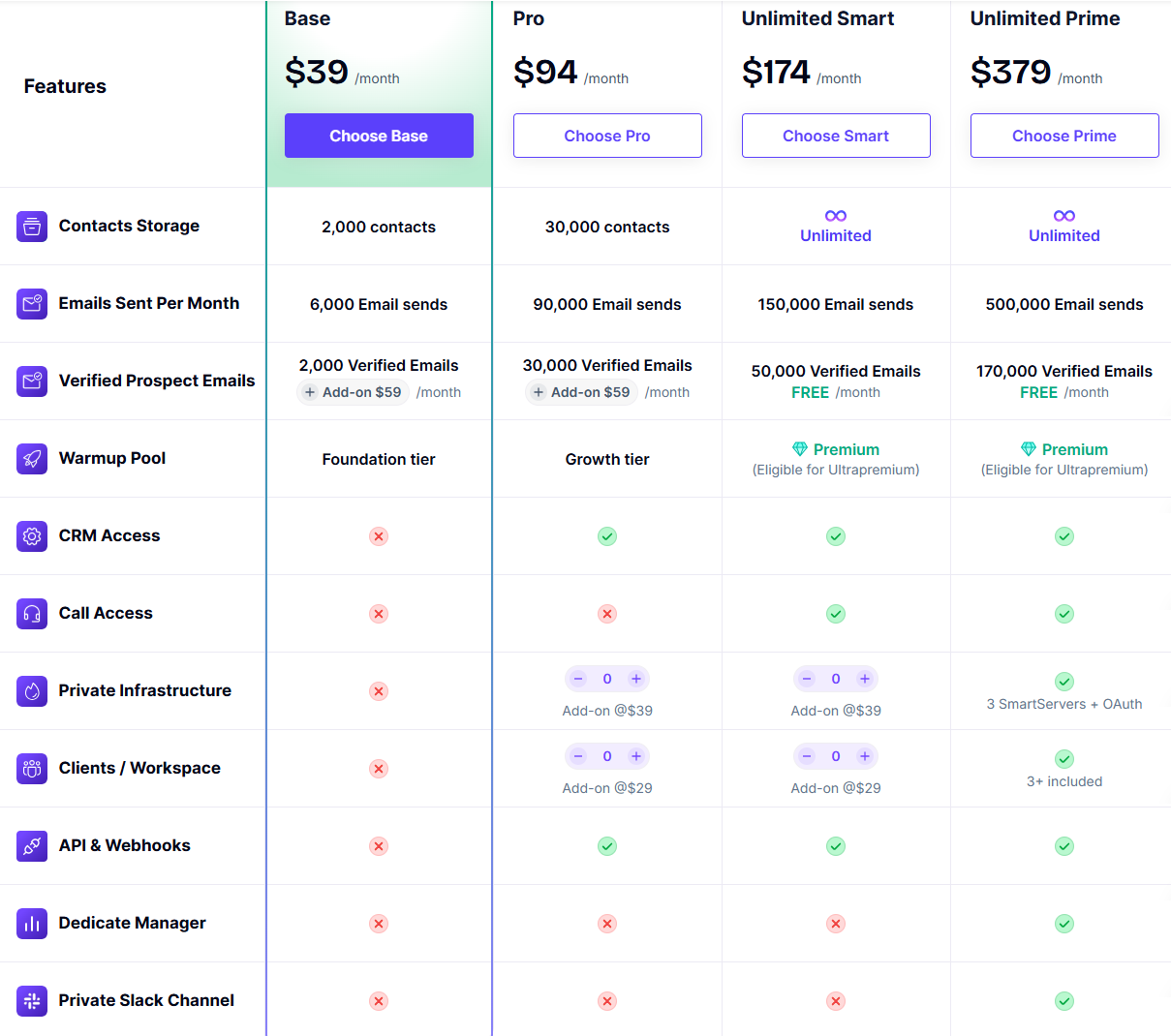
Smartlead plans: Base at $39 monthly, Pro at $94, Unlimited Smart at $174, and Unlimited Prime at $379, with 17% off annual billing
A full domain with three mailboxes costs $27 monthly plus $18 yearly for the domain. Every Smartlead plan includes unlimited email accounts and a free trial without a credit card.
Smartlead sells domains in fixed bundles of three mailboxes. The following estimates include the required domains but exclude your Smartlead subscription:
Mailboxes
Monthly Mailbox Cost
Domains Needed
Yearly Domain Cost
30
$270
10
$180
60
$540
20
$360
100
$900
34
$612
250
$2,250
84
$1,512
500
$4,500
167
$3,006
Summary
Smartlead works well for adding warmed sending capacity to campaigns already running there. Choose another provider if you need custom sender names, a confirmed mailbox type, or mailboxes you can use outside Smartlead.
Personalized Outbound Strategy
Get The Right Outbound Strategy In Minutes
Enter your email to get a custom plan & stack recommendation for your
business
It's being carefully crafted by AI
Please check your mailbox in 5 minutes
Conclusion: Which is the Best Pre-Warmed Email Account Provider
Pre-warmed accounts save time, which is the main reason to pay extra. Every provider here lets you start within hours instead of weeks. The key differences are the mailbox type, who controls the IPs and sender identities, and whether warmup continues after launch.
If you want Google or Microsoft accounts, start with Primeforge. You receive genuine Google Workspace and Microsoft 365 inboxes within about 30 minutes, with the domains and accounts registered to you. Infraforge is better for dedicated IPs, while Mailforge offers the lowest mailbox costs.
Order your first batch through Primeforge and keep warmup active from day one. If you send through Salesforge, Warmforge handles it for you.