I’ve seen this pattern too many times: you set up a new domain, start sending, and for a few days, everything looks fine.
Then replies drop, open rates fall, and emails start landing in spam.
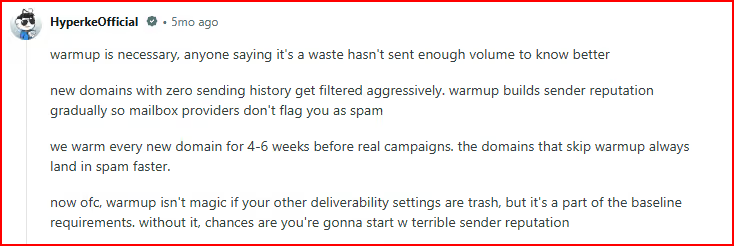
I recently saw a discussion where someone explained it clearly.
The domains they didn’t warm up were the first to lose deliverability, no history, no trust.
This image shows the Cold email expert discussion on manual email warmup on Reddit
That’s what most people miss.
Cold email isn’t just about sending volume.
It’s about how your activity looks over time:
Are emails getting opened?
Are there real replies?
Does the behavior look consistent?
If not, things break early.
The problem is, most email warmup tools still rely on random activity that doesn’t reflect real inbox behavior.
That’s why a lot of teams have started looking at AI-based warmup setups.
Instead of just sending emails, they try to:
Simulate real conversations
Generate replies and engagement
Maintain more natural sending patterns
In this guide, I’ll break down 5 AI email warmup tools to help you choose what fits your setup.
Table of Contents
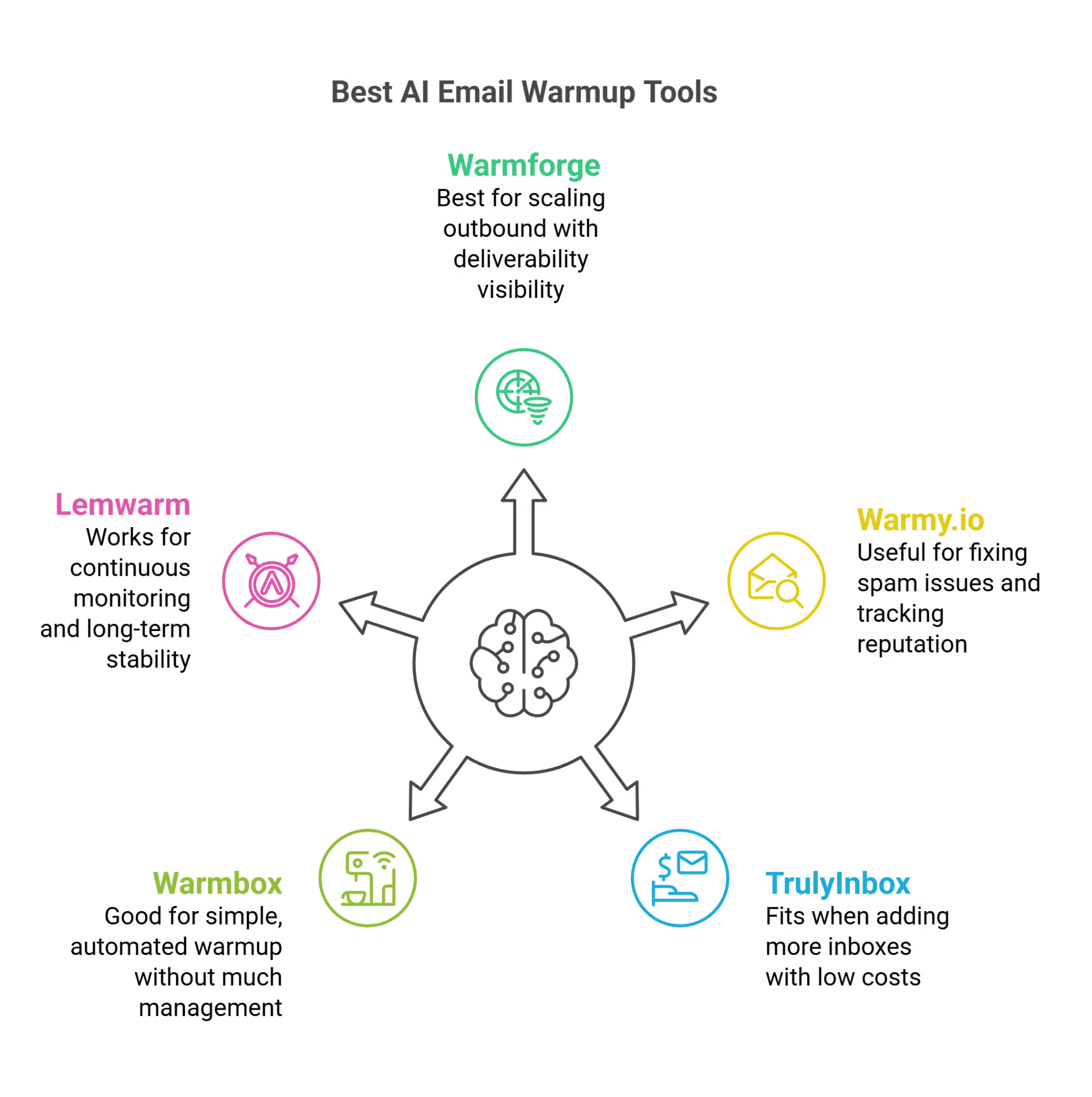
Key Takeaways - 5 Best AI Email Warmup Tools to Boost Deliverability
This image shows the Best AI Email Warmup Tools
Warmforge → Best when you’re scaling outbound and need both AI warmup + deliverability visibility (placement, readiness, health) so you know when to start sending
Warmy.io → Useful when your main problem is emails landing in spam and you want to track placement, reputation, and fix issues
TrulyInbox → Fits when you’re adding more inboxes and want to keep costs low with volume-based pricing
Warmbox → Good if you just want a simple, automated warmup running without managing much
Lemwarm → Works when you want continuous monitoring, alerts, and long-term deliverability stability
How We Selected These AI Email Warmup Tools
We didn’t just compare features.
Each tool was evaluated based on how its AI-driven warmup actually behaves in a real cold email setup.
How the AI generates warmup activity (random vs conversation-like patterns)
How engagement is created (AI replies, opens, interaction quality)
Ability to mimic natural sending behavior over time
Control over warmup settings and patterns
Ease of setup and day-to-day usage
Ability to scale across multiple inboxes or domains
This helps you understand not just which tool has AI, but how that AI actually impacts your deliverability.
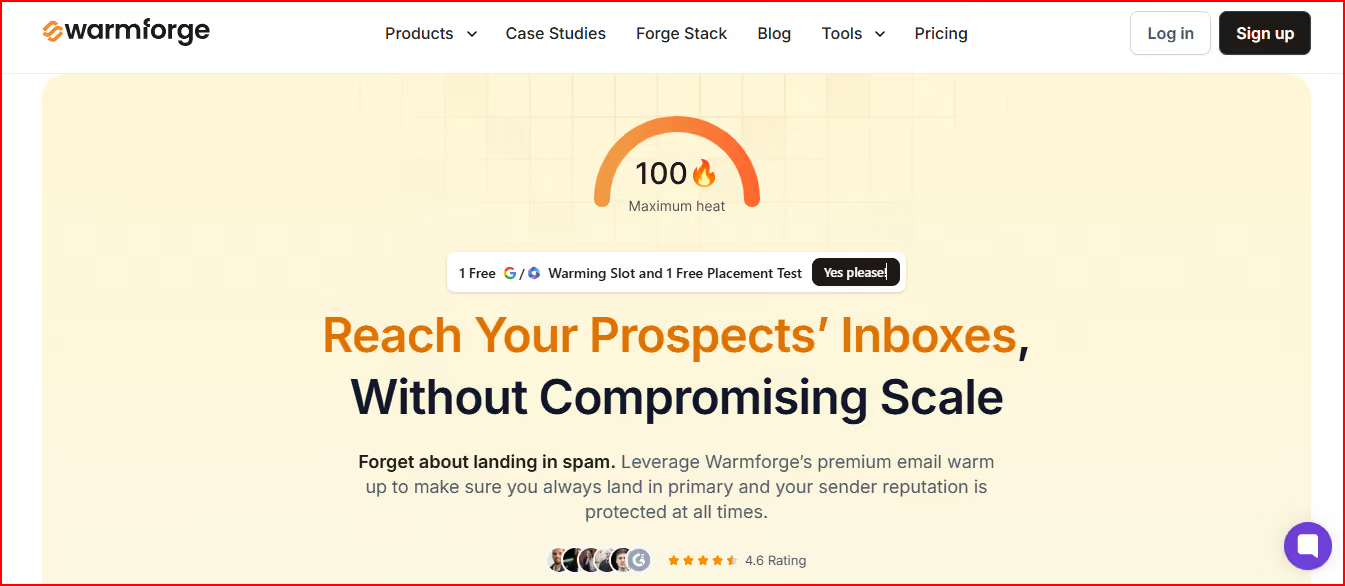
Warmforge is an email warmup and deliverability tool that uses AI-driven activity to help you build sender reputation while also monitoring your mailbox health in one place.
This image shows the Warmforge - best AI Email warmup tool with warmup, monitoring, placement test in one place
Instead of just sending basic warmup emails, it uses AI to generate unique emails and simulate real activity inside your mailbox, including sending, opening, and replying.
This makes the behavior look more like actual human interaction.
At the same time, it also works as a deliverability layer, where you can:
Track mailbox health (DNS, MX records, blacklist status)
Run placement tests to see where your emails land (inbox vs spam)
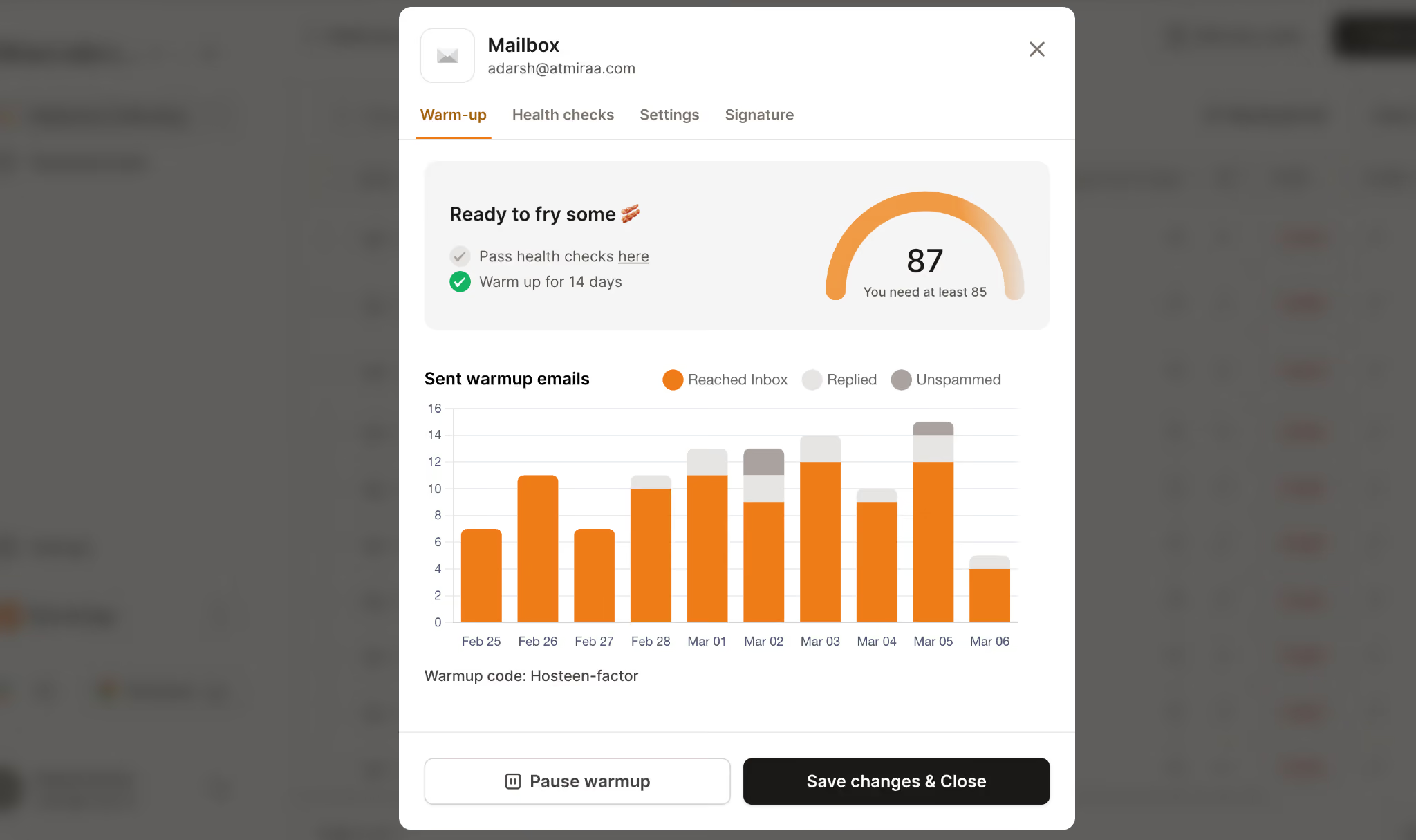
It also includes a Heat Score™, which shows how ready your mailbox is for sending:
This image shows the Email warmup report in Warmforge
A score above 85 means your mailbox is ready to start outreach
So instead of just warming up inboxes, Warmforge combines AI-driven activity with deliverability tracking to help you manage how your emails behave as you scale.
From what I see, the useful part here is that you’re not just warming up blindly.
You can actually see how your mailboxes are performing and decide when to start sending instead of guessing.
Pricing
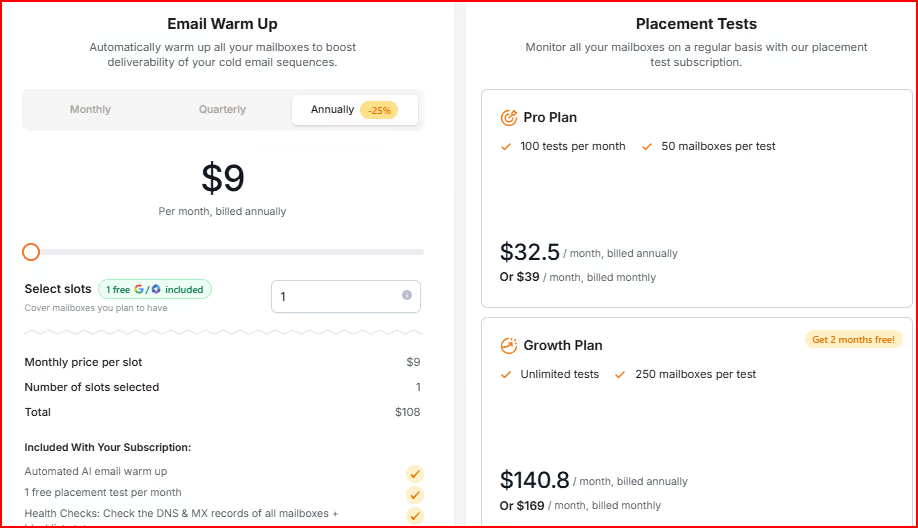
Warmforge uses a mailbox slot-based pricing model, so your cost depends on how many inboxes you want to warm up.
This image shows the warmforge pricing
Starts at $9 per mailbox/month (billed annually)
Includes:
Automated warmup
1 free placement test per month
Health checks (DNS, MX, blacklist)
As you add more inboxes, the total cost increases linearly.
For example:
10 mailboxes → ~$90/month
20 mailboxes → ~$180/month
Placement test add-ons:
Pro Plan → ~100 tests/month, up to 50 mailboxes/test (~$32–$39/month)
Growth Plan → Unlimited tests, up to 250 mailboxes/test (~$140–$169/month)
So the pricing is directly tied to how large your outbound setup is.
The good part here is the clarity; you always know what you’re paying based on the number of inboxes.
At the same time, this also means your cost scales directly with your setup.
So the more you expand your outreach, the more you need to account for warmup as a fixed cost in your system.
Pros
Improves inbox placement by building sender reputation steadily over time
This image shows the Warmforge user complimenting about its steady reputatio
Creates more natural email activity, helping build trust with inbox providers
Helps identify deliverability issues early, before campaigns start dropping
Placement tests show actual inbox vs spam performance before sending campaigns
Cons
Needs to run continuously; stopping can hurt your sending consistency
Who Should Use Warmforge?
Use Warmforge if:
Running multiple inboxes and need a consistent warmup across all
Want warmup and deliverability tracking in one place
Prefer knowing when a mailbox is ready (using Heat Score)
Need to check the inbox vs spam before launching campaigns
Fine with keeping the warm-up running continuously
From what I see, this works best when the goal is to keep deliverability stable while scaling outreach without constantly checking what’s going wrong.
Skip Warmforge if:
Only need basic warmup without extra tracking
Running a small setup and want to keep costs low
Prefer manual control over automation
Don’t need placement testing or deeper visibility
From a practical side, this can feel like more than you need if you’re just testing cold email with a small setup.
Personalized Outbound Strategy
Get The Right Outbound Strategy In Minutes
Enter your email to get a custom plan & stack recommendation for your
business
It's being carefully crafted by AI
Please check your mailbox in 5 minutes
2. Warmy.io
Warmy.io is an email warmup and deliverability tool that uses AI-driven automation to help improve inbox placement while giving you visibility into how your emails perform.
This image shows the Warmy.io - email warmup and deliverability tool
Instead of just running a warmup in the background, it focuses on both sides, building sender reputation and showing you what’s actually happening with your emails.
It uses AI along with tools like Google Postmaster to:
So it’s not just about warming up, it’s also about understanding and improving how your emails behave.
What I like here is that it doesn’t just run a warmup in the background; it actually shows you where things are breaking.
Pricing
Warmy doesn’t show fixed pricing publicly.
Uses a volume-based pricing model
Plans differ based on:
B2B vs B2C sending
Usage and scale
Offers a 7-day free trial (no credit card required)
Requires booking a demo or selecting a plan to see exact pricing
What I don’t like here is the lack of clarity.
You don’t get a quick idea of cost like per mailbox pricing, so it’s harder to estimate how much it will cost as you scale.
Pros
Helps improve inbox placement by optimizing deliverability, not just warming up
Gives clear visibility into where emails land (inbox, spam, promotions) and reputation
This image shows the Warmy user talking bout its deliverability and reputation tracking
Helps identify and fix deliverability issues early
Uses Google Postmaster data to track domain reputation
Supports both B2B and B2C email setups
Cons
Pricing is not transparent upfront and depends on usage
Requires understanding of deliverability data to fully use its features
Who Should Use Warmy.io?
Use Warmy.io if:
You want more visibility into deliverability, not just warmup
You care about tracking inbox placement and domain reputation
You want to actively improve and optimize your email performance
You’re running either B2B or B2C outreach setups
From what I see, this works better when you want to understand and improve deliverability continuously, not just set up warmup and leave it running.
Skip Warmy.io if:
You prefer simple, fixed pricing without needing to calculate usage
You only need basic warmup without deeper insights
You don’t want to deal with deliverability data or optimization
From a practical side, this can feel a bit heavy if you just want a simple “set it and forget it” warm-up setup.
3. TrulyInbox
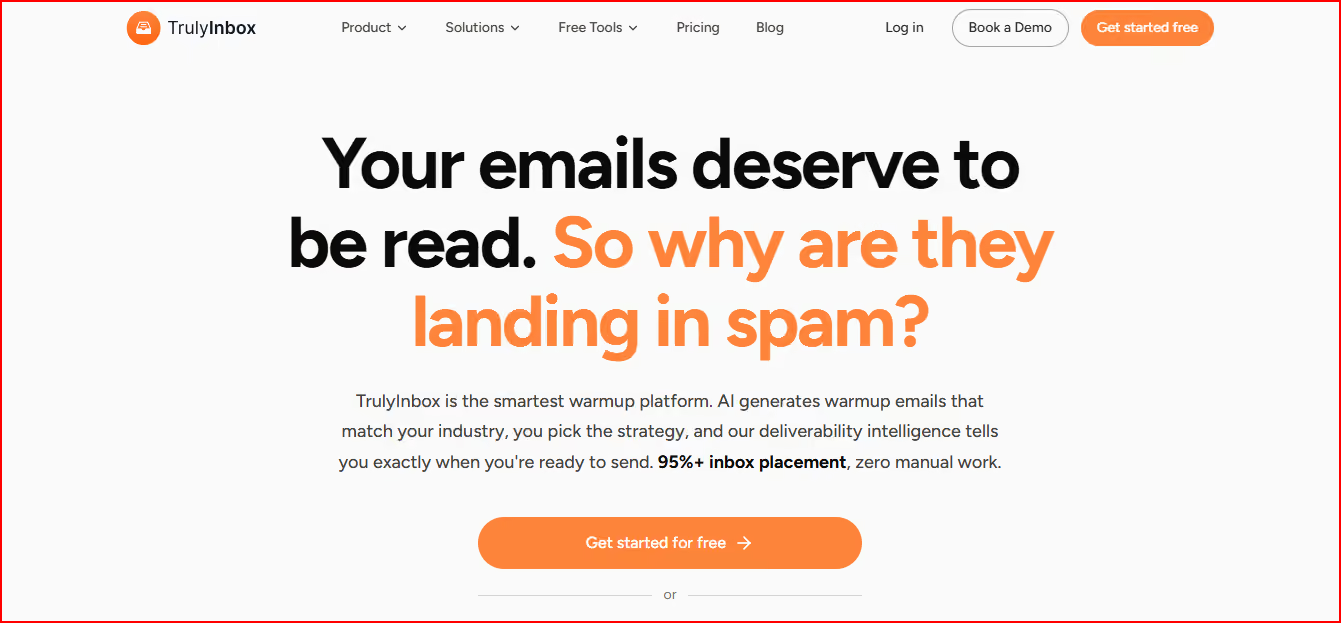
TrulyInbox is an AI-powered email warmup tool that focuses on generating warmup activity that closely matches your real outreach.
This image shows the TrulyInbox - Ai email warmup tool with multiple strategies
Instead of sending generic warmup emails, it lets you define your context, like industry and topics, and then generates emails that look similar to what you would actually send.
It supports different warmup strategies like progressive, random, and flat, while using AI to create emails with human-like timing and replies.
Along with warmup, it also gives you visibility into your setup through a deliverability score, an outreach readiness indicator, and performance tracking across different email providers.
It runs on a large network of real inboxes, which helps create more varied and realistic interactions during warmup.
So instead of just increasing activity, it focuses on making that activity look closer to real conversations.
What I like here is that the warmup doesn’t feel generic; it actually aligns with how your real emails would look.
Pricing
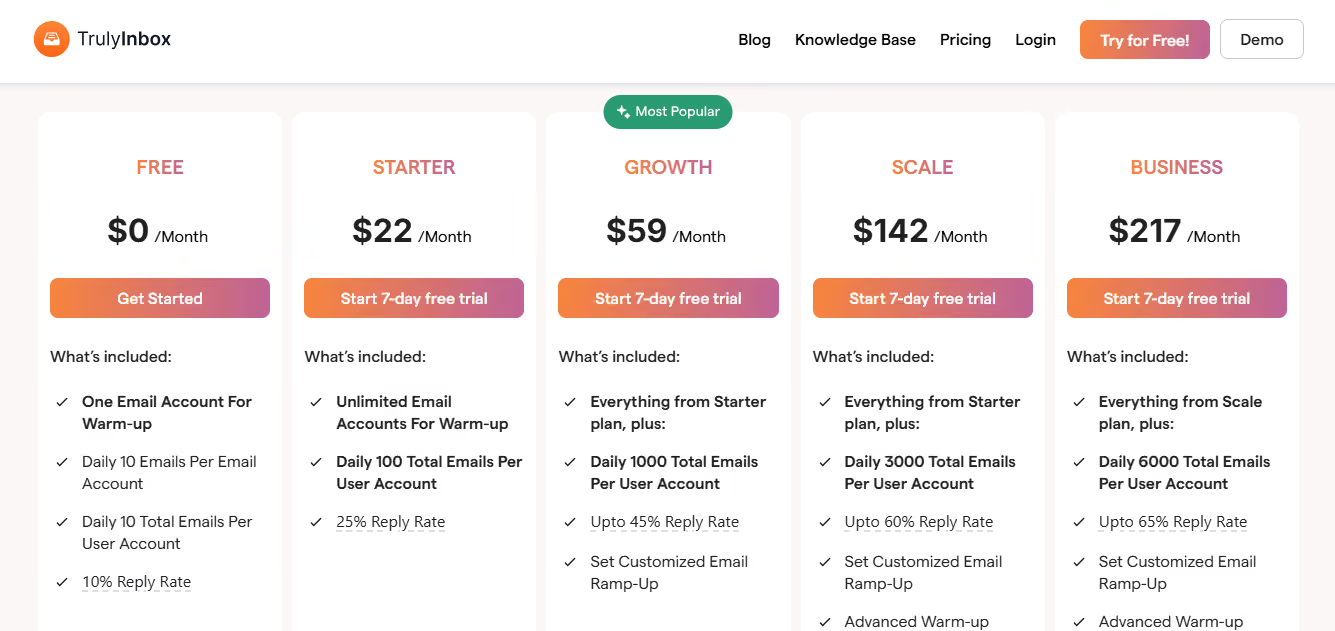
TrulyInbox keeps pricing straightforward and not tied to the number of accounts.
This image shows the TrulyInbox pricing
Free plan → 1 account, 10 warmup emails/day
Paid plans:
Starter → ~$22/month (200 warmup emails/day)
Growth → ~$59/month (1,000 warmup emails/day)
Scale → ~$142/month (3,000 warmup emails/day)
Unlimited inbox connections across plans
7-day free trial available
You can connect multiple inboxes, and the total warmup volume gets distributed across them.
What I like here is that it stays cost-efficient as you scale inboxes, since you’re not paying per account.
At the same time, your warmup speed depends on your plan, so if you add more inboxes, each one gets fewer warmup emails unless you upgrade.
Pros
Warmup emails match your actual outreach, making the activity feel more realistic
Clear deliverability score and readiness indicator
Works across multiple inboxes without extra cost per account
Flexible warmup strategies based on your setup
Simple setup with quick onboarding
This image shows the TrulyInbox user talking about its easy setup
Cons
Daily warmup limits can slow things down as you add more inboxes
Warmup volume gets split across inboxes, reducing effectiveness per account
Who Should Use TrulyInbox?
Use TrulyInbox if:
You want a warm-up that matches your actual outreach style
Running multiple inboxes, but don’t want per-mailbox pricing
Prefer clear signals, like a deliverability score, before sending
Want control over warmup strategy without making it complex
From what I see, this works best when you want something simple but still aligned with how your real campaigns look.
Skip TrulyInbox if:
You need unlimited volume without plan limits
You prefer fixed pricing based on inboxes instead of usage
You don’t need control over warmup strategy or customization
From a practical side, limits can start to matter once your volume increases.
4. Warmbox
Warmbox is an email warm-up tool that focuses on automatically generating realistic email activity to improve your sender reputation.
This image shows the Warmbox - AI email warmup tool with deep control
Once you connect your inbox, it starts sending and interacting with emails on your behalf, opening, replying, marking emails, and even pulling messages out of spam.
So your inbox activity looks more natural over time.
It uses a mix of GPT-4 and hybrid systems to generate emails and interactions, and runs this across a large private network of inboxes to create consistent engagement.
You can also choose how the warmup behaves, whether gradual, random, or more controlled, depending on your setup.
Along with that, it gives basic monitoring like spam score tracking, blacklist checks, and overall deliverability reporting.
So the focus here is simple: run a warmup automatically and keep your inbox active without manual effort.
What I like here is how hands-off it feels once it’s set up; you don’t really need to manage much day-to-day.
Pricing
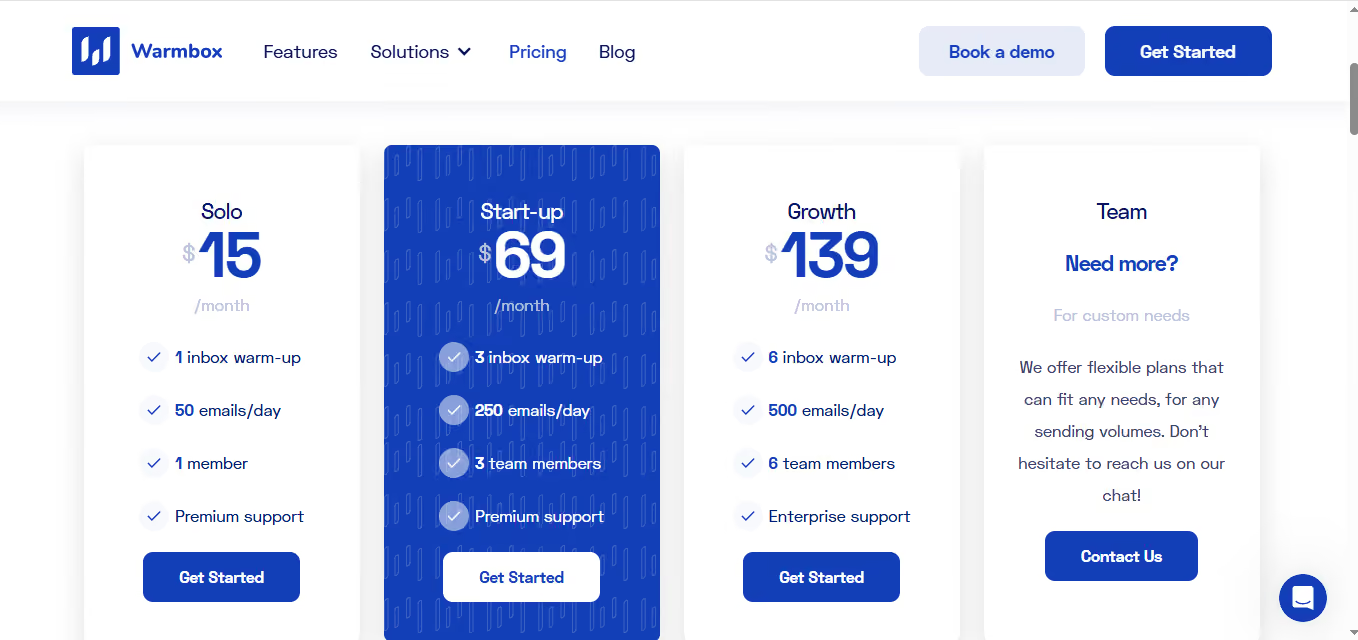
Warmbox uses a tier-based pricing model, where both inbox count and daily warmup volume are bundled into each plan.
Inbox interactions (reply, open, remove from spam)
Spam score monitoring
DNS & blacklist checks
Custom plans are available for larger setups.
You’re not just paying per inbox or per usage, you’re choosing a tier that locks:
number of inboxes
and warmup volume
together.
That makes it simple to understand, but less flexible.
But if you’re somewhere in between, like needing slightly more inboxes or volume, you’re forced to jump to the next tier, even if you don’t fully use it.
So pricing here is predictable, but not very granular when you start scaling.
If your setup grows quickly, the plan limits can start to feel restrictive.
5. Lemwarm
Lemwarm is an email warmup and deliverability tool that focuses on gradually building sender reputation and continuously monitoring your email performance.
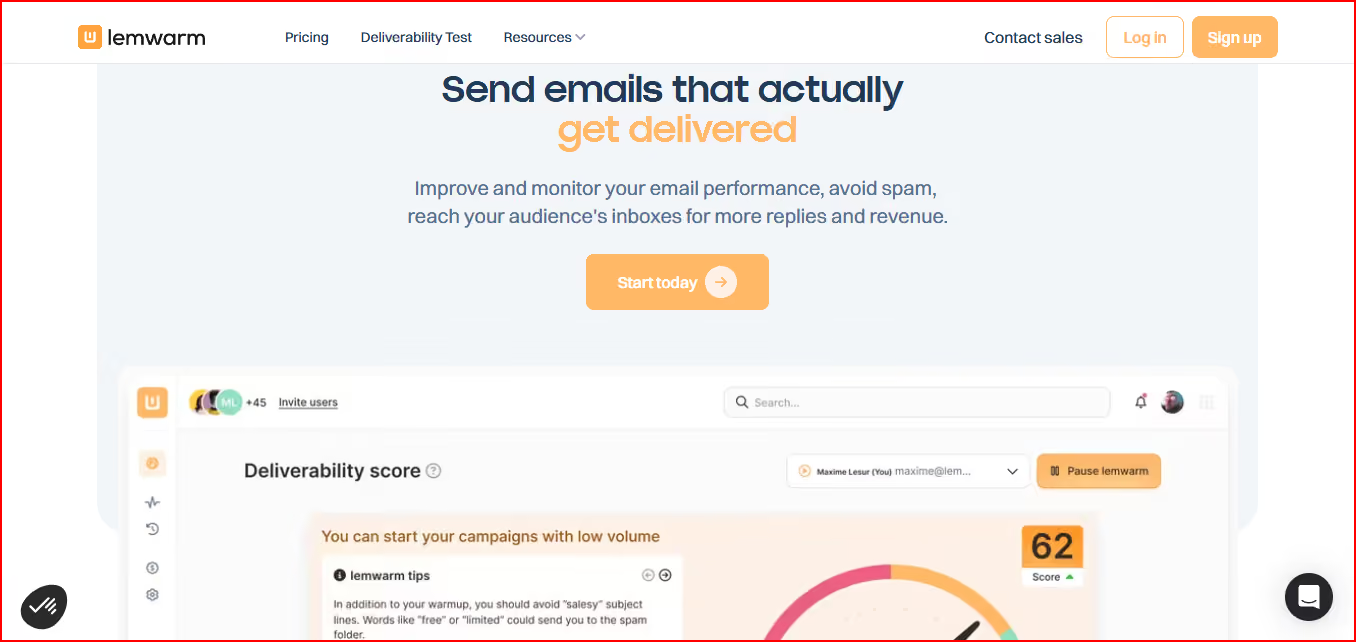
This image shows the Lemwarm - Email warmup and deliverability platform
It warms up your inbox by sending automated emails through a large network of domains, while also generating replies to make the activity look more natural.
Along with warmup, it also keeps track of your setup, checking things like technical configuration, sending behavior, and content signals that might affect deliverability.
It doesn’t just stop after warm-up.
It continues to:
Monitor your deliverability score
Alert you about potential spam risks
Give insights on how to improve performance
So the focus here is not just warming up once, but maintaining deliverability over time.
What I like here is that it keeps running even after warmup, so you’re not just setting things up and leaving them.
Pricing
Lemwarm uses a per-email pricing model, where you pay for each email account you warm up.
This image shows the Lemwarm pricing
Essential Plan → ~$24–$29 per email/month
Smart Plan → ~$40–$49 per email/month
Includes:
Automated warmup
Deliverability reports
Technical setup checks
Access to warmup network
Higher plan adds:
Personalized warmup emails
Custom alerts and tips
Industry-based warmup network
So as you add more inboxes, your cost increases per mailbox, not based on volume or tiers.
What I don’t like here is how quickly costs can add up if you’re running multiple inboxes.
Pros
Helps maintain deliverability continuously, not just during warmup
Identifies risks in setup, sending behavior, and content
Provides ongoing insights to improve performance
Needs to stay running, stopping warmup can hurt deliverability
Less flexibility in controlling warmup behavior
Takes time to see results, not ideal for quick setup
Who Should Use Lemwarm?
Use Lemwarm if:
You want ongoing deliverability monitoring, not just initial warmup
You prefer getting alerts and insights on what’s affecting your emails
Running campaigns where consistency over time matters
You’re already using Lemlist or similar workflows
From what I see, this works best when you treat deliverability as something you manage continuously, not just fix once.
Skip Lemwarm if:
You want a low-cost setup for multiple inboxes
You prefer volume-based or flexible pricing
You only need a basic warm-up without ongoing monitoring
From a practical side, this can get expensive quickly if you scale across many inboxes.
Personalized Outbound Strategy
Get The Right Outbound Strategy In Minutes
Enter your email to get a custom plan & stack recommendation for your
business
It's being carefully crafted by AI
Please check your mailbox in 5 minutes
Which AI Email Warmup Tool Should You Choose?
It really depends on what you need right now: warmup, visibility, cost, or control.
Warmforge makes the most sense when you’re scaling outbound and need both warmup and deliverability tracking together, so you know when to start sending and what’s happening across inboxes
Warmy.io fits better if your main focus is understanding where your emails land and actively improving deliverability using insights
TrulyInbox works well when you’re trying to manage multiple inboxes at a lower cost and don’t want pricing tied to each account
Warmbox is useful if you just want a simple setup that runs warmup automatically without much involvement
Lemwarm makes more sense when your focus is on ongoing monitoring and keeping deliverability stable over time
If you’re planning to scale seriously, Warmforge stands out because it doesn’t just warm up inboxes.
It also helps you track, manage, and decide when your setup is actually ready to send.