If you're thinking about using Smartlead for email warmup, you probably want to know one thing: does it actually work the way Smartlead says it does?
Instead of giving you surface-level information, we decided to test it ourselves.
So we warmed up 30 mailboxes inside Smartlead to see how its unlimited warmups, AI conversations, spam-to-inbox movement, Smart-Adjust, and deliverability setup work in real conditions.
This review is made to give you a clear, simple look at Smartlead’s warmup performance so you can decide if it’s right for you.
Get a quick deliverability check with Warmforge and see if your domain is ready before you start sending.
Smartlead is a cold email platform that helps you send outreach at scale while keeping your deliverability healthy.
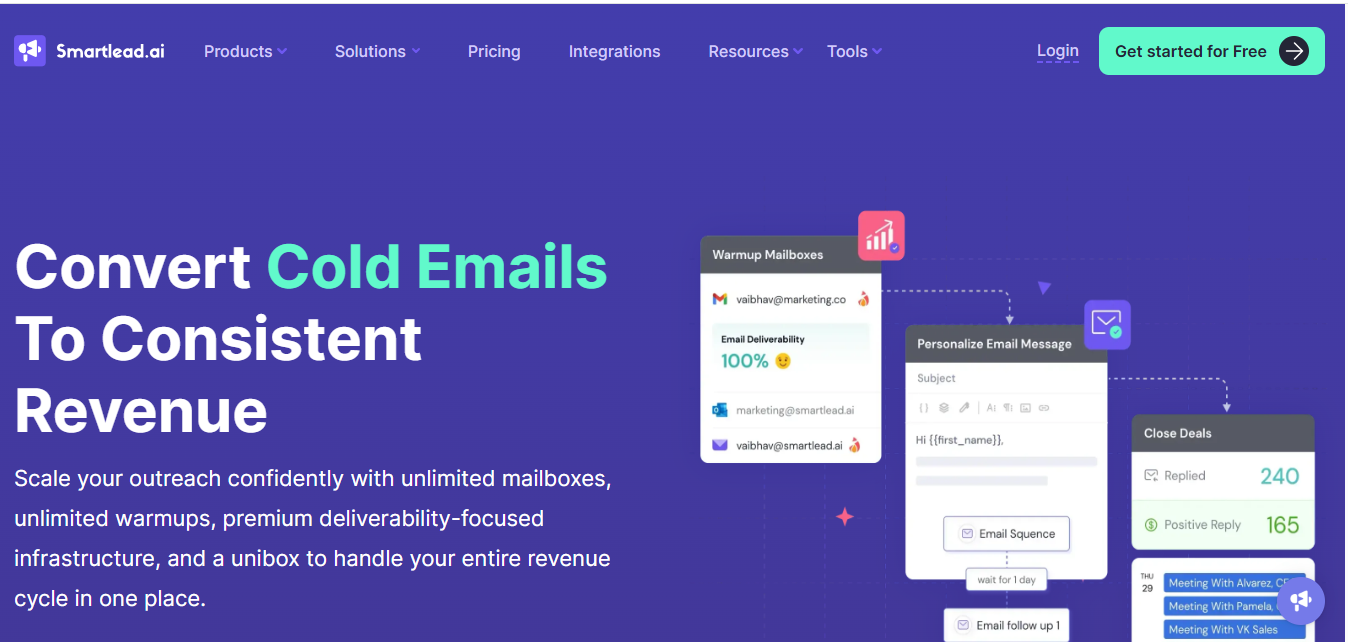
It gives you unlimited mailboxes, unlimited warmups, and AI that sends natural email conversations to build sender reputation.
You can manage all replies and warm-up activity inside one simple inbox.
Smartlead sends smart replies, rotates mailboxes, uses unique IP servers, and gives you tools for SPF, DMARC, CNAME, email verification, and blacklist checks.
Smartlead lets you warm up emails, send campaigns, and see replies in one place.
Smartlead warms up your email by creating normal, safe activity on your mailbox. Here’s how it works in simple steps:
Smartlead begins by sending only a few warmup emails per day from a new mailbox so the domain doesn’t trigger volume-based filters.
Each warmup email is written by Smartlead’s AI to look like a real personal message, not a template or bulk email.
Those warm-up emails receive replies, forming real-looking conversations instead of one-way sending.
If the mailbox stays stable, Smartlead increases the number of warmup emails little by little instead of increasing volume suddenly.
When a warmup email lands in spam, Smartlead flags it as safe and moves it to the inbox to support sender reputation signals.
Smart-Adjust changes the warmup pace when reply activity drops, preventing the mailbox from sending more than it should.
If multiple mailboxes are connected, Smartlead rotates warmup activity so no single inbox sends too many emails.
Each campaign uses its own IP setup so warmup activity isn’t mixed across unrelated campaigns.
Smartlead provides checks for SPF, DMARC, CNAME, blacklist status, and email verification so technical issues don’t break the warmup process.
Smartlead comes with several features that directly support warm-up and help your emails land in the inbox. Here’s how each one helps:
You can warm up as many mailboxes as you want. This is helpful if you're running outreach at scale or managing many domains. The warm-up activity runs every day, which keeps your sender reputation strong.
Smartlead creates simple, human-like email messages and replies.
This kind of activity makes your mailbox look real, which is important for inboxing. Email providers trust mailboxes that behave like real people.
If a warmup email lands in spam, Smartlead helps place it in the inbox.
This improves your reputation and tells email providers that your mailbox is safe.
When reply rates drop, or your mailbox needs a slower pace, Smart-Adjust changes the warmup level automatically.
This helps protect your domain from sending too fast too soon.
If you use many mailboxes, Smartlead spreads the activity across them.
This prevents any single mailbox from sending too much, which keeps warmup safer and more natural.
Each campaign uses its own high-deliverability IP setup.
Clean and stable IPs help build a healthy sending pattern during warmup.
These tools help you set up your domain properly.
When your domain settings are correct, warmup results improve because email providers view you as a trusted sender.
Smartlead can check email addresses before sending.
This helps reduce bounces during outreach and supports a cleaner warmup reputation.
These email verification tools show whether your domain or IP is blacklisted and tracks email bounces so you can fix issues early during warmup.
Here’s a simple breakdown of what we noticed while warming up 30 mailboxes inside Smartlead.
Smartlead increased the warm-up activity slowly and followed a steady pattern.
The ramp-up didn’t jump too fast, which helped keep things controlled.
At the same time, some mailboxes showed different pacing, so the ramp-up wasn’t always identical across all accounts.
During our warmup test, reply quality varied across mailboxes.
Some conversations felt natural, while others were repetitive.
Similar feedback has also been shared by other Smartlead users on Reddit and community discussions.

During warmup, spam-to-inbox movement appeared to be applied automatically, but it was not configurable.
There was no option to control how often it ran or which mailboxes it applied to.
This meant the warmup process followed a fixed approach, regardless of how individual mailboxes behaved or how cautious you wanted to be.
Mailbox activity continued during warmup without interruptions, but Smartlead treated all mailboxes the same.
There was no way to prioritise weaker inboxes or slow down specific ones that needed extra care.
Every mailbox followed the same warmup logic, even when they clearly started from different conditions
With 30 mailboxes running, warmup activity scaled without manual effort, but comparisons between mailboxes were not straightforward.
Differences had to be noticed manually rather than surfaced by the system.
This made it harder to identify patterns, such as which setups behaved more smoothly and which ones required closer attention.
As we scaled warmup across 30 mailboxes, overall activity continued to run, but differences became more noticeable.
A few mailboxes progressed steadily, while others lagged or showed minor friction.
We’ve seen similar comments from Smartlead users in Reddit and community threads, where people mention mixed experiences when warming up at scale.

These are the specific things Smartlead’s warmup actually does well based on how the system works.

These are the specific issues we noticed with Smartlead’s warm-up:

Warmforge is an email deliverability and warmup platform designed to help you understand how healthy your domain is, how your emails perform, and what’s affecting your inbox placement.
It focuses on visibility and diagnostics, giving you clear data instead of leaving warmup activity hidden in the background.
Here are the key features that matter when comparing it with Smartlead’s warmup:
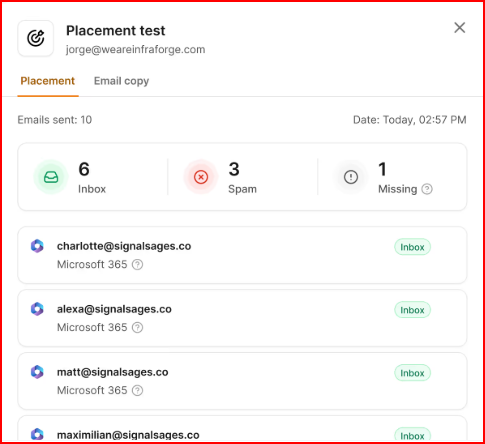
Warmforge shows exactly where your emails land: Primary, Promotions, or Spam.
This makes it easy to see whether your warmup is actually improving inbox placement.
You can also test placement before sending.
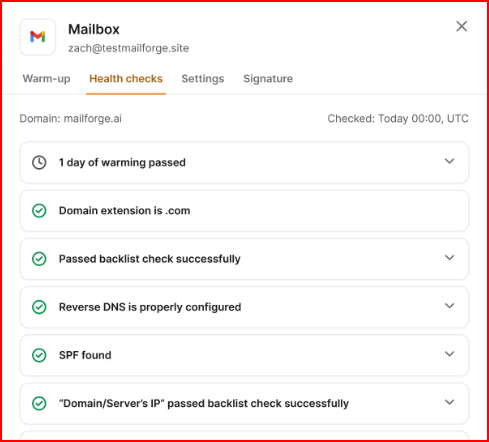
The platform checks your DNS records, MX records, blacklist status and alerts, and domain health on a regular basis.
This helps you catch issues early instead of discovering them after your emails start landing in spam.
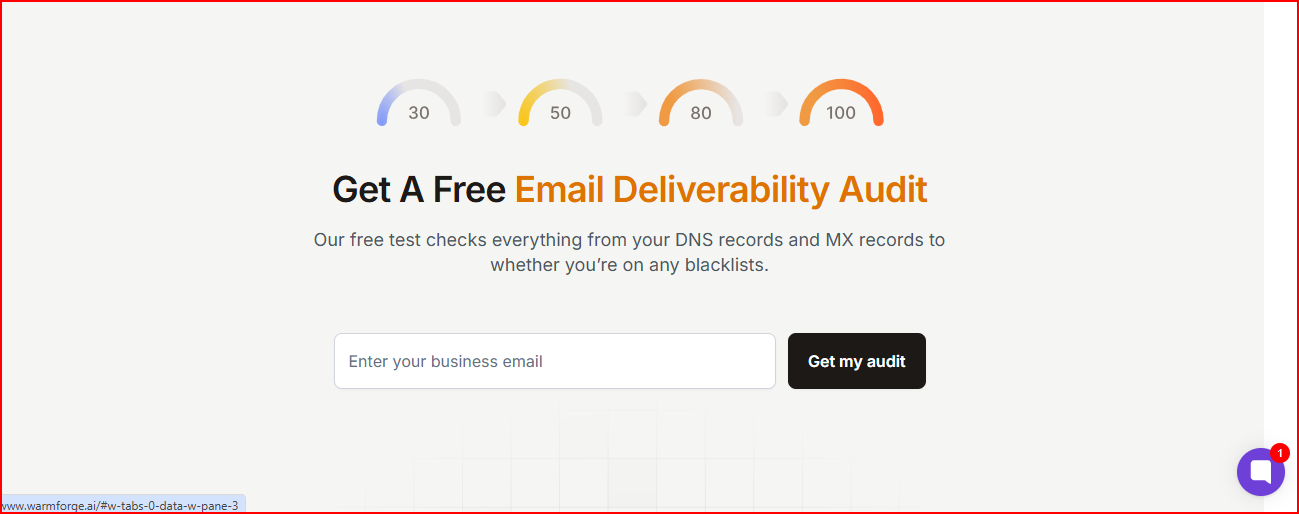
You get a full deliverability check that reviews DNS, MX, blacklists, and other technical issues before you begin sending.
This helps you start warm-up from a clean, stable foundation.
Warmforge is a solid option if you want deeper insight, clearer diagnostics, and more control over the health of your domains during warmup.
Smartlead’s warmup works well if you want something simple that runs on its own and fits directly into your outreach workflow.
It’s easy to use and scales nicely across many mailboxes.
The downside is that Smartlead doesn’t show much about what’s happening during warmup, so it’s hard to see inbox placement or mailbox health as you warm new domains.
Warmforge is a strong alternative if you want a warm-up system that’s both stronger and more transparent.
It gives you clear placement data, health scores, and deliverability checks, making it easier to understand how your domain is improving.
Use Warmforge! Get one free placement test and one free warmup slot to check your domain health before you send