Every few months, someone in a cold email community posts the same take: "Email warm-up is dead."
Then someone else replies with screenshots of inbox placement rates jumping from 40% to 90% after a proper warmup cycle.
Some outbound teams treat it as an essential part of deliverability.
Others see it as an outdated tactic that no longer moves the needle.
So who is right?
After working with hundreds of mailboxes and running countless deliverability tests, I have seen the landscape shift.
Gmail and Microsoft have dramatically changed how they evaluate sender reputation.
What worked a few years ago does not always work today, but that does not mean warm-up has become useless either.
The real question is not whether email warm-up works, because it does. It is how to make it work for you.
In this guide, I break down how email warm-up works and where it falls short. I also cover what truly matters for deliverability in 2026.
Let's get into it.
Yes, email warm-up still works.
It is a necessary step for any new sending domain or mailbox.
Here is the honest breakdown.
The concept of warming up a mailbox by gradually increasing send volume and building positive engagement signals is still valid.
Mailbox providers like Gmail and Microsoft still use sender reputation as a core factor in inbox placement decisions.
A brand-new domain with zero history that suddenly sends 500 emails on day one will get flagged.
That said, warm-up alone will not save a campaign in 2026.
I have seen perfectly warmed mailboxes land in spam because the domain authentication was misconfigured. I have also seen mailboxes with minimal warmup hit the primary inbox because the list quality and content were strong.
Key takeaway: Email warm-up helps establish sender reputation. But inbox placement today depends more on authentication, engagement, list quality, and sending behavior than on warmup alone.
The tools you use for warm-up matter too. Some automated warm-up services have become less effective as Gmail and Microsoft have gotten better at detecting artificial engagement patterns.
I cover that distinction later in this post.
Cold outreach puts your emails under heavier scrutiny than newsletters or transactional sends.
You are messaging people who never opted in, and mailbox providers know it. Without a proper warm-up process, your domain starts with zero credibility and maximum suspicion.
Here is why warm-up still matters in 2026, and what it actually protects you from.
Email service providers like Gmail and Microsoft monitor how recipients interact with your emails. They track opens, replies, spam complaints, and ignore rates.
A brand-new mailbox has no history, which means no reputation score to work with. Warm-up builds that score by generating positive engagement signals before you start real outreach.
It proves to ESPs that your account behaves like a real person, not an automated sender.
Jumping straight into sending hundreds of cold emails from a new domain will flag you as a spammer.
ESPs treat sudden volume spikes from unknown senders as a threat. Warm-up avoids this by gradually increasing your daily send volume over 14 days.
That gradual curve signals legitimate sending behavior and directly improves your inbox placement rate.
Consistently hitting spam traps or getting marked as junk can get your domain blacklisted. Once that happens, recovery is slow and painful.
Warm-up acts as a protective buffer against these blocks.
By building positive engagement before you send at scale, you create a reputation cushion. That cushion absorbs the occasional spam complaint without triggering a blacklist.
Understanding spam complaint thresholds is critical for keeping your domain off those lists.
Gmail and Microsoft now analyze patterns beyond simple open and reply rates. They check recipient diversity, reply timing, and content variation.
They also flag engagement that appears automated rather than organic.
This means warm-up in 2026 needs to produce realistic signals, not just high-volume artificial opens.
If you are starting with a new domain and fresh mailboxes, here is the manual warm-up process I follow.
This is the hands-on approach before any tool enters the picture.
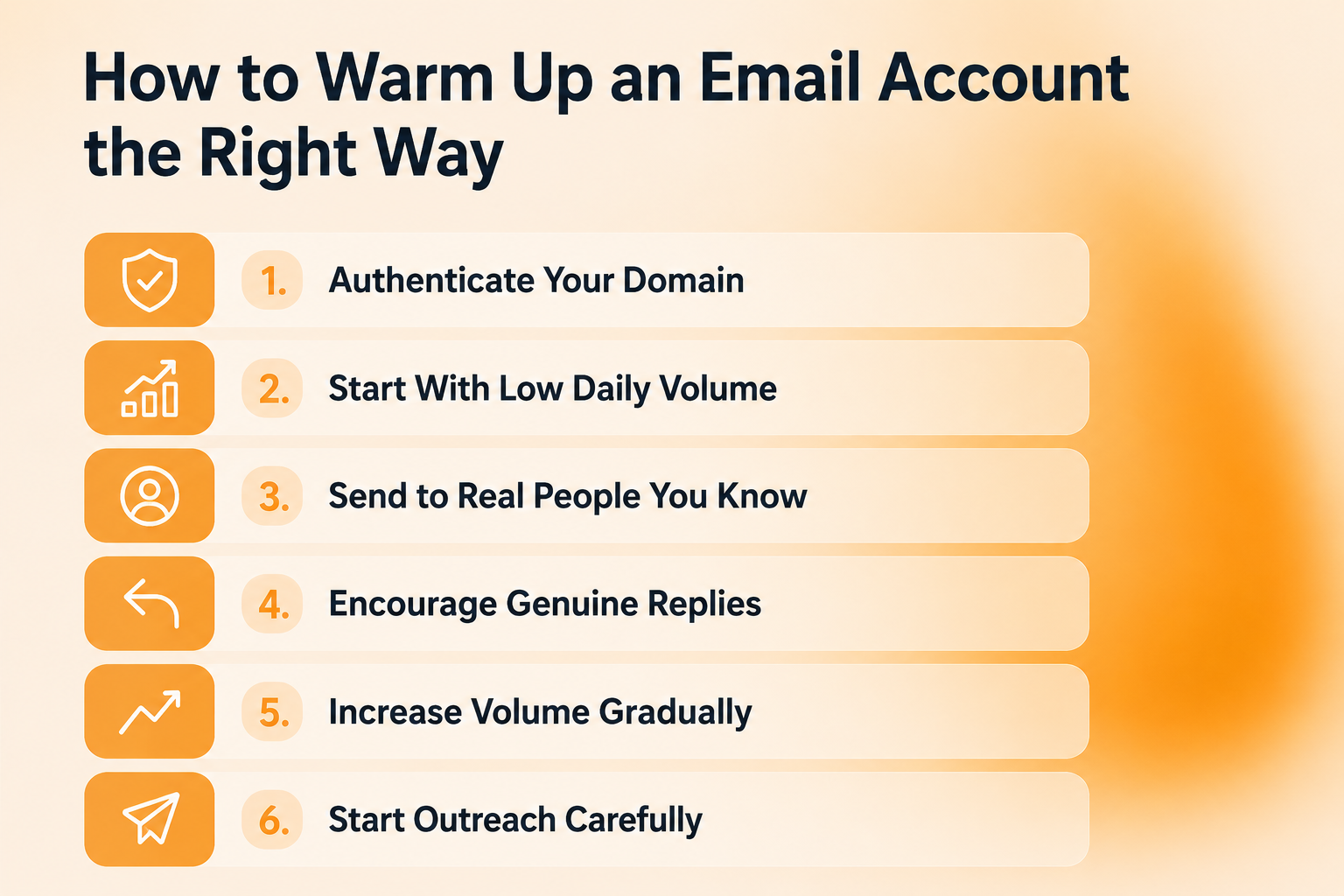
Before you send a single email, configure SPF, DKIM, and DMARC records for your sending domain. SPF tells receiving servers which mail servers can send on your domain's behalf.
DKIM adds a cryptographic signature to verify the email was not altered in transit. DMARC ties both together and tells receivers what to do with emails that fail checks. This step is non-negotiable.
If you are not sure where to start, here is a guide on how to verify your SPF, DKIM, and DMARC records.
On day one, send no more than 5 to 10 emails from each new mailbox. The goal is to signal to mailbox providers that this is a real account operated by a real person.
Your first warm-up emails should go to real contacts. Colleagues, partners, existing customers, anyone who is likely to open and respond. These early interactions carry the most weight with ESPs.
Replies are the strongest positive signal you can send to mailbox providers. During warm-up, prioritize emails that naturally invite a response. Simple questions, check-ins, or requests for feedback work well.
After the first week, increase daily send volume by about 10 to 20 percent every few days. If you notice emails landing in spam, slow down or pause before increasing again.
Once you have spent at least 14 days warming up, begin cold outreach at about 50 percent of your target daily volume. Ramp up over the first week of sending.
This process works, but it has a ceiling. You cannot realistically warm up 50 or 200 mailboxes by hand.
You also have no way to track what is actually happening. Are your emails landing in the inbox or spam? Is your sender reputation improving or declining?
Manual warm-up gives you no visibility into these metrics. You are flying blind the entire time.
That is where warm-up tools come in.
Manual warm-up works for a handful of mailboxes. It does not work when you are managing infrastructure across dozens of domains.
Warm-up tools automate the entire reputation-building process and give you something manual warm-up never can: real-time tracking. Here is what they handle and what to look for when choosing one.
Warm-up tools maintain a network of real email accounts called a warm-up pool. When you connect your mailboxes, the tool sends and receives emails on your behalf. It generates opens, replies, and inbox moves automatically across all your connected accounts.
If a warm-up email lands in spam on the receiving end, the tool pulls it back to the inbox. This sends a direct signal to the ESP that the message was not junk. Over time, these corrections train the provider to trust your sending domain.
This is the biggest advantage over manual warm-up. Tools track inbox placement rates, reply rates, spam rates, and bounce metrics in real time. You see exactly which mailboxes are healthy and which ones need attention. Without a tool, you have no way to measure any of this.
Not all tools are built the same. Smaller warm-up pools create repetitive engagement patterns that Gmail and Microsoft can now detect.
The tools that still perform well in 2026 use larger, more diverse networks with realistic reply timing and content variation.
Here is a breakdown of the top AI email warmup tools if you want to compare options side by side.
Look for a tool that offers real-time health monitoring, supports both Google and Microsoft mailboxes, and integrates with your sending infrastructure.
I have tested several warm-up tools over the past few years.
Warmforge is the one I keep coming back to.
Here is what makes it different from the rest.
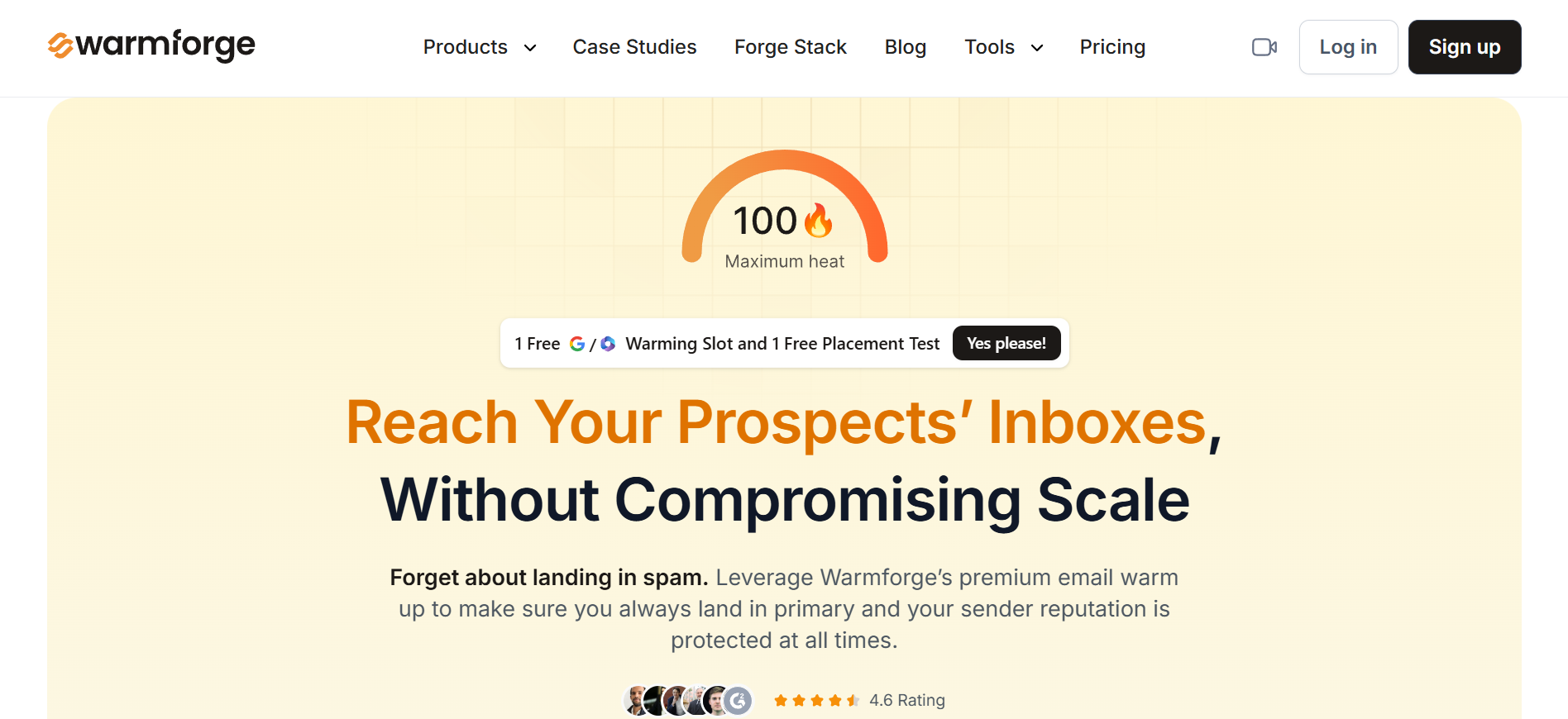
Every connected mailbox gets a real-time heat score. It tells you exactly how healthy the mailbox is at any point. I do not send from any mailbox until its heat score hits 85 or higher.
You see how many warm-up emails reached the inbox, how many got replies, and how many landed in spam. That level of visibility matters when you are managing dozens of mailboxes.
Warmforge runs SPF, DKIM, and DMARC health checks on every connected domain. If something is misconfigured, you catch it during warm-up instead of after your first campaign tanks.
It warms both Google Workspace and Microsoft 365 mailboxes with a recommended 14-day warmup cycle.
One dashboard for everything. Heat scores, placement rates, authentication status, and bounce metrics across your entire infrastructure.
You can test it with a free warming slot and a free placement test before committing.
Here is the schedule I follow for new domains. If you want a more detailed walkthrough, this guide on how to warm up your email domain covers the full process step by step.
These numbers assume you are sending from individual mailboxes, not shared infrastructure with pre-built reputation.
The goal for week one is to establish a baseline of positive engagement. Keep every email conversational and relevant.
Steady volume, monitor for spam triggers
By the end of week two, your heat score should be climbing toward the 85+ range. If it is not, slow down and investigate potential issues with authentication or content.
Shift ratio toward outreach
During week three, I start blending warm-up sends with actual outreach. Keeping a small volume of warm-up running alongside your campaigns helps maintain engagement signals.
By week four, the mailbox should be fully ramped and ready for sustained outreach. Continue monitoring inbox placement and heat scores to catch any reputation drops early.
Warm-up is not a set-it-and-forget-it process. You need to know whether it is actually building your reputation or just burning through time.
Here are the deliverability metrics I watch during every warm-up cycle.
The most direct signal is that your warm-up emails are landing in the primary inbox rather than spam or promotions. If you started at 60% inbox placement and you are now above 90%, your reputation is building.
Most warm-up tools show you engagement metrics within the warm-up network. Reply rates above 30% are a good sign that the activity looks legitimate to ESPs.
If you are tracking mailbox health through a deliverability dashboard, you should see heat scores trending upward. A score of 85 or higher means your mailbox is in good shape and approaching outreach readiness.
High bounce rates during warmup are a red flag. If more than 2 to 3 percent of your warm-up emails are bouncing, something is wrong with your configuration or sending domain.
During warm-up, your spam complaint rate should be extremely low. Any complaints during this phase need immediate investigation.
If your open rates and reply patterns look natural, that is a strong indicator. Varied timing and different response lengths suggest the warm-up is producing genuine signals rather than robotic patterns.
I have made most of these mistakes at some point.
Here is what to avoid.
This is the most common error. Jumping from zero to 100 emails per day in the first week will trigger spam filters. Patience during warm-up pays off in campaign performance later.
Not all warm-up tools are equal. Some use small, stale networks that Gmail and Microsoft have already flagged. Before committing to a tool, check the size of the warm-up network and whether the engagement patterns look realistic.
I cannot stress this enough. SPF, DKIM, and DMARC must be configured correctly before you start warming up. Without them, warm-up is essentially pointless.
If your first outreach emails go to a list full of invalid addresses, your bounce rate will spike. That spike will destroy the reputation you just spent weeks building. List quality is a deliverability factor that warm-up cannot fix.
I have seen teams finish a 10-day warm-up and immediately blast their full list at max volume. The warm-up period is a minimum, not a finish line. If your heat scores are not consistently above 85, you are not ready to scale.
Warm-up is one component of deliverability. If your content is generic and your sending patterns look automated, no amount of warm-up will save you. Warm-up supports good sending behavior. It does not replace it.
Mailbox providers are investing heavily in AI-powered spam detection. Here is what that means for warm-up going forward.
Gmail's spam filtering now analyzes sender behavior at a deeper level than simple reputation scores.
It looks at sending cadence, content variation, recipient diversity, and engagement quality. Artificial warm-up patterns that worked two years ago are less effective today.
Providers are moving beyond "did this email get opened?"
They now evaluate whether a sender's overall behavior looks like a legitimate business communicator. Consistent, realistic sending patterns carry more weight than raw engagement numbers.
Domain and IP reputation still matter, but the signals that feed into reputation are changing. Human engagement from real recipients is becoming the gold standard.
Automated engagement from warm-up pools carries less weight than it used to.
The warm-up strategies that will work best going forward are the ones that produce authentic engagement.
Sending warm-up emails to real contacts, generating genuine replies, and maintaining natural sending patterns will outperform any purely automated approach.
This does not mean warm-up is dying. It means warm-up is evolving.
The core principle of building a reputation gradually before sending at scale is more relevant than ever. The execution just needs to be more sophisticated.
Yes, email warm-up still works. But it works differently than it did two years ago.
The core principle has not changed.
Gradually building sender reputation before you send at scale is still the most reliable path to inbox placement.
Every mailbox provider, from Gmail to Microsoft, still uses sender reputation as a major filtering signal. Skipping warm-up for a new domain is still one of the fastest ways to land in spam.
What has changed is the execution. AI-powered spam filters are now better at detecting artificial engagement.
Warm-up tools with small pools and repetitive patterns are losing effectiveness. The tools that still work are the ones that produce realistic signals and give you real-time visibility into mailbox health.
The biggest shift I have seen is this: warm-up alone is no longer enough. Authentication (SPF, DKIM, DMARC), list quality, content relevance, and sending behavior all carry equal weight now. Warm-up is one pillar of deliverability, not the entire strategy.
If you take one thing from this post, let it be this. Warm up every new domain for at least 14 days. Monitor your heat scores until they hit 85+.
Do not start outreach until your deliverability metrics are healthy. That discipline separates senders who consistently land in the inbox from those who wonder why their reply rates keep dropping.
Check your deliverability health with a free warming slot and placement test from Warmforge.
Yes. Gmail uses sender reputation as a major factor in inbox placement. Warming up a new mailbox on Google Workspace helps establish positive sending signals before you begin outreach. Gmail's AI-driven spam filters are sophisticated, so combining warm-up with proper authentication (SPF, DKIM, DMARC) and realistic sending patterns is important.
Yes. Microsoft 365 and Outlook also rely on sender reputation to determine inbox placement. The warm-up process is similar to Gmail. Start with low volume, generate positive engagement, and increase sends gradually over 14 days.
I recommend a minimum of 14 days for new domains and mailboxes. Some senders extend this to 21 days for extra safety. The right duration depends on your target daily volume and how quickly your heat scores reach a healthy range (85+).
Yes, but with a caveat. Warm-up improves deliverability by building sender reputation over time. It will not fix fundamental issues like missing DNS authentication, poor list quality, or spammy content. Think of warm-up as one pillar of a broader deliverability strategy.
Most reputable warm-up tools are safe to use. The risk comes from low-quality tools that use small, detectable warm-up pools or generate obviously artificial engagement. Look for tools that offer large warm-up networks, realistic engagement patterns, and deliverability monitoring features like heat scores and inbox placement tracking.
Yes. As long as mailbox providers use sender reputation to filter emails, warm-up will remain a necessary step for new domains and mailboxes. The methods may evolve, but the underlying principle of building trust gradually is not going away.
Technically, you can. Practically, I do not recommend it for new domains. Skipping warm-up means your first outreach emails go out from a domain with zero reputation. That significantly increases the chance of landing in spam from the start.
The best alternative is manual warm-up through real email conversations. Send personal emails to known contacts, encourage replies, and build a reputation organically. This approach produces the strongest engagement signals. For teams scaling across many mailboxes, combining manual warm-up with a monitored tool works best.
Yes. Cold email campaigns sent from properly warmed mailboxes consistently show higher inbox placement rates. Warm-up gives your cold emails a better starting position by establishing your domain as a trusted sender before outreach begins.
They can, if the tool uses a flagged warm-up network or generates engagement patterns that Gmail or Microsoft recognizes as artificial. This is why choosing a reputable tool matters. Monitor your heat scores and inbox placement rates during warm-up. If metrics drop instead of improving, pause and investigate the tool's network quality.

