MXToolbox is useful for quick diagnostics, but it starts to feel limited once email monitoring becomes an ongoing responsibility instead of a one-time check.
That is usually the real problem.
You are not just checking MX records for curiosity.
You are trying to avoid deliverability issues, catch blacklist problems early, monitor DNS changes, and stay confident that your email setup is not quietly breaking in the background.
And when that matters, repeatedly running manual checks is not a great workflow.
I’ve seen this with deliverability specialists and outbound specialists who do not want to babysit email infrastructure but also cannot afford to ignore it.
MXToolbox can tell you what is wrong at the moment, but it does not always give the kind of ongoing visibility, monitoring flow, and operational clarity that modern teams actually need.
This image shows the MXToolbox - tools are separated on site, does not provide all in one dashboard
That is why looking for an alternative makes sense.
The best MXToolbox alternatives are not just record-checking tools with a different UI. They are better at helping you stay ahead of issues.
Some give stronger alerts.
Some make domain and email health easier to track over time.
Some are simply better for teams that want fewer manual checks and a more reliable monitoring workflow.
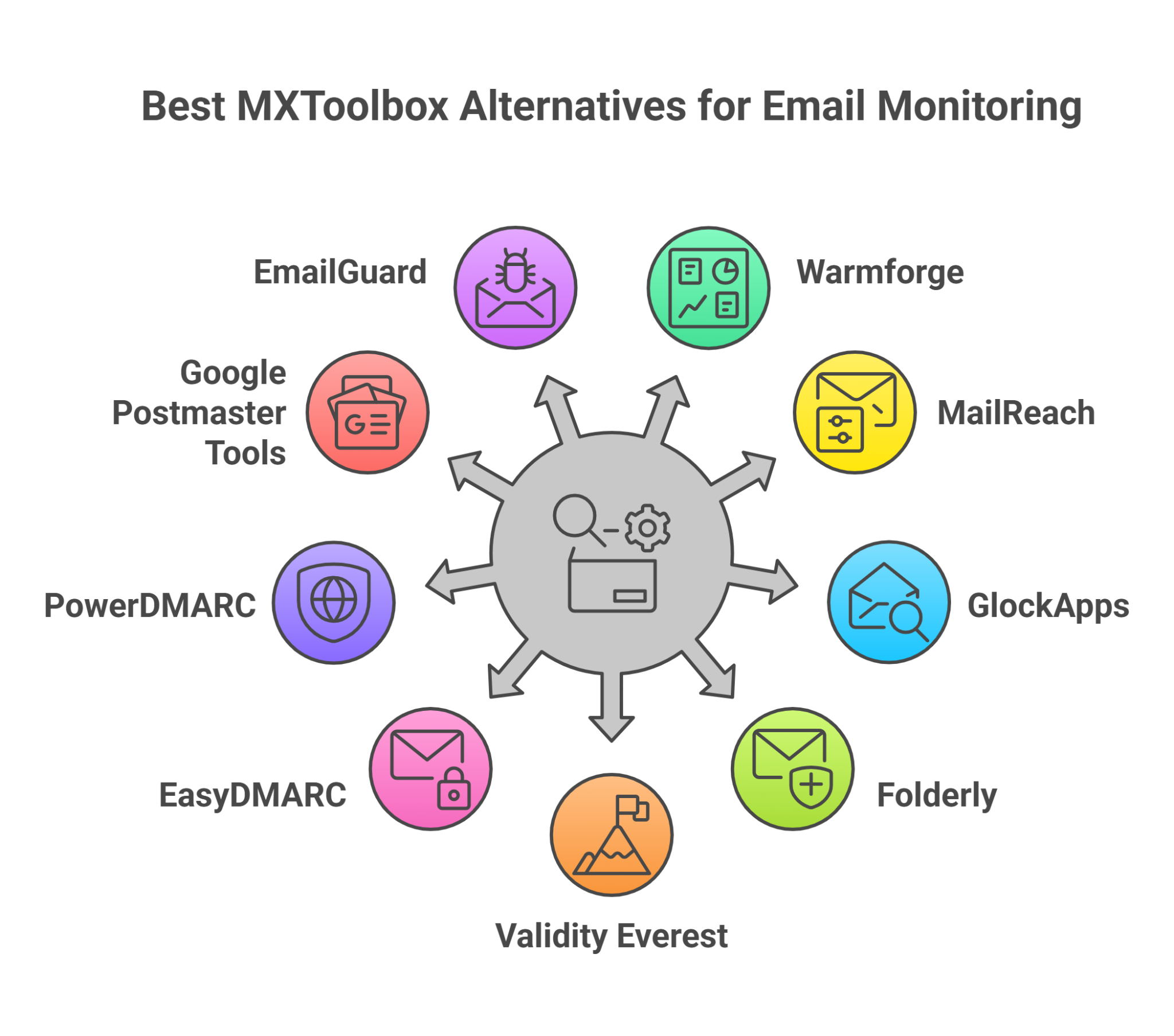
In this guide, I’ll break down the best MXToolbox alternatives for email monitoring, DNS checks, blacklist tracking, inbox placement testing, and deliverability management.
Warmforge is an email warm-up and deliverability monitoring tool that helps you monitor your mailbox health and email setup from one place.
This image shows the Warmforge - Complete deliverability monitoring tool
If you compare it with MXToolbox, Warmforge gives continuous inbox placement, blacklist, and deliverability monitoring in one dashboard, while MXToolbox mainly relies on separate manual checks.
So instead of jumping between separate checks, you can track everything together more easily.
The tool continuously monitors your email setup and keeps you updated on email deliverability issues, blacklist problems, and mailbox health.
So instead of manually repeating the same checks again and again, you can track everything from one place more easily.
Warmforge also includes placement tests.
It sends emails to different email providers and shows where your emails are landing, helping you understand deliverability rates across providers like Google and Outlook.
Along with monitoring, it also provides an AI-powered email warm-up that automatically creates natural email activity to support mailbox reputation over time.
Pricing
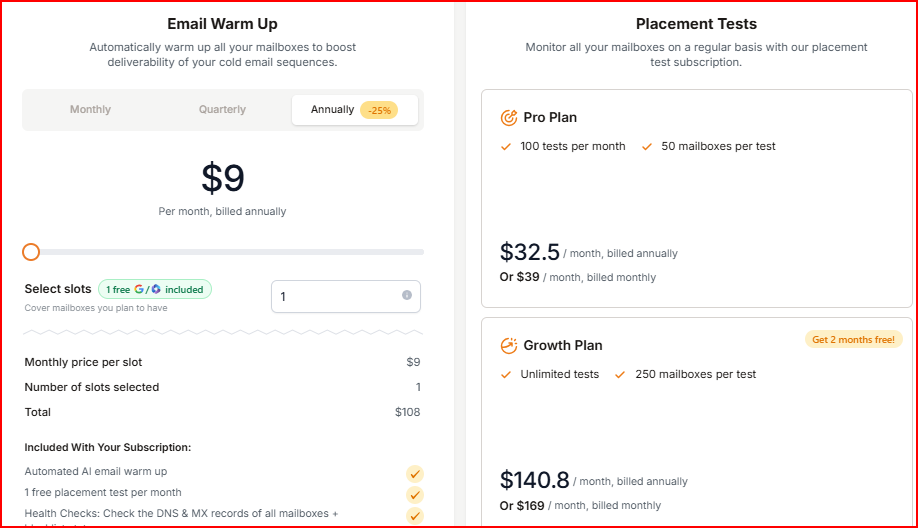
This image shows the Warmforge pricing
Email Warm Up starts at $9/month per mailbox slot (billed annually). In this plan, you get AI email warm up, mailbox health checks, blacklist monitoring, and 1 free placement test every month.
Placement Testing Plans:
Pro Plan: $32.5/month for 100 tests
Growth Plan: $140.8/month for unlimited tests
Expert consulting sessions cost $500.
Pros
Combines DNS, MX, blacklist, mailbox health, and placement monitoring in one tool
Supports continuous monitoring instead of repeated manual checks
Supports multiple inboxes and domains
This image shows the Warmforge supports multiple inboxes and domains
Cons
Monitoring features are tied closely to mailbox warm-up and placement testing plans
Best For
Teams that want DNS, MX, blacklist, mailbox health, and placement monitoring in one place
Cold outreach teams managing multiple mailboxes regularly
Users who want to reduce repeated manual checks and monitor deliverability more easily
Based on its monitoring features and placement tracking, I’d say Warmforge is one of the strongest all-in-one alternatives to MXToolbox for managing email deliverability.
Personalized Outbound Strategy
Get The Right Outbound Strategy In Minutes
Enter your email to get a custom plan & stack recommendation for your
business
It's being carefully crafted by AI
Please check your mailbox in 5 minutes
2.MailReach
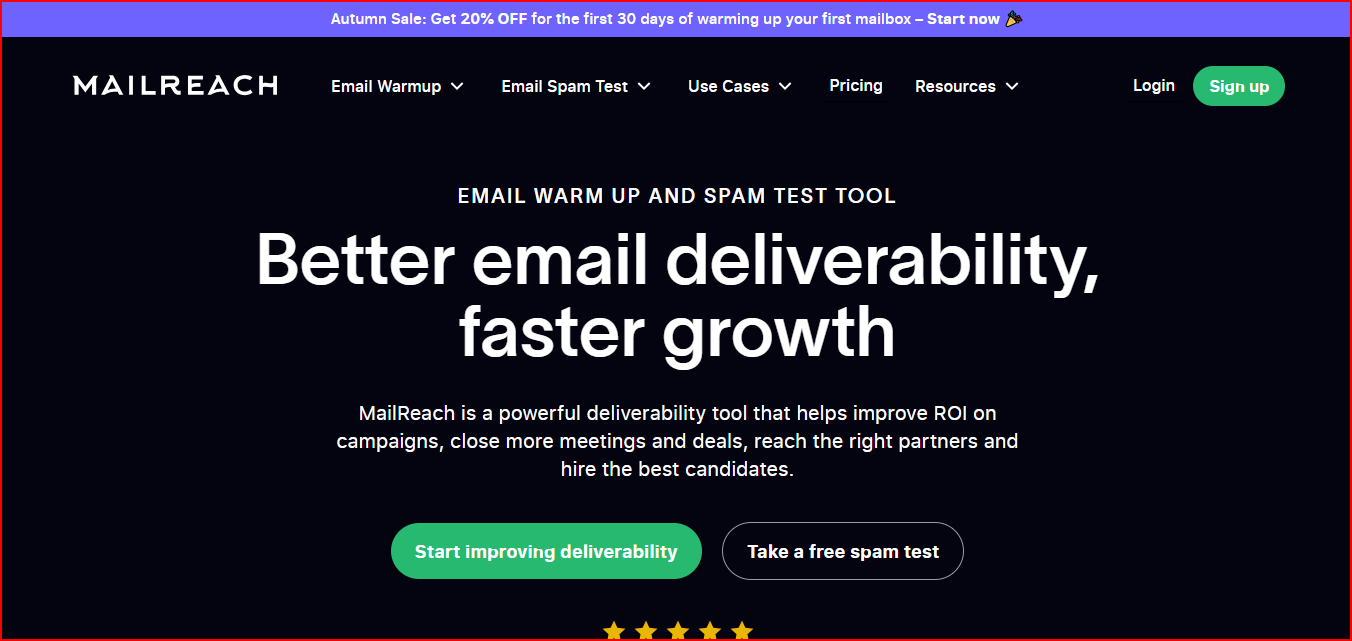
MailReach is an email deliverability and spam testing tool built to help businesses improve inbox placement and sender reputation.
This image shows the Mailreach - Email deliverability monitoring tool
The tool helps monitor your deliverability by tracking inbox placement and spam performance through regular spam tests.
If you compare it with MXToolbox, MailReach shows real inbox placement and spam performance, while MXToolbox mainly checks DNS and authentication records.
You can run manual tests or automate them at your preferred frequency to see how your emails are performing.
MailReach also includes domain and inbox health checks covering blacklist status, SPF, DKIM, DMARC, and reputation tracking.
Along with monitoring, it provides automated email warmup using AI-driven warming algorithms and interactions with high-reputation accounts.
Pricing
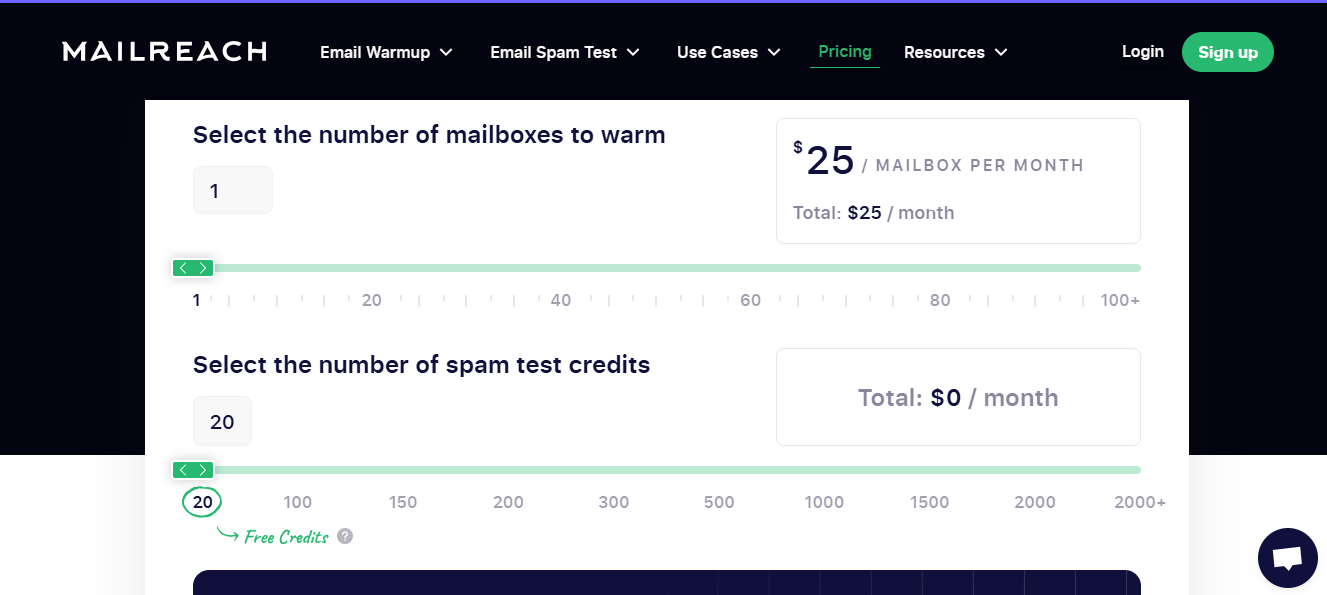
This image shows the Mailreach pricing
Starts at $25/month per mailbox
In this plan, you get:
Automated email warmup
20 spam test credits
Reputation tracking dashboard
Domain and inbox health checks
SPF, DKIM, DMARC, blacklist, and ETS monitoring
Pros
Includes spam testing, reputation tracking, and inbox health monitoring together
Supports automated spam tests at custom frequency
Avoids spam by sending emails to high priority customers
This image shows the Mailreach ability to send email to high priority customers
Spam testing credits are limited based on your plan
Mainly built around deliverability and warmup workflows
Best For
Teams focused heavily on inbox placement and sender reputation
Cold outreach teams running regular spam tests
Users who want deliverability monitoring along with automated warmup
Based on its spam testing and reputation tracking features, I’d say MailReach is a strong choice if inbox placement is your biggest priority.
3.GlockApps
GlockApps is an email deliverability testing and monitoring platform that helps businesses track inbox placement, sender reputation, and email performance.
This image shows the Glock Apps - Email deliverability monitoring tool
If you compare it with MXToolbox, GlockApps gives deeper inbox placement and spam filter insights, while MXToolbox mainly provides basic diagnostics.
The platform includes tools like Spam Checker, DMARC Analyzer, Uptime Monitor, SPF Checker, DKIM Checker, MX Checker, and Domain Checker.
It helps monitor inbox placement, spam scores, blacklist records, DKIM alignment, and domain reputation from one place.
GlockApps also supports automatic spam tests and real-time alerts.
This helps you quickly spot inactive or underperforming mailboxes and monitor deliverability issues across different ISPs like Google, Barracuda, and SpamAssassin.
Pricing
Free Plan - $0 Includes 2 spam test credits, DMARC analytics, uptime monitoring, and 1 sending account.
Essential Plan - $59/month Includes 360 spam test credits, Inbox Insight monitoring, DMARC analytics, and 1 IP reputation monitor.
Growth Plan - $99/month Includes 1080 spam test credits, 10 sending accounts, DMARC analytics, and more monitoring limits.
Enterprise Plan - $129/month Includes 1800 spam test credits, 20 sending accounts, advanced monitoring, and highest DMARC limits.
Custom pricing is also available for larger teams.
Pros
Helps identify inbox placement and spam issues before campaigns go live
Makes deliverability problems easier to troubleshoot with detailed reports and monitoring
This image shows the Glock apps offers independent evaluation of deliverability of email
Gives clear visibility into spam scores, blacklist issues, and sender reputation
Real-time alerts and reputation tracking help teams react faster to deliverability drops
Cons
Pricing and credit structure can feel restrictive for smaller teams
Mainly focused on testing and monitoring rather than fixing deliverability issues directly
Spam test credits are limited depending on the plan
Advanced monitoring features increase with higher pricing tiers
Best For
Teams that want detailed deliverability and reputation monitoring
Businesses managing multiple domains or sending accounts
Users who need spam testing, DMARC analytics, and uptime monitoring together
I’d pick GlockApps if I wanted deeper inbox placement insights and more advanced deliverability monitoring than basic email diagnostic tools.
4.Folderly
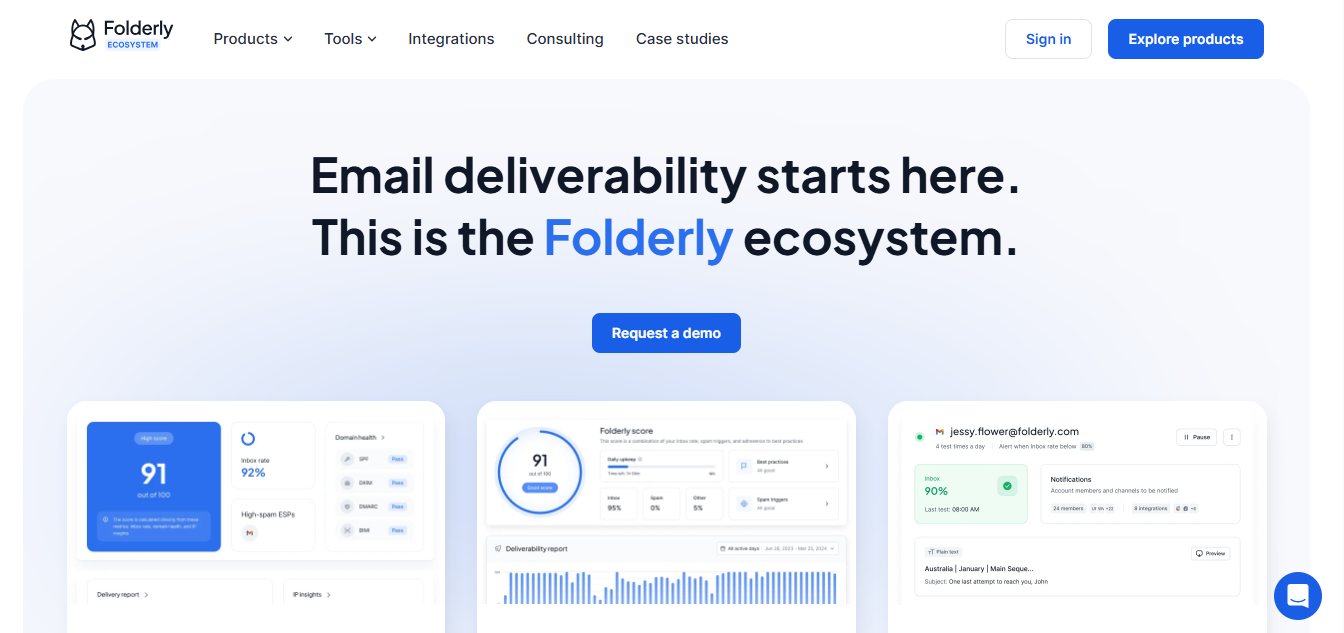
Folderly is an email deliverability platform built to help teams monitor inbox placement, mailbox health, sender reputation, and spam issues.
This image shows the Folderly - Deliverability monitoring tool
If you compare it with MXToolbox, Folderly continuously tracks spam triggers and sender reputation, where MXToolbox mainly identifies setup issues.
The platform includes tools like Inbox Insights, Pulse, Email Spam Checker, SPF Generator, and DMARC Generator.
It helps monitor inbox placement, IPs, DNS records, spam triggers, and mailbox health in real time.
Folderly also provides AI-powered monitoring and warm-up features.
It tracks where emails land, detects technical and content-based spam triggers, and gives actionable recommendations to improve deliverability and sender reputation.
Pricing
This image shows the Folderly pricing
1–9 mailboxes - $96 per mailbox/month Includes inbox monitoring, spam detection, and deliverability management tools.
10–24 mailboxes - $72 per mailbox/month Better pricing for growing outreach teams with multiple mailboxes.
25–99 mailboxes - $56 per mailbox/month Built for larger teams managing high email volume.
100+ mailboxes -Custom pricing Available for enterprise-level outreach operations.
Pros
Helps improve inbox placement with spam and mailbox monitoring
Makes spam issues easier to identify and fix
Gives actionable deliverability recommendations
This image shows the Folderly provides insights and actionable tips to avoid spam and improve deliverability
Real-time alerts help catch issues early
Cons
It gets expensive for larger mailbox setups
Best For
Teams managing large cold outreach campaigns
Businesses that want inbox monitoring and spam detection together
Users who want ongoing deliverability maintenance instead of one-time checks
Based on its real-time monitoring and spam trigger detection, I’d say Folderly fits best for teams that care heavily about inbox placement consistency.
5. Validity Everest
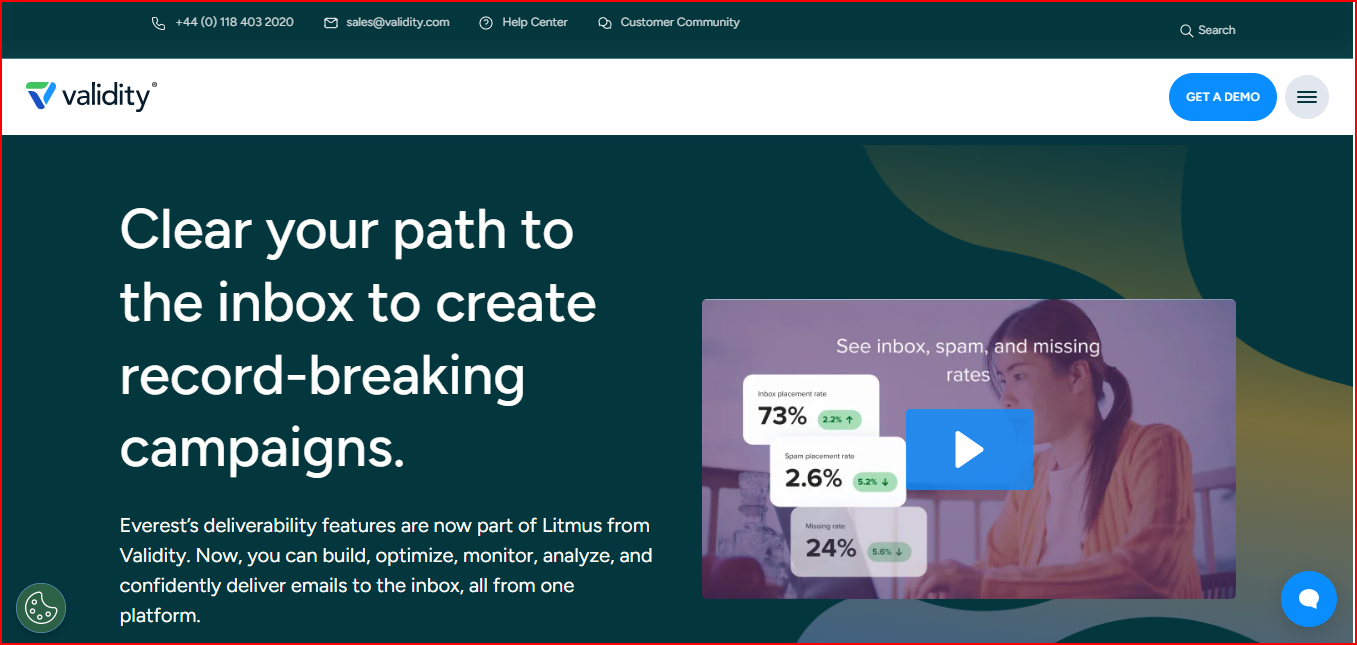
Validity Everest is an email deliverability and reputation monitoring platform.
It helps businesses improve inbox placement, monitor sender reputation, and track email engagement.
This image shows the Validity Everest - email deliverability and reputation monitoring platform
If you compare it with MXToolbox, Everest combines inbox placement, reputation, and engagement analytics together, while MXToolbox lacks deeper deliverability insights.
So instead of checking separate reports, teams can monitor everything together more easily.
The platform helps monitor inbox placement across mailbox providers and shows whether emails are reaching the inbox or spam folder.
It also tracks important deliverability signals like SPF, DKIM, DMARC, sender reputation, spam traps, and blocklist activity.
Everest also includes customizable dashboards, alerts, engagement analytics, and integrations with ESPs.
This helps teams monitor performance trends, detect deliverability threats early, and understand how recipients interact with emails across devices and providers.
Pricing
Pricing is not publicly listed
You need to contact the sales team for a custom demo and quote
Pros
Helps identify inbox placement and sender reputation problems early
Makes it easier to track blocklist activity, spam traps, and deliverability trends together
Custom alerts and dashboards help teams monitor performance more efficiently
This image shows Everest by Validity provides great customization options for monitoring easily
Cons
No transparent public pricing
More enterprise-focused than beginner-friendly
The platform may feel complex for smaller outreach teams
Best suited for teams with larger email programs and monitoring needs
Best For
Enterprise teams managing high email volume
Businesses that want inbox placement, reputation, and engagement analytics together
Teams needing deeper deliverability monitoring beyond standard ESP reporting
Based on its reputation monitoring and engagement analytics, I’d say Everest fits better for larger teams that want a more complete deliverability monitoring setup in one place.
6. EasyDMARC
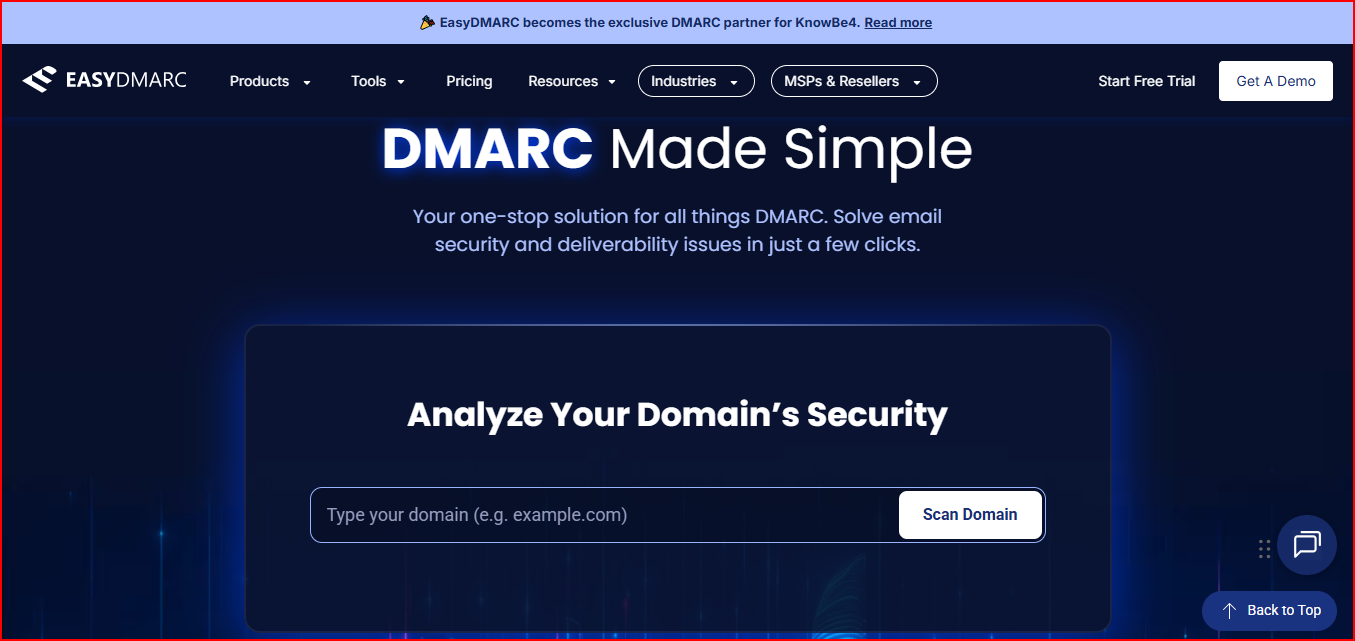
EasyDMARC is an email authentication and reputation monitoring platform. It helps businesses manage DMARC, SPF, DKIM, BIMI, and email security from one place.
This image shows the EasyDMARC - DMARC monitoring tool
If you compare it with MXToolbox, EasyDMARC continuously monitors authentication and phishing risks together, where MXToolbox mainly checks records separately.
So instead of checking records separately, teams can monitor multiple authentication and reputation signals together from a centralized dashboard
The platform includes tools like DMARC Report Analyzer, Reputation Monitoring, Alert Manager, Domain Scanner, DNS Record Checker, SPF Checker, DKIM Checker, BIMI Checker, and Email Deliverability Test.
It helps monitor authentication issues, phishing risks, reputation problems, and deliverability performance continuously.
EasyDMARC also provides automated reports, alerts, and managed services.
This helps businesses maintain compliance and improve sender trust without manually checking records again and again.
Pricing
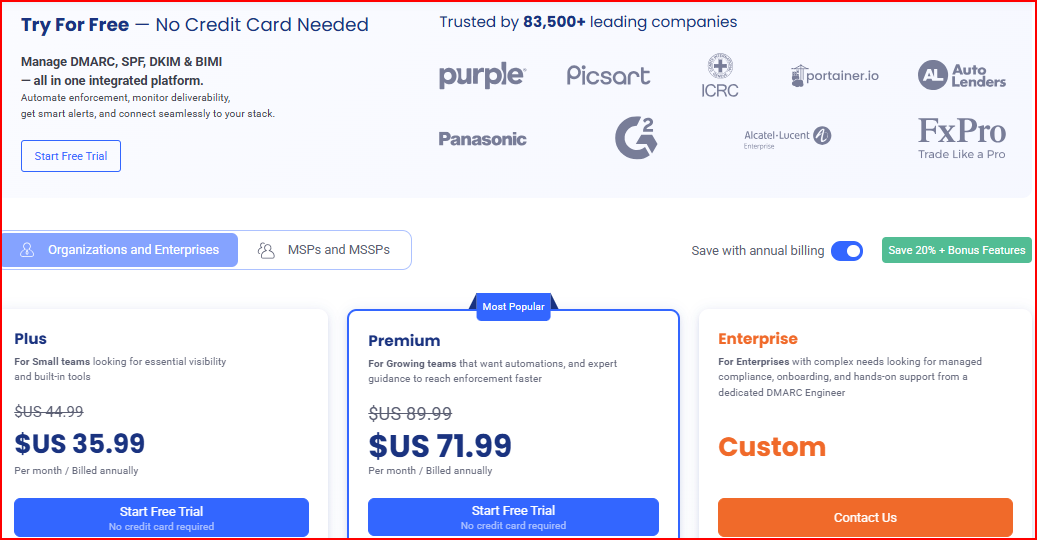
This image shows the EasyDMARC pricing
Free Plan - $0 Includes basic DMARC monitoring for 1 domain with 14 days of history.
Plus Plan - Starts at $35.99/month Includes DMARC reports, failure reports, alerts, and monitoring for 2 domains.
Premium Plan - Starts at $71.99/month Adds EasySPF, TLS reports, and more advanced monitoring features.
Enterprise Plan - Custom pricing Includes managed services, reputation monitoring, API access, and dedicated support.
Pros
Helps monitor DMARC, SPF, DKIM, BIMI, and reputation issues together
This image shows the EasyDMARC provides BIMI monitoring along with DMARC, SPF, DKIM
Alerts and reports help catch deliverability and phishing issues early
Managed services reduce manual monitoring work for larger teams
Cons
More focused on authentication and compliance than inbox placement testing
Advanced monitoring features are limited to higher plans
Best For
Teams focused on DMARC, SPF, DKIM, and email authentication
Businesses that want ongoing reputation and compliance monitoring
Organizations managing multiple domains and security policies
EasyDMARC is not the best choice if your main concern is inbox placement. But if your biggest problem is DMARC reporting, spoofing visibility, SPF flattening, and authentication compliance, it is a stronger fit than MXToolbox.
7. PowerDMARC
PowerDMARC is an email authentication and DMARC monitoring platform. It helps businesses manage DMARC, SPF, DKIM, BIMI, MTA-STS, TLS-RPT, and domain reputation from one place.
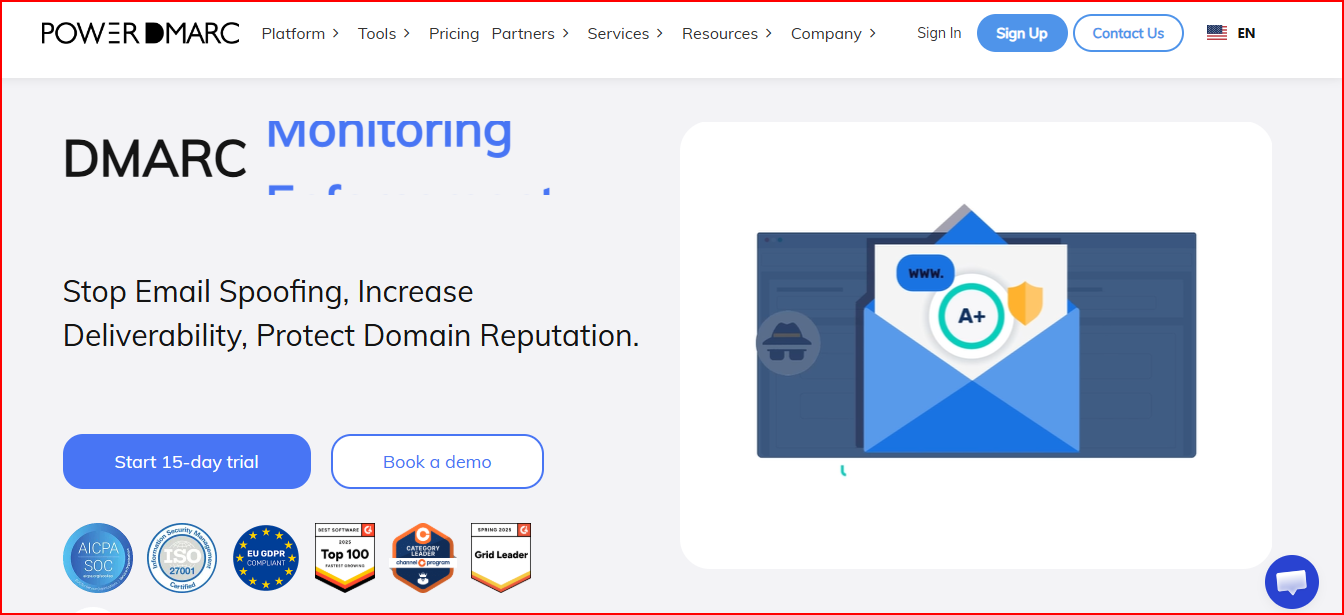
This image shows the PowerDMARC - DMARC monitoring tool
If you compare it with MXToolbox, PowerDMARC adds continuous DMARC monitoring and spoofing detection, while MXToolbox mainly focuses on record verification.
So instead of checking separate records and reports manually, teams can monitor everything together more easily.
The platform includes tools like DMARC Analyzer, Domain Analyzer, SPF Checker, DKIM Checker, BIMI Checker, MX Record Checker, Blacklist Checker, DNS Record Checker, and Email Header Analyzer.
It helps monitor domain health, authentication status, reputation issues, spoofing threats, and deliverability performance continuously.
PowerDMARC also provides 24/7 DMARC monitoring, AI-powered threat intelligence, email alerts, and hosted authentication services.
This helps businesses improve deliverability, reduce spoofing risks, and maintain domain reputation more easily.
Pricing
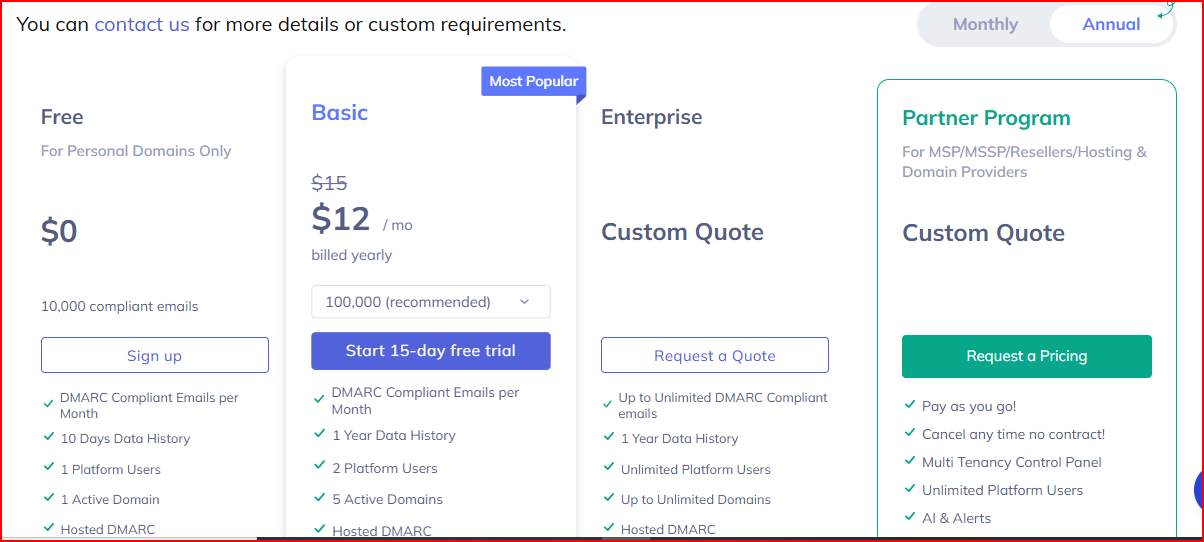
This image shows the PowerDMARC pricing
Free Plan - $0 Includes 10,000 compliant emails, 1 domain, and 10 days of history.
Basic Plan - Starts at $12/month (billed yearly) Includes 5 active domains, hosted DMARC, TLS reports, and AI-powered monitoring features.
Enterprise Plan - Custom pricing Includes unlimited domains, SPF and DKIM analytics, SIEM support, reputation monitoring, and advanced reporting.
Partner Program - Custom pricing Built for MSPs and resellers with white-labeling and multi-tenant management features.
Pros
Helps monitor DMARC, SPF, DKIM, BIMI, reputation, and domain security together
This image shows the PowerDMARC provides BIMI, MTA-STS, TLS-RPT monitoring not only basic DNS monitoring
Makes spoofing threats and authentication issues easier to identify early
24/7 monitoring and alerts help teams react faster to security problems
Hosted services reduce manual DNS and authentication management work
Cons
More focused on authentication and security than inbox placement testing
Advanced monitoring and analytics are limited to higher plans
The platform may feel technical for non-technical users
Best For
Teams focused on DMARC and domain protection
Businesses managing multiple domains and authentication policies
Organizations that want ongoing monitoring for spoofing and reputation issues
Based on its 24/7 monitoring and threat analysis features, I’d say PowerDMARC fits best for teams that want stronger control over domain security and email authentication.
8. Google Postmaster Tools
Google Postmaster Tools is a free email monitoring platform from Gmail.
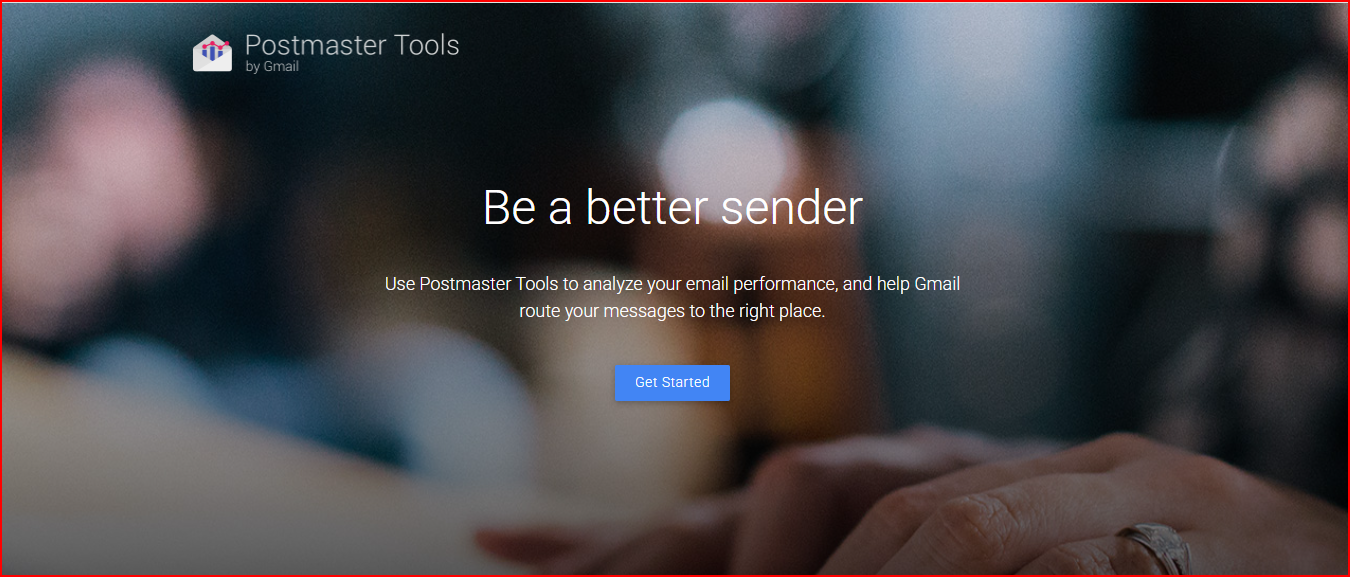
This image shows the Google Postmaster Tools - free email monitoring platform
It helps high-volume senders monitor sender reputation, spam rates, authentication status, and Gmail deliverability.
If you compare it with MXToolbox, Google Postmaster Tools gives direct Gmail reputation insights, where MXToolbox cannot show Gmail-specific deliverability data.
The platform helps monitor domain reputation, IP reputation, spam complaint rates, delivery errors, authentication status, and encryption performance.
It also shows whether your emails are landing in inboxes or getting filtered as spam in Gmail.
Google Postmaster Tools also provides feedback loop data and detailed Gmail deliverability insights.
This helps businesses identify reputation problems early and improve sending practices for Gmail users.
Pricing
Completely free to use
Requires a Google account and domain verification through DNS
Pros
Gives direct visibility into Gmail sender reputation and spam rates
Helps identify deliverability and authentication issues early
Makes it easier to monitor Gmail inbox placement and delivery errors
Completely free for high-volume senders
Cons
Only provides data for Gmail and Google Workspace recipients
Does not include broader DNS or blacklist monitoring tools
Limited compared to full deliverability monitoring platforms
Best suited for businesses sending high email volume to Gmail users
Best For
Teams sending large email volume to Gmail users
Businesses focused heavily on Gmail deliverability
Users who want free sender reputation and spam monitoring
Based on its Gmail reputation data and spam monitoring, I’d say Google Postmaster Tools is one of the most useful free tools for tracking Gmail deliverability performance.
9. EmailGuard
EmailGuard is an email health and deliverability monitoring platform.
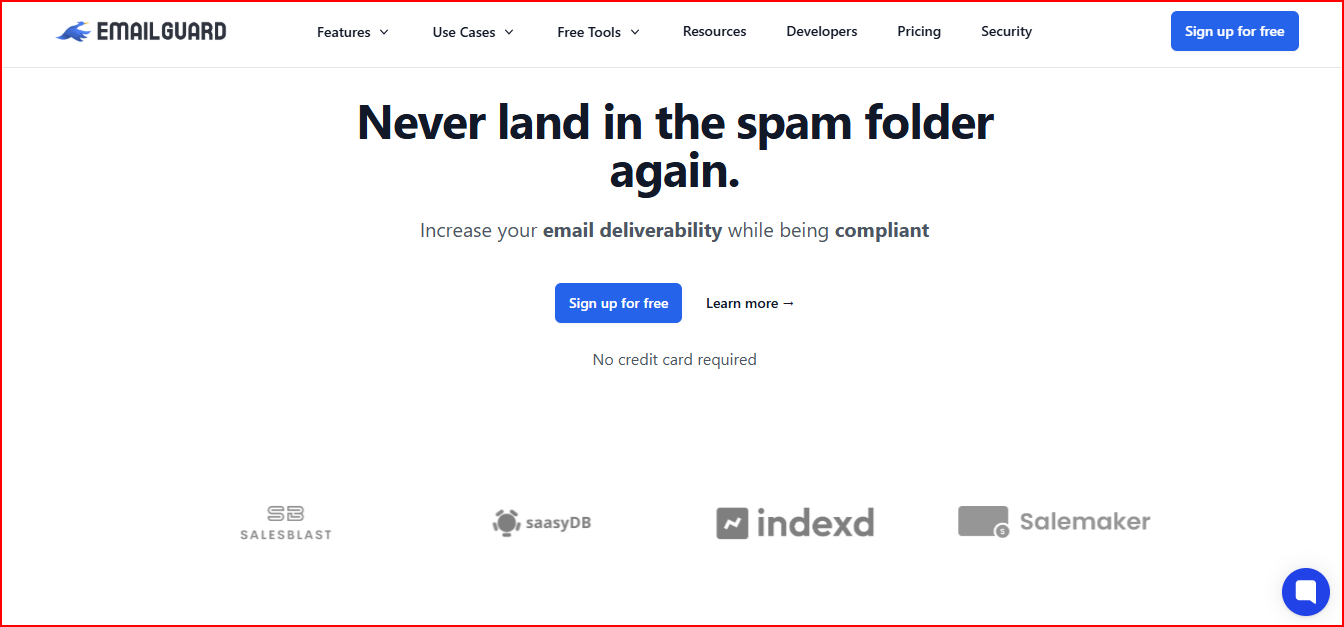
This image shows the EmailGuard - Email health and deliverability monitoring platform
It helps businesses monitor inbox placement, blacklist status, email authentication, and sender reputation from one place.
If you compare it with MXToolbox, EmailGuard combines inbox placement, spam analysis, and blacklist monitoring together, while MXToolbox mainly separates these checks.
So instead of running separate checks manually, teams can monitor their email health continuously.
The platform includes tools like Inbox Placement Tests, Blacklist Monitoring, Spam Checker, DMARC Insights, SPF Lookup, DKIM Lookup, DMARC Lookup, and Email Tester.
It helps monitor inbox placement, domain reputation, authentication records, spam triggers, and deliverability performance continuously.
EmailGuard also provides scheduled monitoring, alerts, hosted redirects, domain masking, and DMARC reporting.
This helps teams identify deliverability issues early and maintain healthier email infrastructure over time.
Pricing
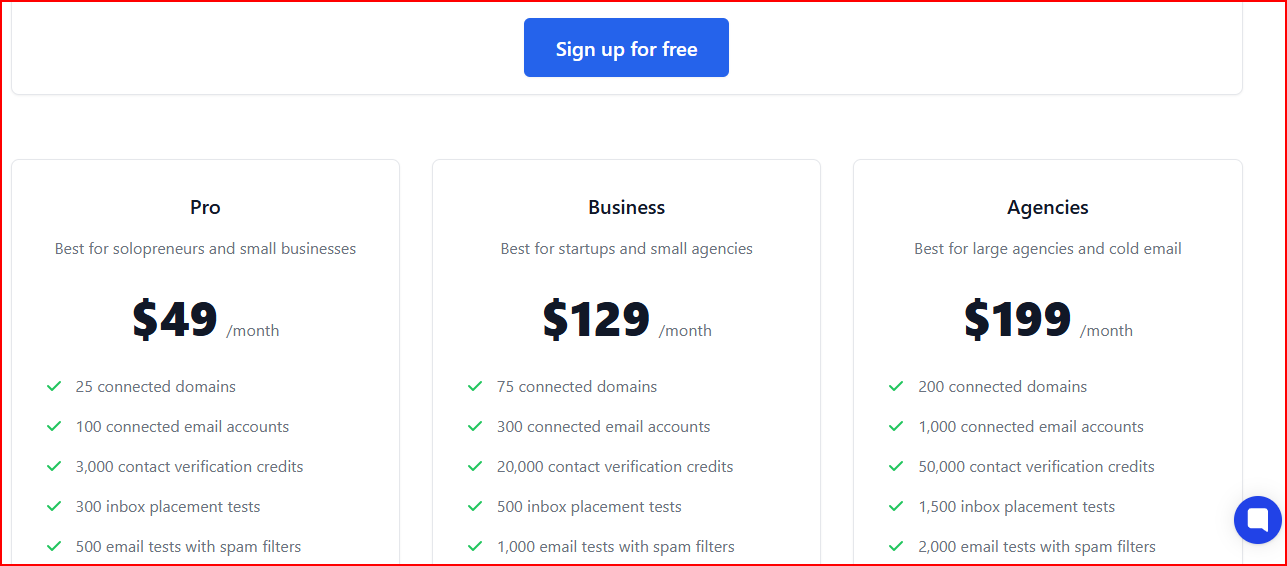
This image shows the EmailGuard pricing
Free Plan - $0 Includes weekly blacklist monitoring, SPF/DKIM/DMARC checks, spam checks, and inbox placement testing for 1 domain.
Pro Plan - $49/month Includes 25 domains, 300 inbox placement tests, unlimited blacklist checks, and unlimited DMARC monitoring.
Business Plan - $129/month Includes 75 domains, 500 inbox placement tests, and higher monitoring limits.
Agency Plan - $199/month Includes 200 domains, 1,500 inbox placement tests, advanced monitoring, and domain masking features.
Pros
Helps monitor inbox placement, blacklist status, and authentication records together
Makes spam and deliverability issues easier to identify early
Scheduled monitoring and alerts reduce repeated manual checks
Includes DMARC insights and inbox placement testing in one platform
Cons
Advanced monitoring limits depend on higher plans
Some features are more useful for agencies and larger outreach teams
The platform may feel feature-heavy for smaller senders
More focused on deliverability monitoring than broader mail server diagnostics
Best For
Cold outreach teams managing multiple domains
Agencies monitoring deliverability across many inboxes
Businesses that want inbox placement, blacklist, and DMARC monitoring together
Based on its inbox placement testing and continuous monitoring features, I’d say EmailGuard is one of the more complete MXToolbox alternatives for ongoing deliverability monitoring.
Personalized Outbound Strategy
Get The Right Outbound Strategy In Minutes
Enter your email to get a custom plan & stack recommendation for your
business
It's being carefully crafted by AI
Please check your mailbox in 5 minutes
Which MXToolbox Alternative Should You Choose?
The best MXToolbox alternative depends on what you actually want to monitor daily.
Warmforge makes the most sense if you want to monitor inbox placement, blacklist status, mailbox health, and deliverability together without jumping between separate tools.
MailReach is a better fit when your main concern is whether emails actually reach inboxes instead of spam folders.
GlockApps works well for teams that want deeper spam filter reports and inbox placement analysis across providers.
Folderly is useful if you want to keep improving sender reputation and reduce spam placement over time.
Validity Everest fits larger email programs that need advanced deliverability reporting and engagement analytics.
EasyDMARC is more suited for businesses focused heavily on DMARC, SPF, DKIM, and compliance monitoring.
PowerDMARC works better for teams managing multiple domains and monitoring spoofing or authentication risks regularly.
Google Postmaster Tools is worth using if Gmail deliverability and domain reputation are your biggest priorities.
EmailGuard is a strong option for teams that want inbox placement, spam analysis, blacklist monitoring, and DMARC insights together.
MXToolbox still works well for quick DNS, MX, SMTP, and blacklist lookups when you just need technical diagnostics.
If you want one place to monitor inbox placement, blacklist status, mailbox health, and overall deliverability, Warmforge is one of the more complete MXToolbox alternatives on this list.