Anyone can send a thousand emails, but what matters is where your emails land: the primary inbox, the promotions tab, or spam.
This is what email deliverability comes down to, and it decides whether anyone sees your emails.
A few things decide this, and I check each one before I trust a campaign:
Inbox placement testing: Checking whether your emails reach the primary inbox, the promotions tab, or spam before you send a campaign.
Email warmup: Warming your mailbox with steady activity so inbox providers treat it as legitimate.
Email authentication: Setting up your SPF, DKIM, and DMARC records correctly so providers trust your domain.
Sender reputation and blacklist monitoring: Tracking how Gmail and Outlook score your domain and IP, and catching a blacklist hit before it hurts your deliverability.
There's a different tool for each of these jobs, and I've spent the last couple of weeks testing them on live domains. Between my own testing and long conversations with industry leaders, I know what moves deliverability and which tools are worth your money.
I get asked the same thing constantly, on LinkedIn, over email, in chat support: "which email deliverability tool should I use?"
So I made this guide. Eight tools sorted by the job you need done, each one matched to a use case. Pick the one that fits how you send, and you're set.
Short on time? Here's the best email deliverability pick for each use case. Click any tool to jump ahead to the full review.
Warmforge is the best email deliverability tool for teams that want inbox placement testing and warmup in one place, with Heat Score™ and Health Checks built in.
GlockApps is the best pick for detailed spam testing, sending to 115 seed addresses across 5 spam filters for a per-provider placement breakdown.
MailReach is the best budget option for warmup and placement testing bundled into one affordable plan.
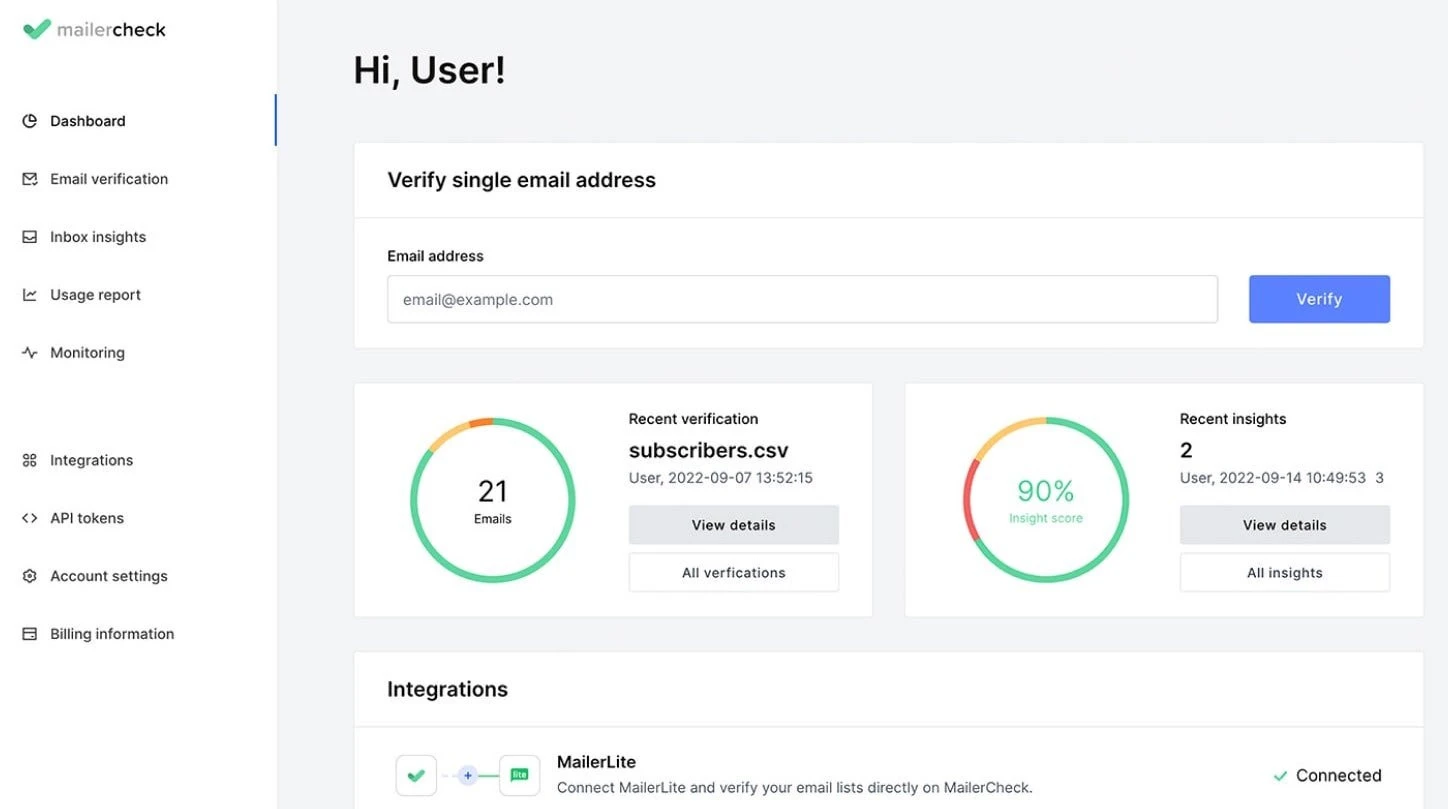
MailerCheck is the best choice when invalid or bouncing email addresses are the problem, and you want inbox placement testing with email verification together.
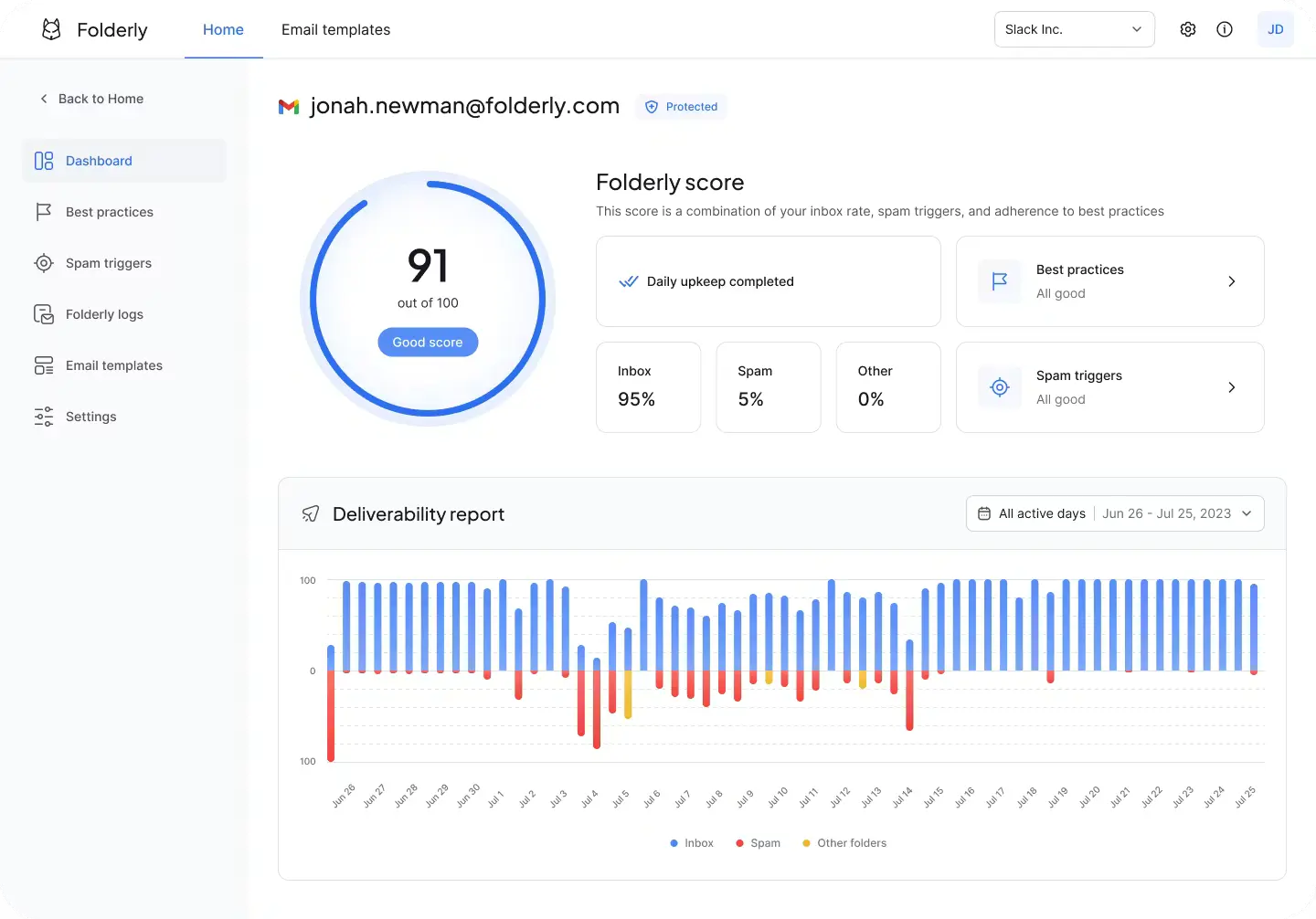
Folderly is the best fit for funded teams that want managed diagnostics and hands-on reputation repair.
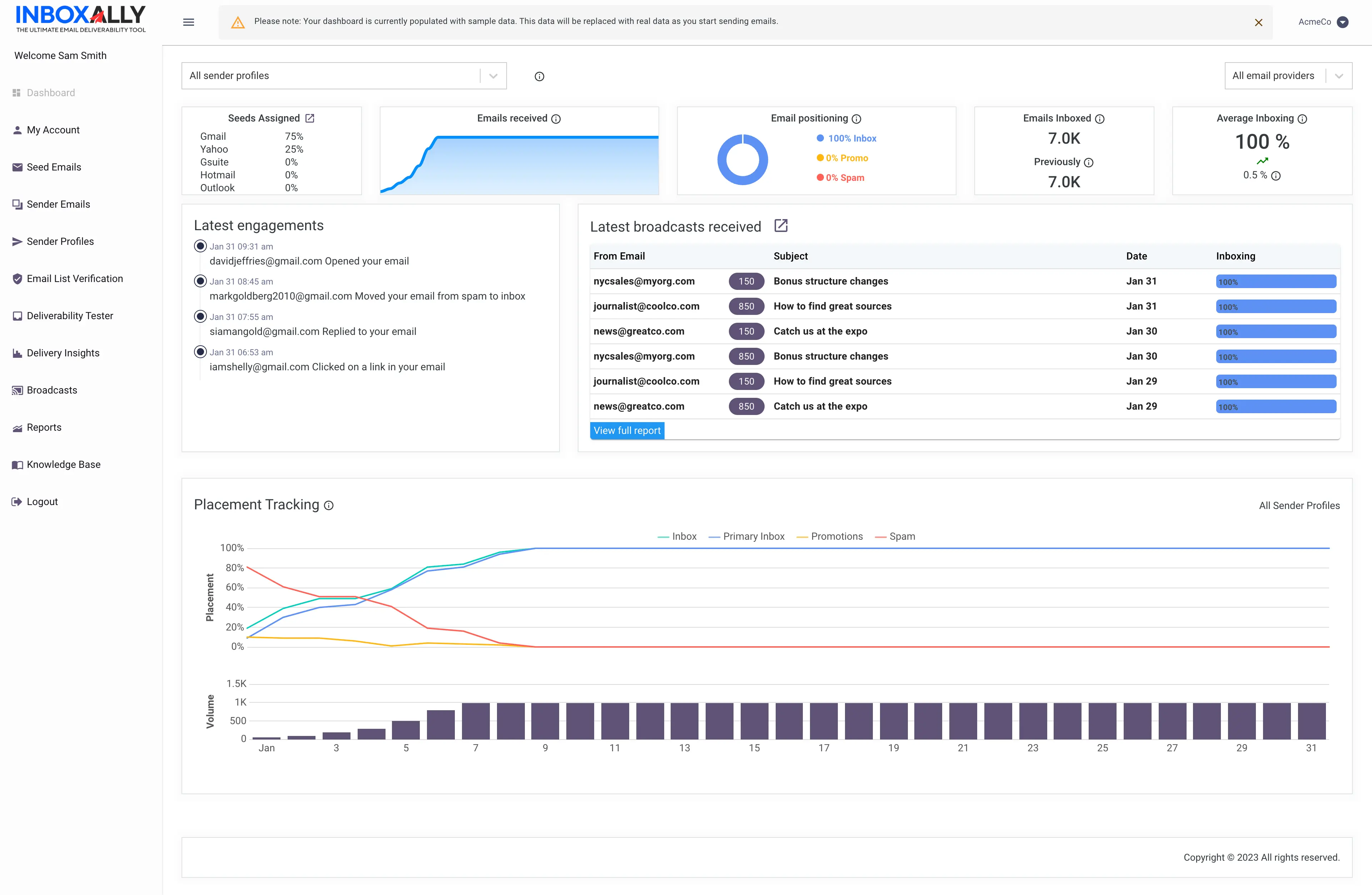
InboxAlly is the best pick for agencies and high-volume senders that want automated reputation improvement through seed-inbox engagement.
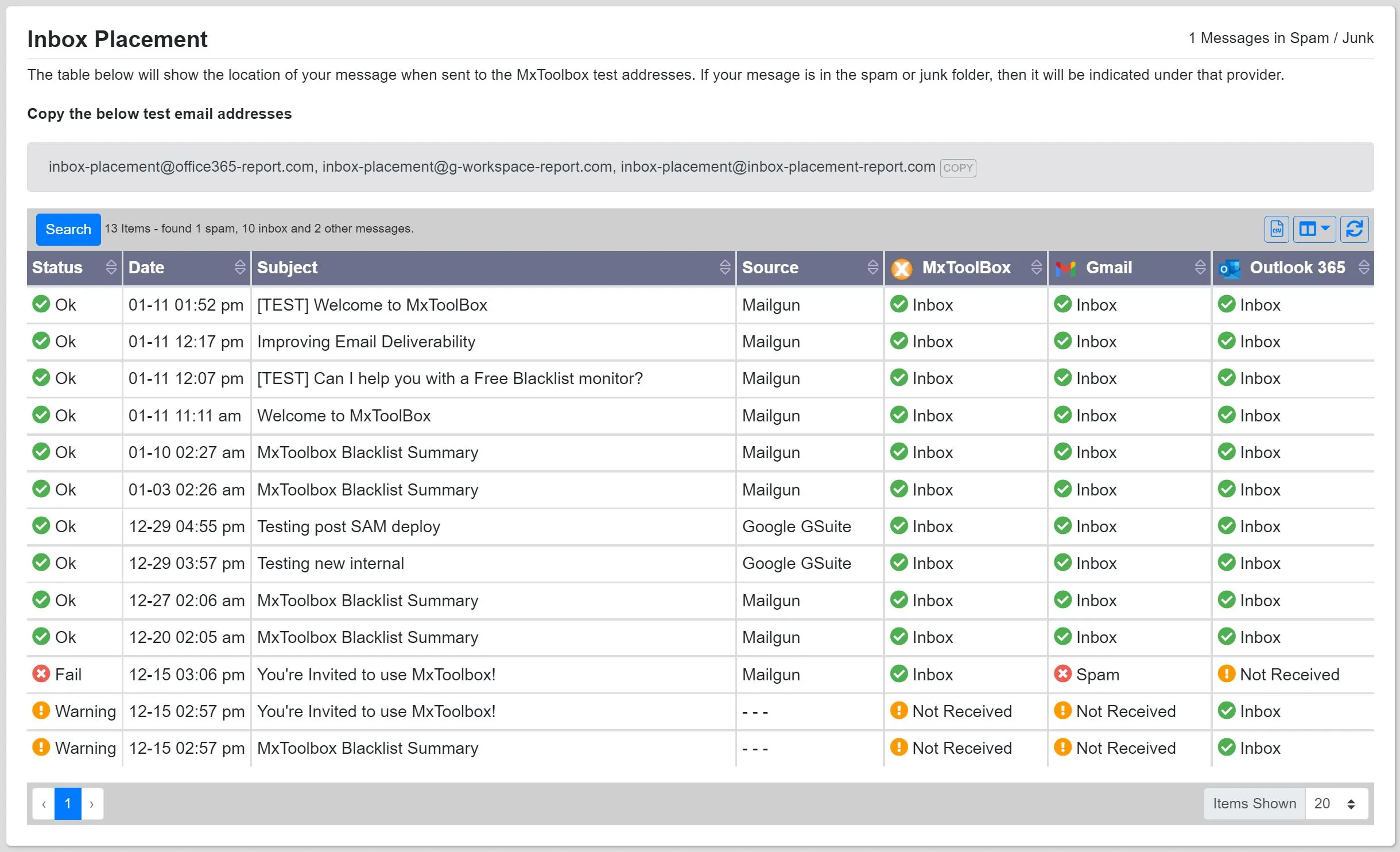
MxToolbox is the best free option for quick DNS, MX, and blacklist checks, with paid plans for deeper monitoring.
Google Postmaster Tools is the best free tool for monitoring your Gmail sender reputation and spam complaint rate straight from the source.
What Are Email Deliverability Tools?
An email deliverability tool shows you where your emails land and helps you fix the problem when you miss the inbox. Your sending tool only confirms that a server accepted your message. An email deliverability tool goes further and tells you whether you reached the primary inbox, the promotions tab, or spam.
Most tools fall into three groups: inbox placement testing tools that show where your emails land, deliverability monitoring tools that track your domain reputation and blacklist status, and email warmup tools that rebuild your sender reputation. The best ones cover more than one.
A test tells you where you land. Warmup and monitoring fix why. You often need one of each, or a tool that does both.
8 Top Email Deliverability Platform Compared and Reviewed
Let's have a quick understanding of the each email deliverability tools from this table.
To bring you the best email deliverability tools, here's how I evaluated them.
I used each tool, sent trial email campaigns, and compared the real results. I reviewed 15 to 20 tools and picked only the ones that actually improve deliverability.
Why should you trust this list? Because I tested these tools myself.
Here are the five core factors I used to rank them:
Accuracy and reliability: The tool must give you accurate, consistent deliverability insights every time you test.
Features: It should include the core deliverability features, such as inbox placement testing, warmup, blacklist monitoring, and SPF, DKIM, and DMARC checks.
Pricing and affordability: It should offer fair pricing and good value for your money.
User feedback: I checked real customer reviews on G2 and Capterra to see how each tool performs for other senders.
Tool category: This list spans all four groups, from full deliverability platforms to testing tools, monitoring tools, and optimization tools.
8 Best Email Deliverability Tools [Discussed in Detail]
Here's each tool in detail: what it does, how it tests or fixes deliverability, its pros and cons, pricing, and third-party ratings.
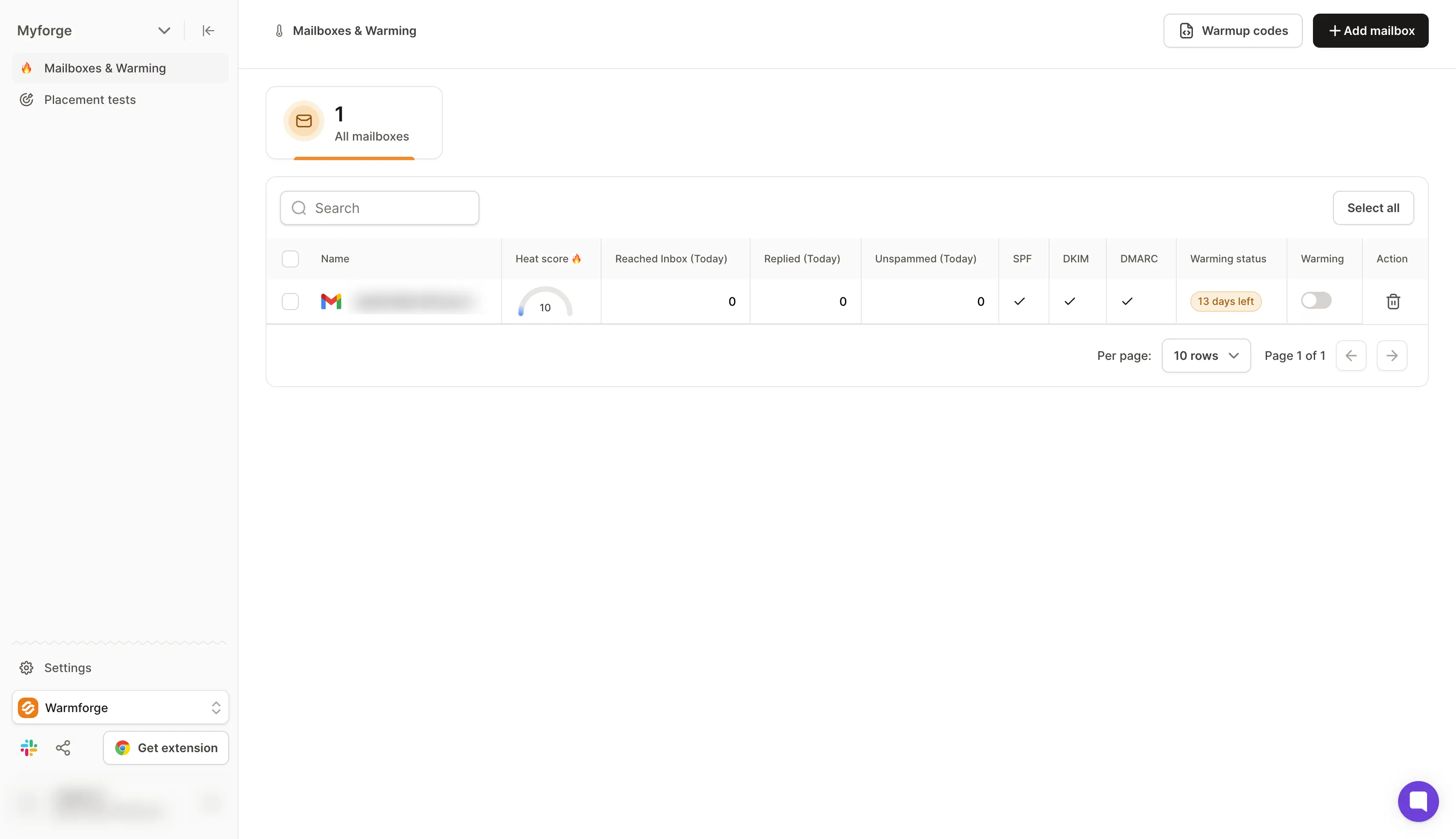
1. Warmforge
Best for: GTM teams and agencies that want premium warmup and inbox placement testing in one deliverability tool.
Warmforge is my top pick because it does the two jobs that decide your deliverability, and it does both in one place:
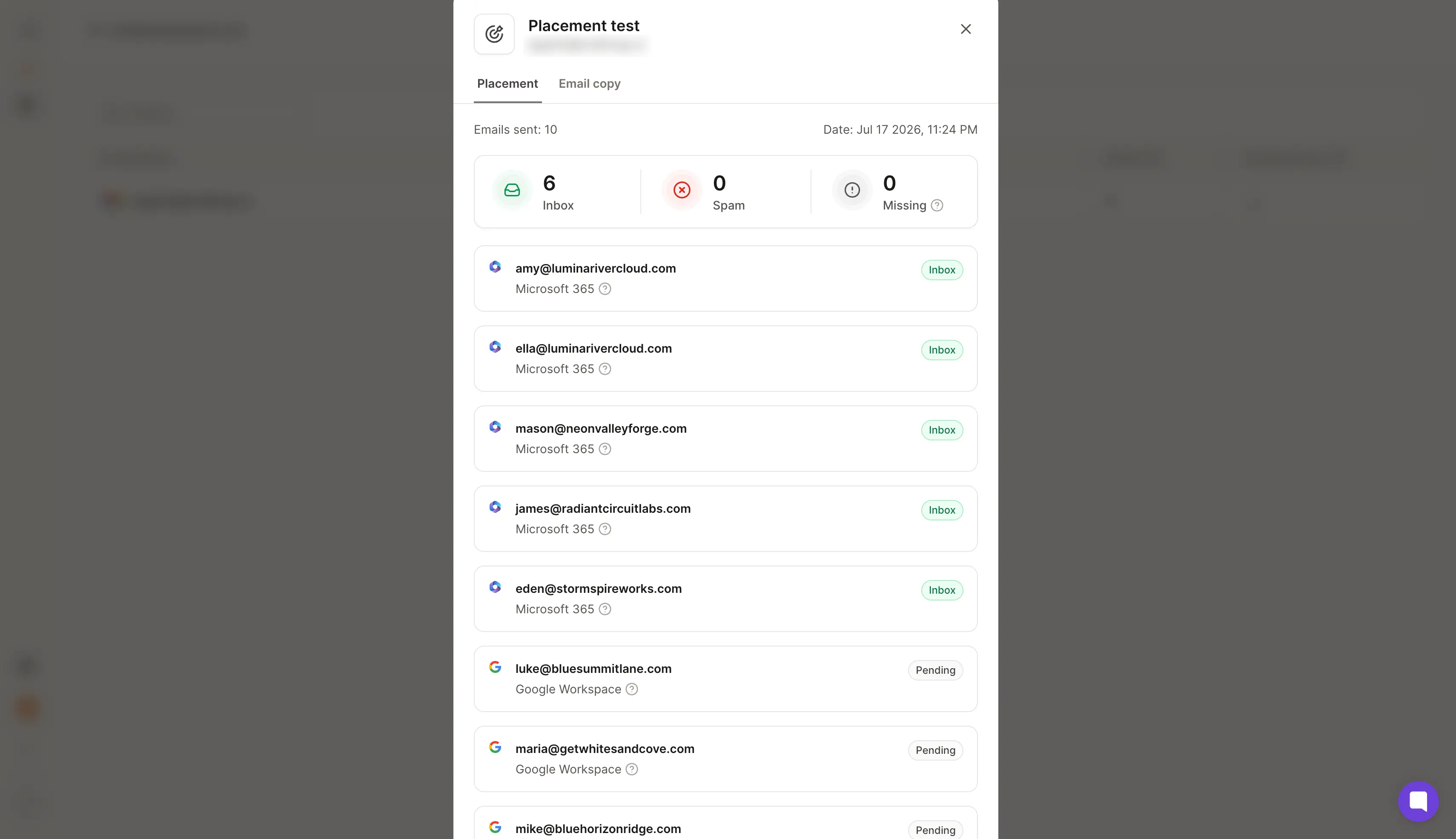
It shows you exactly where your emails land, the primary inbox, the promotions tab, or spam.
It warms your mailboxes and surfaces the problems quietly draining your reply rate.
Most people only notice a deliverability problem once the replies stop and they realize the emails were going to spam all along.
By then the campaign is already wasted. Warmforge lets me catch it before I send, fix it with warmup, and watch the reputation come back, so my pipeline keeps moving.
It's the deliverability tool in the Forge stack. It comes free with every Salesforge plan, with unlimited warmup slots, and you can also buy it on its own if you warm mailboxes elsewhere.
How Warmforge Tests and Improves Deliverability
Personally, I run placement tests before every campaign and keep warmup on the rest of the time. It helps me catch deliverability issues early, before they hurt my open or reply rates.
Here's what makes it so useful:
Inbox placement Tool: Tells me if my emails land in the inbox, spam, or promotions across Gmail and Outlook.
Warmup that fixes what the test finds: Rebuilds my sender reputation in the background, so I'm not just spotting problems but solving them.
DNS and blacklist alerts: If something's off with SPF, DKIM, or DMARC, or my domain gets blacklisted, it tells me right away.
Heat Score™: Gives me one number per mailbox, so I know when an inbox is safe to send more from.
Works with any inbox: Google Workspace, Microsoft 365, and even IMAP/SMTP mailboxes from Mailforge and Infraforge.
If you ask me the best way to stay on top of deliverability issues, I'd say go with Warmforge. Let's now learn about the key features.
Key Features of Warmforge
One-click AI email warmup: You connect a mailbox and warmup starts on its own, building sender reputation in the background so your team can send at volume without burning domains.
Inbox Placement Monitoring: See whether you land in the primary inbox, promotions, or spam across Gmail and Outlook before a campaign goes out, so you fix placement problems before they cost you revenue.
Heat Score™: One reputation score per mailbox tells you when an inbox is safe to scale sending on, which takes the guesswork out of ramping volume.
Health Checks: Continuous deliverability monitoring of your DNS, MX records, and blacklist status alerts you to spam risks early, before they drag down a whole domain.
Premium warmup: Warmup traffic runs through aged Google Workspace and Microsoft 365 mailboxes in several languages, so activity looks natural and protects reputation at scale.
Unlimited warmup slots on one plan: Most tools charge per slot, so your cost stays flat as you add mailboxes, which matters for agencies and teams scaling their sending.
Native integrations: Works with any sending tool and connects natively to Salesforge and the wider Forge stack, plus HubSpot and Pipedrive, so warmup and monitoring sit alongside your outreach.
MCP and CLI access: A Forge MCP server and CLI let Claude, Cursor, or your own agents run warmup and placement tests through scripted, agent-native workflows.
Warmforge Pricing
Plan
Price
What you get
Free
$0
1 warmup slot, 1 placement test a month, Health Checks
Warmup
$12/slot monthly, or $9 annually
AI warmup, 1 placement test a month, DNS, MX, and blacklist Health Checks
Placement Test Pro
$32.50/mo annually, or $39 monthly
100 tests a month, up to 50 mailboxes per test
Placement Test Growth
$140.80/mo annually, or $169 monthly
Unlimited tests, up to 250 mailboxes per test
With Salesforge
Included free
Unlimited warmup slots at no additional cost
Warmforge Ratings and Reviews
G2 Rating: 4.6 out of 5.
2. GlockApps
Best for: Email marketers who want the most detailed per-provider spam score and placement analysis.
If you want a deep look at your spam score, GlockApps is one of the strongest testing tools out there.
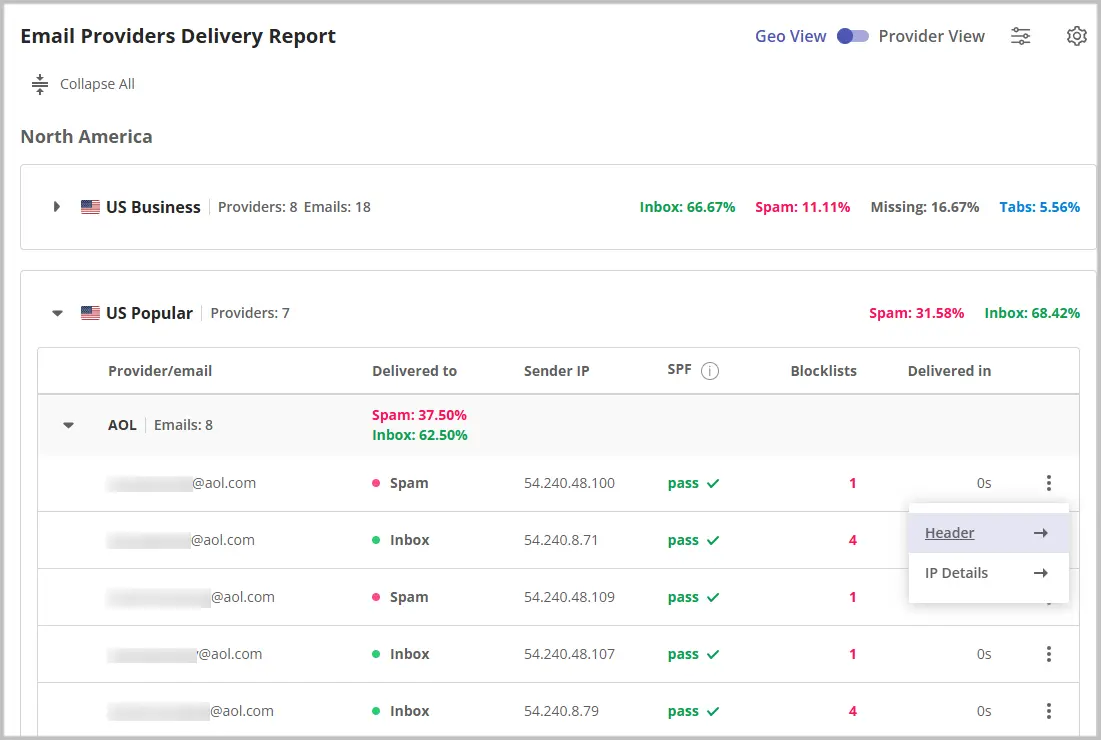
It brings more than 15 years of inbox placement testing, and it shows in the reports. You send to a seed list of 115 addresses, it checks 5 spam filters, then tells you inbox versus spam versus promotions for each provider.
The seed list spans the inboxes your recipients use: Gmail and Google Workspace, Outlook.com and Microsoft 365, Yahoo, and AOL.
Past placement, it checks your SPF, DKIM, and DMARC setup and monitors your blacklist status across 50+ lists.
I tested it on a campaign that felt fine but got few replies. GlockApps showed the subject line was pushing me into Gmail's promotions tab while it landed primarily on Outlook. That's the kind of detail a sending tool never surfaces, and it took me five minutes to spot.
How GlockApps Tests Deliverability
You paste a tracking code into your email or send to the seed addresses, and GlockApps reports where each copy lands.
You can run tests two ways. Manual, for a single test before a launch. Automated, to schedule recurring tests on higher plans and track placement over time.
You get a placement percentage for each provider, plus a "missing" category that shows mail a server rejects outright. That often points to a blacklist or a damaged sender reputation.
Key Features of GlockApps
Inbox Insights: GlockApps's placement testing feature. Sends to a 115-address seed list across 5 spam filters and reports inbox, spam, or promotions for each provider.
DMARC Analyzer: Turns raw DMARC XML reports into a readable dashboard, so you can see which sources pass SPF and DKIM and protect your domain from spoofing.
Uptime Monitor: Tracks your IP reputation and blacklist status across 50+ databases and alerts you through Slack or Telegram if something goes down.
Domain and IP Analytics: Monitors your domain against 50+ blocklists and reports Sender Score and placement per IP, so you keep a clean sender reputation.
Free Spam Checker: A no-cost tool for a quick content and placement spot check before a send.
GlockApps Pricing
Plan
Price
What you get
Free
$0
2 spam test credits, 1 sending account
Essential
$59/mo
360 credits, 1 sending account
Growth
$99/mo
1,080 credits, 10 sending accounts
Enterprise
$129/mo
1,800 credits, 20 sending accounts
Credit packs
$16.99 / $47.99 / $75.99
3, 10, or 20 one-off tests
GlockApps Ratings and Reviews
G2 Rating: 4.1 out of 5.
3. MailReach
Best for: Cold emailers who want warmup and inbox placement testing in one budget tool.
If you want warmup and placement testing without paying for a full platform, MailReach is a solid middle ground.
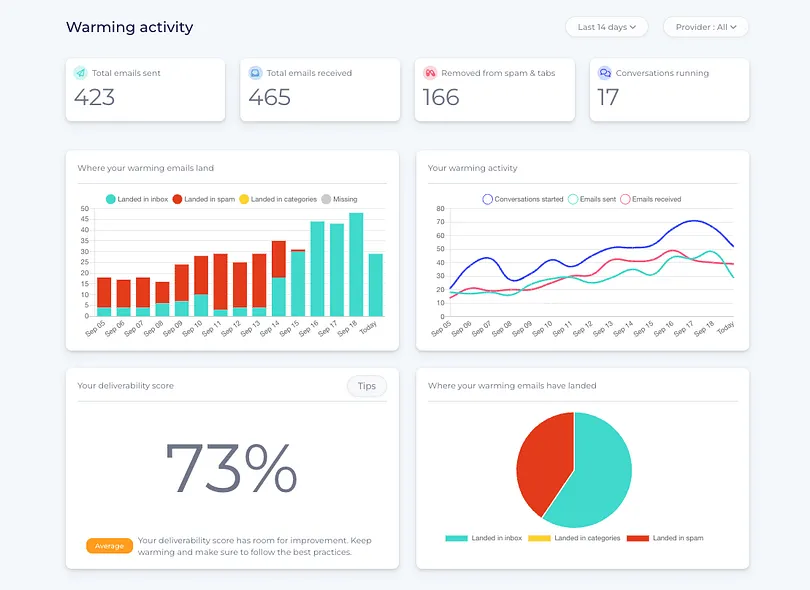
It runs an automated warmup network of real Google Workspace and Microsoft 365 inboxes, and it adds a spam tester on top. You warm a mailbox, then run a placement test to confirm it lands before you send to real prospects.
I connected two mailboxes that had been warming through another tool.
After 30 days on MailReach, both showed cleaner placement on my test emails than the accounts I left elsewhere. I can't promise you the same result, but the test-as-you-warm loop is useful.
Every plan bundles the warmer and the spam tester with at least 20 test credits, plus domain and inbox health checks for blacklist, SPF, DKIM, and DMARC. A reputation dashboard tracks your deliverability score so you can see it move week to week.
How MailReach Tests and Improves Deliverability
You send a message to MailReach's seed inboxes, and it reports where you land, primary versus spam, across Gmail and Google Workspace, plus Outlook and Microsoft 365.
One spam test credit equals one placement test with a full deliverability report. MailReach suggests running a test before, during, and between campaigns, which is the habit that catches problems before they cost you replies.
The warmup runs in the background while you test, so reputation builds as you confirm placement.
Key Features of MailReach
Email Warmer: An automated warmup engine that runs on a network of real Google Workspace and Microsoft 365 inboxes, using opens, replies, and "not spam" actions to build sender reputation.
Spam Checker: MailReach's spam test sends to a seed list and reports where you land across Gmail and Outlook, so you confirm placement before a campaign.
Health checks: Validates your SPF, DKIM, and DMARC setup plus DNS and blacklist status, flagging issues before they hurt deliverability.
Co-Pilot: AI-powered guidance that alerts you when reputation or placement trends decline and suggests fixes.
Deliverability dashboard: A single reputation score tracks your deliverability week to week, with Slack alerts when something dips.
MailReach Pricing
Plan
Price
What you get
All-in-one (warmer + spam tester)
$25/mailbox monthly, or $20 annually
Automated warmup, 20 spam test credits, AI warming, Co-Pilot, health checks, up to 100 emails a day
Spam test credit packs
Add-on
Extra spam test credits on their own
MailReach Ratings and Reviews
G2 Rating: 4.5 out of 5.
4. MailerCheck
Best for: Teams that want to test placement and verify their list in one tool.
If bounces and unverified addresses are hurting your deliverability, MailerCheck is a smart pick.
It comes from the MailerLite team and is built around list hygiene and deliverability. Its Inbox Placement feature shows which folder you land in across providers, and for Gmail it tells you whether you hit Primary, Social, Promotions, Updates, or Forums.
The seed list covers Gmail, AOL, Yahoo, GMX, Mail.com, and Zoho. Its content scan also flags spam triggers, broken links, and authentication issues before you send.
I like it for one reason. Invalid addresses cause more spam placement than bad copy, and MailerCheck lets me verify a list, catch invalid addresses, and test placement without switching tools.
The platform doesn't warm mailboxes, though, so it points at problems rather than fixing them.
How MailerCheck Tests Deliverability
You send an email from your provider to MailerCheck, and it reports inbox versus spam for each provider. Each placement check uses 200 credits, and the result appears next to your content and authentication analysis.
Its Email Insights module also scans content for spam triggers, broken links, HTML errors, and authentication issues before you hit send.
Key Features of MailerCheck
Inbox Placement Test: Sends your campaign to a seed list across Gmail, AOL, Yahoo, GMX, Mail.com, and Zoho, and reports which folder you land in, including the Gmail tab.
Email Verification: Validates single addresses or full lists in real time, flagging invalid, risky, catch-all, and disposable addresses before they bounce.
Email Insights: Runs 6 checks on your email, covering SpamAssassin spam scoring, HTML validation, spam-word content, broken links, SPF/DKIM/DMARC authentication, and blocklist status.
Pay-as-you-go credits: Credits carry over and unknown verification results aren't charged, so occasional testers don't overpay.
MailerCheck Pricing
Item
Price
Notes
Credits
From $0.01 each
Pay-as-you-go, 1,000-credit minimum ($10)
Inbox placement test
200 credits (about $2)
Per check
Email Insights content check
200 credits
Per check
Email verification
1 credit each
Per address
New accounts
10 free credits
On signup
MailerCheck Ratings and Reviews
G2 Rating: 4.6 out of 5.
5. Folderly
Best for: Funded teams that want hands-on diagnostics and reputation repair beyond a simple score.
Folderly is a managed email deliverability platform built to find and fix what hurts your inbox placement. It's less a single tool and more a full platform.
Its Inbox Insights module runs placement tests and reports where you land in Gmail, Outlook, and Yahoo, along with your SPF, DKIM, and DMARC setup.
The spam trigger detection is the part I find most useful, since it points at the content patterns that set off filters and suggests changes before you send.
One thing to watch before you buy. Folderly prices per mailbox with a minimum commitment, so the cost adds up fast past 10 mailboxes. And its placement testing, Inbox Insights, is a separate paid product on top of the platform. This is a tool built for funded teams.
If you have the budget and someone to act on the reports, Folderly does a lot of the work for you. For a solo sender or a lean team, it's more than you need.
How Folderly Tests and Improves Deliverability
You connect a mailbox, then send test emails to Folderly's seed list. Inbox Insights reports how many landed in inbox, spam, or promotions across Gmail, Outlook, and Yahoo. It also checks your SPF, DKIM, and DMARC setup.
From there, it goes past the score. It flags the spam trigger words and content patterns that push you out of the inbox, and points to the DNS and authentication fixes that can raise placement.
You can run a one-time test before a launch, or schedule tests to track deliverability over time, then work through the fixes it recommends.
Key Features of Folderly
Inbox Insights: Folderly's placement testing product. Runs seed-list tests and reports where you land across Gmail, Outlook, and Yahoo, along with your SPF, DKIM, and DMARC setup.
Root cause analysis: Goes past a score to tell you exactly why your emails hit spam, pointing at the content and authentication fixes that raise placement.
Spam trigger detection: Flags the specific words and patterns that set off filters, with a spam words checker covering 9 languages.
Warmup: A template-based warmup that warms with content close to your real emails to rebuild sender reputation.
Pulse: Free real-time deliverability alerts that flag issues as they happen.
Folderly Pricing
Plan
Price
What you get
Core platform (1-9 mailboxes)
$96/mailbox/mo
Yearly billing, minimum commitment
Core platform (10-24)
$72/mailbox/mo
Yearly billing
Core platform (25-99)
$56/mailbox/mo
Yearly billing
Core platform (100+)
Custom
Contact sales
Inbox Insights (placement testing)
From $799/year (100 tests)
Sold separately, free test to try
Folderly Ratings and Reviews
G2 Rating: 4.8 out of 5.
6. InboxAlly {#inboxally}
Best for: Agencies and high-volume senders that want automated reputation improvement.
If your emails keep sliding into spam or the promotions tab, InboxAlly takes a different route.
It pairs warmup with placement feedback. Seed inboxes open your emails, reply, and move them to the primary folder, which trains inbox providers to treat you as wanted mail over time.
You also get live reports on how providers handle your mail, domain reputation tracking, and custom training per sender domain. It's a fix-focused tool more than a testing one.
The main limit is cost. InboxAlly is on the higher end, so it suits agencies and teams sending at volume more than a solo sender.
How InboxAlly Improves Deliverability
You connect a mailbox or domain, then set how many seed emails to send each day. InboxAlly's seed inboxes open those emails and mark them as important. They also move any that land in spam or the promotions tab into the primary inbox.
Over time, that steady engagement teaches mailbox providers to treat your domain as wanted mail, which can lift inbox placement and rebuild sender reputation. You reply to the seeds too, so the exchange reads like a normal conversation.
The dashboard tracks how placement shifts across providers as the training runs, so you can watch spam-folder hits drop week over week.
Key Features of InboxAlly
Seed-list engagement: Real seed inboxes open your emails, reply, and move them from spam or promotions into the primary inbox, training providers to treat your domain as wanted mail.
Reputation Repair: Preset profiles designed to fix damaged domains or IPs, moving your emails out of spam over a few weeks.
Placement monitoring dashboard: Live stats show where your emails land across providers as your reputation improves, so you watch spam-folder hits drop week over week.
Custom engagement controls: You set the daily seed volume and ramp per sender domain, so the training matches how you send.
InboxAlly Pricing
Plan
Price
What you get
Starter
$149/mo
1 sender profile, 100 daily seed emails
Plus
$645/mo
Higher seed volume for growing teams
Premium
$1,190/mo
Highest volume, multi-domain setups
All plans include inbox placement testing and adaptive autowarmup. Extra sender profiles are priced separately.
InboxAlly Ratings and Reviews
G2 Rating: 4.6 out of 5.
7. MxToolbox
Best for: Anyone who wants technical DNS and blacklist checks next to placement testing.
If you want technical checks like DNS and blacklist status alongside placement testing, MxToolbox covers it.
Most people know it for its free SuperTool: DNS lookups, MX record checks, SMTP diagnostics, and blacklist status across more than 100 lists.
That free tier alone is worth bookmarking before you spend on anything else.
What surprised me is that MxToolbox has a proper Inbox Placement product now. You send to its test inboxes, and it reports placement across the major providers, plus a read on why an email fails. I tested it on a domain that kept getting a low score, and the blacklist check inside the same tool pointed straight at the cause.
MxToolbox won't warm mailboxes or send campaigns. It's a monitoring and diagnostics layer, best paired with a warmup tool and a real sending setup.
How MxToolbox Monitors Deliverability
You add MxToolbox's test email addresses to your send, and it reports where each message lands across Google / Gmail, Outlook, and Yahoo.
Alongside the placement result, it tracks your domain reputation, authentication records, and blacklist status. That lets you tie a poor inbox placement number to its technical cause.
The free version is just DNS and blacklist lookups. The seed-based placement testing and continuous monitoring live on the paid Delivery Center plans.
Key Features of MxToolbox
SuperTool: The free flagship tool for DNS, MX, SMTP, and blacklist lookups, so you can diagnose the technical basics at no cost.
Inbox Placement: MxToolbox's seed-based placement testing across Gmail, Outlook, and Yahoo, available on the paid Delivery Center plans.
Blacklist Monitoring: Ongoing checks across 100+ blacklists with alerts, so you catch a listing before it spreads to your whole domain.
Delivery Center: Continuous domain reputation and deliverability monitoring that ties a poor placement number to its technical cause.
MxToolbox Pricing
Plan
Price
What you get
SuperTool
Free
DNS, MX, SMTP, and blacklist lookups
Delivery Center + monitoring
From ~$129/mo
Inbox placement testing, blacklist and domain monitoring
Higher tiers
More
Extra monitors and continuous alerting
MxToolbox Ratings and Reviews
G2 Rating: 4.4 out of 5.
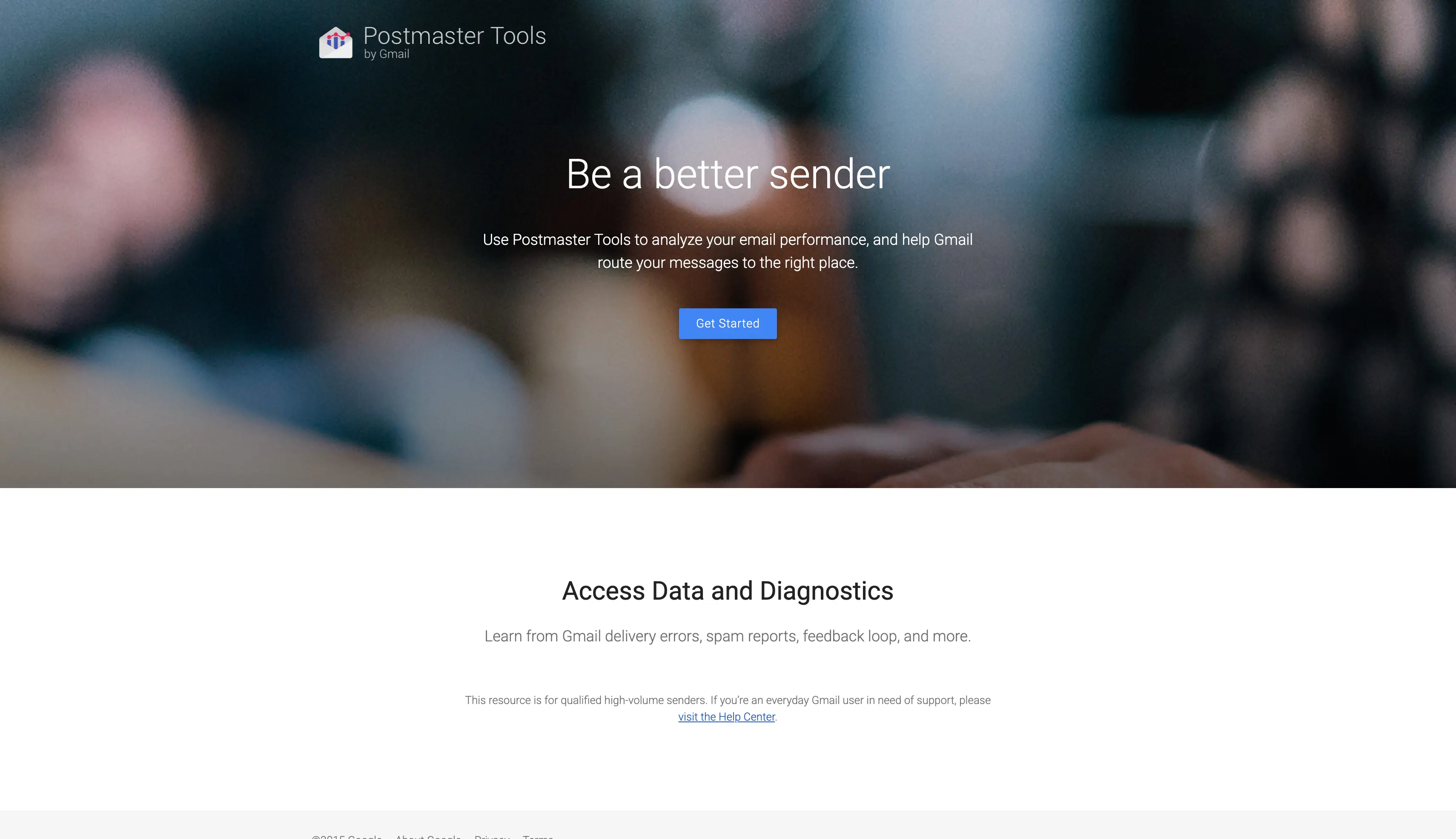
8. Google Postmaster Tools
Best for: Gmail senders who want free reputation and spam-rate monitoring.
Google Postmaster Tools is free, and it's worth setting up even if you use another tool for the rest of the job.
It shows you Gmail's own read on your domain and IP reputation, your spam complaint rate, and authentication results for mail you send to Gmail addresses.
That's data no third-party seed test can give you, because it comes straight from the provider.
The catch is scope. It only covers Gmail, it doesn't test placement before you send, and it doesn't warm mailboxes. It's a monitoring layer, best paired with a placement tool.
How Google Postmaster Tools Monitors Deliverability and Inbox Placement Testing
You verify your sending domain through a TXT record, then connect it to the dashboard. Once you send enough volume to Gmail addresses, Google starts reporting on that traffic.
The dashboards cover domain and IP reputation, your spam complaint rate, and how your SPF, DKIM, and DMARC authentication is holding up.
It's read-only monitoring, so you watch the trends and act elsewhere, but the data comes straight from Gmail.
Key Features of Google Postmaster Tools
Reputation Dashboard: Shows Gmail's own read on your domain and IP reputation, rated High, Medium, Low, or Bad, so you know where you stand with the biggest provider.
Spam Rate Dashboard: Reports the spam complaint rate for mail you send to Gmail addresses, straight from Google.
Authentication Dashboard: Shows your SPF, DKIM, and DMARC pass rates for Gmail traffic, so you can spot authentication failures.
Delivery Errors: Surfaces the errors Gmail returns on your mail, so you can fix what's blocking delivery.
Google Postmaster Tools Pricing
Free.
Choose the Right Tool to Resolve Your Email Deliverability Issues
There's no single right tool. The right fit depends on how you send, so weigh a few things before you pick:
Do you need to fix placement or only measure it? A tool with warmup rebuilds sender reputation. A testing-only tool shows the problem and stops there.
How much per-provider detail do you need? Some tools break results across several spam filters and providers. Others give a single score.
Is your list quality part of the problem? If bounces are hurting you, pair inbox placement testing with email verification.
Do you want to do it yourself or have it managed? Managed platforms handle diagnosis and repair for you, at a higher price.
What are your budget and volume? Free tools cover occasional checks. Per-mailbox or per-seat pricing climbs as you scale.
Which providers do you send to? Make sure the tool tests the inboxes your prospects use, not Gmail alone.
The cheapest way to protect a campaign is to test placement before you send. Don't wait until the replies dry up.
Run a free inbox test to see where you stand. The Salesforge Inbox Placement Test tool is free, and Warmforge includes one free placement test a month plus Health Checks on your DNS and blacklist status.
Email deliverability tools help you see where your emails land and fix what's keeping them out of the inbox. They send test emails to a seed list across Gmail, Outlook, and Yahoo, then report your inbox placement rate. Many also add sender reputation monitoring, blacklist checks, and SPF, DKIM, DMARC analysis.
2. What's the difference between email delivery and email deliverability?
Delivery means the receiving server accepted your email. Deliverability means it reached the inbox rather than the spam or promotions folder. You can have a 99% delivery rate and still be invisible if most messages land in spam, which is why placement testing matters.
3. Do I need several deliverability tools or just one?
Often just one, if it covers your main job. A tool like Warmforge or MailReach pairs testing with warmup, so you measure and fix in one place. You'd add a second tool when you need something specific, like list verification or Gmail-side reputation data from Google Postmaster Tools.
4. What's the best email deliverability tool for cold email?
For cold email, I'd start with Warmforge, since it pairs warmup with inbox placement testing and comes free with Salesforge. GlockApps is the pick if you want the most detailed per-provider spam analysis. Cold email lives and dies on deliverability, so a tool that both tests and warms is the safest bet.
5. Are free email deliverability tools good enough to avoid spam folder?
For occasional checks, yes. MxToolbox is free for DNS and blacklist lookups, Google Postmaster Tools is free for Gmail monitoring, and Warmforge includes one free placement test a month. For ongoing sending at volume, you'll want a paid plan that tests across live inboxes and warms your mailboxes.
6. How do I check my SPF, DKIM, and DMARC records?
Most deliverability tools check these for you inside a placement test or health check. Warmforge Health Checks, GlockApps, MailerCheck, MxToolbox, and Folderly all read your SPF, DKIM, and DMARC setup and flag what's missing or misconfigured. MxToolbox's free SuperTool is a quick way to look up a single record.
7. How do I know if my domain or IP is blacklisted?
Run a blacklist check through a tool that monitors the major lists. MxToolbox checks more than 100 blacklists free, and Warmforge Health Checks, GlockApps, and MailReach all include blacklist status alongside their other reports. If you're listed, the report usually points to the delisting steps.