

Folderly is a deep, diagnostics-heavy deliverability platform that is expensive and sold on a one-year commitment. Lemwarm is a simple warm-up tool that is effectively free inside Lemlist, but it has no real inbox placement testing. Both cost more than they first appear once you scale or add testing.
For most cold email teams, Warmforge is the stronger choice for landing in the primary inbox at scale. It runs warm-up, health checks, and real placement testing in one hub at $10 per mailbox with no contract, the warm-up pool is premium by default, and it is free with any Salesforge subscription.
I have set up warm-up for hundreds of cold email mailboxes, and the pattern never changes: the tool you pick decides whether your domain ends up trusted or burned. Get it wrong and you find out only after a campaign underperforms, when the reputation damage is already done.
Warmforge, Folderly, and Lemwarm all promise to keep you out of spam. They take very different routes to get there, and they cost wildly different amounts.
Warmforge is a full deliverability hub built around warm-up, monitoring, and placement testing. Folderly is a diagnostics-heavy platform from the lead-gen agency Belkins. Lemwarm is the lightweight warm-up tool baked into Lemlist.
Below I break down how the three compare on the things that decide inbox placement.
Email Warm-Up Tools Compared at a Glance: Folderly vs Lemwarm
| Warmforge | Folderly | Lemwarm | |
|---|---|---|---|
| Warm-up price | $10 / mailbox / mo | ~$96-$120 / mailbox / mo | $29-$49 / inbox / mo |
| Contract | None; cancel anytime | 1-year minimum | Monthly / quarterly / annual |
| Warm-up pool | Premium by default; aged real GW + MS365 mailboxes | ESP-integrated reply network | 20,000+ domain shared network |
| Inbox placement testing | Included (1 free/mo) + low-cost plans | Separate add-on (~$79/mo) | Not available |
| Health checks (DNS/MX/blacklist) | Built in, continuous | Built in | Setup check only |
| Free with a paid plan | Free + unlimited slots with Salesforge | No | Free (Essential) with Lemlist |
| Headline rating | G2 4.6 | G2 4.8 | No standalone listing* |
*Lemwarm has effectively no standalone third-party review presence; Lemlist overall sits at G2 4.6. Pricing reflects live vendor pages at the time of writing.
Start Warming for FreeHow I compared them
I did not weigh these tools on their marketing claims. I assessed them the way a deliverability consultant evaluates platforms for agency clients: on the factors that decide inbox placement.
That meant the quality and transparency of the warm-up pool, the depth of ongoing monitoring, whether you can see exactly where your emails land, the total cost as you scale from 5 to 50 mailboxes, the contract terms, and how cleanly each tool slots into a real sending stack.
I also weighed risk. A warm-up tool that runs unattended has to behave predictably, because a single automation misfire can undo months of reputation building. Pricing and features below reflect each vendor's live pages, cross-checked against independent reviews.
Warmforge: The Deliverability Command Center
Warmforge is built around a single promise: reach your prospects' inboxes without compromising scale. Rather than treating warm-up as a standalone gadget, it positions itself as a complete deliverability hub that brings warm-up, monitoring, and testing into one place.
You connect a Google Workspace or Microsoft 365 mailbox with a one-click OAuth flow, switch it on, and the system ramps sending volume automatically with AI-written, human-like emails that signal legitimacy to inbox providers.
The features that matter
- Automated AI warm-up. A hands-off volume ramp with no manual scheduling, designed to run always-on so your sending pattern stays consistent.
- Heat Score™. A 0-100 health metric for every mailbox. The goal is to push it toward 100 and hold it there before you send a real campaign.
- Health Checks. Continuous monitoring of DNS and MX records plus blacklist status, so configuration problems surface before they cost you placement.
- Placement Tests. Seed emails sent across providers to show you exactly where you land, with one free test included every month.
- Deliverability Boost. Warm-up emails that hit spam are removed automatically, which reinforces trust signals over time.
The differentiator most teams underrate is the warm-up pool. Warmforge runs one premium pool by default, with no tiers and no "premium if you pay extra."
It is built only from aged accounts, with no recycled inboxes and no mixed-quality networks, and it is dominated by real Google Workspace and Microsoft 365 mailboxes running multilingual traffic. To inbox providers, that activity reads as natural, which means stronger trust signals and better placement.
If you want the reasoning on why pool quality beats raw volume, the Warmforge breakdown of the warm-up mistakes that kill deliverability covers it well.
Pricing
Warm-up is $10 per mailbox slot per month, with one free slot included and annual billing giving you two months free. There is no contract. You buy slots in-app and cancel whenever you like.
Inbox placement testing is sold separately but priced cheaply. The Warmforge Pro plan is $39/mo ($32.50 on annual billing) for 100 tests, and the Warmforge Growth plan is $169/mo ($140.80 annual) for unlimited tests. You also get one free placement test a month with warm-up.
The detail that reframes the whole comparison is bundling. If you run Salesforge, warm-up for your mailboxes is included with unlimited slots at no extra cost. There is no traditional free trial, because you buy slots to start warming, but you can sign up to explore the product and run a free placement test first.
Who it's for
Warmforge fits cold email teams and agencies that want serious deliverability control without enterprise pricing or lock-in. It is a natural choice for anyone already building on the Forge stack.
It works natively with Google Workspace and Microsoft 365 over OAuth, and it supports IMAP/SMTP mailboxes when they come from Mailforge, Primeforge, or Salesforge. It is SOC 2 compliant, with API, MCP, and CLI access for teams that automate their stack.
Strengths
- Lowest warm-up price of the three; free with Salesforge
- Premium-by-default curated pool, no upsell tiers
- Placement testing and health checks built in
- No contract; SOC 2; API, MCP and CLI access
Trade-offs
- No standalone free trial (slots are a paid purchase)
- Native OAuth limited to Google and Microsoft; other providers need a Forge mailbox
- Deliberately focused, with fewer peripheral features than a full suite
That focus shows up in user feedback, where the recurring themes are simple setup, reliable automation, and responsive support.
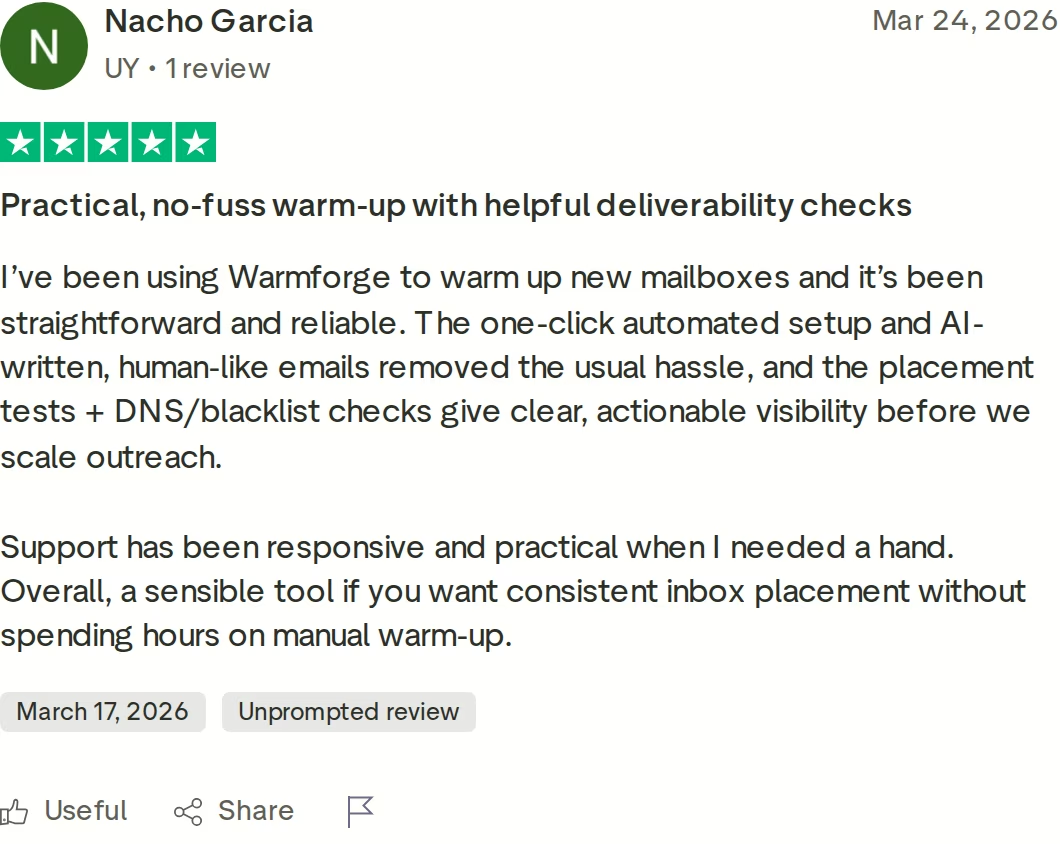
A verified Warmforge review highlighting one-click setup and the value of built-in placement and DNS or blacklist checks.
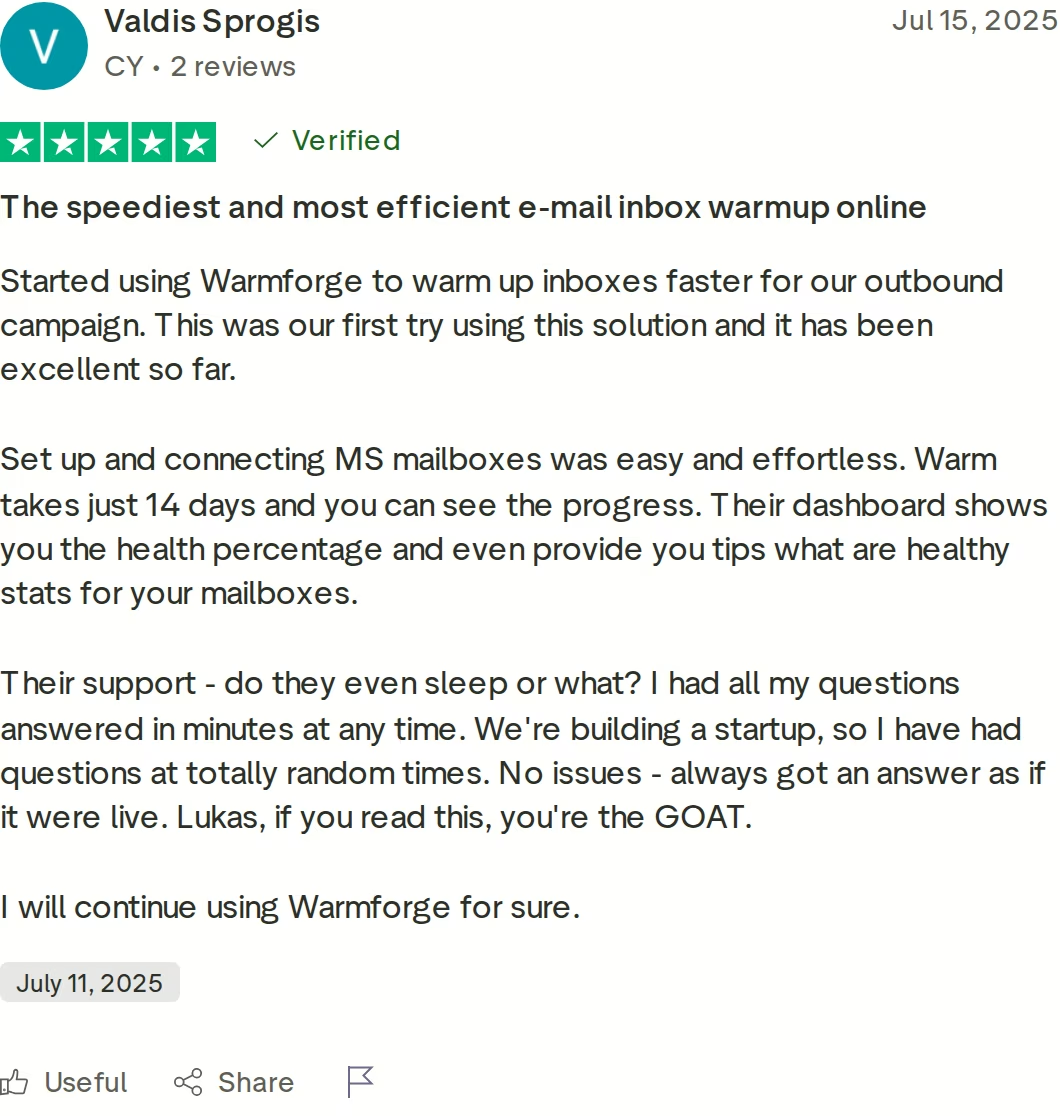
Another verified review pointing to fast Microsoft mailbox setup, a clear health dashboard, and quick support.
in Action

Folderly: Comprehensive but Premium and Locked In
Folderly is the deliverability platform from Belkins, a B2B lead-generation agency, and that pedigree shows in its depth. It is not just warm-up.
It bundles diagnostics, spam-trigger detection, DNS monitoring, template analysis, and ongoing maintenance, with warm-up that can be configured separately for domain, mailbox, IP, and template. Once a mailbox is connected, sending and engagement run in the background.
Folderly's AI shifts warm-up behavior based on the deliverability signals it reads each day. Rather than following a fixed schedule, it surfaces specific recommendations and pulls warm-up emails out of spam and Promotions as part of the cycle. For teams that want one platform to diagnose and fix every deliverability factor at once, that breadth is the appeal.
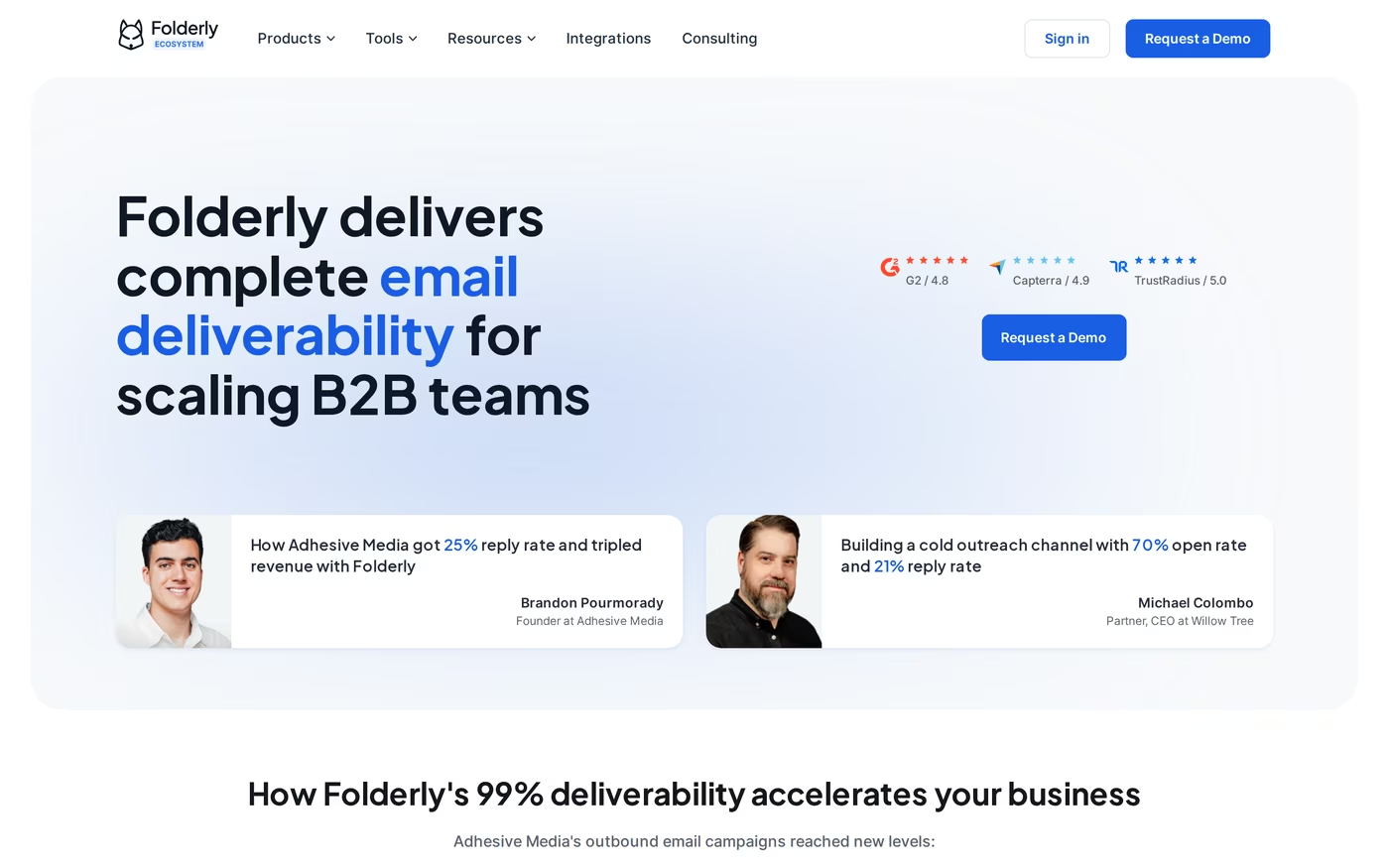
Folderly positions itself as a complete, all-in-one deliverability platform for scaling B2B teams.
Users report genuine improvements in inbox placement once they fix the issues Folderly surfaces, and the dashboard earns consistent praise for clarity. Folderly is well rated (G2 4.8, Capterra 4.9, TrustRadius 5.0) and backed by ISO 27001 and SOC 2.
Its "Inbox Insights" placement-testing product is real, but it is a separate add-on rather than something bundled with warm-up. It offers a free tier (two tests per month) and paid plans around $79/mo for 100 tests, and its testing covers Gmail, Outlook, Google Workspace, and Microsoft 365, but not providers like Yahoo or Zoho.
The friction is twofold. First, cost: warm-up runs roughly $96-$120 per mailbox per month, and multiple third-party sources document a mandatory one-year commitment, so you pay for the full term whether you keep using it or not, and per-mailbox costs compound fast at 10 or more inboxes.
Second, and more seriously, several reviewers on platforms like G2 and Capterra have described automation incidents in which Folderly sent thousands of warm-up emails without warning. One widely cited account described roughly 42,000 undelivered emails generated over a single weekend, with the resulting damage to domain reputation taking weeks to undo.
Those reports are the exception rather than the rule, but they are worth weighing for a platform that runs unattended. I dig into the wider feedback in the Folderly reviews breakdown.
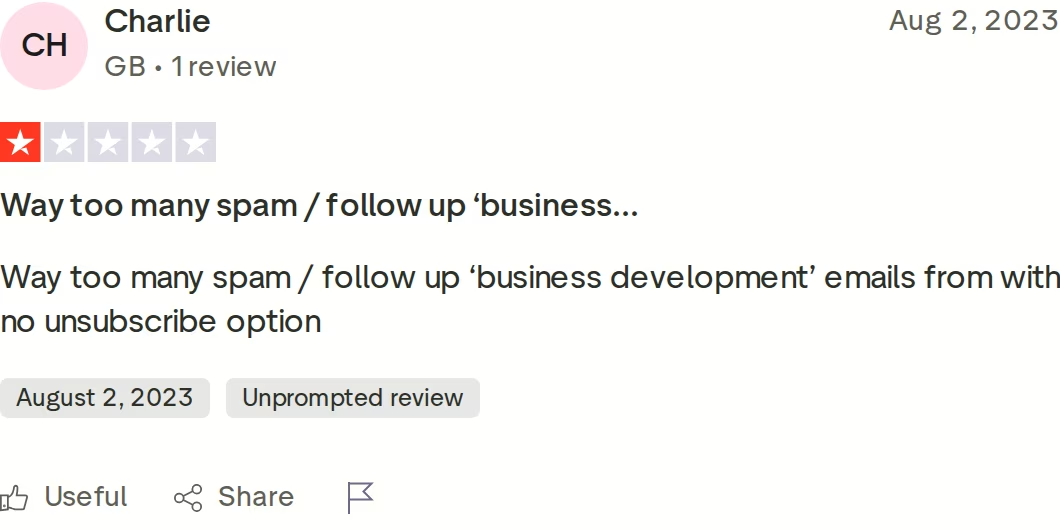
Negative Folderly reviews are limited, but they exist. This one-star review flags unwanted, repeated outreach with no easy way to opt out.
Strengths
- Deep, diagnostics-rich platform
- Strong ratings and agency pedigree
- Clear dashboard and spam-trigger detection
Trade-offs
- $96-$120 per mailbox with a one-year lock-in
- Placement testing is a separate paid add-on
- Documented unattended-sending incidents; costs compound at scale
Lemwarm: Simple and Cheap Inside the Lemlist World
Lemwarm is the warm-up tool built by lempire, the team behind Lemlist. It automates warm-up through a network of more than 20,000 domains across 150-plus countries, made up of real Lemlist and Lemwarm users, gradually building sender reputation while checking your technical setup.
It is a sensible starting point for solo senders and small teams, and it is genuinely effortless to switch on.
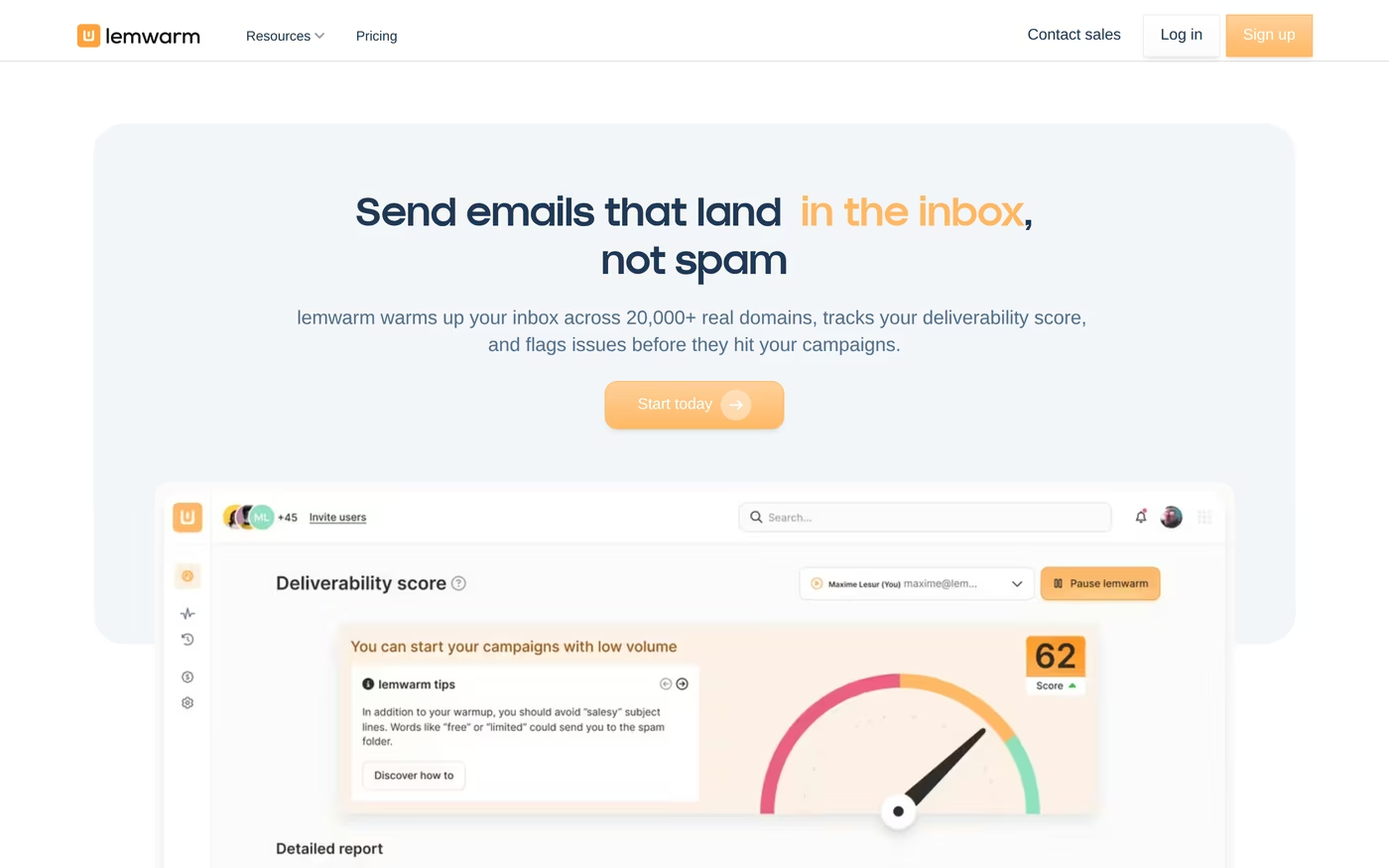
Lemwarm leans on the Lemlist network of 20,000+ real domains and a deliverability-score dashboard.
Pricing is per inbox. The Lemwarm Essential plan is $29/mo ($24 annual) and caps warm-up at 40 emails per day. The Lemwarm Smart plan is $49/mo ($40 annual) and adds personalized warm-up emails, real template warm-up, and custom alerts.
The headline value is that Essential is included free with any paid Lemlist plan, which makes it the obvious fit if Lemlist is already your sending platform. Under the hood, Lemwarm runs in sequential phases: it checks your technical configuration, then sends warm-up emails to its network while increasing volume, and finally settles into ongoing maintenance.
The limitations are real. Lemwarm has no true inbox placement testing, so you will not get a Primary versus Promotions versus Spam breakdown across seed inboxes, which is a meaningful gap if deliverability visibility matters to you.
The network's exact composition is not transparent, the 40-emails-per-day cap on Essential limits warm-up velocity, and standalone pricing climbs quickly across many inboxes. It also has a very thin independent track record: no dedicated G2 or Capterra listing and only a single dated Trustpilot review, so most signal comes from Lemlist's broader reputation rather than from Lemwarm itself.
Strengths
- Free with a paid Lemlist subscription
- Very simple, low-friction setup
- Large real-user warm-up network
Trade-offs
- No true inbox placement testing
- 40 emails/day cap on Essential; opaque network
- Near-zero standalone third-party reviews
Head-to-Head Feature Comparison: Folderly vs Lemwarm
1. Email warm-up and pool quality
All three automate warm-up competently. You connect a mailbox, switch it on, and volume ramps in the background. The real separation is the pool your emails interact with, because that is what inbox providers actually watch.
Warmforge runs one curated, premium pool with no quality tiers to upsell, built only from aged accounts and dominated by real Google and Microsoft mailboxes. Because the participants are genuine, established inboxes sending multilingual traffic, the engagement reads as natural.
Lemwarm's 20,000-plus domain network is large and made of real users, but its composition is opaque, so you cannot see the Google-versus-Microsoft split. Folderly routes warm-up through ESP-integrated reply networks and adds genuine reply behavior, though its unattended-sending reports are a reminder that automation at scale needs guardrails. For the basics, the Email Deliverability Guide 2026 is a good primer.
2. Deliverability monitoring and health checks
Warm-up gets you trusted; monitoring keeps you trusted. Warmforge and Folderly both watch sender health continuously, while Lemwarm offers a one-time technical setup check and far less ongoing depth.
Warmforge makes the signal legible. The Heat Score™ collapses each mailbox's readiness into a single 0-100 number, and the Health Checks continuously scan DNS and MX records plus blacklist status, surfacing the exact issue and how to fix it before it costs you placement.
Folderly's monitoring is genuinely strong too, with daily tracking, sender-score data, and a clear technical breakdown. Lemwarm will flag missing SPF, DKIM, DMARC, or MX records at setup, but not with the same continuous, act-on-it visibility. The inbox placement checklist turns these signals into a workflow.
3. Inbox placement testing
This is the cleanest dividing line of the whole comparison. Placement testing sends seed emails to addresses across providers and shows whether you landed in Primary, Promotions, or Spam, which is the most direct read on deliverability you can get.
Warmforge bakes it in: one placement test a month is included with warm-up, and you can add cheap, higher-volume test plans when deliverability is a priority. You can also try a free inbox placement test to see the format.
Folderly's Inbox Insights is a capable testing product, but it is a separate paid add-on, and its coverage is limited to Gmail, Outlook, Google Workspace, and Microsoft 365. Lemwarm has nothing comparable, so you are left inferring deliverability from a general score rather than measuring it.
4. Pricing and scalability
The price gap here is not marginal; it is an order of magnitude. At $10 per mailbox with no contract, Warmforge costs a fraction of the alternatives, and warm-up is free with unlimited slots on any Salesforge subscription.
Play the math forward and the difference compounds. Warming 10 mailboxes runs about $100 a month on Warmforge, roughly $290-$490 a month on Lemwarm depending on plan, and on the order of $960-$1,200 a month on Folderly, before you have sent a single campaign.
Folderly's one-year commitment makes it the least flexible option, since you pay for the full term either way. Lemwarm's per-inbox model is fine for one or two inboxes but climbs steadily across larger fleets unless you already pay for Lemlist.
5. Email provider support and infrastructure fit
All three support the two providers that matter most for B2B: Google Workspace and Microsoft 365. The difference is philosophy.
Lemwarm is the most permissive, connecting any IMAP/SMTP mailbox directly, which is convenient if you inherited a patchwork of accounts. Warmforge takes the opposite stance on purpose, keeping native one-click OAuth warm-up to Google and Microsoft for quality control, and extending to IMAP/SMTP through Forge infrastructure like Infraforge and Mailforge.
That is a design choice, not a limitation: if you are scaling domains deliberately, you want every mailbox provisioned cleanly and warmed in a consistent environment. Folderly connects across a dozen-plus ESPs by API and SMTP, which suits teams running unusual infrastructure. The guide on avoiding spam filters explains why consistency matters so much.
6. Integrations, the broader stack, and compliance
Each tool is strongest inside its own world. Folderly lives within Belkins' deliverability tooling, and Lemwarm is purpose-built as a companion to Lemlist, sharing data so insights flow into campaigns without manual exports.
Warmforge's advantage is that it is one node in a complete outbound stack. Warm-up feeds directly into Salesforge for sending, pairs with Agent Frank for AI-driven outreach, and draws on Primeforge, Mailforge, and Infraforge for infrastructure.
On top of that, it ships SOC 2 compliance with API, MCP, and CLI access, so technical teams can automate warm-up operations. If you are still mapping the category, the roundup of the best cold email warm-up services is a good next step.
Pricing Comparison: Cost per Mailbox as You Scale
Pricing is where the three separate most clearly, so it deserves its own look. The table below is warm-up and testing only, with each plan name prefixed by its vendor to avoid confusion.
| Warmforge | Folderly | Lemwarm | |
|---|---|---|---|
| Warm-up price | $10 / mailbox / mo (1 free slot) | ~$96-$120 / mailbox / mo | Lemwarm Essential $29/mo; Smart $49/mo |
| Contract | None; cancel anytime | 1-year minimum | Monthly / quarterly / annual |
| Placement testing | Warmforge Pro $39/mo (100 tests); Growth $169/mo (unlimited); 1 free/mo | Separate add-on ~$79/mo (free tier 2/mo) | Not available |
| Free option | Free + unlimited slots with Salesforge | None | Essential free with a paid Lemlist plan |
| Approx. cost, 10 mailboxes/mo | ~$100 | ~$960-$1,200 | ~$290-$490 |
The gap is an order of magnitude, and it widens as you grow. Warming 10 mailboxes is about $100 a month on Warmforge, against roughly $290-$490 on Lemwarm and on the order of $960-$1,200 on Folderly, before a single campaign goes out.
Take a small agency warming 25 client mailboxes. On Warmforge that is around $250 a month with no contract, and free if those clients run on Salesforge.
The same footprint on Folderly runs into the low thousands per month on a one-year commitment. For teams scaling domains, the cost structure alone often decides it.
Skip the Lock-In, Warm Up TodayWho Should Use Which Warm-Up Tool
The best tool depends less on raw feature counts and more on where you sit today. Here is how I would steer each type of team.
You might consider Folderly if
- You live in a deliverability dashboard daily and want one platform for diagnostics, spam-trigger detection, and warm-up.
- You have the budget for $96-$120 per mailbox and can commit to a one-year term.
- You want reply-based warm-up across a dozen-plus ESPs, including custom providers.
You might consider Lemwarm if
- Lemlist is already your sending platform, so Essential warm-up comes free.
- You send modest volume from one or two inboxes and want the simplest possible setup.
- You can do without real inbox placement testing.
Choose Warmforge if
- You want the lowest warm-up cost with no contract and no per-seat math.
- You need real inbox placement testing and continuous health checks in the same tool.
- You are an agency that has to prove per-mailbox deliverability across many clients.
- You are scaling domains and want every mailbox warmed in a consistent environment.
- You already run Salesforge, which makes warm-up free with unlimited slots.
Whichever tool you pick, the fundamentals are the same. Authenticate SPF, DKIM, and DMARC before you warm anything, keep spam complaints low, verify your lists, and give warm-up at least two weeks before you scale.
If you are starting from scratch, the guide to how the warm-up process works lays out the ramp. If you are recovering a damaged domain, the deliverability recovery plan and the guide to why emails go to spam set the order of operations.
The Verdict: Which Email Warm-Up Tool to Choose
Warmforge is the recommended choice for most cold email teams. It delivers the lowest price, no lock-in, a premium-by-default pool, and the only built-in combination of warm-up, health checks, and placement testing among the three. And it is free with Salesforge.
Folderly is a deep, diagnostics-heavy platform, and teams with the budget and the monitoring discipline to run it on a one-year commitment may find the breadth worth it. Lemwarm is a simple, near-free add-on for anyone already inside Lemlist, as long as you can live without real placement testing. Neither bundles placement testing the way Warmforge does, and both cost more as you scale.
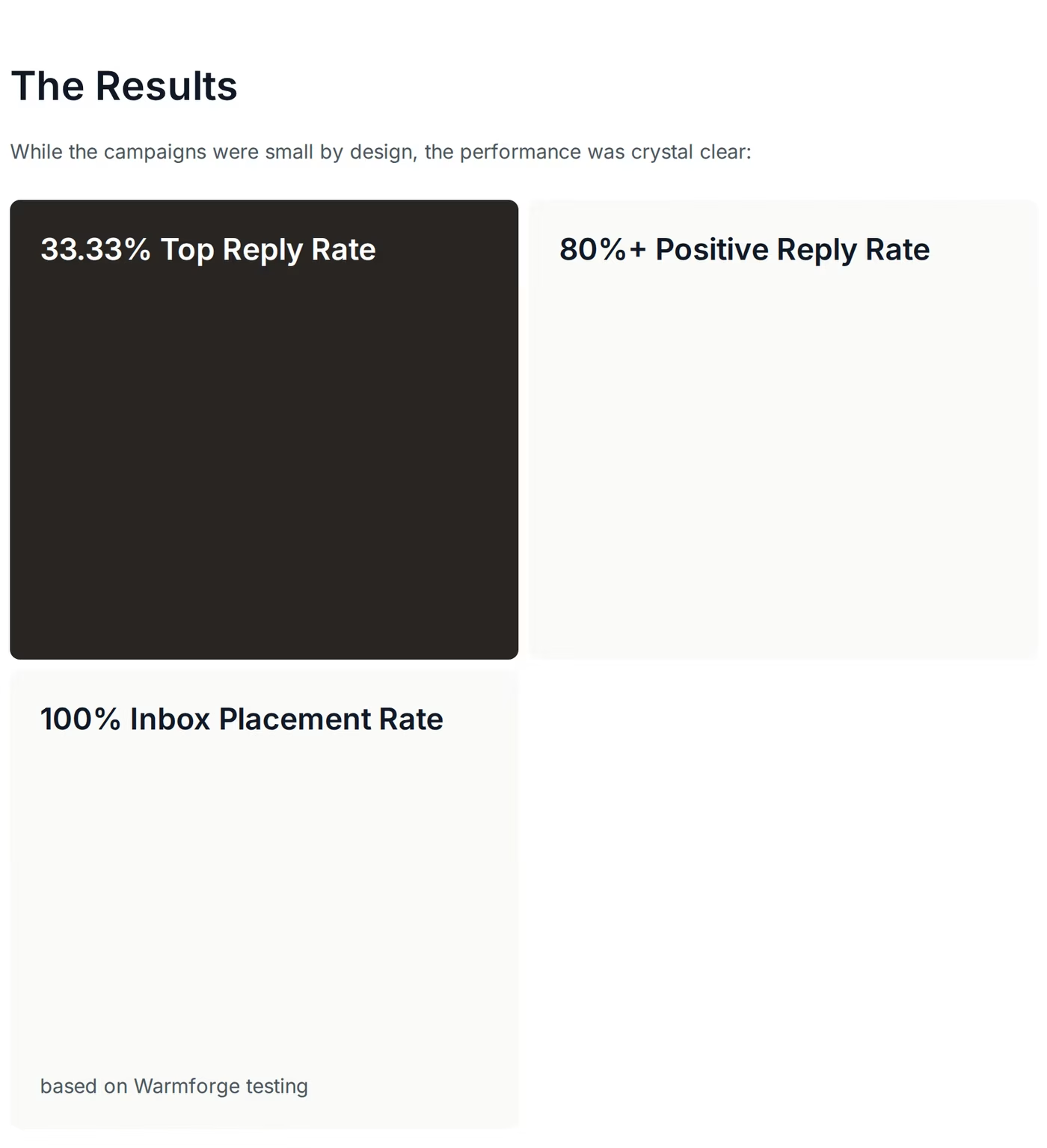
ChannelCrawler's published results running Warmforge for warm-up: a 100% inbox placement rate based on Warmforge testing.
The case for Warmforge is not only on paper. Running Warmforge for warm-up and inbox management, ChannelCrawler recorded a 100% inbox placement rate based on Warmforge testing, with the co-founder calling the warm-up process and inbox management standout wins. That number is public, and inbox placement is the metric warm-up actually moves.
For everyone focused on landing in the primary inbox at a sensible cost, with no contract and real placement testing in the same tool, Warmforge is the pick.
Reach the Primary InboxFrequently Asked Questions
Is Warmforge cheaper than Folderly and Lemwarm?
Yes. Warm-up is $10 per mailbox per month with no contract, versus roughly $96-$120 per mailbox for Folderly on a one-year commitment, and $29-$49 per inbox for Lemwarm. Warm-up is also free with any Salesforge subscription, which makes it the lowest-cost option for most teams at any meaningful scale.
What is the main difference between Warmforge, Folderly, and Lemwarm?
Warmforge is a focused deliverability hub that bundles warm-up, continuous health checks, and real inbox placement testing at a low price. Folderly is a broader, pricier diagnostics platform sold on a one-year term. Lemwarm is a simple warm-up tool tied to Lemlist with no true placement testing. The split comes down to depth, price, and lock-in.
Which tool includes inbox placement testing?
Warmforge includes one placement test per month with warm-up and offers low-cost plans for higher volume. Folderly sells placement testing as a separate add-on at around $79/mo. Lemwarm does not offer true seed-inbox placement testing at all, so you cannot see a Primary, Promotions, or Spam breakdown.
What is the difference between warm-up and inbox placement testing?
Warm-up builds your sender reputation by gradually sending and engaging with real mailboxes so providers learn to trust you. Inbox placement testing measures the result, sending seed emails across providers and reporting whether you landed in Primary, Promotions, or Spam. You need both: one earns trust, the other confirms it is working.
Do they work with Google Workspace and Microsoft 365?
All three do. Warmforge connects Google and Microsoft mailboxes by one-click OAuth and supports IMAP/SMTP through Forge infrastructure. Lemwarm connects any IMAP/SMTP mailbox directly. Folderly connects across a range of ESPs by API and SMTP, including custom providers.
How long should I warm up a new mailbox?
Plan on at least two weeks before sending real campaigns, then keep warm-up running continuously so your sending pattern stays consistent and your reputation holds. Turning warm-up on and off at irregular intervals signals an erratic sender, which can push future emails toward spam.
Does Warmforge work without Salesforge?
Yes. Warmforge is a standalone product at $10 per mailbox per month with one free slot. Salesforge simply makes it free, bundling warm-up with unlimited slots, so teams already on Salesforge get it at no extra cost.
Which tool is best for an agency managing many client mailboxes?
For agencies, the two factors that dominate are cost-at-scale and per-mailbox visibility. Warmforge's $10-per-mailbox, no-contract pricing keeps costs predictable across dozens of inboxes, and its built-in placement testing and health checks give the visibility agencies need to prove deliverability to clients. Folderly is powerful but expensive and locked in, and Lemwarm only fits if every client is already on Lemlist.