

Personalized Outbound Strategy
Get The Right Outbound Strategy In Minutes
Enter your email to get a custom plan & stack recommendation for your business
It's being carefully crafted by AI
Please check your mailbox in 5 minutes
You can write a strong cold email and still get no replies if it never reaches the inbox. That is the most challenging part about cold emails.
The real problem lies in poor lead lists, inadequate email infrastructure, low domain trust, high sending volume, or poor high bounce rates, rather than the subject line, the offer, or the SDR.
In 2026, email deliverability is not just about setting up SPF, DKIM, and DMARC.
Those records matter, but inbox providers also look at list quality, engagement, sending patterns, spam complaints, and how fast you scale.
Below, you’ll find a practical deliverability checklist built for 2026: what to set up, what to clean, what to avoid, and how to know if your emails are actually reaching the inbox.
Email delivery means your message was accepted by the receiving mail server. Email deliverability means the message reached the inbox instead of spam, promotions, junk, quarantine, or a silent filtering layer where the recipient never sees it.
This difference matters. A campaign can show a high delivery rate and still perform badly because most emails went to spam.
That is why serious senders track inbox placement, engagement, complaints, and provider-specific performance instead of relying only on “sent” or “delivered” counts.
For outbound teams, the problem is sharper.
Cold emails are already low-trust messages. If the domain is new, the data is weak, and every email contains tracking redirects, inbox providers get several negative signals at once.
The campaign may fail before the copy has a chance to work.
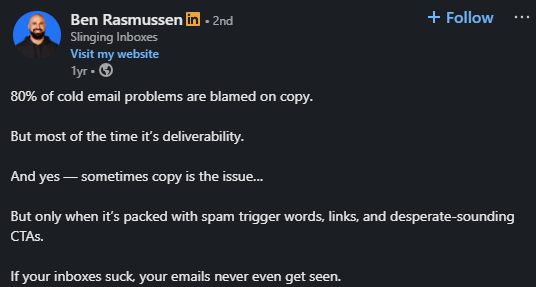
That quote is a useful reset. Copy still matters, but copy cannot save an email that never reaches the inbox.
Before changing the offer, check whether your infrastructure, data, and sending pattern give the email a fair chance.
Mailbox providers now use more than simple spam-word filters. They look at sender identity, domain history, authentication alignment, user behavior, complaint patterns, sending consistency, links, and whether recipients engage with your messages.
The 2024 Gmail and Yahoo sender requirements made this more obvious.
Bulk senders need proper authentication, low spam complaint rates, and an easy unsubscribe option for subscribed marketing mail.
Those requirements did not make deliverability “new,” but they made poor sending habits more expensive.
In 2026, the teams that win are not the ones that send the most. They are the ones who look safe, consistent, and wanted.
That means sending to real people, from trusted domains, with relevant messages, at a pace that matches your sender reputation.
Email authentication is the foundation. It does not guarantee inbox placement, but missing or broken authentication makes everything else harder.
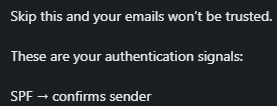
SPF tells receiving servers which mail servers are allowed to send email for your domain. If you use Google Workspace, Microsoft 365, Salesforge, Warmforge, Mailforge, or another sending tool, your SPF record needs to include the right sender sources.
A common mistake is stacking too many includes into one SPF record or leaving old tools in the record after a migration.
That can cause SPF lookups to fail or make the record harder to maintain. Review SPF any time you add or remove a sending platform.
DKIM adds a cryptographic signature to your messages. The receiving server checks that signature against a public key in your DNS records.
If DKIM passes, the mailbox provider has stronger proof that the email really came from your domain and was not modified after sending.
For cold outbound, DKIM should be set up for every sending domain and mailbox provider you use.
Do not assume it is active just because the mailbox is live. Send a test email and inspect the headers.
DMARC ties SPF and DKIM to your visible “From” domain and lets you set a policy for failed messages.
At minimum, start with a monitoring policy so you can see who is sending on your behalf. Over time, move toward stricter enforcement when you know legitimate mail is passing correctly.
Do not treat authentication as a one-time setup task. DNS changes, new tools, new inboxes, and domain migrations can break records.
Add authentication checks to your monthly deliverability routine.
Your domain strategy depends on the type of email you send. A product newsletter, customer lifecycle email, and cold outbound campaign should not always use the same domain or infrastructure.
For cold outbound, the infrastructure underneath matters as much as the domain itself.
Mailforge works for teams starting out or expecting higher complaint volume; Primeforge is built for ESP matching with Google and Microsoft inboxes, and Infraforge gives you private infrastructure and full control at scale.
If you run cold outreach, avoid sending it from your main company domain. Use a separate but clearly related outreach domain. This protects your core business email, customer support, billing, and internal communication from reputation damage if a campaign performs badly.
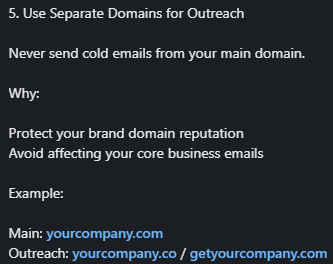
For example, if your main domain is example.com, you might use getexample.com or examplehq.com for outbound. Keep the branding recognizable, but separate the risk.
One inbox sending hundreds of cold emails per day looks unnatural. A safer pattern is to keep volume low per inbox and scale with more inboxes or domains only after the early signals are stable.
As Maya Kaufman of SalesEight recommended, roughly 10 to 20 cold emails per inbox per day. Carlota Araque mentioned 50 to 80 emails per inbox daily in her formula.
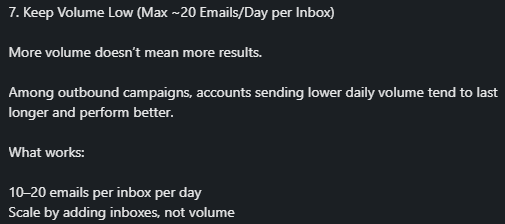
The right number depends on domain age, engagement, list quality, mailbox provider, and your risk tolerance. For cold outbound, start at the conservative end.
New domains and inboxes have no sending history. If you start sending at full volume immediately, providers have little reason to trust you.
Warm-up helps build a more natural pattern before serious outreach begins. Consider warming up your domains for 3-5 weeks for safety.
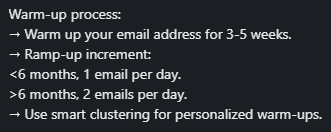
Warm-up is not magic. It cannot fix bad data, misleading copy, or broken authentication. But it can help a new or recovering inbox build enough history to avoid looking like a disposable spam source.
If you use Salesforge for outbound execution, pair it with a deliverability workflow around Warmforge or another deliverability monitoring tool.
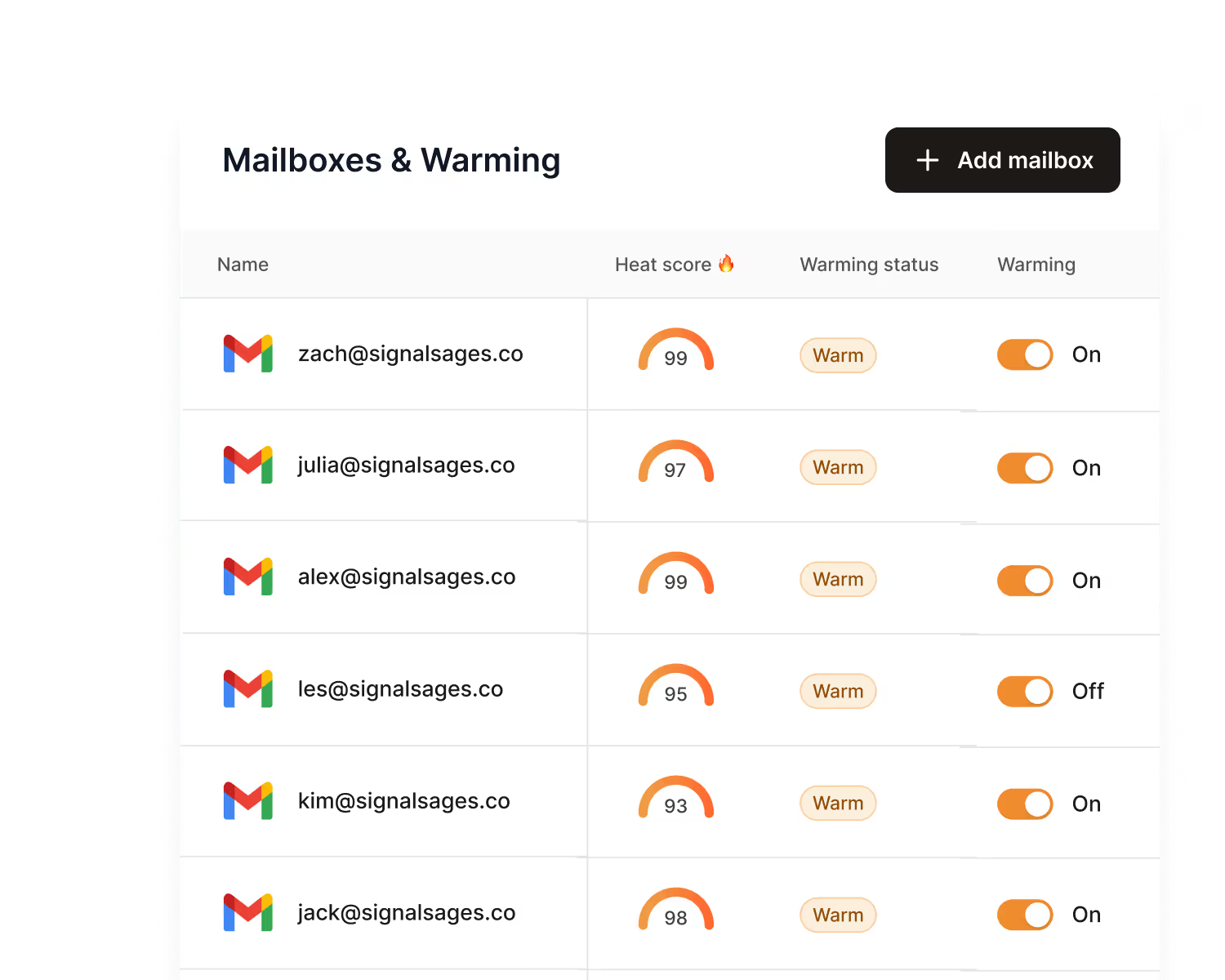
Use warm-up, placement testing, DNS checks, and blacklist checks to catch problems before a big send
Must Read - 5 Tools To Automate Your Sales Workflow in 2026
List quality is one of the biggest deliverability levers because it affects bounces, complaints, engagement, and sender reputation at the same time. A weak list can make a good domain look risky.

Bad data is not only fake email addresses.
It also includes people who did not expect to hear from your brand, role-based inboxes, catch-all domains, contacts who changed jobs, duplicate records, and leads that fit the company but not the buying role.
This is also a sourcing problem, not just a cleaning problem. If the list was built from a low-quality source, no amount of verification fully fixes it.
Leadsforge builds lists from the start with enriched, verified contacts, so you are not spending time cleaning data that should not have been in your pipeline to begin with.
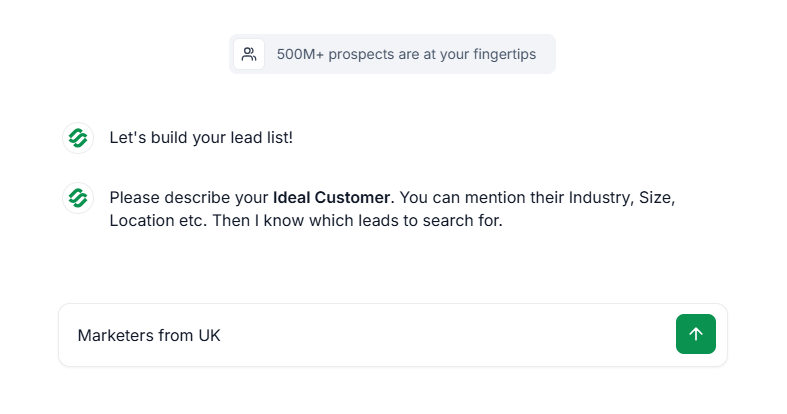
It also lets you qualify leads using intent signals before outreach even starts, which means the contacts you send to are more likely to be the right fit at the right time.
Run email verification before each major campaign. Look for invalid addresses, risky contacts, spam traps, disposable emails, and catch-all domains.
Catch-all addresses are especially tricky because they can pass basic verification but still create bounce risk when you send.
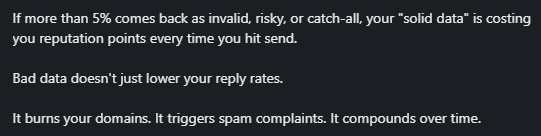
Do not treat verification as a one-time onboarding step. Lists decay. People change roles. Companies shut down inboxes.
One comment in the source document noted that lists that worked in Q1 can drop meaningfully by Q3 because of job changes.
Even if the exact decay rate varies by market, the habit is right: refresh data regularly.
Deliverability improves when you stop sending to people who do not want your emails.
That includes hard bounces, unsubscribes, repeated non-openers, spam complainers, and people whose original opt-in does not match the content you now send.
This is where many teams make the wrong tradeoff. They keep a large list because it looks valuable in a dashboard.
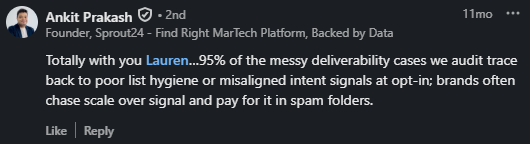
But a smaller engaged list is usually better for inbox placement, reply rates, and revenue.
When deliverability drops, many teams cut total volume and hope the problem goes away.
As Michael Diesue shares, lower volume can help, but it is not the real fix if the wrong people are still receiving the emails.

Start with your highest-intent segment. For a newsletter, that might mean recent openers, recent clickers, customers, trial users, or people who opted into a specific topic.
For outbound, it means verified contacts who match your ICP, buying role, region, company size, and timing signal.
Then expand gradually. If open rates, replies, bounce rates, and spam complaints stay healthy, add the next segment. If metrics drop, pause expansion and tighten the list again.
Basic segmentation is better than no segmentation, but 2026 deliverability needs more than “all leads” and “all subscribers.”
In Salesforge, you can build these segments directly and run separate sequences for each one, so your highest-intent contacts never mix with cold or risky records in the same campaign.
You control the order, the volume, and the timing without jumping between tools to manage it.
Useful segments include:
The goal is simple: send the most important emails to the people most likely to welcome them. That creates better engagement signals, which help future mail land be
Also Read - 5 Best Practices to Improve Sender Reputation
Mailbox providers like patterns they can understand. Sudden spikes, long gaps, and random bursts can look suspicious, especially from newer domains.

This is one reason seasonal senders struggle. If a brand sends heavily for three months and then disappears for the rest of the year, it may need to rebuild sender reputation every season.
The fix is not to send useless emails during the off-season. The fix is to build relevant off-season content for the right segment so the domain stays active and recipients still have a reason to engage.
For outbound, consistency means ramping slowly, spacing sends, and avoiding sudden jumps.
If you go from 10 emails per inbox per day to 100 overnight, the sending pattern becomes the problem, even if the content is fine.
Content is not the only deliverability factor, but it still matters. Spam filters look at links, redirects, attachments, HTML weight, suspicious phrasing, sender reputation, and how recipients respond.
For cold email, the first message should usually aim for a reply, not a click. Heavy tracking links, link shorteners, multiple redirects, and image-heavy signatures can add risk signals.
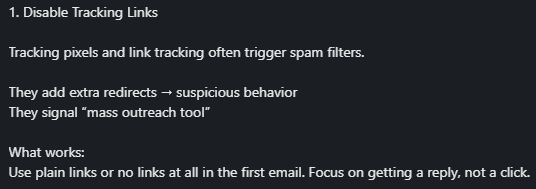
If you need tracking, use a custom tracking domain that is properly configured.
Avoid shared tracking domains that many unrelated senders use, because their reputation can affect your campaigns.
For opted-in email, relevance starts at signup. If someone joined for a specific report, event, discount, or topic, the follow-up emails should match that expectation.
If the content changes, explain the change or ask people to opt in to the new stream.
Lauren Meyer’s example is useful: people who joined a sweepstakes for a free iPad may not want a normal newsletter.

The address may be real, but the intent is weak. Sending full-volume campaigns to that group can hurt engagement and complaints.
Spam words are not the whole story, but risky copy still hurts.
Avoid fake urgency, misleading subject lines, overpromising, excessive punctuation, too many links, and aggressive calls to action.
In outbound, keep the first email short, specific, and easy to reply to.
Personalization should also be real. A generic first-name merge tag is not enough. Mention a relevant trigger, role-specific pain, company context, or reason for reaching out.
This is where most teams fall short, not because they do not know it matters, but because writing this kind of email at volume takes time.
Salesforge builds personalization into each message using signals like company details, role, and recent activity, so the email reads like it took ten minutes to write, not ten seconds.
If you want this handled without a person drafting each one, Agent Frank can write and send these personalized first touches on its own, working from the same data and rules your team would use.
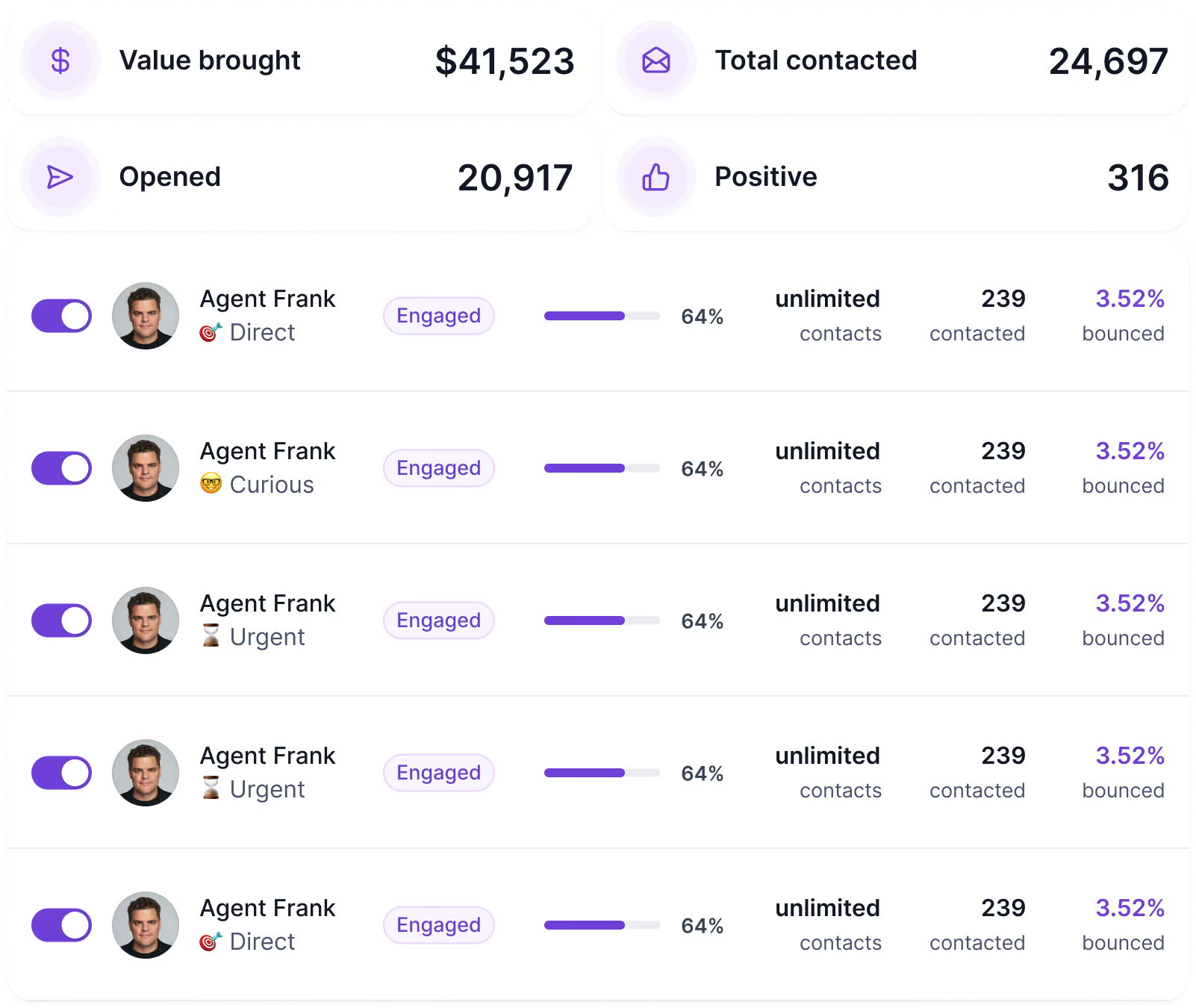
You cannot improve what you only check after revenue drops. Build a weekly deliverability dashboard and review it before scaling campaigns.
Inbox placement deserves special attention because Gmail, Outlook, Yahoo, and smaller providers can behave differently.
A campaign may look fine in one provider and poor in another. Use placement tests before big campaigns, especially when warming new domains or recovering from spam placement.
If you want a single dashboard for all six of these instead of checking each one separately, Warmforge tracks health score, bounce rate, placement, and blocklist status together, with alerts when something needs attention.
If your emails are already going to spam, do not try ten random fixes at once. Follow a controlled recovery plan so you can see what changes actually help.
A contact can be legally obtained and still be a bad deliverability risk.
If the person did not expect your brand to email them, they are more likely to ignore, delete, unsubscribe, or complain.
Full-list sends are tempting because they create bigger numbers in the short term. They also expose your domain to the least engaged people on the list.
Use segmentation and expansion instead.
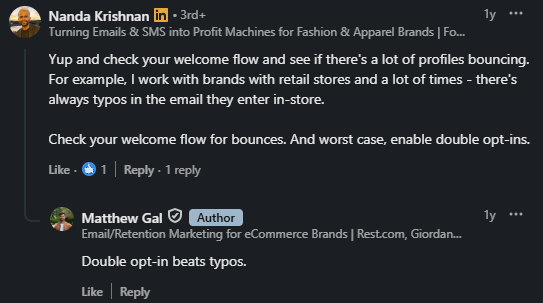
Retail, event, and in-store signup sources often create typos.
One comment in the source document recommended checking welcome-flow bounces and enabling double opt-in when needed.
That is practical advice because bad addresses often appear at the point of collection.
Warm-up supports reputation, but it does not make a poor campaign safe. If your data is weak, your copy is misleading, or your volume is too high, warm-up will not protect you for long.
Do not scale because the calendar says it is time. Scale because inbox placement, bounce rate, complaints, replies, and engagement are stable enough to support the next step.
For outbound teams, deliverability and execution need to work together.
Salesforge helps you run personalized outbound campaigns. Warmforge handles the deliverability side: warm-up, placement testing, monitoring, and inbox health checks.
Warmforge comes free with every Salesforge subscription
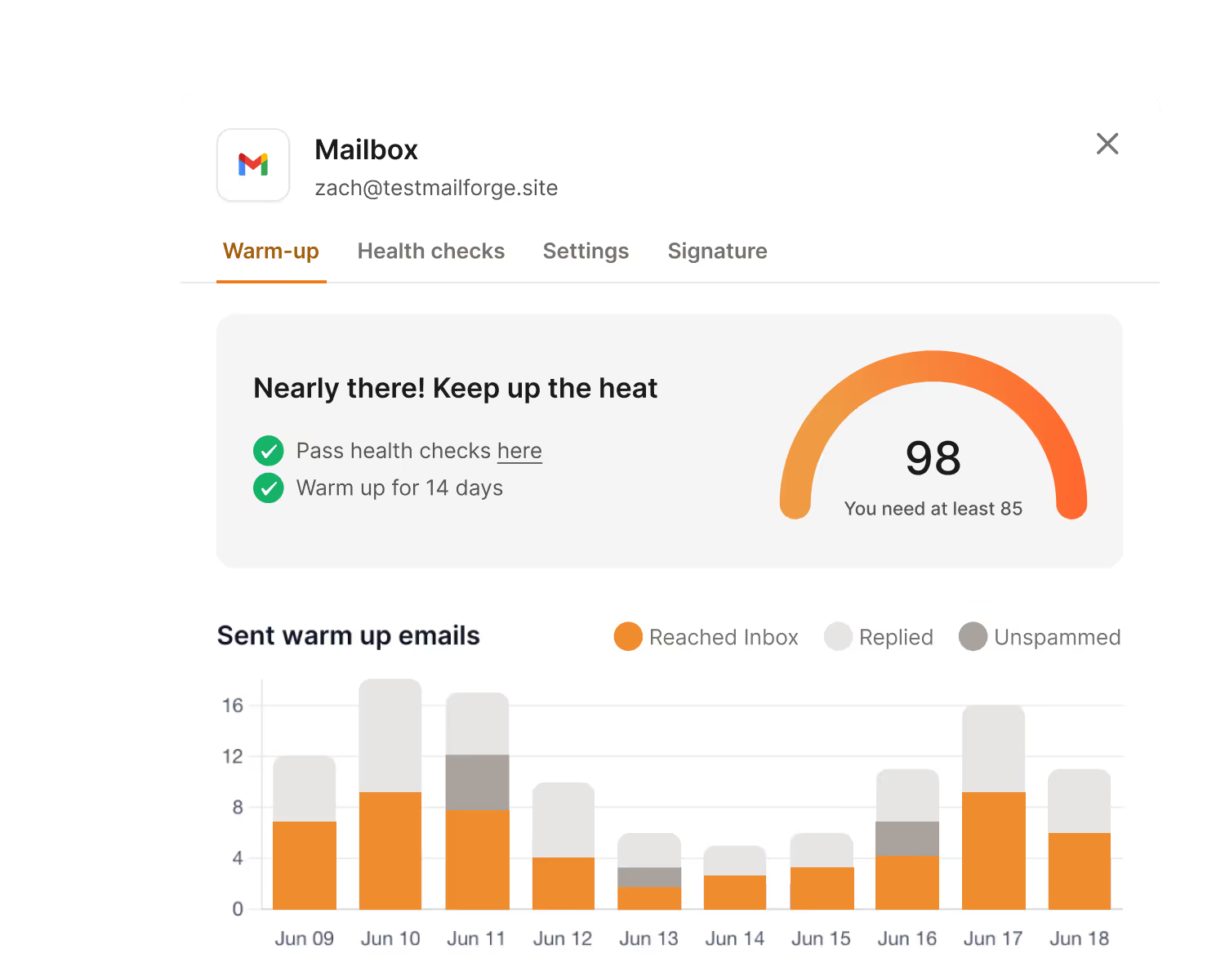
Warm-up runs automatically. It simulates real email behavior, sending, receiving, and replying, across Google and Microsoft inboxes.
I recommend a minimum of two weeks before you start cold outreach. Three to five weeks is safer for new domains.
Once your inboxes warm up, Warmforge tracks a health score for each one, from 0 to 100. Keep this above 97.
If it drops below that, pause your sequences and check your content or infrastructure before sending more.

Bounce rate is another signal worth watching. Stay under 1 percent. Between 2 and 5 percent, treat it as a warning.
Above 5 percent, stop sending and find the source of the problem.
Warmforge also includes one free inbox placement test every month.
This shows exactly where your emails land, inbox, spam, or promotions, across Gmail, Outlook, and Yahoo. Run this before any major campaign or domain migration.
The practical workflow looks like this: use Warmforge to confirm your domains and inboxes are healthy, then use Salesforge to run campaigns once your data, setup, and sending limits check out.
This keeps deliverability from becoming an afterthought after a campaign fails.
Enter your email to get a custom plan & stack recommendation for your business
Please check your mailbox in 5 minutes

Email deliverability improves when your whole sending system becomes more trustworthy.
Authentication proves who you are. Clean data reduces bounces and complaints. Segmentation improves engagement. Warm-up builds history. Consistent sending avoids suspicious spikes. Monitoring catches problems before they become expensive.
Do not chase tricks. Build trust with mailbox providers and recipients at the same time. That is the durable path to better email deliverability in 2026.
If you want to check where your domains stand right now, start with a free Warmforge account.
You get automated warm-up, a health score for every mailbox, and one free inbox placement test each month, so you know your infrastructure is ready before you send a single campaign.