When I started testing different cold email tools, one problem kept showing up again and again: new inboxes struggling with deliverability.
Most email providers don’t trust a new sender right away.
If you start sending outreach too quickly, your emails can easily land in spam.
That’s why I looked closely at different cold email warmup services.
Below, I’m sharing the 10 Best Email Warmup Service tools I reviewed, along with their key features, pricing, and pros and cons, so you can see which one fits your B2B outreach setup.
Works only with Google Workspace and Microsoft 365 mailboxes.
Personalized Outbound Strategy
Get The Right Outbound Strategy In Minutes
Enter your email to get a custom plan & stack recommendation for your
business
It's being carefully crafted by AI
Please check your mailbox in 5 minutes
2. Warmup Inbox
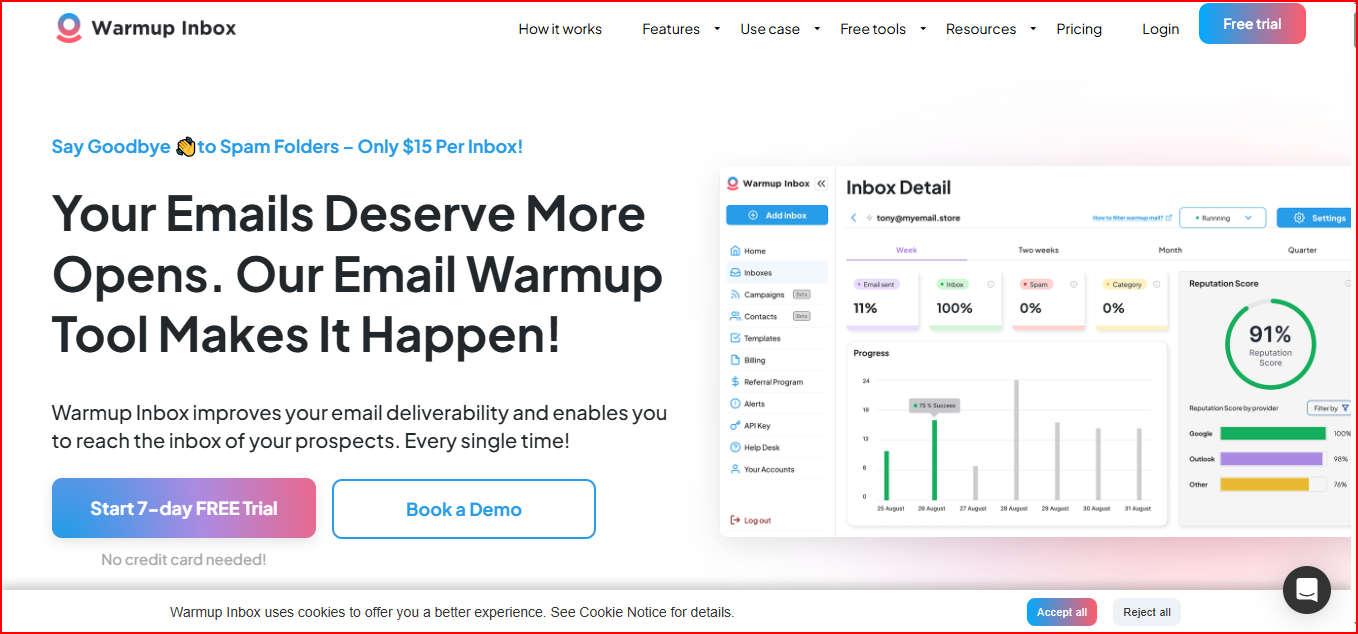
Warmup Inbox is an email warmup tool that helps prepare your inbox before running cold email campaigns.
This image shows the Warmup Inbox
After you connect your email account, the tool starts sending and replying to emails automatically through its network of real inboxes.
These inboxes open messages, reply to them, and move them out of spam when needed.
This activity helps email providers see your inbox as a normal sender.
Inside the platform, you can also monitor inbox placement and sender reputation.
The dashboard shows reports and recommendations so you can keep your inbox in good condition.
Warmup Inbox works with several email service providers like Gmail, Outlook, Zoho, SendGrid, and others, so you can connect your inbox and start the warmup process quickly.
Key Features
Automatically sends and replies to emails to create regular inbox activity.
Uses a network of more than 30,000 real inboxes for warm-up interactions.
Provides spam and category monitoring to track where emails land.
Shows email reputation reports and dashboards to monitor sender health.
Supports multiple ESPs, including Gmail, Outlook, Zoho, and SendGrid.
Generates human-like AI email content for warm-up activity.
Includes language warmup so warmup emails can run in different languages.
Pricing
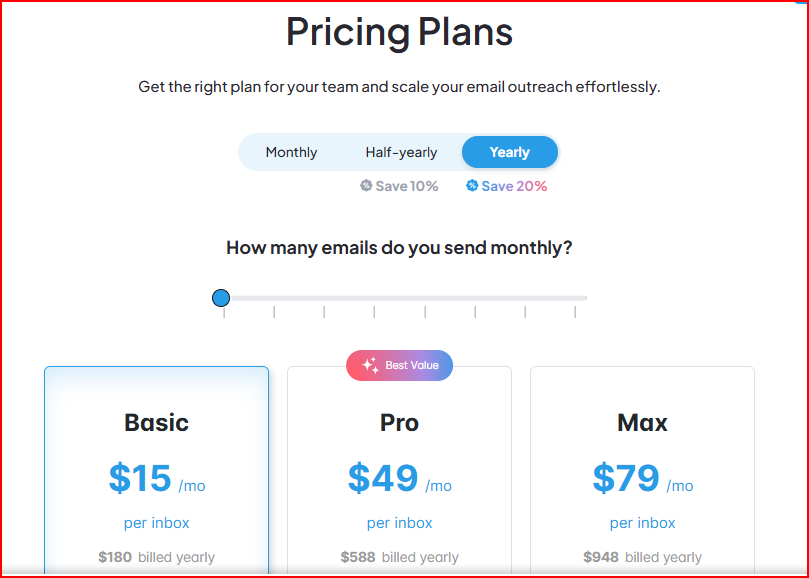
Warmup Inbox offers three pricing plans based on the number of warmup messages per day.
This image shows the Warmup Inbox pricing
Basic - $15 per inbox/month
Includes 75 warmup messages per day, spam and category monitoring, email reputation checks, dashboards, human-like AI-generated content, API access, and chat support.
Pro - $49 per inbox/month
Includes 250 warmup messages per day, plus language warmup, custom templates, custom warmup settings, scheduled warmup, specific ESP warmup, and priority support.
Max - $79 per inbox/month
Includes 1000 warmup messages per day, up to 50% reply rate, technical setup check, unlimited developer API access, premium support, and early access to new features.
Pros
Helps new or inactive inboxes build sender reputation gradually before you start outreach.
Makes it easier to see whether your emails land in inbox, spam, or promotions.
Allows you to warm up inboxes across different email providers like Gmail, Outlook, Zoho, and SendGrid.
Lets you test inbox placement using the spam checker before running campaigns.
Makes it easier to increase warmup activity when sending larger volumes of emails.
Cons
The Basic plan allows only 75 warmup messages per day, which may limit higher sending volumes.
Some useful options like language warmup and custom warmup settings are only available in higher plans.
3. lemwarm
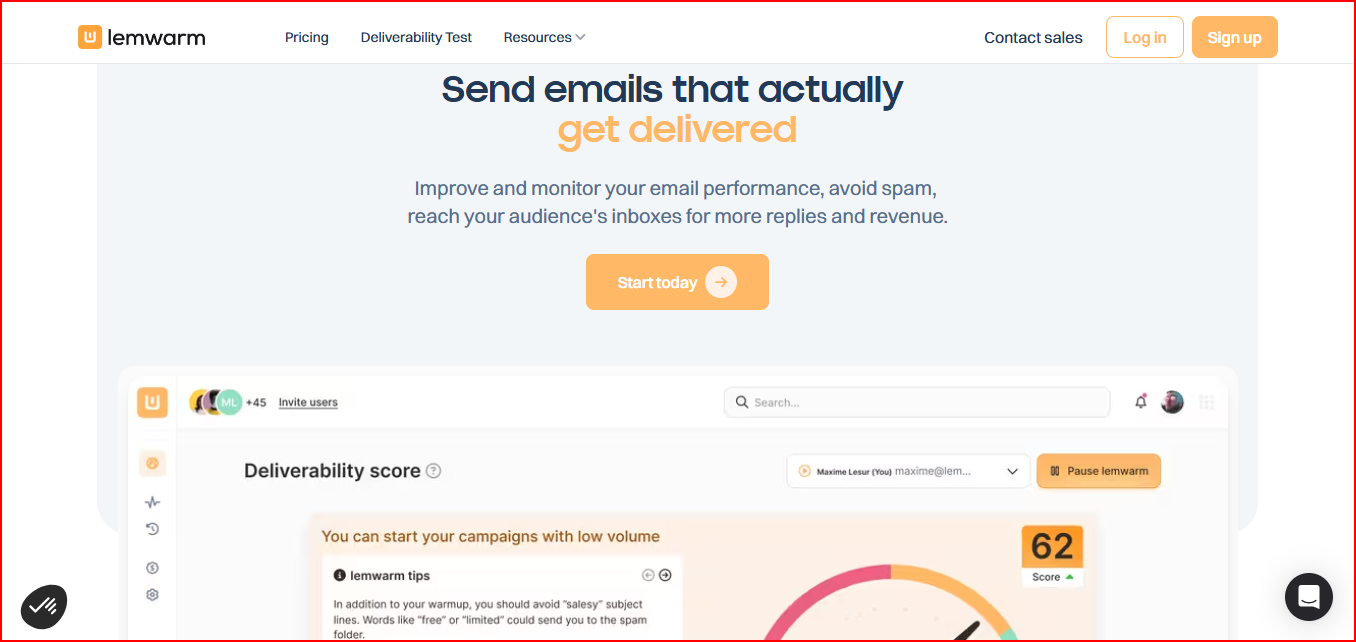
lemwarm is an email warmup and deliverability tool that helps improve your chances of landing in the inbox.
This image shows the Lemwarm pricing
Once you connect your email account, Lemwarm starts sending automated warm-up emails through its network.
These emails interact with other inboxes to create normal sending activity.
The tool also helps you monitor deliverability and detect spam risks.
It checks your sending behavior, email content, and technical setup to highlight things that could affect your campaigns.
lemwarm uses a large network of healthy domains for warmup interactions.
This helps build domain reputation gradually before you start running outreach campaigns.
Inside the dashboard, you can also receive deliverability alerts, reports, and tips about email content, sending patterns, and overall performance.
Key Features
Automatic email warm-up that gradually builds sender reputation.
Uses a large warm-up network of healthy domains for email interactions.
Provides deliverability monitoring and alerts to detect spam risks.
Offers technical setup checks to review your email configuration.
Provides deliverability reports and daily insights about email performance.
Allows you to warm up your real email templates in higher plans.
Offers a warm-up network tailored to your industry in advanced plans.
Pricing
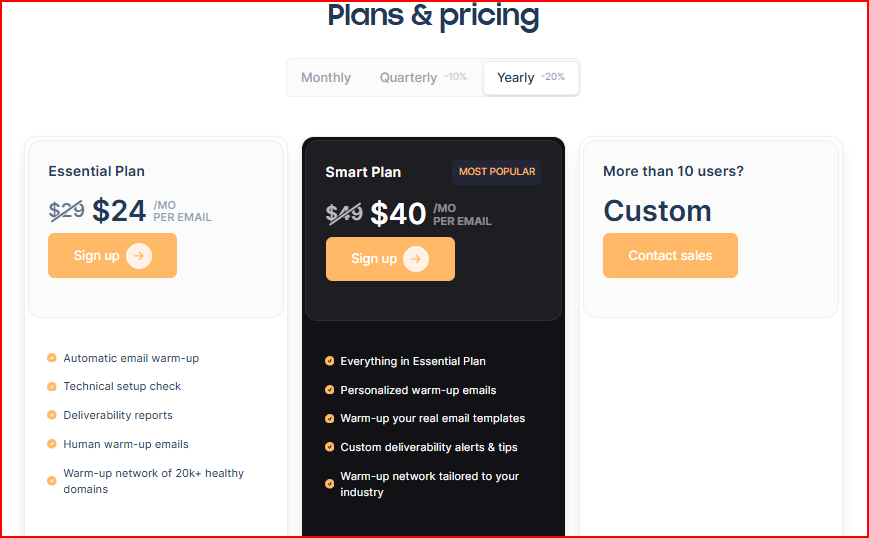
lemwarm offers two main plans based on the features included per email account.
This image shows the Lemwarm pricing
Essential - $29/month per email ($24/month billed yearly)
Includes automatic email warmup, technical setup check, deliverability reports, human warm-up emails, and access to a network of 20,000+ healthy domains.
Smart - $49/month per email ($40/month billed yearly)
Includes everything in Essential, plus personalized warm-up emails, warm-up of real email templates, custom deliverability alerts and tips, and an industry-tailored warm-up network.
Custom
Available for teams with more than 10 users with custom pricing.
Pros
Helps gradually build domain reputation before starting cold email campaigns.
Helps you monitor deliverability and detect spam risks early.
Provides technical setup checks, which can help identify configuration issues.
Gives daily insights and reports about email performance.
Lets you warm up real outreach templates in higher plans.
Cons
Pricing is charged per email, which can increase costs for larger teams.
Some useful options like template warmup and personalized warmup emails are only available in higher plans.
4. MailReach
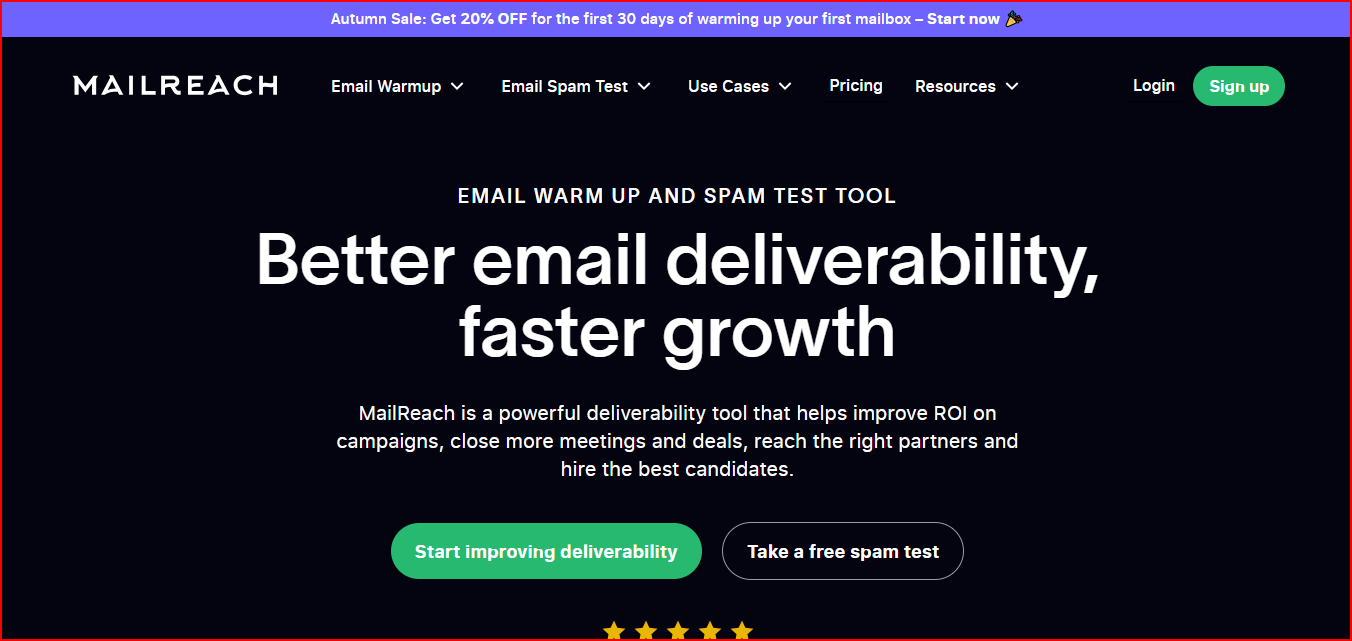
MailReach is an email warmup and spam testing tool designed to improve email deliverability.
This image shows th Mailreach homepage
After you connect your email account, MailReach starts warming it up through positive interactions with a network of high-reputation accounts.
These interactions help raise and maintain the sender's reputation of your email address.
The platform also includes an email spam test tool.
This allows you to check inbox placement and track whether your emails land in the inbox or spam.
MailReach focuses mainly on email deliverability and inbox placement rather than campaign management.
The goal is to help emails reach the inbox more consistently.
MailReach works with any email provider that supports SMTP, including Gmail, Outlook, Zoho, Mailgun, SendGrid, Amazon SES, and others.
Key Features
Automated email warmup that creates positive interactions with high-reputation accounts.
Includes an email spam test tool to check inbox placement.
Allows manual or automated spam testing at your chosen frequency.
Helps monitor sender reputation and deliverability performance.
Works with any email provider that supports SMTP.
Pricing
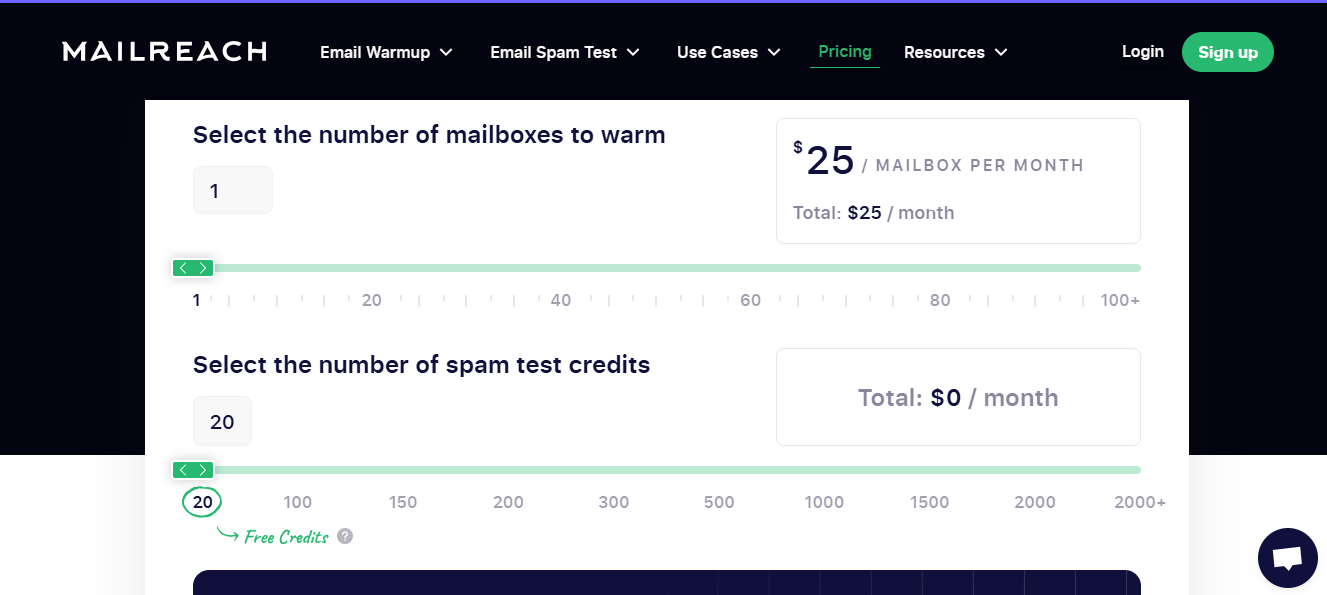
MailReach pricing starts at $25 per mailbox per month.
The price per mailbox decreases as you add more mailboxes.
This image shows the Mailreach pricing
All-In-One - Starting at $25 per mailbox/month
Includes automated email warmup, 20 spam test credits, and smart AI warming algorithm.
It also includes MailReach AI deliverability assistant, warmup across multiple ESPs like Google and Outlook, up to 100 warmup emails per day, domain and inbox health checks, and a reputation tracking dashboard.
Custom
Available for agencies or larger teams that need flexible pricing based on the number of mailboxes.
Pros
Works with many email providers that support SMTP, making it flexible for different setups.
Helps restore sender reputation if emails are already landing in spam.
Focuses mainly on deliverability and inbox placement rather than combining many unrelated features.
Cons
The tool focuses mainly on deliverability and warmup, so you may still need other tools to run campaigns.
5. Mailwarm
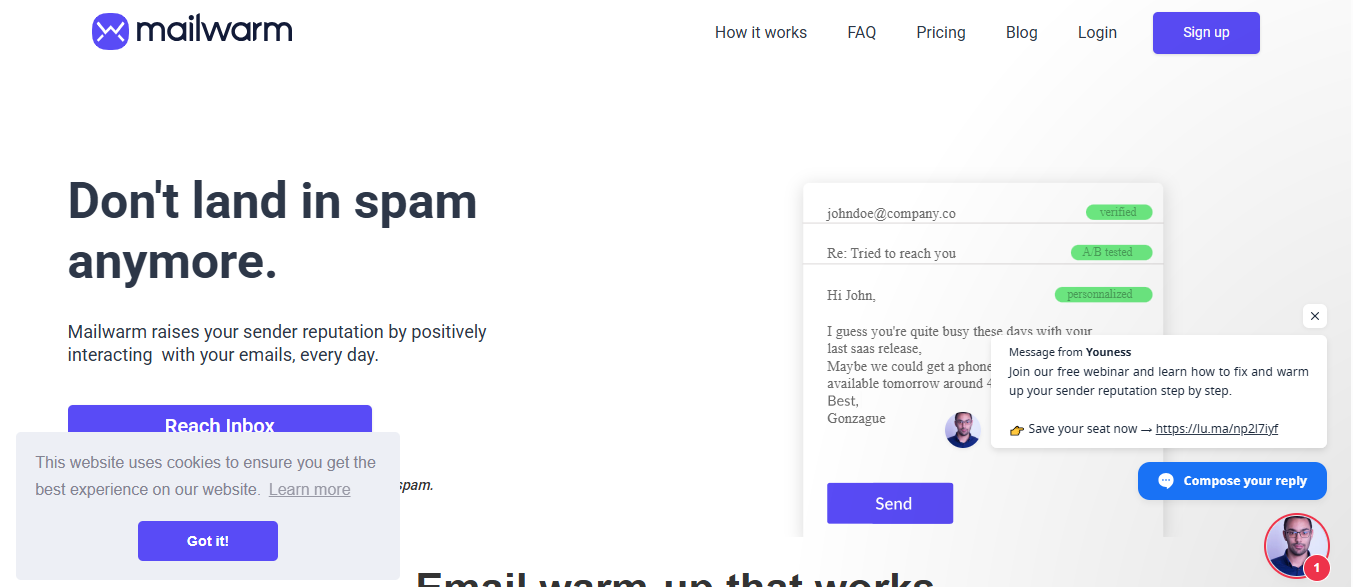
Mailwarm is an email warmup tool that helps improve sender reputation and email deliverability.
This image shows the Mailwarm homepage
After you connect your email account, Mailwarm starts sending emails to its network of accounts.
These emails receive replies, get opened, and are marked as important.
This activity sends positive signals to email providers.
Mailwarm runs this activity daily based on your schedule.
The goal is to create consistent email activity so your inbox builds trust with spam filters.
Inside the dashboard, you can monitor daily warmup activity and adjust the warmup intensity if needed.
You can also pause the warmup anytime.
Mailwarm works with many email providers, including Gmail, Outlook, Yahoo, Zoho, SendGrid, Mailgun, AWS, and other SMTP-based platforms.
Key Features
Automated email warmup that sends emails and receives replies from a network of accounts.
Uses more than 50,000 accounts for warm-up interactions.
Shows live inbox vs spam placement tracking.
Provides real-time monitoring of inbox placement for each mailbox.
Allows you to adjust warmup intensity or pause warmup from the dashboard.
Works with multiple email providers, including Gmail, Outlook, Yahoo, Zoho, and SMTP-based platforms.
Pricing
Mailwarm offers four pricing plans based on the number of accounts and daily warmup emails.
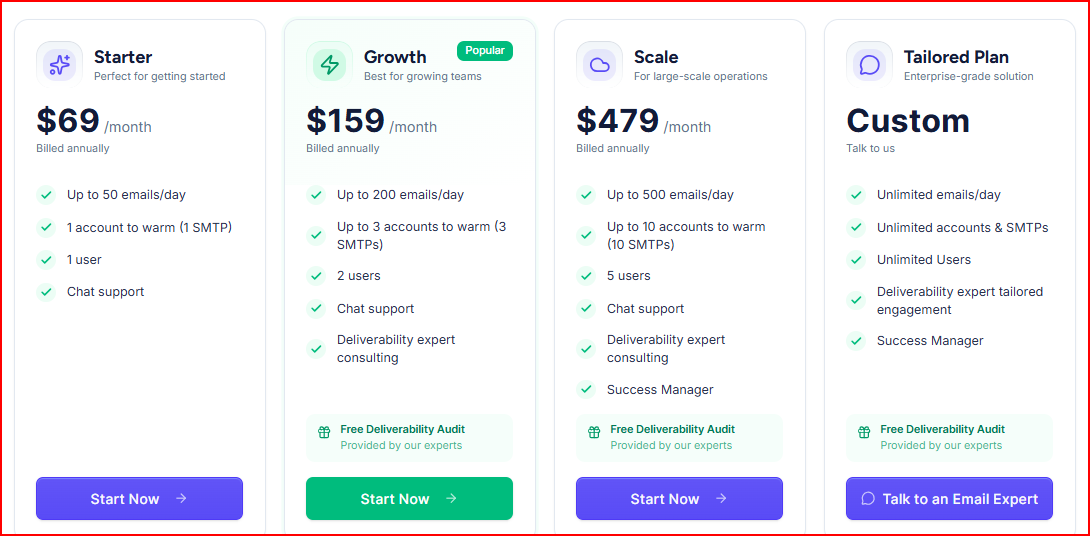
This image shows the Mailwwarm pricing
Starter - $69/month (billed annually)
Includes up to 50 warmup emails per day, 1 account (1 SMTP), 1 user, and chat support.
Growth - $159/month (billed annually)
Includes up to 200 warmup emails per day, up to 3 accounts (3 SMTPs), 2 users, chat support, and deliverability expert consulting with a free deliverability audit.
Scale - $479/month (billed annually)
Includes up to 500 warmup emails per day, up to 10 accounts (10 SMTPs), 5 users, chat support, deliverability consulting, success manager, and a free deliverability audit.
Tailored Plan - Custom Pricing
Includes unlimited emails per day, unlimited accounts and SMTPs, unlimited users, deliverability consulting, success manager, and a free deliverability audit.
Pros
Helps build sender reputation through regular email interactions.
Shows live inbox vs spam placement, so you can see where emails land.
Works with many email providers and SMTP platforms, making it flexible for different setups.
Allows you to control warmup activity from the dashboard.
Creates daily email activity automatically, so you don’t need to manage warmup manually.
Cons
The Starter plan allows only 50 warmup emails per day, which can be limiting if you plan to scale outreach.
Pricing starts at $69 per month for one inbox, which can become expensive when warming multiple mailboxes.
6. Warmy.io
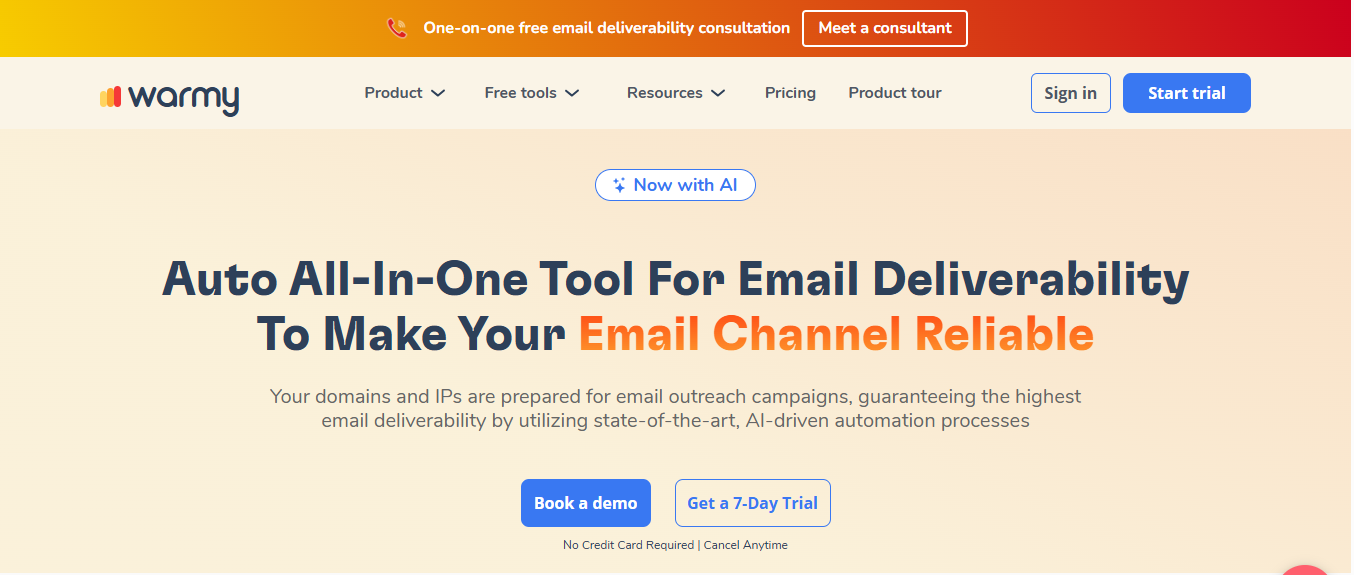
Warmy.io is an email deliverability and warmup platform that helps prepare your domains and inboxes before running outreach campaigns.
This image shows the Warmy.io homepage
Once connected, Warmy automatically runs email warmup activity and deliverability monitoring from a single dashboard.
The platform uses AI-driven automation to improve email reputation and help emails reach the inbox instead of spam.
Warmy also provides real-time deliverability insights.
You can see where emails land, check domain reputation, and review DNS configuration.
The platform integrates with Google Postmaster, allowing you to monitor sender reputation and spam rates directly inside the dashboard.
Warmy works with major email providers, including Gmail, Outlook, Yahoo, and other email services.
Key Features
Automated email warmup that prepares domains and inboxes for outreach.
Uses AI-driven automation to optimize deliverability activity.
Provides real-time inbox placement insights across inbox, spam, and promotions.
Integrates with Google Postmaster for reputation monitoring.
Includes email verification and seed list testing.
Offers a team dashboard to manage deliverability across multiple domains.
Pricing
Warmy offers custom pricing based on your sending needs and mailbox volume.
B2B Sender – Designed for warming domains used for business email providers like Google Workspace and Microsoft 365.
B2C Sender – Designed for warming domains used for consumer providers like Gmail, Yahoo, and Outlook.
Custom Plan – Tailored plans with dedicated deliverability support and customer success management.
Pros
Helps monitor deliverability performance from a single dashboard.
Shows real-time inbox placement insights, so you can see where emails land.
Uses AI-driven automation to manage warmup activity.
Integrates with Google Postmaster, helping track sender reputation.
Includes deliverability insights and monitoring tools to help identify issues.
Cons
Pricing is not publicly listed, so you need to contact the team to estimate costs.
Plans are customized, which makes it harder to compare pricing with other tools.
Setup may involve consultation with a deliverability expert, which can add extra steps before starting.
7. Warmbox
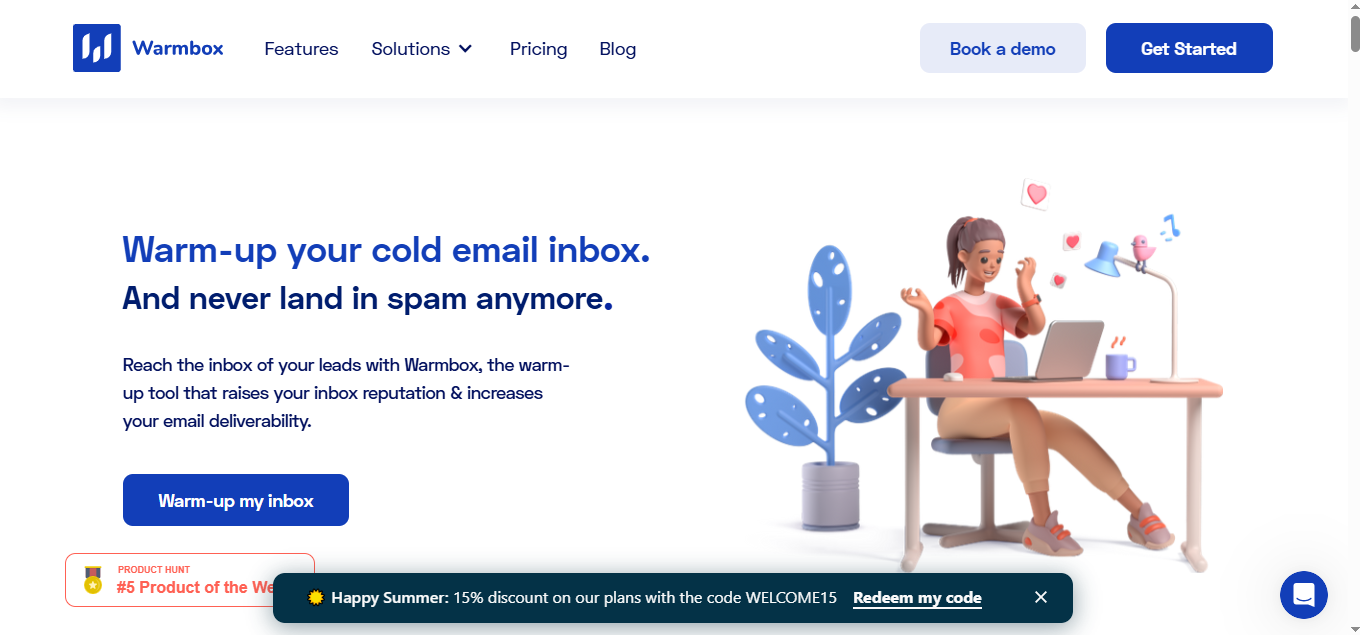
Warmbox is an email warm-up tool that helps improve sender reputation before running cold email campaigns.
This image shows the Warmbox homepage
After you connect your inbox, Warmbox automatically sends emails and creates interactions with its network of inboxes.
These emails get opened, replied to, and sometimes moved out of spam to create positive engagement signals.
The tool uses a network of more than 35,000 inboxes from different email providers.
This activity helps increase the reputation of your email address and improve deliverability.
Warmbox also provides a dashboard with reports and monitoring tools.
You can track warmup activity and monitor your inbox reputation over time.
Warmbox works with many email providers, including Gmail, Outlook, Yahoo, Zoho, SendGrid, Mailgun, Amazon SES, and other SMTP-based inboxes.
Key Features
Automated email warmup that sends emails and creates interactions automatically.
Uses a network of 35,000+ inboxes for warm-up activity.
Creates human-like email interactions, including replies and marking emails as important.
Provides deliverability reports and monitoring through a dashboard.
Includes DNS and blacklist checking tools.
Allows custom warmup settings and schedules.
Pricing
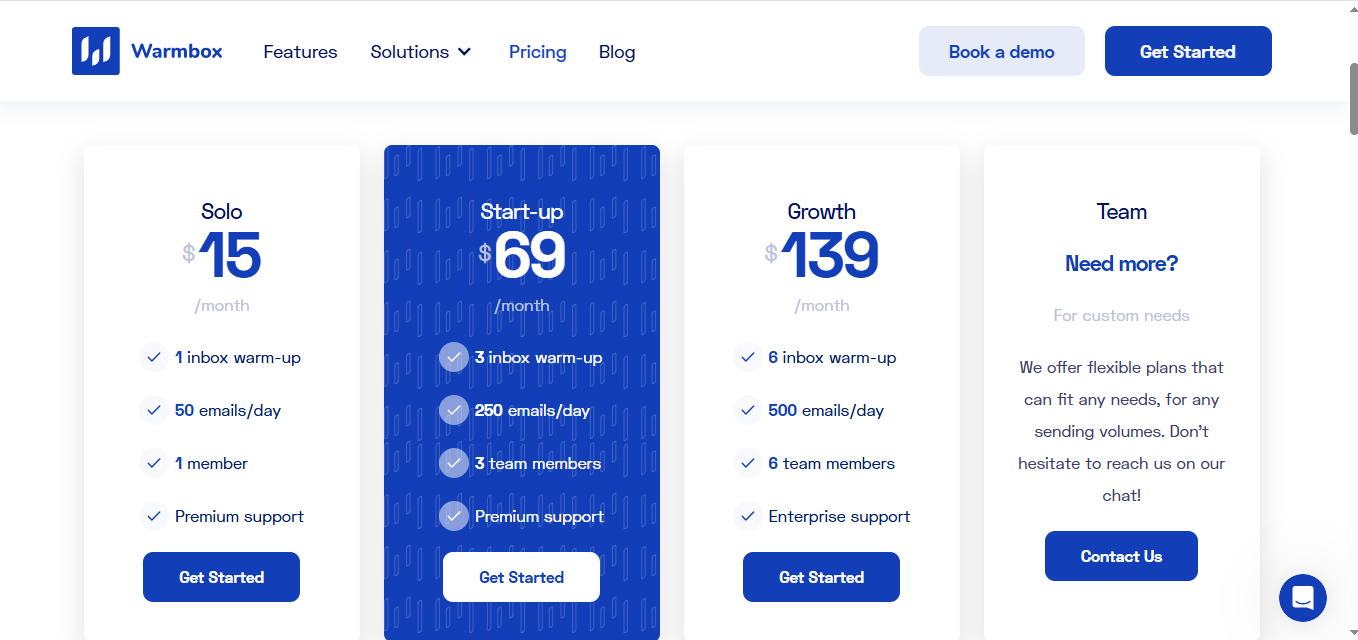
Warmbox offers 4 pricing plans based on the number of inboxes and daily warmup activity.
This image shows the Warmbox pricing
Solo - $15/month
Includes 1 inbox warmup, 50 emails per day, and 1 team member.
Start-up - $69/month
Includes 3 inbox warmups, 250 emails per day, and 3 team members.
Growth - $139/month
Includes 6 inbox warmups, 500 emails per day, and 6 team members.
Team - Custom pricing
Custom plans for higher sending volumes and larger teams.
Pros
Helps build sender reputation by creating regular email interactions.
Uses a large network of inboxes, which helps generate warmup activity.
Supports many email providers and SMTP platforms, making it flexible for different setups.
Lets you customize warmup schedules and activity levels.
Provides reports and monitoring, so you can track inbox reputation.
Cons
The Solo plan allows only 50 warmup emails per day, which may limit larger sending setups.
Higher warmup capacity requires upgrading to more expensive plans.
The tool focuses mainly on email warmup, so you may still need other tools to run outreach campaigns.
8. TrulyInbox
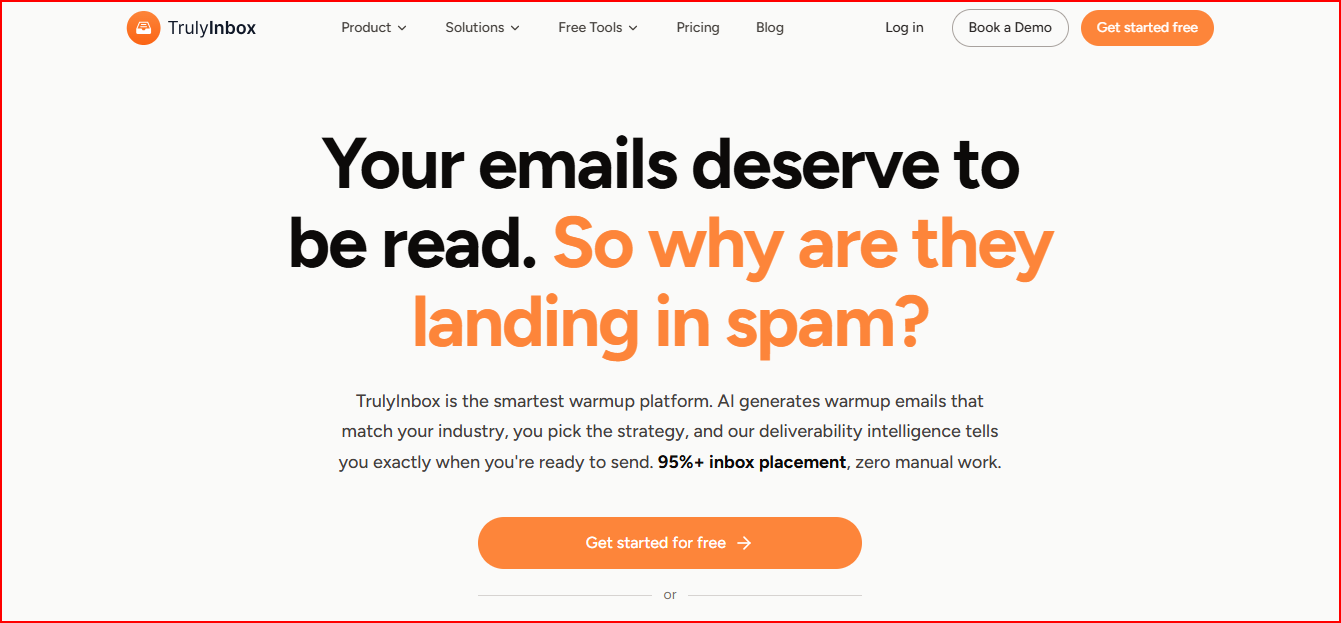
TrulyInbox is an AI-powered email warmup platform that helps improve email deliverability before running cold outreach.
This image shows the TrulyInbox homepage
Once you connect your email account, the platform automatically runs warmup activity using AI-generated emails that match your industry and outreach style.
These emails interact with a network of real accounts to build sender reputation.
TrulyInbox also provides deliverability intelligence.
You can track inbox placement, view a deliverability score, and see an outreach readiness indicator that shows when your inbox is ready for campaigns.
The tool uses a network of more than 40,000 real accounts and supports major providers like Gmail, Outlook, Yahoo, Zoho, SendGrid, Amazon SES, and SMTP-based inboxes.
Key Features
AI-generated warmup emails that match your industry and outreach style.
Uses a network of 40,000+ real accounts for warm-up interactions.
Provides deliverability score and outreach readiness indicators.
Shows ESP-level inbox placement analytics.
Supports multiple warmup strategies such as progressive, random, and flat.
Includes account health monitoring for SPF, DKIM, and DMARC checks.
Pricing
TrulyInbox offers four pricing options based on warmup volume.
Free Plan
Free for 1 account with 10 warmup emails per day and basic deliverability tracking.
Starter - $22/month (billed annually)
Includes 200 warmup emails per day, unlimited accounts, AI warmup emails, and all warmup strategies.
Growth - $59/month (billed annually)
Includes 1,000 warmup emails per day, ESP-level analytics, and customizable reply rates.
Scale - $142/month (billed annually)
Includes 3,000 warmup emails per day, advanced warmup settings, and higher reply rate customization.
Pros
Helps generate warmup emails that match your real outreach style using AI.
Shows a deliverability score and readiness indicator, so you know when to start sending campaigns.
Uses a large network of real accounts to create warm-up interactions.
Supports multiple warmup strategies, giving control over how warmup runs.
Includes a free plan, which allows testing before upgrading.
Cons
The free plan is limited to 10 warmup emails per day.
Higher warmup limits require upgrading to paid plans.
Some advanced controls, like higher reply rates and advanced warmup settings, are available only in higher plans.
9. Folderly
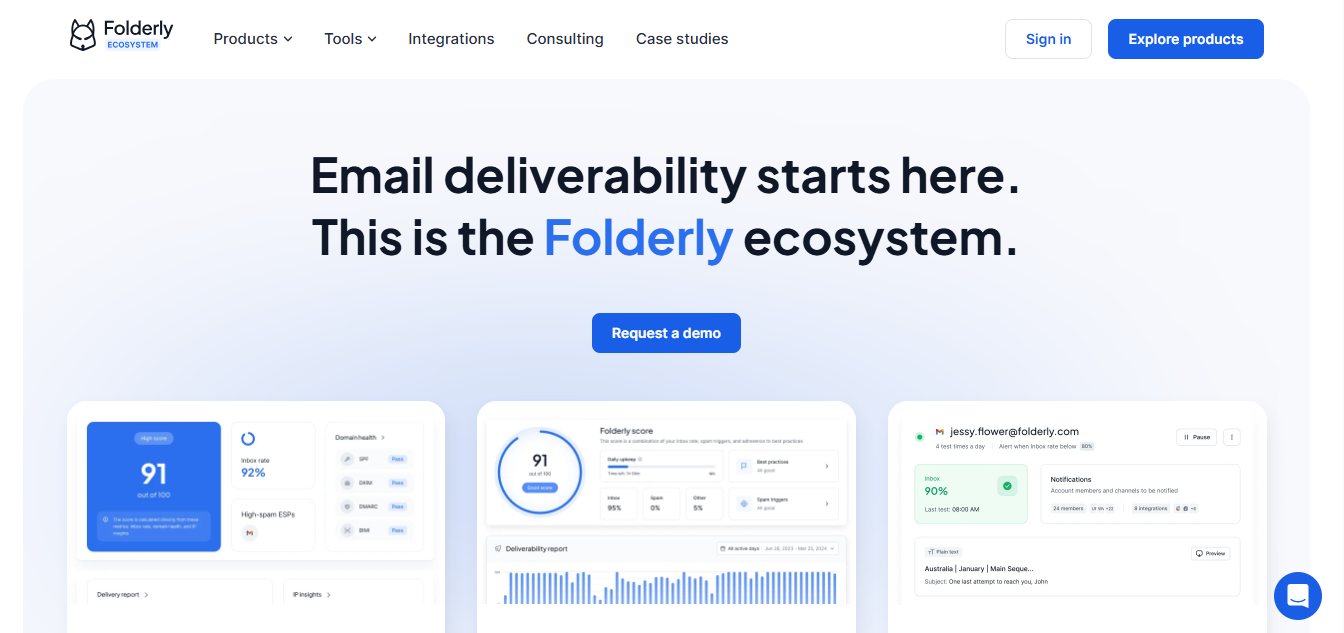
Folderly is an email deliverability platform that helps improve inbox placement and monitor email reputation.
This image shows the Folderly homepage
The platform focuses on analyzing, fixing, and monitoring deliverability issues.
It checks where emails land, reviews DNS records, and analyzes email content to detect spam triggers.
Folderly also provides daily monitoring and AI insights to track sender reputation.
The system alerts you when something affects deliverability and suggests ways to improve email performance.
The platform integrates with major email service providers through API and SMTP, allowing teams to monitor mailbox health and email placement from one dashboard.
Key Features
Automated email warmup designed to improve sender reputation.
Provides inbox placement insights to see where emails land.
Detects spam triggers in email content and technical setup.
Includes DNS record checks and setup support.
Provides AI insights and deliverability monitoring.
Offers real-time alerts when emails land in spam.
Pricing
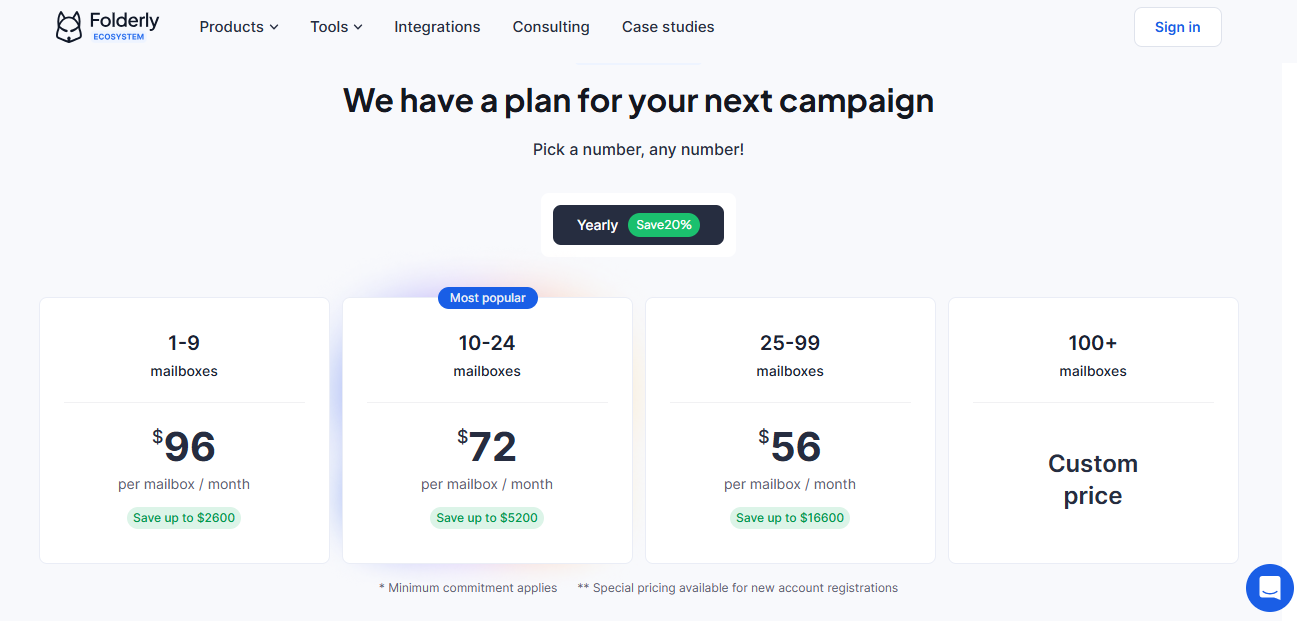
Folderly pricing depends on the number of mailboxes being monitored or warmed up.
This image shows the Folderly pricing
1–9 Mailboxes - $96 per mailbox/month
Includes email warmup, inbox placement insights, DNS and content analysis, deliverability monitoring, and alerts.
10–24 Mailboxes - $72 per mailbox/month
Includes the same deliverability monitoring and warmup features, with a lower price per mailbox as volume increases.
25–99 Mailboxes - $56 per mailbox/month
Designed for larger outreach setups, with the same platform features at a reduced price per mailbox.
100+ Mailboxes - Custom pricing
Custom plans for large teams and agencies with high mailbox volume.
Pros
Helps identify why emails land in spam through deliverability analysis.
Provides daily monitoring and alerts, so you can detect problems early.
Analyzes DNS setup and email content, helping find technical issues.
Supports integration with many ESPs through API and SMTP.
Offers AI insights and recommendations to improve deliverability.
Cons
Pricing starts at $96 per mailbox/month, which is higher than many basic warmup tools.
Minimum mailbox commitment may apply, which can increase starting costs for small teams.
Getting the most value from the platform may require understanding deliverability data and insights, which can take time for beginners.
10. Mailivery
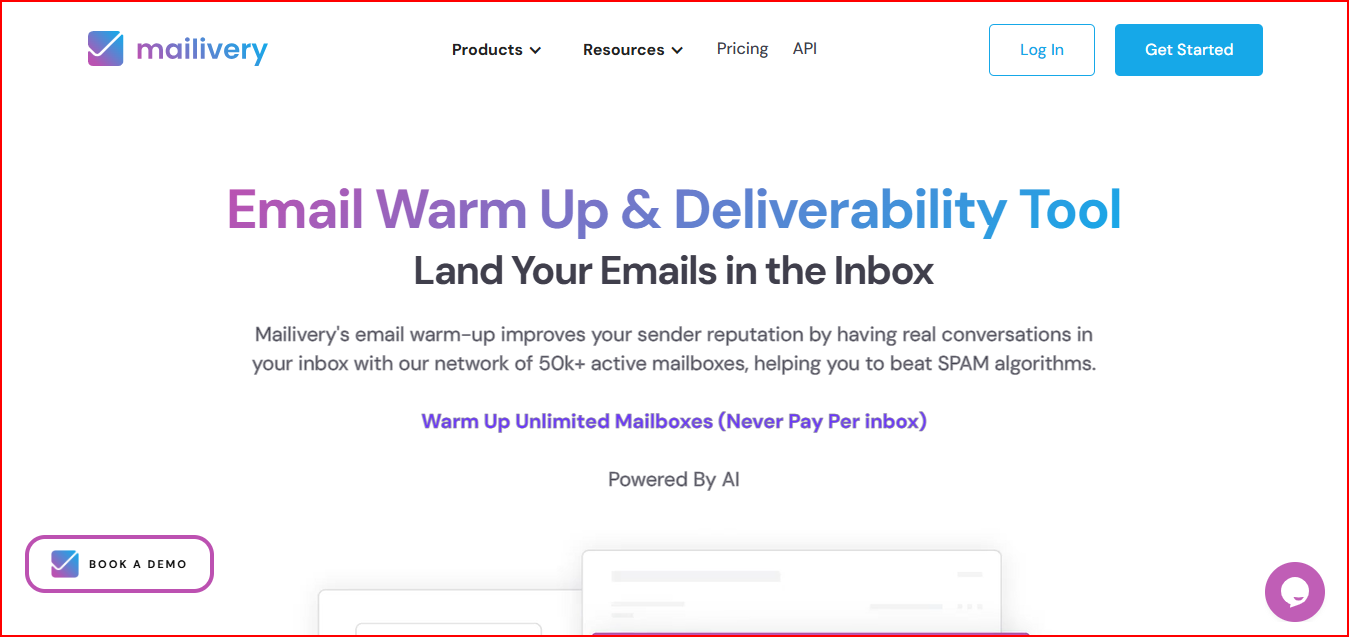
Mailivery is an email warmup and deliverability tool designed to improve sender reputation before running cold email campaigns.
This image shows the Mailvery homepage
After you connect your mailbox, Mailivery starts sending and replying to emails through its peer-to-peer network of active mailboxes.
These interactions help create natural engagement signals that email providers use to evaluate sender reputation.
The platform also provides spam and reputation analytics.
You can track how many emails land in spam, monitor blacklist status, and view recommendations to improve deliverability.
Mailivery runs all warmup activity in the background, so it does not interfere with your normal inbox usage.
Another key feature is that Mailivery allows you to warm up unlimited mailboxes under one account, with limits based on total daily warmup volume.
Key Features
Automated email warmup using AI and peer-to-peer email interactions.
Allows unlimited mailboxes under one account.
Provides spam and reputation analytics dashboards.
Includes blacklist monitoring across 70+ blacklists.
Allows custom warmup volume and sending behavior settings.
Supports team management and API access for larger teams.
Pricing
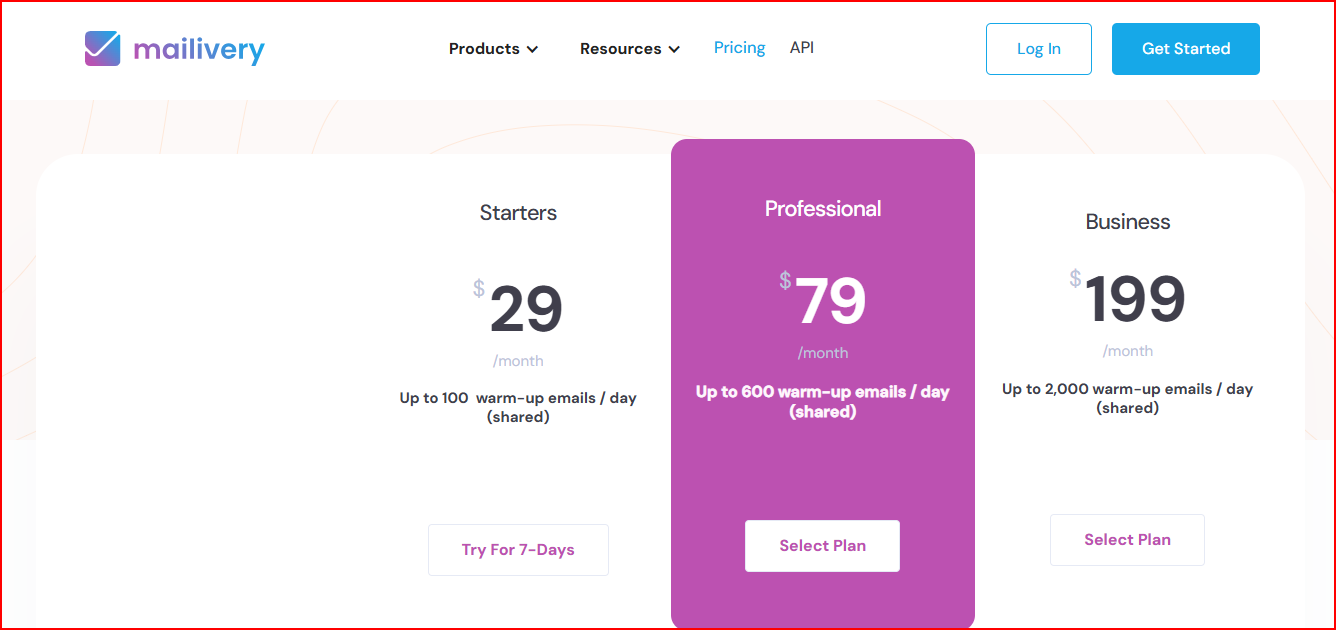
Mailivery offers three main plans based on total daily warmup volume.
All plans include unlimited mailboxes.
This image shows the Mailvery pricing
Starter - $29/month
Includes 200 warmup emails per day (shared), unlimited mailboxes, 2 blacklist monitors, 100 email verification credits, and 2 team users.
Professional - $79/month
Includes 800 warmup emails per day (shared), unlimited mailboxes, 10 blacklist monitors, 500 verification credits, and 4 team users.
Business - $199/month
Includes 2,500 warmup emails per day (shared), unlimited mailboxes, 50 blacklist monitors, 2,000 verification credits, and 10 team users.
Pros
Allows you to warm up unlimited mailboxes under one account, instead of paying per inbox.
Helps monitor spam placement and sender reputation with analytics dashboards.