

Personalized Outbound Strategy
Get The Right Outbound Strategy In Minutes
Enter your email to get a custom plan & stack recommendation for your business
It's being carefully crafted by AI
Please check your mailbox in 5 minutes
I recently came across a situation that might feel familiar. I attended an event in Europe where I met an agency owner. He complained that his cold email messages are landing in Spam.

He was clueless; he said he did everything fine. The emails were simple, the conversations were ongoing, and nothing seemed wrong.
Still, they were landing in spam, and he couldn’t understand why.
If you’ve seen something like this, you know how frustrating it is. The email looks normal, it gets sent, but it never reaches the inbox. The reason is not always in the message itself.
Email providers like Gmail and Outlook look at more than just content. They evaluate things like your sending behavior, domain reputation, and how your emails perform over time.
If these signals are off, even normal emails can end up in spam.
In this guide, I’ll break down 12 real reasons why your emails are landing in spam and show you simple ways to fix each one, so your emails actually reach where they’re supposed to.
If your emails are going to spam, it’s usually not because of one single issue.
It’s a combination of signals that email providers like Gmail and Outlook use to decide where your email should go.
Here are the most common reasons:
When these signals don’t look right, your emails don’t reach the inbox, even if the message itself is completely normal.
The important thing to understand is this: Spam is not triggered by one mistake. It happens when multiple small issues add up.
That’s why fixing just one thing doesn’t solve the problem. You need to fix the system behind how your emails are being sent.
In the next section, I’ll break down exactly how spam filters work, so you can understand what’s really happening behind the scenes.
Spam filters don’t read your email like a human and decide. Email providers like Gmail and Outlook are trying to answer one thing:
“Can this sender be trusted to land in the inbox?”
To decide that, they run a few checks in seconds and assign a trust score.
They first verify who you are.
If identity is weak, your emails start with a low score and trigger spam.
They look at your track record.
A new domain or damaged history means your emails are treated with caution from the start.
They analyze how you send emails.

If your sending doesn’t look human, filters assume automation and reduce trust.
They estimate how recipients will react.
Low or negative engagement signals push future emails toward spam.
Your email is not judged in isolation.
It’s judged based on:
All of this becomes a trust score.
High trust → inbox
Low trust → spam
And this decision happens before your email is even seen. So even if your message looks completely normal, it won’t reach the inbox unless these signals are right.
That’s how spam filters decide where your email goes.
Now let’s look at what actually causes emails to fail these checks.
Now that you understand how spam filters work, let’s break down the exact reasons your emails end up in spam, and what you can do to fix each one.
Warm-up means giving your inbox some real activity history before you start real outreach.
If you skip this, your inbox has no history. So when you suddenly start sending emails, providers like Gmail and Outlook treat it as risky and filter those emails.
Even sending 15–20 emails/day from a fresh inbox can trigger this, because there’s no prior activity to support it.
How to fix it:

If you don’t want to manage this manually, you can use Warmforge. It handles warm-up in the background, keeps your inbox active, and builds the activity needed for trust.
Email providers like Gmail and Outlook look at your domain’s past activity to decide if it can be trusted.
If your domain is new, there’s no history. If it has a bad history, trust is already low.
In both cases, your emails are more likely to go to spam.
How to fix it:

Email providers like Gmail and Outlook track how your sending volume changes.
A sudden jump looks risky.
For example, moving from 10 emails/day to 80–100/day within a few days is a strong spam signal, even if your emails are normal.
This is often where accounts get flagged.
How to fix it:
Email providers like Gmail and Outlook track what happens after your emails are delivered. If people don’t reply, open, or interact, it sends a negative signal.
Over time, this tells the system your emails are not wanted, so future emails are more likely to go to spam.
How to fix it:
Warmforge helps by maintaining baseline engagement signals during warm-up, so your inbox doesn’t look inactive.
Email providers like Gmail and Outlook check your authentication before accepting your emails.
If SPF, DKIM, or DMARC are missing or misconfigured, your email can’t be properly verified.

This reduces trust immediately and increases the chance of landing in spam.
How to fix it:
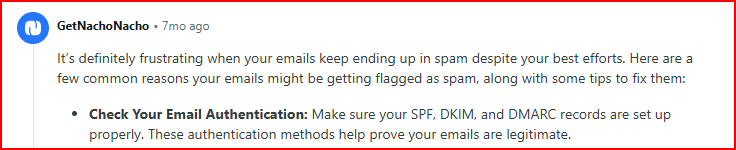
If you don’t want to handle this manually, you can use tools like Infraforge and Mailforge.
They help you set up domains and configure DNS records like SPF, DKIM, and DMARC. They also manage your sending infrastructure correctly.
Email providers like Gmail and Outlook scan your email content for common spam patterns. Even if everything else is fine, certain elements in your email can trigger filters.
For example:
These don’t always cause spam alone, but they increase risk when combined with other signals.

How to fix it:
Email providers like Gmail and Outlook don’t just look at your domain; they also look at the infrastructure behind it.
If you’re sending from shared or low-quality setups, your emails can be affected by others using the same system.
For example:
Even if you’re doing everything right, this can still push your emails to spam.
How to fix it:
Email providers like Gmail and Outlook look at how your emails are sent, not just how many. If your emails go out in a fixed or repetitive pattern, it looks automated. Like:
This kind of pattern is common in spam systems.
How to fix it:
Email providers like Gmail and Outlook don’t see your targeting, but they see the outcome.
If your emails are irrelevant to the people you send them to, they get ignored.
Over time, this creates signals like:
These signals tell the system your emails are not useful, which increases the chance of landing in spam.
How to fix it:
Email providers like Gmail and Outlook track how many of your emails fail to deliver. When emails bounce, it means you’re sending to invalid or non-existent addresses.
Even a small number of bounces can hurt trust quickly.

If this keeps happening, your domain starts to look unreliable.
How to fix it:

Email providers like Gmail and Outlook don’t notify you when your emails go to spam. So everything can look normal on your side, emails sent, no errors, but placement can still be poor.
If you’re not tracking it, you won’t notice issues early.
How to fix it:
At low volume, it’s easy to keep things controlled. But as you add more inboxes and increase sending, small inconsistencies start showing up, and email providers like Gmail and Outlook pick that up.
You might have:
This uneven activity breaks the pattern of normal behavior and lowers trust.
How to fix it:
You’ve probably noticed a pattern.
It’s not just one issue; it’s how multiple factors work together. Warm-up, reputation, sending behavior, and consistency all need to stay aligned.
Managing all of this manually can get difficult over time.
This is where tools like Warmforge are used to handle these parts in the background and keep things consistent.
Warmforge is a tool used to manage email warm-up and deliverability in one place.
It keeps your mailboxes active, monitors your setup, and helps maintain the signals email providers look at before placing your emails in the inbox or spam.
How it helps:
Instead of managing these parts separately, Warmforge keeps everything aligned so your emails continue to land where they’re supposed to.
Enter your email to get a custom plan & stack recommendation for your business
Please check your mailbox in 5 minutes

Emails don’t go to spam because of one big mistake.
It usually happens when a few things start going wrong together.
When these add up, email providers like Gmail and Outlook start treating your emails as low trust, and they end up in spam.
To avoid that, your setup needs to stay consistent over time. That means steady activity, controlled sending, and regular checks on your setup.
If you don’t want to manage all of this manually, you can use Warmforge to handle warm-up, sending behavior, and monitoring in the background.
When these signals stay aligned, your emails are far more likely to reach the inbox instead of spam.
start Warmforge’s 1 free warming slot and 1 free placement test and see how your emails are performing