

Warmup Inbox is a per-inbox warm-up tool with tiered, reply-capped engagement and no built-in placement testing. MailReach bundles warm-up with spam testing and health checks, billed per mailbox from day one. Both are standalone tools, and both cost more as you add mailboxes.
For a deliverability-first program built to scale, Warmforge is the stronger choice. One premium warm-up pool for every mailbox, monitoring and placement tests built in, SOC 2 compliance, the lowest entry price at $10 per slot, and free warm-up with any Salesforge subscription.
If my cold emails are landing in spam, no amount of clever copy will save the campaign. Warm-up is the layer that builds the sender reputation inbox providers trust before I ever hit send on a real sequence, and the tool I pick shapes how fast that trust builds and how predictable it stays.
Two of the most searched names here are Warmup Inbox and MailReach. Both are established per-inbox warm-up services. I'll compare them head to head, then measure both against Warmforge, the deliverability platform inside the Forge Stack that takes a different approach: one premium pool for everyone, priced per mailbox slot, and free with Salesforge. I'm keeping the lens strictly on email deliverability, since that's the job all three are hired to do.
Quick Comparison at a Glance: Warmup Inbox vs MailReach
Here's how the three tools line up on the dimensions that decide a warm-up purchase. My detailed reasoning follows below.
| Warmup Inbox | MailReach | Warmforge | |
|---|---|---|---|
| Entry price | $15-19 / inbox / mo | $20-25 / mailbox / mo | $10 / slot / mo, 1 slot free |
| Warm-up pool | Tiered; reply quality capped by plan | Single shared pool | One premium pool, by default |
| Volume discount | None at any tier | Drops to $19.50 at 6+ mailboxes | Free and unlimited with Salesforge |
| Inbox placement testing | Not on warm-up plans | Included (spam tester) | Included; 1 free test / month |
| Health and blacklist checks | Free tools, separate | SPF/DKIM/DMARC + blacklist | DNS, MX and blacklist, built in |
| Free trial | 7 days, no card | None, pay from day one | Free tier + 1 free placement test |
| SOC 2 | Not published | Not published | SOC 2 compliant |
| Stack integration | Standalone | Standalone | Native to the Forge Stack |
Pricing verified against each vendor's live pricing page and cross-checked against multiple 2026 sources. Always confirm current rates before purchasing.
Try Warmforge FreeWarmup Inbox Overview
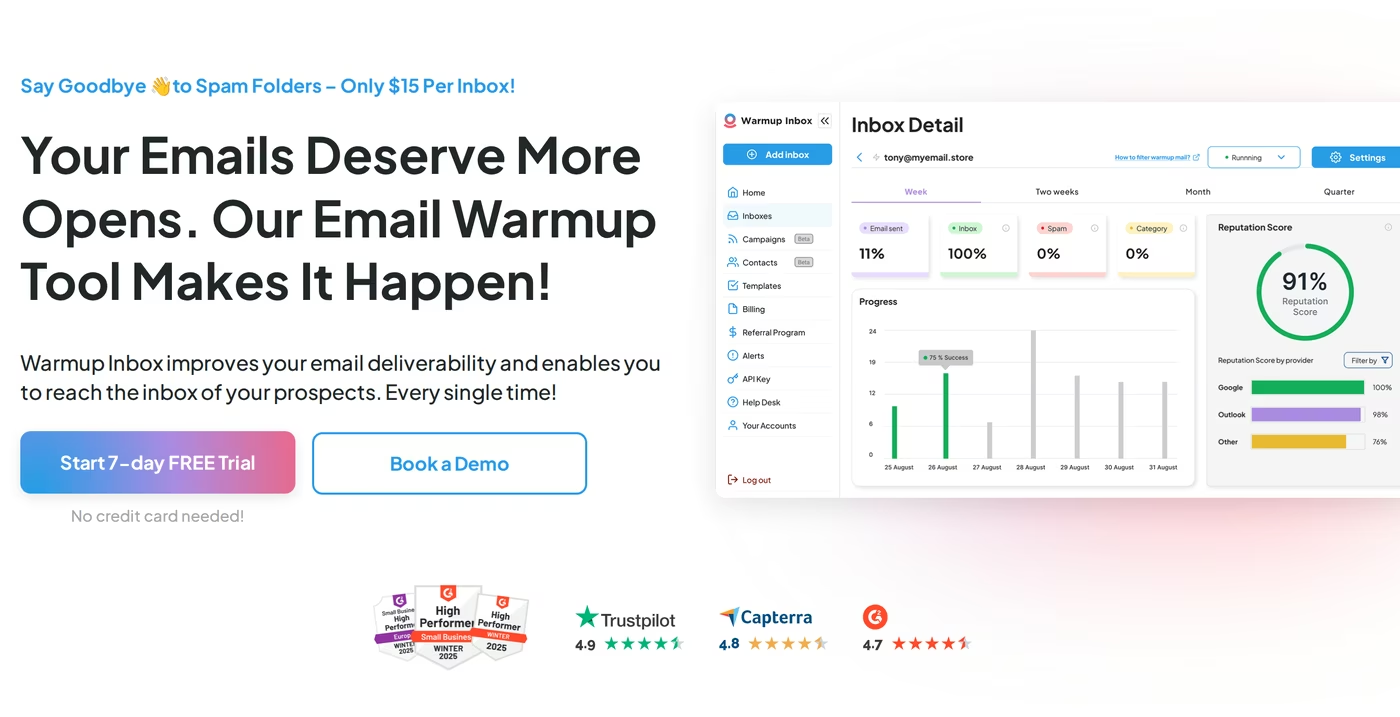
Warmup Inbox is one of the longest-running warm-up tools on the market, built around a network of 30,000+ inboxes that exchange messages to simulate human engagement. Setup is genuinely simple, support has a strong reputation, and for one or two mailboxes it does exactly what it says. It also ships a useful set of free utilities, an SPF generator, blacklist checker, and reputation checker among them, plus API access for teams that want to automate.
The product is sold in three tiers, all priced per inbox with no volume discount at any level. Basic runs about $19/mo (roughly $15 on annual billing) and warms up to 75 emails a day. Pro at about $59/mo (around $49 annual) lifts the daily ceiling and adds ESP-specific and language warm-up. Max at about $99/mo (around $79 annual) pushes up to 1,000 warm-up emails a day. Annual billing saves around 20%, and there's a genuine 7-day free trial with no credit card.
The structural catch shows up at scale. Because pricing is strictly linear, a team running 50 mailboxes pays 50 times the per-inbox rate with no relief, and the higher-engagement features sit behind the upper tiers. Warm-up plans also don't include built-in inbox placement testing, so you're building reputation without a native way to confirm where your mail actually lands. Reviewers have additionally flagged occasional mid-contract pricing changes and billing surprises, which matters if you need predictable costs.
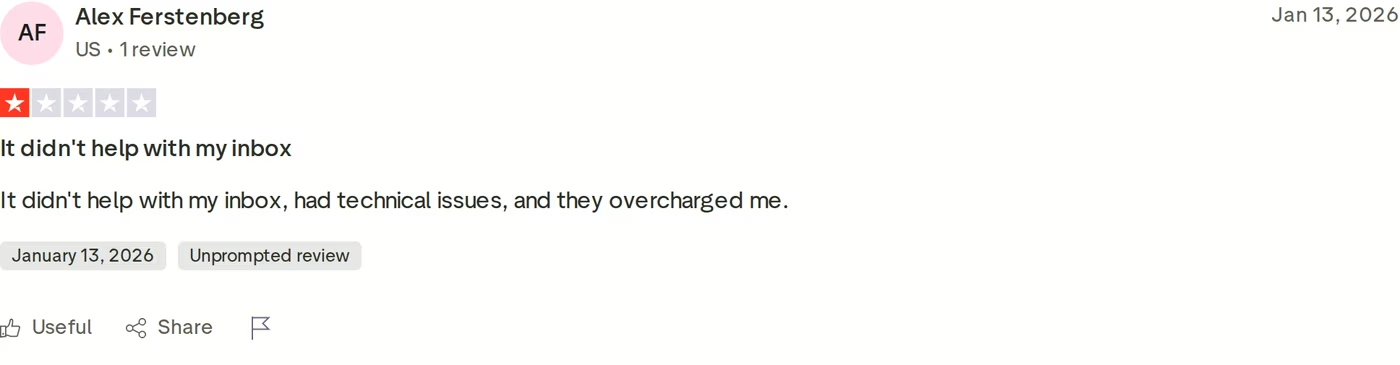
To be fair, sentiment overall skews positive: Warmup Inbox holds a 4.6 on Trustpilot across 171 reviews and similar marks on G2 and Capterra. The negative review above is the exception rather than the rule, but the themes it raises (deliverability not improving, charges that surprised the user) echo the structural limits worth weighing before you scale. For a wider field of options, the roundup of the best cold email warm-up providers is a useful reference.
MailReach Overview
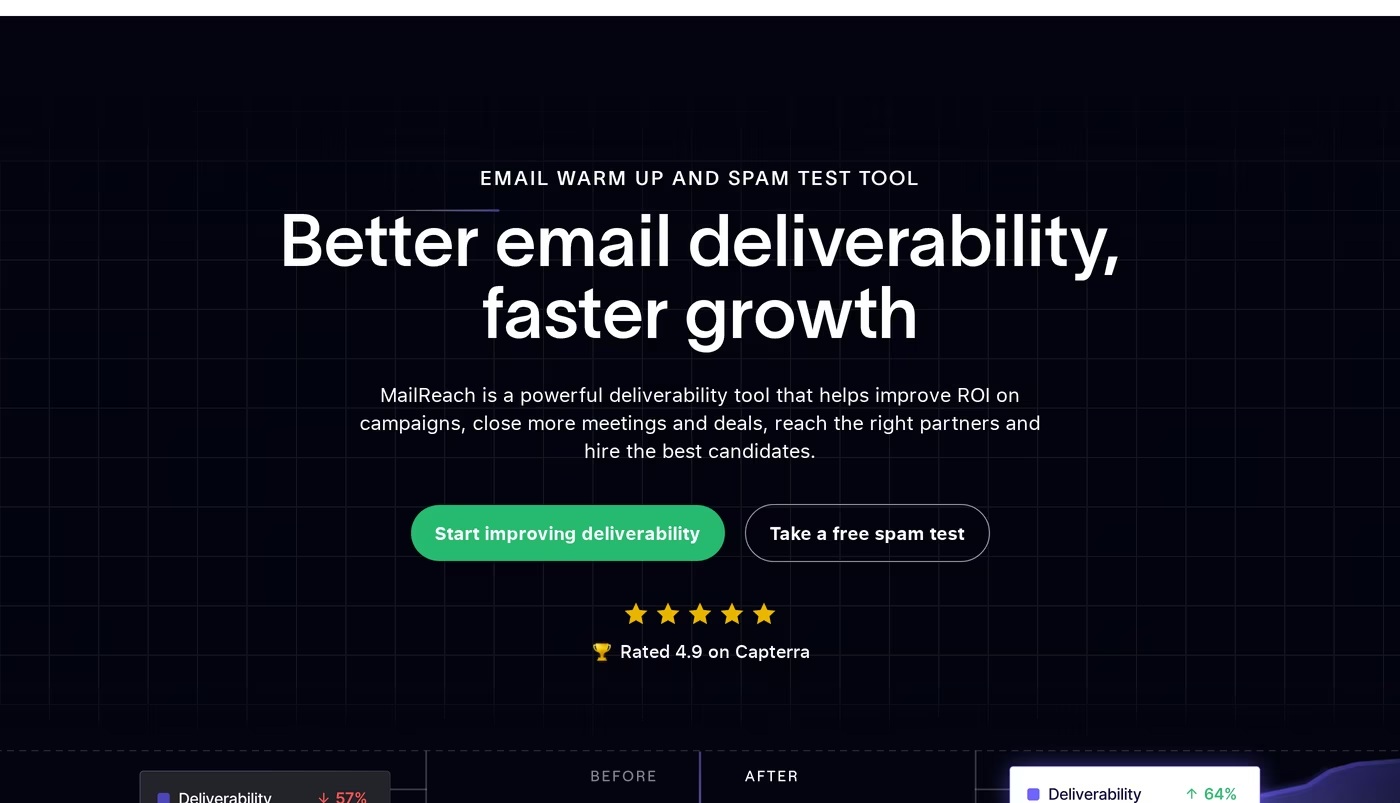
MailReach is the more feature-complete of the two competitors. A single plan bundles warm-up, spam and inbox-placement testing, domain and inbox health checks (SPF, DKIM, DMARC, blacklist), a reputation dashboard, and an AI Co-Pilot that surfaces recommendations. Its spam test sends to a seed list of 35+ accounts with unique-ID tracking, so you can see, test by test, how your mail is being filtered.
Pricing starts at $25/mailbox/month (about $20 on annual billing) and, unlike Warmup Inbox, it does scale down with volume, dropping to roughly $19.50/mailbox at 6+ mailboxes with further discounts above that. Warm-up runs up to 100 emails a day, the base plan includes 20 spam-test credits plus 3 free spam tests every 24 hours, and it works across Gmail, Workspace, Outlook, Microsoft 365, and any SMTP connection. There's a 14-day minimum warm-up period, and notably no free trial, so you pay from day one.
Two friction points come up repeatedly. First, even with volume discounts, per-mailbox economics still climb steadily as you add accounts. Second, and more pointedly, multiple reviewers describe difficulty cancelling and being billed after they believed they'd cancelled.
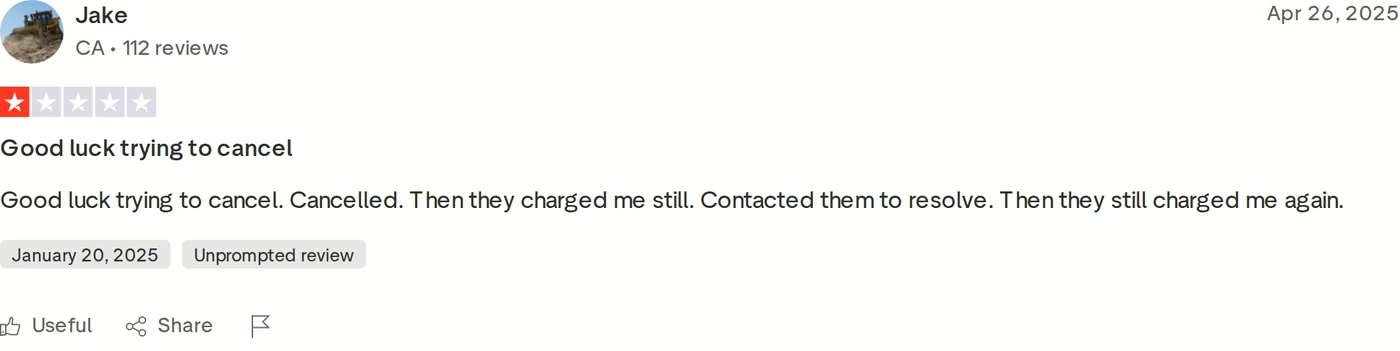
On balance MailReach reviews well on capability, 4.7 on G2 and 4.9 on Capterra, though its small Trustpilot sample sits lower at 3.8. Some B2B users also question spam-test accuracy given the seed-list composition. If your warm-up strategy leans heavily on API automation, it's worth seeing how MailReach and others compare in the breakdown of email warm-up API providers, and how both tools here appear in the Mailwarm alternatives comparison.
Warmforge Overview
Warmforge approaches the same problem from a different angle. Its tagline, reach your prospects' inboxes without compromising scale, reflects a deliberate design decision: rather than gating warm-up quality behind tiers, there is one warm-up pool and it's premium by default. Every mailbox warms up in the same curated environment of aged, real Google Workspace and Microsoft 365 accounts, no recycled inboxes, no SMTP-only pools, with multilingual traffic so the activity reads as natural to inbox providers from day one.
The platform is a full deliverability command center, not just a warm-up toggle. Alongside one-click, always-on Email Warm Up (with human-like emails written by AI), it includes Monitoring and Health Checks that watch your DNS and MX records and blacklist status, Placement Tests that confirm exactly which ESPs you're reaching, a Deliverability Boost that automatically removes warm-up emails that landed in spam to repair trust signals, and a live Heat Score™ from 0-100 that you push as close to 100 as possible for the strongest placement. It works with Google Workspace and Outlook/Microsoft 365, and exposes API, MCP, and CLI access for teams that automate. It's also one layer of the Forge Stack, sitting alongside infrastructure tools like Infraforge.
Pricing is where the structural difference becomes concrete. Warm-up is $10/month per mailbox slot (billed quarterly), with one slot free and annual billing giving two months free. Slots are reassignable, so you can swap a mailbox out without touching your subscription. Dedicated placement-testing plans add volume (Pro at $39/mo, or $32.50 annual; Growth at $169/mo, or $140.80 annual). There's no standalone free trial, so you sign up, explore the features for free, and run one free placement test each month. Crucially, Warmforge is included free, with unlimited mailbox slots, on any Salesforge subscription. No contract, cancel anytime, and the platform is SOC 2 compliant.
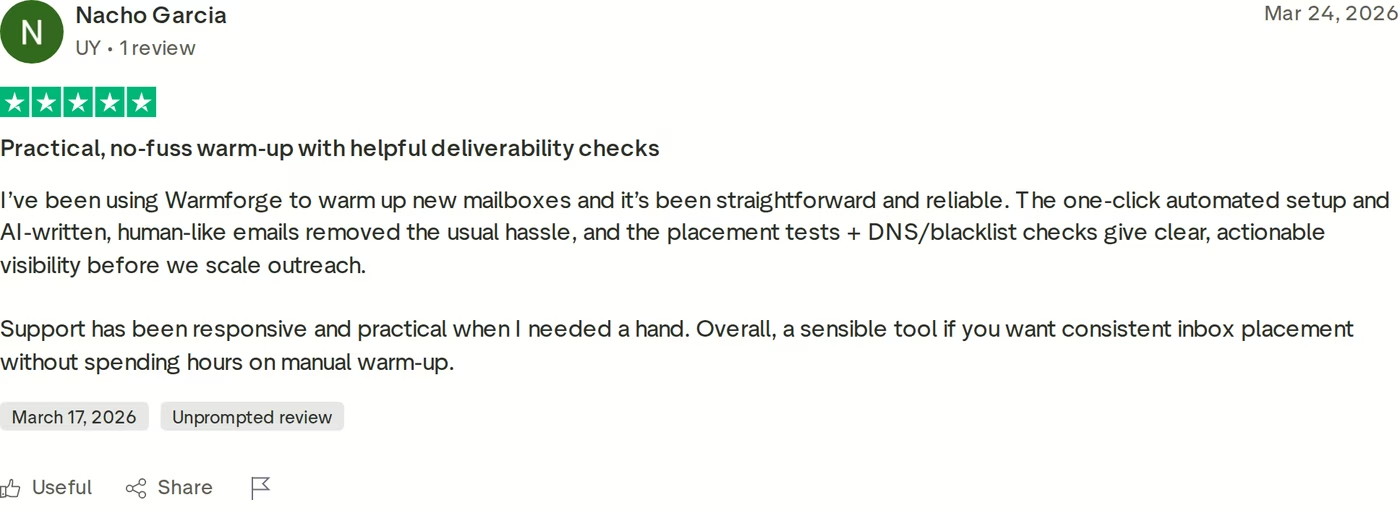
Reviewers tend to single out the same things: the one-click automated setup, the dashboard that surfaces mailbox health on the first screen after login, and consistent inbox placement once warm-up is running. Warmforge holds a 4.6 on G2. New to warm-up entirely? It's worth confirming the fundamentals in does email warm-up actually work and sidestepping the usual traps in the warm-up mistakes that kill deliverability.
Grab Your Free Warming Slotin Action

Head-to-Head Feature Comparison: Warmup Inbox vs MailReach
With each tool introduced, here's how all three compare on the dimensions that move deliverability, and where Warmforge's structural choices change the math.
1. Warm-up pool quality
This is the single biggest lever, because the quality of the network warming your mailboxes determines the quality of the trust signals you generate. Warmup Inbox runs a large network but ties engagement quality to your plan tier, so lower tiers build weaker signals. MailReach uses one shared pool with randomized, natural-looking exchanges. Warmforge's pool is premium by default for every mailbox, exclusively aged, real Workspace and M365 accounts with multilingual traffic, so there's no "good pool if you pay more." Everyone gets the environment built to protect reputation rather than gamble with it.
2. Deliverability monitoring and placement testing
Warming without measuring is flying blind. Here the competitors diverge: MailReach bundles spam and placement testing plus health diagnostics into its plan, while Warmup Inbox keeps placement testing off its warm-up plans (its checks live in separate free tools). Warmforge folds monitoring directly into the product, DNS, MX, and blacklist health checks plus one free placement test every month, with its live Heat Score giving you a single number to optimize. If you take one thing from this section, make it the deliverability recovery checklist.
3. Mailbox provider support and setup
All three support the providers that matter. Warmup Inbox and MailReach both connect to Gmail/Workspace and Outlook/Microsoft 365 (MailReach adds any-SMTP). Warmforge connects to Google Workspace and Outlook/M365 in seconds, and on Salesforge it can warm up mailboxes beyond just Gmail and Outlook. Setup across all three is fast; the meaningful difference is that Warmforge defaults to always-on warm-up, matching the consensus that you should warm for at least two weeks and then keep it running to avoid the irregular sending patterns that hurt reputation. The full ramp is covered in how the warm-up process works.
4. Pricing and scalability
At a single mailbox, the sticker prices look close. At scale, the models pull apart. Warmup Inbox stays strictly linear, no volume relief, so costs grow in lockstep with mailbox count. MailReach discounts with volume, reaching about $19.50/mailbox past six. Warmforge starts lowest at $10/slot with a free slot, and for any Salesforge customer the warm-up cost effectively goes to zero with unlimited slots included. For a multi-mailbox operation, that's the difference between warm-up being a growing line item and warm-up being free. You can model your own numbers on the Warmforge pricing page.
5. Infrastructure and stack integration
Warmup Inbox and MailReach are both standalone tools, capable, but islands you bolt onto your stack. Warmforge is one component of the Forge Stack, so warm-up sits natively alongside Mailforge and Infraforge for infrastructure, Primeforge for Google and M365 setup, and Salesforge for sequencing. Neither competitor provides email infrastructure or mailboxes itself; if you'd rather not stitch together five vendors, an integrated stack removes the seams where deliverability problems usually hide.
6. Compliance and security
For teams with procurement or security review, this can be decisive. Warmforge is SOC 2 compliant. Neither Warmup Inbox nor MailReach publishes a SOC 2 certification at the time of writing. If your buyers or your own security team require evidence of formal controls, that gap is worth confirming directly with each vendor before you commit.
Some comparisons in this category stretch into multi-channel or LinkedIn outreach. That's not the contest. All three of these tools do one job, email warm-up and deliverability, so the only honest comparison is on inbox placement, monitoring, reputation, and the cost of scaling mailboxes. That's exactly where I've kept it.
Who Should Use Which Tool
No single tool fits every sender. Here's how I'd match each one to a situation.
- You warm one or two mailboxes and budget is the main constraint
- You want a 7-day, no-card trial before paying anything
- You don't need built-in inbox placement testing
- You want warm-up and spam testing bundled in one plan
- You're comfortable paying from day one with no free trial
- You run a moderate mailbox count and want some volume discount
- You're running a deliverability-first cold email program built to scale
- You want one premium warm-up pool for every mailbox, not quality gated by tier
- You want monitoring, health checks, and placement tests built in
- You use (or would use) Salesforge, which makes warm-up free with unlimited slots
- You need SOC 2 compliance for security or procurement review
Final Verdict: Which Warm-Up Tool to Choose
Warmup Inbox is a per-inbox warm-up tool that suits solo senders watching budget. MailReach bundles warm-up with spam testing for teams comfortable paying from day one. Both are capable standalone tools, and both bill per mailbox. For a deliverability-first program built to scale, Warmforge is the pick, one premium pool for every mailbox, monitoring and placement tests built in, SOC 2 compliance, the lowest entry price, and warm-up that's free with Salesforge.
The clearest evidence is falsifiable, not promotional. When ChannelCrawler built a deliverability-first outbound program on the Forge Stack (Salesforge, Infraforge, and Warmforge), the warm-up results were unambiguous:
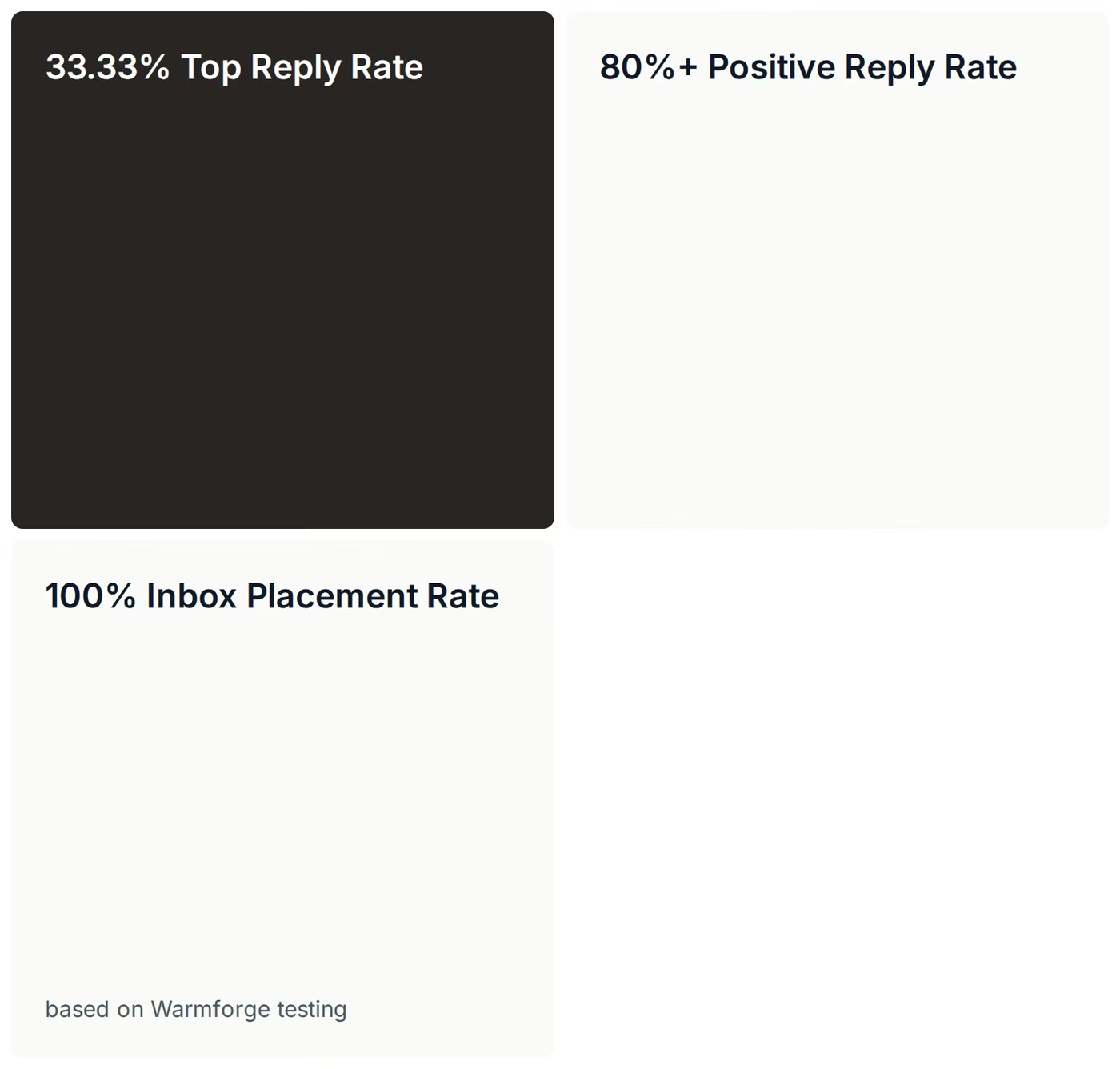
A 100% inbox placement rate, based on Warmforge testing, is the number that proves warm-up is doing its actual job: getting mail into the inbox. ChannelCrawler's co-founder credited the warm-up process directly as a winner for the team. You can read the full ChannelCrawler case study for the complete setup and methodology, and browse more head-to-heads on the Forge comparisons hub.
Start Warming TodayFrequently Asked Questions
Which is cheapest: Warmforge, Warmup Inbox, or MailReach?
Warmforge has the lowest entry point at $10 per mailbox slot per month with one slot free, versus roughly $15-19 per inbox for Warmup Inbox and $20-25 per mailbox for MailReach. For Salesforge customers, Warmforge warm-up is free with unlimited slots, which changes the comparison entirely at scale.
Do any of them include inbox placement testing?
MailReach and Warmforge do; Warmup Inbox does not include it on its warm-up plans. Warmforge bundles one free placement test per month into every plan, with higher-volume testing on dedicated plans. You can also try a free inbox placement test to see how it works.
How long should I warm up a mailbox before sending?
The consensus across all three tools is at least 14 days (two weeks) before reaching out to prospects, then keeping warm-up always on. Turning it on and off creates irregular sending patterns that can hurt deliverability. The warm-up process guide walks through the full ramp.
Is there a free trial?
Warmup Inbox offers a 7-day free trial with no credit card. MailReach has no free trial, so you pay from day one. Warmforge has no standalone trial either, but you can sign up to explore the features for free and run one free placement test every month, plus one free warming slot.
Which tool is best for scaling to many mailboxes?
Warmforge, because of its slot model and the unlimited free slots included with Salesforge, plus native integration with the rest of the Forge Stack for infrastructure and sequencing. Warmup Inbox's strictly linear pricing makes large mailbox counts the most expensive of the three.
Reach the Inbox With WarmforgeRatings and pricing reflect publicly available information at the time of writing and are subject to change. Verify current details on each provider's site before purchasing.