
Personalized Outbound Strategy
Get The Right Outbound Strategy In Minutes
Enter your email to get a custom plan & stack recommendation for your business
It's being carefully crafted by AI
Please check your mailbox in 5 minutes

Let’s start with what you would lose by leaving Zapmail because it offers plenty of value. It quickly sets up Google Workspace and Microsoft 365 mailboxes, handles SPF, DKIM, and DMARC, and uses AI to suggest domain and mailbox names. For a small setup, that covers most needs.
The challenges usually appear as you add mailboxes:
I compared seven alternatives based on the areas that become harder at scale: mailbox type, actual cost at 100 or more mailboxes, time until you can send, and who handles problems.
My top choice does not offer Google or Microsoft mailboxes, and I explain why below. If you specifically need those accounts, the other six providers sell them.
The main factors are mailbox type, how burned mailboxes are handled, and how much setup work remains with your team.
Primeforge is my top choice for pre-warmed Google Workspace or Microsoft 365 inboxes and an easy-to-automate setup. If price per mailbox is your priority, try Icemail or InboxKit.
Most providers configure SPF, DKIM, and DMARC, so that alone does not separate them. I compared six factors that do.
Google Workspace, Microsoft 365, Azure, and SMTP mailboxes behave differently and suit different lists. I checked which types each provider offers, whether you receive full admin access, and whether the IPs are available in the US, EU, or both.
A low seat price can hide bundle minimums, annual commitments, or paid extras such as warmup and monitoring. I compared the cost of 100 or more mailboxes after including those charges.
Fresh mailboxes typically need several weeks of warmup. That delay adds up whenever you onboard a client or replace a burned batch. I gave more credit to pre-warmed mailboxes, pre-aged domains, and quick setup.
Some mailboxes will burn at scale, even when you send carefully. I checked whether replacements are free or capped and whether the platform catches a failing inbox before reply rates fall.
Some providers give you a dashboard and leave the work to you. Others handle DNS, rotation, monitoring, and troubleshooting. The right model depends on how much time your team can spend managing infrastructure.
Mailboxes are only useful if they work with your existing tools. I checked integrations, OAuth support, and whether API access requires an expensive plan.
Best for: Teams that want their own Google Workspace and Microsoft 365 inboxes with a setup they can automate.
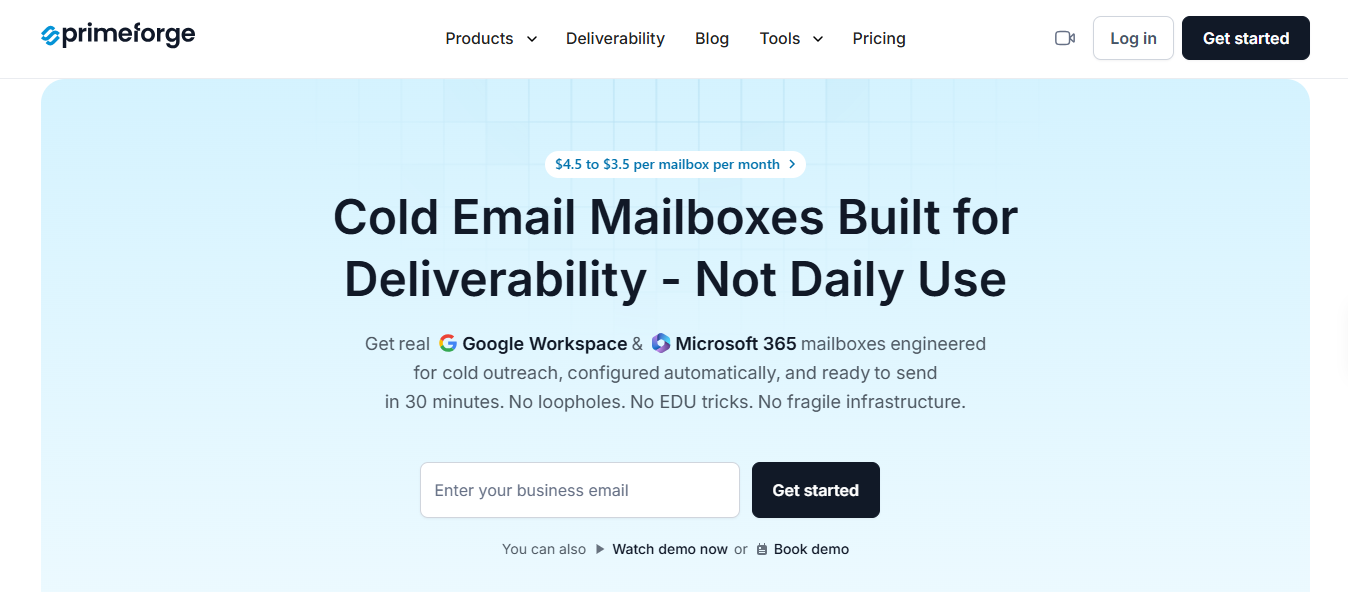
Primeforge offers the same type of mailboxes as Zapmail: Google Workspace and Microsoft 365 accounts built for cold email. Switching won’t change your mailbox type, and you can connect the inboxes to Salesforge or your current sequencer.
What stands out is how much of the setup Primeforge handles for you. It creates the domains and mailboxes, configures every DNS record, and gets inboxes ready in about 30 minutes.
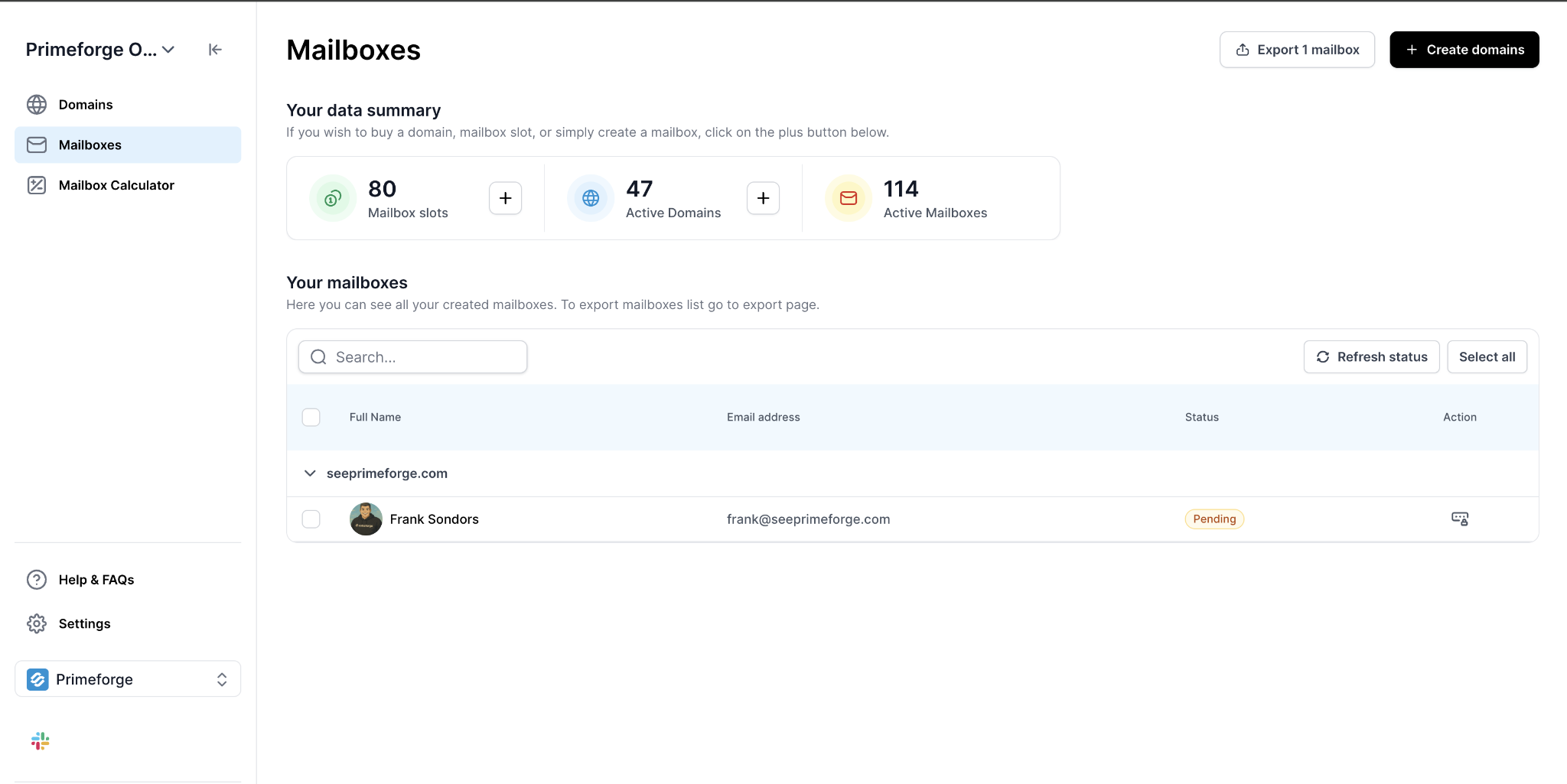
API access comes with every mailbox, while the Forge MCP Server lets teams using scripts or AI assistants manage setup through Claude or Cursor using plain language.
Every inbox runs on a US IP, so Primeforge may not be the best fit if most of your prospects are in Europe. I’d also keep warmup active for new inboxes. Salesforge users can do this through Warmforge.
Zapmail limits API access to its $299 Pro plan. Primeforge includes it with every mailbox and adds AI-assisted setup, making it a better fit for teams that build infrastructure into their existing workflows.
Primeforge costs more per mailbox than Zapmail’s standard rate. I’d switch when the time saved through automation and pre-warmed inboxes outweighs the price difference.
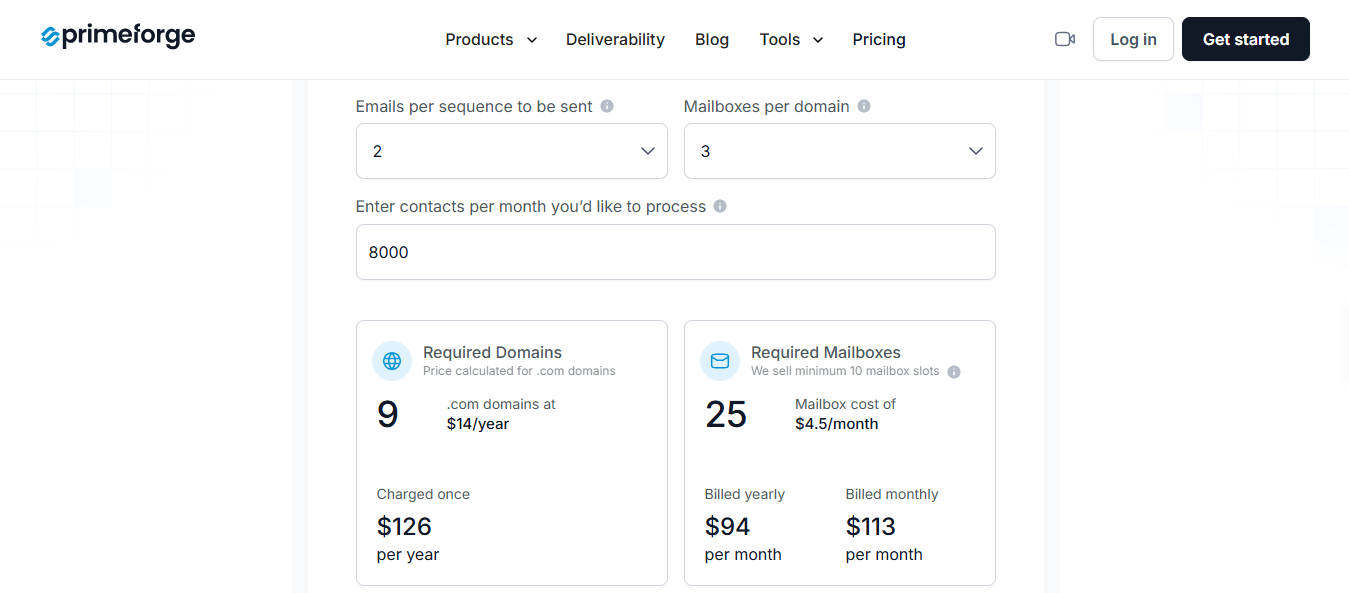
Hosting, maintenance, DNS setup, API access, and support are included. For 100 mailboxes, expect to pay about $350 to $450 a month, compared with $299 for Zapmail’s 100-mailbox Pro plan. Active mailboxes don’t include a free trial.
Enter your email to get a custom plan & stack recommendation for your business
Please check your mailbox in 5 minutes

Best for: Agencies and sales teams wanting Google Workspace or Microsoft 365 mailboxes without Zapmail’s fixed bundles.
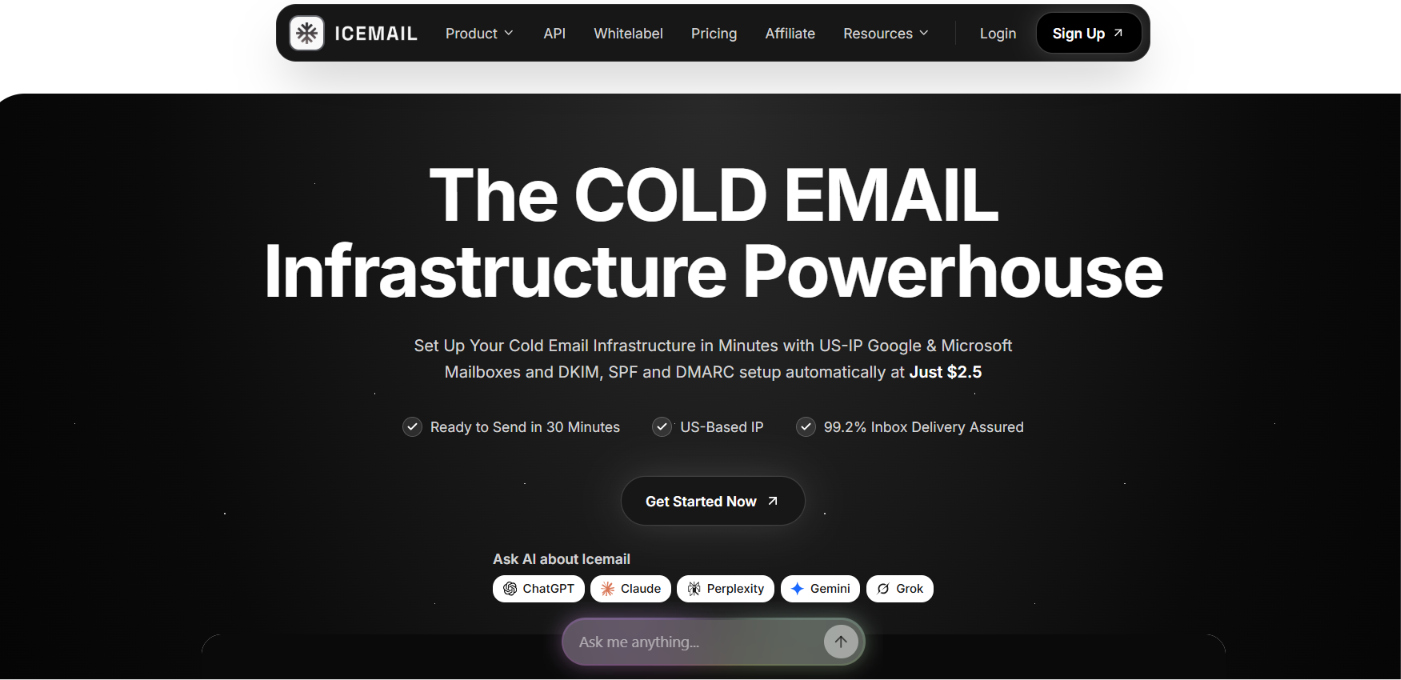
Icemail sells the same core product as Zapmail: real Google Workspace and Microsoft 365 mailboxes configured for cold email.
You receive the official Google Admin panel for each domain, while SPF, DKIM, and DMARC are handled for you.
If you are worried about losing your existing warmup history, Icemail can migrate your domains and mailboxes without resetting warmup or pausing active campaigns.
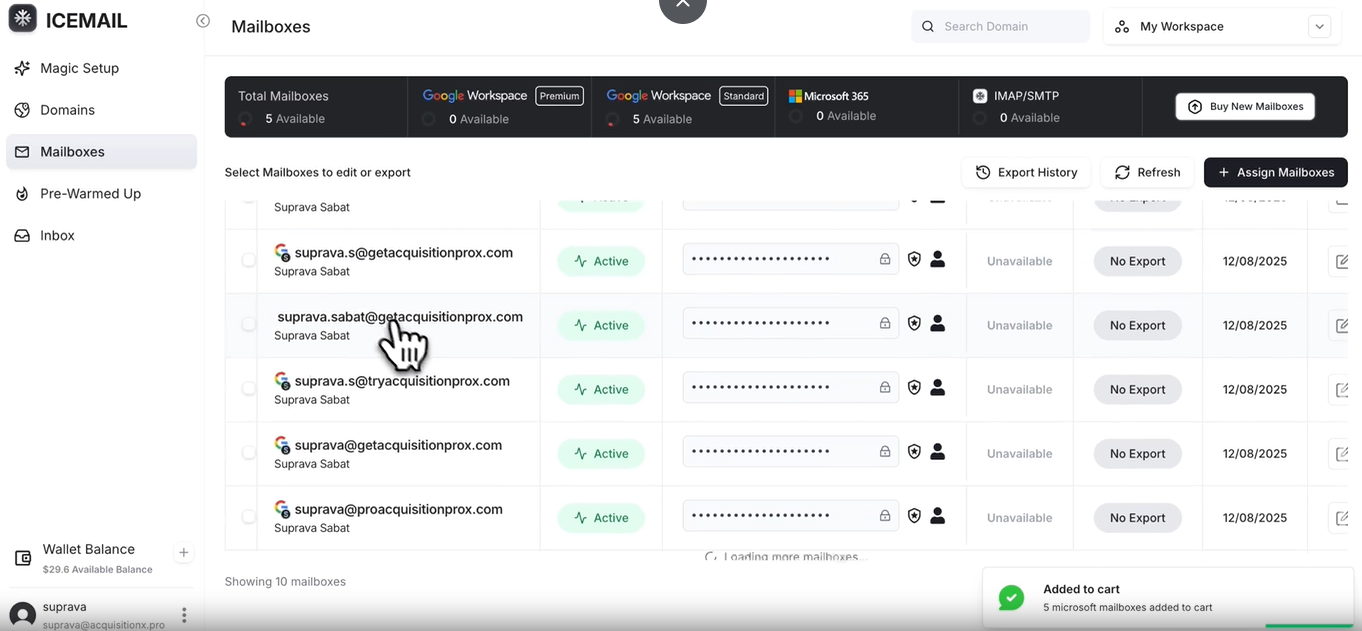
Burned mailboxes are replaced for free without a cap, and a unified inbox collects replies from every mailbox. Accounts are limited to US and EU IPs, so Icemail will not fit teams needing other regions.
Zapmail uses fixed bundles, which can leave you paying for unused mailboxes. Icemail charges for the exact number you operate, with monthly billing and no commitment.
The $2.50 price is listed as a limited deal, so confirm the current rate before placing a large order.
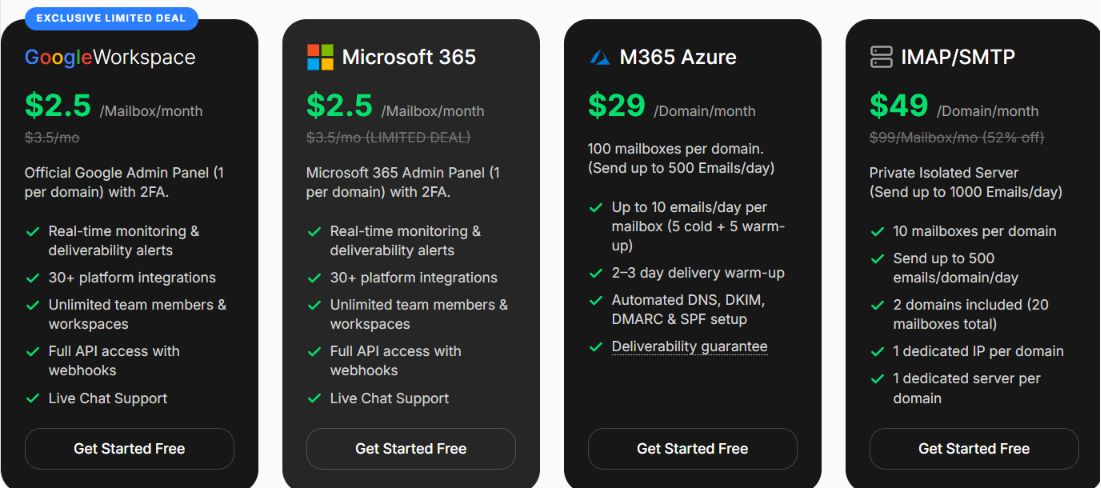
There is no subscription commitment. Twenty-five Google Workspace mailboxes cost about $63 monthly, compared with $99 for Zapmail’s Growth bundle.
Best for: Teams running outreach through multiple sending platforms or custom scripts.
InboxKit makes the most sense when your outreach spans several tools. It sets up Google Workspace and Microsoft 365 mailboxes on your domains, and each mailbox connects with more than 24 platforms, including Smartlead, Instantly, Apollo, and Salesforge.
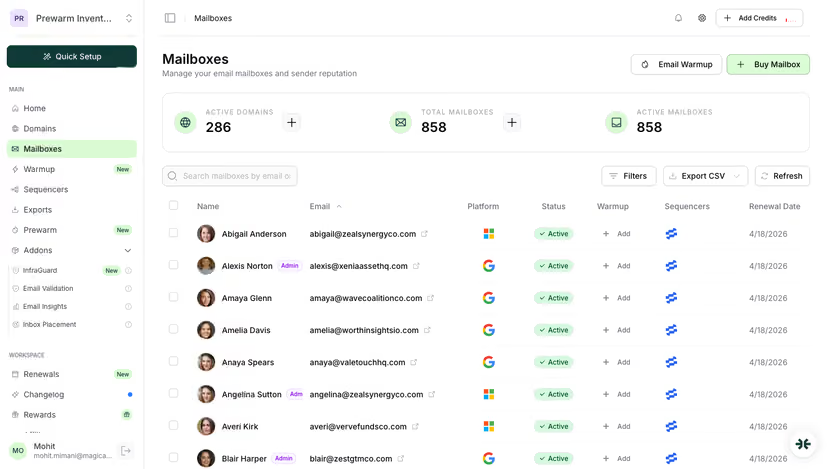
You can connect them to your existing sequences instead of rebuilding campaigns.
Setup is simple. Connect a domain with one click, and InboxKit writes the SPF, DKIM, and DMARC records.
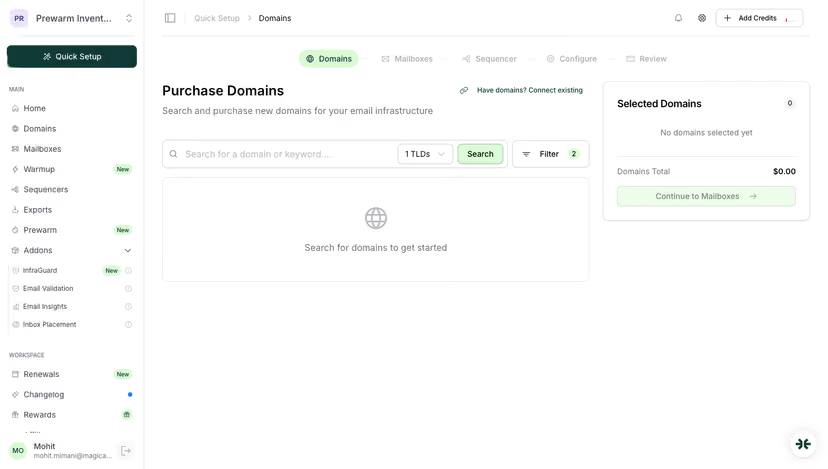
The domain is usually ready within 10 minutes. It can also suggest domain and mailbox names in bulk.
There are two limitations: every mailbox uses US IPs, and warmup costs extra.
Zapmail connects with about five sending platforms and limits API access to its $299 Pro plan. InboxKit removes both restrictions.
Include the separate warmup fee when comparing InboxKit’s price with Zapmail.
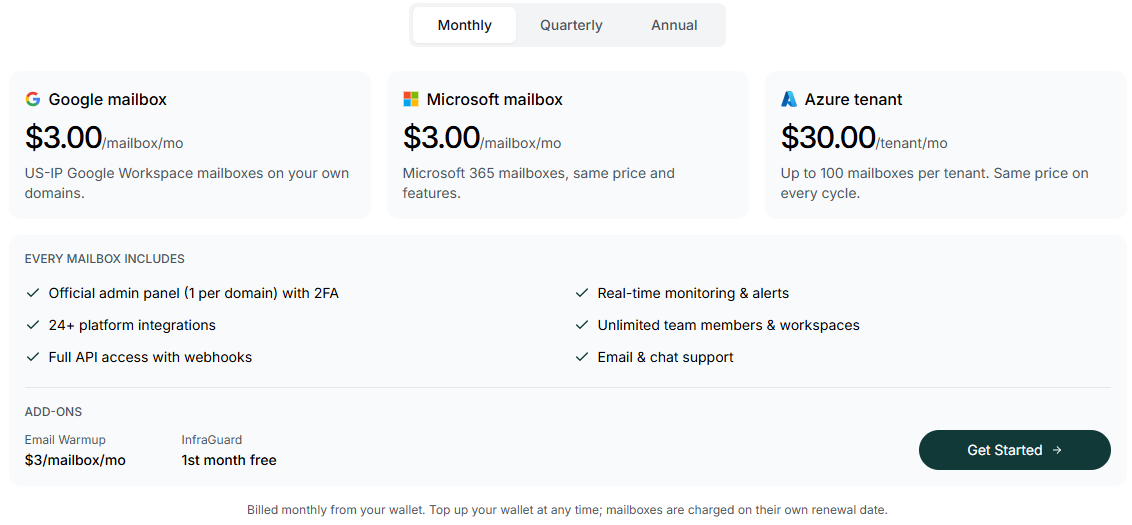
InboxKit uses a prepaid wallet with no minimum. On annual billing, 100 mailboxes cost $250 monthly, compared with $299 for Zapmail Pro. Adding warmup raises that total to $550.
Best for: Teams wanting Google and Microsoft 365 accounts alongside cheaper SMTP and dedicated-IP options.
Mailpool works well when not every mailbox needs to be a Google or Microsoft account. You can run Google Workspace and Microsoft 365 mailboxes alongside Mailpool’s shared SMTP accounts and dedicated-IP servers from one dashboard.
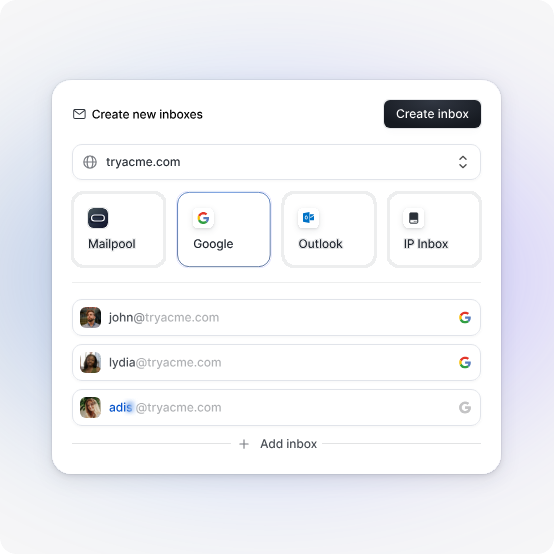
This lets you reserve Google and Microsoft mailboxes for important prospects while using cheaper options for higher volume.
Most setup is automated. Mailpool suggests and purchases domains, generates mailbox names, and handles DNS.
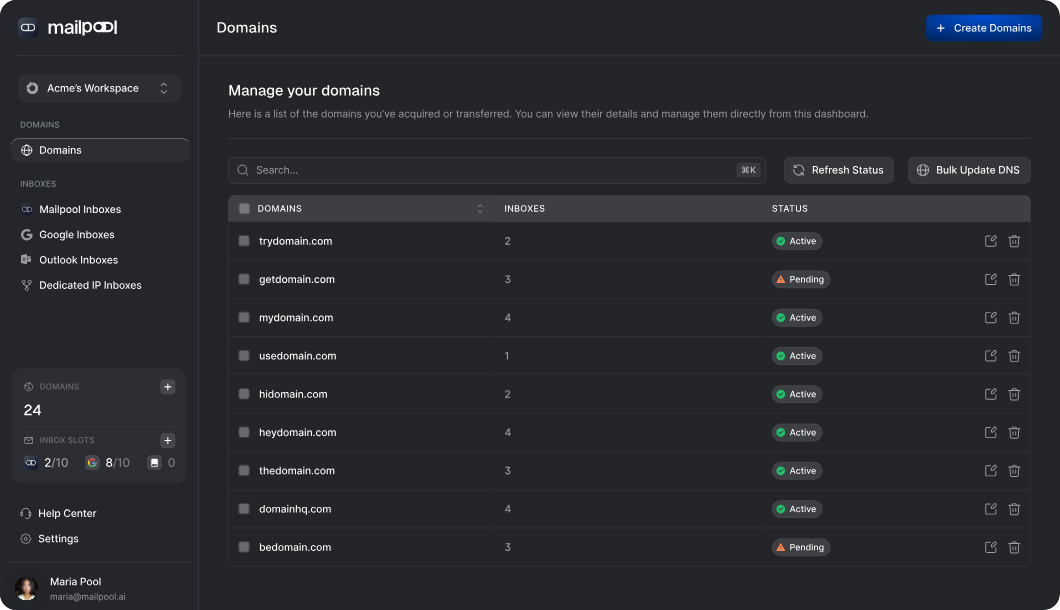
Google and Microsoft mailboxes can also include profile pictures, helping them look more like personal accounts.
All IPs are based in the US, making Mailpool less suitable for teams wanting EU infrastructure.
Zapmail only sells Google and Microsoft mailboxes. Mailpool adds shared SMTP and dedicated-IP options without requiring a separate provider.
If you only need Google or Microsoft mailboxes, Mailpool’s pricing is close to Zapmail’s. The biggest savings come from combining mailbox types.
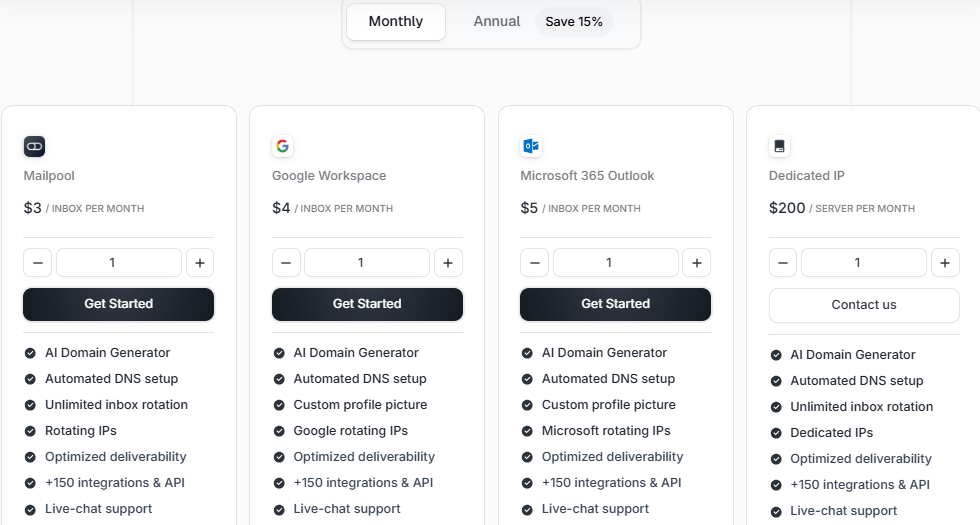
Annual plans include DNS Shield and domain masking and increase integrations from 150+ to 300+. There is no free trial, but your first mailbox costs $3, with no setup fee. Agencies can request volume pricing.
Best for: Teams wanting pre-warmed Google or Microsoft inboxes ready to send when delivered.
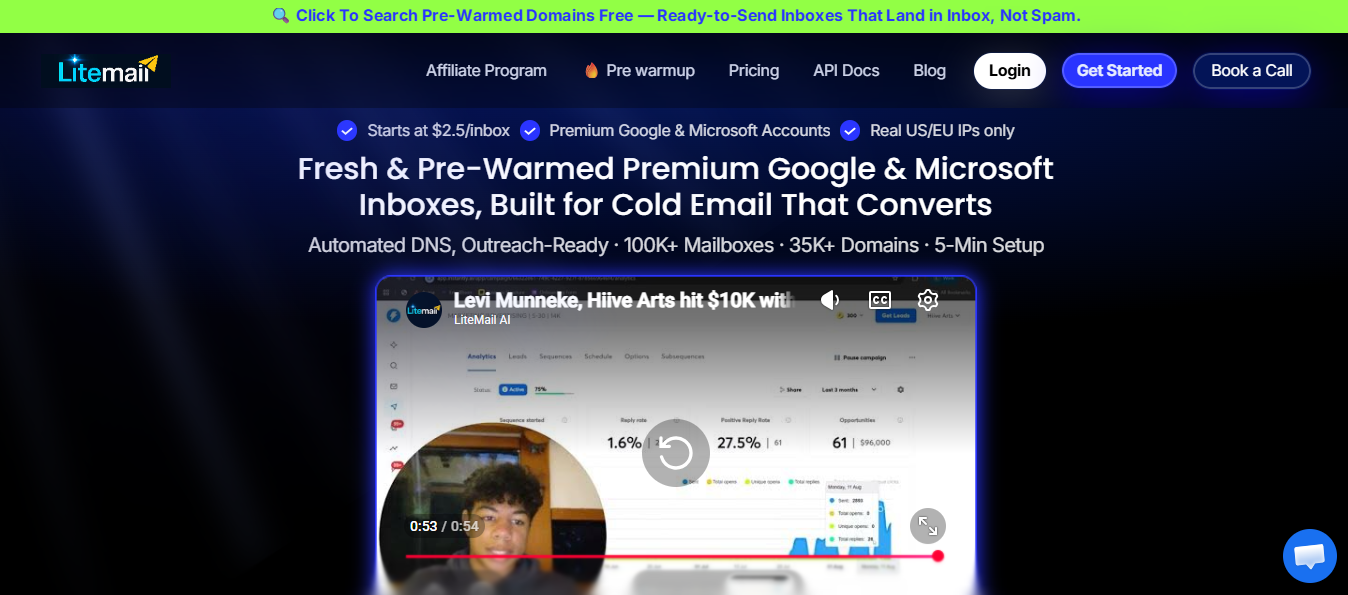
Litemail sells Google Workspace and Microsoft 365 inboxes with several weeks of warmup already completed.
That is useful in two situations: you must launch a campaign this week, or burned-out inboxes need replacing without another warmup delay.
If you can wait a few weeks, pre-warmed inboxes may not be worth the extra cost.
Litemail is newer and has fewer reviews than Zapmail, so I would test a small batch first. Add the domains to Google Postmaster Tools and check their reputation before launching. The inboxes connect with Instantly, Smartlead, and other platforms through OAuth, just like Zapmail accounts.
Litemail also offers EU IPs, which can help when many prospects work at European companies.
Zapmail charges extra for pre-warmed mailboxes. Every Litemail inbox arrives pre-warmed, removing the gap between purchase and launch.
Litemail makes sense when launch speed matters more than choosing the most established provider.
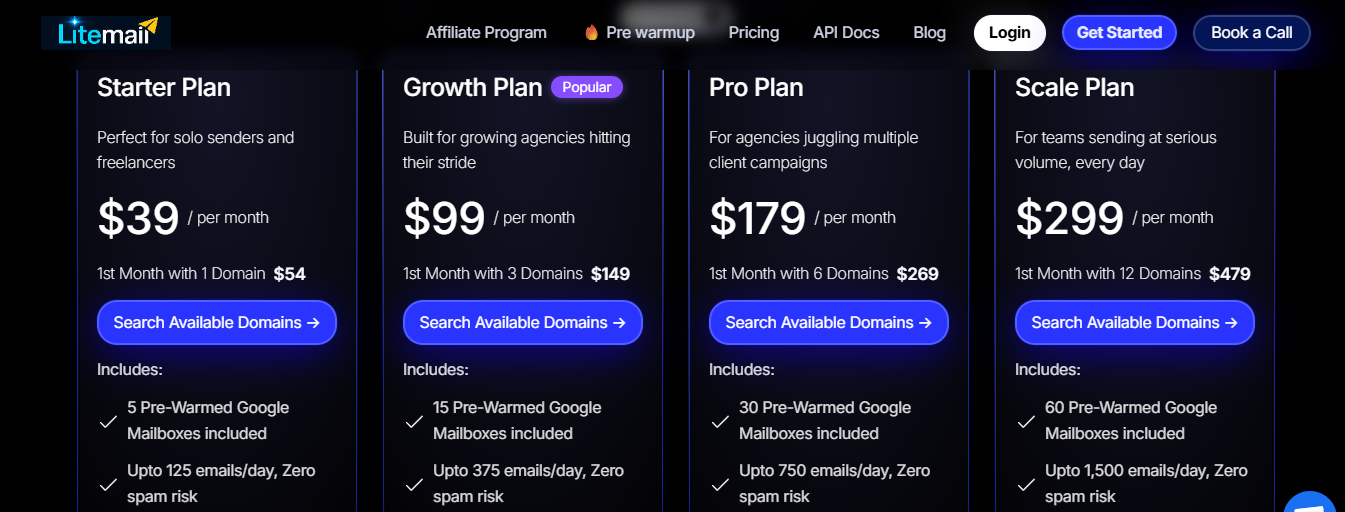
Litemail uses one flat rate for Google Workspace and Microsoft 365 inboxes.
There is no minimum order, and inboxes arrive within 24 hours. One hundred inboxes cost $499 monthly, compared with at least $8 each for Zapmail’s pre-warmed accounts.
Best for: Teams running hundreds of inboxes that need burned accounts detected and replaced automatically.
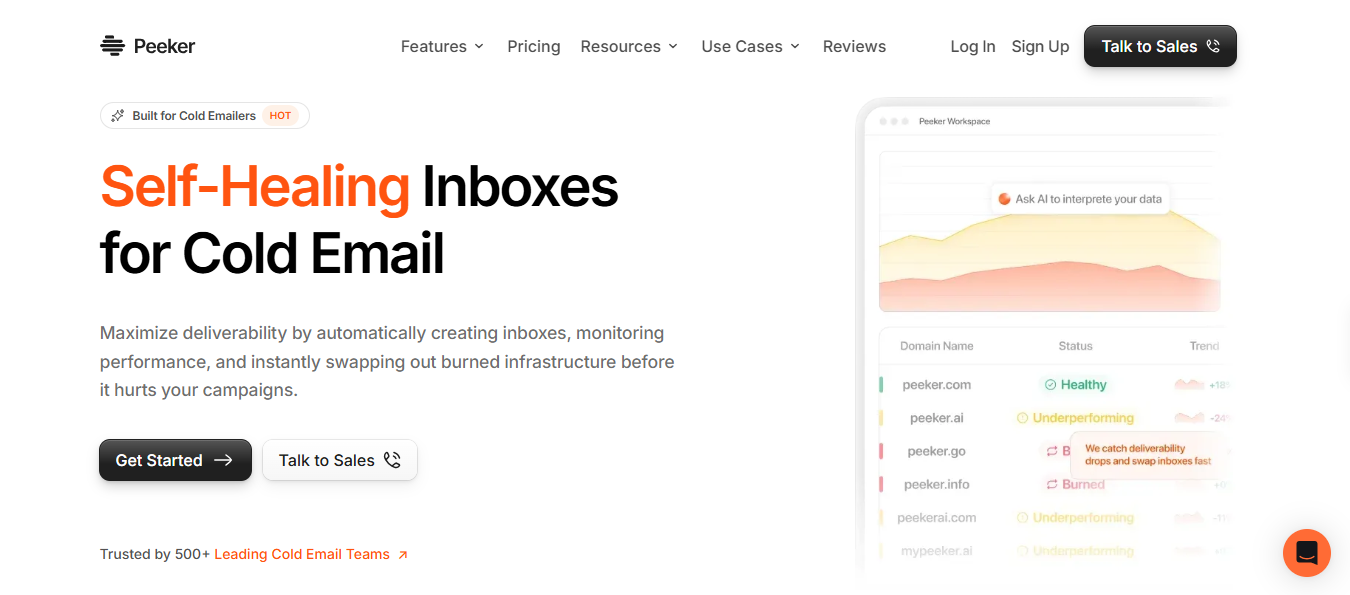
Peeker addresses a problem many teams notice too late: an inbox burns, but campaigns continue sending from it for days.
It tracks spam placement, reply rates, and bounces, then marks each domain as healthy, underperforming, or burned. You receive an alert when an inbox starts reaching spam.
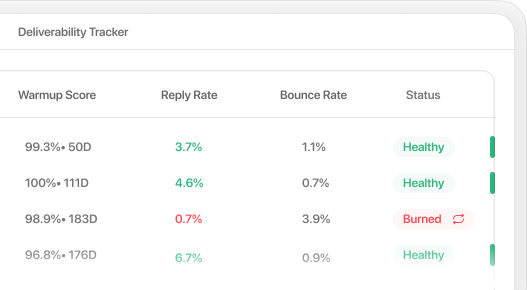
When an inbox burns, Peeker pauses it before it can damage the rest of your setup. You can replace it without waiting for another mailbox build.
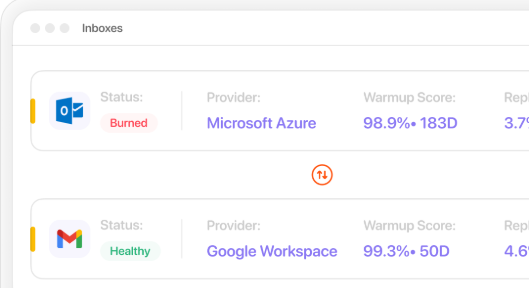
This is valuable when you run hundreds of inboxes and cannot review them manually.
There are two details to check. Peeker offers Google Workspace and Microsoft Azure inboxes, not Microsoft 365 accounts. New inboxes also take 12 to 24 hours to set up.
Zapmail creates your mailboxes but does not closely track their performance afterward. Monitoring is central to Peeker, so issues appear in the dashboard before they appear in your reply rates.
Plan around Peeker’s sending limits. Its packages assume about 20 daily emails per Google inbox.
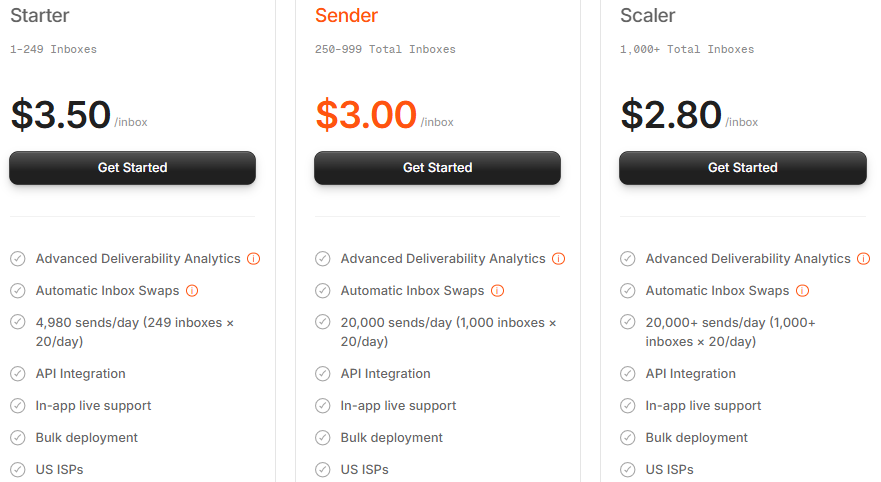
Peeker prices Google accounts per inbox and Azure accounts per domain, with discounts at higher volumes.
Every package includes deliverability analytics, automatic swaps, API access, and live support. Peeker’s Starter price matches Zapmail’s $3.50 standard rate.
Best for: Agencies and growing teams wanting someone else to set up, monitor, and repair their mailbox infrastructure.
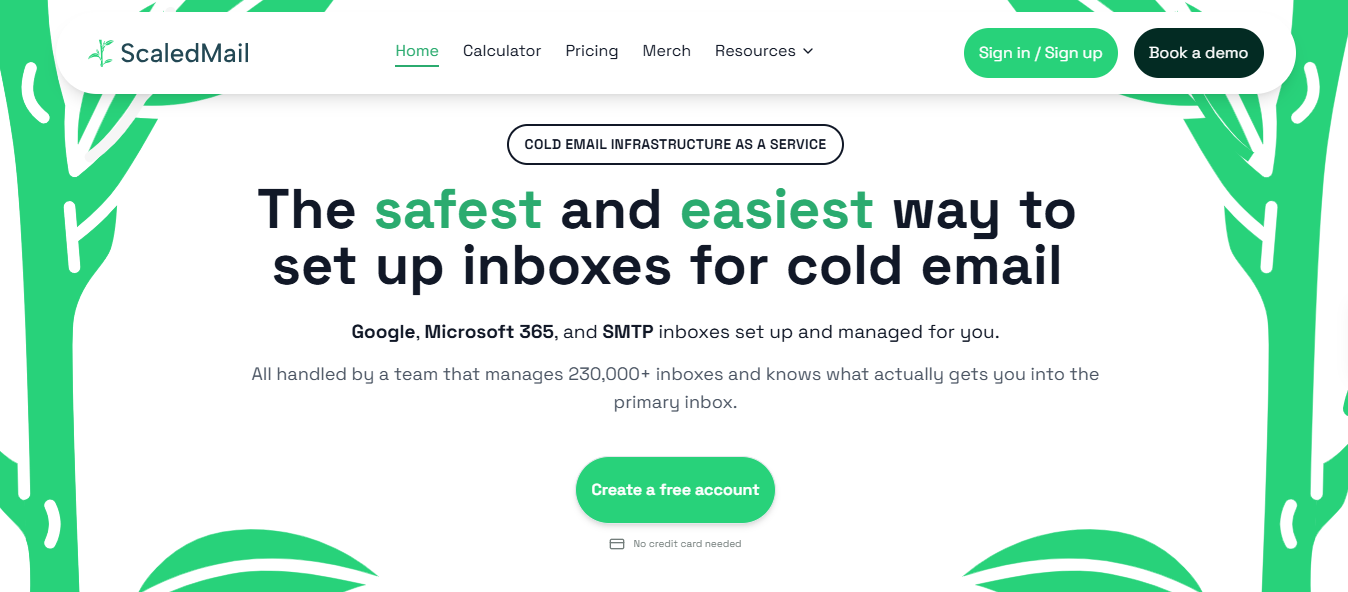
ScaledMail is a managed service rather than a self-service dashboard. Its team chooses and configures domains, sets up DNS, creates Google, Microsoft, and SMTP mailboxes, and monitors their reputation. When something breaks, you report it in a dedicated Slack channel, and someone fixes it.
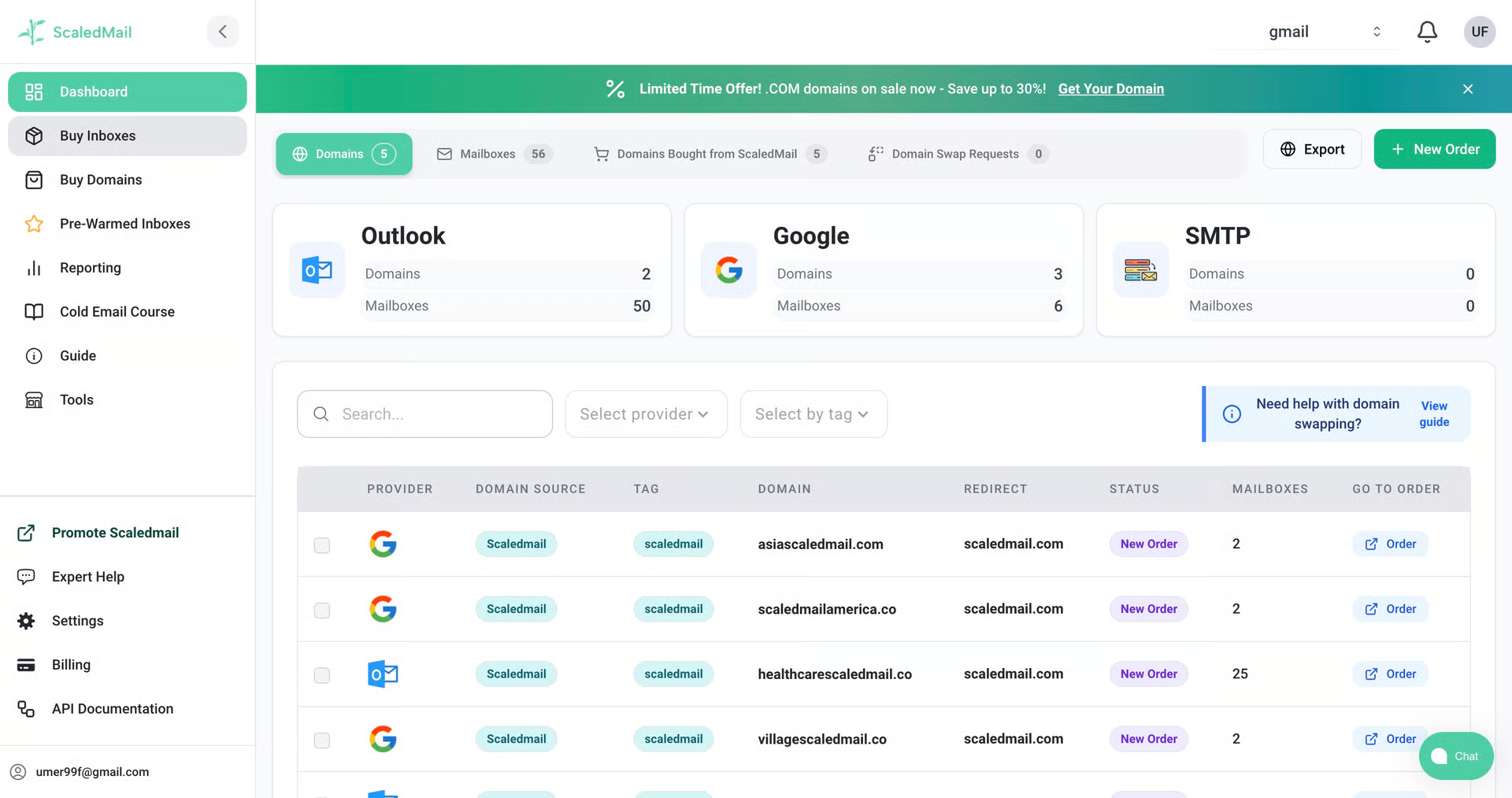
This model suits teams losing hours to DNS management and spam troubleshooting across dozens of inboxes. You still choose how to divide your sending volume across Google, Microsoft, and SMTP.
Warmup remains your responsibility and runs through your sequencer. I would keep it active permanently, using two warmup emails for every cold email.
Zapmail gives you the tools but leaves the work to your team. ScaledMail handles that work for you, which becomes more valuable with every client and inbox added.
At high volumes, Zapmail’s per-inbox price may be lower. ScaledMail becomes worthwhile when the time spent managing infrastructure costs more than the price difference.
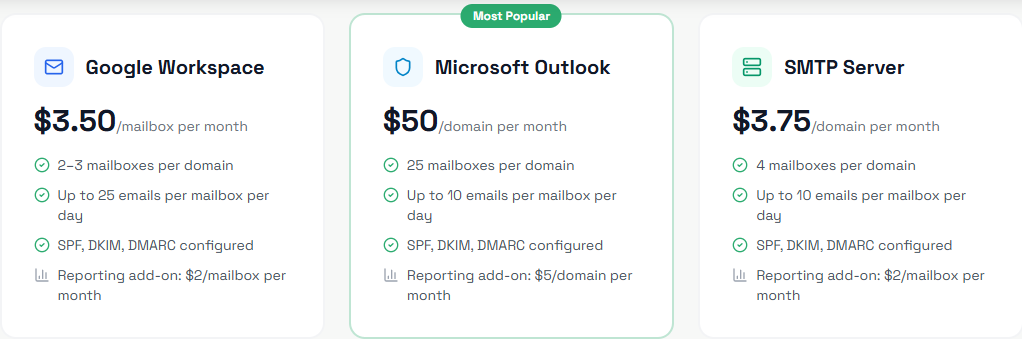
ScaledMail builds each package around your sending volume, with domains included.
Billing is monthly without a contract, and you can change your volume or provider mix anytime. Setup takes 24 to 72 hours.
Enter your email to get a custom plan & stack recommendation for your business
Please check your mailbox in 5 minutes
Your choice starts with one question: do you actually need Google or Microsoft accounts?
If not, I'd choose Primeforge. Its Google Workspace and Microsoft 365 inboxes arrive pre-warmed, API access is included, and you can run setup from Claude or Cursor.
If you need Google or Microsoft accounts, choose the provider that solves your biggest Zapmail problem:
You can create a free Mailforge account and explore the dashboard before paying. If you send through Salesforge, Warmforge covers the two weeks of warmup new mailboxes require.