

Warmy is an AI warm-up platform priced by warm-up volume, with plans from $49/month. Folderly is a deliverability suite billed yearly at $96 per mailbox a month for 1-9 mailboxes. Neither sells mailboxes or a sending tool.
For B2B cold email teams warming Google Workspace and Microsoft 365 mailboxes, Warmforge is the stronger choice. Slots cost $12 per mailbox a month or less, placement tests and health checks are included, and warm-up is free and unlimited on any Salesforge plan.
I compared Warmy vs Folderly for one job: keeping 25 cold email mailboxes out of spam without paying a premium for every inbox. Salesforge's own guidance says 1,000 cold emails a day needs about 20-30 mailboxes across 5-10 domains.
Warmy is an AI warm-up platform with a large real-mailbox network and a seed list for placement tests. Folderly is a deliverability suite that runs daily checks, flags spam triggers, and bills per mailbox on yearly plans.
I checked all three live pricing pages, priced the same 25-mailbox setup wherever prices are public, and read the critical reviews. Warmforge, the deliverability layer of the Forge Stack, comes out ahead, and the details are below.
Email Warm-Up Tools Compared at a Glance: Warmy vs Folderly
| Feature | Warmforge | Warmy | Folderly |
|---|---|---|---|
| Pricing model | Per mailbox slot, swappable, no contract | Volume-based; only a starting price listed | Per mailbox, yearly, minimum commitment |
| Entry price | $12/slot monthly or $9/slot annual, 1 slot free; $0 with Salesforge | Plans from $49/mo | $96/mailbox/mo (1-9 mailboxes) |
| 25 mailboxes | $150/mo billed annually | Not published | $1,400/mo ($56 each) |
| Warm-up pool | Aged accounts, mostly real Google Workspace and Microsoft 365 | 1M+ real mailboxes in B2B and B2C networks | Engagement activity: replies, plus spam and Promotions rescues |
| Personalization | AI-written warm-up emails; Salesforge AI personalization in 21+ languages | Warm-up in 30+ languages, topic choice, templates AI optimizer | Folderly AI campaign drafts |
| Placement tests | 1 free a month; 100 for $39/mo | 500K+ US seed list in every plan | Inbox Insights: 2 free a month; 100 for $79/mo |
| Monitoring | Heat Score™ plus DNS, MX and blacklist checks | Mailbox temperature, reputation tracker, DMARC | Folderly Score, account health, free Pulse alerts |
| Mailboxes | Mailforge, Infraforge and Primeforge under one login | Not sold | Not sold |
| Sending and replies | Salesforge sequences and the Primebox™ inbox | Not offered | Not offered |
| Lead data | Leadsforge, 500M+ contacts | List verification only | Not offered |
| Free option | 1 free slot and 1 free test a month | 7-day trial, no card | Free Pulse alerts, 2 free tests a month |
| Best for | B2B cold email teams with 10+ mailboxes | B2B and B2C senders who want an expert on call | Teams buying diagnostics on a yearly contract |
Warmy Overview: AI Email Warm-Up Priced by Volume
Warmy is an AI email warm-up and deliverability platform. It sells separate plans for B2B senders on Google Workspace and Microsoft 365, and for B2C senders reaching Gmail, Yahoo and Outlook.
Its AI co-pilot, Adeline, watches your sending around the clock and tells you what to fix, and when.
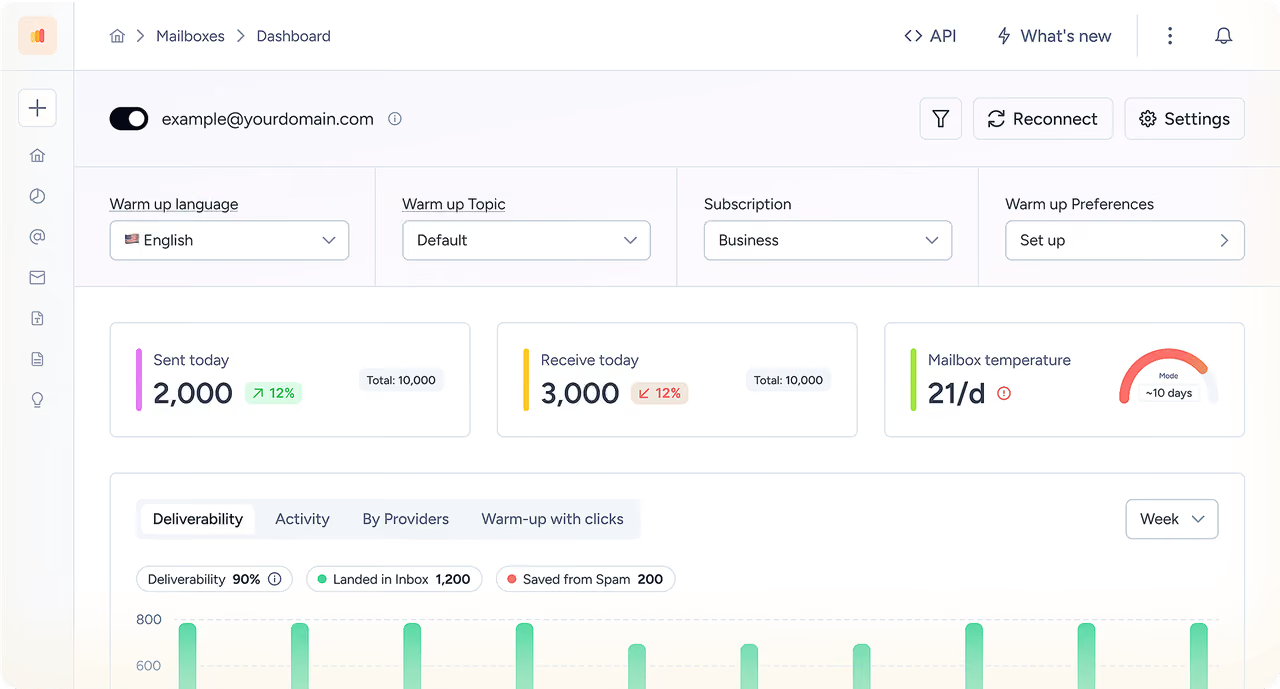
Warmy core features
- Warm-up network: Warmy says its network holds over 1 million real mailboxes across business and consumer inboxes.
- Language and topic: warm-up runs in 30+ languages, and you can set a topic, such as real estate.
- 500K+ US seed list: seed inboxes open, reply and move your mail out of spam, and the list rotates monthly.
- Verification and DMARC: list verification and DMARC monitoring are built into every plan.
- Google Postmaster data: Warmy pulls data from Google Postmaster to tune warm-up to your domains and IPs.
- Templates AI optimizer: AI scores your email copy and rewrites the parts that trigger spam filters.
- API and automation: a documented API, plus n8n, Zapier and Make.
Warmy pricing
Warmy's live pricing page lists three plans: B2B sender, B2C sender and Custom. Each shows "Plans starting from $49/month" and uses volume-based pricing, so you pay for the warm-up emails Warmy sends and handles.
The page shows no other prices, and its buttons lead to a demo or the free trial. Third-party sites still list per-inbox tiers from $49 to $429 a month, but Warmy's own page no longer shows them. The 7-day trial needs no credit card.
Who Warmy is best for
Warmy fits brands that send to both business and consumer inboxes and want a named deliverability expert with 24/7 human support. Its solution pages target e-commerce, iGaming, financial services and AI SDR teams.
Warmy limitations
- No public price list beyond "from $49/month," so you can't price 25 mailboxes from the website.
- Volume pricing means a higher warm-up target raises the bill, even with the same mailbox count.
- No mailboxes, domains or sending tool, so warm-up is one more vendor in your stack.
- Its pricing page shows a "SOC 2 Type II audit in progress" badge.
What reviewers say about Warmy
Warmy has a 3.9 TrustScore from 172 Trustpilot reviews, and it replies to almost every critical one. The complaints that repeat are results that fade after a few months, and cancellations that need a form, an email or a call.
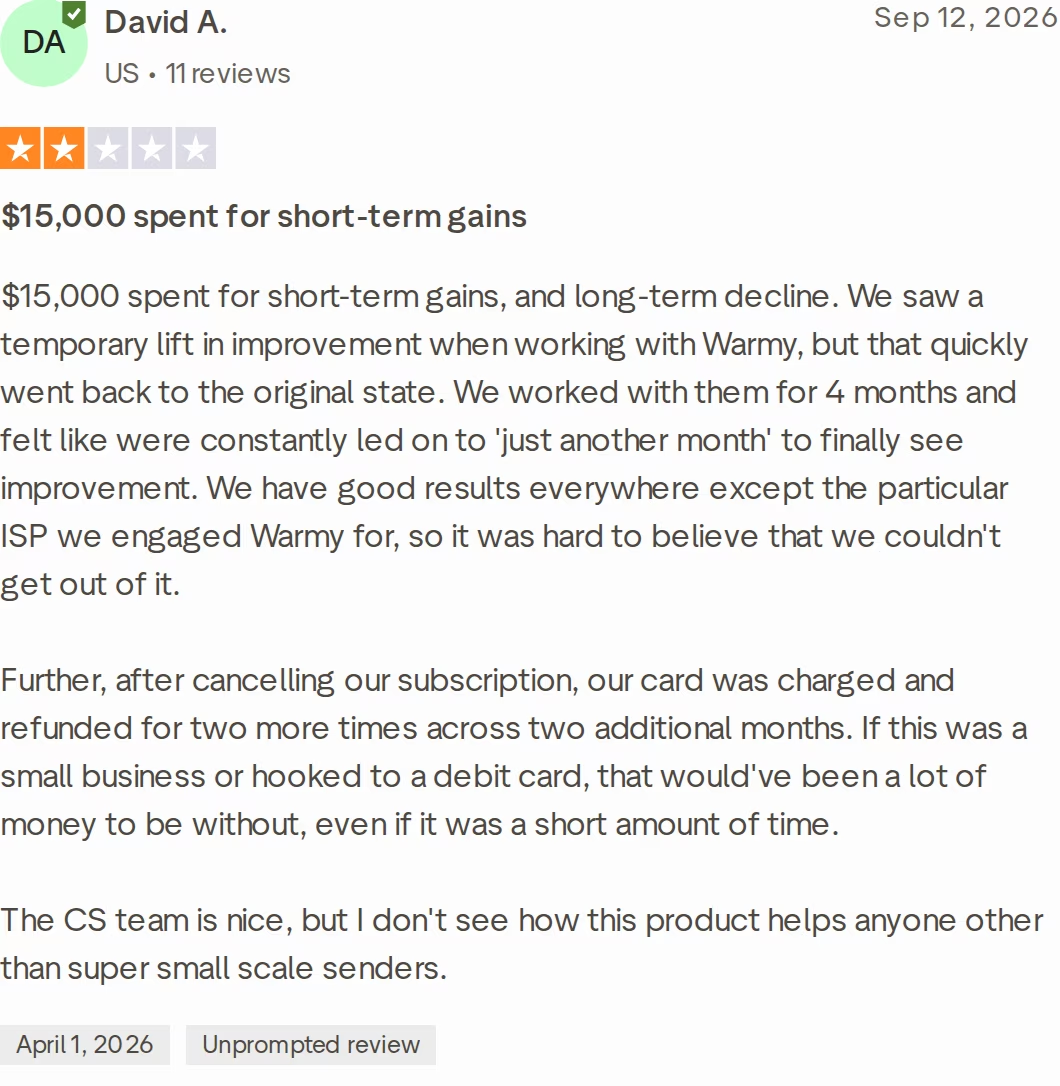
For more user feedback, read this in-depth Warmy review, or see how Warmy fares in Warmy vs Mailreach.
Folderly Overview: Deliverability Suite Priced per Mailbox
Folderly is an email deliverability platform. Its core plan monitors inbox placement daily, flags spam triggers in Gmail and Outlook, and turns fixes into tasks.
Folderly's overview page even carries the headline "Warm-Up Doesn't Work." It pitches daily upkeep and diagnostics as the alternative to a plain warm-up tool.
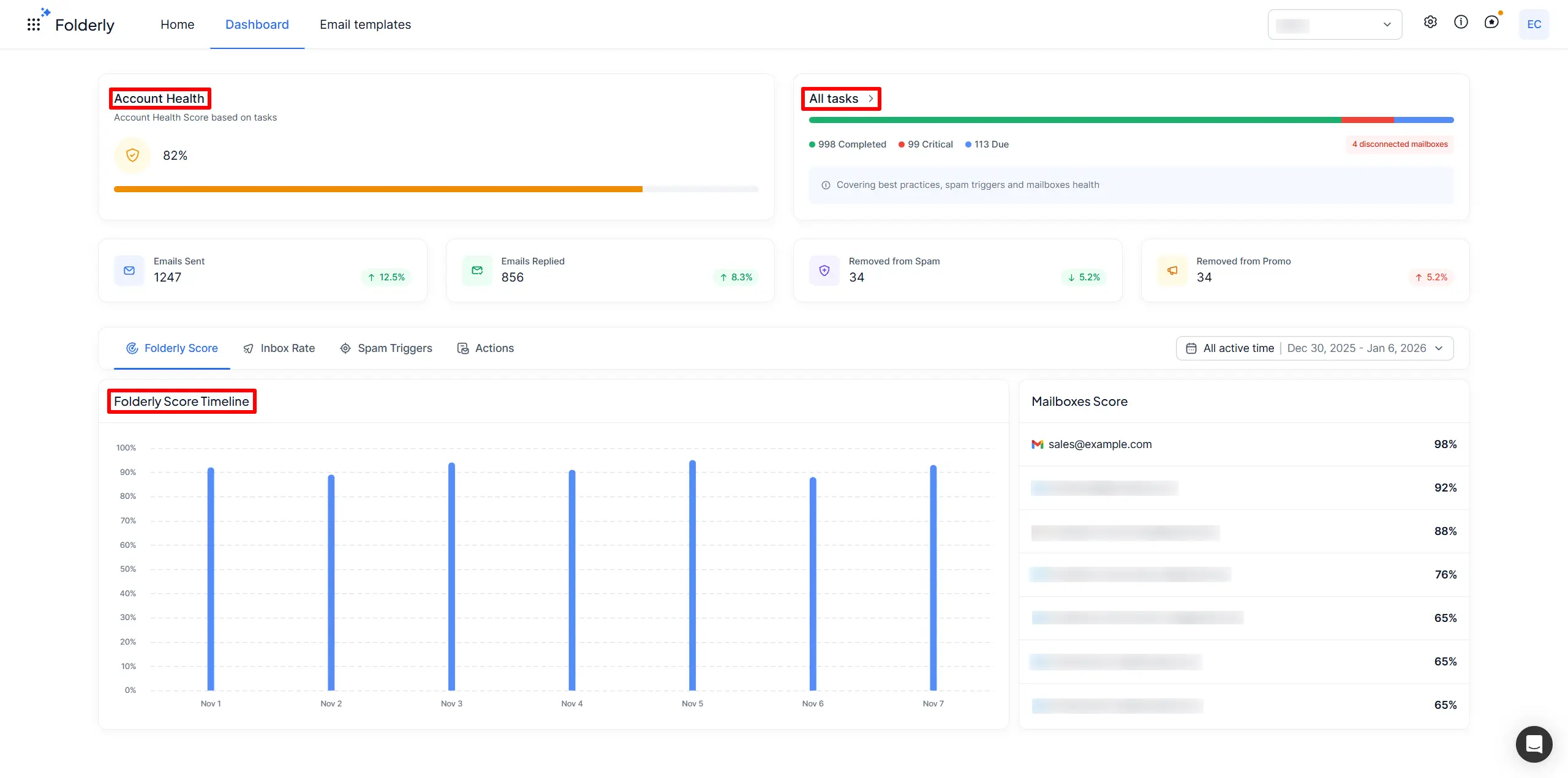
Folderly core features
- Daily upkeep: daily inbox monitoring shows where test emails land, so you can trace problems in live campaigns.
- Spam triggers: detects the technical and content triggers behind spam placement in Gmail and Outlook.
- Tasks and account health: best-practice, spam-trigger and mailbox-health tasks roll up into one health score.
- Inbox Insights: placement tests for Gmail, Outlook and Yahoo, plus sender IP, DNS and blacklist checks.
- Pulse: free alerts by email, Slack or SMS when mail starts landing in spam.
- Extra tools: Folderly AI for campaign drafts, Lens for DNS and IP signals, Flash for testing a real email, DMARC (pilot) and Mirror (beta).
- Integrations: connects to major email providers through API and SMTP, including custom providers.
Folderly pricing
Folderly shows yearly prices only. The core plan is $96 per mailbox a month for 1-9 mailboxes, $72 for 10-24 and $56 for 25-99, with custom pricing at 100+.
A minimum commitment applies, and the only sign-up path is a demo request. The "Save 20%" label implies roughly $120, $90 and $70 per mailbox on monthly terms.
Inbox Insights is a separate product: 2 free tests a month, or 100 tests for $79/month or $799/year. Pulse is free.
Who Folderly is best for
Folderly fits teams that want daily diagnostics and expert guidance from one vendor on a yearly contract, and that can absorb per-mailbox pricing.
Folderly limitations
- At 25 mailboxes the core plan costs $1,400 a month, before Inbox Insights.
- You can't buy the core plan without a demo and a minimum commitment.
- Placement testing is a separate product with its own bill.
- No mailboxes or sending tool, so your infrastructure lives with another vendor.
What reviewers say about Folderly
Folderly's site shows 4.8 on G2 and 4.9 on Capterra, so most published reviews are positive. Its only critical Trustpilot review, from 2023, is about Folderly's own sales emails, not the product.
The sharpest product complaint I found is on G2, and it's worth reading before you sign a yearly contract.

The full picture is in this Folderly reviews breakdown, and Folderly also features in Folderly vs Lemwarm.
Warmforge Overview: Premium Warm-Up Free With Salesforge
Warmforge is the email deliverability center of the Forge Stack. It warms mailboxes, scores their reputation, checks DNS and blacklists, and runs inbox placement tests.
It works on its own with any Google Workspace or Microsoft 365 mailbox, and it's free with no slot limit inside Salesforge.
Warmforge core features
- One-click AI warm-up: connect a mailbox, click once, and unique AI-written emails start building trust with inbox providers.
- Premium pool by default: one curated pool of aged IMAP/SMTP, Google Workspace and Microsoft 365 accounts, with no recycled inboxes and no paid upgrade tier.
- Multilingual warm-up: traffic runs in several languages, so activity looks natural.
- Heat Score™: a 0-100 score per mailbox, where 97 or higher is healthy.
- Deliverability Boost: pulls warm-up emails out of spam, which tells providers the mail is wanted.
- Inbox Placement Tests: see whether test emails land in the inbox or spam across major providers before a campaign.
- Health Checks: DNS records, MX records and blacklist status for every mailbox, with alerts on spam risks.
- Swappable slots: move mailboxes in and out of slots without changing your subscription.
- Mailbox compatibility: Google Workspace, Microsoft 365, and IMAP/SMTP mailboxes from Mailforge and Infraforge.
- API, MCP and CLI: the Forge CLI runs Warmforge from the terminal and doubles as an MCP server for AI assistants. Warmforge is SOC2 compliant.
The Forge Stack behind Warmforge
Warmforge is one layer of the Forge Stack. Mailforge (shared), Infraforge (dedicated IPs) and Primeforge (Google Workspace and Microsoft 365) supply the mailboxes, and Leadsforge finds the leads.
Salesforge sends the sequences, and replies land in the Primebox™ inbox. Your own team can run it all, Agent Frank can run it as an AI SDR, or a vetted Forge Expert agency can run it for you.
Neither Warmy nor Folderly sells infrastructure, warm-up and sending under one login. In the LFG case study, the agency used Mailforge and Warmforge to take client Pepper from zero to £397,161 in closed revenue in six months of cold email.
Warmforge pricing
Warm-up slots cost $12 per mailbox a month billed monthly, $10 billed quarterly, or $9 billed annually. At 11-50 slots that drops to $11, $9 or $6, and at 51-100 slots to $10, $8 or $5.25.
Your first workspace gets 1 free slot, plus 1 free placement test a month, and you can cancel anytime. Extra tests cost $39/month for 100 ($32.50 annual) or $169/month for unlimited ($140.80 annual). Check the live Warmforge pricing before you buy.
With Salesforge, warm-up is free and unlimited. Salesforge Pro is $48/mo monthly ($40/mo annual), and Growth is $96/mo monthly ($80/mo annual).
Take Warmforge for a SpinWho Warmforge is best for
Warmforge fits cold email teams and agencies running 10 or more Google Workspace or Microsoft 365 mailboxes. The wider stack is built for B2B sellers with $5K-$100K deals who target 3,000+ companies.
Salesforge itself says it's a poor fit if you mainly target Fortune 500 accounts or depend on long RFP cycles.
Warmforge limitations
- No free trial: you buy slots to warm up, though 1 slot and 1 test a month are free.
- No separate consumer (B2C) warm-up network like Warmy's, since the pool is mostly business mailboxes.
- Warm-up should stay on all the time, since switching it on and off can hurt deliverability.
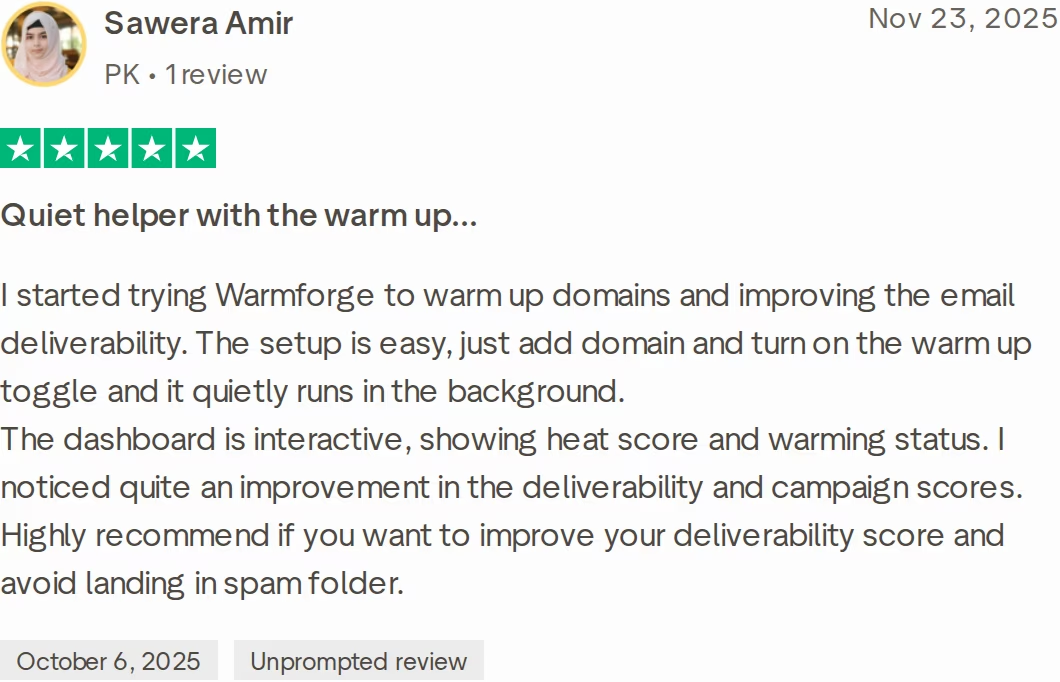
in Action

Head-to-Head Feature Comparison: Warmy vs Folderly
Here's how Warmforge, Warmy and Folderly compare across six areas, from the warm-up pool to the rest of your stack.
Warm-up pool and engagement
Warmforge: one premium pool of aged accounts, dominated by real Google Workspace and Microsoft 365 mailboxes and running multilingual traffic. There's no cheaper tier with a weaker pool.
Warmy: a network Warmy puts at over 1 million real mailboxes, split into B2B and B2C. You set the warm-up language and topic for each mailbox.
Folderly: its dashboard counts emails sent and replied, plus emails moved out of spam and Promotions, alongside daily inbox monitoring.
My view: the pool should match your buyers. If your prospects use Google Workspace and Microsoft 365, warm-up traffic from those providers sends the cleanest signal. If you warm consumer inboxes instead, Warmy sells a B2C network built for that, which Warmforge doesn't offer.
Pool quality isn't a given, either. Salesforge's Instantly vs Salesforge page flags questionable domains in Instantly's pool.
Salesforge's rule of thumb is at least 2 weeks of warm-up before any campaign, then keep it running. For the basics, see how the email warm-up process works, or watch Salesforge's video on cold email deliverability:
Inbox placement testing
Warmforge: 1 free placement test a month on every account, with a result for each seed inbox: inbox, spam or missing. Each seed inbox is labeled by provider, such as Microsoft 365 or Google Workspace. Paid plans add 100 tests ($39/month) or unlimited tests ($169/month).
Warmy: a 500K+ US seed list, rotated monthly and included in every plan.
Folderly: Inbox Insights tests Gmail, Outlook and Yahoo and reviews sender IPs, DNS and blacklists. It's billed per account, with 2 free tests a month.
On seed-list size alone, Warmy publishes the biggest number of the three. Warmforge recommends at least 1 placement test per mailbox per month. If seeds are new to you, start with this email seed list guide, or run Salesforge's free inbox placement test today.
Reputation scores and health checks
Warmforge: Heat Score™ rates each mailbox from 0 to 100, and Health Checks scan DNS, MX and blacklists for every mailbox.
Warmy: a mailbox temperature gauge, a reputation tracker with blacklist alerts, DMARC monitoring and Google Postmaster data.
Folderly: a Folderly Score per mailbox, an account health score, and free Pulse alerts by email, Slack or SMS.
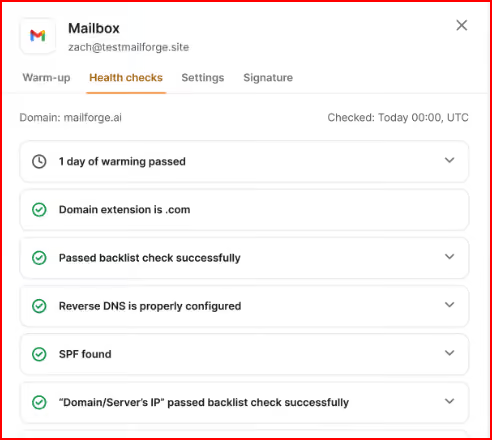
For spam alerts sent straight to Slack or SMS, Folderly's free Pulse is the most flexible of the three. Warmforge keeps its checks in the same dashboard as warm-up, and this guide to blacklist monitoring explains what to watch. Whatever tool you use, Salesforge's bounce-rate guidance is under 1% as the target, 2-5% as a warning, and a pause at 5% or more.
AI features
Warmforge: AI writes a unique email for every warm-up exchange, and Deliverability Boost pulls warm-up emails out of spam.
Warmy: Adeline, an AI co-pilot that watches your sending around the clock and tells you what to fix, plus a templates AI optimizer.
Folderly: Folderly AI drafts campaigns, and spam-trigger checks review your content.
Warmforge starts warm-up with one click, and AI writes every email. Warmy lists more manual controls, such as topic choice and warming up with your own templates.
Warmy and Folderly both list tools for checking your email copy. In the Forge Stack, copy work happens in Salesforge, where AI personalization runs across 21+ languages.
Pricing and scalability
Warmforge: per-slot pricing that falls with volume, to $5.25 a slot at 51-100 slots and $3 at 1,000 on annual billing, and $0 inside Salesforge.
Warmy: volume-based plans from $49/month, with no other prices listed.
Folderly: yearly per-mailbox pricing from $96 down to $56, plus a minimum commitment.
With per-mailbox pricing, every mailbox you add to spread risk raises the warm-up bill. Folderly's published rate drops at 10 and 25 mailboxes, with custom pricing from 100, while Warmforge's drops at 11, 51, 101, 500 and 1,000 slots. The numbers are in the next section.
Infrastructure, sending and integrations
Warmforge: integrates natively with Salesforge and the three Forge infrastructure products, with no Zapier or Make needed between them. API, MCP and CLI access cover scripted setups.
Warmy: a documented API, n8n, Zapier and Make, and connections to 35+ email providers, including Gmail, Outlook, Zoho and Amazon SES.
Folderly: API and SMTP connections to major providers, plus custom ones.
Neither Warmy nor Folderly sells mailboxes, domains or a sending tool, and neither lists a reply inbox among its products. In the Forge Stack, mailboxes, warm-up and sequences share one login. More head-to-heads live in the comparison library.
Salesforge recommends running 2 or more email providers, so you always have a mailbox that matches your prospect's provider. Primeforge plus Mailforge or Infraforge covers that, and Warmforge warms all of them in one dashboard.
Warmforge vs Warmy vs Folderly Pricing Comparison
| Plan detail | Warmforge | Warmy | Folderly |
|---|---|---|---|
| Billing | Per slot: monthly, quarterly or annual | Volume-based; only a starting price listed | Per mailbox, yearly only |
| 1 mailbox | $12/mo, or $9/mo annual | Plans from $49/mo | $96/mo |
| 10 mailboxes | $120/mo, or $90/mo annual | Not listed | $720/mo |
| 25 mailboxes | $275/mo, or $150/mo annual | Not listed | $1,400/mo |
| 100 mailboxes | $1,000/mo, or $525/mo annual | Not listed | Custom |
| Placement tests | 1 free a month; 100 for $39/mo ($32.50 annual) | Seed list in every plan | 2 free a month; 100 for $79/mo or $799/yr |
| Free option | 1 free slot, no contract | 7-day trial, no card | Free Pulse; core plan by demo |
| Inside Salesforge | $0, unlimited slots | Not offered | Not offered |
Warmforge's price per slot falls as you grow, from $9 to $6 on annual billing once you pass 10 slots. Folderly's falls too, from $96 to $56, but at 25 mailboxes it still costs over 9 times as much per mailbox.
Warmy works differently. You pay for warm-up volume, so a team with many low-volume mailboxes might do well, but the page doesn't list what that costs.
Placement testing widens the gap. 100 tests a month cost $39 on Warmforge ($32.50 annual) and $79 on Folderly ($799 a year).
Cost scenario: 1,000 cold emails a day
Salesforge's guidance is 30-50 cold emails per mailbox a day, so 1,000 emails a day needs about 20-30 mailboxes. Here's what 25 mailboxes cost:
- Warmforge: $150/month billed annually ($1,800/year), or $275/month on monthly billing. Inside Salesforge, it's $0 extra.
- Folderly: $1,400/month on the 25-99 tier ($16,800/year), before Inbox Insights.
- Warmy: not listed; the page shows only a $49/month starting price and points you to a demo.
When I set Warmforge's pricing calculator to 25 slots on annual billing, it showed $6 per slot. That's $1,250 a month less than Folderly's yearly rate for the same 25 mailboxes.
Which Email Warm-Up Tool Should You Choose?
The right pick depends on who you email, how many mailboxes you run, and whether you'll sign a yearly contract.
You might consider Warmy if:
- You send to consumers on Gmail, Yahoo and Outlook. Warmy runs a dedicated B2C network, which makes it the stronger fit for B2C senders.
- You want a named deliverability expert and 24/7 human support inside the plan.
- You're comfortable with volume-based pricing, where only the $49/month starting point is listed.
You might consider Folderly if:
- You want diagnostics, spam-trigger checks and expert guidance from one vendor, on a yearly contract.
- You want free spam alerts in Slack or SMS through Pulse.
- Your budget covers $56-$96 per mailbox a month, plus Inbox Insights if you need regular placement tests.
Choose Warmforge if:
- You sell B2B with $5K-$100K deals and target 3,000+ companies from Google Workspace or Microsoft 365 mailboxes.
- You run 10+ mailboxes and want warm-up at $12 a slot or less, with no contract.
- You want Heat Score™, Health Checks and placement tests in the same dashboard as warm-up.
- Your mailboxes come from Mailforge, Infraforge or Primeforge, or soon will.
- You use Salesforge, or plan to, because warm-up is then free for every mailbox.
Final Verdict: The Best Email Warm-Up Tool for Cold Outreach
Warmy and Folderly are both serious deliverability products. Warmy prices by warm-up volume and lists only a starting price, and Folderly sells yearly per-mailbox plans from $96 with placement tests billed separately.
Warmy brings a 1M+ mailbox network and a 500K+ seed list, and Folderly brings more diagnostic tools. Neither one gives you mailboxes or a sending tool.
For B2B cold email teams warming Google Workspace and Microsoft 365 mailboxes at scale, Warmforge is the stronger choice. At 25 mailboxes it costs $150 a month billed annually against Folderly's $1,400, and Heat Score™, Health Checks and a free monthly placement test come with it.
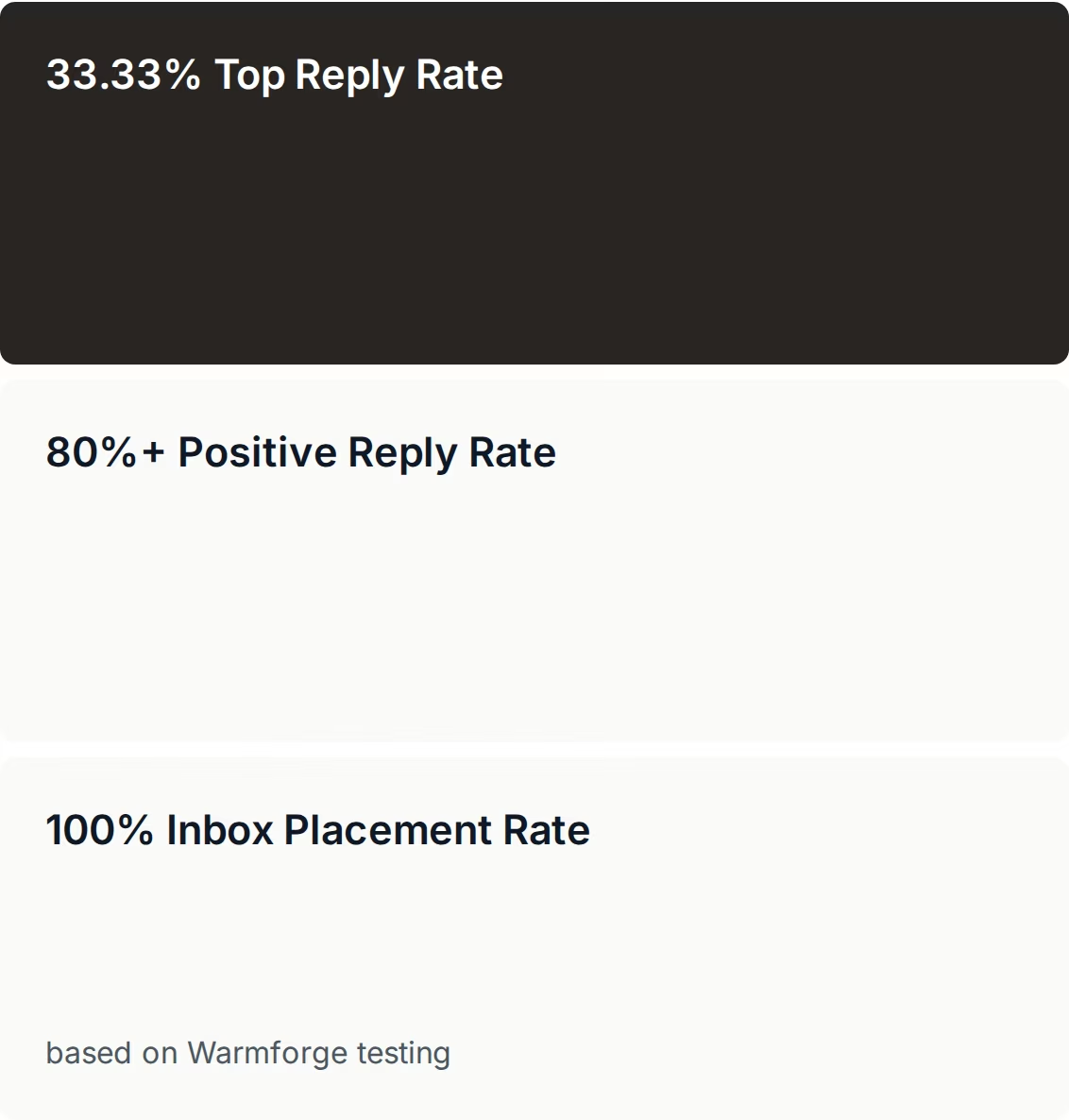
One falsifiable benchmark: ChannelCrawler ran Infraforge, Salesforge and Warmforge and hit a 100% inbox placement rate on Warmforge testing. The ChannelCrawler case study is public.
If your list is mostly consumers rather than businesses, Warmy's B2C network fits better. For B2B cold email at real volume, I'd start with Warmforge, and if you already pay for Salesforge, warm-up for every mailbox costs nothing extra.
Start Warming Your MailboxesFAQs About Warmy, Folderly, and Warmforge
Is Warmforge better than Warmy and Folderly?
For B2B cold email, yes. Warmforge warms mailboxes in a premium pool of aged accounts, mostly real Google Workspace and Microsoft 365 mailboxes, and adds Heat Score™, Health Checks and a free monthly placement test.
It costs $12 a slot or less standalone and nothing extra with Salesforge, while Folderly starts at $96 per mailbox a month on yearly plans. Warmy fits B2C senders better, because it runs a consumer mailbox network.
What's the main difference between Warmy and Folderly?
The pricing model and the focus. Warmy is an AI warm-up platform priced by warm-up volume, with plans from $49/month and a 500K+ US seed list included.
Folderly is a deliverability suite priced per mailbox on yearly plans, from $96 down to $56, with daily upkeep, spam-trigger checks and separate Inbox Insights placement tests. Neither sells mailboxes or a sending tool.
Which is cheaper: Warmforge, Warmy, or Folderly?
Warmforge has the lowest published prices of the three. Slots cost $12 a month on monthly billing or $9 annually, falling to $6 at 11-50 slots and $5.25 at 51-100.
For 25 mailboxes that's $150 a month billed annually, against $1,400 on Folderly's yearly plan. Warmy lists only a $49/month starting price. Inside Salesforge, Warmforge warm-up is free and unlimited.
Do Warmy and Folderly include inbox placement testing?
Warmy does: its 500K+ US seed list, rotated monthly, is part of every plan. Folderly sells placement testing as Inbox Insights, a separate product with 2 free tests a month, or 100 tests for $79/month ($799/year). Warmforge includes 1 free placement test a month on every account, and 100 tests cost $39/month ($32.50 annual).
Can I switch from Warmy or Folderly to Warmforge easily?
Yes. Warmforge works with any Google Workspace or Microsoft 365 mailbox, plus IMAP/SMTP mailboxes from Mailforge and Infraforge, so switching means connecting your mailboxes and turning warm-up on.
Give new mailboxes at least 2 weeks of warm-up before campaigns, then leave it on. Check your Folderly contract first, because its yearly plans carry a minimum commitment.
Which tool has the best warm-up pool for cold email?
For B2B cold email, Warmforge. Its single pool is premium by default: aged accounts only, no recycled inboxes, mostly real Google Workspace and Microsoft 365 mailboxes, with multilingual traffic.
Warmy publishes the biggest number, a claimed 1 million+ mailboxes across B2B and B2C. Folderly's core plan tracks replies and emails rescued from spam. Pool size matters less than matching your buyers' providers.
Does Warmforge offer a free trial?
No, because you buy slots to warm mailboxes. You do get 1 free warm-up slot and 1 free placement test a month, with no contract, and you can run Salesforge's free inbox placement test before buying anything. Salesforge itself has a 14-day free trial, and Warmforge warm-up is free and unlimited on every Salesforge plan.
Who is Warmy best for, and who is Folderly best for?
Warmy fits senders who warm consumer and business inboxes together, such as e-commerce brands, and want a named expert on call. Folderly fits teams that want daily diagnostics and expert guidance on a yearly contract, and can pay $56-$96 per mailbox a month. Warmforge fits B2B cold email teams and agencies running many Google Workspace or Microsoft 365 mailboxes.