

Warmbox is a simple email warm-up tool that connects the widest range of providers. Warmup Inbox pairs warm-up with a built-in cold-email sequencer. Neither runs inbox-placement tests, and both price in a way that climbs fast as you add mailboxes.
For teams that need to land in the inbox and stay there, Warmforge is the stronger pick - warm-up, placement tests, health monitoring, and automatic spam cleanup in one deliverability center, on a premium Google and Microsoft network. Your first warming slot is free, and warm-up is free and unlimited with any Salesforge plan.
I have warmed enough mailboxes to know the warm-up tool you pick quietly decides whether your cold email lands. The three I get asked about most are Warmforge, Warmbox, and Warmup Inbox.
On the surface they look identical: connect a mailbox, let it trade friendly emails with a network, watch the spam rate drop. Under the hood they solve different problems.
I will walk through what each one is, what it costs, and where I would actually reach for it - with real numbers and a named customer result, not vague claims.
What's inside
Email Warm-Up Tools Compared at a Glance: Warmbox vs Warmup Inbox
| Warmforge | Warmbox | Warmup Inbox | |
|---|---|---|---|
| Core focus | Warm-up, monitoring, placement tests, spam cleanup | Warm-up only | Warm-up + cold-email sending |
| Native providers | Google Workspace & Microsoft 365 | Gmail, Outlook, Yahoo, iCloud, AOL, Yandex, Zoho, SES, SMTP | Gmail, Outlook, Zoho, SES, Mailgun, SendGrid, SMTP/IMAP |
| Network | Millions of real GW/MS365 mailboxes | 35,000+ private inboxes | 30,000+ real inboxes |
| Pricing model | Per mailbox slot, no inbox caps | Tiered, capped inboxes per plan | Per inbox |
| Entry price (annual) | $10/slot/mo, 1st slot free | $15/mo (1 inbox) | $15/inbox/mo |
| Free option | Free slot + 1 placement test/mo | None | 7-day free trial |
| Inbox-placement testing | Yes, built in | No | No |
| Security | SOC 2 compliant | GDPR / CCPA | Not published |
Warmbox Overview
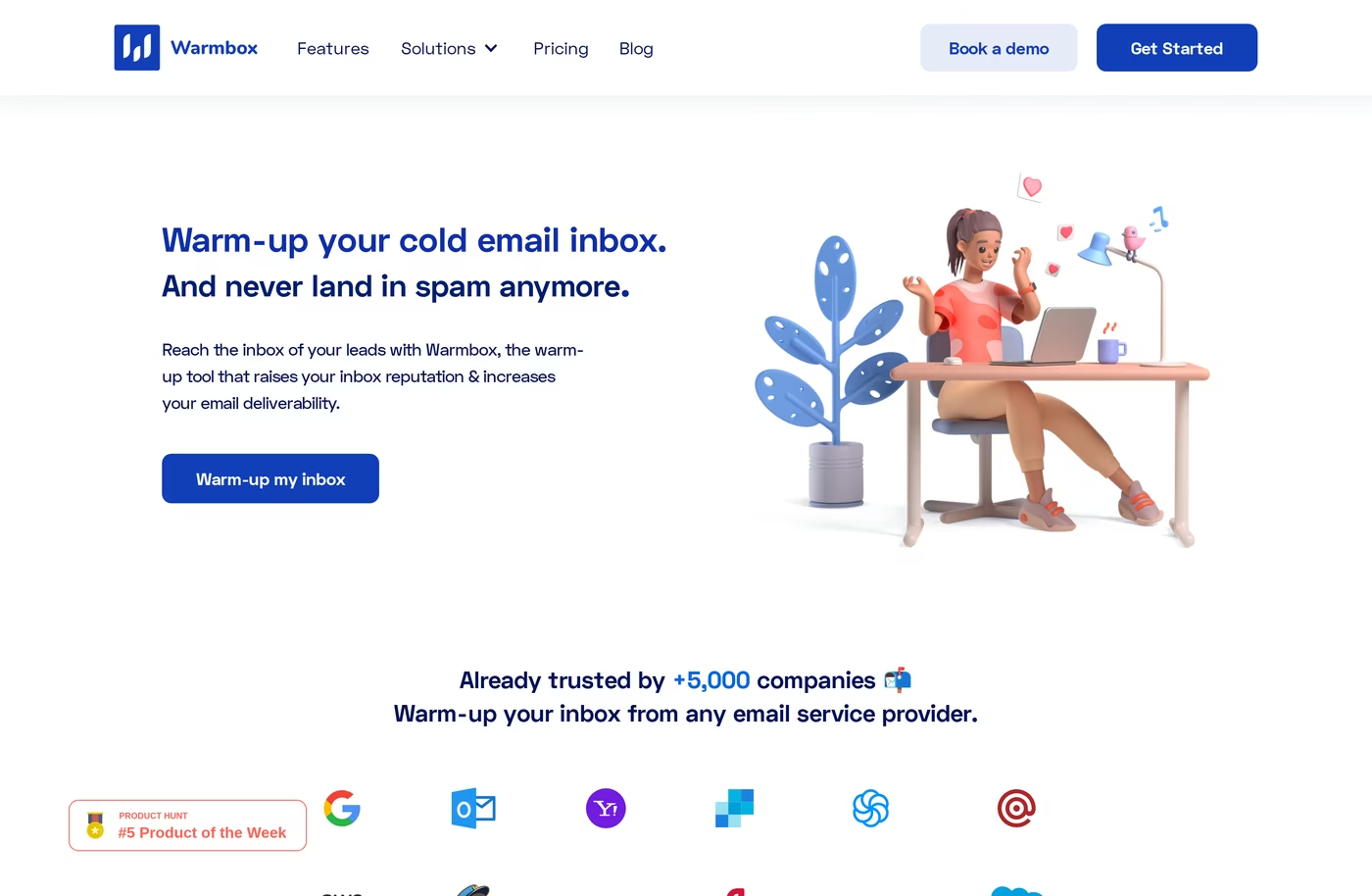
Warmbox launched in 2021 and does one thing: it warms up mailboxes. You connect an inbox, pick a warm-up recipe (growth, flat, random, or custom), and its 35,000+ private-inbox network starts trading GPT-4-written emails with yours - opening them, replying, and pulling anything that lands in spam back out.
A Live Email Checker flags DNS and blacklist issues, and a spam-score monitor tracks the trend over time.
The genuine strength here is provider coverage. Most warm-up tools stop at Google and Microsoft. Warmbox also connects Yahoo, iCloud, AOL, Yandex, Zoho, SendGrid, Sendinblue, Mailgun, Amazon SES, and any custom SMTP inbox.
It is GDPR- and CCPA-compliant, and warm-up usually shows first results in 15 to 30 days.
What I would weigh before committing
Warmbox is warm-up and nothing else. There is no inbox-placement testing, no deep authentication diagnostics, and no sending engine.
Plans cap how many inboxes you can warm (1, 3, or 6 before a custom Team quote), and seats are charged per team member. The mid-tier plans push roughly 80+ warm-up emails per inbox per day, which sits well above the ~50/day I treat as a safe ceiling for a single mailbox.
The thing I always check is independent reviews, and Warmbox has almost no public footprint on G2, Capterra, or Trustpilot. Some Product Hunt reports mention emails still slipping into spam while the dashboard showed a clean score. I dig into all of it in my Warmbox review.
Warmup Inbox Overview
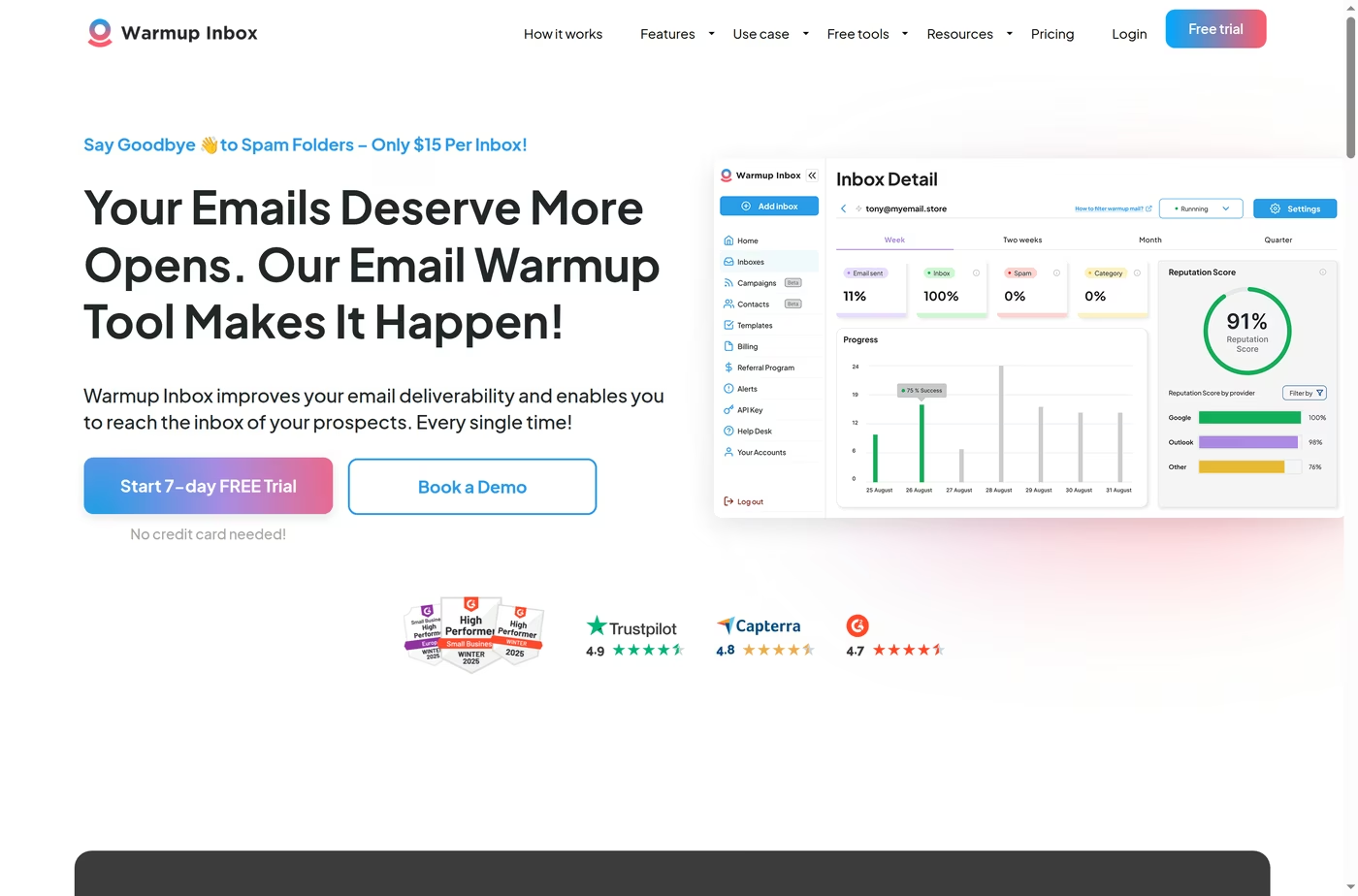
Warmup Inbox does more than Warmbox. Alongside warm-up across a 30,000+ inbox network, it ships a built-in cold-email sequencer, language warm-up in 12 languages, ESP-specific warm-up, blacklist and spam monitoring, a reputation score, and an API.
That mix suits teams that want to warm and send from one tool. It connects Gmail and Google Workspace, Outlook and Microsoft 365, Zoho, Amazon SES, Mailgun, SendGrid, and SMTP/IMAP, and it carries solid ratings on G2, Capterra, and Trustpilot.
The cost model is where I slow down. Warmup Inbox charges per inbox, with no volume discount and no team plan. One or two mailboxes is cheap. Ten Pro inboxes runs about $490/month on annual billing, and fifty climbs toward $3,000/month.
The network also leans Gmail, so warm-up on Outlook and Microsoft 365 can be slower. Its top Max tier advertises up to 1,000 warm-up emails a day per inbox, which looks aggressive next to the 15 to 25/day I would call realistic. There is no published SOC 2 either.
What reviewers flag
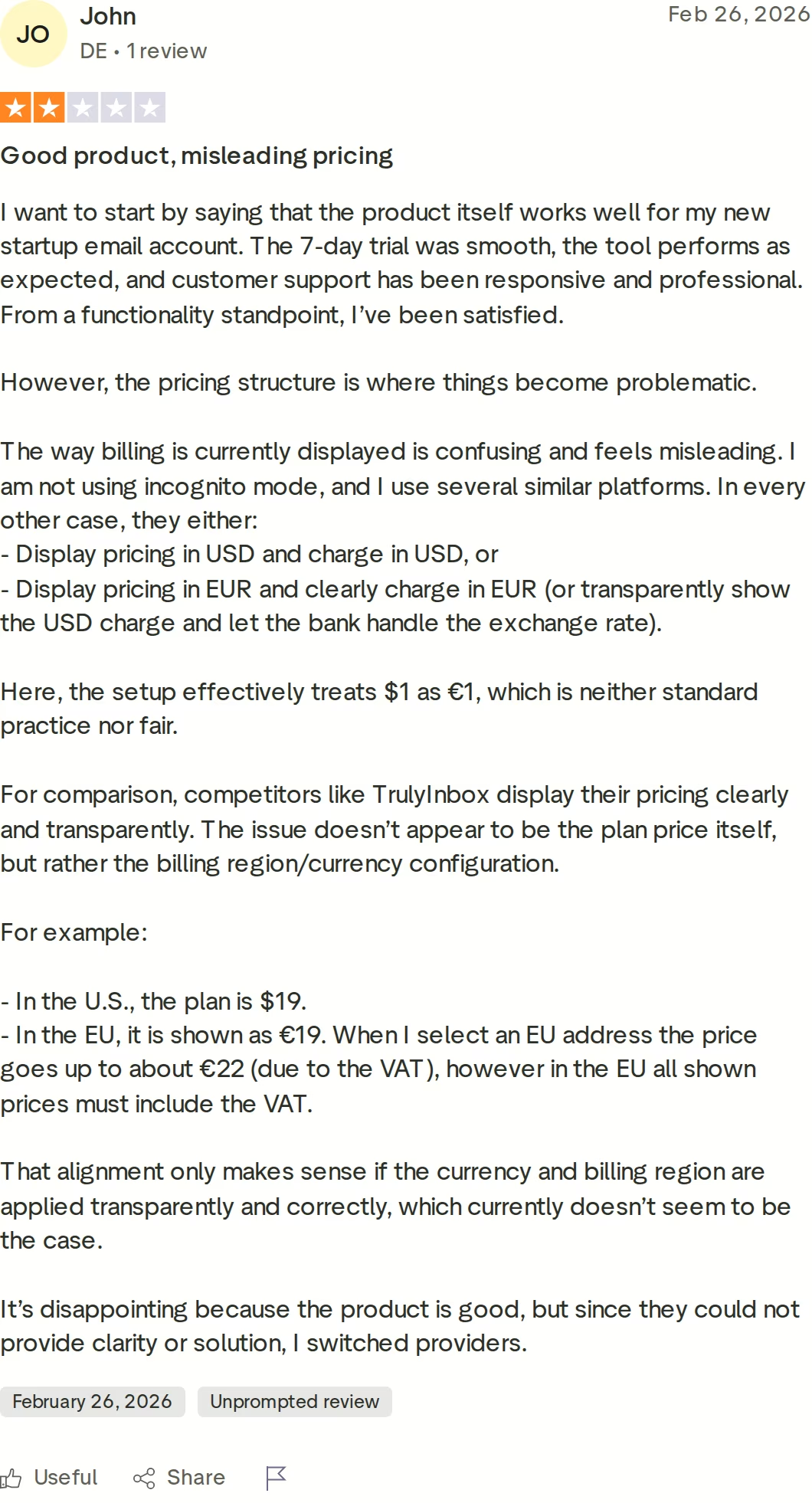
The product and the trial tend to land well. The friction shows up at billing.
The 2-star Trustpilot review below is a fair example - the displayed currency and the charged currency do not line up cleanly, which can make the invoice feel higher than the sticker price.
None of this makes it a weak tool, and the sequencer is a real convenience. I would just read the billing terms closely and model the true monthly cost across every inbox. My Warmup Inbox review goes deeper on where it fits.
Warmforge Overview
Warmforge starts from a different place than the other two. I do not think of it as a warm-up tool with extras. It is an email deliverability command center, and warm-up is one of five things it does.
That framing matters to me. Landing in the primary inbox is not a one-time event you trigger and forget. It is a state you defend as you add domains and volume.
The five pieces, working together
Warm-up sends unique, AI-written emails from your mailboxes so providers read them as real conversations rather than blasts. Monitoring and health checks watch the DNS and MX records behind each mailbox and scan blacklists, with alerts the moment something breaks.
Placement tests send to seed addresses across providers, so I can see the real inbox-versus-spam rate per ESP - one free test every month, with the option to run more. Deliverability Boost automatically pulls warm-up emails that slipped into spam back out, which feeds a cleaner signal to the provider.
Always-on warm-up keeps it all running so reputation does not decay between campaigns. Each mailbox carries a Heat Score™ on a 0 to 100 scale, and I push mine toward 100 for the strongest placement. The email warm-up process guide walks through how that ramp works.
The network behind it
The pool is the other half of the story. Warmforge runs a single, premium-by-default network - no tiers, no premium-if-you-pay-extra.
It is built only from aged, real Google Workspace and Microsoft 365 mailboxes, with multilingual warm-up traffic, so the activity looks natural to inbox providers. With millions of real mailboxes in the pool, there is always enough genuine conversation to warm against.
It is SOC 2 compliant, with an API, MCP server, and CLI for automating warm-up across hundreds of domains.
Two honest limits
Native one-click connection covers Google Workspace and Microsoft 365 only. To warm a raw IMAP/SMTP inbox, I would pair it with infrastructure from Mailforge or Primeforge rather than connecting it directly.
And there is no traditional free trial, since warm-up needs purchased mailbox slots - though the first slot and a monthly placement test are genuinely free, and a few reviewers note the historical analytics are lighter than the live dashboards.
in Action

Head-to-Head Deliverability Comparison: Warmbox vs Warmup Inbox
Same job, three philosophies. This is where the differences actually bite.
| Capability | Warmforge | Warmbox | Warmup Inbox |
|---|---|---|---|
| Warm-up | AI-written, always-on, premium pool | GPT-4, recipe-based | AI, ESP-specific |
| Inbox-placement testing | Built in (1 free/mo) | No | No |
| Health & blacklist monitoring | Continuous, with alerts | Live checker | Blacklist + reputation |
| Auto spam-folder cleanup | Yes (Deliverability Boost) | Yes | Yes |
| Built-in sending/sequencer | Via Salesforge | No | Yes, native |
| Provider breadth | Google + Microsoft | Widest (8+ providers + SMTP) | Gmail, Outlook, Zoho, SES, SMTP |
| Scales without inbox caps | Yes (slot-based) | No (capped tiers) | No (per inbox) |
| Network quality | Aged, curated, real GW/MS365 | Private network | Gmail-leaning |
| Automation (API/CLI/MCP) | All three | Limited | API |
| Independent reviews | G2 4.6 | None public | G2 / Trustpilot / Capterra |
Warm-up network quality
All three exchange emails with a private network, but the makeup of that network drives the result. Warmforge runs a curated, premium-by-default pool of aged real Google Workspace and Microsoft 365 mailboxes.
Warmbox uses a 35,000+ private-inbox network, and Warmup Inbox a 30,000+ inbox network that leans Gmail. On Outlook and Microsoft 365, a Gmail-heavy pool tends to warm slower.
Deliverability monitoring and placement testing
This is the clearest split. Warmforge ships inbox-placement tests (one free a month), continuous DNS/MX health checks, blacklist scans, and Deliverability Boost that removes warm-up emails caught in spam.
Warmbox offers a Live Email Checker and spam-score monitoring but no placement testing. Warmup Inbox tracks blacklists and a reputation score, also without placement testing. If you want to measure real inbox placement, only one of the three does it natively.
Provider coverage and scale
Warmbox covers the most providers - Gmail, Outlook, Yahoo, iCloud, AOL, Yandex, Zoho, several SMTP relays, and custom SMTP. That breadth is its real edge.
Warmforge focuses on Google Workspace and Microsoft 365 natively, and it scales on mailbox slots with no inbox caps, so warming 10 or 200 mailboxes follows the same flat per-slot rate. Warmup Inbox covers fewer providers and meters strictly per inbox. My roundup of the best cold-email warm-up services puts the wider field in context.
Pricing model and how costs grow
The pricing shapes differ more than the headline numbers. Warmforge is per slot with no caps, Warmbox is tiered with capped inboxes and per-seat charges, and Warmup Inbox is strictly per inbox with no volume discount.
At one or two mailboxes the three are close. At ten or fifty mailboxes the per-inbox model pulls away from the others fast.
Pricing Compared: Warmforge, Warmbox, and Warmup Inbox
All prices below are the annual-billing rates unless noted. Competitor figures were taken from each vendor's live pricing page and cross-checked against independent sources.
| Warmforge | Warmbox | Warmup Inbox | |
|---|---|---|---|
| Model | Per mailbox slot, no caps | Tiered, capped inboxes | Per inbox |
| Entry (annual) | $10/slot/mo · 1st slot free | Solo $15/mo (1 inbox) | Basic $15/inbox/mo |
| Mid (annual) | $10/slot/mo (same rate) | Start-up $69/mo (3 inboxes) | Pro $49/inbox/mo |
| Higher (annual) | $10/slot/mo (same rate) | Growth $139/mo (6 inboxes) | Max $79/inbox/mo |
| Monthly billing | $10/slot/mo | $19 / $79 / $159 | $19 / $59 / $99 |
| Free option | Free slot + 1 placement test/mo | None | 7-day free trial |
| With Salesforge | Free & unlimited | - | - |
Warmforge applies a 10% discount on annual billing and runs no contract, so you can cancel anytime. Optional placement-test subscriptions add $32.50/mo (Pro, 100 tests) or $140.80/mo (Growth, unlimited) on annual billing. Verify the current rate on the Warmforge pricing page.
Here is the math on a real setup. Say I am warming 10 mailboxes. On Warmforge that is 10 slots at $10/mo, about $100/month with one slot free, and $0 if I am already on Salesforge. Warmbox's 6-inbox Growth plan tops out at $139/month, and I would need a custom quote past six inboxes. Warmup Inbox at the Pro tier would be 10 inboxes times $49, roughly $490/month on annual billing.
Which Email Warm-Up Tool Should You Use?
You might consider Warmbox if:
- You only need to warm a single mailbox at the lowest entry price.
- You are warming an inbox on Yahoo, iCloud, AOL, Yandex, or another provider most tools will not connect.
You might consider Warmup Inbox if:
- You want warm-up and a cold-email sequencer in the same tool.
- You are warming only a handful of inboxes and want a 7-day trial before paying.
Choose Warmforge if:
- You run cold outreach on Google Workspace or Microsoft 365.
- You want warm-up, placement testing, and health monitoring in one deliverability center.
- You are scaling mailboxes and do not want per-inbox costs to balloon.
- You manage multiple domains and want API, CLI, or MCP automation.
- You already use, or might use, Salesforge - where warm-up is free and unlimited.
Final Verdict: The Best Warm-Up Tool for Deliverability
If the only goal is to switch warm-up on for one mailbox, Warmbox handles that. If you want warm-up and sending in one subscription, Warmup Inbox covers it.
But getting warmed up was never the hard part. Staying in the primary inbox as you scale is, and that is a monitoring-and-testing problem as much as a warm-up one. For protecting deliverability as you grow, Warmforge is the stronger choice - it is the only one of the three with placement tests, continuous health checks, automatic spam cleanup, and a curated real-mailbox network in one place.
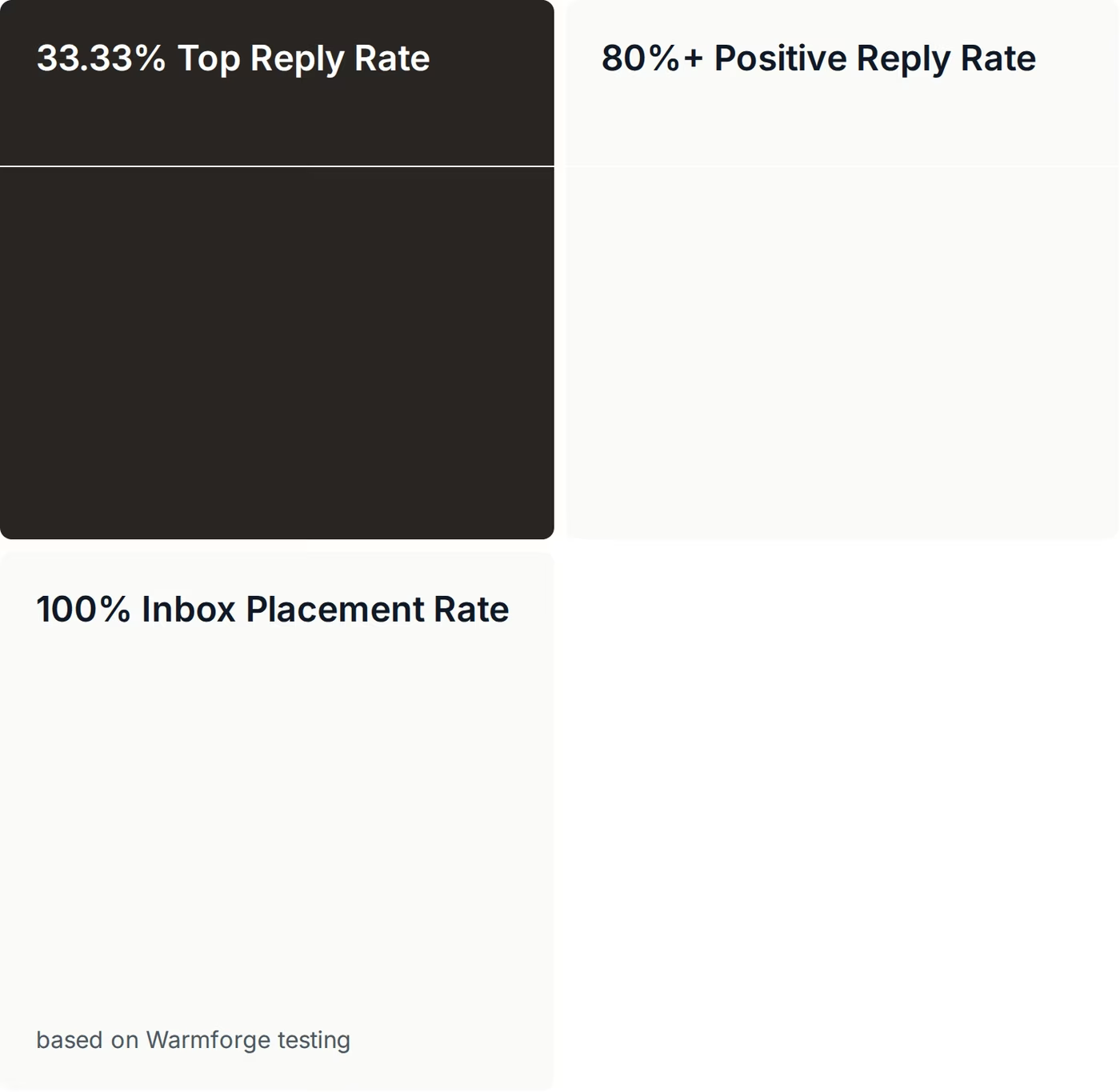
This is not only positioning. In a published Warmforge case study, ChannelCrawler ran Salesforge, Infraforge, and Warmforge together and recorded a 100% inbox placement rate (on Warmforge testing) alongside an 85.71% positive reply rate on small, high-quality campaigns.
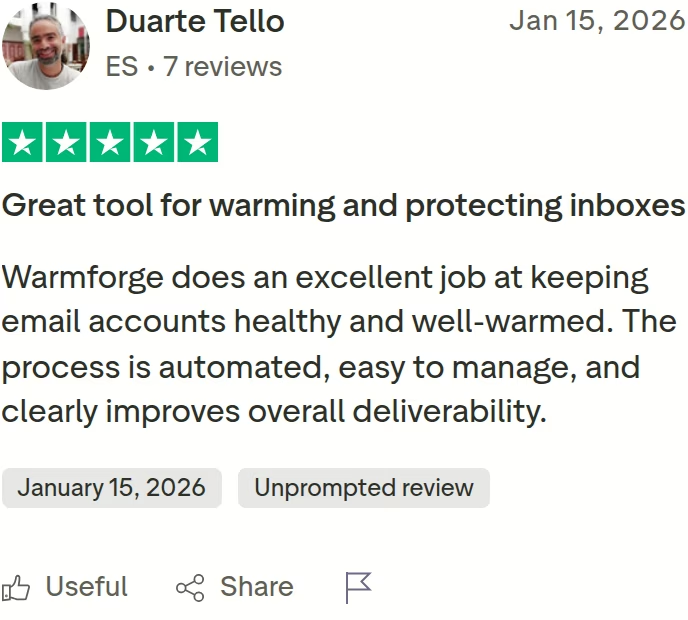
Co-founder Jake Kitchiner said the warm-up process, spintax, and inbox management were all winners for the team. That is the gap between a tool that warms an inbox and a system that protects deliverability at scale.
Before scaling any cold-email program, I would measure where I land today - you can run a free inbox placement test in minutes. And to see how warm-up fits with infrastructure and sending, the Forge Stack lays it out.
Frequently Asked Questions
Is Warmforge better than Warmbox or Warmup Inbox?
It depends on the job. Warmforge is the only one of the three that combines warm-up with inbox-placement testing, continuous health monitoring, and automatic spam cleanup in one tool. If you need to measure and defend deliverability as you scale, that breadth is the reason to pick it. For a single mailbox on an unusual provider, Warmbox's wider provider list may matter more.
What's the main difference between these three tools?
Warmbox is warm-up only, with the widest provider coverage. Warmup Inbox adds a built-in cold-email sequencer so you can warm and send in one place. Warmforge is a full deliverability center - warm-up plus placement tests, health checks, and spam cleanup - on a curated Google and Microsoft network, and it is free with any Salesforge plan.
Which one is cheapest?
Warmbox and Warmup Inbox both start at $15 on annual billing - $15/month for one Warmbox inbox, or $15 per inbox on Warmup Inbox. Warmforge's first warming slot is free, additional slots are $10/month each with no inbox caps, and warm-up is free and unlimited with any Salesforge subscription. Per-inbox pricing grows fastest as you add mailboxes.
How long should I warm up a mailbox before sending?
Plan on at least two weeks of uninterrupted warm-up before you reach out to prospects, then keep warm-up running. Turning it on and off creates an irregular sending pattern that can hurt deliverability. There is more detail in does email warm-up still work in 2026.
Does email warm-up actually keep me out of spam?
Warm-up builds and protects sender reputation, which is necessary but not sufficient on its own. You also need correct authentication (SPF, DKIM, DMARC), clean lists, and sensible volume. My guide on how to avoid spam filters covers the full checklist.
Is Warmforge free with Salesforge?
Yes. Any Salesforge subscription includes unlimited mailbox slots to warm up in Warmforge at no extra cost. Used standalone, the first slot is free and additional slots are $10/month each.
Which tool supports the most email providers?
Warmbox supports the widest range - Gmail, Outlook, Yahoo, iCloud, AOL, Yandex, Zoho, SendGrid, Sendinblue, Mailgun, Amazon SES, and custom SMTP. Warmforge focuses on Google Workspace and Microsoft 365 natively; for raw SMTP or IMAP inboxes you would add infrastructure from Mailforge or Primeforge.
Can I switch from another warm-up tool to Warmforge?
Yes, and there is no migration to manage. You connect your Google Workspace or Microsoft 365 mailboxes in seconds, purchase the slots you need, and start warming right away. If you are also moving infrastructure, the AI email warm-up tools guide covers what to look for.
Competitor pricing and features were verified against each vendor's live pages and cross-checked against independent sources at the time of writing. Plans and prices change - confirm current details on each provider's site before purchasing.