
There’s a point when you’ve compared enough cold email tools that every recommendation starts sounding the same.
“Try Smartlead.”
I’ve seen it come up everywhere. Reddit threads, agency recommendations, comparison articles, and conversations between people running outbound at scale.
And I understand why. Smartlead has built a pretty strong reputation around cold email.
But popularity isn’t really what I wanted to know.
I wanted to know what happens after you actually decide to use it.
What does the setup look like? What do you get at the advertised price? Which features are genuinely useful once you’re running campaigns? And what starts costing extra when your setup gets bigger?
Let’s get into it.
Smartlead is a cold email platform built around two ideas, unlimited mailboxes and automated warmup. You connect as many sending accounts as you want on any paid plan, and Smartlead rotates sends across them so no single mailbox carries the load.
It launched in 2021 out of Sydney, founded by Vaibhav Namburi. For most of its life it was an email sending tool and nothing more.
That changed in 2026. Smartlead added a B2B contact database called SmartProspect, an AI power dialer called SmartDialer, and no-code workflow agents called SmartAgents.
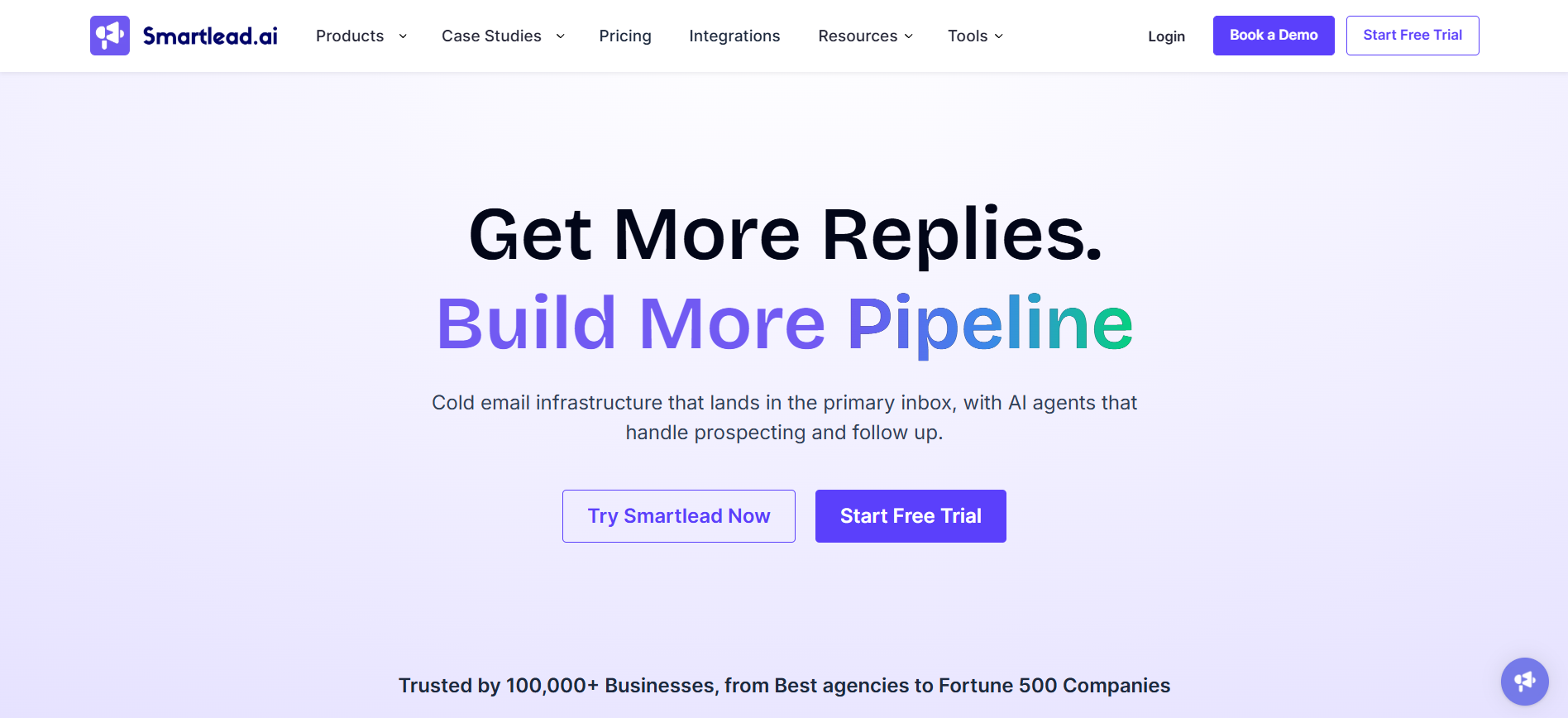
So the pitch is broader than it was two years ago. But the core is still email sending and deliverability infrastructure, and that is where it is strongest.
One thing to know upfront. LinkedIn is not native. Smartlead handles it through third-party integrations with tools like Aimfox and HeyReach, and users report sync failures that create duplicate outreach risk.
Smartlead has a lot of surface area, and not all of it is equally strong. Here is what each module does and where it holds up.
The sequence builder is the part people use daily, and it is genuinely deep.
You get multi-step follow-ups, spintax for message variation, conditional branching based on recipient behaviour, and sub-sequences that fire on reply or click.
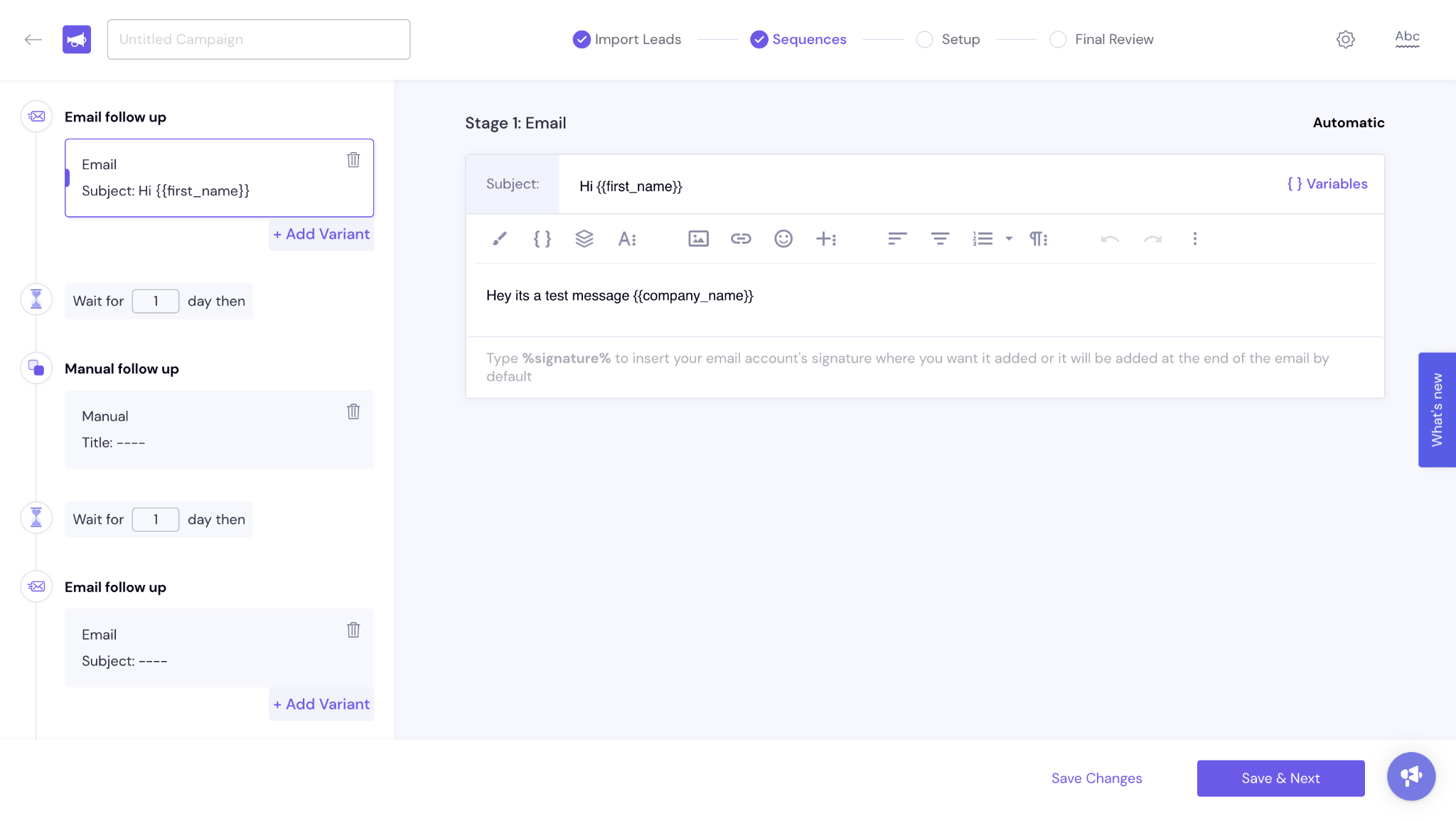
Sending controls live here too, which makes sense because that is where they matter.
One Capterra reviewer singled out spintax specifically, calling it far ahead of what he had used elsewhere alongside the master inbox. View review
The trade-off is complexity. Everything is configurable, which is useful once you know the tool and heavy on day one.
This is the most praised thing about Smartlead, and it shows up in review after review.
Every paid plan includes unlimited mailbox connections. Smartlead then auto-rotates sends across all of them, so volume spreads instead of hammering one account.
A CEO reviewer described it plainly, saying the ability to connect multiple email accounts and have sending volume automatically distributed across them is excellent. See the review
Affordability comes up alongside it constantly. One BDR said he likes how cheap it is to buy inboxes compared to alternatives he had used. Read it here
For agencies running many domains, this is the reason they stay. You are not paying per mailbox or per seat, so scaling sideways costs nothing extra.
If you want wider context on how sender rotation protects deliverability, I covered it in this cold email software breakdown.
Here is where the pricing page surprised me.
Warmup runs automatically and Smartlead markets it as unlimited. But on Base and Pro, the warmup pool is a $59 per month add-on. Only Smart and Prime include the premium pool free.
So the two cheapest tiers pay extra for the feature Smartlead is best known for. That is worth knowing if you picked Base specifically to keep deliverability costs down.
There is a bigger gap though, and a Capterra reviewer named it precisely. He liked being able to warm unlimited mailboxes, but wanted a way to check email health, domain reputation and actual deliverability during the process.
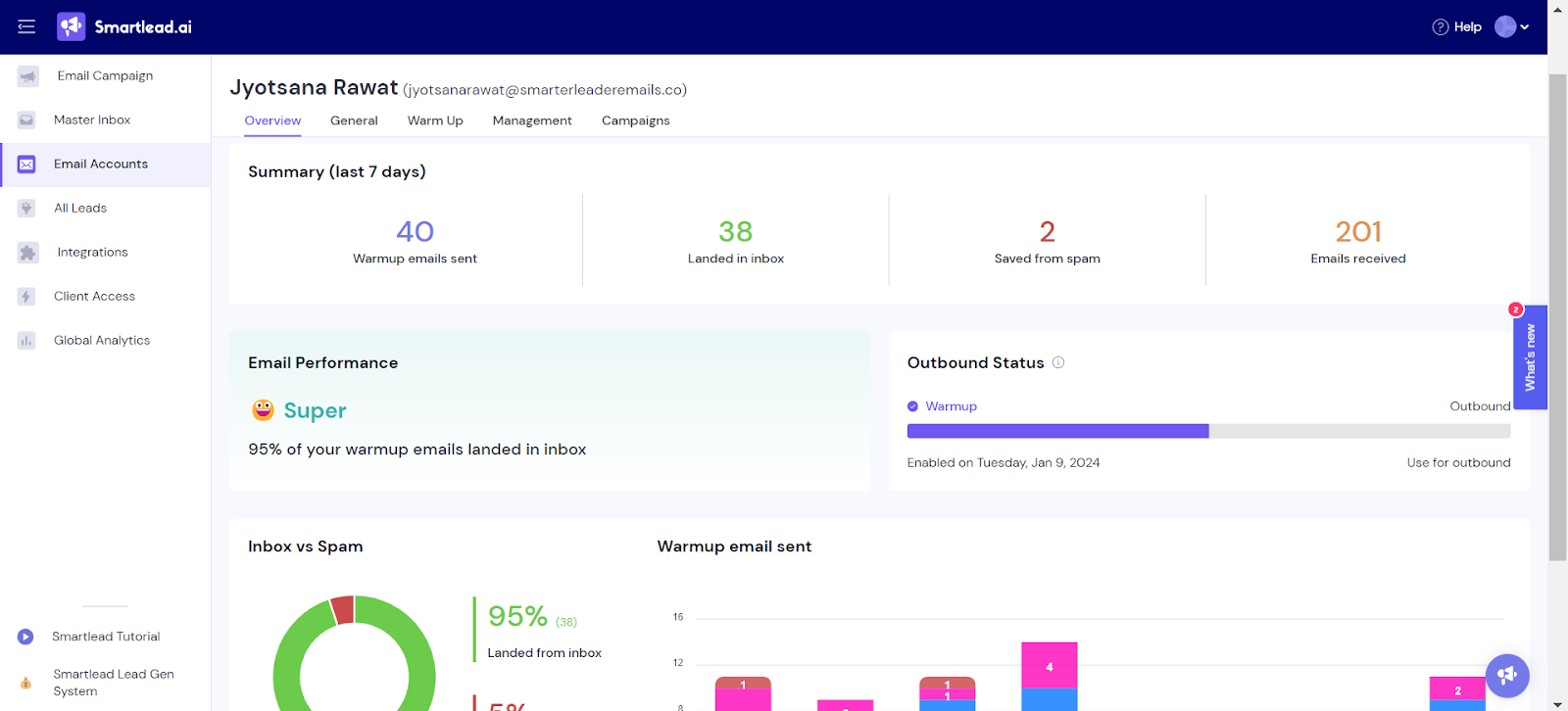
He also noted the warmup message text itself reads close to filler copy in places.
That is the real limitation. Smartlead does not show you whether warmup emails land in inbox or spam, and it does not surface a mailbox health score while warmup runs.
You are warming blind. I tested this properly in a dedicated Smartlead email warmup review across 30 mailboxes.
Smartlead also does not publish a warmup network size, so you cannot compare it against providers who do.
The Master Inbox pulls replies from every connected mailbox into one view. For anyone running twenty or more sending accounts, this is the difference between manageable and chaotic.
It gets praised constantly. One founder listed it alongside sender rotation and custom fields as the reason running cold email at scale feels simple.
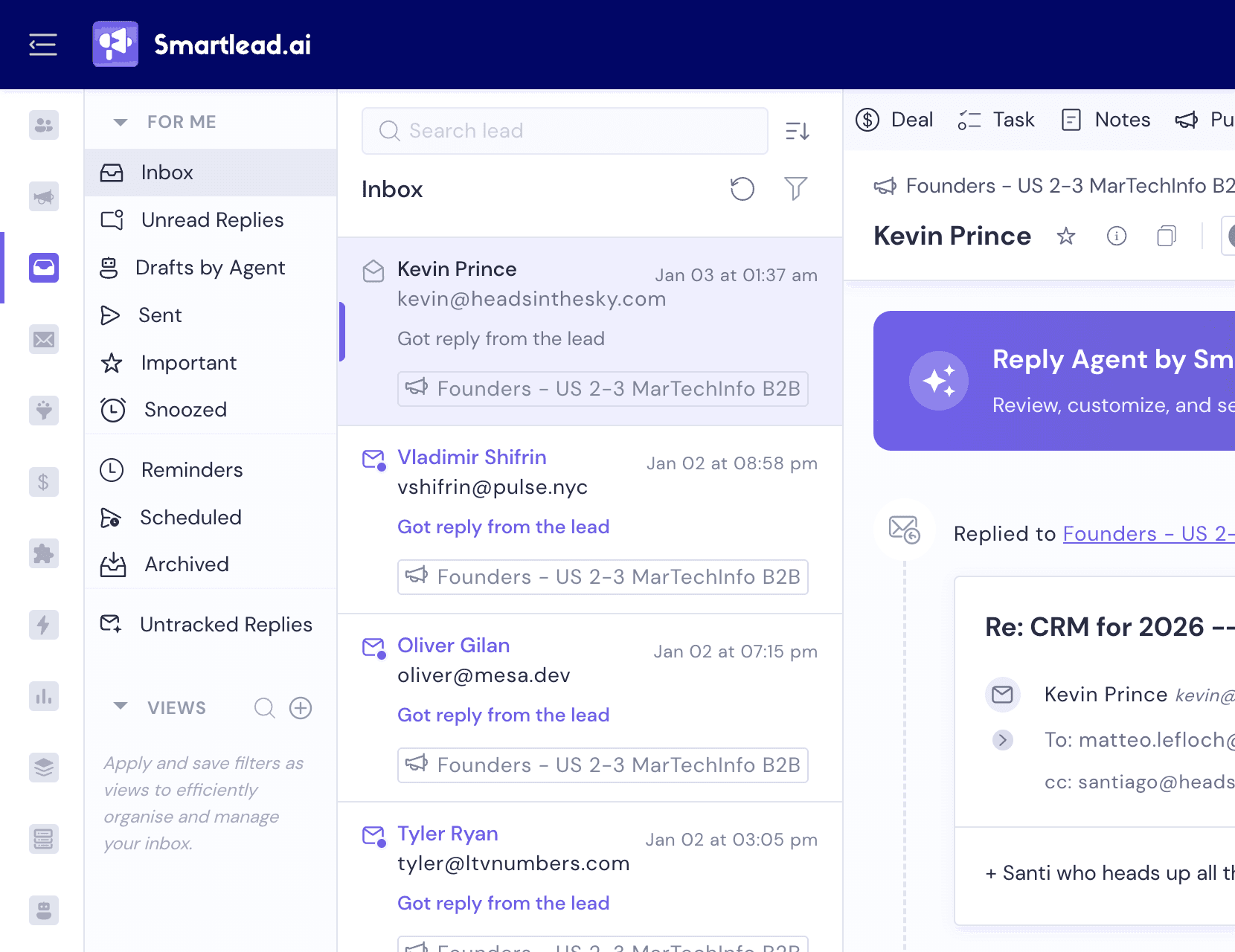
But there are real complaints too. One marketing manager who otherwise rated deliverability well said the master inbox and support were the two things that pushed him to a half-star rating. See the review
Another reviewer reported being unable to access 177 of his mailboxes at all, with passwords failing and domains not forwarding. Read it here
So test reply visibility with your own setup during the trial, especially if you send through custom SMTP.
SmartProspect launched in 2026 as an in-platform contact database with over 300 million profiles. Verified prospect email allowances are included at every tier, from 2,000 on Base up to 170,000 on Prime.
Data quality is the problem, and the complaints are specific.
One reviewer reported that filter prompts return incorrect contacts while still consuming credits, and that verification is unreliable, with roughly 100 of 1,000 fetched emails coming back verified. View the review
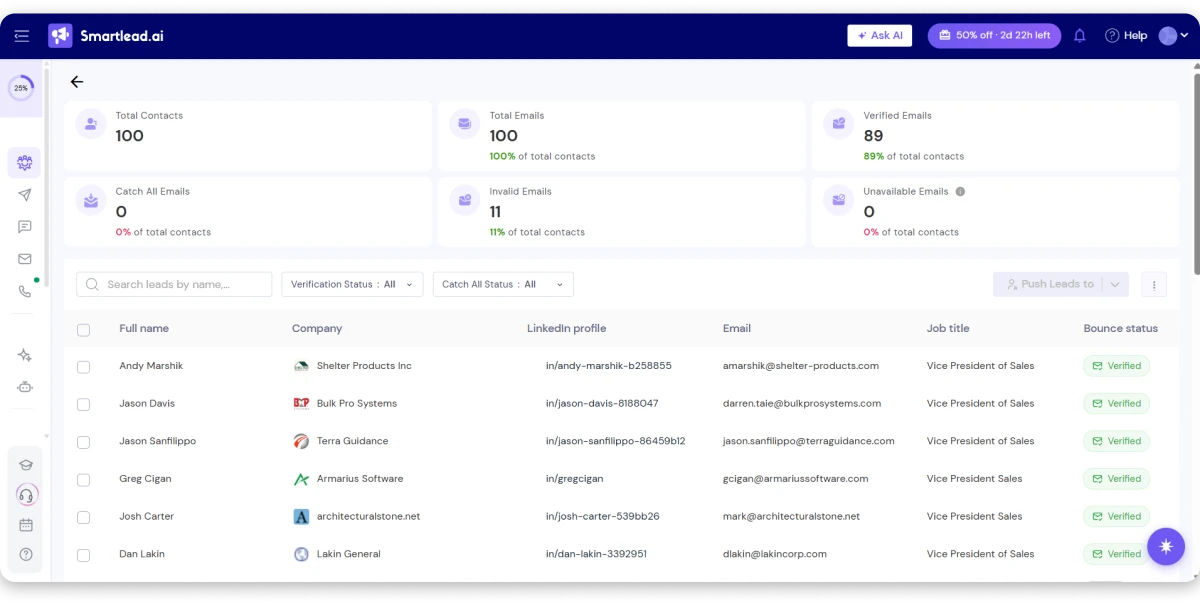
A Trustpilot reviewer described paying for phone numbers, watching credits get deducted on each query, then receiving exports with no phone numbers in them. Read it here
One more quirk worth knowing. A reviewer noted the platform opens directly into SmartProspect rather than a dashboard, which he found frustrating as a daily entry point.
Treat the database as a convenience, not a replacement for a dedicated data provider.
SmartDelivery tells you where your emails land across providers, which is the data point that predicts campaign performance.
It is a paid add-on at every tier.
So placement testing sits outside your plan price entirely. Competitors who bundle it make their higher headline number closer to real total cost.
If you want to compare how other platforms handle this, here are the email deliverability tools worth knowing.
SmartSenders is a paid service that sets up Google, Outlook or SMTP mailboxes for you in two clicks. It is not the mailbox connection tool, which is free.
This is genuinely useful if you do not want to manage DNS yourself. Just price it in, because 40 mailboxes at $4.50 adds $180 a month on top of your plan.
SmartServers gives you a dedicated IP at $39 per server per month, with three or more included on Prime.
Most teams do not need this. Dedicated IPs only help once your volume is high enough to build reputation on that IP alone.
But if you are running serious daily volume and want control over sender reputation, the option exists without leaving the platform.
SmartAgents are no-code AI operators that run GTM workflows, handling outreach, follow-ups and CRM sync without you building the logic manually.
SmartAssistant sits alongside as an AI layer for campaign and deliverability optimisation, and there is a Compose with AI function for copy.
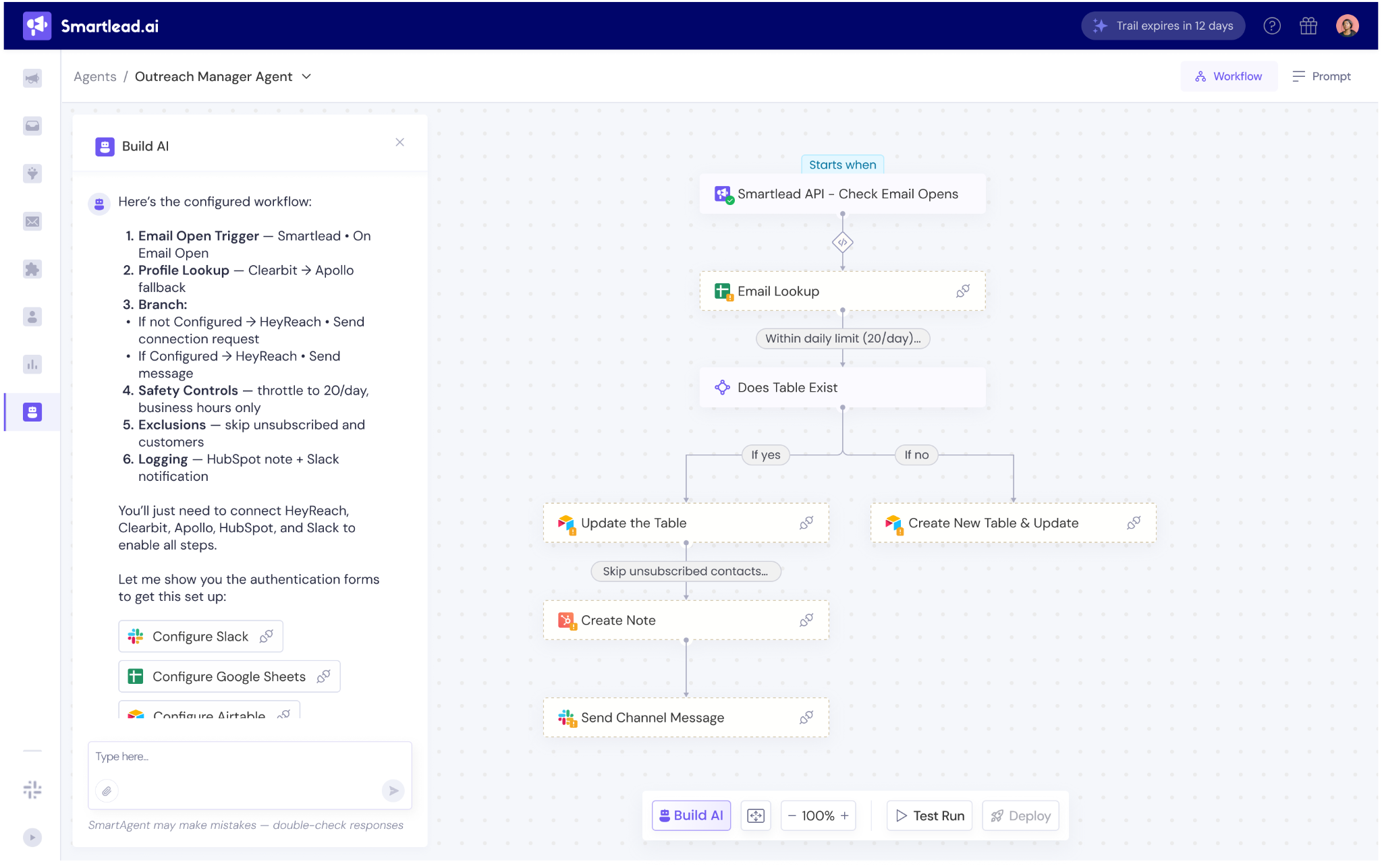
Set expectations carefully here. An independent feature audit scored Smartlead's AI and automation coverage at 6 of 21 benchmarked features and flagged no proactive AI copilot.
So the AI does real work, but it is not the differentiator the marketing implies.
SmartDialer is Smartlead's native AI voice dialer, added in 2026. You get calls, recordings, transcripts and conversation intelligence in the same platform as your email.
It runs on pay-per-credit pricing starting at $9 per month, scaling up to $699 depending on call volume. All tiers get the same features, so you pick purely on volume.
Base plans show no call access, so check this before buying if calling matters.
Smart Funnel, shown as Deals in-app, is a lightweight built-in CRM with customisable pipeline stages. CRM access is included on every tier including Base.
It will not replace HubSpot or Salesforce. But for a small team tracking a deal from reply to close, it removes a subscription from the stack.
This is the weakest module in the product, and the evidence is unusually specific.
One mid-market reviewer said open and click rates do not always seem accurate, which makes them hard to rely on when evaluating campaigns. See the review
A more serious report came from a reviewer who switched over from another platform. His bounced count showed over 1,000 bounces in a campaign where only 12 emails had been sent. Read it here
Exports draw complaints too. One Capterra reviewer said aggregate reporting is hard to share because CSV exports lack the detail his team needed.
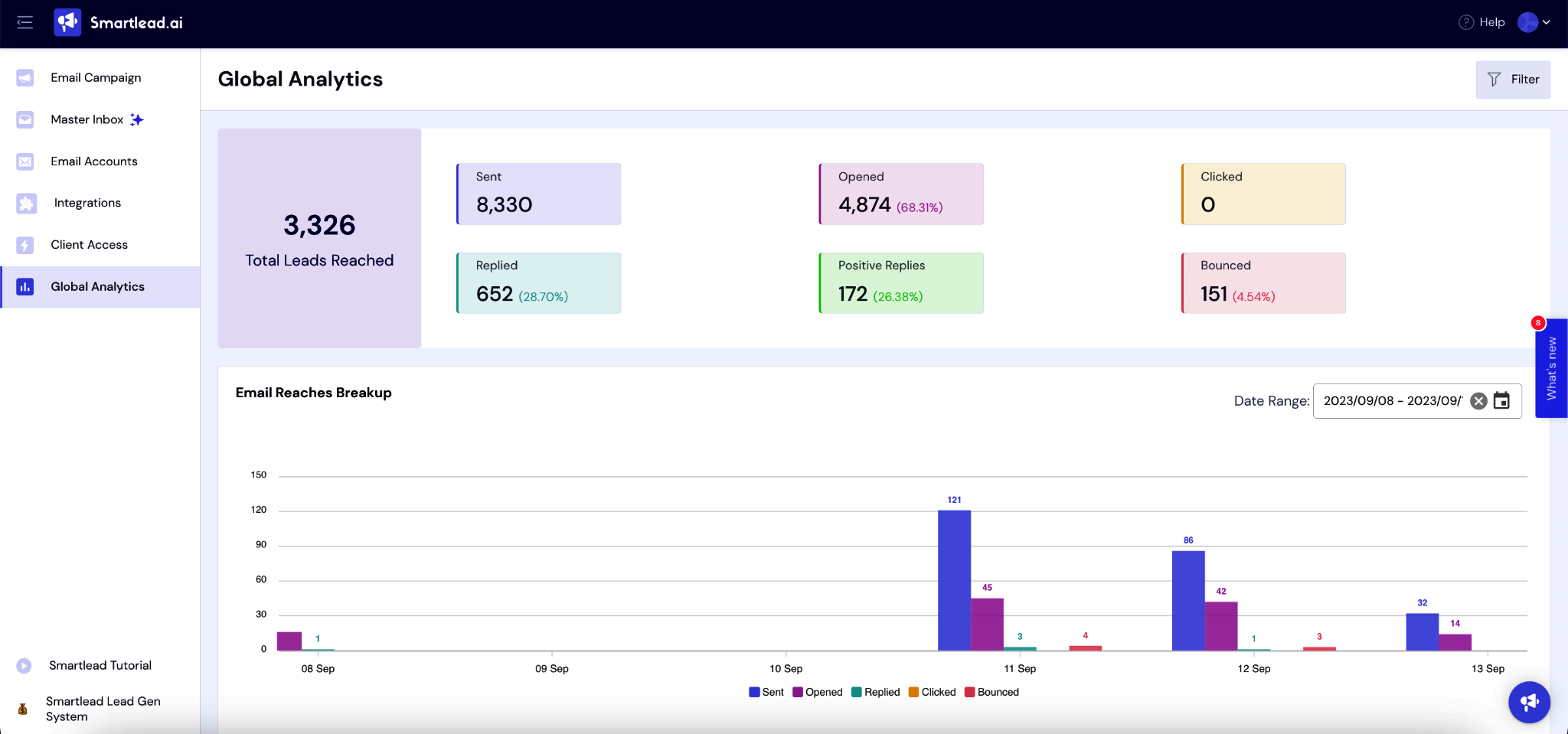
If you are making budget decisions off these numbers, verify them against your own tracking.
Native integrations cover HubSpot, Salesforce, Pipedrive, Clay and Listkit. Beyond that you connect through Zapier, Make or n8n using webhooks, and API access is included on every tier.
There is also a Smartlead MCP server exposing read-only diagnostic endpoints to AI agents.
The gaps are real though. One Capterra reviewer reported the HubSpot integration failing entirely, with no email activity reaching his CRM, and asked what use a sequencer is if he cannot track activity across leads.
The same reviewer described campaigns showing 100% completion when emails had not actually sent.
So test your critical integration during the trial, not after you pay.
Here is the live pricing captured in late September 2026. Annual billing saves 17% on every tier.
Prime also includes three or more SmartServers with OAuth. A 50% off first month promotion was running at the time of capture.
Verify current pricing on smartlead.ai before you buy, since plans changed during 2026.
And here are the add-ons, because this is where the real cost lives.
Plan tables are useful, but they are not what lands on your card. So here is the real math on annual billing.
Take Pro at $78 per month. Add the warmup pool at $59. Add SmartDelivery Growth at $49 so you can see where emails land. Add email verification at $33.
That is $219 per month, not $78. You are paying nearly three times the advertised price before sending a single campaign.
Now compare that to Smart at $144. Warmup is free, so you drop the $59. Add SmartDelivery Growth at $49 and verification at $33 and you land at $226.
The difference is $7 a month. For that, Smart gives you unlimited contacts instead of 30,000, 150,000 sends instead of 90,000, and 50,000 verified emails instead of 30,000.
So Pro is the tier to skip. If you need warmup and placement visibility, Smart is where the value actually sits.
One more thing on the model. Smartlead charges on contacts uploaded plus emails sent, not on mailboxes. That rewards high-volume senders and punishes anyone holding a large dormant list.
A Capterra reviewer described exactly that, saying he ends up deleting leads from the tool to avoid moving into a higher pricing tier.
Start a free trial with Salesforge, no credit card required. Try Salesforge free
This deserves its own section, because it is the most consistent complaint pattern on Trustpilot and almost nobody writes about it.
Multiple reviewers report being charged after cancelling. One said that despite cancelling, charges continued.
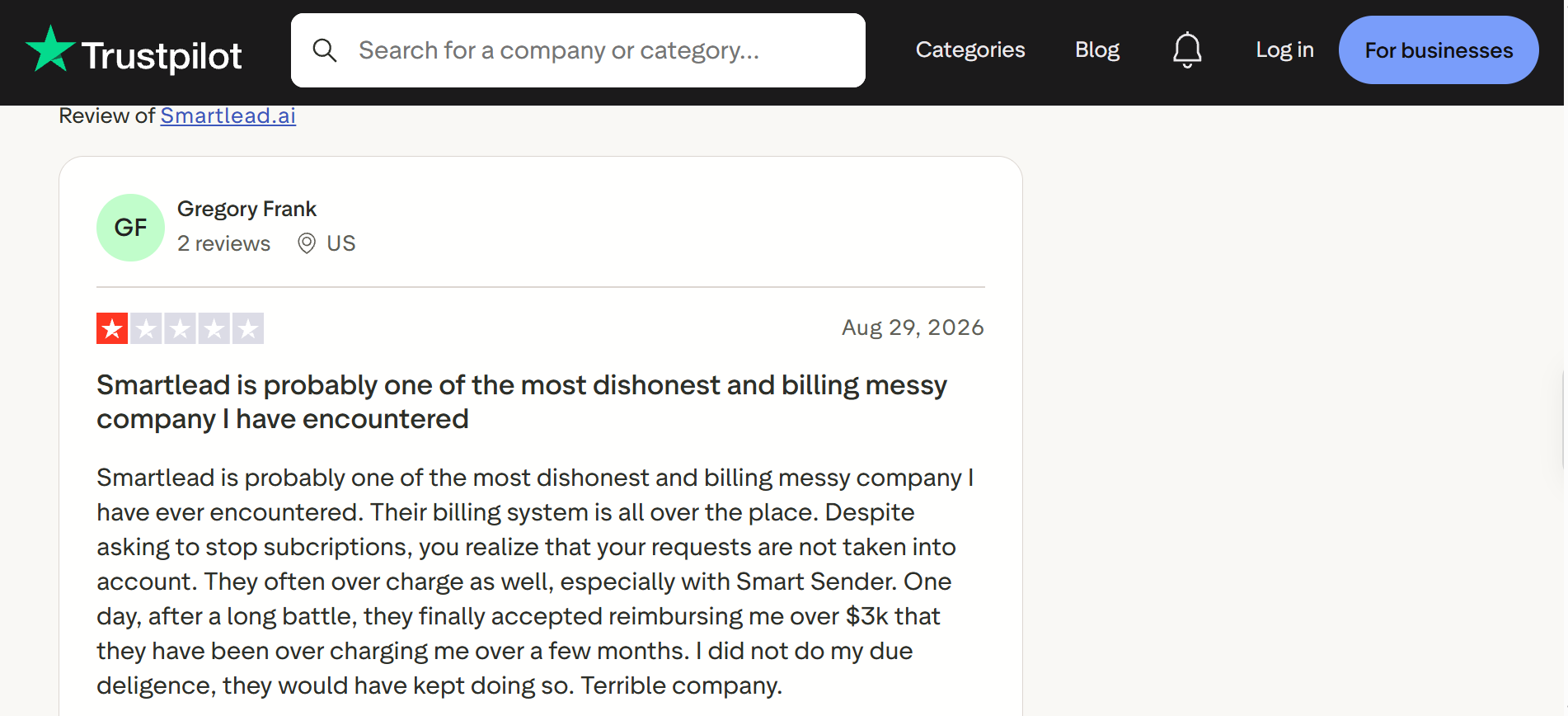
Another reported attempted charges two months after cancellation, even after providing proof.
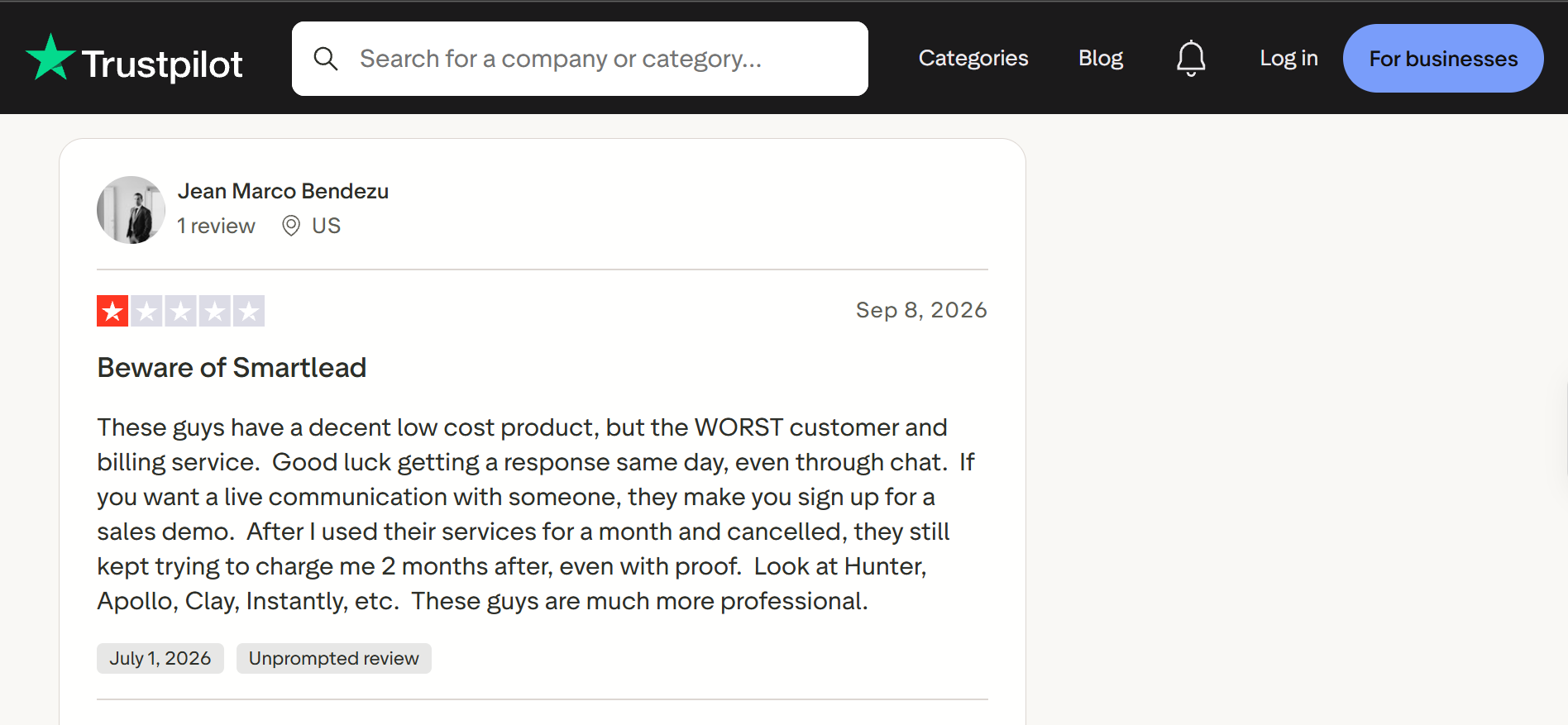
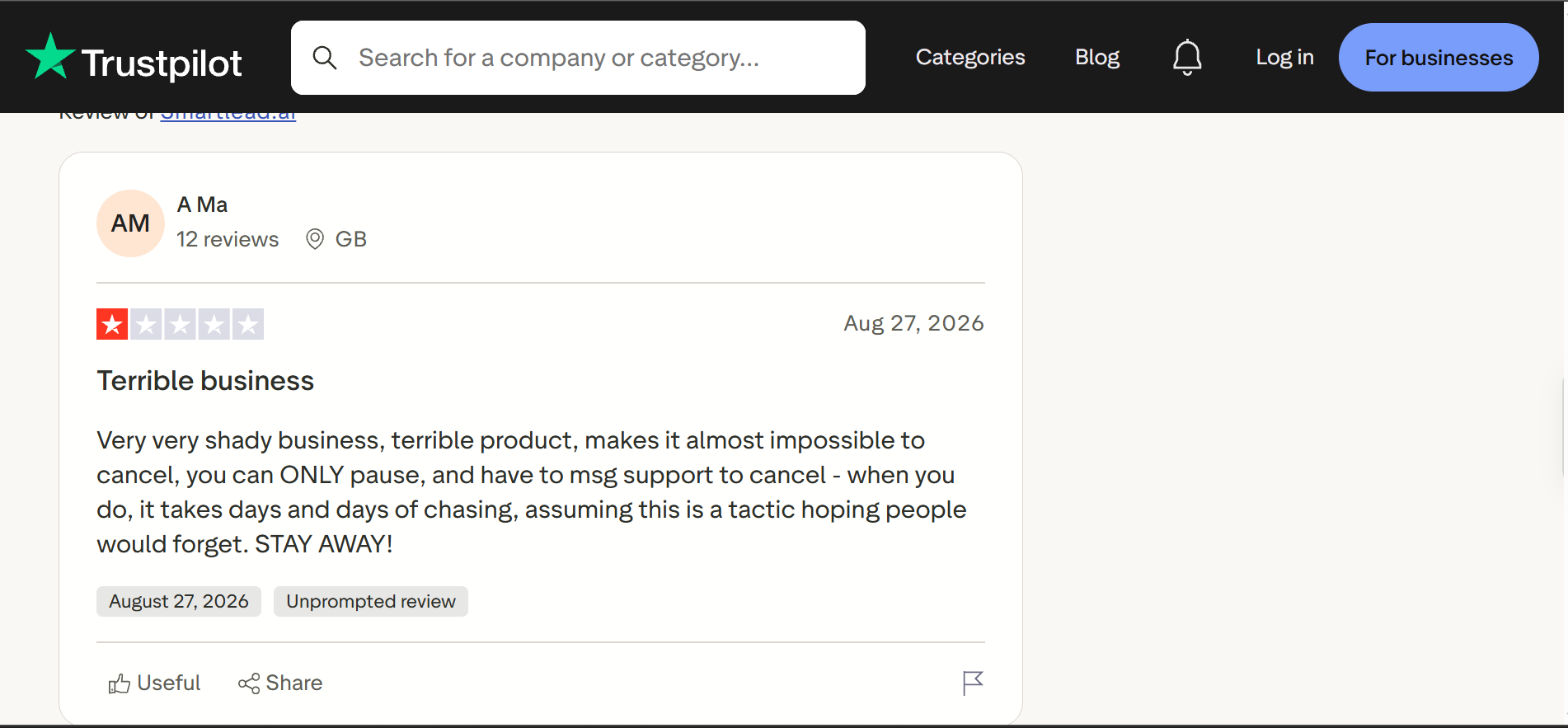
The cancellation process itself draws complaints. One reviewer said you can only pause from the dashboard, and cancelling requires messaging support and then chasing for days.
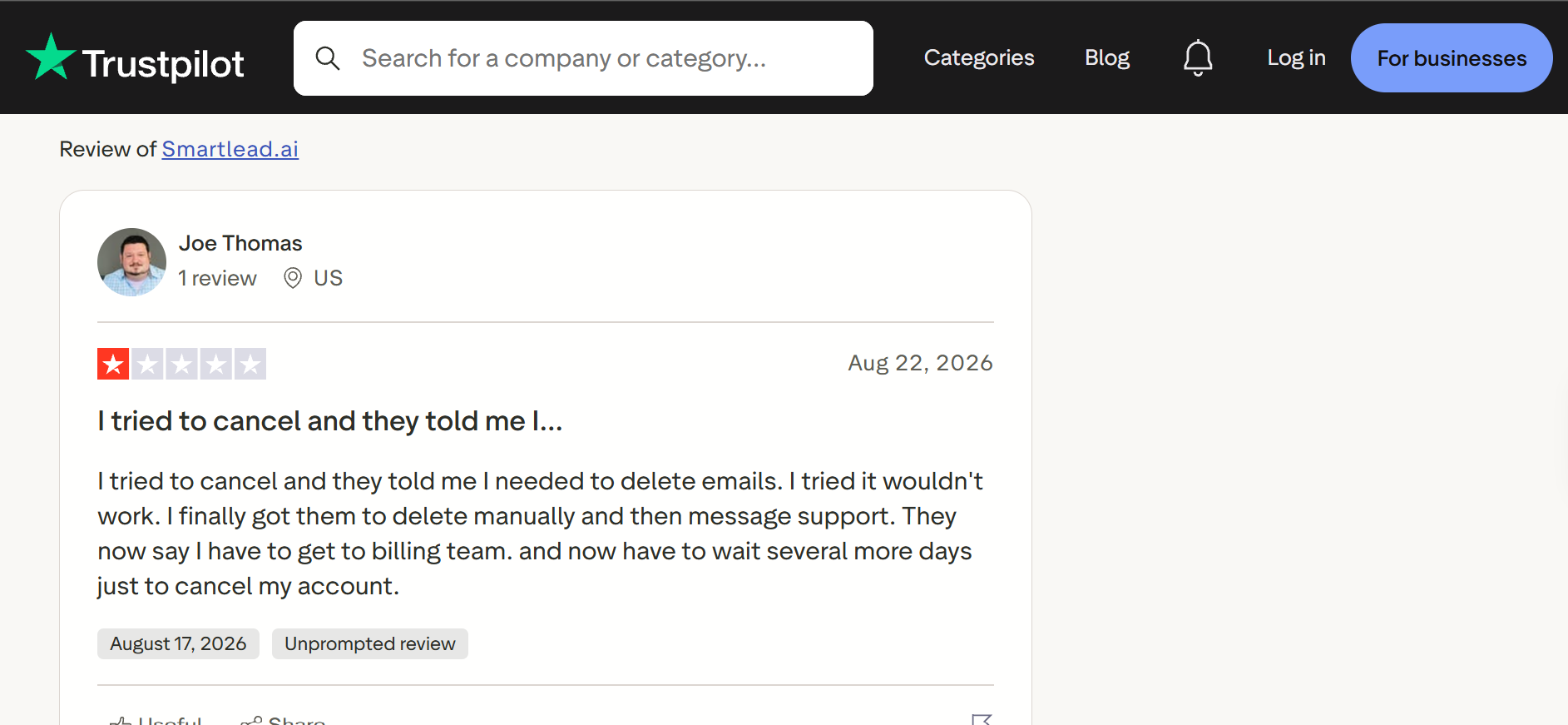
Another described being told to delete his mailboxes before cancelling, then needing manual deletion by support, then waiting on the billing team.
One reviewer also noted that when a payment fails, there is no way to retry with a different card.
I want to be fair about this. These are individual reports and Smartlead has thousands of customers who never hit any of it.
But the pattern is consistent enough that I would use a card you can control, keep your cancellation confirmation, and check your statement for two cycles afterward.
Here is where I land after going through all of it.
The review data makes the fit pattern clear, so here is how I would qualify it.
The structural limitation is scope. You are buying a very good sending engine, not a complete outbound system, and you will still need separate tools for data, enrichment and LinkedIn.
If that fragmentation is the part that bothers you, Salesforge is the alternative I would look at first.
The difference is scope. Smartlead sends email extremely well and hands everything else to integrations. Salesforge runs email and LinkedIn natively in one sequence, with unlimited mailboxes and unlimited LinkedIn senders.
Warmup is included through Warmforge at no extra cost, with Heat Score tracking and placement testing built in. So the $59 add-on and the $49 placement testing charge both disappear.
Replies from both channels land in Primebox™ instead of two systems.
And there is Agent Frank, an AI SDR you hire rather than a workflow you configure. He prospects against your ICP, writes the outreach, sends it, follows up and books meetings. You pick Auto-Pilot if you want him running independently, or Co-Pilot if you want to approve replies first.
To be fair to Smartlead, it wins on raw sending economics at very high volume, and its agency tooling is more mature. If email-only volume is genuinely all you need, it remains a reasonable choice.
For a wider view of the category, I compared the field in this Smartlead alternatives breakdown.
See multi-channel outreach in action. Book a Salesforge demo
Yes, if you are an agency or high-volume sender on the Smart tier who can self-configure.
The unlimited mailbox model with automatic rotation is genuinely strong, and the sequence builder handles logic most competitors cannot. Ease of use scores highest on both major review platforms for a reason.
But two things would make me walk. If you are budgeting for Base or Pro, you are paying $59 extra for warmup and landing in a support queue that reviewers describe as slow. And if reporting accuracy matters to your decisions, the bug reports are specific enough to take seriously.
For teams who want email, LinkedIn and warmup visibility in one system without stacking add-ons, Salesforge is the closer fit.
Try Salesforge free for 14 days. Start your free trial
Smartlead is worth it for agencies and high-volume senders on the Smart tier or above, where warmup is included and account management comes with the plan. It is harder to recommend on Base or Pro, where warmup costs $59 extra and support response times draw the most complaints.
Plans run from $32 per month on Base to $315 per month on Prime with annual billing, or $39 to $379 monthly. Real cost is higher, since the warmup pool costs $59 per month on Base and Pro, placement testing starts at $49, and email verification starts at $33.
No. The warmup pool is a $59 per month add-on on Base and Pro. Smart and Prime include the premium pool free, with eligibility for the Ultra Premium tier. Compare how other providers handle this among these email warmup tools.
Smartlead's warmup is automated, but it does not show whether warmup emails reach the inbox or spam, and there is no mailbox health score during warmup. At least one agency reported a domain appearing on the SURBL blacklist after being used only for Smartlead warmup, so independent placement testing is worth the cost.
G2 rates Smartlead at 4.5 while Trustpilot rates it at 3.0, with Trustpilot reviews split almost evenly between five-star and one-star. The gap tracks support access and billing experience, since account management only comes with the higher tiers.
Several Trustpilot reviewers report difficulty. Common complaints include being able to pause but not cancel from the dashboard, being asked to delete mailboxes first, needing to message support and chase for days, and being charged after cancellation. Keep your confirmation and check statements for two cycles.
Not natively. LinkedIn runs through third-party integrations with tools like Aimfox and HeyReach, and users report sync failures that can cause duplicate outreach. Email is the only fully native channel, alongside calling through SmartDialer as a paid add-on.
