
You are here because you want more replies and booked meetings from your outbound.
And you have heard about Instantly.ai, probably from a Reddit thread, a YouTube ad, or a recommendation from someone in your network. Now you are trying to decide whether it is the right tool before you commit money to it.
That is fair. But Instantly is one option among many, and it is not the same product it was 18 months ago.
Two years back, Instantly was purely a cold email tool. Today, it is a sales engagement platform with a CRM, a 450M+ lead database, website visitor identification, and an AI Reply Agent. Cold email is now just one module in a much bigger stack.
So the real question is whether Instantly.ai review is still the best cold email tool for high-volume sending in 2026?
Well, to answer that I signed up on the tool and researched the tool end-to-end.
Here is what I found. And at the end, I will point you to the alternative I would recommend if you want stronger results from the same effort.
I looked at every module Instantly currently sells. Rather than listing everything, I want to walk you through what a new user actually experiences when they open the tool and start using it. Here is what I found.
The first feature I looked at while writing this Instantly review was the sequence builder. This is the core of any cold email tool. If your sequences do not work, nothing else matters.
I set up a test sequence to see how the workflow feels. The drag-and-drop editor is clean. You add steps, set delays between them, and can layer in conditional logic that branches based on whether the last email got opened.
Instantly calls this Liquid syntax. It works well for building "if opened, send follow-up A, if not, send follow-up B" flows. Most cold email tools have this now, but Instantly's implementation is simple enough that you can build it without touching the docs.
Spintax is also supported for phrase variation. You write something like {Hi|Hey|Hello} and Instantly randomly picks one per send, which keeps your emails from looking templated to spam filters.
The A/Z Testing feature is the standout here. Instead of the standard A/B test where you compare two versions, Instantly lets you test up to 26 subject line or body copy variants in a single campaign. That is a genuine advantage if you send enough volume to hit statistical significance across that many variants.
That said, A/Z Testing is only available from the Hypergrowth plan and above. On the entry-level Growth plan, you get standard A/B testing.
Then there is Copilot, Instantly's AI sequence generator. I want to be honest here. The generated sequences are usable as a starting point, but you will need to rewrite them for anything close to production quality. Each generation costs 0.5 credits from your Instantly Credits balance, and the AI defaults to generic B2B phrasing that will not stand out in a busy inbox. It saves you 15 minutes of structural work, not the writing itself.
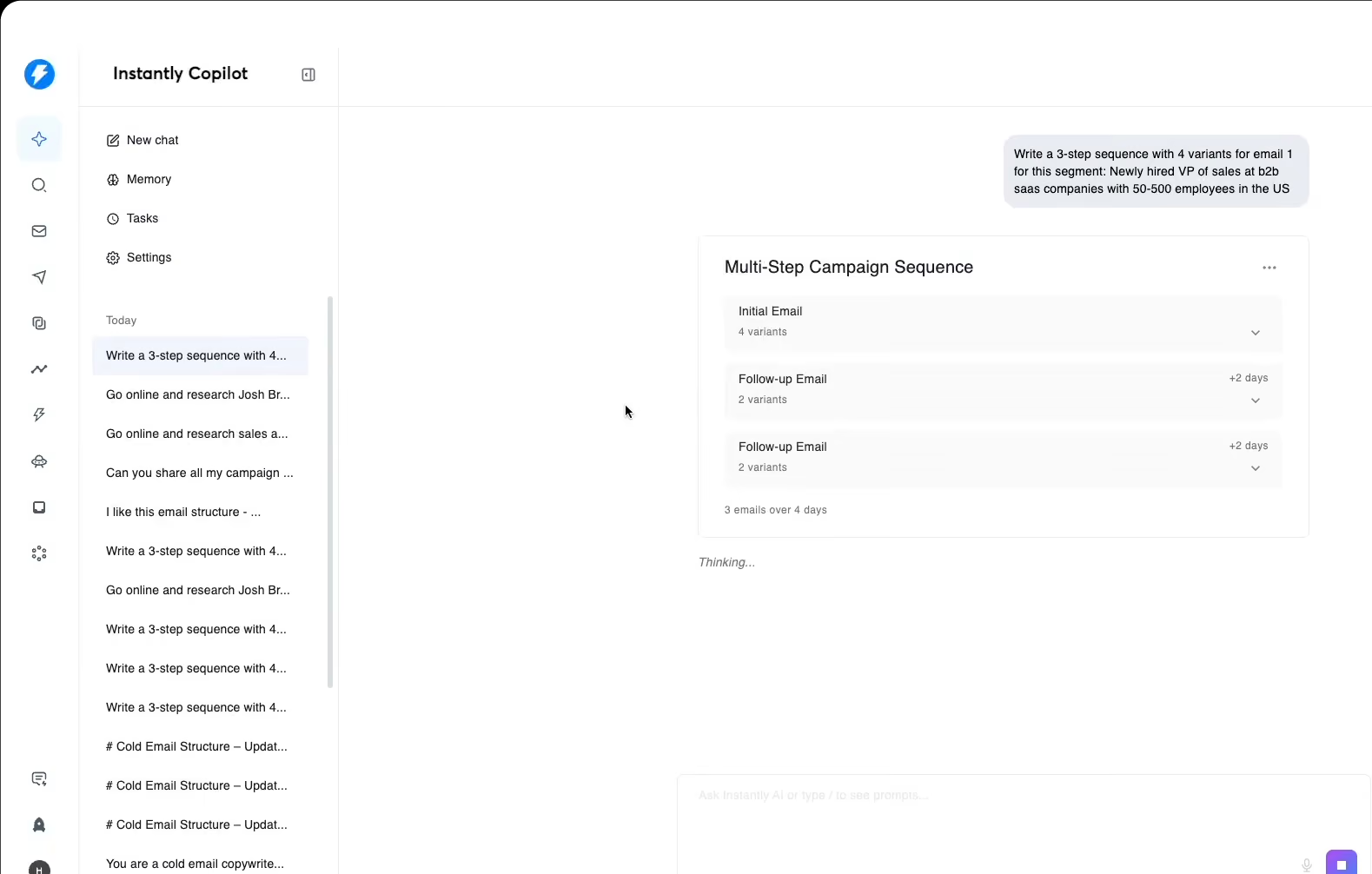
What I appreciated about the sequence builder is that it handles the basics genuinely well. What I did not like is that the AI copy assistance is oversold on the marketing page.
The second feature I tested was Instantly's email warmup system. This one matters more than any other because your sequences do not deliver anything if your emails are landing in spam. Here is how email warmup works if you want the fundamentals first.
When you connect an email account to Instantly, warmup activates automatically. There is a one-click toggle. I appreciated how frictionless this was compared to tools that make you configure warmup as a separate product.
Here is how the warmup actually works under the hood. Your connected inbox joins a shared pool of over 1 million real email accounts. Your inbox sends warmup emails to other accounts in the pool.
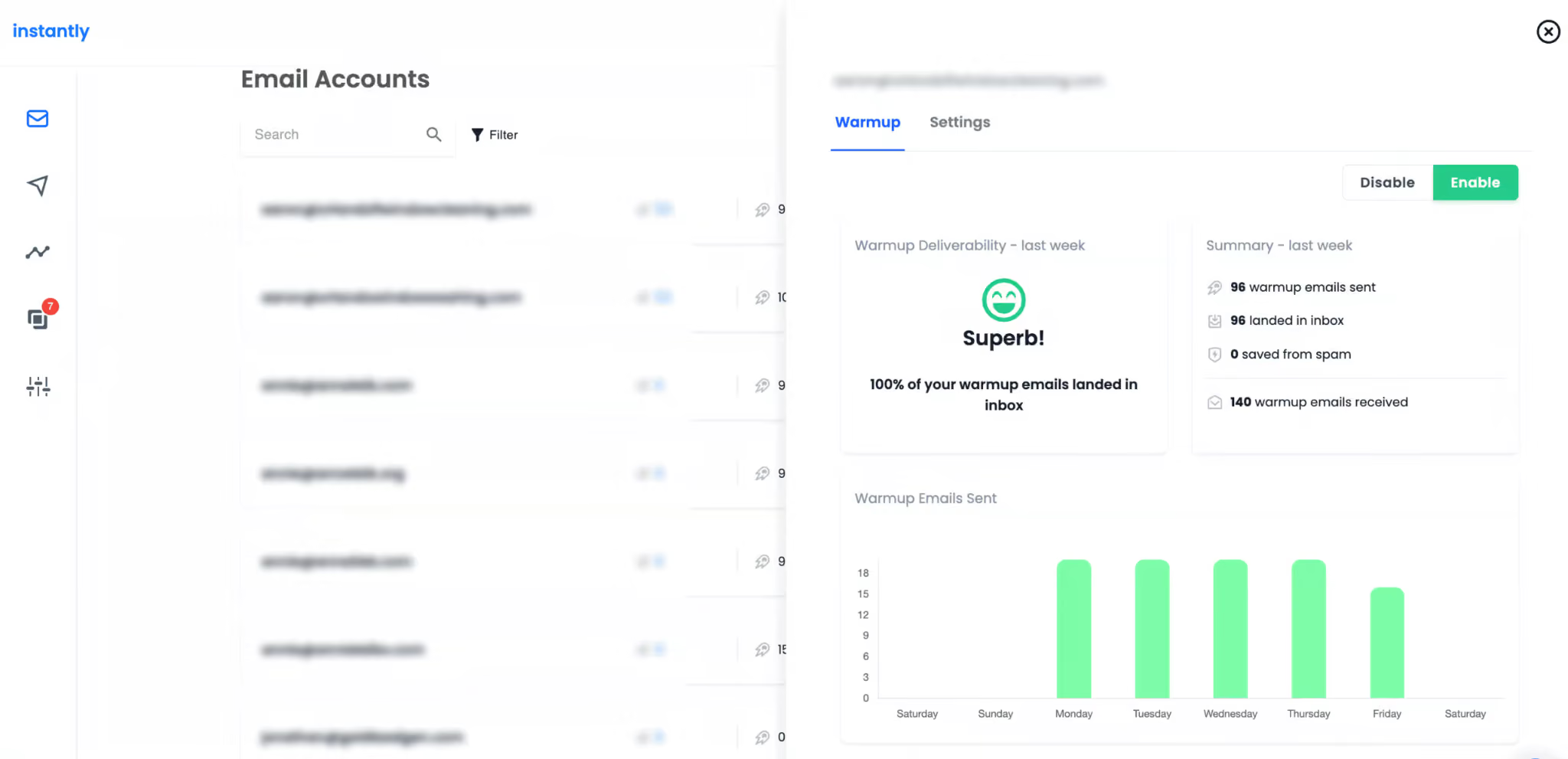
Those accounts send emails back to you. Every email gets automatically opened, and a percentage receive positive replies, which signals to Gmail and Outlook that your inbox is a real, engaged sender.
Instantly also runs what it calls "read emulation," where headless browsers open your warmup emails and scroll through them to simulate a human reading. Nice touch on the engineering side, though there is no way to verify from your dashboard whether it is actually working.
While digging through the pricing structure, I noticed that Premium and Private pool pricing does not appear on the public pricing page. You have to find it in the help center.
Premium starts at $500/month per workspace for up to 1,000 third-party Microsoft accounts with unlimited Google accounts. It scales to $1,000/month for 2,000 accounts. The Private Warmup Pool, where you supply your own Google and Outlook accounts, starts at $1,000/month.
That is a big hidden cold email cost if you thought $37/month was your full warmup bill.
Instantly gives you a warmup health score. It measures the percentage of your warmup emails landing in inbox versus spam over a rolling seven-day window. A score above 90% means your account is considered ready to send.
Here is what the score does not tell you: how your emails land on Microsoft accounts specifically.
There is a growing complaint on Reddit's r/gtmengineering subreddit from users who hit 100% health scores and still saw all their Microsoft-bound emails go straight to spam. The score is calculated across the whole warmup pool, which is dominated by Google accounts. It does not break out Outlook placement separately.
If Microsoft is a big part of your target list, that is a real gap you need to work around. Read the Microsoft Outlook deliverability guide for the workaround.
I checked three different pages on Instantly's own site for warmup ramp-up guidance. I got three different answers.
The product marketing page describes a slow ramp starting at 2 emails on day 1, 4 on day 2, 6 on day 3. The help center says a flat 10 warmup emails per day for new accounts. A separate blog post says start at 20 to 30 emails per inbox per day.
I am not sure which one is current. If you use Instantly, I would err on the side of the slowest ramp and check with support before increasing volume.
What I appreciated about the warmup system is that the setup friction is genuinely low. What I did not like is that the pool tier mechanics and the hidden Premium pricing feel like something that should be surfaced during sign-up, not buried in the help center.
The third feature I looked at was Instantly's sending infrastructure. This is what actually moves your emails from your inbox into your prospect's inbox at scale.
Every paid plan includes unlimited email account connections. This is a real advantage. Tools that charge per seat or per mailbox get expensive fast when you scale to 20 or 50 sending inboxes.
Instantly also does inbox rotation automatically. When you launch a campaign, Instantly splits the send volume across every connected mailbox in that campaign. So instead of one mailbox sending 500 emails and getting throttled, five mailboxes send 100 each and stay under Gmail's daily limits.
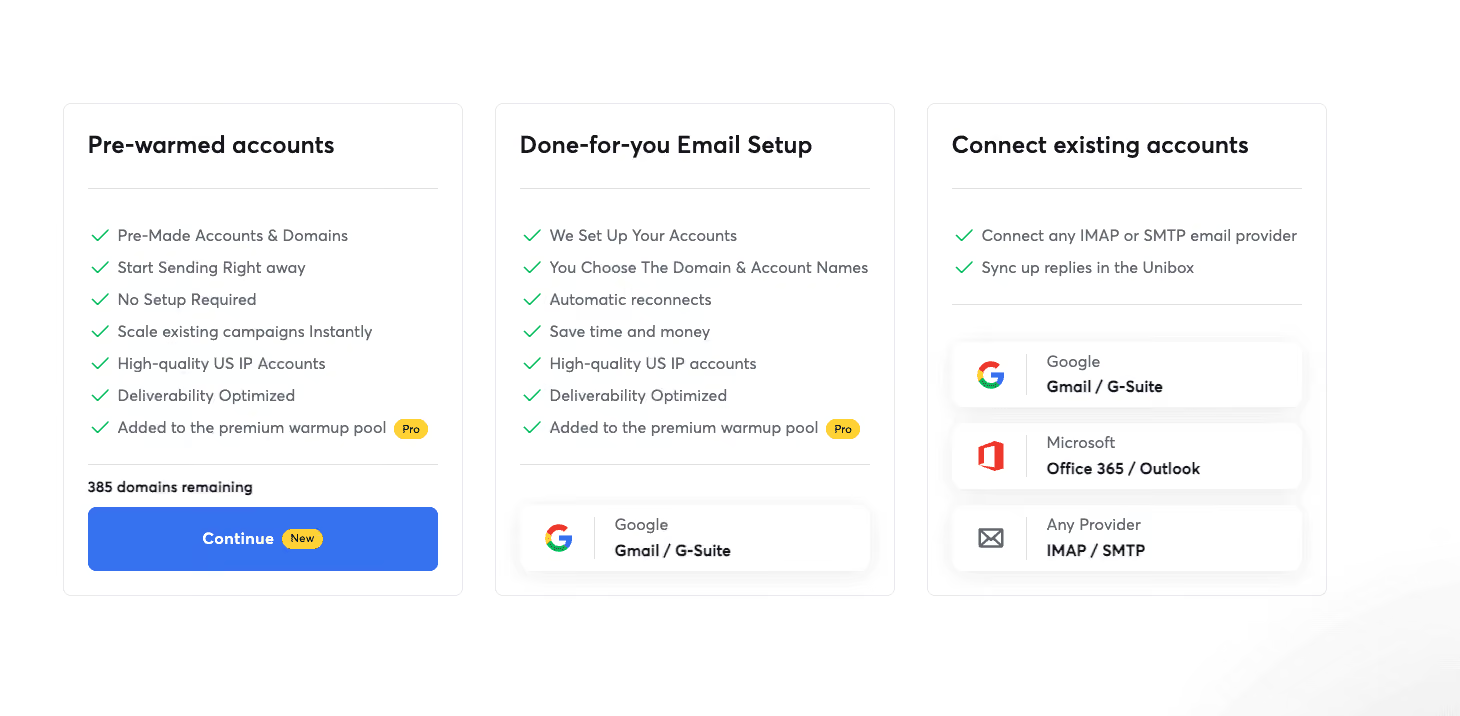
For anyone managing more than a few inboxes, this is table stakes. Instantly does it well.
If you do not want to buy domains and set up mailboxes yourself, Instantly offers a Done-For-You (DFY) service. They register the domain, configure DNS (SPF, DKIM, DMARC), and create up to 25 inboxes per domain. Setup takes 24 to 72 hours for DNS propagation. If you want the full breakdown, here is the cold email domain setup guide I usually reference.
I have not tested this myself. But multiple Trustpilot reviews flag a specific issue with DFY that is worth naming. If you buy DFY domains and later want to move them to another tool, the transfer process is reportedly slow, and some users report support becoming unresponsive when they try to leave. Something to know before you commit.
SISR is Instantly's system for automatically assigning dedicated IP groups to your sending accounts. It rotates through IPs to distribute sending load and protect any single IP from getting torched by volume spikes.
Here is the catch. SISR is locked to the Light Speed plan at $286.3/month annual. If you are on Growth or Hypergrowth, you get shared IPs, not sharded ones. For a mid-volume sender doing 50,000 emails a month, this is a real gap.
AirMail is Instantly's newer proprietary mailbox product, launched May 2026. It costs $4 per inbox and is pitched as an alternative to Google Workspace or Microsoft 365 mailboxes.
The marketing angle is that AirMail inboxes cannot get suspended the way real Workspace mailboxes can. SPF, DKIM, and DMARC come auto-configured from day one. You can spin up hundreds in about 30 seconds.
I have not tested AirMail deliverability directly. Trustpilot has one 5-star review calling out AirMail as an upside, and one complaint that the AirMail warmup period feels too long. Small sample. Worth testing on a burner campaign before rolling it out at scale.
What I appreciated about the sending infrastructure is that unlimited inboxes and automatic rotation are genuine strengths. What I did not like is that SISR being locked to the Light Speed tier makes it hard to justify for mid-volume senders who could use it.
The fourth feature I checked was Instantly's deliverability monitoring stack. This is separate from the warmup itself. Deliverability monitoring is about knowing where your emails land after they are sent, and it is best done with dedicated inbox placement testing tools.
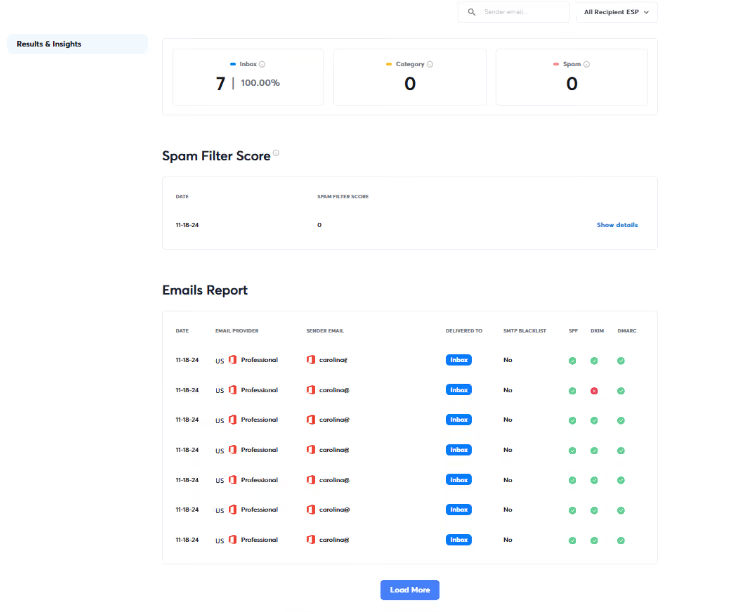
Instantly's Inbox Placement tool tests where your emails actually land across Gmail, Outlook, Yahoo, and other major providers. It checks 400+ blacklists, runs SpamAssassin analysis for spam trigger words, and verifies your SPF, DKIM, and DMARC records.
This is a useful diagnostic. You send a test campaign to Instantly's seed inbox network, and the tool reports back on where the email showed up, whether that is primary inbox, promotions tab, updates, or spam.
Here is the catch, and it is a big one. Inbox Placement is a separate paid module. Growth Inbox Placement is $47/month for unlimited one-time tests. Hypergrowth Inbox Placement is $97/month for unlimited automated recurring tests. If you are already paying $37.6/month for the Email Outreach Growth plan, that means you are looking at $84.6/month total just to add basic placement testing.
Launched June 17, 2026, the AI Deliverability Agent is Instantly's newer diagnostic tool. It monitors your DNS health, blocklists, warmup scores, bounce rates, provider balance, campaign copy, and abuse complaints, and flags issues automatically.
The idea is good. Instead of you manually running placement tests, an AI agent watches your accounts and tells you when something is off. I have not been able to verify how well it actually works in practice. The changelog is thin on specifics, and I have not seen first-hand user reviews since it is still relatively new.
What I appreciated is that the Inbox Placement tool itself is solid when you use it. What I did not like is that charging separately for deliverability monitoring on top of the base plan feels excessive when competitors bundle this in.
The fifth feature I tested was Instantly's Unibox and the AI Reply Agent that sits on top of it.
Unibox is Instantly's unified reply inbox. When you run 10 or 20 sending mailboxes, checking each one manually for replies is a nightmare. Unibox pulls every reply from every connected inbox into one screen.
You get filtering by campaign, tagging for lead categorization, and a lead status tracker for moving replies through your pipeline. This is genuinely useful, and Unibox is one of the most consistently praised features across Instantly reviews.
Unibox is available from the Hypergrowth plan and above ($77.6/month annual). It is not on the entry Growth plan, which I think is a mistake on Instantly's part.
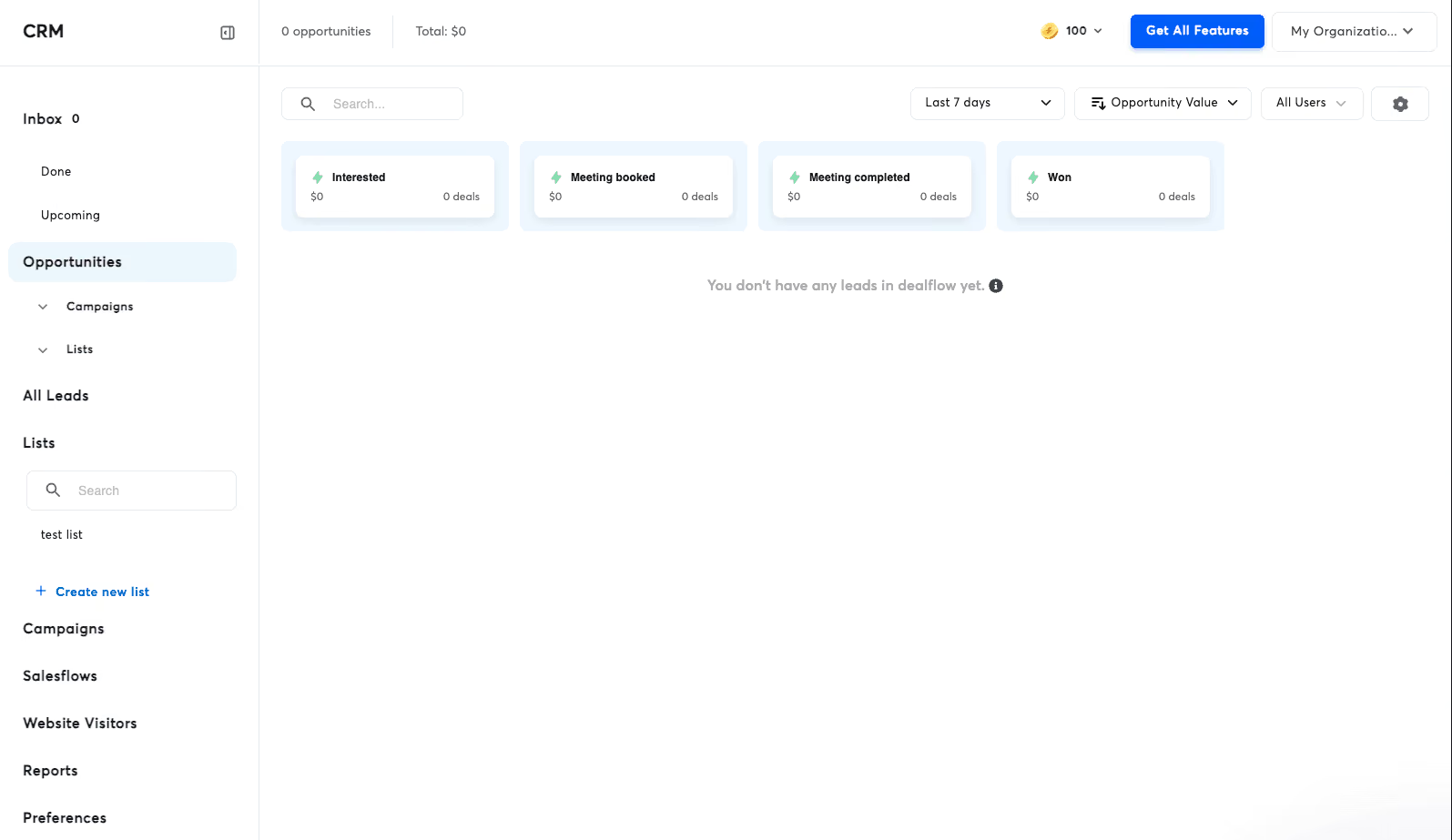
The AI Reply Agent is Instantly's newer bet on AI-driven reply handling. Its pitch is that it responds to interested prospects in under 5 minutes, handles objections like price questions and competitor comparisons, books meetings via a connected Calendly link, and updates your CRM automatically, all 24/7.
Two modes. Human-in-the-Loop requires you to approve every AI-drafted reply before it goes out. Autopilot lets the agent respond without approval.
I have concerns about Autopilot mode for anyone doing serious B2B outreach. A wrong AI reply to a warm lead can kill a deal, and there is no undo button once a reply is sent. If you use this feature, I would strongly recommend starting on Human-in-the-Loop until you trust the agent's judgment.
What I appreciated is that Unibox is a real quality-of-life feature for high-volume operators. What I did not like is gating Unibox to the Hypergrowth tier when it should really be included at every level.
The last feature I looked at Instantly's SuperSearch lead database.
SuperSearch is Instantly's B2B contact database, billed under the Instantly Credits tier. Nano starts at $9/month for 150 credits. Growth is $42.30/month for 1,500 to 2,000 credits. Supersonic is $87.30/month for 5,000 to 7,500 credits.
The database advertises 450M+ contacts. You can filter by job title, seniority, company size, industry, tech stack, buying intent, and location. Waterfall enrichment queries five or more data providers to improve email match accuracy before you export.
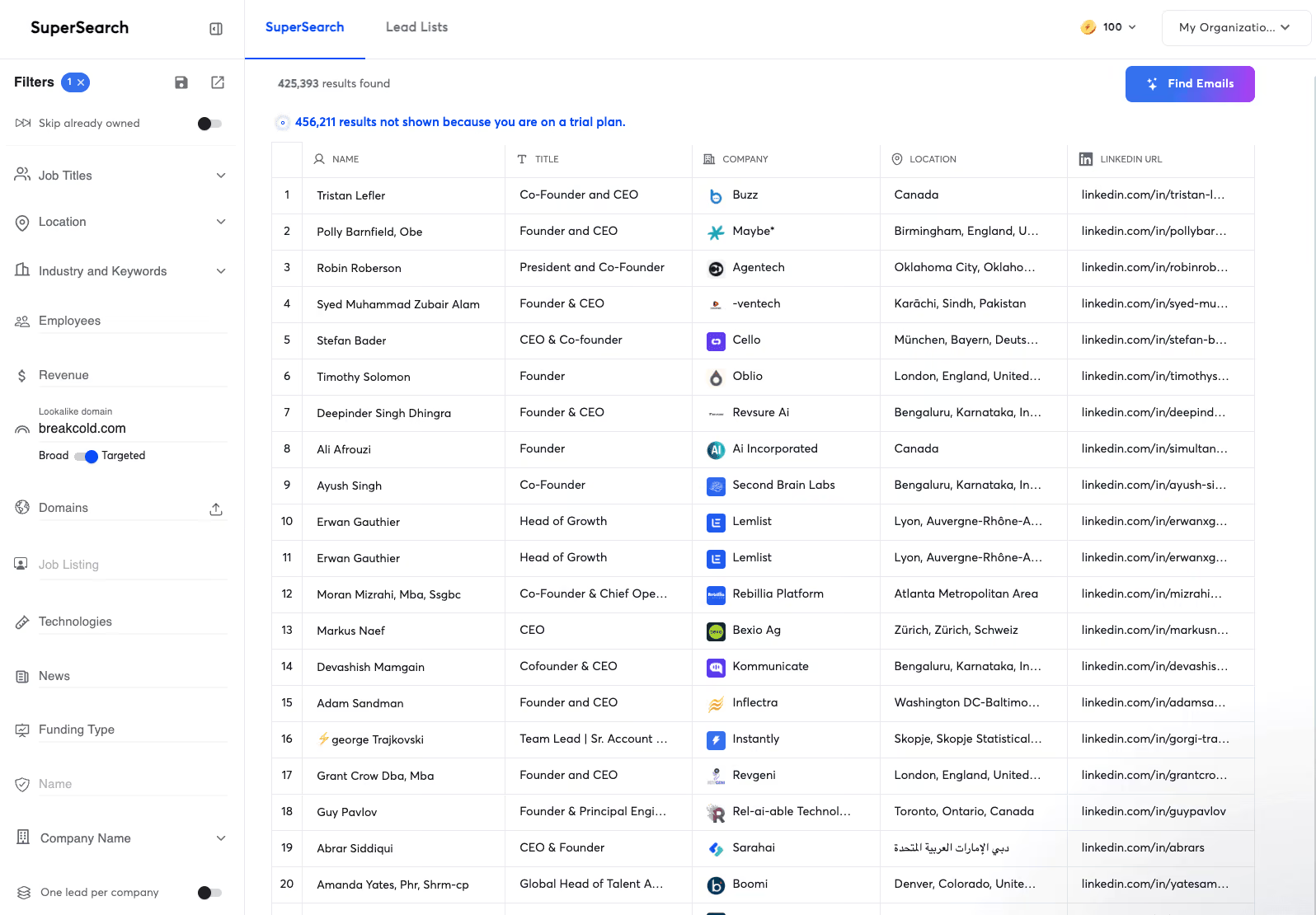
One thing I have to flag. Instantly's CRM page states SuperSearch has 185M contacts. Instantly's pricing page and lead database page both say 450M. I could not reconcile the difference. Verify before you rely on that number for your budget.
Data quality is the recurring complaint on G2 and Reddit. Users report outdated emails, wrong job titles, and elevated bounce rates from raw exports. If lead data accuracy is critical, treat SuperSearch as a supplement to a dedicated provider like Apollo or Cognism, not a replacement.
What I appreciated is that bundling a lead database into the same tool as your outreach is convenient. What I did not like is that the 185M vs 450M discrepancy is the kind of thing that erodes trust when you spot it.
Instantly's pricing is where most reviews get lazy. They show you one plan and one number. In reality, Instantly is five separate subscriptions, and your real monthly cost depends on how many modules you add.
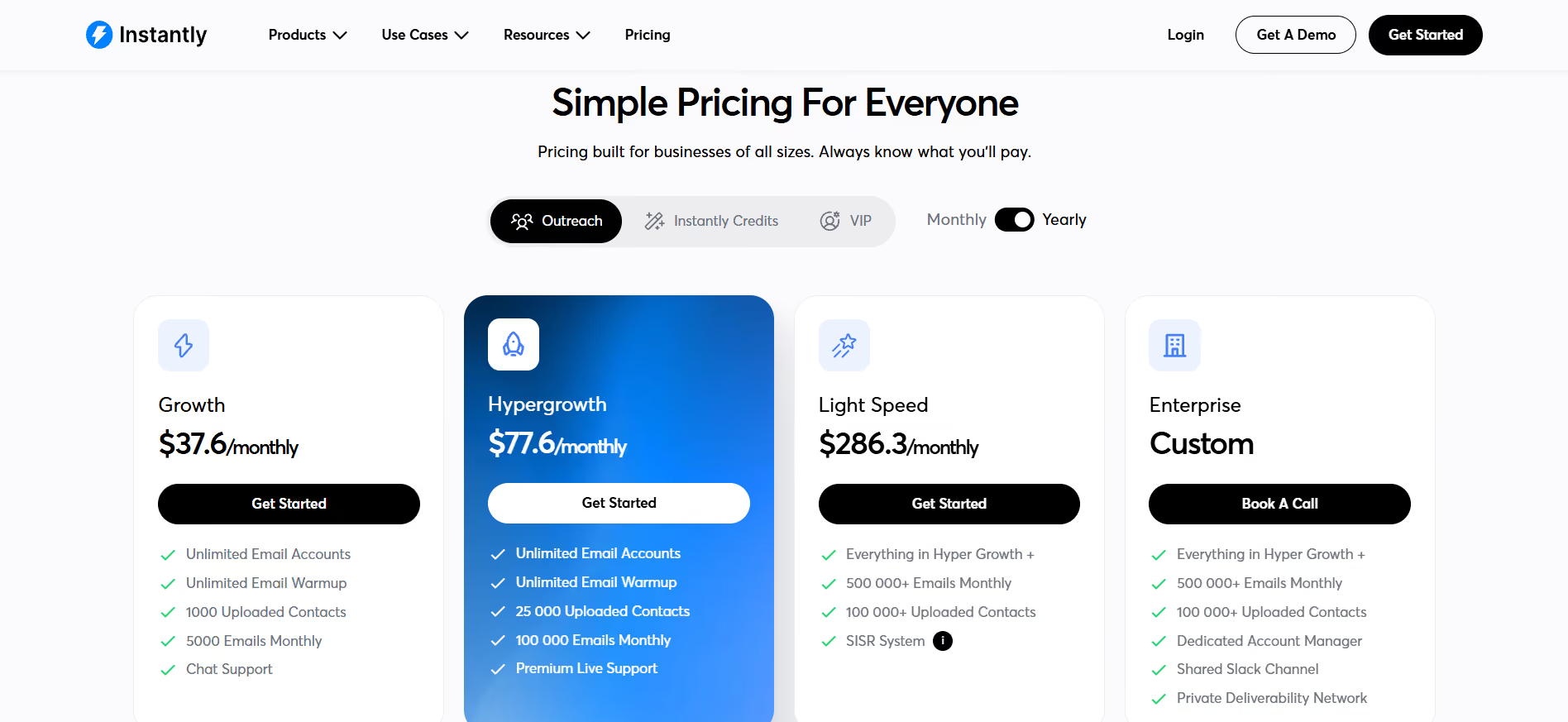
The Email Outreach plans are the core. Every plan includes unlimited connected email accounts and unlimited warmup.
This is the lead database billed separately. The plan names overlap with Outreach plans in a way that confuses first-time buyers. Both are called "Growth" and both are $47 on monthly.
Custom pricing. Includes AI Sales Agent setup, AI Inbox Manager setup, domain and account setup, campaign launch, ongoing support and scaling, a dedicated Account Manager, a Shared Slack Channel, and a dedicated GTM engineer. This is Instantly's white-glove tier for teams that want a done-for-you outbound function.
This is the section that catches people off guard. The following costs are real, but they are not on the public pricing page. I found them by digging through the help center.
If you thought $37.6/month covered everything, this is where the math breaks.
Here is what real users actually pay depending on their setup.
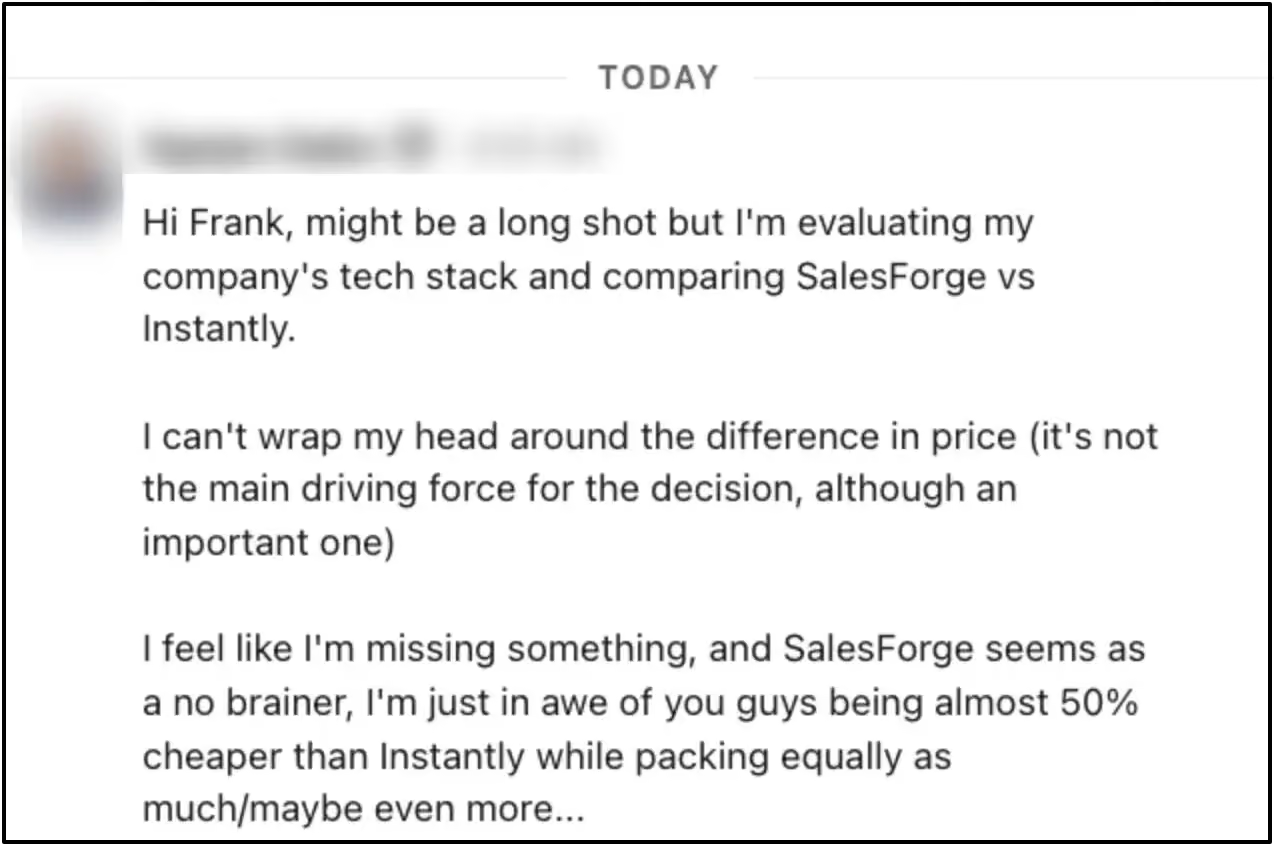
When you compare what you get for the price, the difference becomes clearer. Here’s what one customer noticed after comparing Salesforge with Instantly:
14-day free trial, no credit card required. Includes 2 connected email accounts, a 250-lead upload cap, 1,000 sendable emails, 100 Instantly credits, 50 website visitor identifications plus 200 LinkedIn resolutions, and 2 free inbox placement tests.
One thing to know. Accounts not upgraded by the end of the trial are automatically deleted. So if you set up your infrastructure during the trial and do not upgrade in time, you lose everything and start over.
I did not want to give you a pros and cons list built on assumptions. Every pro below is backed by a real G2, Trustpilot, or Reddit review, with a direct link so you can verify. Same for the cons.
1. Unlimited email account connections at every paid tier
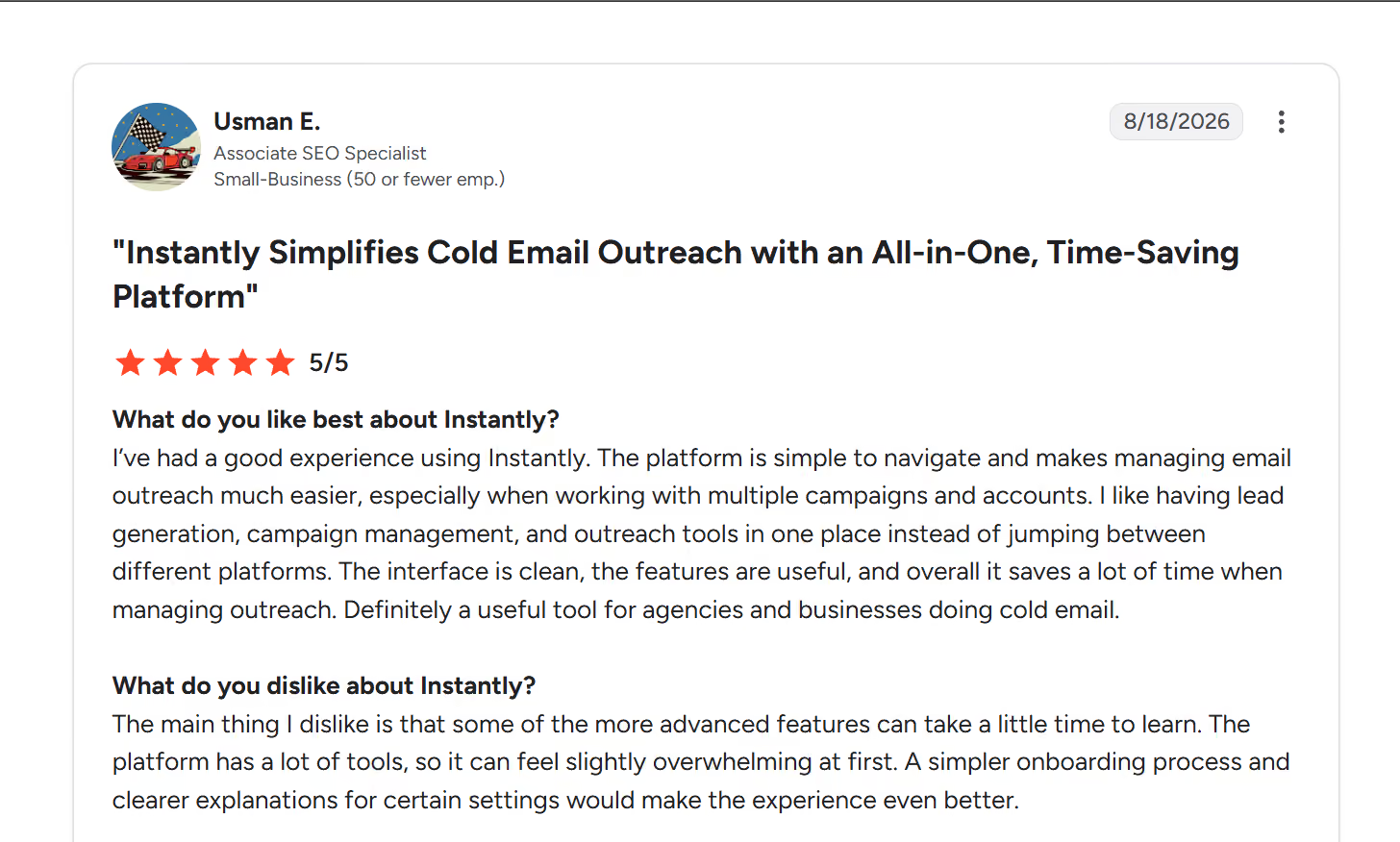
Source: G2
2. Setup speed and clean UI make it beginner-friendly
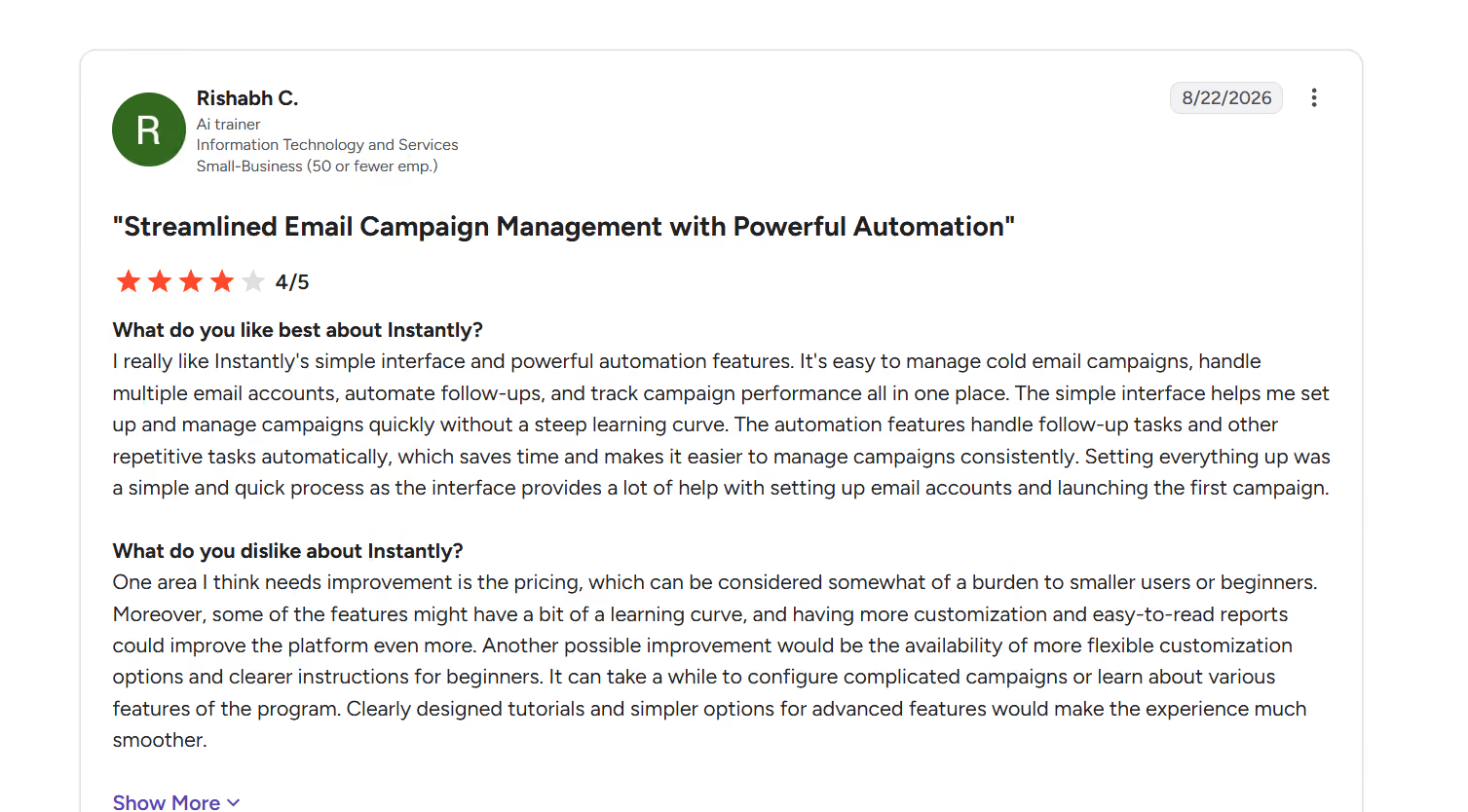
Source: G2
3. Warmup runs automatically once you connect an inbox
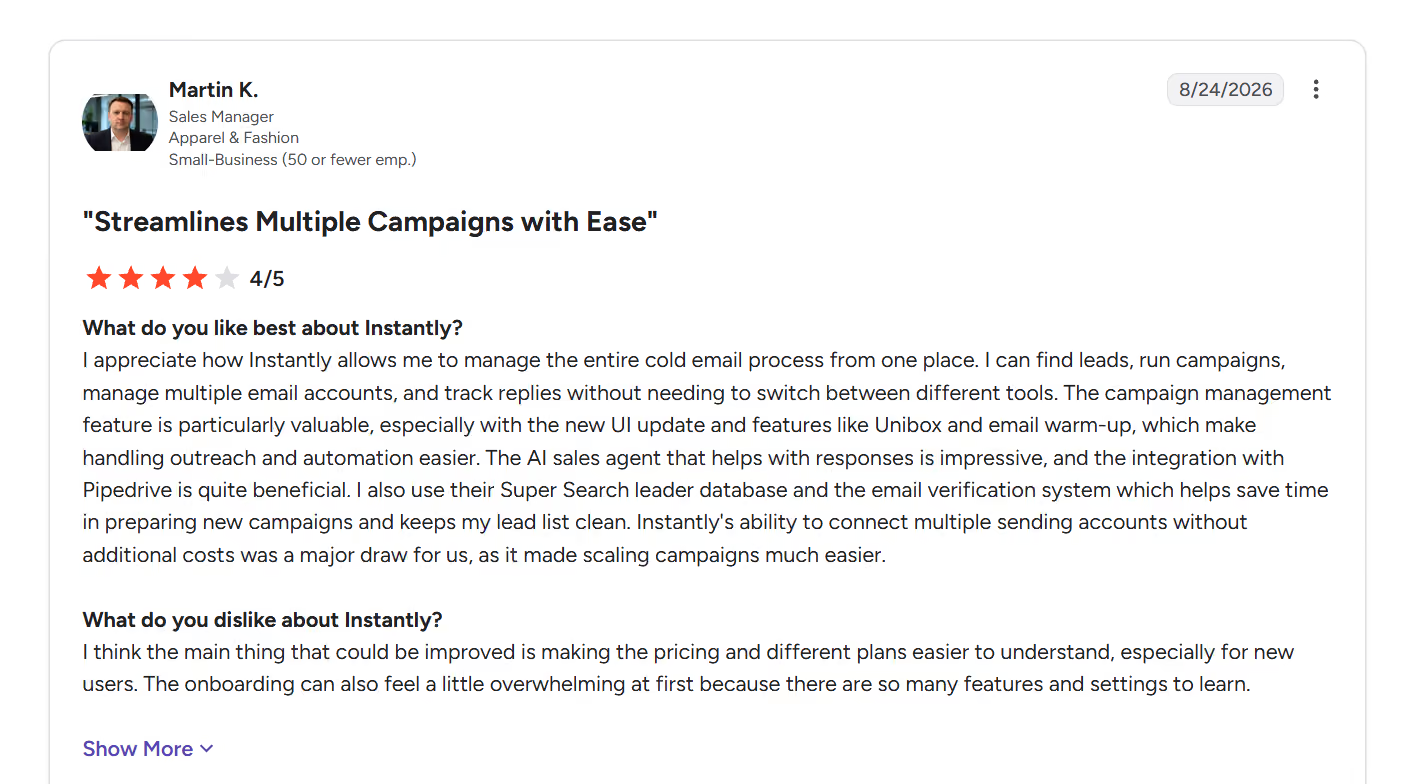
Source: G2
4. All-in-one workflow across sending, warmup, leads, and CRM
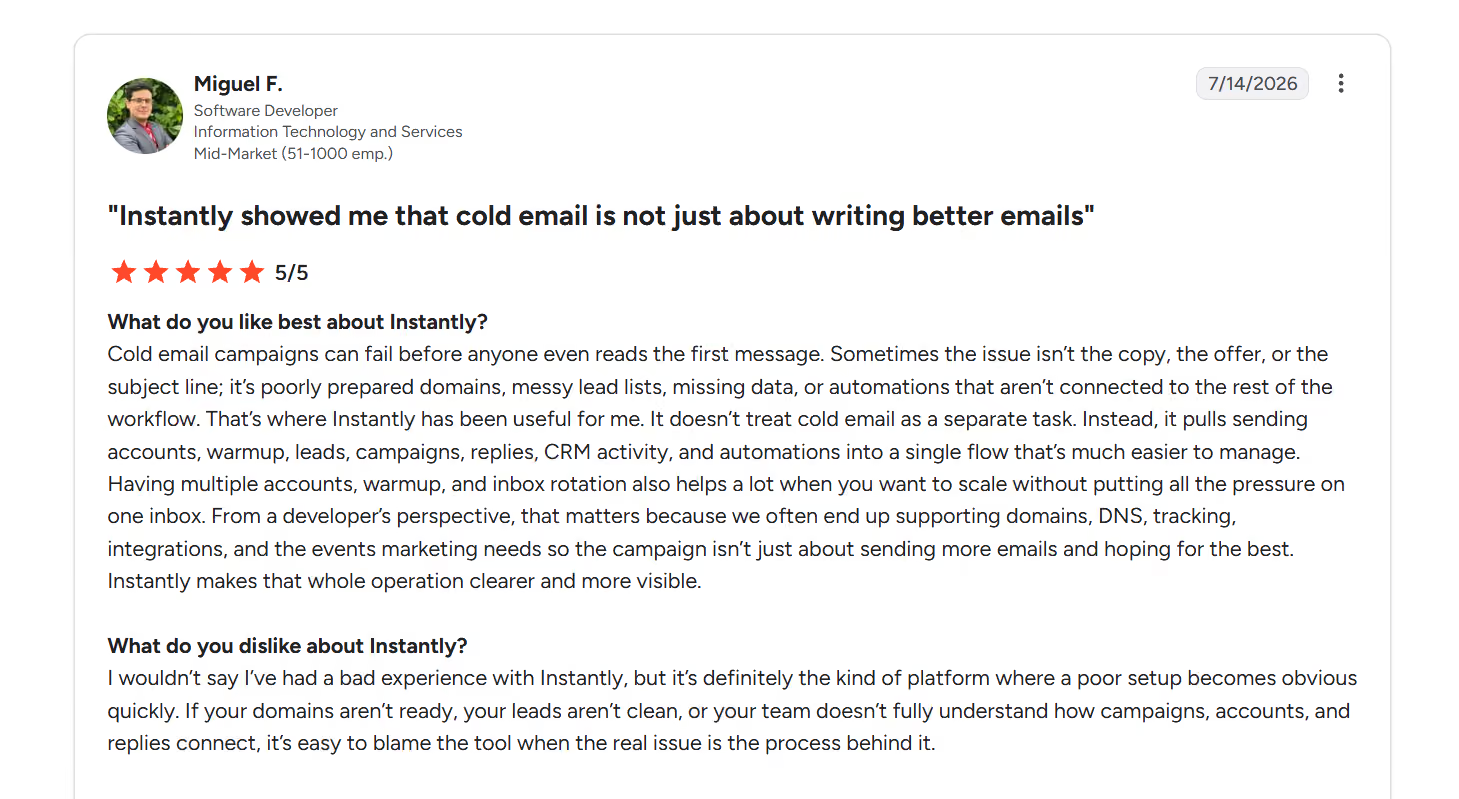
Source: G2
5. SuperSearch bundles lead filtering into the same tool
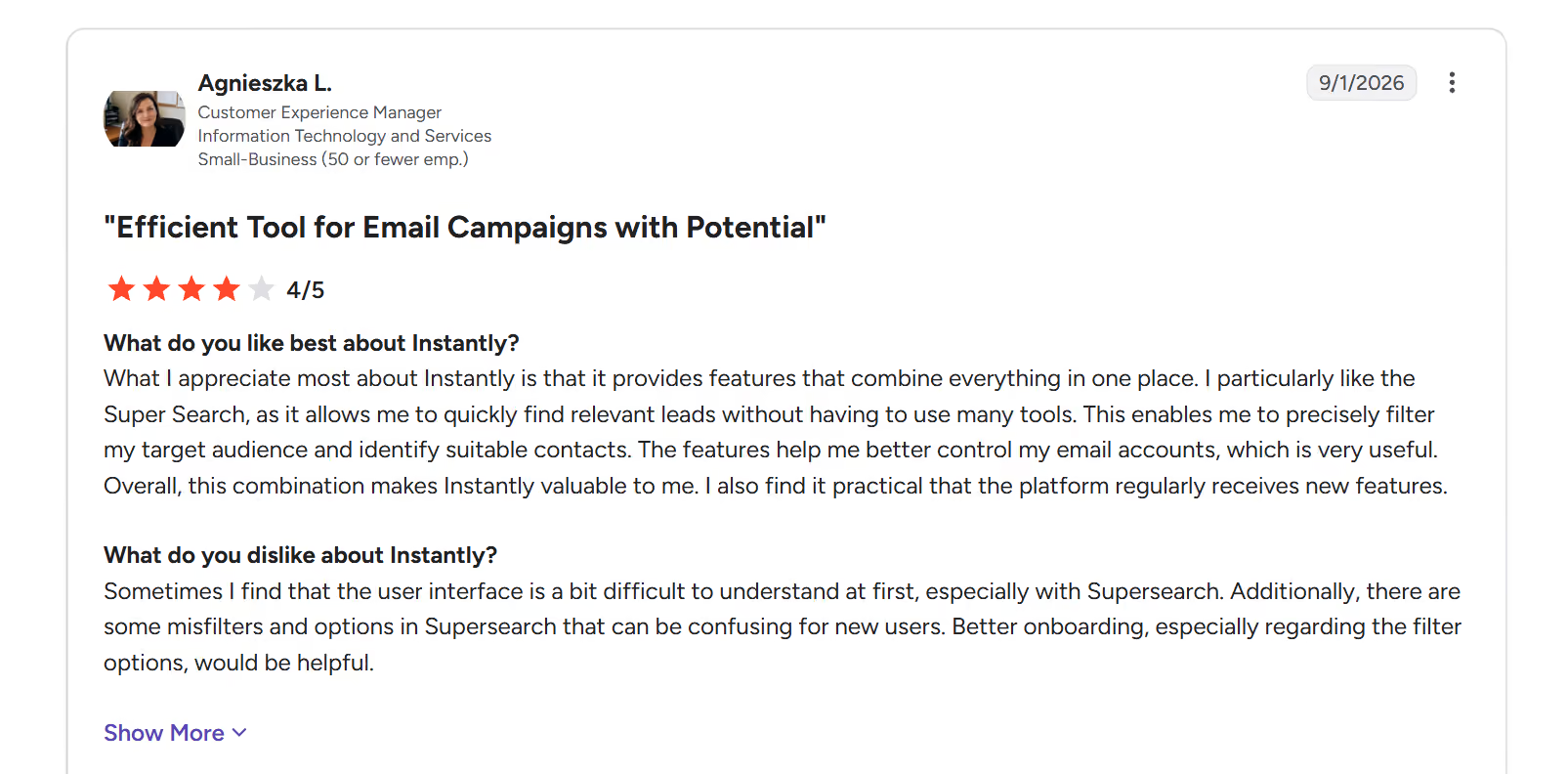
Source: G2
1. Billing and refund disputes are the single most recurring complaint
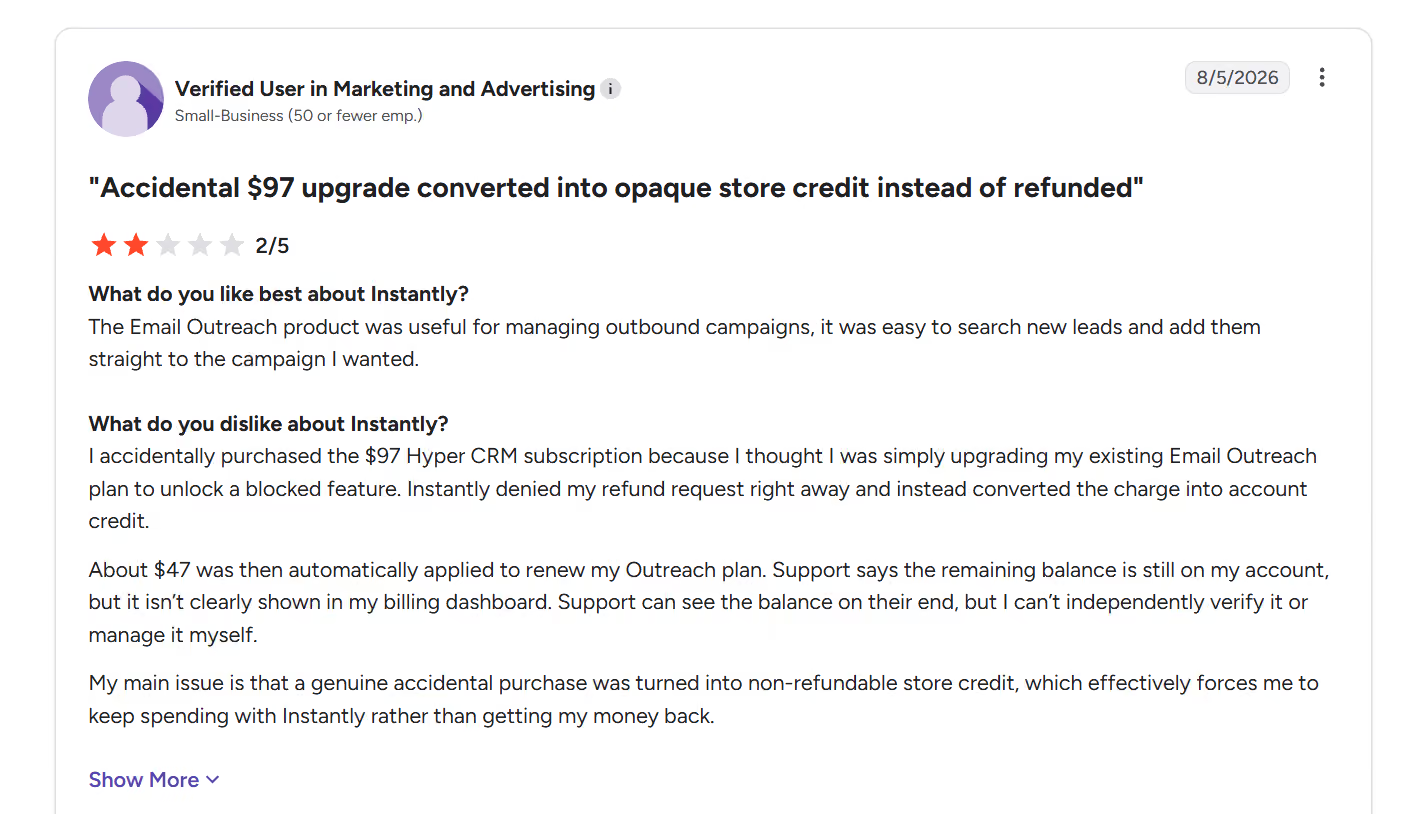
Source: G2
2. Warmup pool tier deprioritization happens without warning
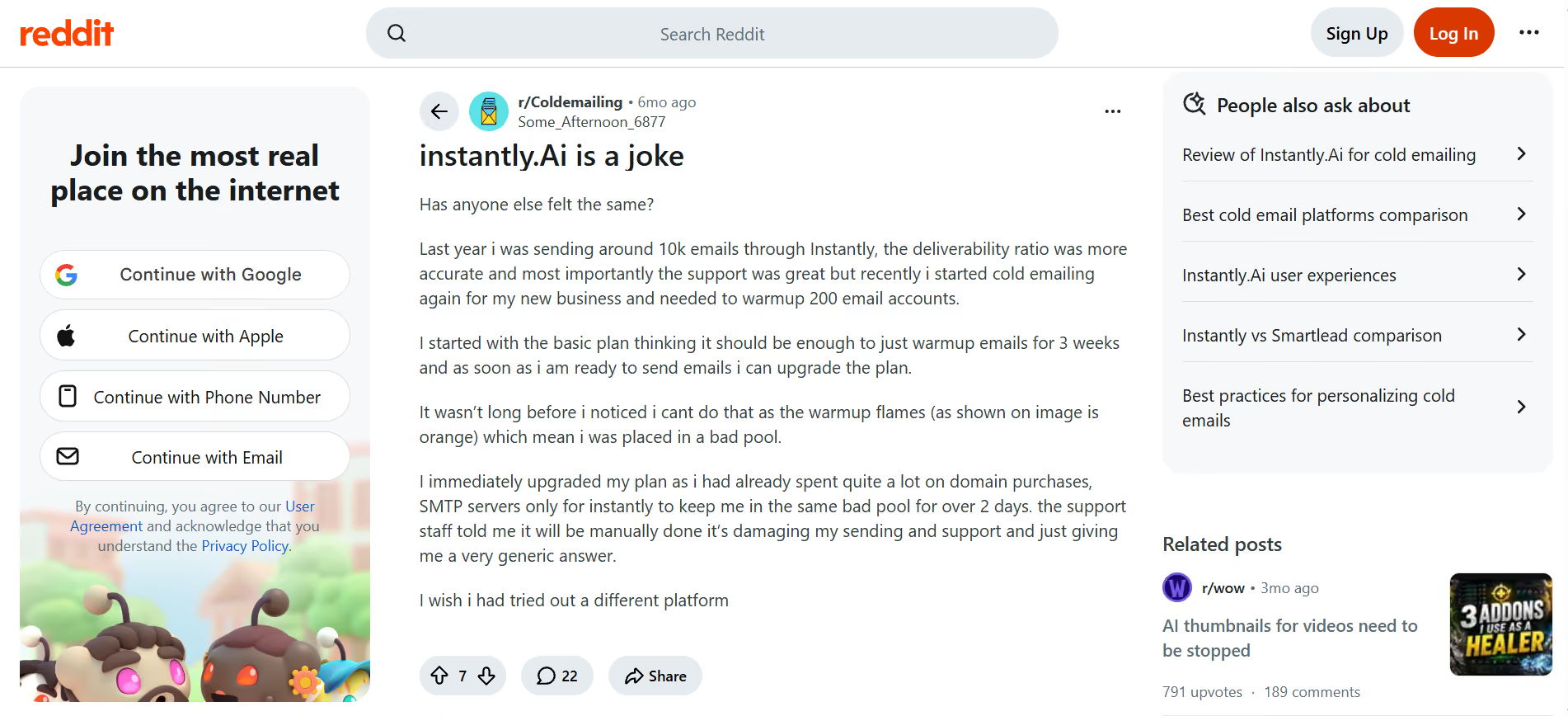
Source: Reddit r/Coldemailing thread
3. Support responsiveness breaks down at scale, especially around cancellation
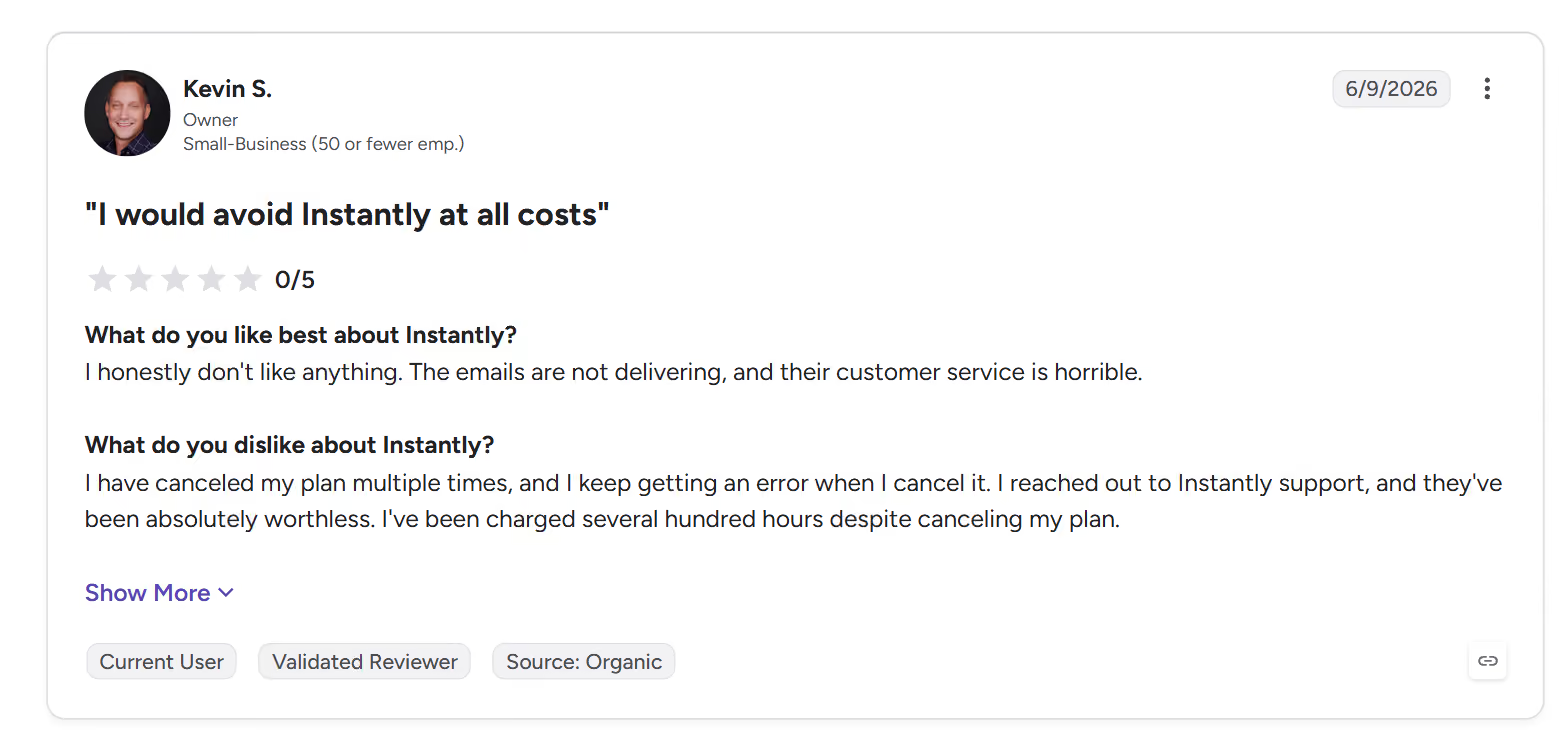
Source: G2
4. Deliverability limitations get disclosed only after setup
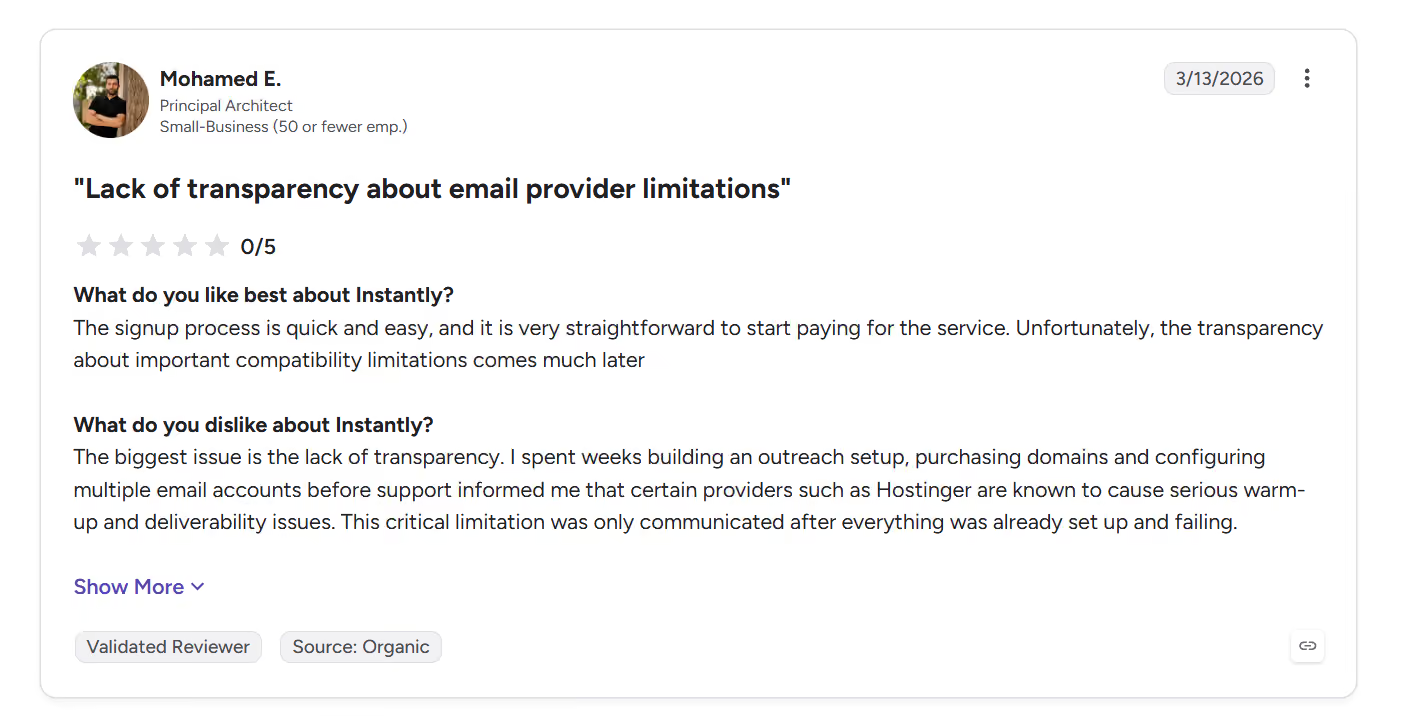
Source: G2
5. The health score does not predict Microsoft placement
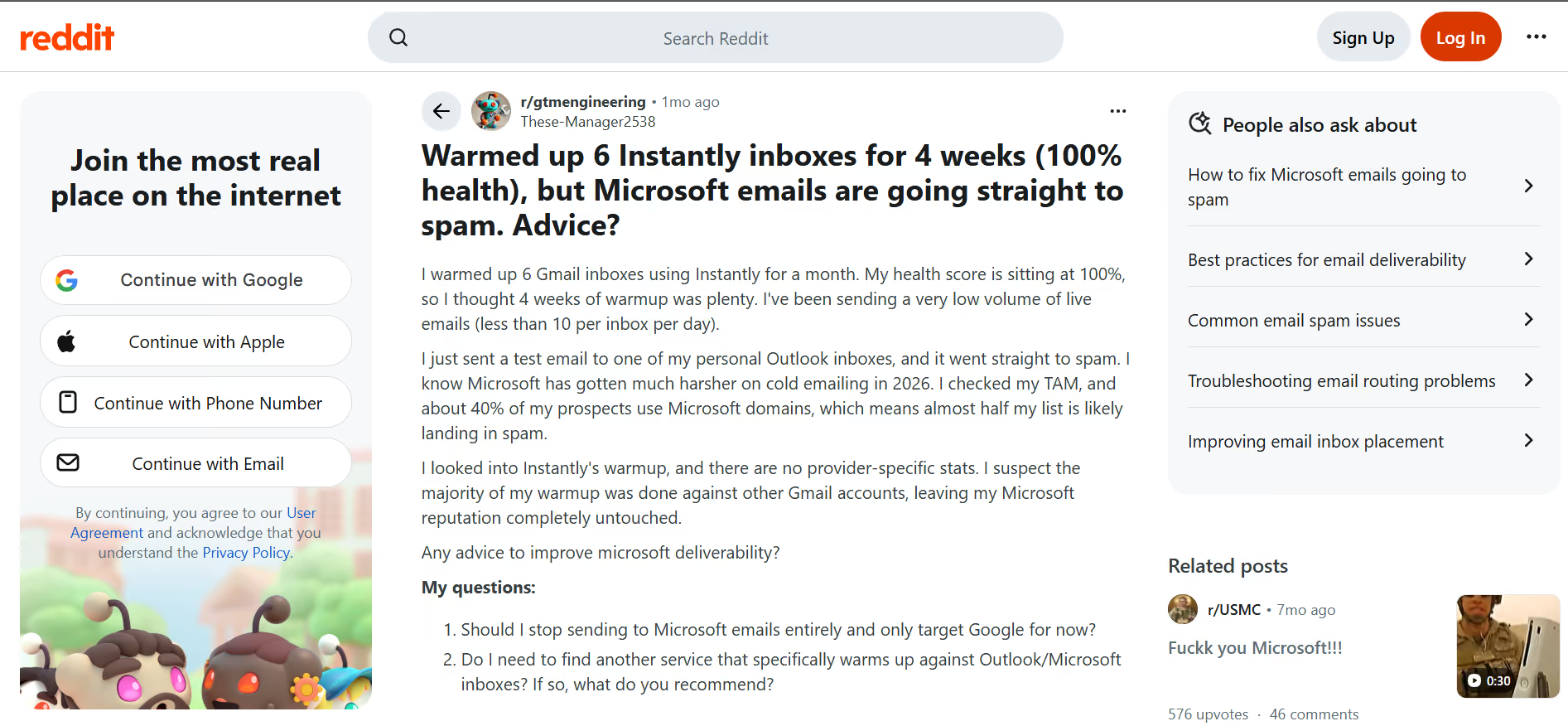
Source: Reddit r/gtmengineering thread
Now that you have seen the features, the pricing, and what real users say, here is the honest fit test.
If you have read this far, you already know the two things that hurt Instantly the most in 2026: hidden costs stacking on top of the base plan, and no LinkedIn built into the outreach layer.
The alternative I would recommend for anyone serious about outbound this year is Salesforge.
Here is why Salesforge is the strongest overall alternative:
A few other alternatives worth knowing about, in the interest of being fair to you as a reader:
If you want an honest apples-to-apples comparison for your own use case, start a free Salesforge trial and run one campaign side-by-side with Instantly for two weeks. That will tell you more than any review can.
So, is Instantly still the best cold email tool for high-volume sending in 2026?
Here is my honest take. Instantly is a solid, well-built platform for solo operators and small agencies who want an all-in-one starting point and are ready to absorb the modular pricing as they scale. The sequence builder, warmup, and Unibox are genuinely good.
But if you need transparent pricing, multichannel outbound with LinkedIn included, or reliable Microsoft deliverability, Instantly is not the strongest choice in 2026. The hidden warmup pool costs, the tier deprioritization mechanic, and the recurring billing disputes make it hard to recommend at scale.
For anyone in that second bucket, Salesforge is where I would point you. Same category, better breadth, no hidden add-on math. Try it side-by-side and see for yourself.
Yes, for solo operators and small agencies running email-only outbound at 10,000 to 100,000 emails per month. It gives you unlimited mailboxes, automatic warmup, and a clean campaign builder for a reasonable base price. The value gets thinner once you start adding modules like SuperSearch, CRM, or Premium warmup, since the stacked cost can hit $200 to $475/month fast.
The base Email Outreach Growth plan is $37.6/month on annual billing. But real setups usually add Instantly Credits for leads ($42.30+/month), Growth CRM ($47/month), and Inbox Placement ($47/month), so most users end up between $80 and $215/month. If you need the Premium warmup pool, add $500/month on top of that.
For most users on the Standard (green flame) or Premium (blue flame) pool, yes. Warmup runs automatically once you connect an inbox and helps build sender reputation. That said, if you land in the Basic (orange flame) pool, warmup is minimally effective, and Instantly does not tell you upfront that this can happen. The health score also does not predict Microsoft or Outlook placement specifically, which is a growing complaint from users sending to Microsoft-heavy target lists in 2026.
The orange flame is Instantly's Basic warmup pool. It is the downgrade tier where accounts get placed if they exceed SMTP limits or violate Instantly's fair usage policy. Instantly's own documentation describes it as "mostly SMTP accounts with minimal Google and Outlook support for low-level deliverability." If you land here, your warmup is doing very little for your sender reputation. The green flame is the Standard pool where new accounts default, and the blue flame is the paid Premium pool ($500/month and up per workspace).
Both are all-in-one outbound platforms. Instantly is email-only and modular, meaning you pay separately for outreach, leads, CRM, and inbox placement testing. Salesforge is multichannel, meaning email and LinkedIn sequences run from the same workflow, with a 500M+ contact database built in, unlimited mailboxes and LinkedIn senders, no per-seat pricing, and warmup included at no extra cost. Salesforge also gives you access to Agent Frank, an autonomous AI SDR that handles the full outbound cycle from prospecting to booking meetings. For teams that need transparent pricing and multichannel outreach, Salesforge is the stronger fit.
This is where G2 and Trustpilot reviews flag a recurring pattern. Multiple users report errors when trying to cancel, being charged after cancellation attempts, and slow support responsiveness on refund requests. Instantly does allow cancellation through the account settings, but the process is not always smooth. If you are on an annual plan, review the cancellation terms carefully before you commit, and keep records of every cancellation attempt in case you need to escalate.
No. Instantly is a legitimate product with a 4.8/5 G2 rating from over 4,000 verified reviews and 35,000+ customers. The negative sentiment on Trustpilot (currently showing a warning banner about fake reviews being removed from the profile) and Reddit is real and worth reading, but it reflects specific complaints about billing disputes, support responsiveness, and warmup pool tier mechanics, not a scam operation. It is a real tool with real trade-offs you need to understand before buying.
