
Personalized Outbound Strategy
Get The Right Outbound Strategy In Minutes
Enter your email to get a custom plan & stack recommendation for your business
It's being carefully crafted by AI
Please check your mailbox in 5 minutes

The contacts your verifier marks “Unknown” are often the people you most want to reach: directors at large companies whose mail servers accept every address, real or not. Skip them and your list shrinks. Send anyway, and you risk bounces and spam traps.
Allegrow claims it can turn those unknowns into a clear yes or no, then monitor the mailboxes sending to them. That brings us to the title’s question: does it improve deliverability, or mainly improve your lists?
The answer depends on the plan. The $99 Starter plan verifies CSVs and warms one mailbox. Safety Net, which pulls back risky sends inside Salesloft and Outreach, starts at $1,340 a month, billed yearly at about $16,080. There’s nothing in between.
I mapped each feature to its plan, priced Starter for a five-rep team, worked out how to test accuracy during the 14-day trial, and read all seven G2 reviews. Six were written before Allegrow began focusing on verification.
If your lists are already clean and your mailboxes need help, I’ll also show what Warmforge costs for the same team.
The title asks whether Allegrow improves deliverability. My short answer is yes, but mainly by improving what enters your campaigns. It stops bad addresses before you send, unlike most deliverability tools.
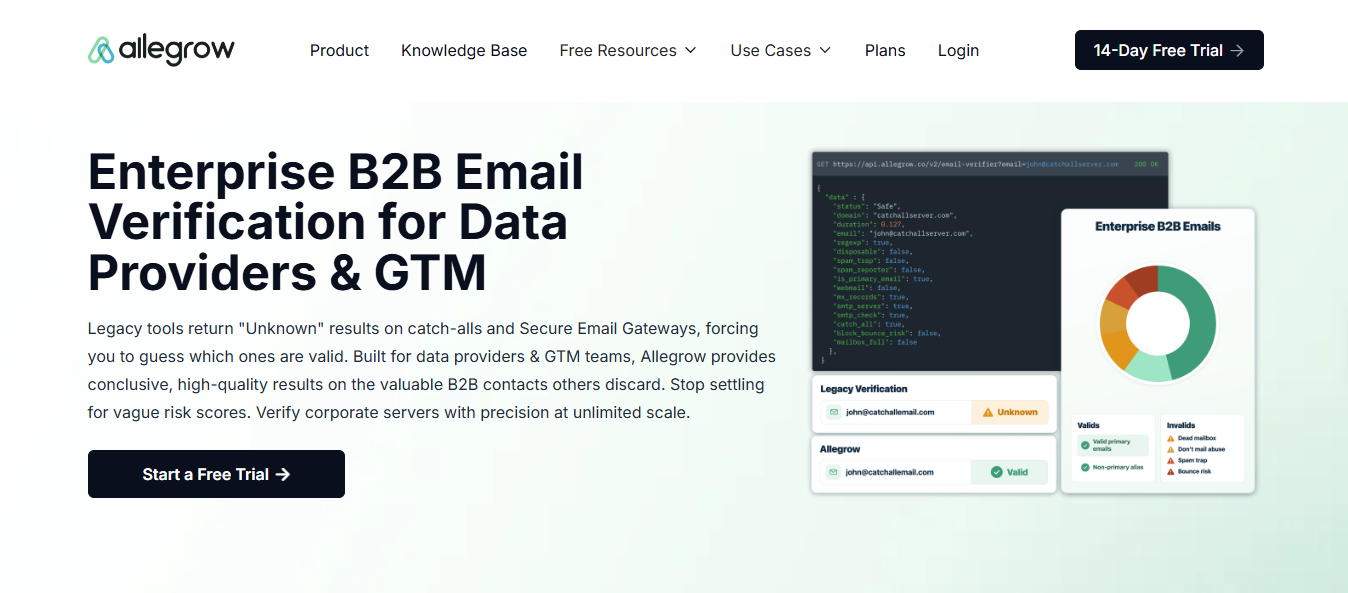
The feature I’d watch closely is catch-all verification. Many company mail servers accept every address, so most verifiers mark these contacts “Unknown” and leave you guessing. Allegrow returns a firm Valid or Invalid, which matters most when selling to larger companies that use catch-all servers.
It also identifies which of an executive’s addresses they actually read. Sending to a valid alias nobody checks is still a wasted touch, and standard verifiers can’t tell them apart.
Then there’s mailbox protection. Your accounts exchange emails with Allegrow’s network so providers see replies and reads. Allegrow checks SPF, DKIM, and DMARC hourly, while a leaderboard shows which rep’s mailbox is drifting toward spam.
What you don’t get on the $99 plan is the feature Allegrow’s happiest customers discuss most. Safety Net pulls back risky emails leaving Salesloft or Outreach, but it needs native integrations. Those only come with Scale Plus at $1,340 monthly, billed yearly.
The same applies to verifying contacts behind gateways like Proofpoint and Mimecast. Starter relies on CSV uploads.
Starter also leaves little room for a team. It includes one connected mailbox, and each extra mailbox or user costs $40/month. Ten SDRs add $360 before you verify one extra contact.
If you send through a cold email platform instead of Salesloft, Outreach, or HubSpot, check the integrations first. Allegrow’s in-workflow protection supports those three, so it can’t monitor sequences elsewhere.
Allegrow improves deliverability mainly by keeping bad data out of your sends. If mailbox reputation is your bigger problem, I’ll explain where Warmforge covers it for less, with contact validation available through Salesforge.
Allegrow’s G2 page describes a slightly different product from today’s homepage. Six of seven reviews appeared in 2024, when customers mainly used Allegrow to protect sender reputation. Only one, from April 2026, discusses the email verification it now leads with.
That doesn’t make the older reviews less useful. It means you should read them for what they cover: deliverability and the experience of working with the team.
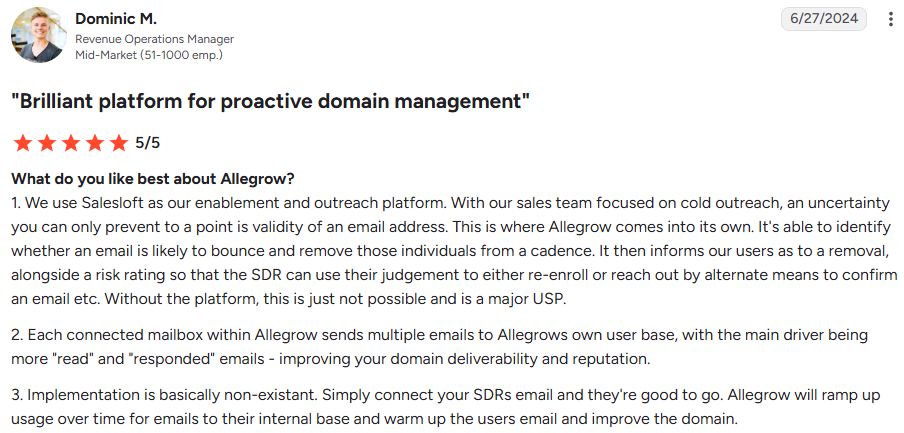
Dominic M., a RevOps manager (G2, Jun 27, 2024, 5/5), gives the clearest view of Safety Net. His team runs cold outreach through Salesloft, and Allegrow removes contacts likely to bounce from a cadence, explains why, and provides a risk rating.
What stands out is the human element. The rep still decides whether to re-enroll the contact or confirm the address another way, so the tool advises instead of taking control.
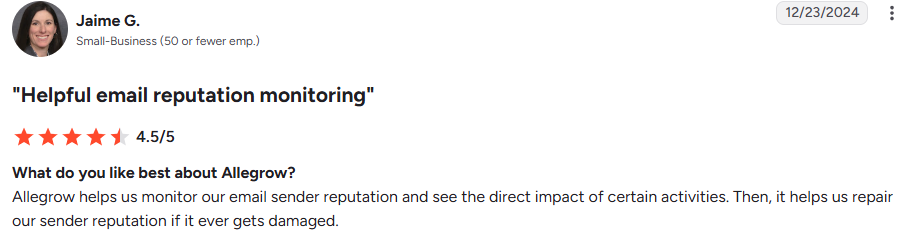
Jaime G. (G2, Dec 23, 2024, 4.5/5) uses Allegrow to see how specific activities affect sender reputation and repair it when damaged.
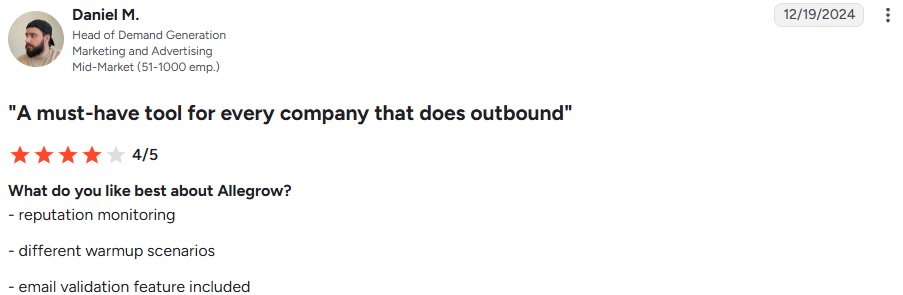
Daniel M., head of demand generation (G2, Dec 19, 2024, 4/5), names mailbox reputation monitoring and “different warmup scenarios” among his favorite features.
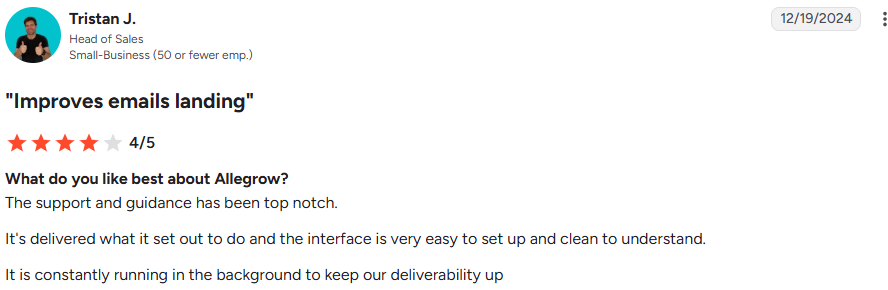
Tristan J., head of sales (G2, Dec 19, 2024, 4/5), says his team “had been having great SPAM issues with emails not delivering and now we do not.”
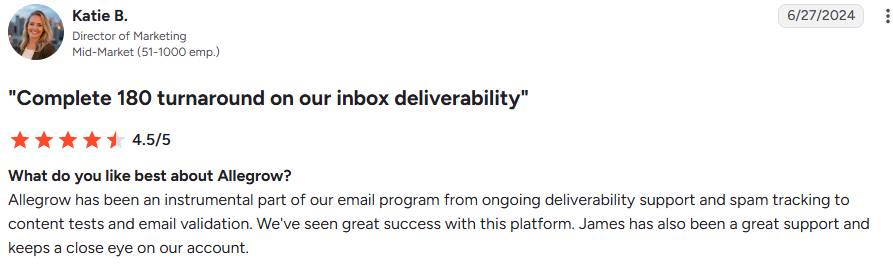
Katie B., a marketing director (G2, Jun 27, 2024, 4.5/5), titles her review “Complete 180 turnaround on our inbox deliverability.”
Valerie T., head of sales development (G2, Aug 9, 2024, 5/5), says her team’s open rate rose above 50%.
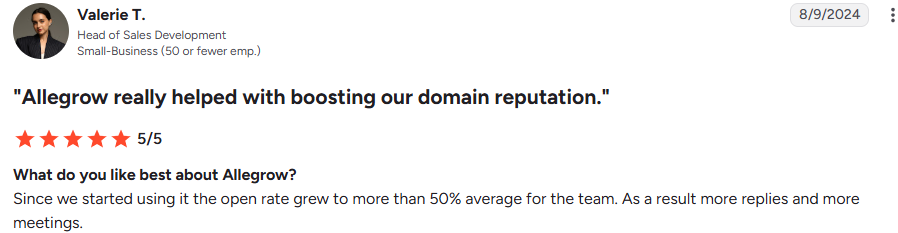
I’d treat that figure loosely because open tracking is unreliable, but she also reports more replies and meetings, which matter more.
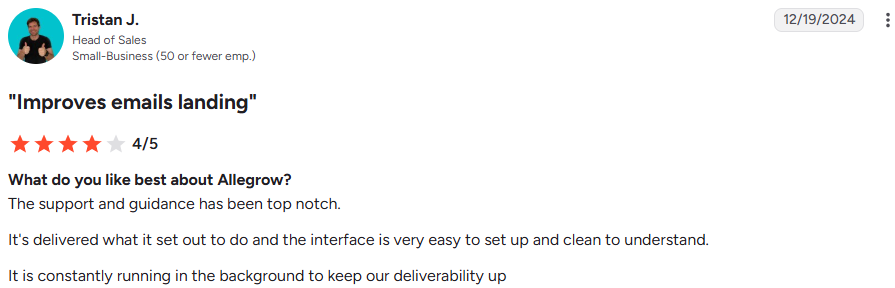
Tristan J. calls the support and guidance “top-notch.”
Jake K., a marketing director (G2, Apr 1, 2026, 5/5), says deliverability had troubled his team for years, and better verification “significantly decreased our bounce rates.”
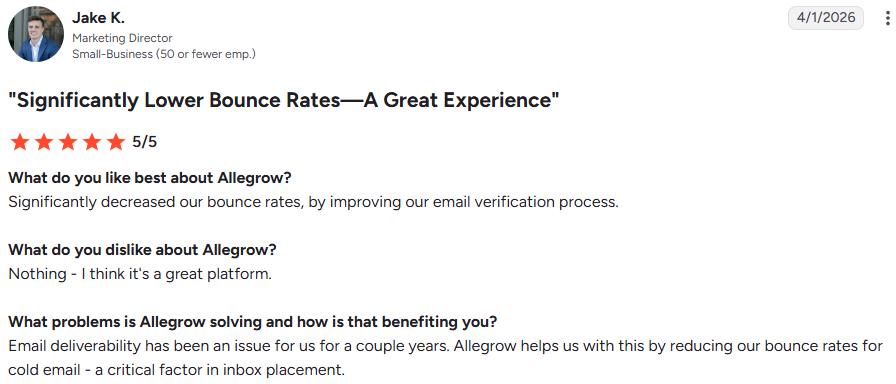
That’s the only independent account of the verification product. It doesn’t mention catch-alls or enterprise gateways, although Allegrow’s homepage promotes those features most heavily.
Daniel M. said Allegrow didn’t integrate with Salesforce or HubSpot, making validation manual. Tristan J. also wanted more integrations.

HubSpot, Outreach, and Salesloft now integrate natively, but only with the $1,340 monthly Scale Plus plan. Salesforce still isn’t listed.

Katie B. and Dominic M. said team members couldn’t log in to view their own reputation and spam rates. Scale Plus now includes user permissions. On Starter, every extra user costs $40 monthly.

Daniel M. said he had to enter his password whenever he signed in. I couldn’t find anything confirming whether that has changed.
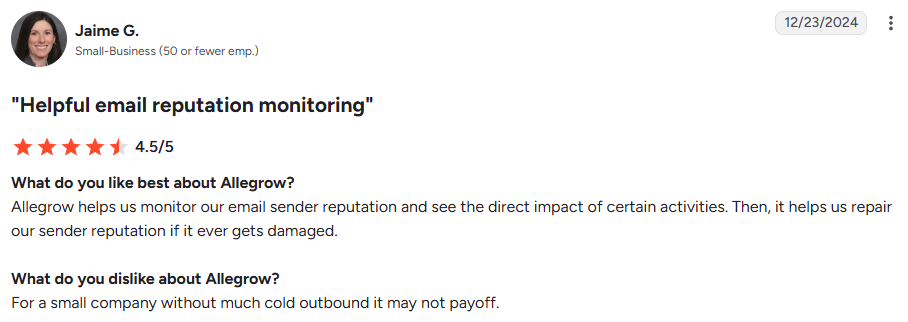
Jaime G. says it “may not pay off” for a small company with limited cold outreach. With the next plan costing over $16,000 yearly, I’d take that warning seriously.
Allegrow’s free trial includes 14 days and 1,000 verifications, but excludes integrations, the API, and mailbox connections. That means you can’t test half of what Allegrow sells before paying.
I’ve divided this section along that line: what you can test during the trial and what you’ll only see after becoming a customer.
Allegrow recommends a clear benchmark: around 1,000 contacts mixing addresses you know work, such as recent respondents, with addresses you know are fake, created by slightly changing real names.
That matches the trial limit, and I’d follow it. If Allegrow marks known-good contacts Valid and made-up addresses Invalid, you’ve tested its accuracy in your own market instead of trusting a “30% more contacts” claim.
Upload a CSV and Allegrow breaks down your list. In the example, a catch-all prospect list returns 882 safe emails. The rest include spam traps, do-not-mail addresses, dead emails, bounce risks, syntax errors, and a “some risk” group.
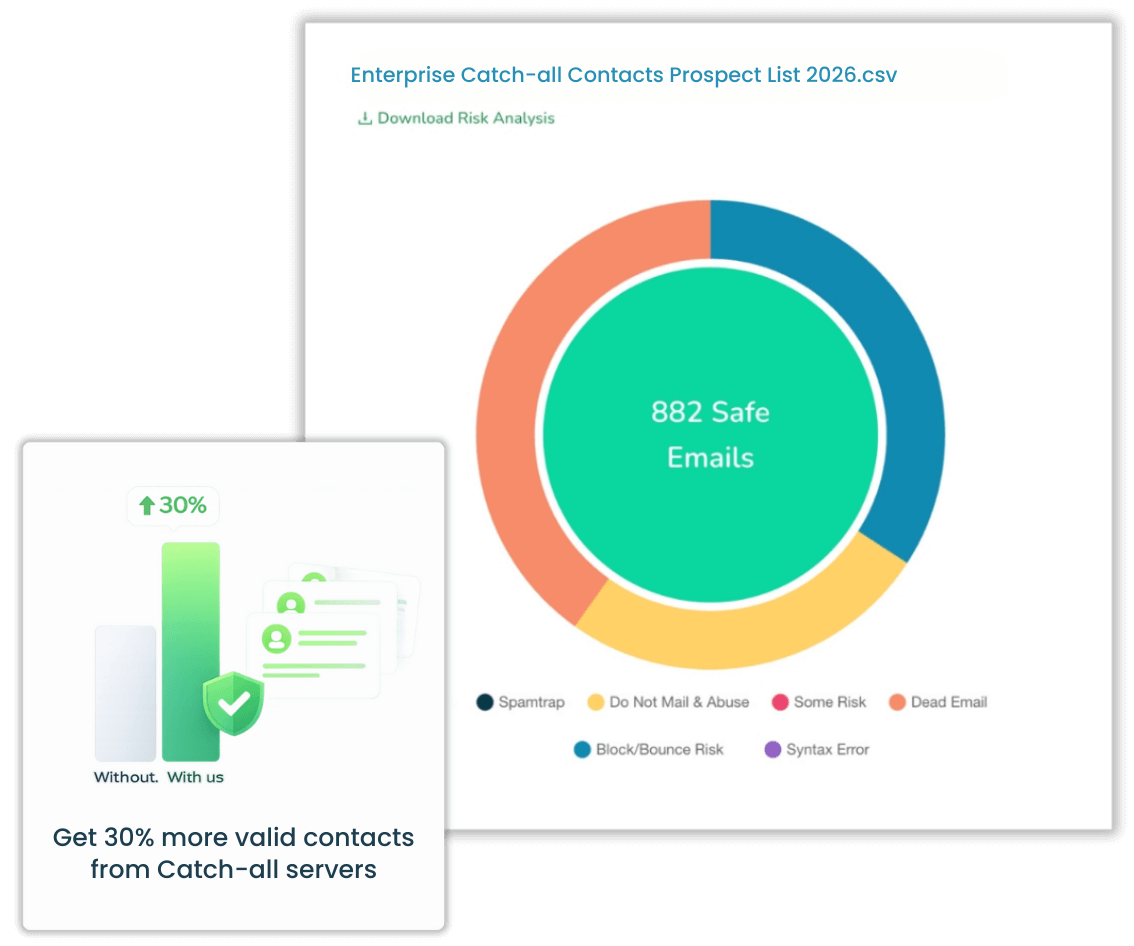
The group your team will debate is “some risk.” Agree on a rule before the trial ends: either remove them or send them only through a low-priority mailbox. This is where your list either grows or becomes risky.
Each result includes more than a yes-or-no answer. Beside the status, you’ll see whether the address is a catch-all, spam trap, known spam reporter, disposable address, full mailbox, or the person’s primary inbox.
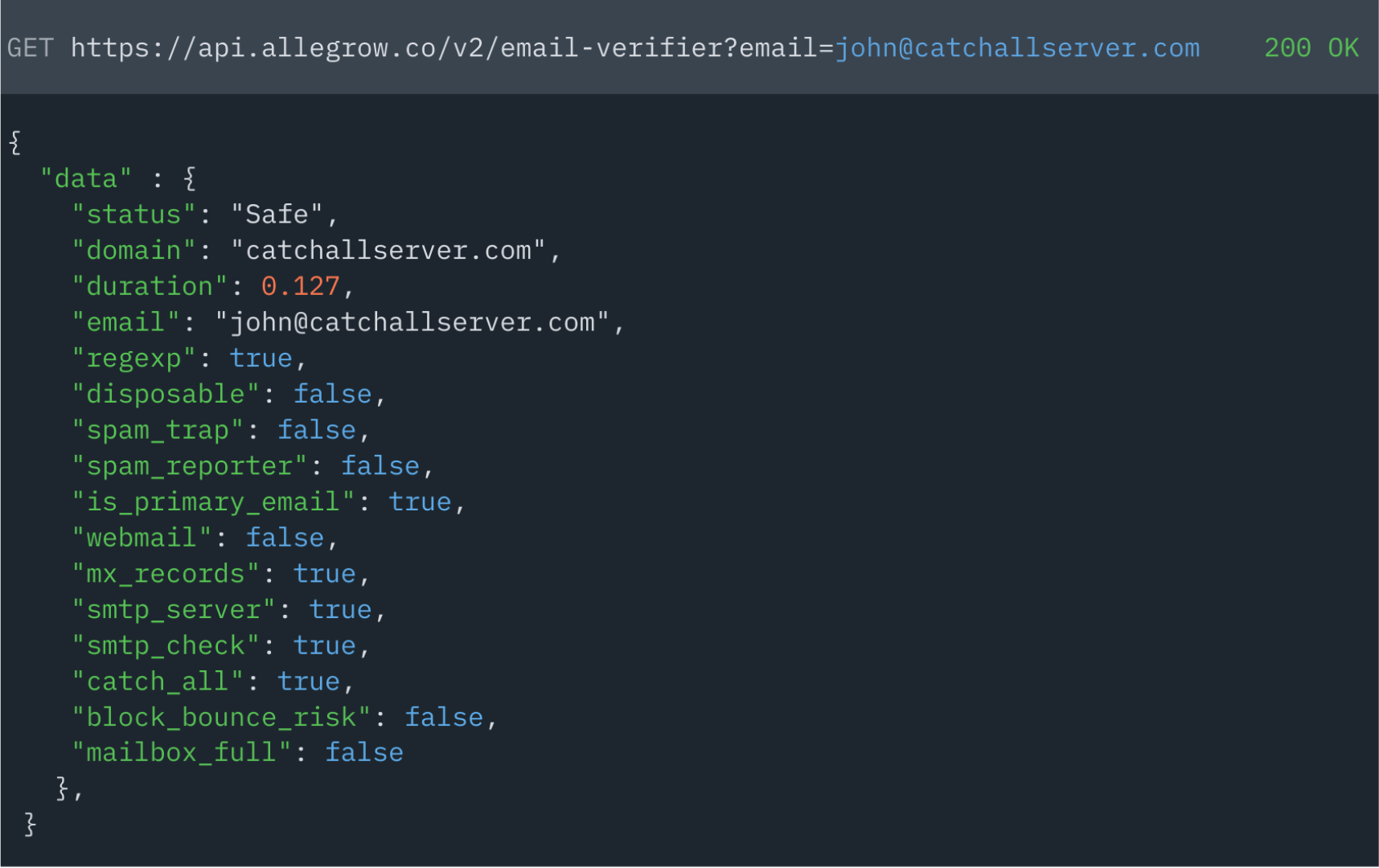
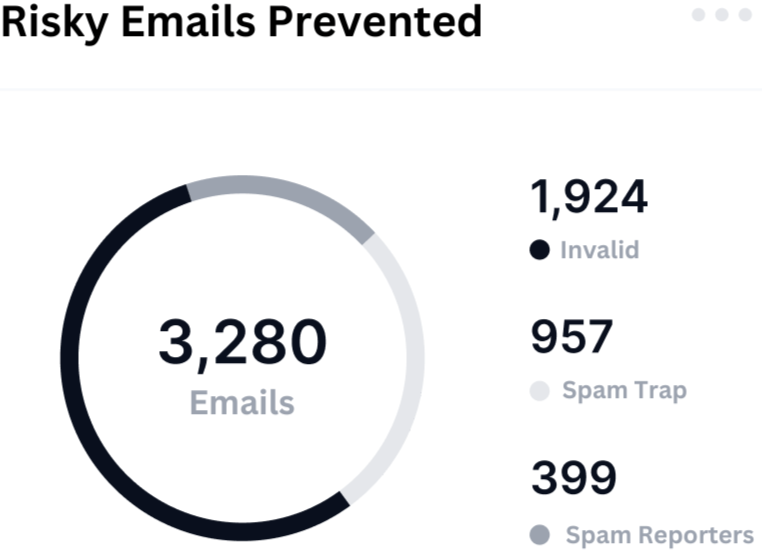
The spam reporter flag is the first one I’d act on. These people mark emails as spam, and one complaint from them causes more damage than a bounce. In the example summary, 399 of 3,280 risky emails belonged to spam reporters.
Once connected to Salesloft or Outreach, Safety Net checks every email leaving a rep’s outbox and pulls back messages to risky contacts. Reps continue working normally, while a chart tracks saved emails and reputation each day.
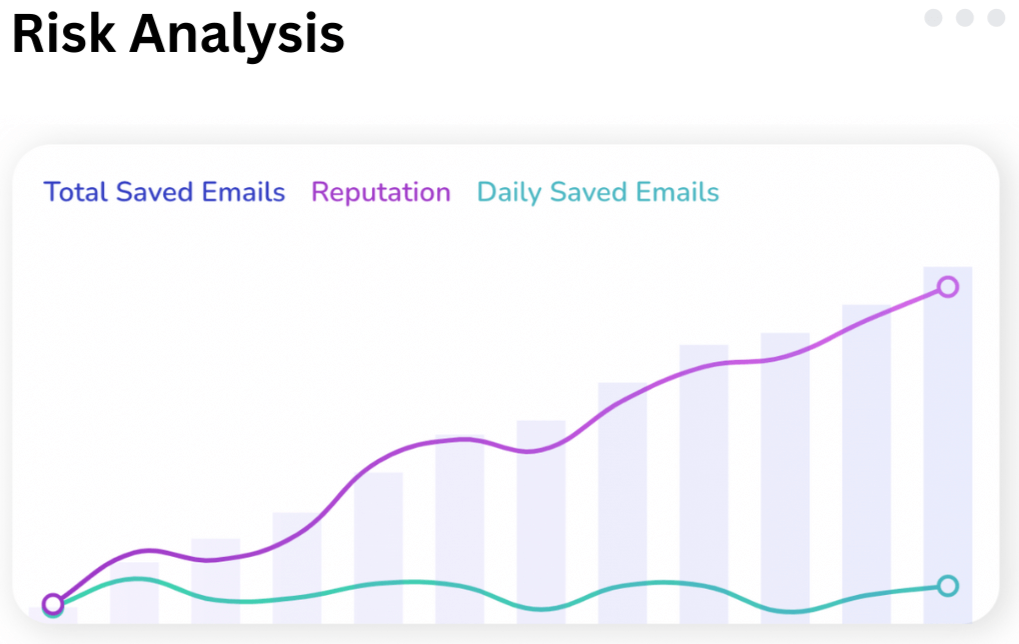
This feature changes how your team works, but it requires Scale Plus. Starter lets you verify lists before uploading them, but nothing monitors the actual sends.
Each connected mailbox displays emails sent today, replies today, spam rate, and reputation score. The leaderboard then ranks your team. In the example, the top mailbox has a 1.35% spam rate, while the bottom sits at 11.48%.
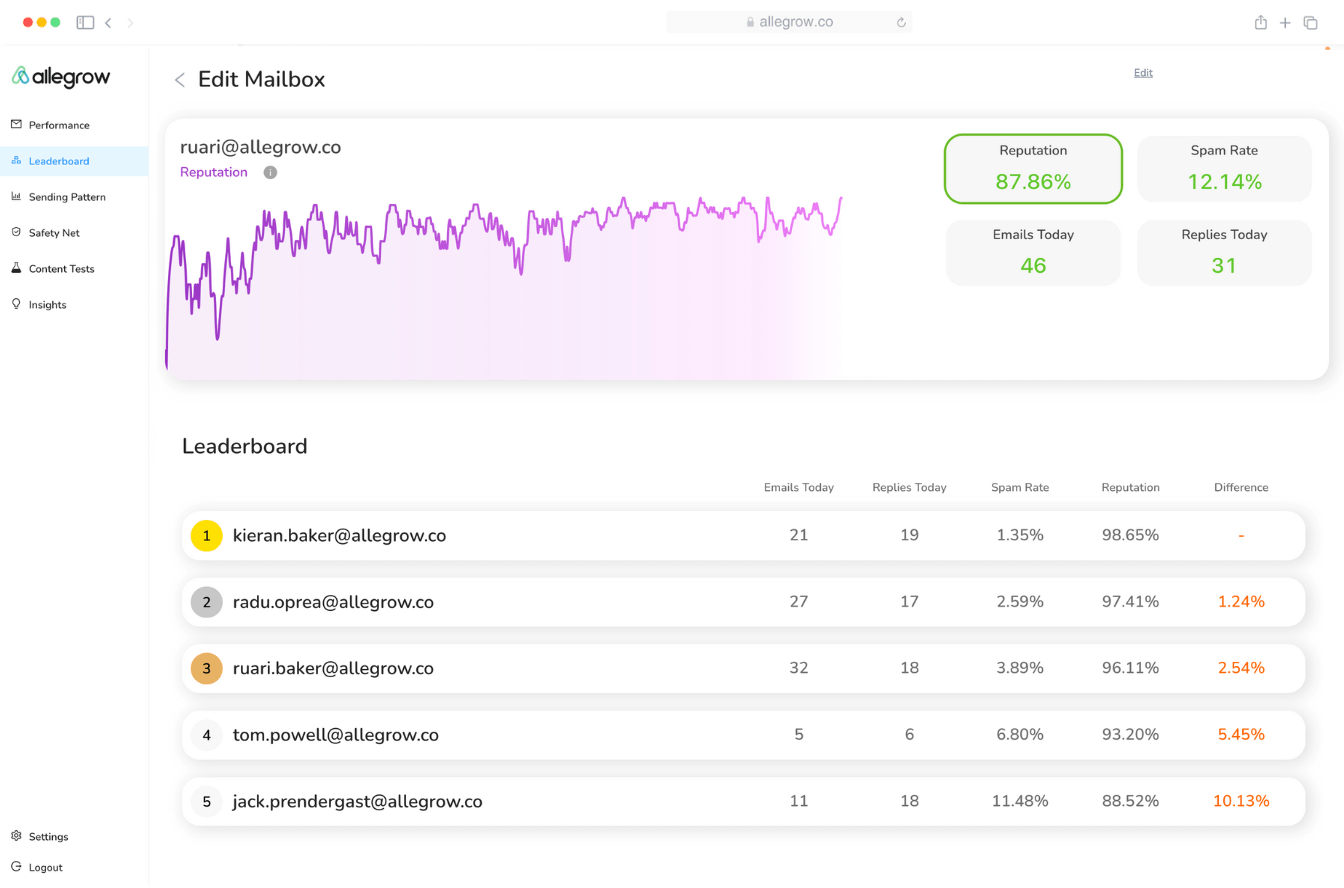
That ranking shows who needs attention. But examine the numbers closely: each reputation score plus its spam rate equals exactly 100%. The score is simply the reversed spam rate measured within Allegrow’s network. Replies also come from that network, as one mailbox shows 31 replies from 46 daily emails.
Treat it as a warning light, not a measure of how prospects’ inboxes see you. For that, you still need a placement test against real business inboxes.
Connected mailboxes exchange emails with Allegrow’s network, which includes managers and executives at named companies. Reviews say volume increases gradually, so new mailboxes aren’t flooded on day one.
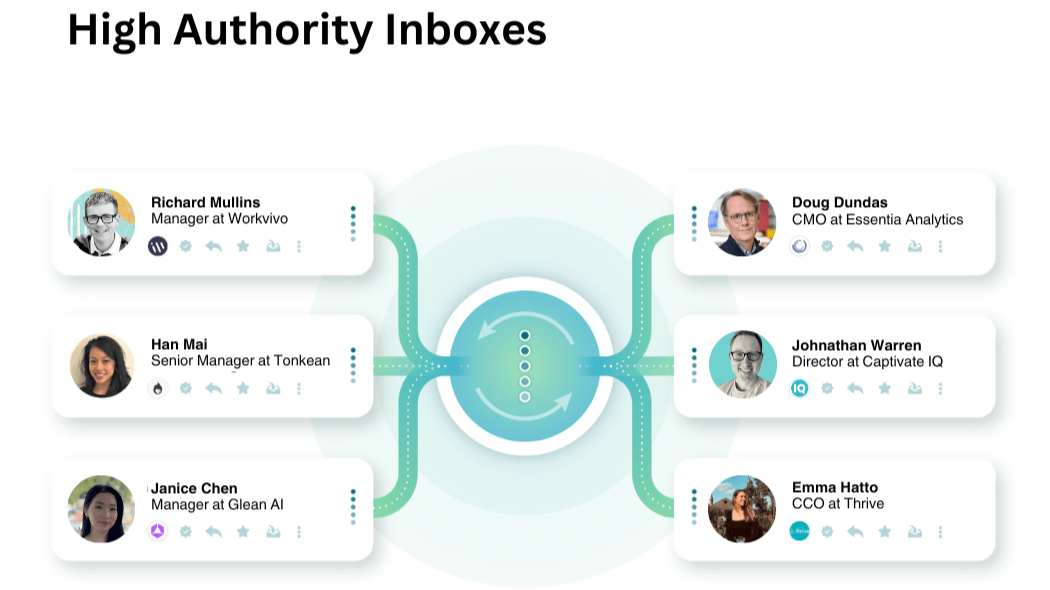
Starter covers one mailbox. Every additional mailbox costs $40 monthly, making this the part of your bill that grows with your team.
Allegrow checks SPF, DKIM, and DMARC hourly. If someone changes a DNS record and breaks authentication, you’ll hear about it that day instead of after a week of poor results.
Starter includes one A/B content test. It runs two email versions through simulated filters and shows which phrases or links get flagged. One test covers a new template, but not every campaign.
Allegrow has four price points, but most sales teams choose between two: a self-serve $99 plan or a $1,340 monthly plan sold through a demo.
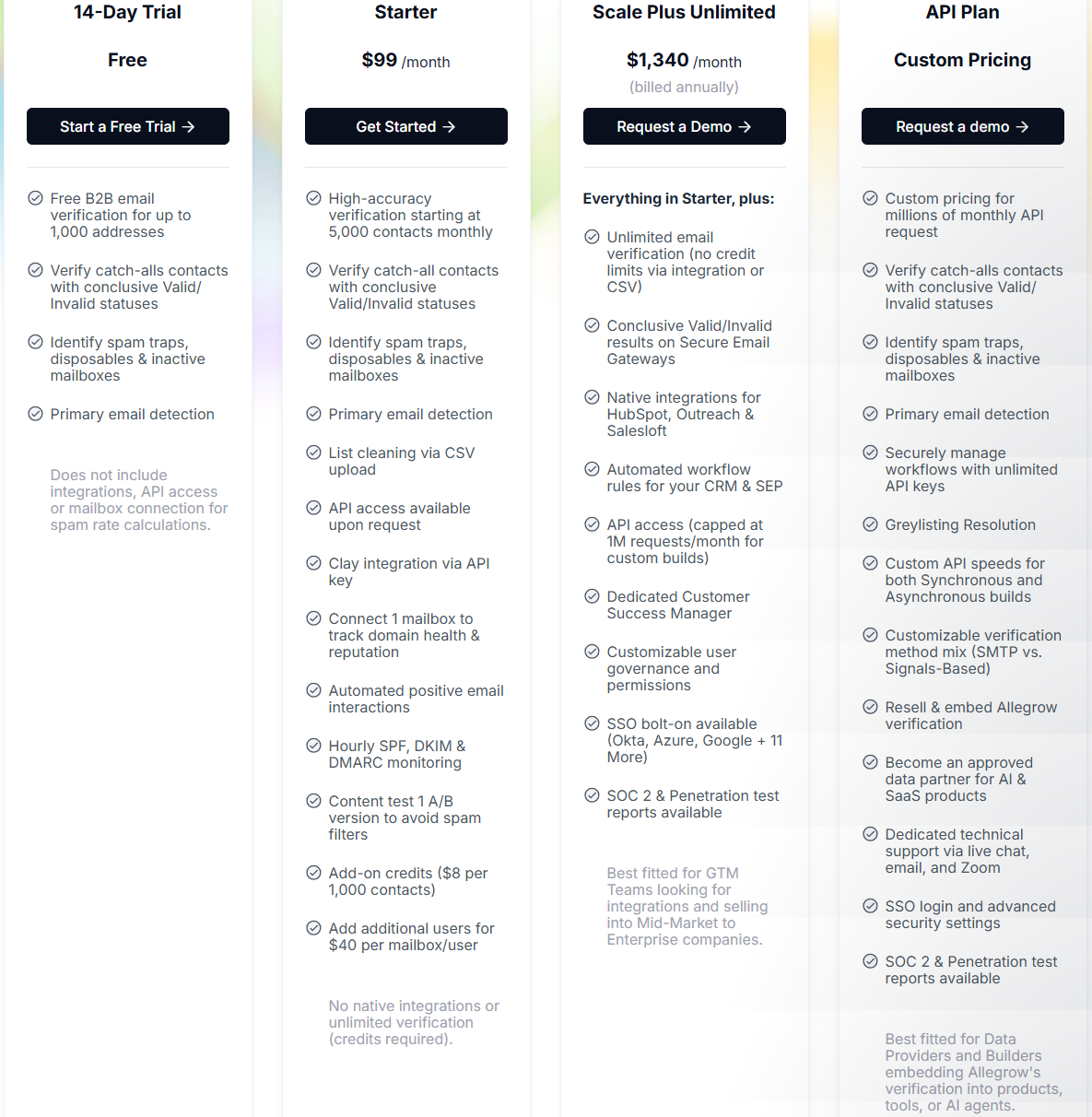
Two things increase Starter’s price.
Verification volume. You get 5,000 contacts monthly. After that, every additional 1,000 costs $8. Verifying 20,000 contacts monthly adds $120, bringing the total to $219.
Mailboxes. One mailbox is included in the engagement network. Each extra mailbox or user costs $40 monthly. A five-person SDR team adds $160.
Together, a five-rep team verifying 20,000 contacts monthly pays around $379 on Starter.
Based on price alone, reaching $1,340 takes a lot. You’d need to verify roughly 160,000 contacts monthly on Starter or connect about 32 mailboxes before Scale Plus becomes cheaper.
Most teams buying Scale Plus aren’t paying for volume. They’re paying for what Starter lacks: Safety Net inside Salesloft or Outreach, verification behind enterprise gateways, native CRM integrations, and a dedicated success manager.
That’s a fair reason to pay more if your SDRs sell into large companies all day. It’s harder to justify when you mainly need to clean a list before each campaign.
I’d consider Allegrow if your best prospects work at large companies and your verifier can’t confirm whether their addresses exist.
If your lists are clean and mailbox reputation is the problem, Allegrow focuses most of its value elsewhere.
Allegrow focuses mainly on the people you email: Is the address real? Is it a trap? Will the person complain? Warmforge focuses on the mailboxes you send from.
If your lists are reasonably clean but good emails still land in spam, the second problem is what you need to solve. It also costs far less.
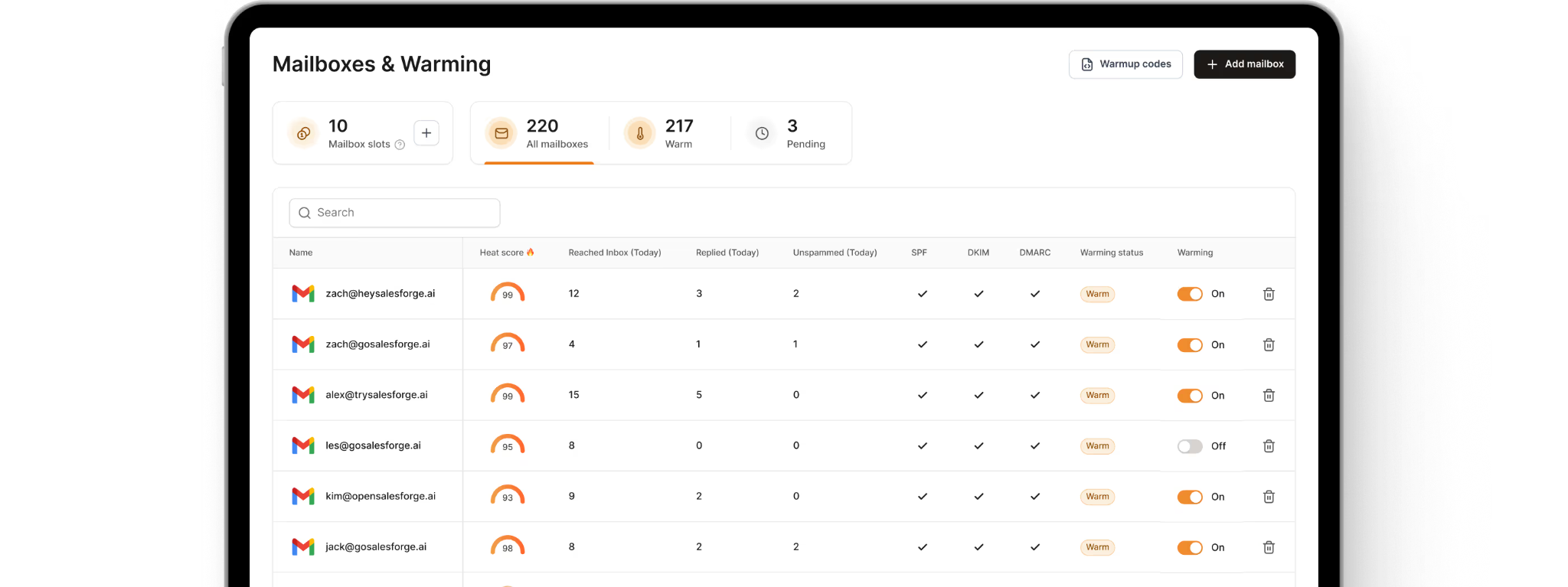
Allegrow Starter includes one mailbox in the engagement network, while each extra one costs $40 monthly. Ten SDR mailboxes cost $459.
The same ten mailboxes cost $100 monthly on Warmforge, with 10% off annual billing. If you send through Salesforge, warmup is included for every mailbox at no extra cost.
Allegrow handles the ramp-up for you. Warmforge lets you configure each mailbox’s daily minimum, maximum, ramp-up speed, and the share of warmup emails receiving replies.
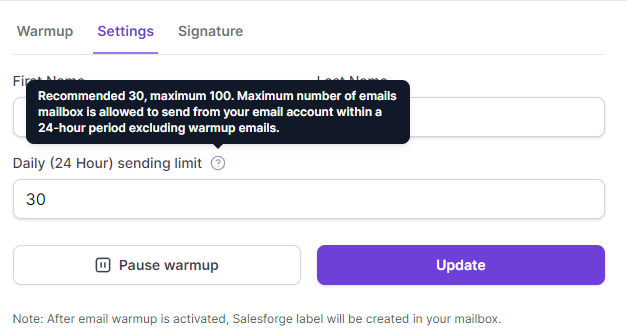
That matters when carefully launching a new domain or recovering one that took a hit. Warmup emails also don’t count toward your daily sending limit, so protecting a mailbox doesn’t reduce campaign volume
Allegrow’s reputation score reverses its spam rate measured within its own network. Warmforge also provides a heat score, but lets you send real placement tests to Google Workspace and Microsoft 365 inboxes. You’ll see how many reached the inbox, entered spam, or never arrived.
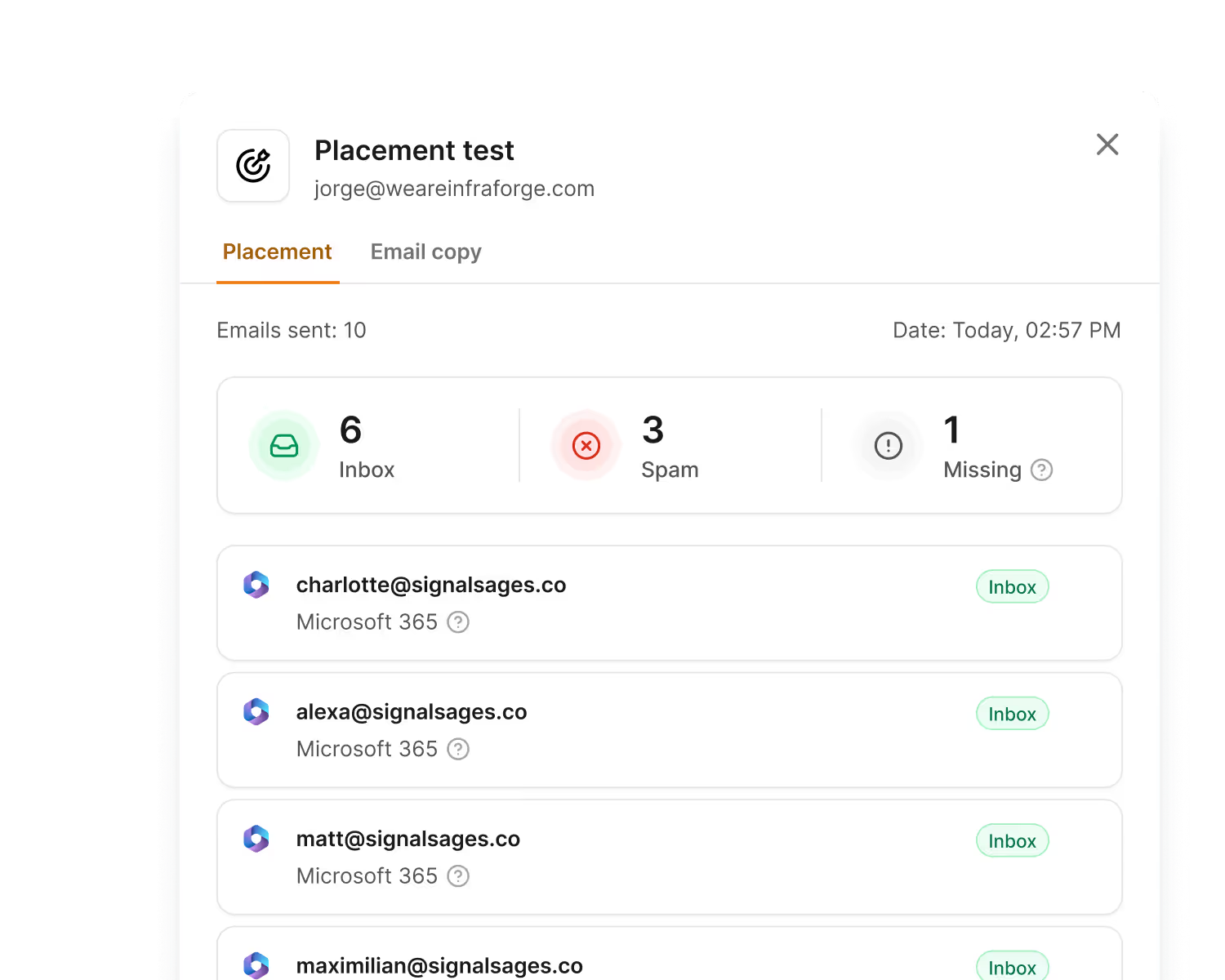
Every plan includes one placement test monthly. To test weekly across all mailboxes, the Pro plan provides 100 tests for $39.
When a warmup email lands in spam, Warmforge moves it to the inbox, signaling the provider made a mistake. Each mailbox’s statistics show saved-from-spam emails alongside replies.
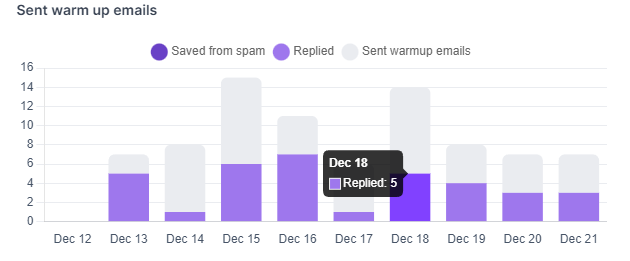
All Gmail warmup activity enters a separate label and skips the primary inbox. Reps don’t have to scroll past warmup conversations to find real replies.
Warmforge doesn’t verify contacts, and I won’t pretend it does. If bounces are part of your problem, Salesforge offers contact validation, letting you clean lists and protect sending mailboxes in one place.
Allegrow’s catch-all and gateway verification goes beyond standard checks. If most prospects work at large companies behind Proofpoint or Mimecast, that’s a genuine reason to keep Allegrow for verification.
There’s no yearly contract or demo. Buy mailbox slots in the app, connect your mailboxes, and begin warming them that day. You can cancel whenever you’re finished.
Enter your email to get a custom plan & stack recommendation for your business
Please check your mailbox in 5 minutes

Check two numbers from your latest campaign: the bounce rate and how many emails landed in spam.
If bounces are the problem, especially above 2%, try Allegrow. Test the free trial with your own list. If the results hold up, the $99 Starter plan should cover most teams. Scale Plus only suits enterprise SDR teams using Salesloft or Outreach.
If bounces are low but emails still land in spam, your mailboxes need help, not your lists. Warmforge handles that for $10 per mailbox or free with Salesforge. Connect your mailboxes and run your first placement test this week.