
Personalized Outbound Strategy
Get The Right Outbound Strategy In Minutes
Enter your email to get a custom plan & stack recommendation for your business
It's being carefully crafted by AI
Please check your mailbox in 5 minutes

The Warmforge API gives technical GTM teams a way to manage mailbox warm-up, read mailbox health, pull warm-up stats, and run placement-test workflows without clicking through the dashboard one mailbox at a time.
That is the practical answer.
It is not a campaign-sending API. It does not buy domains, provision infrastructure, or edit DNS records for you. The API exposes the core mailbox, warm-up, health, and placement workflows that become repetitive at scale.
If you manage five inboxes, the dashboard is probably enough. If you manage fifty, two hundred, or a client fleet across workspaces, the Warmforge API becomes the control layer for your deliverability routine.
Last verified against Warmforge API v1: July 2026.
The mental model is simple: Warmforge protects the mailbox layer. Salesforge runs outreach sequences. Mailforge, Infraforge, and Primeforge handle infrastructure. Leadsforge feeds list data. Agent Frank can operate the workflow when you want the system to run without a rep doing every step.
Tools are not the strategy. The workflow is the strategy.
Start inside the Warmforge app.
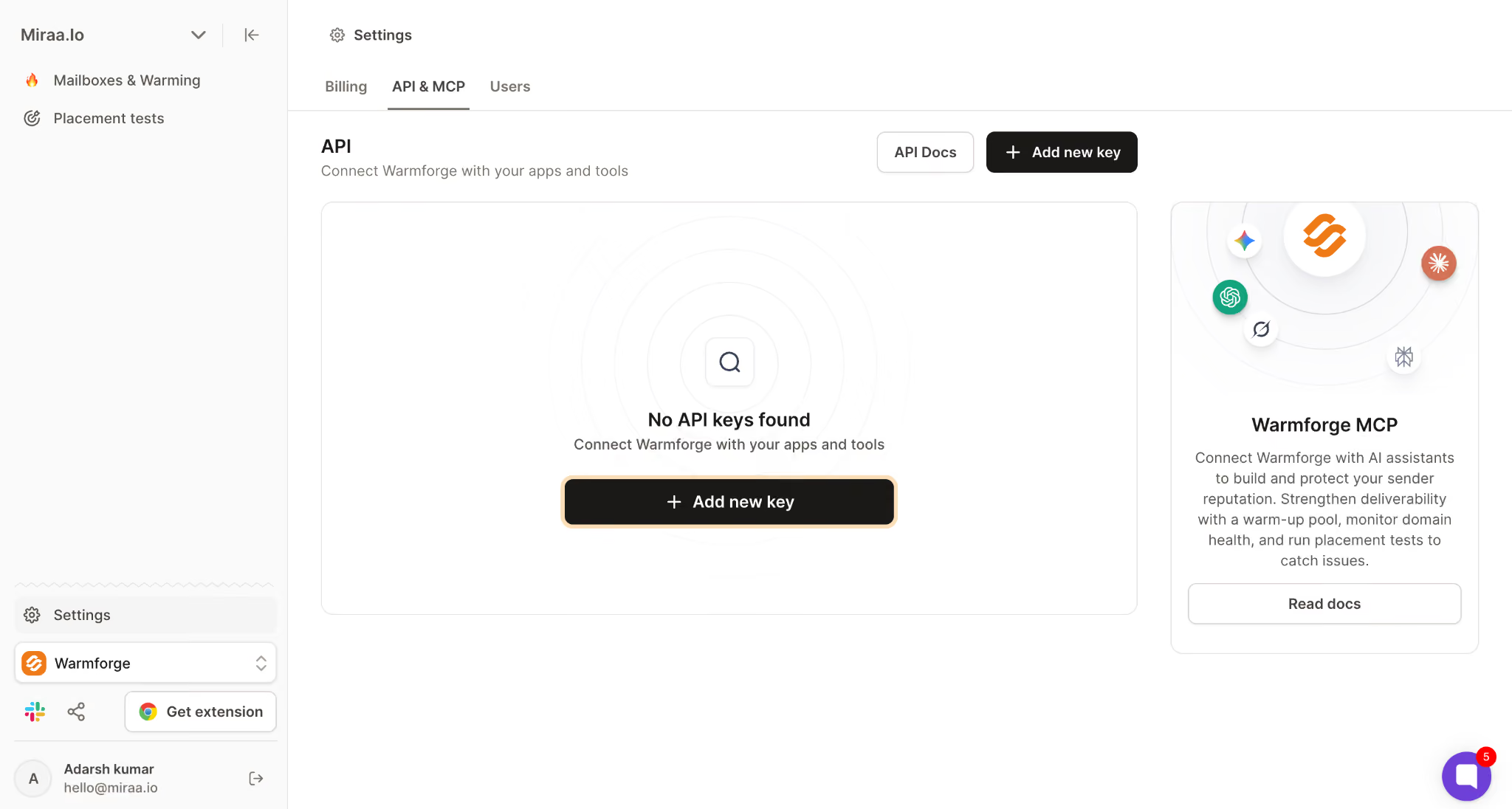
Do not paste the key into client-side code, Google Sheets scripts shared across the company, or random automation builders without access controls.
A sane setup looks like this:
export WARMFORGE_API_KEY="wf_live_your_key_here"
export WARMFORGE_WORKSPACE_ID="your_workspace_id"
If you are building this for multiple clients, do not use one universal key across every client workflow. Treat each workspace like a separate operating boundary. That makes rotation, debugging, and incident cleanup less painful.
All examples below assume a workspace-scoped v1 API path.
https://api.warmforge.ai/public/v1/workspaces/{workspaceID}Use your Warmforge API key in the request header and send JSON bodies with Content-Type: application/json.
curl -X GET \
  "https://api.warmforge.ai/public/v1/workspaces/$WARMFORGE_WORKSPACE_ID/mailboxes" \
  -H "Authorization: Bearer $WARMFORGE_API_KEY" \
  -H "Content-Type: application/json"
Expected success shape:
{
  "data": [
    {
      "email": "[email protected]",
      "provider": "google",
      "warmupEnabled": true,
      "dailyWarmupLimit": 18,
      "healthStatus": "good",
      "heatScore": 91
    }
  ]
}
Your production response may include additional fields. Build your integration defensively: parse the fields you need, ignore fields you do not use, and log the request ID or response metadata when Warmforge returns it.
The first request should be read-only.
Do not start by bulk-changing limits. First, list the mailbox fleet and confirm you are looking at the right workspace.
curl -X GET \
  "https://api.warmforge.ai/public/v1/workspaces/$WARMFORGE_WORKSPACE_ID/mailboxes" \
  -H "Authorization: Bearer $WARMFORGE_API_KEY" \
  -H "Content-Type: application/json"
Example response:
{
  "data": [
    {
      "email": "[email protected]",
      "provider": "microsoft",
      "warmupEnabled": true,
      "dailyWarmupLimit": 15,
      "healthStatus": "good",
      "spfStatus": "valid",
      "dkimStatus": "valid",
      "blacklistStatus": "clear"
    },
    {
      "email": "[email protected]",
      "provider": "google",
      "warmupEnabled": true,
      "dailyWarmupLimit": 8,
      "healthStatus": "not_good",
      "spfStatus": "valid",
      "dkimStatus": "missing",
      "blacklistStatus": "clear"
    }
  ]
}
This is where most teams should pause.
If your script cannot tell the difference between a healthy mailbox and a mailbox with missing DKIM, it should not be allowed to change warm-up limits yet. Automation without a safety rule just makes mistakes faster.
First Warmforge API request path
Warmforge API paths are workspace-scoped because agencies, RevOps teams, and outbound operators often manage separate client or business-unit environments.
That matters operationally.
If you run one script across the wrong workspace, you can change the wrong client fleet. Keep workspace IDs explicit in your config, tag logs with the workspace, and never let an automation infer the workspace from a mailbox domain alone.
Warmforge mailbox actions are commonly keyed by email address because the mailbox is the unit you actually warm, monitor, and test. Domains matter, but the daily decision is usually mailbox-level:
The domain view tells you where the risk may come from. The mailbox view tells you what to do next.
Endpoint paths below are shown relative to:
/public/v1/workspaces/{workspaceID}Use the live API reference as the final source for request fields, response fields, rate limits, and optional parameters.
Use these when you need to connect mailboxes programmatically or build an onboarding flow around Warmforge.
OAuth2 is the cleaner path when your mailbox provider supports it. SMTP is useful for custom servers and inherited setups.
If you are choosing infrastructure from scratch, use the mailbox model deliberately. Primeforge gives you real Google Workspace and Microsoft 365 mailboxes with ESP Matching. Mailforge gives you distributed shared email infrastructure.
Infraforge gives you private infrastructure with dedicated IPs and pre-warmed mailboxes available separately.
The API connection method should reflect that infrastructure decision, not hide it.
Use these to read or change warm-up settings.
Single-mailbox updates are safer for onboarding and debugging. Bulk updates are better for weekly operating routines, but only after you have guardrails.
Example single-mailbox update:
curl -X PATCH \
  "https://api.warmforge.ai/public/v1/workspaces/$WARMFORGE_WORKSPACE_ID/mailboxes/maya%40acme-outbound.com" \
  -H "Authorization: Bearer $WARMFORGE_API_KEY" \
  -H "Content-Type: application/json" \
  -d '{
    "warmupEnabled": true,
    "dailyWarmupLimit": 20
  }'
Example response:
{
  "email": "[email protected]",
  "warmupEnabled": true,
  "dailyWarmupLimit": 20,
  "updatedAt": "2026-07-18T10:14:22Z"
}
Example bulk update:
curl -X POST \
  "https://api.warmforge.ai/public/v1/workspaces/$WARMFORGE_WORKSPACE_ID/mailboxes/bulk-update" \
  -H "Authorization: Bearer $WARMFORGE_API_KEY" \
  -H "Content-Type: application/json" \
  -d '{
    "mailboxes": [
      {
        "email": "[email protected]",
        "dailyWarmupLimit": 20
      },
      {
        "email": "[email protected]",
        "dailyWarmupLimit": 20
      }
    ]
  }'
Example response:
{
  "updated": 2,
  "failed": [],
  "status": "completed"
}
Warm-up stats are where the API becomes useful for reporting.
Example:
curl -X GET \
  "https://api.warmforge.ai/public/v1/workspaces/$WARMFORGE_WORKSPACE_ID/mailboxes/maya%40acme-outbound.com/warmup-stats" \
  -H "Authorization: Bearer $WARMFORGE_API_KEY" \
  -H "Content-Type: application/json"
Example response:
{
  "email": "[email protected]",
  "period": "last_7_days",
  "sent": 112,
  "received": 108,
  "replied": 74,
  "removedFromSpam": 3,
  "heatScore": 93
}
Do not turn one metric into a universal truth. Heat Score™, inbox placement, authentication checks, engagement, and planned sending volume all matter together.
Placement tests answer a different question from warm-up stats.
Warm-up stats tell you whether activity is happening. Placement tests tell you where your test emails land across providers.
Example placement-results request:
curl -X POST \
  "https://api.warmforge.ai/public/v1/workspaces/$WARMFORGE_WORKSPACE_ID/mailboxes/placement-results/latest" \
  -H "Authorization: Bearer $WARMFORGE_API_KEY" \
  -H "Content-Type: application/json" \
  -d '{
    "mailboxes": [
      "[email protected]",
      "[email protected]"
    ]
  }'
Example response:
{
  "data": [
    {
      "email": "[email protected]",
      "inboxPlacement": 96,
      "status": "best",
      "googleInbox": 98,
      "microsoftInbox": 94,
      "lastTestedAt": "2026-07-17T09:00:00Z"
    },
    {
      "email": "[email protected]",
      "inboxPlacement": 82,
      "status": "not_good",
      "googleInbox": 88,
      "microsoftInbox": 76,
      "lastTestedAt": "2026-07-17T09:00:00Z"
    }
  ]
}
Best and Good meet the target range. Not Good and Bad mean placement is below the operating threshold and needs investigation. Not Good does not mean nothing is reaching the inbox. It means the mailbox is not healthy enough to scale casually.
Example placement-test creation:
curl -X POST \
  "https://api.warmforge.ai/public/v1/workspaces/$WARMFORGE_WORKSPACE_ID/mailboxes/placement-tests" \
  -H "Authorization: Bearer $WARMFORGE_API_KEY" \
  -H "Content-Type: application/json" \
  -d '{
    "mailboxes": [
      "[email protected]",
      "[email protected]"
    ],
    "subject": "Quick check",
    "body": "Plain-text test message for inbox placement monitoring."
  }'
Creating a new placement test consumes placement-test capacity. Reading an existing result does not initiate a new test.
Warm-up stats versus placement tests
The API is not valuable because it lets you call endpoints. It is valuable because it lets you enforce a deliverability operating rhythm.
Input: mailbox list from Warmforge.
Trigger: weekly cron job or a new mailbox reaching its first review date.
Processing: fetch health, Heat Score™, and latest placement result. Increase limits only when the mailbox is connected, authentication is valid, blacklist status is clear, and placement is inside your target band.
Output: updated warm-up limits for eligible mailboxes.
Owner: RevOps, GTM engineering, or the agency operator responsible for client deliverability.
Feedback loop: write the previous and new limit into your CRM, warehouse, or client dashboard so changes are explainable later.
For this example, assume your internal operating model only increases a mailbox when inbox placement is 90% or higher and authentication checks are clean. That is an operating rule, not a universal provider rule.
This is the workflow most teams should build before they automate aggressive changes.
If Salesforge is the execution layer, this is where Warmforge data becomes useful beyond warm-up. It tells the sending system which inboxes should be held, watched, or scaled.
Agencies should not send screenshots every Friday.
Pull mailbox health, warm-up stats, and placement results into a dashboard grouped by client workspace. Show the few fields that matter:
The point is not to drown the client in telemetry. The point is to prove the system is being watched.
Warmforge handles deliverability monitoring. Salesforge handles cold email and LinkedIn sequencing.
The useful integration is not “send everything everywhere.” The useful integration is a decision loop:
That is how deliverability becomes part of GTM operations instead of a dashboard someone remembers to check after replies drop.
Warmforge to Salesforge sender safety loop
Warmforge is part of the Forge Stack, which is increasingly built for operators and agents, not just people clicking dashboards.
Use the right interface for the job.
The API is the stable path for production integrations.
MCP is useful when an AI assistant needs to inspect or operate Warmforge as part of a broader outbound task. CLI is useful when you want repeatable commands inside scripts, runbooks, or agent terminals.
Do not choose MCP because it sounds newer. Choose it when the operator is an AI assistant. Choose the API when the operator is your system.
This boundary matters.
The Warmforge API cannot replace your infrastructure layer. It does not buy domains, create Google Workspace tenants, provision Microsoft 365 inboxes, configure DNS records, or send cold-email campaigns.
It can, however, report authentication and health signals such as SPF, DKIM, MX, and blacklist status where those signals are available. It also does not replace your cold email compliance process, because unsubscribe handling, lawful basis, and list governance still need ownership outside the warm-up layer.
That distinction keeps the stack clean:
The better question is not “Can one API do everything?”
The better question is “Which layer owns which decision?”
Use the dashboard when the work is occasional.
Use the API when the work has a schedule, a threshold, or an owner who should not be clicking the same sequence forever.
The API is worth using when:
You should not use the API if you only have a handful of mailboxes, no technical owner, and no recurring deliverability workflow. In that case, the dashboard is faster and less risky.
Competitor-wins scenario: if you want warm-up and sending inside one simple outreach tool and do not care about a separate deliverability layer, a sender-first platform such as Instantly may feel easier. Warmforge makes more sense when mailbox health and placement visibility need their own operating layer.
Enter your email to get a custom plan & stack recommendation for your business
Please check your mailbox in 5 minutes

The Warmforge API is worth using when deliverability work has outgrown the dashboard.
Start small. Generate the API key, list mailboxes, retrieve health, and read placement results. Once that loop is stable, add alerts. Once alerts are trusted, add controlled updates.
That order matters.
Automation can enforce a ramp schedule, but it cannot compress domain warm-up into a fixed number of days. New or damaged senders may need several weeks, depending on the provider, history, authentication, engagement, and planned volume.
Warmforge gives you the deliverability control layer. Salesforge gives you the execution layer. The Forge Stack matters because those pieces can work in order: infrastructure first, warm-up and health monitoring next, then clean lists, personalized copy, and controlled sending volume.
If your team is still checking mailbox placement by hand, start with the one workflow that changes the operating model this week: read the latest placement results across your Warmforge workspace and alert the owner when a sender drops below the threshold.
Then connect that signal to Salesforge so your sending system stops treating every mailbox like it is equally healthy.