I’ve seen a lot of people searching for Mailivery alternatives.
I noticed teams look for alternatives because Mailivery’s warm-up limits, fewer customization options, and controls can feel rigid for their sending volume and scaling needs.
So I did deep research and looked at tools that focus on warm-up and deliverability, which give better results, control, flexibility, and are easy to use for cold email teams.
Here, I’ve listed the top 5 Mailivery alternatives and explained each one clearly, so you don’t have to do all the digging yourself.
Read through them and choose the one that fits your setup best.
While researching and speaking with cold email teams, I saw many of them facing these exact limitations with Mailivery:
Limited daily warm-up sending. Warm-up activity is capped per day based on the plan. This does not suit teams that need higher scaling or larger daily interaction volume.
Limited customization flexibility. Warm-up behavior runs within Mailivery’s defined system, which restricts how much control teams have over how interactions are structured.
Feature access depends on plan tier. For example, blacklist monitoring is included, but monitoring limits vary by plan, lower plans allow fewer monitors, while higher plans allow more.
These are the main reasons teams start comparing Mailivery with other tools before deciding.
5 Best Mailvery Alternatives: Quick Comparison Table
Tool
Warm-Up Method
Network Type
Placement / Monitoring
Scalability (Warm-Up Limits)
Pricing
Warmforge
AI-written automated warm-up
Premium aged Google & Microsoft pool only
Dedicated placement test plans (100 to unlimited tests)
Warmforge is a complete email warm-up and deliverability management tool built to help you land in the primary inbox without compromising scale.
It automatically warms your mailboxes using AI-written emails.
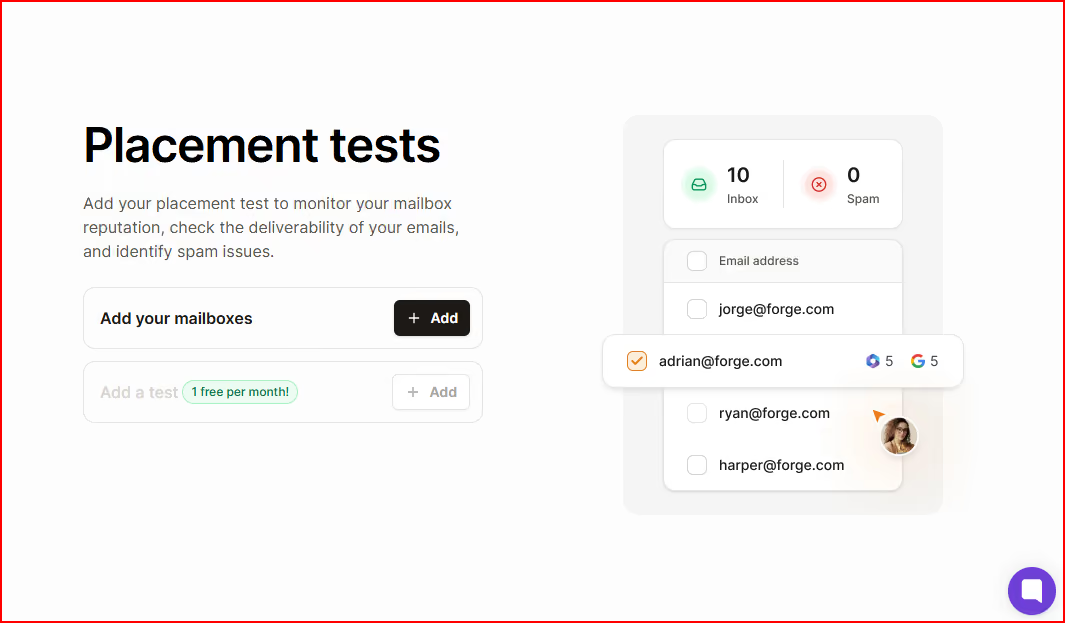
It also monitors mailbox health, runs placement tests to check inbox placement across different ESPs, checks DNS and MX records, and scans blacklist status.
This image shows the Warmforge’s Placement test
Warmforge also tracks your mailbox Heat Score.
Heat Score gives you a clear reputation indicator for each mailbox.
It helps you understand how healthy your inbox is before increasing sending volume.
Everything is designed to protect your sender reputation before and during outreach.
It works specifically with Google Workspace and Microsoft 365 mailboxes.
The warm-up pool only includes aged Google and Microsoft accounts.
If you’re using Salesforge, Warmforge is included with unlimited mailbox slots.
Key Features
AI automatically warms your mailboxes by mimicking human behavior and sending unique emails that build trust with ESPs.
All mailboxes are warmed inside one premium pool by default, no lower tiers or mixed-quality networks.
The pool only includes aged Google Workspace and Microsoft 365 accounts.
You can run placement tests to see exactly where your emails land across different ESPs.
DNS and MX records are checked automatically, along with blacklist status.
You can monitor and improve your mailbox Heat Score to maintain reputation health.
Warm-up runs continuously to keep sending patterns stable.
You scale by purchasing mailbox slots, and if you use Salesforge, unlimited slots are included.
Pricing
Here’s how warmforge pricing works:
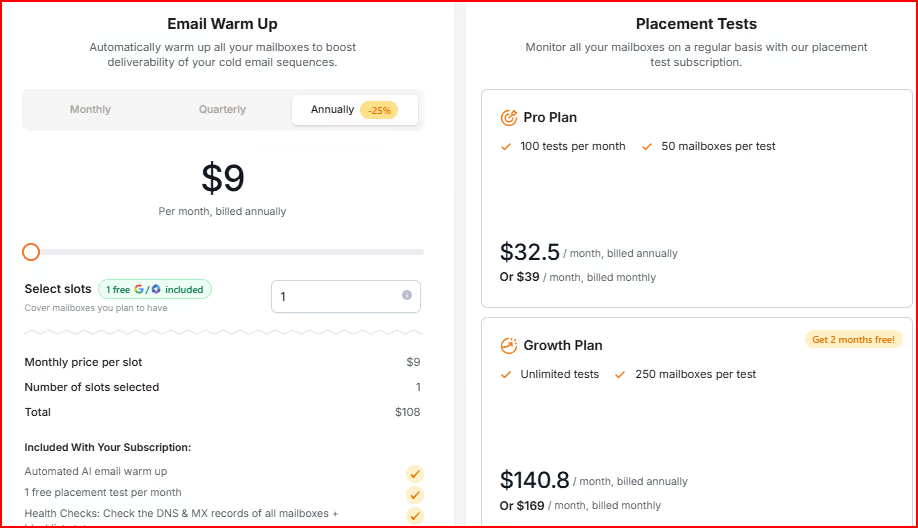
This image shows the Warmforge pricing
Email warm-up starts at $9 per mailbox slot per month (billed annually).
Each slot represents one mailbox you can warm and monitor.
1 free slot is included.
Your subscription includes:
Automated AI email warm-up
1 free placement test per month
DNS & MX health checks
Blacklist scanning
Placement tests have separate plans:
Pro Plan – 100 tests per month, up to 50 mailboxes per test
$32.5/month (billed annually)
$39/month (billed monthly)
Growth Plan – Unlimited tests, up to 250 mailboxes per test
$140.8/month (billed annually)
$169/month (billed monthly)
Annual billing gives 2 months free.
Pros
Premium warm-up pool by default, no lower-quality tiers or upgrades required.
Only aged Google Workspace and Microsoft 365 accounts are used, keeping the environment controlled and stable.
You can run pre-placement tests before sending campaigns, so you know exactly where your emails land before going live.
Warm-up, placement testing, DNS checks, and blacklist monitoring are all inside one system, so you don't need to use different tools.
Heat Score™ gives you a clear reputation indicator for each mailbox, so you can quickly see its health before scaling sending.
Cons
Limited to Google Workspace and Microsoft 365 accounts only.
Advanced placement testing beyond the included free test requires an additional paid plan.
Personalized Outbound Strategy
Get The Right Outbound Strategy In Minutes
Enter your email to get a custom plan & stack recommendation for your
business
It's being carefully crafted by AI
Please check your mailbox in 5 minutes
2. Warmup Inbox
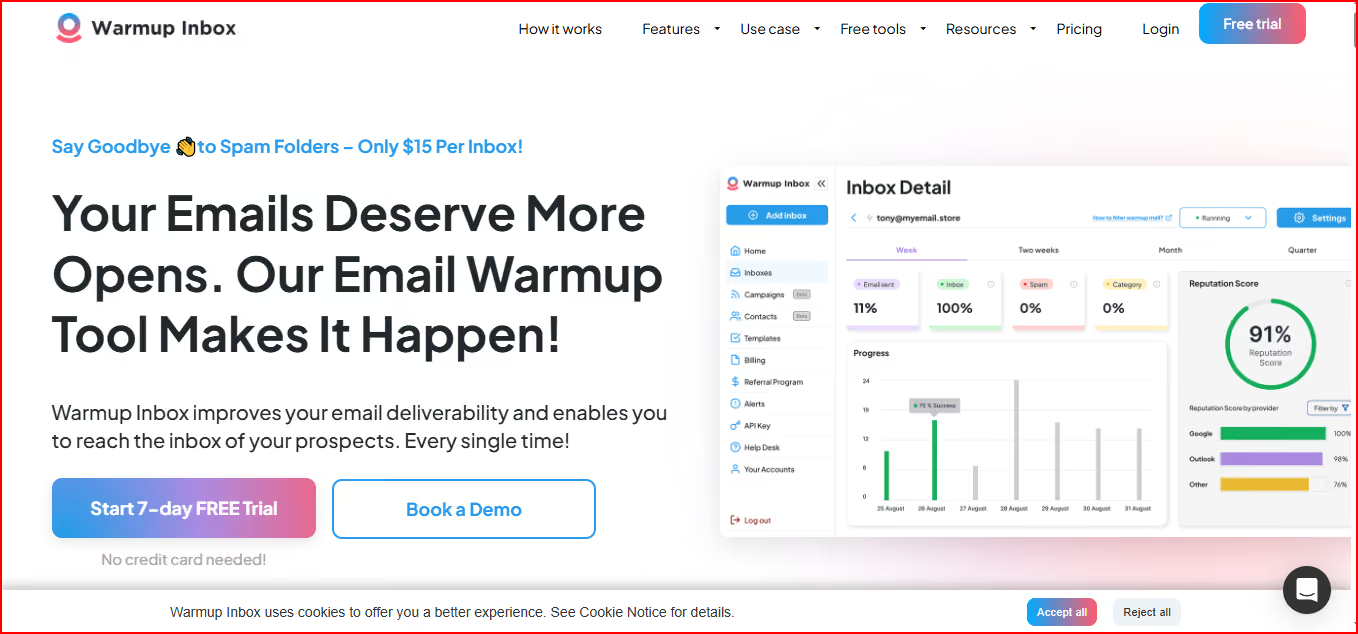
Warmup Inbox is an email warm-up tool that improves sender reputation by automatically sending and replying to real emails through a real inbox network.
This image shows the Warmup Inbox:- Email warmup tool with real network
After connecting your inbox, it gradually increases activity so your sending looks natural to providers, avoids spam folders, stays out of promotions, and lands in the primary inbox.
It provides spam and category monitoring, reputation checks, and reporting dashboards to track performance.
It supports Gmail, Outlook, Zoho, SendGrid, and other providers, giving flexibility across different inbox types.
Key Features
Automatically sends and replies to real emails to build sender reputation gradually.
Connects your inbox to a network of 20,000+ real inboxes for ongoing engagement.
Includes spam and category monitoring to track where emails land.
Provides email reputation checks and reporting dashboards.
Uses human-like AI-generated content for warm-up emails.
Offers ESP-specific warm-up options for different providers.
Allows custom templates, warm-up topics, language warm-up, and scheduled warm-up in higher plans.
Includes outreach sequences inside the platform.
The Developers API is available depending on the selected plan.
Pricing
Here’s how Warmup Inboxpricing works:
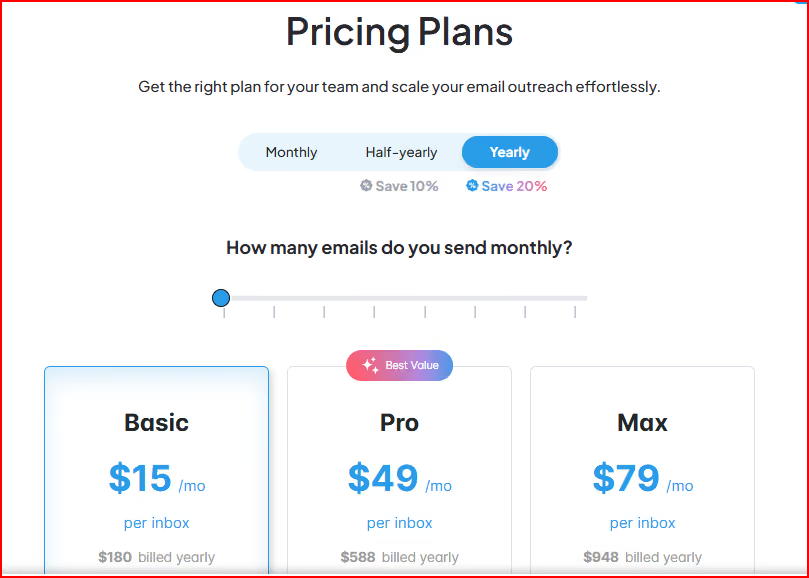
This image shows the Warmup Inbox pricing
Pricing is per inbox, so the cost increases as you add more mailboxes.
Basic – $15 per inbox/month ($180 billed yearly)
You get 75 warm-up messages per day with replies up to 25%, plus spam & category monitoring, email reputation checks, dashboards, AI-generated content, outreach sequences, API access, and chat support.
Pro – $49 per inbox/month ($588 billed yearly)
You get 250 warm-up messages per day with replies up to 45%, along with custom templates, language warm-up, ESP-specific warm-up, scheduled warm-up, and priority support.
Max – $79 per inbox/month ($948 billed yearly)
You get 1000 warm-up messages per day with replies up to 50%, plus premium support, technical setup checks, unlimited developers API, and early access to new features.
Pros
You can start without an upfront commitment, thanks to the 7-day free trial with no credit card required.
Works across multiple providers like Gmail, Outlook, Zoho, and SendGrid, giving flexibility if your team uses different inbox types.
Allows deeper warm-up customization in higher plans, helping you adjust warm-up behavior based on provider or language.
Warm-up and outreach sequences are available in one platform, so you can manage sending and reputation building together.
Cons
Warm-up activity is restricted by daily limits per plan, which can limit higher-volume scaling.
Pricing increases directly with every additional inbox since it is billed per mailbox.
Advanced customization features are only available in higher-tier plans, requiring upgrades for deeper control.
Does not provide a built-in dedicated placement testing subscription model for ongoing deliverability monitoring.
3. Warmy.io
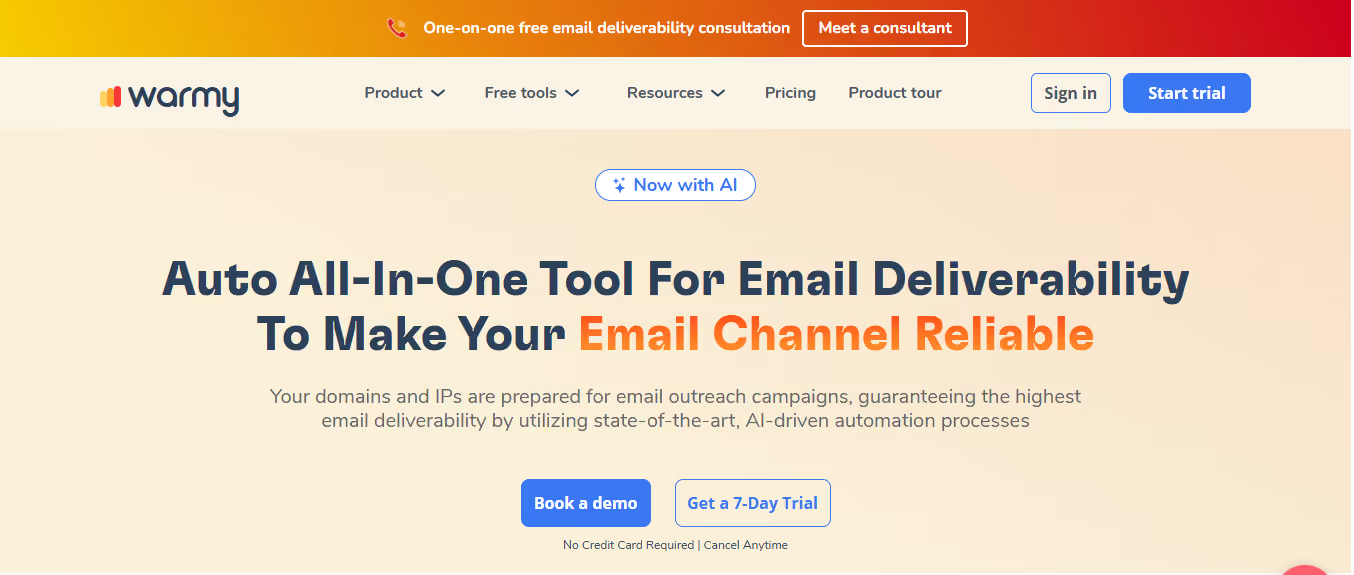
Warmy is an all-in-one email deliverability platform built to prepare your domains and IPs for outreach using AI-driven automation.
This image shows the Warmy-Warmup and deliverability platform
It combines email warm-up, deliverability monitoring, seed list testing, Google Postmaster integration, and email verification in one system.
You get real-time insights into inbox, spam, and promotions placement so you can fix issues early.
Warmy works with major providers like Gmail, Outlook, and Yahoo, and integrates directly with Google Postmaster for deeper monitoring.
It also separates B2B and B2C warm-up environments to prepare domains differently based on the sending type
Key Features
AI-driven automated email warm-up designed to prepare domains and IPs for outreach campaigns.
Deliverability insights dashboard showing inbox, spam, and promotions placement.
Google Postmaster integration for reputation and domain monitoring.
Email seed list functionality to test inbox placement.
Email verification to reduce bounce and improve list quality.
Real-time monitoring of domain reputation and DNS configuration.
Separate warm-up networks for B2B (G Suite, MS365) and B2C (Gmail, Yahoo, Outlook) sending.
Dedicated dashboard for teams to manage deliverability in one place.
7-day free trial with no credit card required.
Pricing
Exact pricing is not publicly listed and requires booking a demo.
Pricing is volume-based depending on your sending type (B2B or B2C).
B2B sender plans warm domains and IPs using business mailbox networks.
B2C sender plans warm domains and IPs using consumer mailbox networks.
Custom plans are available with tailored solutions and a dedicated customer success manager.
7-day free trial available with no credit card required.
Pros
Warm-up, deliverability monitoring, Google Postmaster integration, and verification are combined in one system, reducing the need for multiple tools.
Real-time inbox placement insights help you see where emails land before issues scale.
Dedicated deliverability expert access provides guided support for improving domain reputation.
Cons
Pricing is not publicly transparent and requires booking a demo to understand the exact costs.
Volume-based pricing can make budgeting less predictable compared to fixed per-mailbox models.
More focused on deliverability infrastructure and monitoring rather than a simple lightweight warm-up.
4. Mailwarm
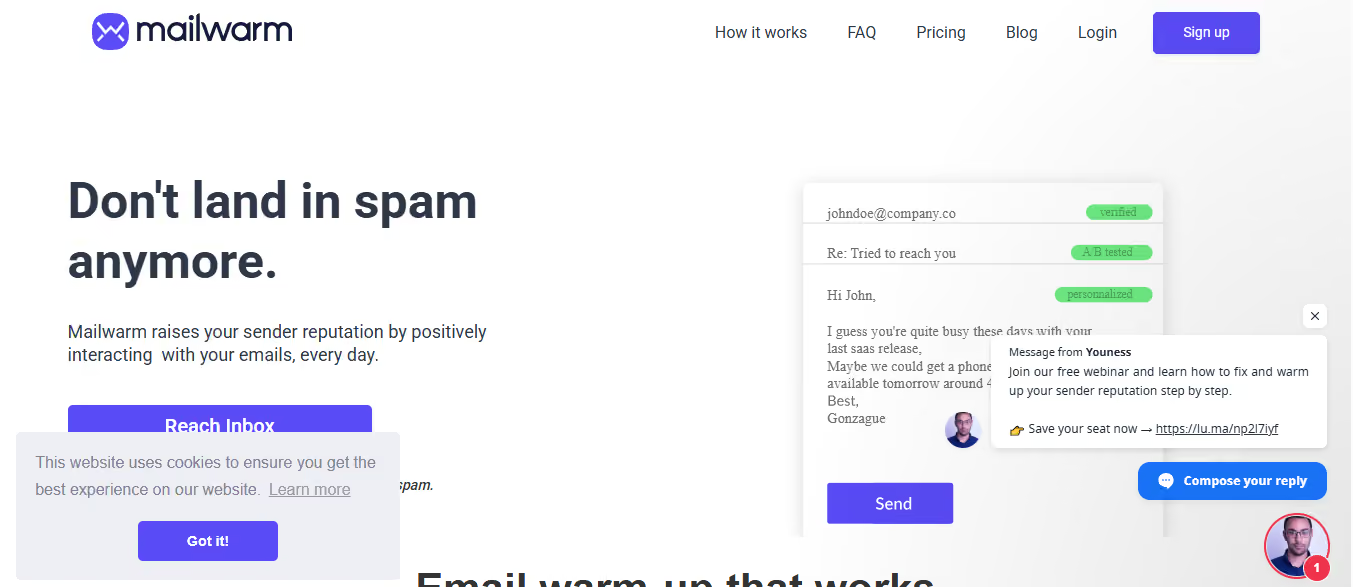
Mailwarm is an email warm-up tool designed to improve sender reputation by creating daily positive interactions from a network of 50,000+ accounts.
This image shows the Mailwarm-Email warmup tool
It sends emails from your SMTP, gets them opened, marked as important, moved out of spam, and replied to.
Provides live inbox vs spam tracking instead of delayed reporting.
Allows full dashboard control over interaction frequency and warm-up intensity.
Supports a wide range of SMTP providers beyond just Google and Microsoft.
Cons
Daily warm-up volume is limited by plan unless you upgrade or purchase extra interactions.
Relies on continuous daily activity to maintain results, which means stopping the warm-up can affect stability.
Placement tracking focuses on inbox vs spam visibility but does not mention deeper provider-level reputation integrations like Google Postmaster.
Designed mainly around SMTP-based warm-up rather than broader ecosystem integrations.
5. Warmbox
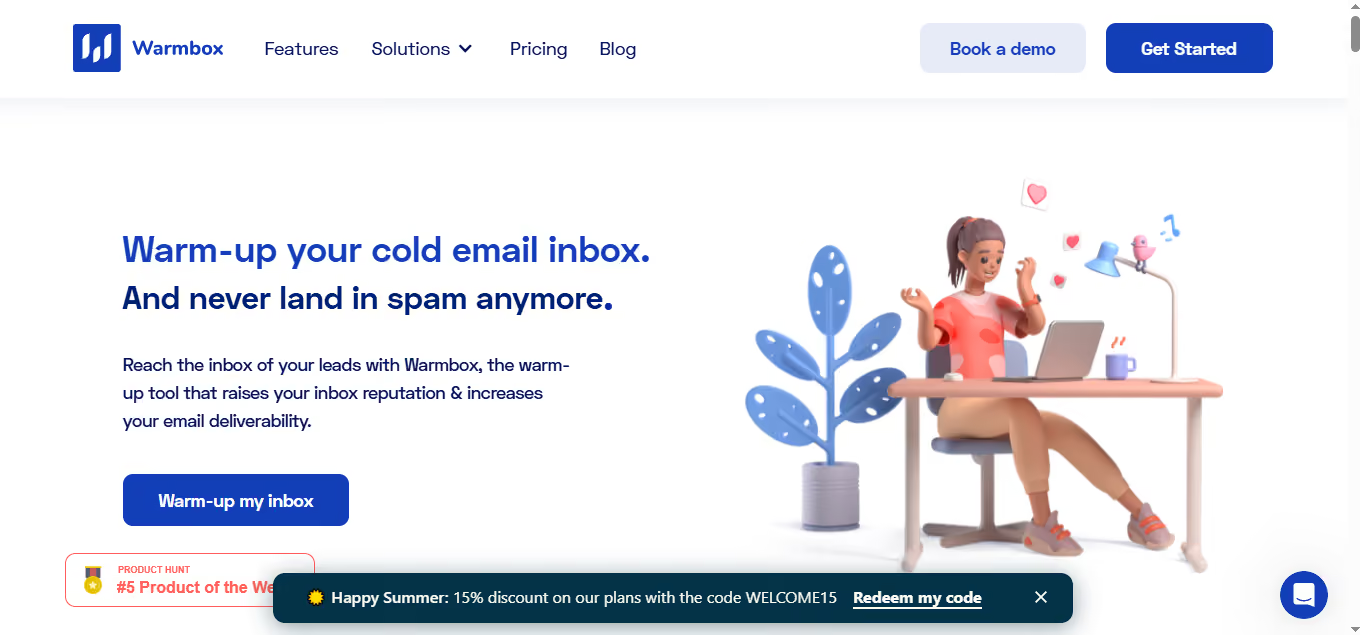
Warmbox is an email warm-up tool that increases inbox reputation by generating automated human-like interactions from a large private inbox network.
This image shows the Warmbox-Email warmup platform
It sends warm-up emails using GPT-4 and hybrid interactions, removes them from spam, opens them, marks them as important, and replies to them.
You can choose growth, flat, or random warm-up patterns and fully customize schedules.
It includes spam score monitoring and a live DNS & blacklist checker.
Warmbox works with Gmail, Outlook, Yahoo, iCloud, Zoho, SendGrid, SES, SMTP, and many other providers.
Key Features
Automatically sends daily warm-up emails using GPT-4 and hybrid human-like interactions.
Removes emails from spam and marks them as important to create positive reputation signals.
Opens, bookmarks, and replies to warm-up emails to simulate real engagement.
Private network of 35,000+ inboxes across major providers.
Spam score monitoring and live email checker for DNS & blacklist status.
Growth, flat, or random warm-up patterns with fully custom scheduling.
Dashboard reporting to monitor deliverability performance.
Supports multiple inbox integrations including Gmail, Outlook, Yahoo, SES, SMTP, and more.
Multi-account support for agencies and team members.
Pricing
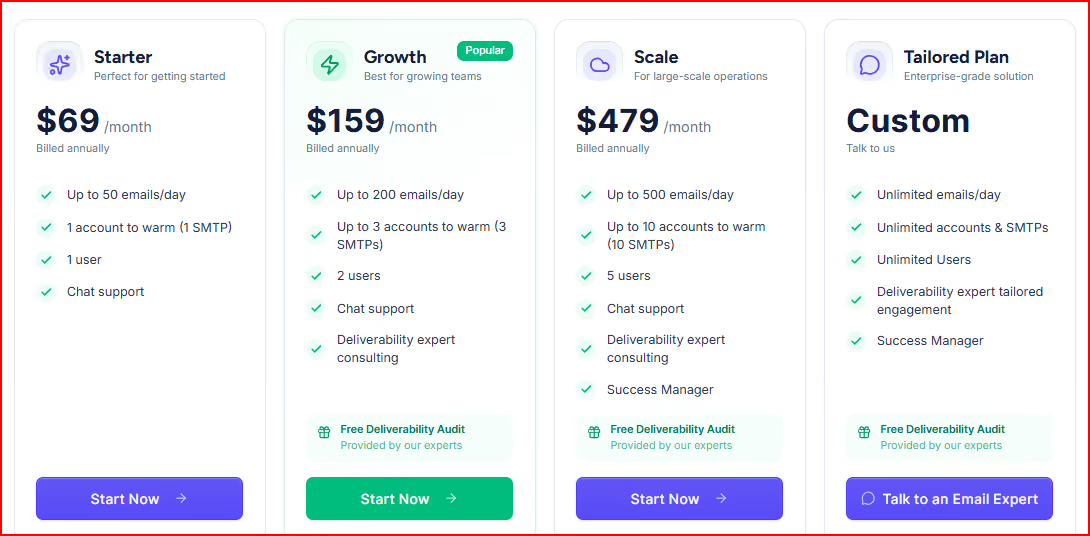
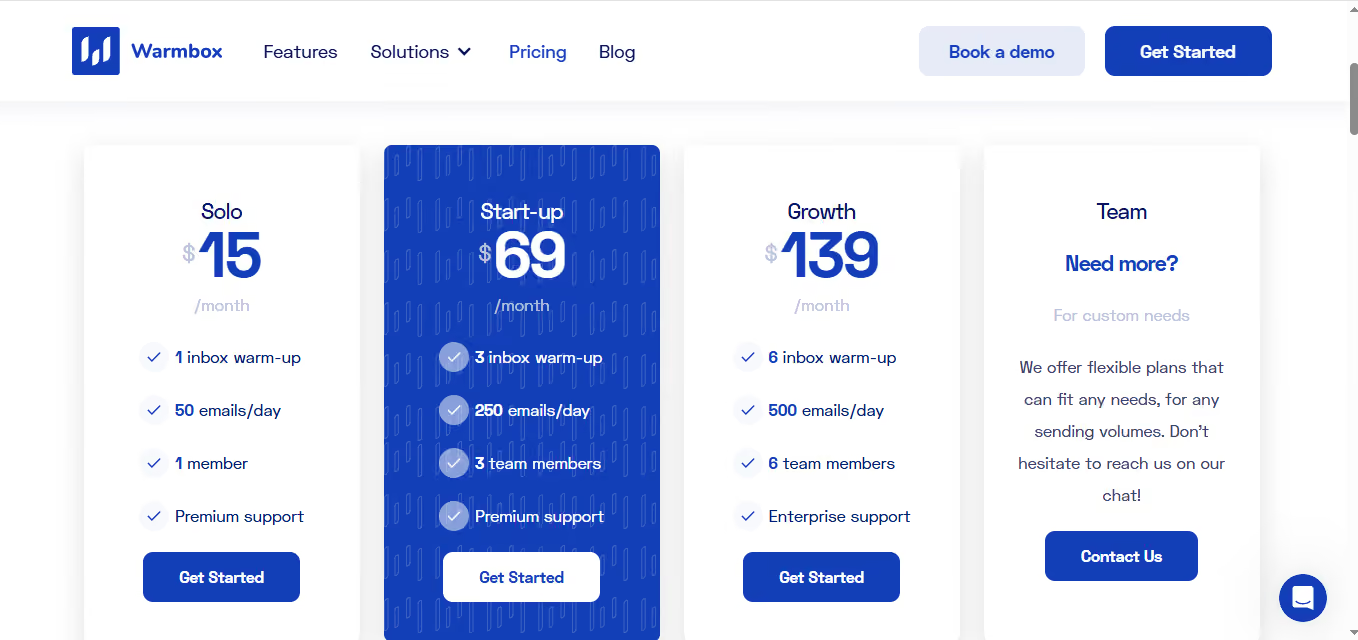
Here’s how Warmbox pricing works:
This image shows the Warmbox pricing
Solo – $15/month
You can warm 1 inbox with up to 50 emails per day and 1 team member access, with premium support included.
Start-up – $69/month
You can warm 3 inboxes with up to 250 emails per day and 3 team members, including premium support.
Growth – $139/month
You can warm 6 inboxes with up to 500 emails per day and 6 team members, with enterprise-level support.
Team / Custom Plans – Custom pricing
Designed for larger needs with flexible volumes and tailored sending capacity. You need to contact them for details.
They offer monthly or yearly billing options.
Pros
Creates multiple positive engagement signals (opened, marked important, removed from spam, replied), helping strengthen sender reputation over time.
Supports almost every major inbox and SMTP provider, giving flexibility if your team runs different sending setups.
Offers customizable warm-up patterns (growth, flat, random), allowing you to control how aggressively you build reputation.
Includes built-in DNS and blacklist checks, helping you identify technical deliverability issues early.
Allows warming multiple inboxes with team access, making it suitable for agencies or growing sales teams.
Cons
Daily warm-up limits are limited per plan (50, 250, or 500 emails per day).
Larger sending needs require moving into higher or custom plans.
Personalized Outbound Strategy
Get The Right Outbound Strategy In Minutes
Enter your email to get a custom plan & stack recommendation for your
business
It's being carefully crafted by AI
Please check your mailbox in 5 minutes
Conclusion
Mailivery works for warming inboxes, but for cold email teams that need placement visibility, better scaling control, and deeper deliverability monitoring, it’s not always enough.
Each alternative we covered fits a different cold outreach setup. Choosing the tool that matches your outbound structure will make a real difference.
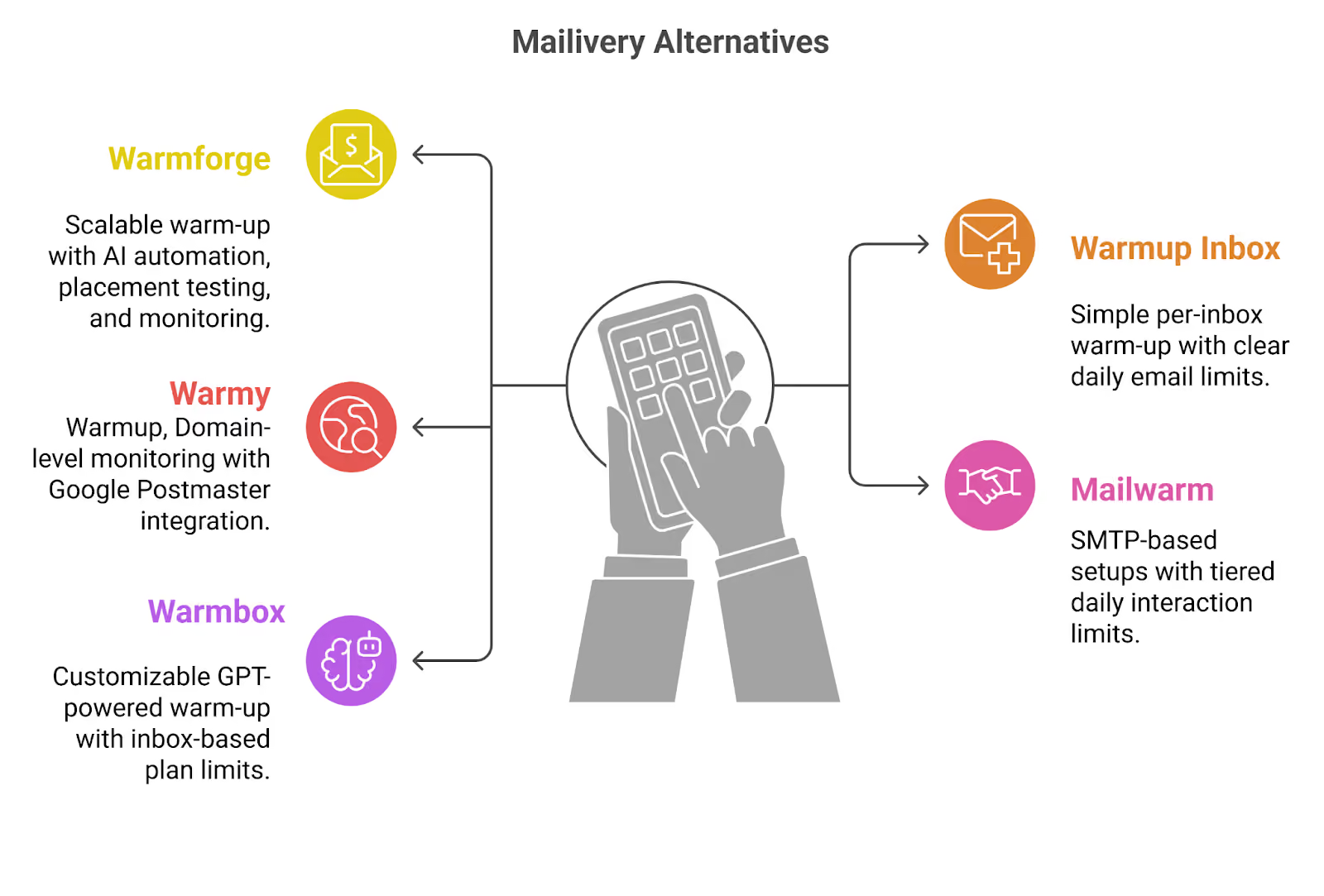
This image shows the Mailvery Alternatives
Warmforge is the strongest next step for serious cold email teams. It combines AI-powered warm-up, placement testing, and monitoring in one place.
Warmup Inbox fits teams that want a straightforward per-inbox warm-up with defined daily interaction limits.
Warmy is suited for teams that want AI-driven domain preparation with Google Postmaster integration and volume-based scaling discussed through custom plans.
Mailwarm works well for SMTP-based setups that rely on daily interaction limits and live inbox vs spam tracking.
Warmbox is built for teams that want customizable warm-up patterns with GPT-powered interactions and tier-based inbox limits.
If you’re ready to move beyond limited daily warm-up plans and start scaling outbound with structured deliverability control, Warmforge is the strongest place to start.