When your emails stop landing in inboxes, it’s most likely that your IP is listed on a blacklist like SORBS.
If you ignore it, your messages may keep bouncing, your domain reputation can drop, and your outreach might completely stall.
That’s why it’s important to check that you’re not on a blacklist. And if you are, fix what caused it and make sure it doesn’t happen again.
In this guide, I’ll walk you through how to check if you’re listed, what triggered it, and how to remove your IP the right way, so your emails start landing again.
Protect your domain reputation and keep your IP off blacklists. Start with Warmforge today.
The SORBS Blacklist (Spam and Open Relay Blocking System) is a DNS-based spam blocking service.
It works by scanning emails sent through open relays and proxies and adding those IP addresses to a blacklist.
SORBS lists IPs from botnets, infected machines, dynamic IP space, spammers, hijacked or hacked servers, honeypots, and spamtraps.
It also provides tools for a SORBS Blacklist check, open relay testing, proxy checking, and real-time IP lookups.
The system is run by volunteers and works through donations of money, hardware, software, or time.
Might be helpful for you: How Blacklisted IPs Impact Email Deliverability
Here’s a simple look at how the SORBS system operates and what happens behind the scenes when an IP gets black listed.
SORBS gathers information from honeypots, spamtraps, open relay and proxy scans, and reports from system administrators.
All this helps it detect servers that send spam or aren’t properly secured.
Every issue is grouped into a specific DNS zone.
Each zone represents a reason for blacklisting, like open relays, proxies, dynamic IPs, or recent spam activity.
Once an issue is confirmed, the IP is added to the right blacklist zone.
Each entry shows why it’s listed, helping administrators see what needs fixing.
SORBS provides real-time IP lookups, open relay and proxy tests, and data on zombie networks and vulnerabilities, so admins can verify and secure their systems easily.
Mail systems check these lists before accepting a message.
If the sender’s IP appears on the blacklist, the email is often rejected or flagged as spam.
SORBS operates through volunteers and donations, cash, hardware, or software.
When DDoS attacks happen, larger networks help share the load and keep things running smoothly.
If your IP has been added to the SORBS blacklist, it usually means your email setup is doing something that looks risky or spam-like.
Here’s what most often causes it.
This happens when the mail server allows sending without any login or control.
Spammers find such open servers and use them to send thousands of emails.
When SORBS detects that, it lists the IP to stop it.
If a proxy (like HTTP or SOCKS) is open for anyone to connect, spammers can route their traffic through it.When that happens, it looks like the spam is coming from your network.
SORBS flags the IP immediately to prevent abuse.
SORBS uses hidden email addresses called honeypots to catch spam.
When your messages land there, it means something’s off, maybe old contacts or unverified lists.
That’s enough for SORBS to add your IP to the list.
This happens when your mail system runs on a home or changing IP.
These IPs aren’t meant for sending mail and can be used by many people over time.
SORBS lists them automatically to avoid spam from unstable sources.
If your system has malware, a botnet takes over your system quietly. It might start sending spam without anyone noticing.
SORBS lists such IPs until the system is fixed and secure again.
When DNS records like A, MX, or PTR are missing or broken, your setup looks suspicious. Even if emails are real, SORBS flags those IPs until the DNS setup is corrected.
If your hosting provider doesn’t fix spam complaints, SORBS may block the whole network to protect others, even if clean senders get affected.
Each of these reasons puts your IP in a specific DNSBL zone, and that zone decides what needs to be fixed before delisting.
Prevent blacklisting before it starts, keep your domains aligned and safe with Warmforge.
SORBS isn’t active anymore, but old SORBS data can still sit in spam filters or cached blocklists that were never updated.
So, it’s still helpful to check whether your IP was ever listed and may be affecting your inbox placement today.
You can easily find out if your IP or domain is on the SORBS blacklist by following these quick steps.
The original lookup sometimes loads with cached results.
If the site doesn’t load, that’s normal, but a quick check doesn’t hurt.
Some free DNSBL checkers still show whether your IP has ever had a SORBS entry stored in their system.
You can use any general blacklist scanner, such as:
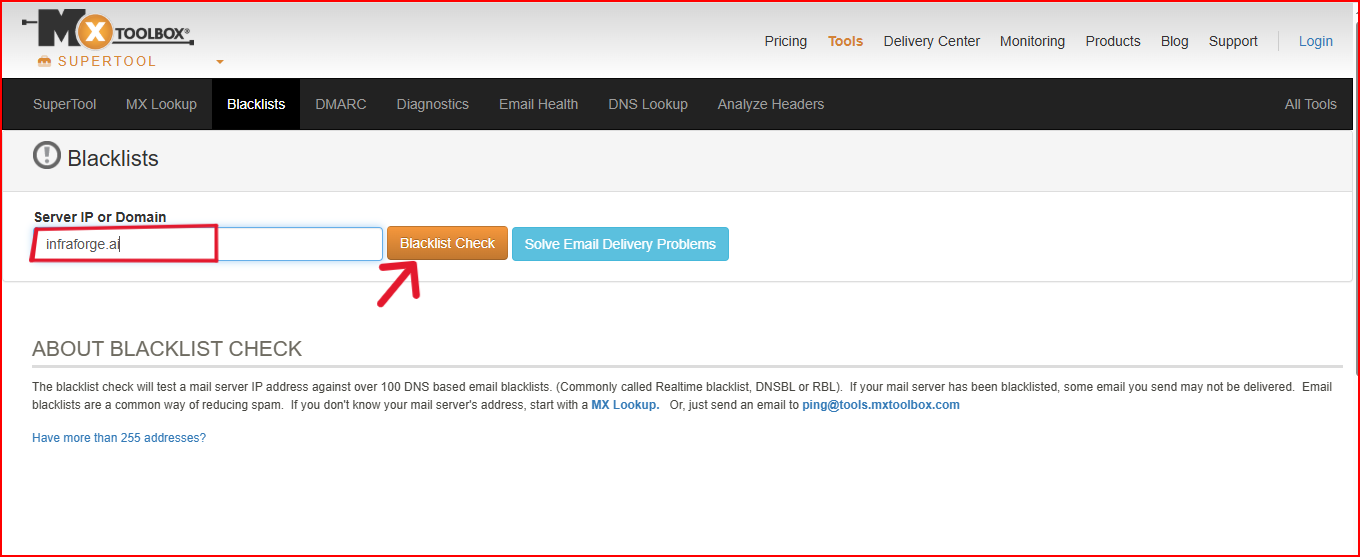
These won’t show new SORBS listings (because SORBS is offline), but they can show old cached records if your IP was previously listed.
Your inbox results often tell you more than any blacklist tool.
Watch for:
Any of these signs can hint that a past SORBS listing, or something very similar to it, is still affecting your reputation.
A quick DNS check helps you see:
You can use Salesforge’s free SPF Checker and DKIM Checker to check it instantly.
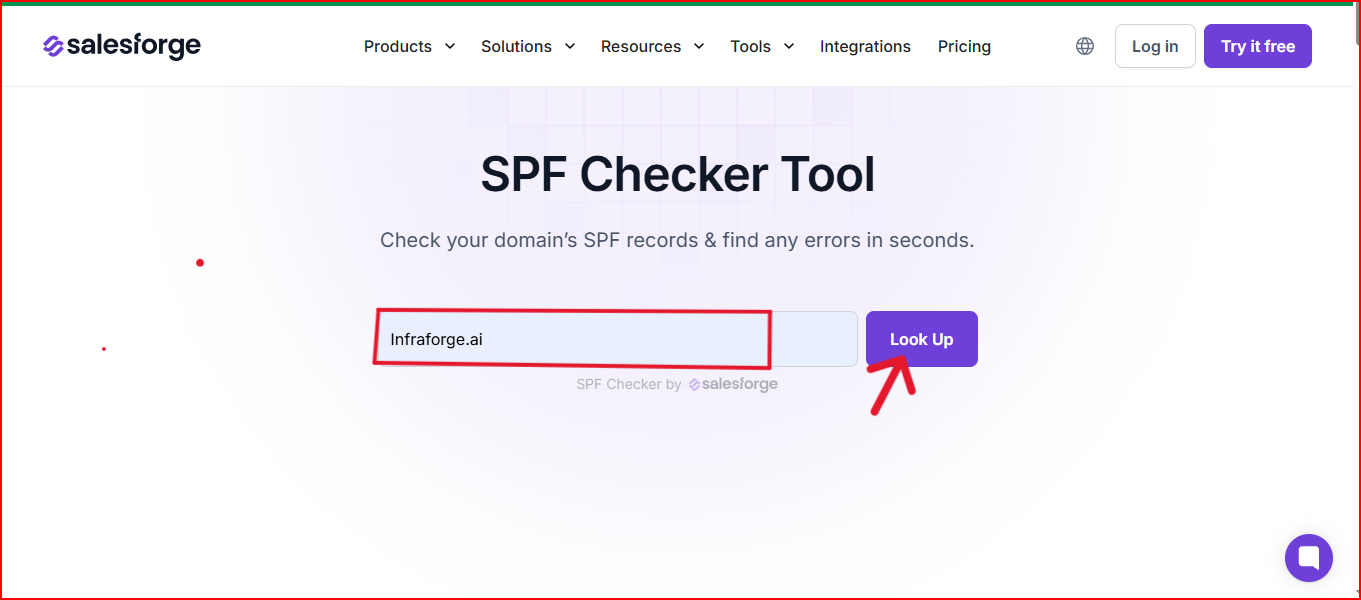
Both tools show you if anything in your DNS could still trigger SORBS-style filtering.
You don’t need SORBS to be online to know if an old SORBS-style signal is hurting you.
Modern filters still respond to the same issues SORBS used to flag, so a quick reputation check tells you everything you need.
SORBS is shut down, so there’s no delisting form or support team anymore.
The only thing that matters now is fixing anything in your setup that inbox providers might still treat as a “SORBS-style” red flag.
Here’s the simplest way to do that.
Make sure no one can send email through your server without permission.
Just do these basics:
This instantly removes the biggest risk that hurts your reputation.
If your server or site has anything publicly accessible, close it or secure it.
This includes:
A closed, secured server looks much safer to inbox filters.
Make sure your server is healthy and not being misused by anything in the background.
Simply:
A clean system rebuilds trust over time.
Your DNS tells inboxes whether your emails are legitimate.
Make sure these are correct and valid:
If these are aligned, most reputation issues start improving on their own.
Restarting too aggressively can trigger new filters.
Keep it simple:
A slow warmup shows inbox providers that your sending is stable and safe.
Make sure you’re clean on modern lists inbox providers still use:
This helps you avoid new blocks while repairing old reputation signals.
Warmforge helps with the parts that matter most today by:
It keeps your setup stable so you don’t run into legacy blacklist issues again.
You can’t remove a SORBS listing anymore.
But you can fix the setup issues that still affect your inbox placement today.
Related reads: What Are Email Blacklists and How to Avoid Them
When an IP gets listed on SORBS, it’s not always for the same reason.
SORBS uses 17 different DNSBL zones, and each one represents a different issue: open relays, proxies, spam traps, or even infected servers.
Knowing which zone you’re listed in helps you fix the exact problem instead of guessing or trying random solutions.
Below is a simple breakdown of every zone and what it means, so you can find out why you’re listed and how to get it resolved.
When you know the zone name, you know the root cause.
Each one points directly to what needs fixing, whether it’s DNS, open relays, malware, or sending behavior.
Once you match the zone to the issue, you can fix it once and delist faster without trial and error.
A clean DNS setup is the foundation of safe email sending.
Even one wrong or missing record can make your IP look risky and get you blacklisted on systems like SORBS.
Here’s what to double-check:
✅ SPF Record – Defines which servers are allowed to send for your domain.
✅ DKIM Record – Adds a digital signature to prove your message is real.
✅ DMARC Policy – Aligns SPF/DKIM and reports misuse or spoofing.
✅ Reverse DNS (PTR) – Must point your IP back to your domain name.
✅ MX Records – Direct incoming mail to the right mail server.
✅ A Records – Map your domain correctly to its IP address.
Even small DNS mismatches can make you look like a spam source, something SORBS-style filters instantly detect.
💡 Pro tip:
If you don’t want to handle DNS alignment manually, Infraforge takes care of it for you.
It sets up SPF, DKIM, DMARC, and PTR automatically, so every domain you send stays authenticated, trusted, and protected from blacklists.
Once your IP is off the SORBS list, keeping it clean comes down to steady maintenance and proper setup.
Here’s what helps you stay safe long-term:
Staying off the SORBS blacklist isn’t a one-time fix, it’s a routine.
With Warmforge, you can automate that routine, keeping your domains warmed, verified, and safe from future blacklisting.
Warmforge is a Cold Email Warmup platform that keeps your domains, IPs, and mailboxes clean, warmed, and trusted, so you never get blacklisted again.
Fixing a listing is one thing, but maintaining a healthy reputation long-term is where Warmforge truly stands out.

Here’s how Warmforge helps:
With Warmforge, your emails stay trusted, your domains stay protected, and your IPs never end up back on blacklists like SORBS.
Getting delisted from SORBS is a must, but what matters more is keeping your sender reputation clean every day.
That mostly comes down to steady DNS alignment, safe sending habits, and a bit of regular monitoring.
Warmforge handles the technical setup, keeps your records aligned, warms your mailboxes safely, and alerts you before small issues turn into blacklists.
With the right setup and a little help from tools that keep things steady, your emails stay trusted, and your IPs stay clean.
Protect your domain reputation and stay off blacklists with Warmforge.
It’s a database of IPs and domains flagged for spam-like behavior, like open relays, bad DNS, or infected servers.
If you’re listed, many mail servers may block or filter your emails.
It depends on the reason.
Simple issues can be cleared in a few days.
Repeat or network-wide listings can take longer, sometimes needing manual verification or donations for removal.
No. SORBS has been officially shut down.
But its system and rules still influence how many spam filters work today.
Yes, indirectly.
Even if Gmail or Outlook don’t use SORBS directly, being listed can hurt your sender reputation and inbox placement.
It can happen if your IP was part of a shared network, had open ports, bad DNS records, or outdated mail scripts that spammers exploited.
Keep DNS records (SPF, DKIM, DMARC, PTR) aligned.
Send only to verified contacts.
Monitor your IP health regularly and keep your server secure and updated.
Yes.
Warmforge helps fix DNS alignment, warm your mailboxes, and monitor blacklist status, rebuilding your sender reputation safely.