
Personalized Outbound Strategy
Get The Right Outbound Strategy In Minutes
Enter your email to get a custom plan & stack recommendation for your business
It's being carefully crafted by AI
Please check your mailbox in 5 minutes

MailToaster is an automated email warm-up tool designed to build and maintain your sender reputation.
If you’re planning to use MailToaster for high-volume cold email and want to clearly understand how it works before scaling, this is important to read.
When sending volume increases, warm-up structure, engagement handling, pricing per mailbox, and ongoing reputation management all start to matter more.
I’ve broken down everything you need to know, how the warm-up system runs, what profiles are available for different sending stages, what the $29 per email account pricing includes, and the safety factors to consider so you can decide whether MailToaster fits your cold outreach strategy at scale.
Try Warmforge’s 1 free warm-up slot and 1 free placement test and see where your emails actually land.
MailToaster is a dedicated email warm-up tool designed to build and maintain your sender reputation automatically.
You can connect MailToaster to Gmail (GSuite), Outlook, or other email providers, so it works with your existing setup.
Once the account is connected, the warm-up process starts automatically.
After that, the system begins generating email activity through a peer-to-peer network of real inboxes.
It creates engagement signals like opens, replies, marking emails as important, and removing them from spam as part of the warm-up process.
It also checks your DNS records like SPF, DKIM, and DMARC, so you can confirm your email setup is valid.
In practical terms, MailToaster manages the warm-up side of deliverability while you prepare or run your outreach campaigns.
MailToaster includes several features focused on automating and managing the email warm-up process.
The warm-up process runs automatically after you connect your account. There is no technical setup required.
MailToaster uses peer-to-peer sending through a network of real inboxes. It does not use free or temporary email accounts.
During warm-up, the system generates engagement actions like opens, replies, marking emails as important, and removing them from spam.
You can choose between different profiles depending on your stage:
MailToaster automatically checks SPF, DKIM, DMARC, and other email-related DNS records.
You can use auto-generated texts powered by GPT-3 or send your own templates during warm-up.
You can track your warm-up progress.
The reports show clear placement of emails sent, including whether they land in inbox, spam, bounce, or different categories.
I liked how everything runs automatically once connected and the placement reports make performance easy to understand.
MailToaster runs the warm-up process through its own network and automation system. Here’s how the flow works:
MailToaster also creates warm-up emails using GPT-generated content, so the exchanges look natural.
If you prefer, you can upload your own templates instead.
Once connected, the process ran smoothly, and I especially liked the spam recovery and clear placement visibility.
But when I tried increasing volume, I felt the ramp-up followed its own fixed structure, so I couldn’t adjust how quickly engagement increased.
MailToaster provides different warm-up profiles based on the stage of your email account.
If you are starting with a new inbox, you can select the New Email Account profile.
This option is meant for accounts that have not built any sending history yet.
If your account is already active, you can choose the Reputation Protect profile.
Instead of stopping the warm-up after preparation, this profile keeps it running in the background.
For older email accounts, a custom warm-up schedule can be used.
When using these profiles, I had to follow the full 2–3 week warm-up before launching.
During higher sending periods, I couldn’t increase the ramp-up speed beyond the preset limits, even with the custom schedule.
Here’s how the pricing works:
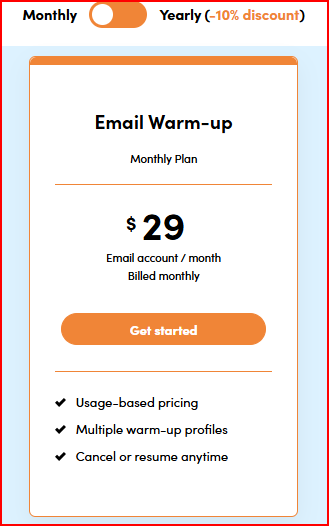
You can cancel or resume anytime, though a minimum commitment applies.
When sending volume increases significantly, MailToaster alone does not make scaling fully safe.
The warm-up continues running in the background and keeps generating engagement signals.
That part works consistently. But warm-up by itself is not enough when volume grows quickly.
There are a few practical limits to keep in mind:
From experience, MailToaster works well for steady warm-up and maintenance.
But when it comes to aggressive high-volume scaling, it does not remove the need for careful planning and controlled sending.
Here are the main pros and cons I observed while using MailToaster for warm-up and scaling.
Warmforge is an email warm-up and deliverability platform that combines automated warm-up, mailbox health monitoring, placement testing, and ongoing deliverability checks in one system.
Warmforge warms up your mailboxes automatically using AI-generated emails.
All activity happens inside a premium pool made up only of aged Google Workspace and Microsoft 365 accounts.
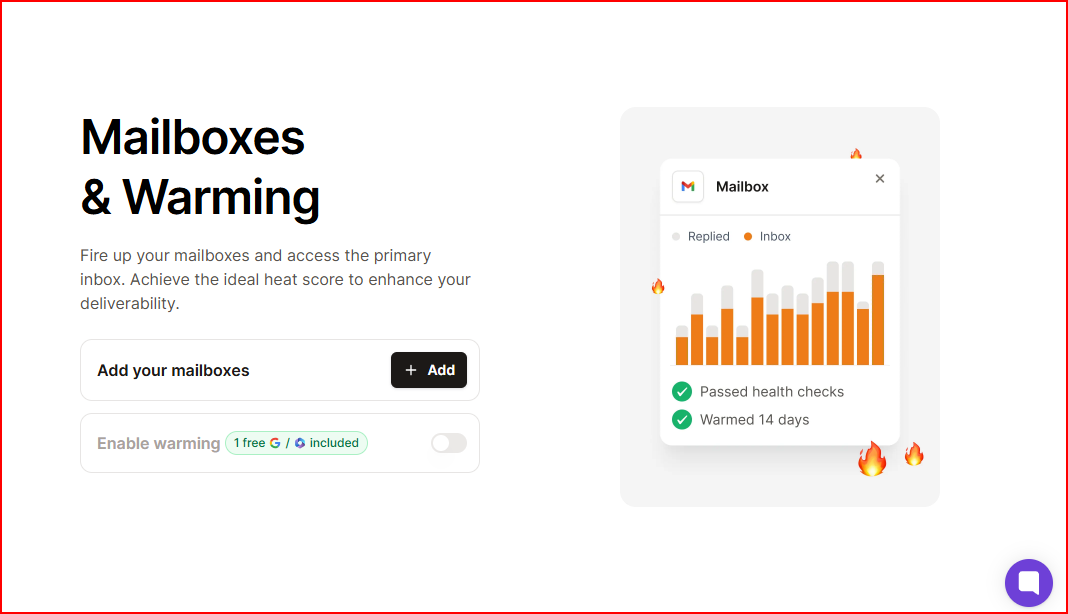
The system is designed to stay on at all times instead of being turned on and off.
This helps maintain consistent sending behavior while campaigns are active.
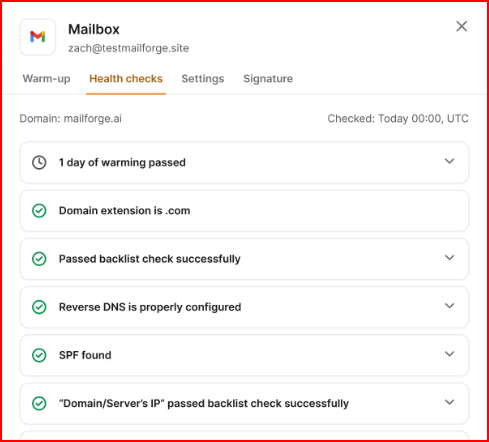
Warmforge checks DNS and MX records and monitors blacklist status for each mailbox.
This gives technical visibility alongside warm-up activity.
Placement tests measure inbox placement across providers like Google and Outlook.
You can run tests regularly to see the deliverability rates before increasing volume.
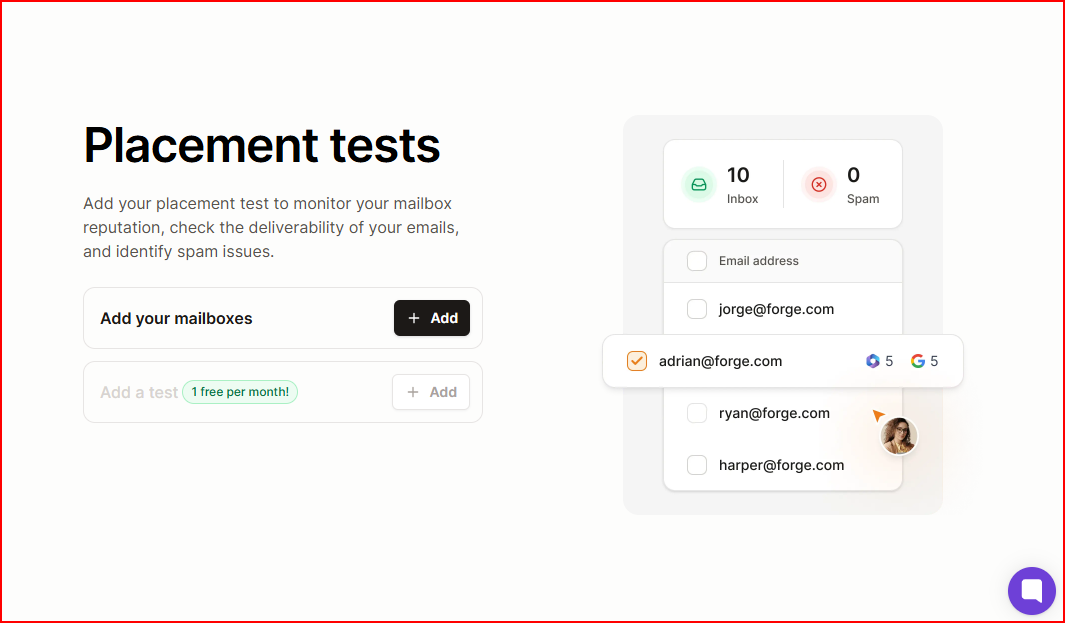
Warmforge combines warm-up, monitoring, and testing into one system.
The structure is built to protect sender reputation while scaling volume.
For teams planning to scale cold email gradually, Warmforge provides continuous warm-up, technical monitoring, and ongoing placement visibility, all designed to support safer volume growth.
Enter your email to get a custom plan & stack recommendation for your business
Please check your mailbox in 5 minutes

MailToaster works as a basic warm-up tool. It automates engagement activity and helps prepare inboxes before outreach.
For small-scale or gradual campaigns, it can handle warm-up consistently.
However, when scaling volume seriously, warm-up alone is not enough.
You need continuous monitoring, placement visibility, and technical oversight alongside engagement activity.
Warmforge combines automated warm-up, DNS and blacklist monitoring, and placement testing in one system.
It is built to stay active continuously and give visibility while volume increases.
For safe scaling, Warmforge is the stronger choice. It provides more control and monitoring as sending grows, instead of relying only on background warm-up activity.
Start with a free placement test and see where your emails actually land before you increase volume.