I started with MailToaster for email warm-up, but as I tested more setups, I wanted to see what other tools actually offer.
So, I looked at warm-up quality, network type, visibility into deliverability, and how each tool holds up once mailbox count starts growing.
In this guide, I’ve listed the 7 best MailToaster alternatives you can use to improve your email deliverability and maintain a better sender reputation.
7 Best MailToaster Alternatives
Warmforge — Warm-up automation with full-funnel deliverability visibility and inbox health monitoring
Lemwarm — Guided onboarding flow with structured warm-up sequencing
Warmbox — Granular warm-up controls with configurable sending parameters
Mailivery — Built for high-volume inbox management across large sender pools
Warmup Inbox — Lightweight warm-up infrastructure for straightforward use cases
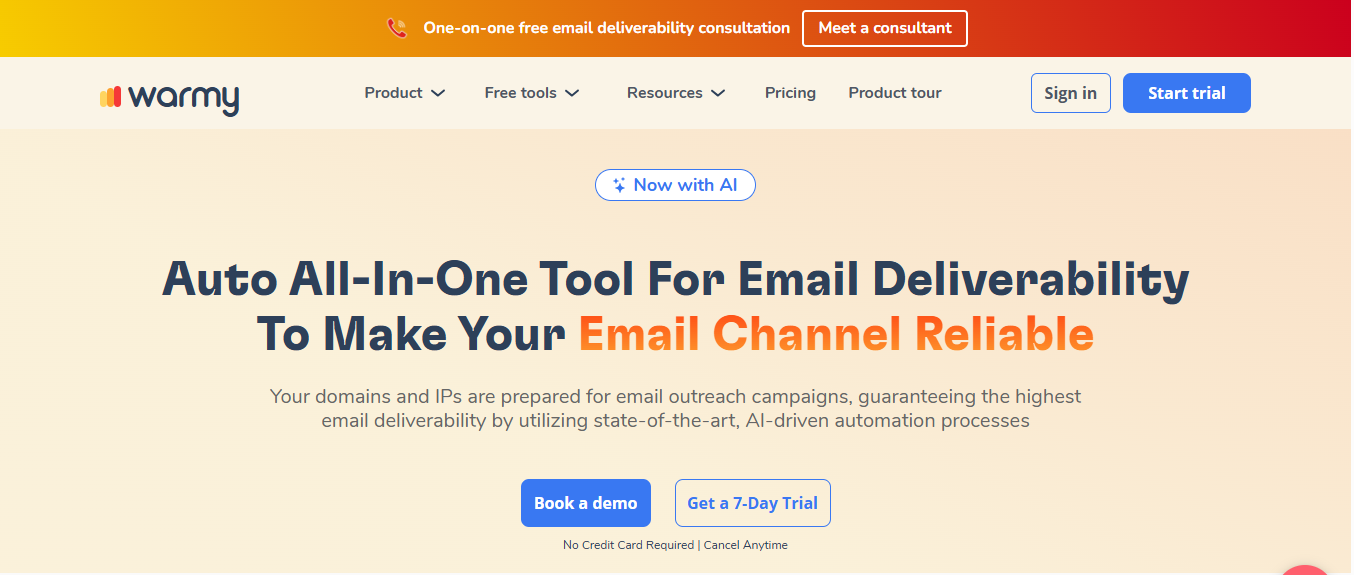
Warmy.io — Advanced deliverability diagnostics with in-depth spam and reputation analysis
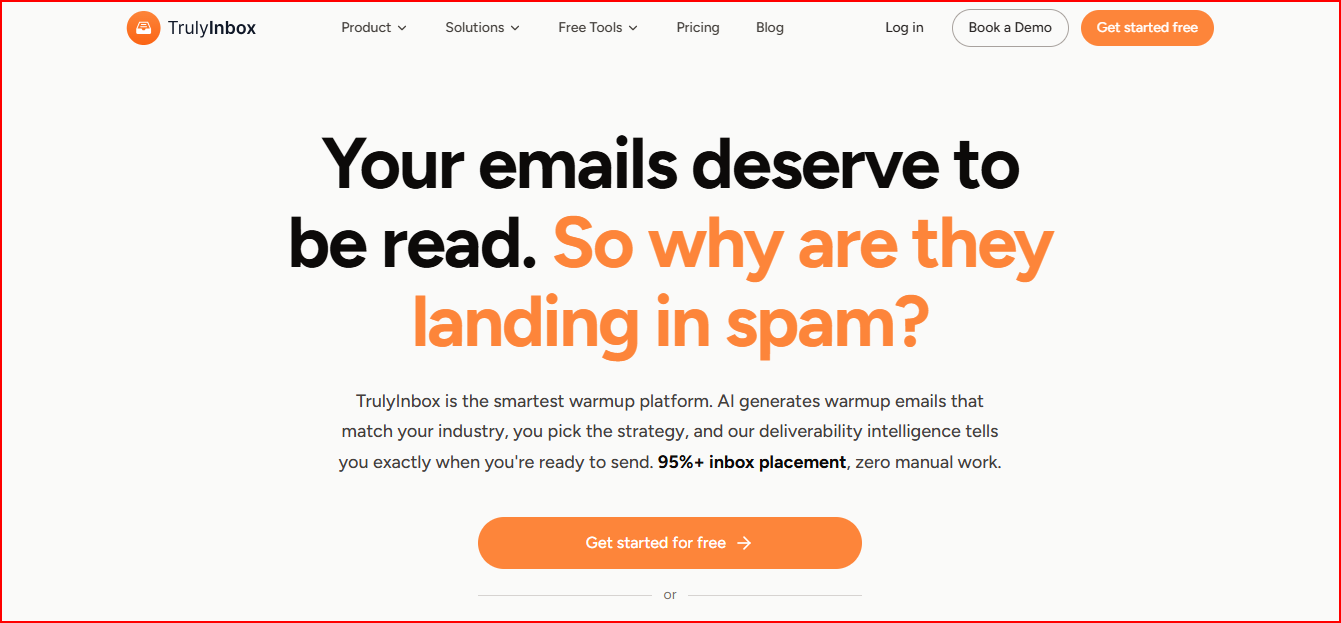
TrulyInbox — AI-driven inbox readiness scoring and placement tracking
Why You Need a MailToaster Alternative
MailToaster works when the goal is basic automated warm-up.
But from what I saw, the limitations show up once deliverability becomes more important than just sending warm-up emails.
The main gaps are:
I could not control how the warm-up behaves
There was no clear view of mailbox health
Inbox placement testing was missing
It was harder to manage multiple inboxes
Scaling did not give enough visibility into what was actually happening
That becomes a problem quickly.
Because warm-up alone is not enough.
Once campaigns start running, I need to know:
Is this inbox ready
Are emails landing in primary or spam?
Can I safely increase sending
That’s where most teams start looking for alternatives.
Quick Comparison Table of The 7 Best Mailtoaster Alternatives
Tool
Warm-up + System
Network Type
Deliverability Insights
Placement Testing
Reputation Indicator
Pricing
Warmforge
Warm-up + full deliverability system (monitoring + testing)
Premium pool (only Google Workspace & Microsoft 365)
DNS, MX, blacklist + mailbox health tracking
Built-in placement tests across ESPs (Google, Outlook, etc.)
Heat Score (clear readiness per mailbox)
Starts at $9/mailbox slot
Lemwarm
Warm-up + deliverability guidance
20K+ domains across 150+ countries
Reports, alerts, sending behavior insights
Not included
General deliverability insights
$24–$40 per email
Warmbox
Warm-up with customizable behavior
35K+ mixed inbox network
Dashboard + spam score monitoring
Not included
No clear score
Starts at $15/month (per inbox plan)
Mailivery
Warm-up + analytics
Peer-to-peer real mailbox network
Spam analytics + blacklist monitoring
Not included
Analytics-based tracking
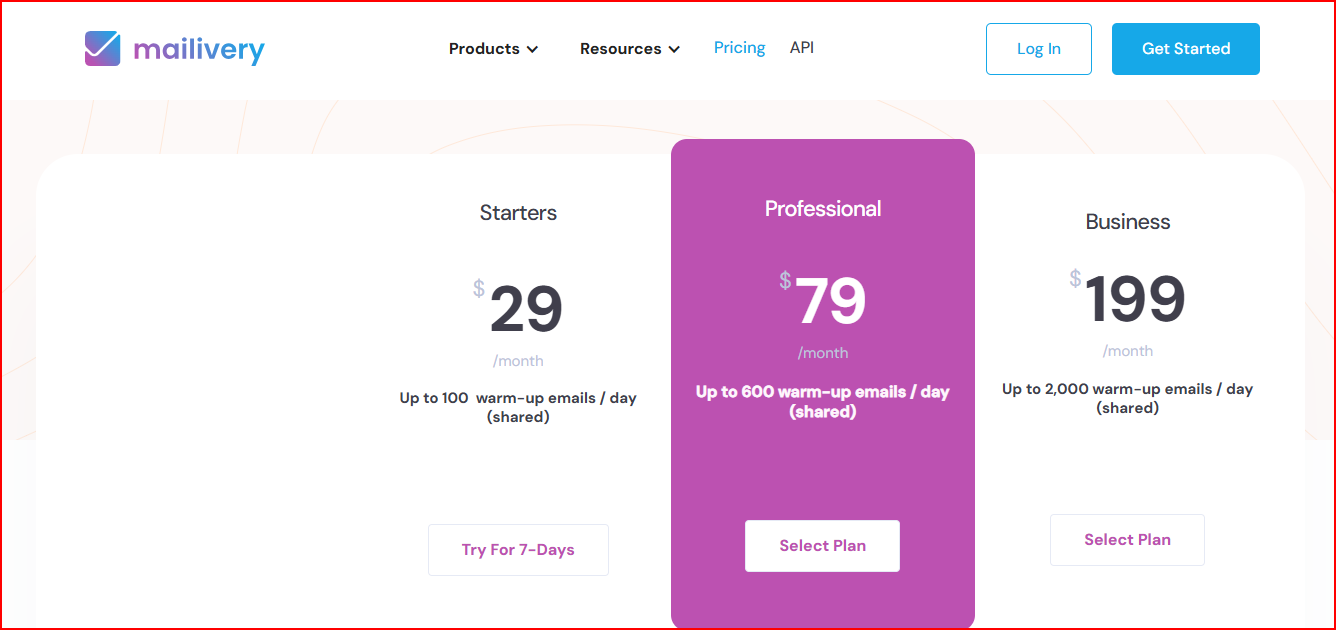
$29–$199/month (unlimited inboxes)
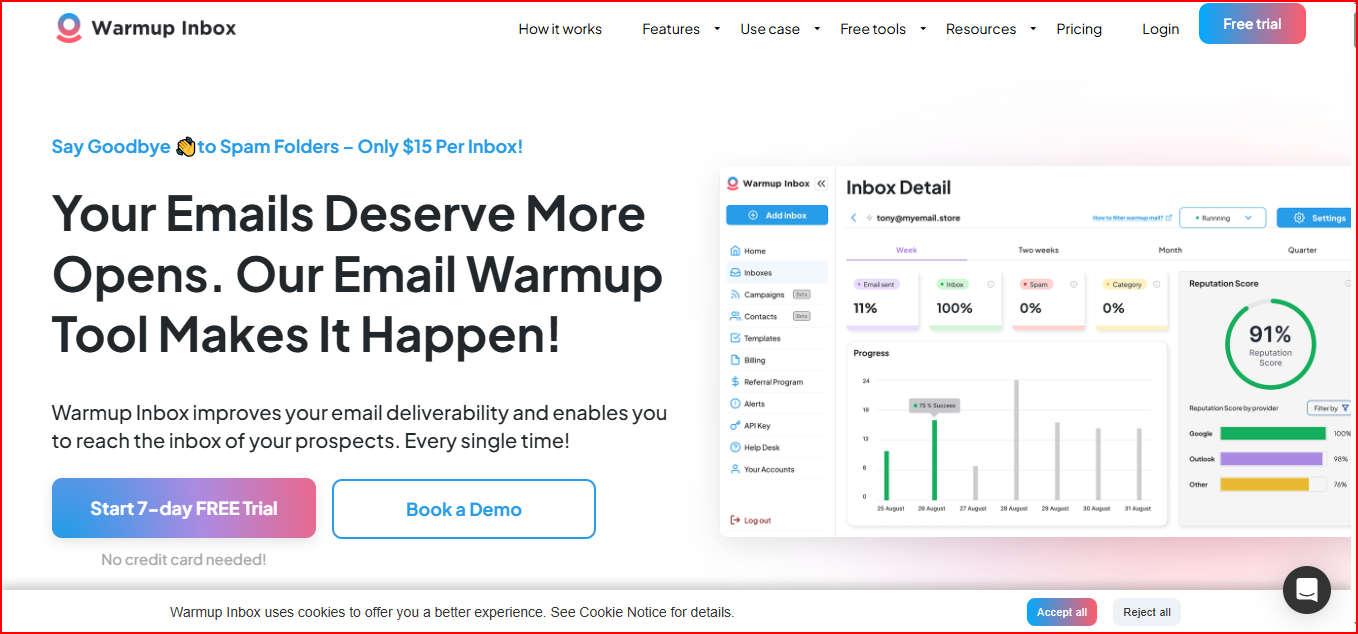
Warmup Inbox
Basic warm-up + reports
20K–30K real inbox network
Alerts, reports, spam checker
Basic spam checker for inbox placement testing
Basic reputation checks
$15–$79 per inbox
Warmy.io
Deliverability-first system (warm-up + optimization)
Mixed B2B + B2C networks + seed lists
Deep insights + Google Postmaster data
Placement testing using seed lists and ESP-level tracking
Domain & IP tracking
Custom pricing
TrulyInbox
AI warm-up + deliverability intelligence
40K+ real accounts
ESP-level insights + 90-day history
Not included
Deliverability score + readiness indicator
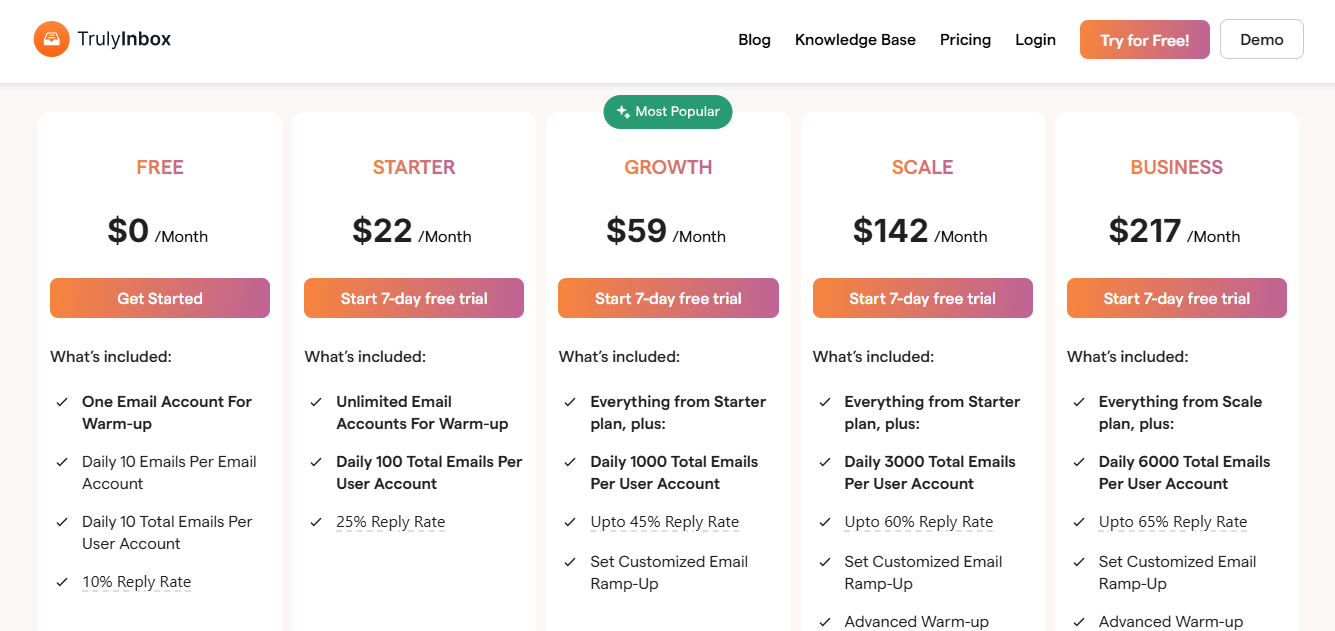
$22–$142/month (volume-based)
These are the main limitations I noticed that many people face while using MailToaster:
No manual control over how warm-up runs (fully automated only)
Only solves warm-up, not the full deliverability setup
Limited control as you start handling multiple inboxes or scaling outreach
Because of these limitations, many teams start exploring better options that fit their setup.
Here are some of the best MailToaster alternatives you can consider.
1. Warmforge
Warmforge is a complete email warm-up and deliverability tool built to help you land in the primary inbox without compromising scale.
It automatically warms your mailboxes using AI-written emails.
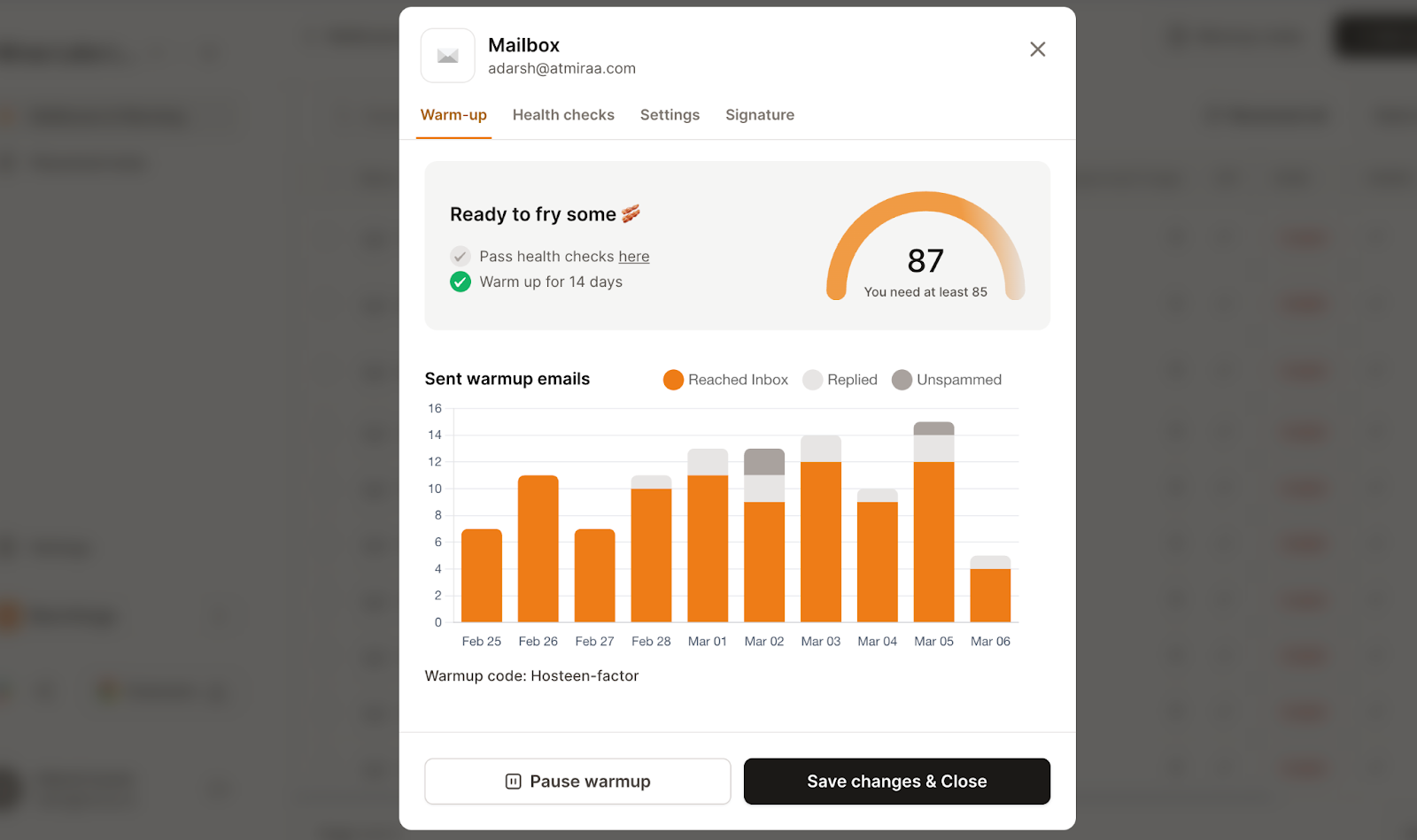
At the same time, it also monitors your mailbox health, runs placement tests to check where your emails land across different ESPs, and checks DNS, MX records, and blacklist status.
Warmforge also tracks something called Heat Score.
This image shows the Email warmup report in Warmforge
This gives you a clear reputation indicator for each mailbox, so you know how healthy your inbox is before increasing sending volume.
Everything is built to protect your sender reputation before and during outreach.
It works specifically with Google Workspace and Microsoft 365 mailboxes.
And the warm-up pool only includes aged Google and Microsoft accounts to keep the environment stable.
If I were already sending through Salesforge, getting unlimited Warmforge slots made the setup easier to manage.
Warmforge felt more complete when I wanted everything in one place, not just warm-up but also monitoring and testing.
Key features
AI warms your mailboxes automatically with human-like behavior and unique emails
All mailboxes run in one premium warm-up pool by default (no mixed-quality networks)
Only aged Google Workspace and Microsoft 365 accounts are used
Placement tests show exactly where your emails land across ESPs
DNS, MX records, and blacklist status are checked automatically
Heat Score helps you track mailbox reputation and readiness
Always-on warm-up keeps your sending pattern stable
You can scale by adding mailbox slots (unlimited if using Salesforge)
Pricing
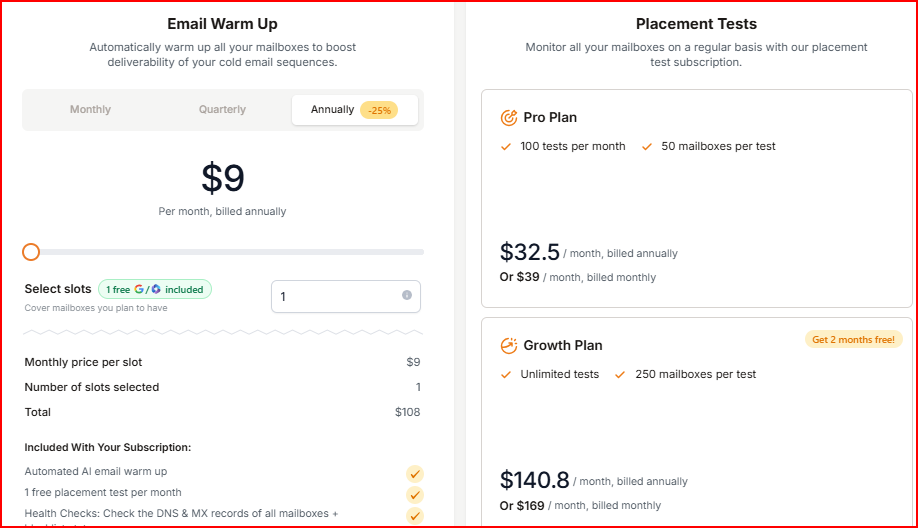
Warmforge offers flexible pricing based on mailbox slots, along with built-in deliverability monitoring and placement testing.
This image shows the Warmforge pricing
Email Warm-up:
Starts at $9 per mailbox slot per month (billed annually)
1 free slot included
Includes AI warm-up, health checks, and 1 placement test/month
Placement Tests:
Pro Plan: $32.5/month (100 tests, 50 mailboxes per test)
Growth Plan: $140.8/month (unlimited tests, 250 mailboxes per test)
Warmforge felt easier to scale as I added more inboxes, and the cost stayed more predictable compared to per-inbox tools.
Pros
Premium warm-up pool by default, no lower-quality tiers or upgrades required
Only aged Google Workspace and Microsoft 365 accounts are used, keeping the environment controlled and stable
You can run placement tests before sending campaigns and see exactly where your emails land
Warm-up, placement testing, DNS checks, and blacklist monitoring are all in one place
Heat Score gives you a clear view of mailbox health before you scale sending
What I Found Limiting
Limited to Google Workspace and Microsoft 365 accounts only
Advanced placement testing beyond the included free test requires a paid plan
2. Lemwarm
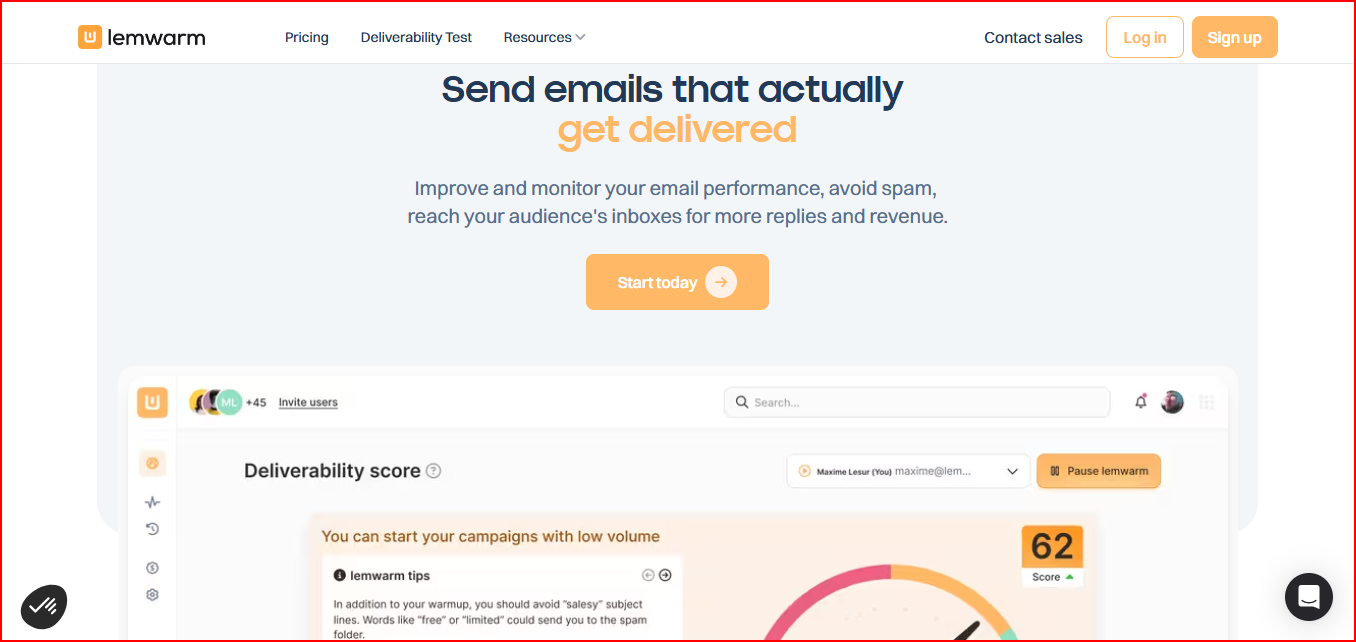
Lemwarm is a warm-up and deliverability booster tool built to help your emails land in the inbox.
This image shows the Lemwarm homepage
It starts by helping you set up your email properly, including things like SPF, DKIM, DMARC, MX records, and tracking domain.
Once that is done, it begins the warm-up process by sending automated emails to a large network of domains.
These emails also get replies, so the activity looks natural. This helps build your domain reputation over time.
After the warm-up phase, Lemwarm continues to monitor your deliverability.
It tracks your sending behavior, checks for spam risks, and gives you alerts and insights so you can improve your campaigns and avoid issues.
Lemwarm felt stronger when I wanted setup guidance and ongoing alerts, not just warm-up activity.
Helps set up SPF, DKIM, DMARC, MX records, and tracking domain
Monitors deliverability and alerts you about spam risks
Tracks sending behavior and warns if your content may trigger spam filters
Provides daily insights, reports, and tips to improve performance
Allows you to warm up your real email templates
Warm-up network can be tailored based on your industry (in higher plans)
Pricing
Lemwarm offers per-email pricing with different plans based on how much control and personalization you need.
This image shows the Lemwarm pricing
Essential Plan – $24/month per email (billed yearly)
You get basic warm-up, setup checks, reports, and access to the 20k+ domain network.
Smart Plan – $40/month per email (billed yearly)
Includes everything in Essential, plus personalized warm-up, template warm-up, and custom alerts.
Custom Plan – Contact sales
For larger teams with more than 10 users and custom needs.
Lemwarm started to feel expensive pretty quickly once I added more inboxes since pricing is per email.
Pros
Helps with both warm-up and technical setup (SPF, DKIM, DMARC, MX)
Gives regular insights and alerts about deliverability and spam risks
Supports personalized warm-up emails and real template warm-up
Warm-up network can be tailored based on your industry
What I Found Limiting
Pricing is per email account, which can increase as you scale
Some advanced features like personalization and alerts are only in higher plans
3. Warmbox
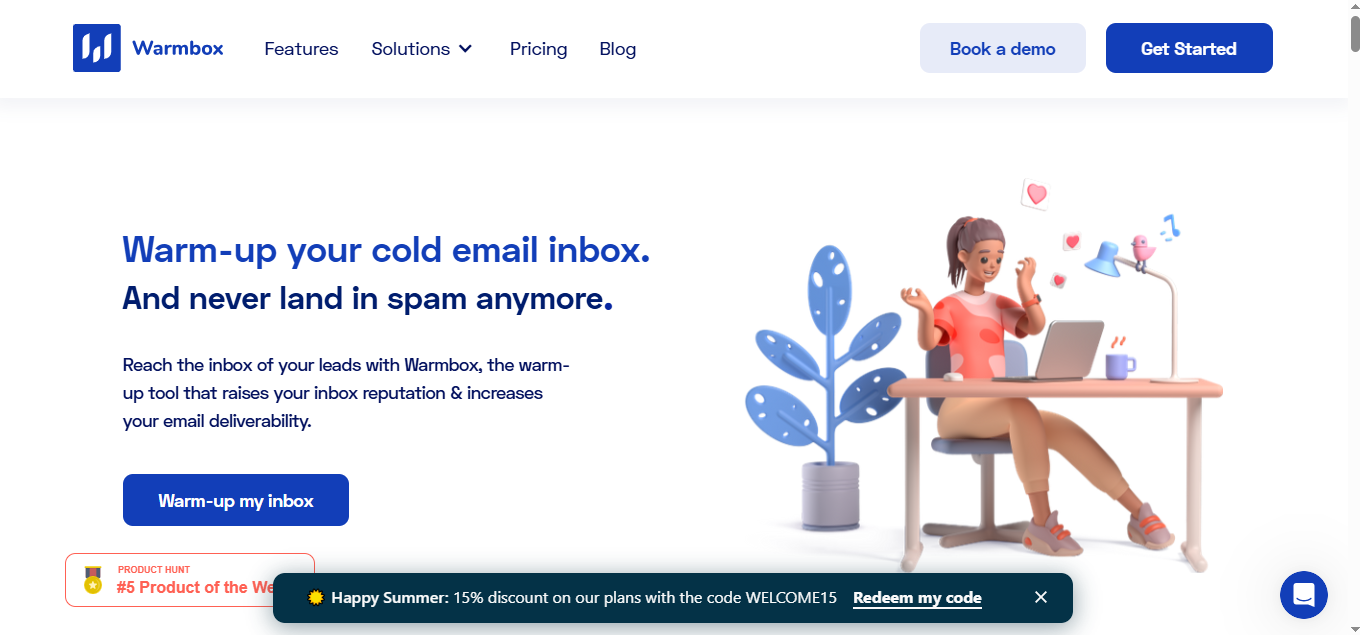
Warmbox is an email warm-up tool built to improve your inbox reputation and help your emails land in the inbox.
This image shows the Warmbox- Automated Email warmup tool
Once you connect your inbox, it starts the warm-up process automatically.
It sends emails, opens them, replies, marks them as important, and removes them from spam to create positive engagement.
It uses GPT-4 and hybrid logic to make these interactions look natural.
At the same time, it connects your inbox to a private network of 35,000+ inboxes across different email providers.
It also gives you a dashboard where you can monitor your deliverability and see how your inbox reputation improves over time.
Warmbox felt more flexible than some other tools here, especially if I wanted to shape the warm-up pattern myself. But it gave me less clarity on full mailbox health.
Key features
Automatically warms your inbox with human-like interactions (send, open, reply, remove from spam)
Uses GPT-4 and hybrid logic to generate realistic warm-up activity
Works with almost all email providers including Gmail, Outlook, Yahoo, SMTP, and others
Offers different warm-up modes like growth, flat, and random
Fully customizable warm-up schedule and behavior
Includes spam score monitoring and live DNS/blacklist checker
Dashboard with detailed reporting to track deliverability
Supports multiple inboxes and team members for agency use
Pricing
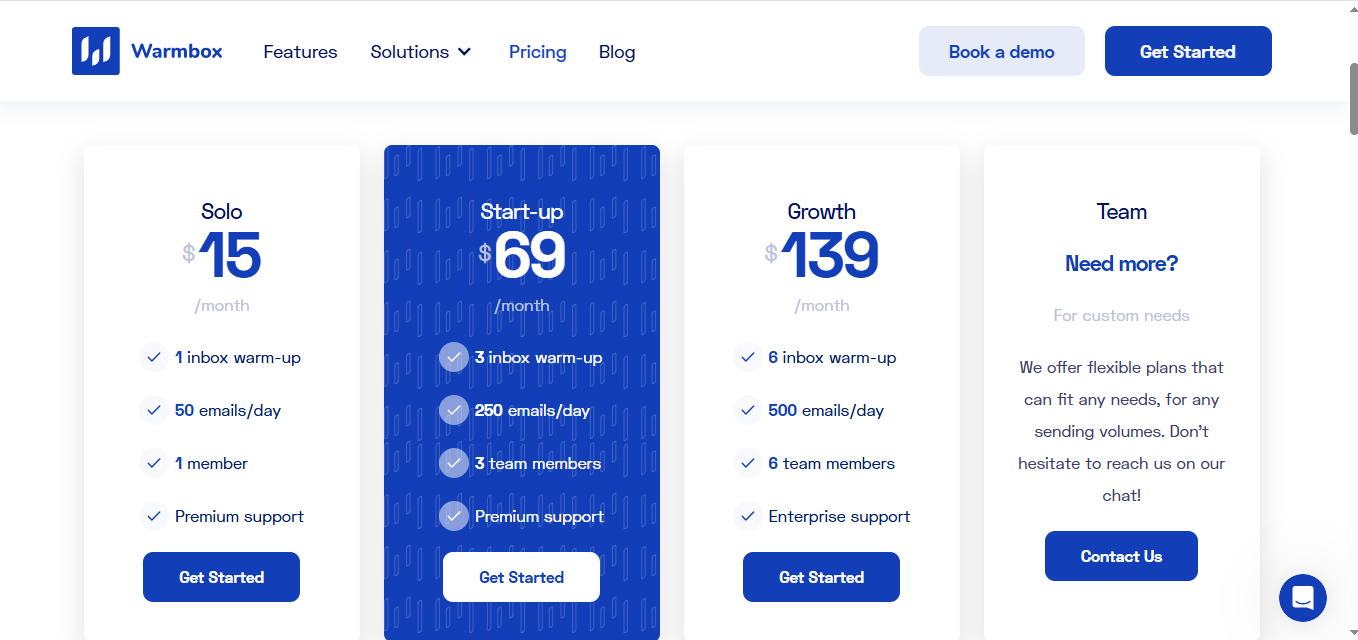
Warmbox offers simple pricing based on the number of inboxes and daily warm-up activity.
This image shows the Warmbox pricing
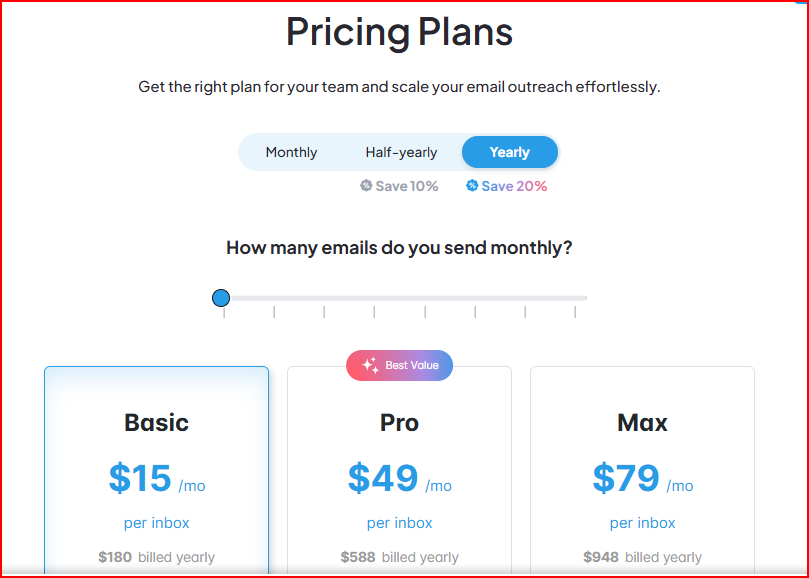
Solo – $15/month
You can warm up 1 inbox with up to 50 emails per day.
Start-up – $69/month
Supports 3 inboxes with higher daily limits and up to 3 team members.
Growth – $139/month
Let's you warm 6 inboxes with higher limits and supports up to 6 team members.
Team – Custom pricing
For larger teams with higher sending volume and custom setup.
Warmbox worked fine at the start, but as I added more inboxes, I had to move to higher plans with limits.
Pros
Supports almost all email providers, so you can use your existing setup
Warm-up behavior is customizable based on your needs
Includes spam removal, replies, and realistic engagement
Provides reporting and monitoring to track deliverability
What I Found Limiting
Works with a mixed network of different email providers, so the quality of interactions may not be consistent
No clear single reputation indicator, like a score to quickly judge mailbox health
Focus is mainly on warm-up and interaction, not full deliverability monitoring in one place
4. Mailivery
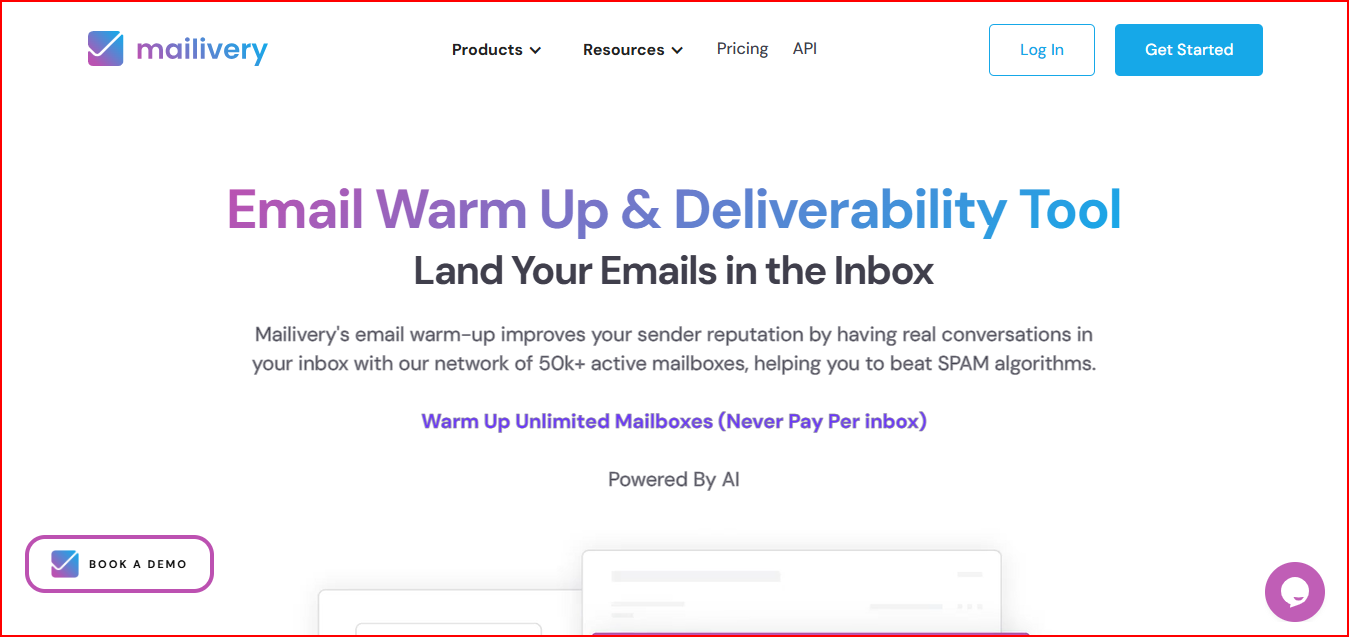
Mailivery is an email warm-up and deliverability tool designed to help your emails land in the primary inbox.
This image shows the Mailvery- Email warmup and Deliverability tool
It improves your sender reputation by creating real conversations in your inbox using AI and a peer-to-peer network of active mailboxes.
It sends emails, replies to them, and even moves emails from spam to inbox to improve deliverability in real time.
It also gives you detailed analytics so you can see how many of your emails are landing in spam and how your reputation is improving.
You can also check blacklist status and get recommendations to fix issues.
One important thing here is that Mailivery allows you to warm up unlimited mailboxes, and you manage everything from one dashboard.
Mailivery felt easier to scale when I was managing multiple inboxes under one plan.
But since limits are shared, I had to be careful about how I used that volume.
Key features
AI-powered warm-up with real email interactions (send, reply, move from spam)
Uses a peer-to-peer network of active mailboxes for realistic engagement
Tracks spam rate and sender reputation with detailed analytics