
Email warm-up still comes up often when people talk about deliverability in 2026, but there is a lot of confusion about what it actually does.
Some teams depend on it for safety. Others ignore it and think it no longer matters. The truth is somewhere in the middle.
Email warm-up still works in 2026, but only for a small part of the sending process.
It helps inboxes start sending safely, but not stay safe long term.
In this guide, we will explain what email warm-up helps with, where it stops making a difference, and what matters more than warm-up if you want to stay in the inbox today.
Key Takeaways
Email warm-up is the controlled process of slowly increasing email sending from a new or inactive inbox so it does not appear suspicious.
It helps inbox providers trust the sender early and reduces the risk of emails being filtered as spam when outreach begins.
Warm-up is used because inboxes with no recent sending history face a higher risk when they start sending emails immediately.
By introducing activity gradually, warm-up reduces that early risk.
In practical terms, email warm-up helps with:
Gradual sending looks safer than going from zero activity to outbound volume overnight.
Warm-up prevents sudden spikes and keeps early behavior controlled.
Opens, replies, and short email threads during warm-up show that messages are not being ignored immediately, which helps early sending look more natural.
New inboxes with light, consistent activity are less likely to be treated aggressively in the first few days of sending.
It helps an inbox start clean and controlled.
It does not guarantee inbox placement, protect long-term performance, or fix problems that appear later during real campaigns.
Try Warmforge. Start with 1 free warming slot and a free placement test to check inbox placement before you send anything at scale.
Email warm-up starts becoming misleading when it is treated like protection instead of what it really is.
At that point, it doesn’t improve results. It just makes things feel safer than they actually are.
There are a few situations where warm-up doesn’t change much.
Inbox providers notice sudden changes. Even if you warm up carefully, jumping to high volume quickly can still cause problems.
Inbox providers look at patterns across inboxes and domains.
Warming each inbox on its own doesn’t hide the fact that they are all sending in the same way.
If people don’t reply, delete emails quickly, or mark them as spam, those signals matter more than anything that happened during warm-up.
Using the same copy, links, and timing across accounts is easy to detect, even if warm-up was done properly.
In all these cases, what matters most is what happens during live campaigns, not how gently things started.
This is where many teams get stuck.
Warm-up can delay problems, but it doesn’t remove them. So issues often show up later, when volume is higher and fixing them becomes harder.
By that time, effort had already gone into a setup that didn’t address the real issue.
Once the warm-up is done, it quietly fades into the background.
From that point on, inbox providers are no longer focused on how carefully you started.
They are watching what you do every day. That’s why warm-up feels important at the beginning, but stops making much difference once the real sending begins.
Here’s what actually matters more.
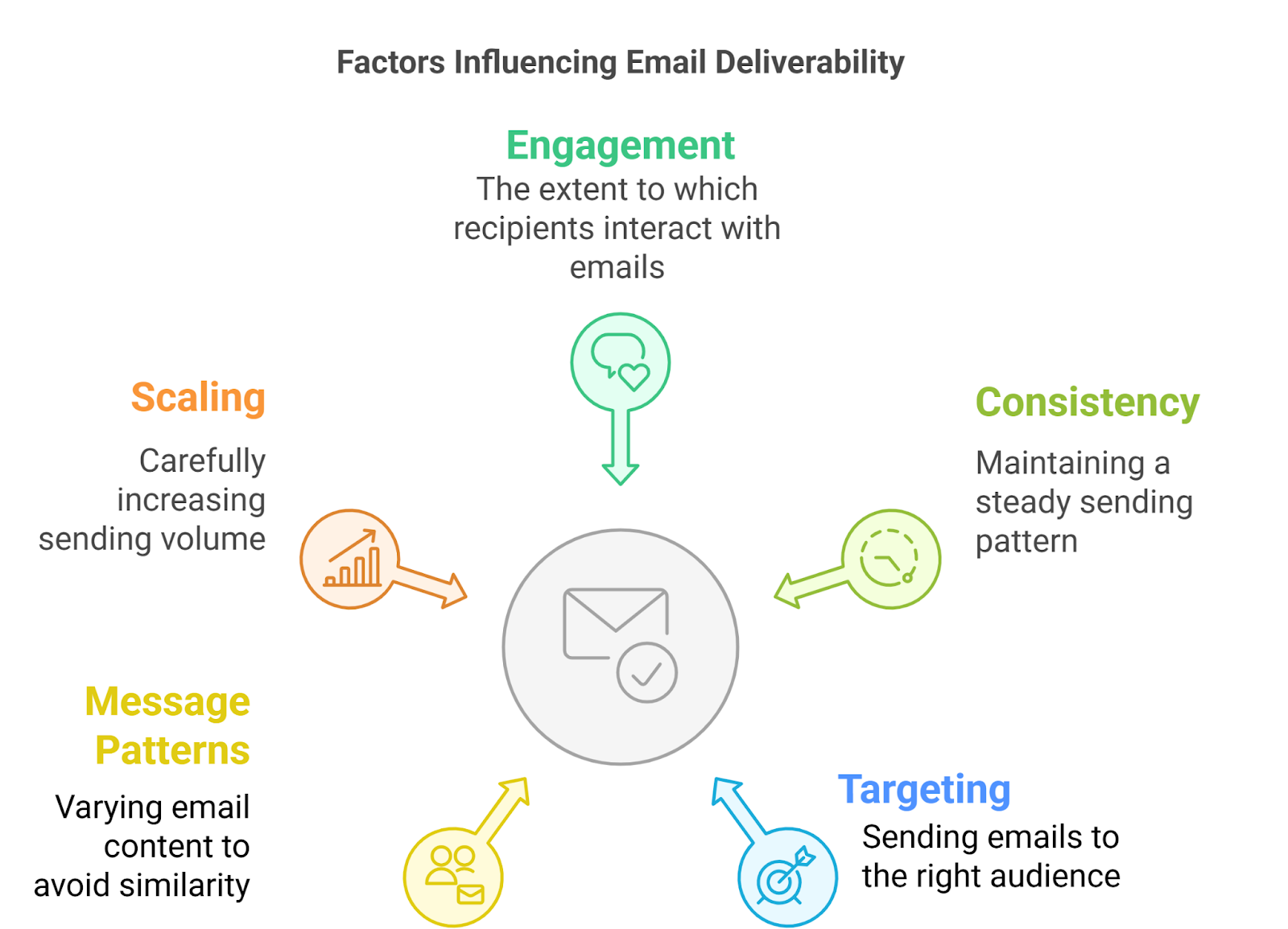
This matters the most. Inbox providers pay close attention to how people react to your emails.
Replies and real conversations help. Emails that get ignored, deleted, or marked as spam hurt.
If people are not responding, a warm-up won’t fix that. If they are responding, warm-up quickly becomes irrelevant.
Inbox providers like behavior they can predict.
Sending a similar number of emails each day, around the same time, builds more trust than constantly changing things.
Sudden spikes, long gaps, or random schedules raise flags, even on warmed inboxes.
Once campaigns are live, who you email matters more than how you warmed up.
Sending to the wrong people creates problems fast.
Sending to the right people solves many deliverability issues before they even appear. Warm-up doesn’t change this.
After the warm-up, patterns are easy to spot.
If multiple inboxes send the same message with the same links and structure, that stands out.
Small changes and real relevance make a big difference here.
Most inbox problems don’t happen on day one.
They show up when volume increases, more inboxes are added, or sending speeds increase.
How carefully you scale matters far more than how the warm-up was done weeks earlier.
Warm-up helps you get started.
Everything above determines how long you stay in the inbox.
Since warm-up alone doesn’t solve most deliverability issues, warm-up tools have tried to adapt.
Instead of just sending basic test emails, tools like Warmforge aim to make warm-up activity feel closer to how real inboxes behave.
Most modern warm-up tools are trying to fix the same problems:
Modern warm-up tools help teams launch new inboxes with structure and consistency.
They reduce early mistakes, smooth the transition into real sending, and give inboxes time to settle before volume increases.
When used as part of a thoughtful setup, they make the early stage simpler, safer, and easier to control, which is exactly where warm-up still adds value in 2026.
Here are the email warm-up tools teams can use to start inboxes safely in 2026.
Warmforge is an email warm-up and deliverability tool that helps you warm your mailboxes and keep track of how healthy they are, all in one place.
The warm-up part works by mimicking normal, human email behavior. Warmforge sends and replies to unique, AI-written emails so your inbox doesn’t look inactive or artificial to email providers.
You can start a warm-up with one click, and the tool recommends keeping it running continuously instead of switching it on and off.
Beyond warm-up, Warmforge also gives you visibility into deliverability. You can monitor mailbox health and run placement tests to see where your emails land across different providers like Google and Outlook.
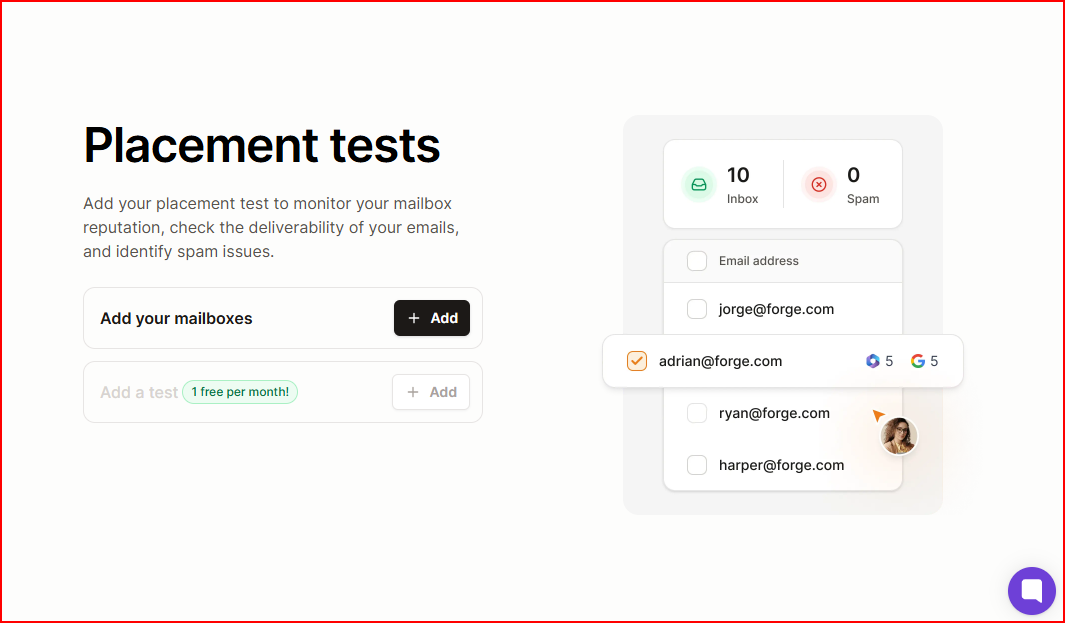
It works with both Google Workspace and Microsoft 365, and you can connect your mailboxes and start warming them right away.

Warmup Inbox is an email warm-up tool that helps improve sender reputation and keep emails out of spam by automating warm-up activity.
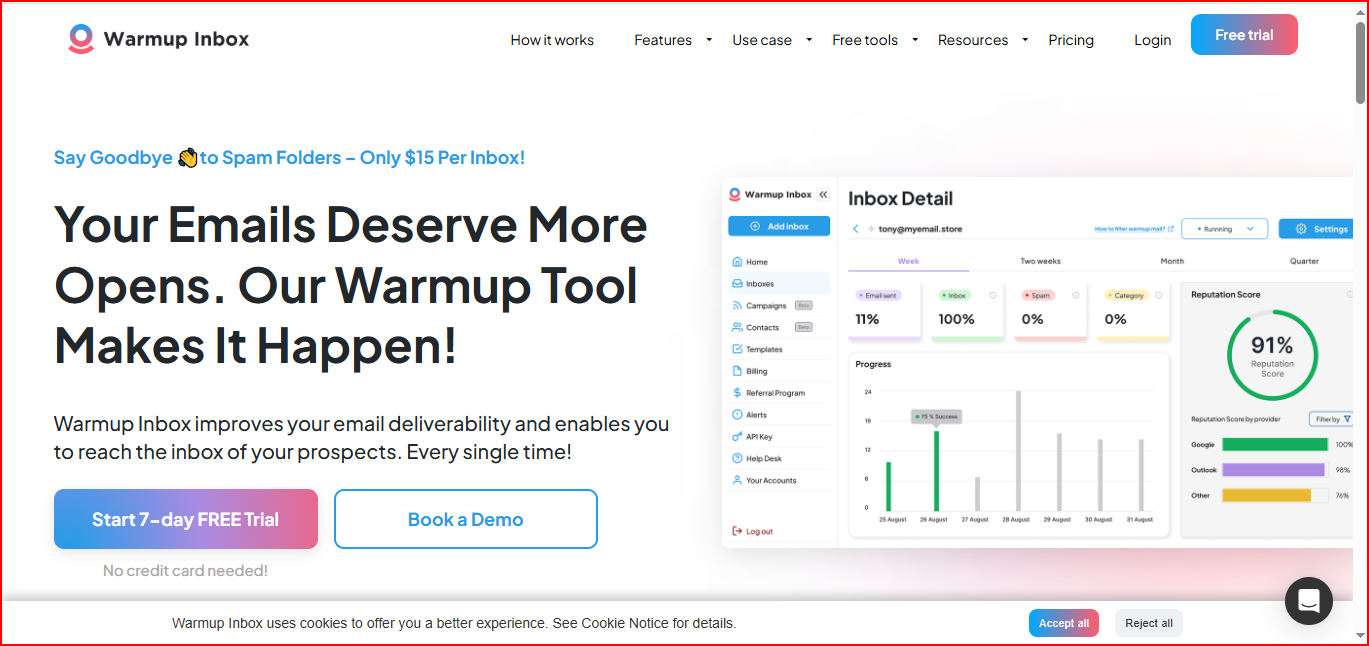
After you connect your inbox, Warmup Inbox sends and replies to real emails through a large network of inboxes.
It gradually increases activity like opens and replies, so your sending behavior looks natural to email providers.
Setup is simple, connect your inbox, and warm-up runs automatically.
Beyond warm-up, Warmup Inbox also gives visibility into inbox performance.
You can monitor spam placement, track sender reputation, and receive alerts when issues appear.
It supports multiple email providers, including Gmail, Outlook, Zoho, and SendGrid.

Lemwarm is an email warm-up and deliverability tool that helps you gradually warm your email inboxes and monitor deliverability while you’re actively sending campaigns.
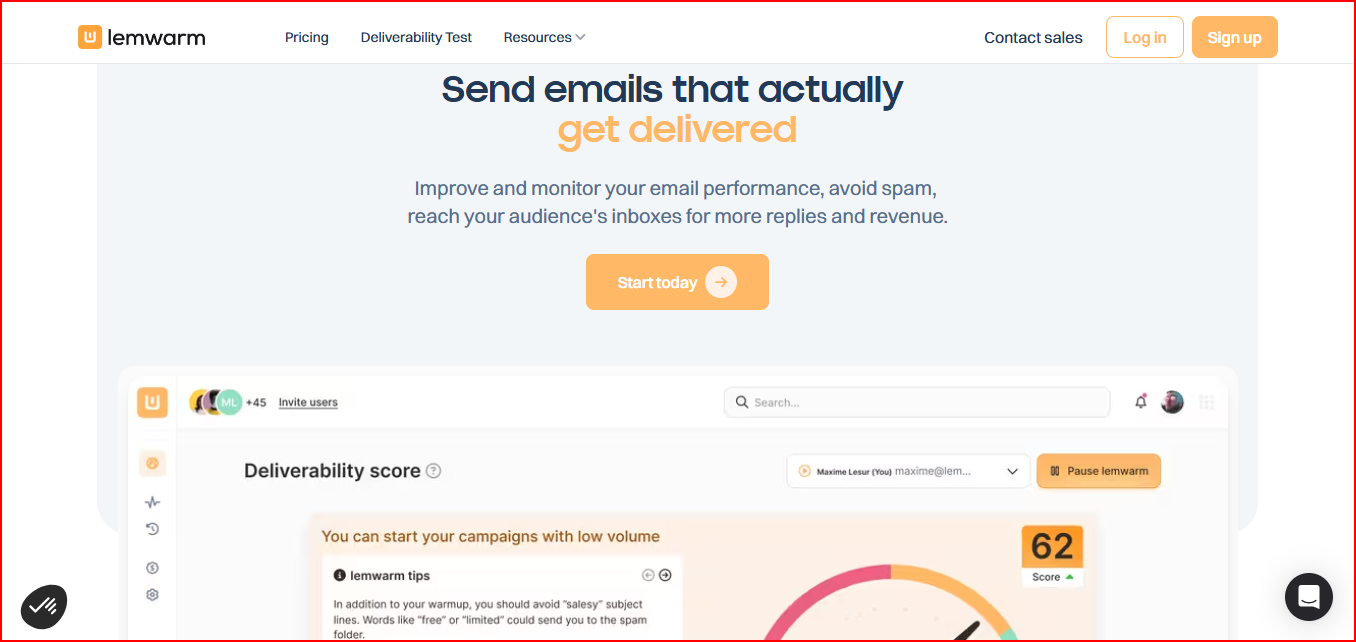
The warm-up works by sending automated, human-like emails through a large network of real inboxes.
These emails are opened and replied to, helping build domain reputation over time.
Lemwarm is designed to stay on continuously, before, during, and after campaigns, to avoid irregular sending patterns.
Alongside warm-up, Lemwarm provides visibility into deliverability.
It checks your technical email setup, monitors your sending behavior and content, and sends alerts when potential spam risks appear.
You also get regular reports and insights to help track how your email performance is trending over time.
Lemwarm can be used on its own or is included for free with an active Lemlist subscription.
Yes, if you’re using it for the right reason.
Email warm-up still helps when you’re starting new inboxes, increasing sending volume, or trying to keep your sending patterns consistent.
It supports basic sender trust and reduces the risk that your inbox suddenly looks suspicious to email providers.
But warm-up isn’t something you run once and forget. Inbox placement can change while campaigns are live, which is why warm-up works best when it’s part of an ongoing setup, not a short-term fix.
That’s where the tools differ:
If you want to simply warm an inbox, any of these tools can help. If you want to warm inboxes and understand what’s happening to them, Warmforge is usually the better choice.
It helps you track inbox health, run placement tests, and understand where your emails are landing as your sending volume changes.
That extra visibility matters. Instead of guessing why replies drop or why inbox placement shifts, you can see what’s happening and adjust before it turns into a bigger problem.
Get started with Warmforge using 1 free warming slot and 1 free placement test, and see how your inbox health and placement look before scaling your outreach.
