Warmy.io is well-known for automated email warm-up, but many users outgrow it and need better deliverability, lower costs, and tools that scale.
Warmy.io automates inbox warm-up and offers basic deliverability support, but many users run into limitations:
Pricing gets steep when adding multiple inboxes
Limited flexibility for agencies and growing teams
Missing advanced monitoring, analytics, and reporting
These limitations can affect deliverability, especially for users running cold email campaigns or sophisticated email marketing strategies.
Because of these gaps, founders, agencies, and sales teams often turn to alternatives that provide more control, deeper insights, easier email setup, and better value.
In this guide, we’ll break down 5 of the best Warmy.io alternatives in 2025, covering features, pros and cons, pricing, and when each tool makes sense for your cold email strategy, email marketing, and outreach needs.
Best Warmy Alternative (Quick Takeaway)
Best for affordable, scalable warm-up with placement testing and DNS monitoring – Warmforge
Best for agencies needing inbox placement accuracy and monitoring – Mailreach
Best for freelancers and small teams who want simplicity and low cost, plus a user friendly interface – Warmup Inbox
Best for enterprises that need advanced engagement signals and live tracking, with custom pricing available for enterprise needs – InboxAlly
Best for Lemlist users who want a warm-up built into their outreach – Lemwarm
Several of these tools offer a free trial or free tools, making it easy to evaluate features before committing.
To find the best alternatives for automated warm-up, we focused on a checklist that directly impacts inbox placement and long-term deliverability:
Whether the tool runs a natural automated warm-up process with real sends and replies.
How well it provides deliverability monitoring to track inbox placement and domain reputation.
If it supports scalability with multiple domains and inboxes for teams and agencies.
Whether the setup is simple and integrations work smoothly with Gmail, Outlook, and outreach tools.
How clear and transparent the pricing is when adding more inboxes.
Whether the tool offers advanced features such as campaign management and in-depth spam diagnostics to help identify and resolve deliverability issues.
We also considered real user feedback to ensure the recommendations reflect actual performance and reliability.
Here’s How Pepper Drove £397K in 6 Months
Pepper partnered with Let’s Fearlessly Grow and used Mailforge + Warmforge to scale cold outreach, land in the inbox, and turn campaigns into revenue.
5 Best Warmy.io Alternatives & Competitors for Automated Warmup
Below are five of the best Warmy.io alternatives in 2025, each compared on features, pros and cons, and how they improve deliverability.
For agencies and teams, features like multi inbox warmup, support for multiple mailboxes, and even unlimited inboxes are crucial for efficient email outreach and management.
Here’s a Quick comparison of Warmy.io Alternatives
Tool
Warm-up quality
Spam recovery
Inbox placement testing
Domain health monitoring
Scalability
Ease of use
Warmforge
AI-driven with natural conversations; uses a warm up network of real Google Workspace and Microsoft 365 inboxes
Yes
Yes (included + add-ons)
Yes (DNS, MX, blacklist checks)
Scales affordably with slots, supports inbox rotation and multiple mailboxes
Simple dashboard, easy setup
Mailreach
Real inbox engagement; strong warm up network of genuine active inboxes
Partial (via inbox network)
Yes (basic placement tracking)
Yes (SPF, DKIM, DMARC, blacklist)
Good fit for 5–40 inboxes, supports inbox rotation and multi inbox warmup
Smooth onboarding, heavier at scale
Warmup Inbox
Basic warm-up through the 30k inbox network
Yes
No
Basic alerts
Affordable for small teams, supports multiple mailboxes
Limited to Lemlist subscription, supports multiple mailboxes
Seamless inside Lemlist
1. Warmforge – The Scalable and Complete Deliverability Platform
Warmforge is an automated email warm-up and deliverability platform that keeps your cold emails out of the spam folder by simulating real human activity, sending, opening, and replying to messages in natural patterns.
Warmforge's monitoring tools help identify issues that can affect deliverability, such as spam traps and blacklists, ensuring your email account maintains a strong sender reputation.
This image shows Warmforge homepage
On top of warm-up, it also checks DNS records, monitors blacklists, and runs inbox placement tests, giving you a complete picture of your email health in one dashboard.
Warmforge's warm up emails are designed to land in the primary inbox and avoid the spam folder, supporting better inbox placement for your cold email outreach and email campaigns.
Advanced features including spam diagnostics, spam placement testing, and mailbox management
Support for Google Workspace and Microsoft 365 inboxes
Robust warm up network using genuine, active inboxes
Automated, personalized warm up emails tailored by AI to improve sender reputation and deliverability
Pros
Simple and easy-to-use dashboard, even for beginners.
Works smoothly with connected tools like Mailforge and Salesforge.
Consistently improves deliverability and inbox placement.
Provides better inbox placement and improved inbox performance for your email campaigns.
Increases chances of landing emails in the primary inbox, not spam or promotions.
Supports scaling cold email outreach efforts with tools for high-volume campaigns.
This image shows the Warmforge user review on g2.com
Responsive support team that helps resolve issues quickly.
Cons
Reporting is functional but lacks deeper analytics.
No advanced breakdowns beyond core warm-up metrics.
Pricing may feel high for very small teams.
Warmforge Pricing
Monthly: $12 per mailbox (e.g., 5 inboxes = $60). Includes AI warm-up, DNS/MX/blacklist checks, and 1 placement test/month (includes spam test credits for deliverability testing).
Quarterly & Annual: $10 per mailbox (up to 25% off). Same features as monthly, billed in advance.
Pro Add-On: $39/month ($32.50 annual). 100 placement tests/month across up to 50 mailboxes (includes 100 spam test credits; additional credits available for more spam placement testing).
Growth Add-On: $169/month ($140.80 annual). Unlimited placement tests/month across up to 250 mailboxes (unlimited spam test credits for comprehensive spam testing).
Custom pricing is available for enterprise or high-volume users—contact us for a tailored quote.
With Warmforge, you get both automated inbox warm-up and one free inbox placement test per month included in every plan.
Just choose the number of slots you need, and you’re ready to scale outreach with confidence.
Why Warmforge is Better Than Warmy.io
Feature
Warmy.io
Warmforge
Automated warm-up
⚠️ Basic automation only
✅ AI-powered with natural conversations
Inbox placement tests
❌ Not included
✅ Included monthly
Spam recovery
❌ No
✅ Yes
DNS & blacklist monitoring
⚠️ Limited
✅ Built-in
Multi-inbox scaling
⚠️ Expensive with volume
✅ Easy and affordable
Warm up network
⚠️ Limited, may use test accounts
✅ Real Google Workspace & Microsoft 365 inboxes
Inbox rotation
❌ Not supported
✅ Supported for high-volume campaigns
Mailbox management
❌ Basic
✅ Advanced tools for ongoing optimization
Pricing
⚠️ Higher at scale
✅ Flexible with discounts
Warmforge is the stronger choice for anyone who needs more than a basic warm-up.
It combines automation with testing, monitoring, and spam recovery, making it a full deliverability solution, not just a warmup tool. Warmforge helps protect your email account from spam traps and the spam folder, and is a robust warmup tool for agencies and teams.
MailReach supports multi inbox warmup and management of multiple mailboxes for teams, making it ideal for agencies and businesses handling several accounts.
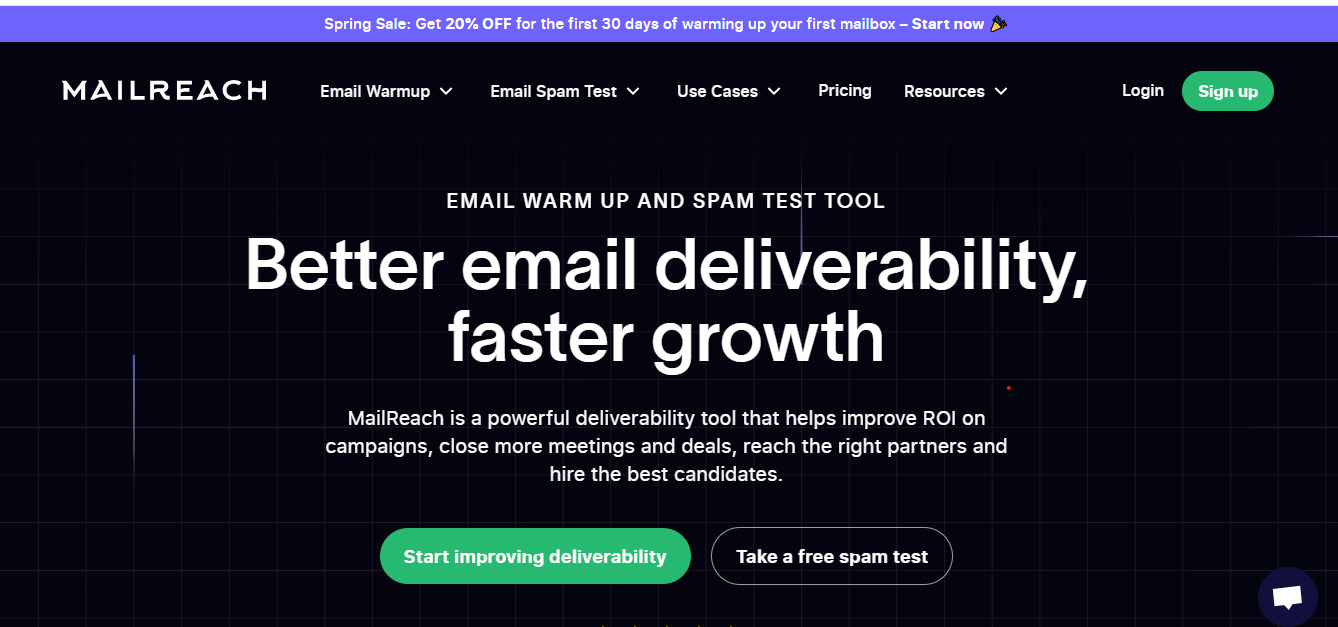
This image shows the Mailreach homepage
It connects your inbox to a private warm up network of thousands of real mailboxes where your emails are automatically opened, replied to, marked important, and even rescued from spam. MailReach also supports inbox rotation for high-volume campaigns, helping maintain sender reputation and improve inbox placement rates.
At the same time, MailReach tracks where your emails actually land: inbox, promotions, or spam, and monitors your domain health with SPF, DKIM, DMARC, and blacklist checks. It offers advanced mailbox management features for organizing and optimizing multiple mailboxes.
In short, it warms up your inbox while showing you exactly how ready it is for real outreach. Higher-tier plans support unlimited inboxes and advanced mailbox management, making MailReach scalable for growing teams.
Key Features
Automated warm-up with genuine open, reply, and rescue actions.
Access to one of the largest warm up networks in the market, featuring real, active inboxes for authentic engagement.
Multi inbox warmup support for managing and warming up multiple mailboxes or domains efficiently.
Support for multiple mailboxes with centralized control, allowing you to oversee several accounts from a single dashboard.
Unlimited inboxes available on higher plans for scalable and cost-effective email management.
Inbox rotation to distribute email sends across multiple inboxes, maintaining sender reputation and improving deliverability.
Comprehensive mailbox management tools to organize, maintain, and optimize your email inboxes and sending domains.
Real-time inbox placement tracking to see exactly where your emails land.
Gradual scaling of warm-up volume up to 100 emails per inbox daily.
Built-in reputation monitoring, including alerts for SPF, DKIM, DMARC, and Email blacklist issues.
Easy onboarding with no manual content setup required.
This image shows the Mailreach review on g2.com by its users
Cons
Pricing feels high for solo users at $25 per inbox per month.
Focused only on warm-up, no support for cold email sending.
Spam test results may not always reflect real campaign outcomes.
Dashboard performance slows down with 30+ inboxes and lacks bulk editing.
This image shows the Mailreach review on g2.com by its users
No built-in DNS setup, SPF, DKIM, and DMARC must be configured manually.
Cannot fix deliverability issues if your technical setup or email content is poor.
Pricing
Starter (1–5 inboxes): $25 per inbox/month. Includes basic warm-up and placement monitoring.
Growth (6–20 inboxes): $19.50 per inbox/month. Includes warm-up with inbox health checks.
Scale (21–40 inboxes): $18 per inbox/month. Adds advanced reporting and team scaling.
Enterprise (41+ inboxes): $16 per inbox/month. Full package with high-volume warm-up and API access. Custom pricing is available for enterprise clients with unique needs.
Why MailReach is Better Than Warmy.io
Feature
Warmy.io
MailReach
Warm-up method
⚠️ Basic sending automation
✅ Realistic opens, replies, and spam rescue
Inbox placement tracking
❌ Not included
✅ Real-time inbox vs. spam reporting
Warm-up scaling
⚠️ Limited
✅ Smart ramp-up to 100 emails/day
Reputation monitoring
⚠️ Minimal
✅ Alerts for DNS, SPF, DKIM, DMARC, blacklists
Integrations
⚠️ Basic
✅ API and Slack support
Pricing
⚠️ Gets costly as you scale
✅ Discounts for multiple inboxes
Multi inbox warmup
⚠️ Not supported
✅ Centralized multi-inbox warmup
Multiple mailboxes
⚠️ Limited mailbox support
✅ Manage multiple mailboxes from one dashboard
Unlimited inboxes
❌ Not available
✅ Unlimited inboxes supported
Warm up network
⚠️ Uses test accounts
✅ Real Google Workspace & Microsoft 365 inboxes
Inbox rotation
❌ Not available
✅ Inbox rotation for high-volume campaigns
Mailbox management
⚠️ Basic
✅ Advanced mailbox management tools
MailReach is a great Warmy.io alternative for senders who want more than a “set it and forget it” warm-up.
If inbox placement accuracy, multi inbox warmup, and advanced mailbox management matter to you, MailReach is the better choice.
But it is not for solo senders or very small teams who may find the $25 per inbox/month pricing too high for their needs.
3. Warmup Inbox – The Lightweight Deliverability Booster
Warmup Inbox offers a basic warmup option, making it ideal for those seeking a straightforward and cost-effective solution to keep their emails out of spam.
The platform also provides free tools and a free trial for new users, allowing you to test its features without immediate commitment.
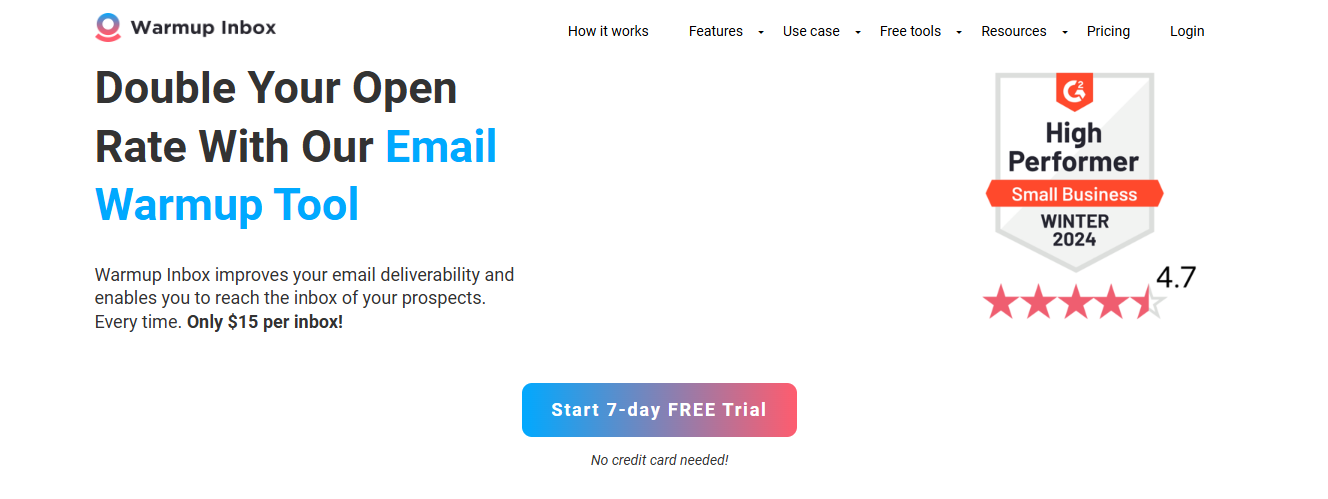
This image shows the WarmupInbox homepage
Real user feedback highlights the platform's simplicity and effectiveness.
Once you connect your account, it plugs into a network of more than 30,000 active mailboxes.
At the same time, it gives you a “sender reputation score” so you can see how healthy your inbox is and whether it’s ready for larger outreach campaigns.
Key Features
Access to 30,000+ real inboxes that create natural engagement.
Automated warm-up flow that mimics normal user behavior.
Sender reputation score (0–10) so you can track how providers view your domain.
Custom warm-up pacing with progressive, fixed, or randomized modes to avoid suspicion.
Health alerts that notify you when your domain risks being blacklisted or flagged.
Basic warmup option for simple, cost-effective email campaigns.
Free tools available to enhance deliverability and monitor reputation.
Free trial for new users to test features before committing.
Pros
Quick setup that gets you started in just a few minutes.
Great for basic warm-up without unnecessary complexity.
This image shows the Warmup inbox user review on G2.com
Clean interface with daily reports and activity tracking.
Works with Gmail, Outlook, and most custom domains.
Sends from real inboxes, not fake accounts.
Pricing is affordable compared to many alternatives.
Cons
No sender reputation score or inbox health tracking.
Lacks alerts for spam placement or domain issues.
Limited customization options for warm-up.
Support responses can sometimes be slow.
It can be too aggressive for brand-new inboxes.
This image shows the WarmupInbox user review on Trustpilot
Pricing
Starter Plan: $49/month for 1 inbox ($49 per inbox). Includes AI-powered warm-up.
Business Plan: $129/month for 5 inboxes ($25.80 per inbox). Includes basic analytics.
Premium Plan: $189/month for 10 inboxes ($18.90 per inbox). Includes detailed insights and customization.
Expert Plan: $279/month for 20 inboxes ($13.95 per inbox). Includes limited API access and higher sending volumes.
New users can take advantage of a free trial or explore free tools to test the platform's features before committing to a paid plan.
Why Warmup Inbox is Better Than Warmy.io
Feature
Warmy.io
Warmup Inbox
Warm-up process
⚠️ Basic automated sending
✅ Full cycle: send, open, reply, spam rescue
Inbox network
⚠️ Smaller/private
✅ 30,000+ active mailboxes
Reputation tracking
⚠️ Minimal
✅ Clear 0–10 sender score
Warm-up pacing
⚠️ Limited
✅ Progressive, fixed, or randomized options
Alerts & health
⚠️ Basic
✅ Alerts for blacklist or risk issues
Pricing
⚠️ Higher at scale
✅ Starts at $15–19, budget-friendly
Basic warmup
✅ Available
✅ Available, easy to use
Free trial
⚠️ Not available
✅ Free trial offered
Free tools
⚠️ Limited
✅ Includes free tools for deliverability and monitoring
Warmup Inbox is relevant if you care about simplicity and affordability. For freelancers, consultants, and small teams, it’s one of the easiest ways to start warming up safely. Real user feedback consistently praises Warmup Inbox for its ease of use.
However, it won’t suit larger agencies or teams that need advanced monitoring, detailed analytics, or high-volume warm-up across many inboxes.
4. InboxAlly – The Engagement-First Deliverability Tool
Unlike most warm-up tools, InboxAlly offers advanced features such as spam diagnostics, spam placement testing, and campaign management tools.
It gives you live deliverability analytics and custom ramp-up controls, so you can see progress in real time and fine-tune how your warm-up grows.
This image shows the Inbox Ally homepage
Key Features
Engagement-based warm-up that includes opens, clicks, replies, and spam rescue.
Custom ramp-up planner that lets you control how fast your sending volume grows.
Real-time inbox placement tracking to see whether emails land in inbox, promotions, or spam.
Reputation monitoring with checks for sender health, authentication, and blacklist risks.
Extra deliverability tools like spam testing, DMARC support, and list hygiene checks.
Advanced features such as smart clustering, custom templates, and comprehensive automation for enhanced deliverability.
Spam diagnostics to identify and resolve email placement issues more effectively.
Spam placement testing to verify whether your emails are landing in inbox, spam, or promotions folders, providing essential insights for B2B outreach.
Campaign management tools to oversee and automate all aspects of your cold outreach campaigns within a unified system.
Inbox performance analytics offering detailed metrics and real-time control to improve deliverability rates and troubleshoot issues for high-volume campaigns.
Pros
Focused on improving inbox placement through real engagement.
Useful for warm-up across large lists or email-heavy campaigns.
Provides more control and customization compared to basic warm-up tools.
This image shows the Inbox Ally user review on g2.com
Cons
Higher price point than most other warm-up tools.
It can feel complex if you only need a simple warm-up.
Not ideal for teams with very low sending volume.
Inbox Ally Pricing
Starter: $149/month for 1 sender profile. Includes engagement-based warm-up.
Plus: $645/month for 5 sender profiles. Includes advanced analytics and placement tracking.
Premium: $1,190/month for 10 sender profiles. Includes customization and higher-volume support.
Enterprise: Contact for pricing. Tailored for agencies and enterprise-level sending needs. Custom pricing is available for enterprise clients to accommodate specific email volumes and requirements.
InboxAlly goes beyond basic warm-up loops by actively training mailbox providers to trust your emails. It also offers advanced features like smart clustering and custom templates, in-depth spam diagnostics, spam placement testing, unified campaign management, and detailed inbox performance analytics.
The catch is its steep price, great quality, but the ROI can be hard to justify for smaller teams. Best suited for serious outreach and large-scale senders.
5. Lemwarm – The Adaptive Warm-Up Tool
Lemwarm is an email warmup tool included in Lemlist, known for its user friendly interface and easy email setup.
Users can quickly connect their email accounts and verify authentication records, making the process straightforward even for those who find other tools complex. It improves deliverability by making your inbox look active and trustworthy.
This image shows the Lemwarm homepage
What makes Lemwarm different is its adaptive system; the tool increases your warm-up volume based on your own sending history, so growth looks natural to Gmail, Outlook, and other providers.
Key Features
Automatically adapts sending volume depending on your inbox activity.
Emails are opened, replied to, and rescued from spam to build a reputation.
Provides a clear deliverability dashboard to show warm-up progress.
Keeps inboxes active with consistent daily activity.
Works seamlessly inside Lemlist, so warm-up and outreach can run together.
Dedicated email warmup tool designed to improve deliverability and sender reputation.
User friendly interface makes it easy to navigate and configure settings.
Quick and simple email setup, including connecting accounts and verifying authentication records.
Pros
An adaptive warm-up system that adjusts email volume automatically.
Integrated directly into Lemlist for combined outreach and warm-up.
Simple to set up with minimal configuration.
Creates natural engagement signals like opens, replies, and spam recovery.
Cons
Only available as part of Lemlist, not a standalone tool.
Limited advanced deliverability monitoring compared to specialized platforms.
Pricing is high if you only need a warm-up and not the full Lemlist suite.
Lemwarm Pricing
Starter Plan: Included in Lemlist plan ($59/month). Includes basic warm-up features.
Pro Plan: $99/month (Lemlist Pro plan). Includes full access to Lemwarm with advanced warm-up features.
Custom Pricing: Custom pricing is available for larger teams or enterprise users, offering tailored solutions based on your specific email volume and business needs.
Why Lemwarm is Better Than Warmy.io
Feature
Warmy.io
Lemwarm
Warm-up process
⚠️ Basic automated sending
✅ Adaptive volume with natural interactions
Spam recovery
❌ No
✅ Yes
Dashboard
⚠️ Limited
✅ Clear warm-up performance dashboard
Multi-inbox use
⚠️ Paid per inbox
✅ Bundled under the Lemlist account
Integration
❌ None
✅ Works directly with Lemlist outreach
Pricing
⚠️ Per inbox cost
✅ Included in Lemlist subscription
User friendly interface
⚠️ Setup can be complex
✅ Very intuitive and user-friendly interface
Email setup
⚠️ Manual and time-consuming
✅ Quick and easy email setup, including authentication records
Email warmup tool
✅ Specialized email warmup tool
✅ Specialized email warmup tool with extra features
Lemwarm is the best Warmy.io alternative for users who already run their campaigns with Lemlist.
But if you need a standalone warm-up tool with deeper monitoring, other options may fit better.
Which Warmy.io Alternative Should You Use?
Each of these alternatives has its own strengths. The right choice depends on your budget, team size, how much control you need over warm-up and deliverability, and whether you prioritize features like campaign management, outreach efforts, or cold email outreach.
Here’s a quick guide:
Use Case
Recommended Tool
Need an affordable, scalable warm-up with placement testing and DNS monitoring
Warmforge
Want detailed inbox placement tracking and monitoring for agencies/teams
Mailreach
Looking for a simple, budget-friendly tool for freelancers or small teams
Warmup Inbox
Require advanced engagement signals (opens, clicks, replies) with live tracking
InboxAlly
Already using Lemlist and want a warm-up built into your outreach platform
Lemwarm
Final Conclusion
Choosing the right Warmy.io alternative comes down to what you value most, whether that’s simplicity, detailed deliverability tracking, or the ability to manage multiple inboxes at scale.
Each tool has its place, but the best choice is the one that supports how you run outreach every day.
Warmforge goes further by combining automated warm-up, inbox placement testing, blacklist monitoring, and clear reporting, so your emails land in the inbox, not spam.
For any email account, a proper warmup is essential to maximize deliverability and maintain a strong sender reputation, ensuring your email outreach campaigns reach their targets and avoid spam filters.
That means you can stay focused on building conversations and scaling outreach, instead of worrying about deliverability.
👉 Try Warmforge today and get 1 free warming slot plus a free inbox placement test.