Warmbly starts at $29 per month with unlimited mailboxes and email warmup. But its Starter plan limits cold email sending to 150 emails a day.
The bigger focus is deliverability. Warmbly gradually warms each mailbox and tracks inbox placement across Gmail, Outlook, and Yahoo. If more emails start going to spam, it can lower sending volume until placement improves.
But can Warmbly actually fix poor email deliverability, or does it simply stop things from getting worse?
In this Warmbly review, I’ll look at how well it handles that job, along with its features, pricing, and limitations.
Warmbly combines cold email sending with email warmup. You can also track inbox placement and manage replies.
Pricing starts at $29 per month. Starter includes unlimited mailboxes and unlimited warmup. You can send up to 150 cold emails per day.
Warmup starts at 10 emails per day. It increases by 1 each day and reaches a maximum of 40 by default.
Warmbly tracks placement at Gmail, Outlook and Yahoo. If spam placement rises, it slows down the affected mailbox.
At 20% spam placement, sending drops to half volume. Normal sending returns when placement recovers.
Self-hosting is free. However, you do not get access to Warmbly’s shared Cloud warmup pool.
The Starter plan is better for lower-volume outreach. If you need more than 150 sends per day, you will need Grow or a higher plan.
Verdict: Warmbly gives you useful controls for protecting mailbox health. It can react when placement drops. It cannot guarantee inbox placement or repair poor sending practices.
What Do You Get With Warmbly (and What Don't You Get)?
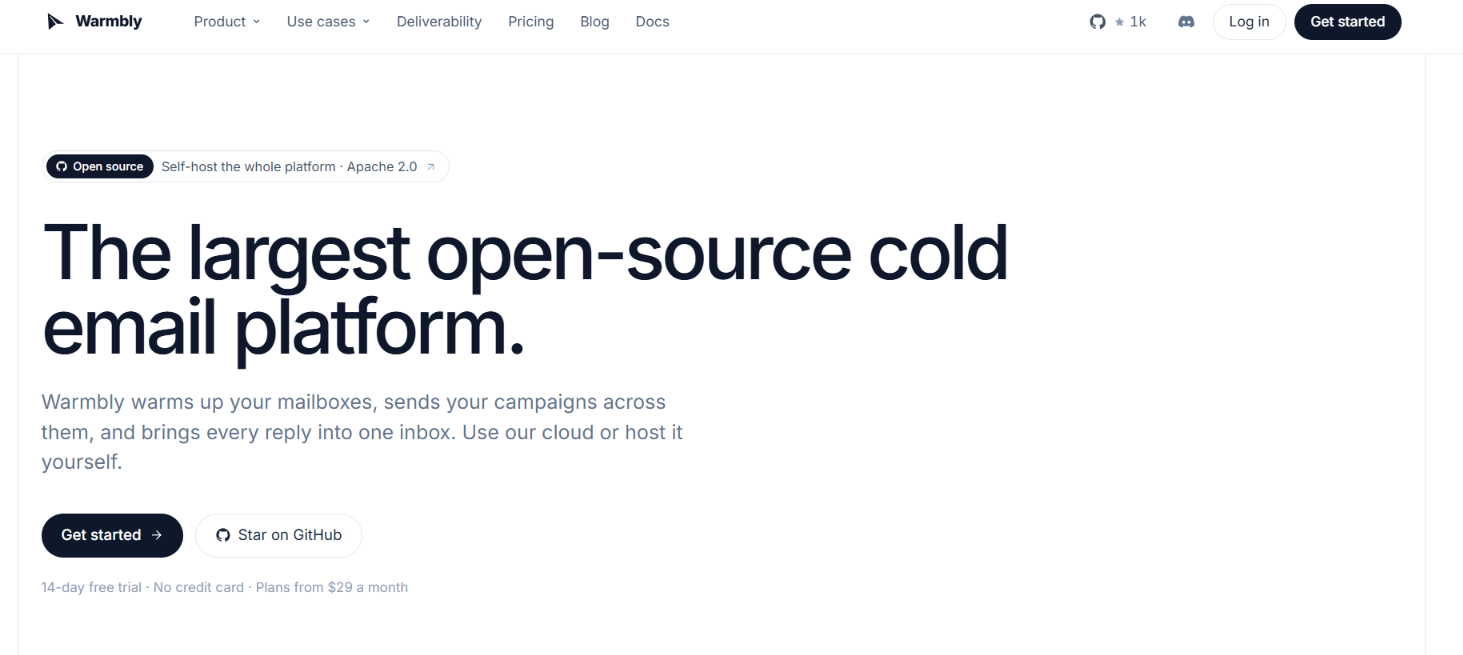
This image shows the Warmbly homepage
With Warmbly, you get the tools to warm your mailboxes and run cold email campaigns from the same platform. You can connect unlimited mailboxes on any paid plan. Warmbly warms each mailbox and tracks where those emails land at Gmail, Outlook and Yahoo. If placement gets worse, it can lower the sending volume for that mailbox.
You can then use those mailboxes to send cold email sequences. Warmbly handles follow-ups, spreads sending across your mailboxes and stops the sequence when a prospect replies. All replies come into one inbox. You can see which prospects are interested and which have asked to unsubscribe. Warmbly also tracks sends, opens, clicks, replies and bounces. So you do not need a separate warmup tool, cold email sender or reply inbox to get started.
What you do not get is LinkedIn outreach. Warmbly also does not provide the actual Google Workspace or Microsoft 365 mailboxes. You need to bring your own mailboxes and connect them.
Here is how that compares with Salesforge:
What do you need?
Warmbly
Salesforge
Send cold emails
Yes
Yes
Send automated follow-ups
Yes
Yes
Connect unlimited mailboxes
Yes
Yes
Warm those mailboxes
Included
Included through Warmforge
Check inbox placement
Yes
Through Warmforge
Manage replies in one inbox
Yes
Yes, with Primebox
Send LinkedIn messages
No
Yes
Add LinkedIn steps to sequences
No
Yes
Get email mailboxes with the subscription
No
No
Self-host the software
Yes
No
Starting monthly price
$29
$48
The choice is clearer from there. Warmbly gives you email sending and deliverability tools in one product. It makes sense if your outbound is mainly cold email.
Salesforge goes further on the outreach side. It adds LinkedIn outreach alongside cold email. It also includes unlimited email warmup through Warmforge Premium at no extra cost with your Salesforge subscription.
How Does Warmbly Work?
Warmbly takes your sending accounts from warmup to cold outreach. You add the email accounts you want to use and Warmbly handles the sending from there.
The process works like this:
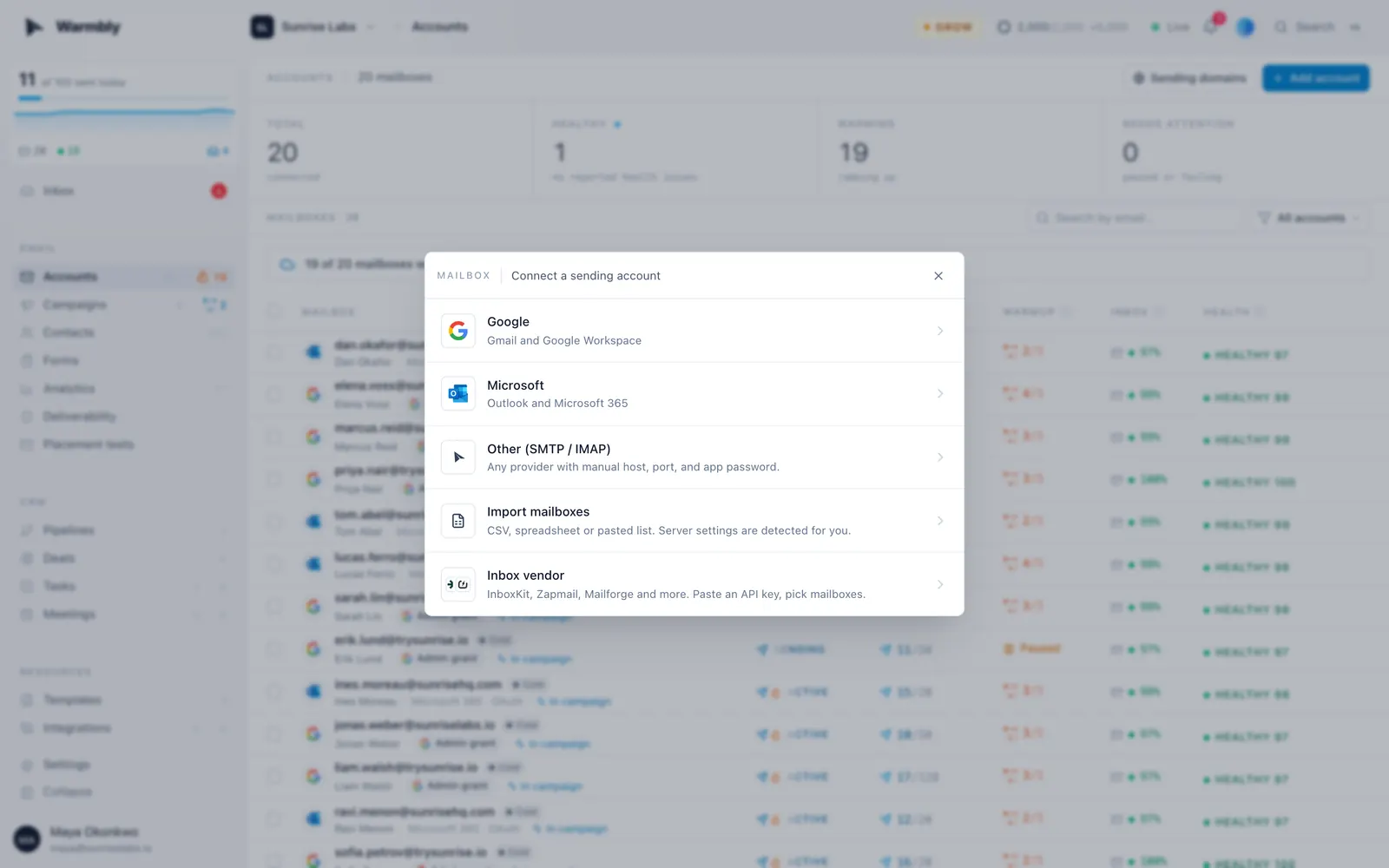
This image shows the Add your email accounts on Warmbly
Add your email accounts. You can sign in with Google Workspace or Microsoft 365. You can also add an account through SMTP/IMAP. Warmbly checks SPF and DMARC and shows the health of each mailbox.
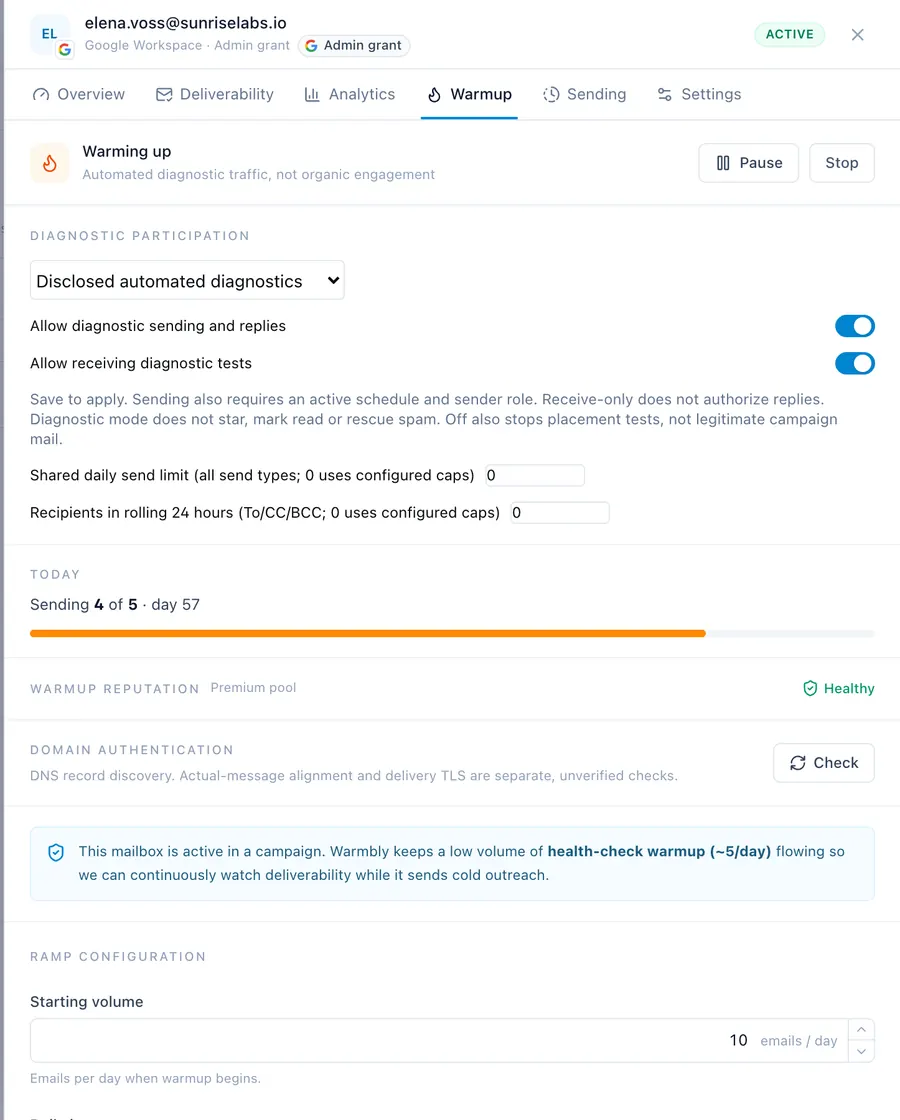
Start warming each mailbox. Warmbly starts with 10 warmup emails a day. It adds one more each day until it reaches 40 by default. These emails are exchanged with other inboxes in its warmup pool.
This image shows the Turn on warmup on Warmbly
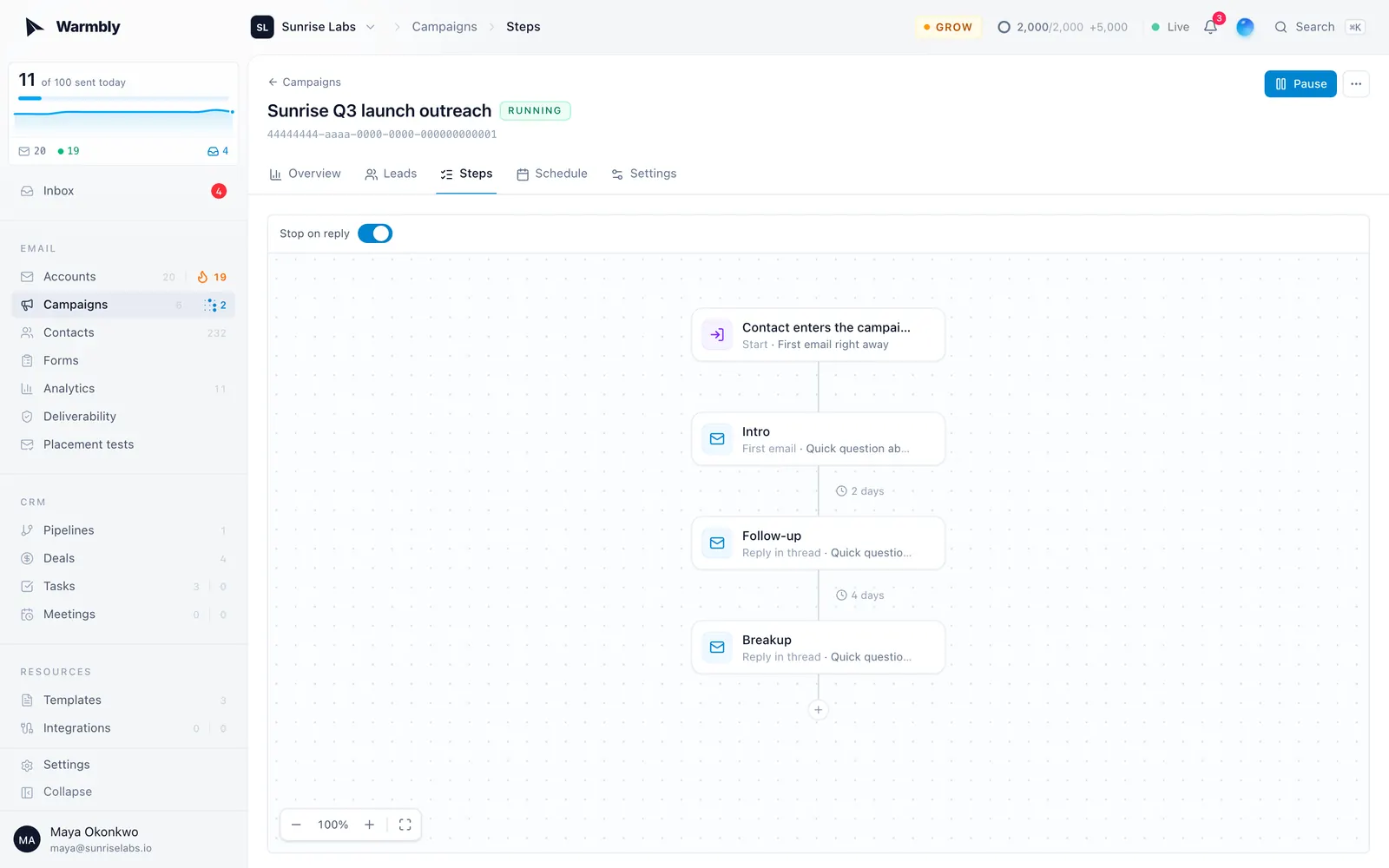
Set up your cold email campaign. Add your contacts and write your email sequence. You can also add follow-ups and choose your sending hours. Warmbly then spreads the emails across the mailboxes you selected.
This image shows Send a campaign on Warmbly
Track where your emails land. Warmbly checks warmup emails at Gmail, Outlook and Yahoo. If spam placement rises, Warmbly slows the mailbox down. At 20% spam placement, warmup and cold sending both drop to half volume until placement recovers.
Warmup can continue after you start cold outreach. Warmbly runs up to five warmup emails a day alongside your campaign. This lets it keep checking the mailbox as you send.
Campaign replies appear in one inbox. Warmbly sorts them into groups such as interested, question, out of office and unsubscribe. You can then handle replies from different sending accounts without opening each inbox separately.
Top Features of Warmbly
Warmbly combines email warm-up with the tools needed to run a cold email campaign. You can warm the same mailboxes you send from, check their inbox placement, send follow-ups and manage replies.
Here are the main features and what each one does:
Feature
What It Does
Email warmup
Starts a mailbox at 10 warmup emails per day and adds one each day up to 40 by default. Warmup emails are plain text and some get replies.
Inbox placement monitoring
Checks warmup placement across Gmail, Outlook and Yahoo. If spam placement rises, Warmbly can reduce sending from that mailbox.
Cold email campaigns
Lets you create email sequences, add follow-ups and set sending hours. Emails can be spread across several mailboxes.
Unified inbox
Collects replies from your connected mailboxes in one place. Replies are labeled as interested, question, out of office or unsubscribe.
A/B testing
Lets you test different versions of an email step and compare them using reply, open or click rates.
Campaign analytics
Shows sends, opens, clicks, replies and bounces. It also filters activity from privacy proxies, link scanners and automatic replies.
Automations
Lets you start actions from events such as replies, booked meetings, bounces and warmup drops.
Lead finder
Finds businesses in a selected area and checks their websites for people and contact details.
Self-hosting
Lets you run Warmbly on your own server. Self-hosting is free, but it does not include access to the shared Cloud warmup pool.
Top Pros of Warmbly
No per-mailbox charge for warmup, even on the $29 Starter plan.
No mailbox limit as you add more sending accounts.
Sending volume drops automatically when spam placement reaches 20%.
Warmup continues at up to 5 emails a day once cold sending begins.
A/B tests require at least 30 sends by default before a winner is chosen.
Replies are automatically separated by intent instead of arriving as one unsorted feed.
Self-hosting is free if you do not need Warmbly’s shared Cloud warmup pool.
Limitations of Warmbly
Warmbly is limited to email outreach, with no LinkedIn outreach channel.
It does not provide the Google Workspace, Microsoft 365 or SMTP mailboxes you send from. You need to bring your own sending accounts.
Warmup and placement monitoring cannot guarantee that cold emails will reach the inbox.
New mailboxes still need time to build sending history before you increase cold email volume.
The default cold email cap is 50 emails per mailbox per day, so higher volume requires more mailboxes or adjusted limits.
Self-hosted mailboxes cannot use Warmbly's shared Cloud warmup pool.
The Lead Finder is focused on finding local businesses within a selected geographic area.
Warmbly Pricing in 2026
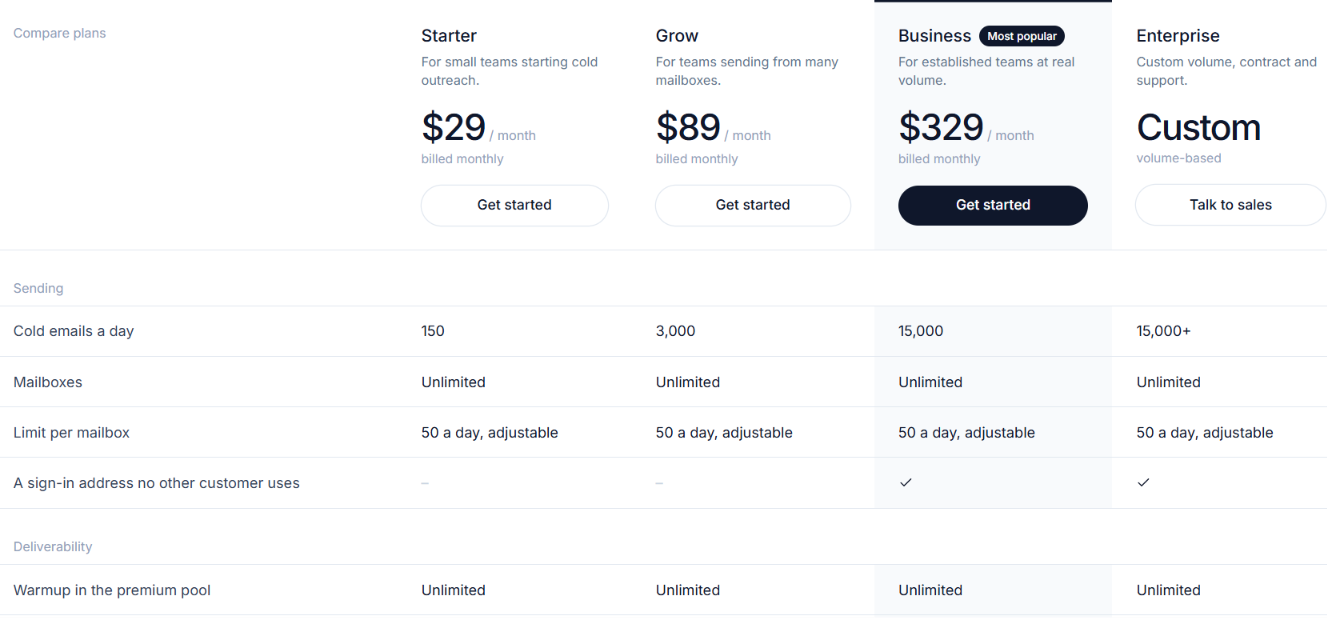
This image shows the Warmbly pricing
Warmbly starts at $29 per month. All paid plans include warmup, cold email sending, the unified inbox and analytics. Higher plans mainly give you more sending volume and extra features.
Starter – $29/month: 150 sends per day and up to 4,500 per month. You get unlimited mailboxes, unlimited warmup, the unified inbox, stop-on-reply sequences and inbox placement monitoring.
Grow – $89/month: 3,000 sends per day and up to 90,000 per month. It adds the CRM, A/B variants, bulk contact import, API and signed webhooks.
Business – $329/month: 15,000 sends per day and up to 450,000 per month. It adds a unique provider sign-in address, user roles and permissions, a full audit log and priority support.
Enterprise – Custom pricing: Starts above 15,000 sends per day. It adds custom volume, BYOK encryption, SSO/SAML, custom data residency and a dedicated CSM.
You can save 20% with annual billing. Warmbly also has a 14-day free trial with no credit card required. For agencies, Warmbly charges $249 per month for 150,000 sends or $599 per month for 500,000 sends. Both plans allow unlimited clients.
You can also self-host Warmbly for free. However, self-hosted mailboxes do not have access to Warmbly's shared Cloud warmup pool.
Can Warmbly Actually Fix Email Deliverability?
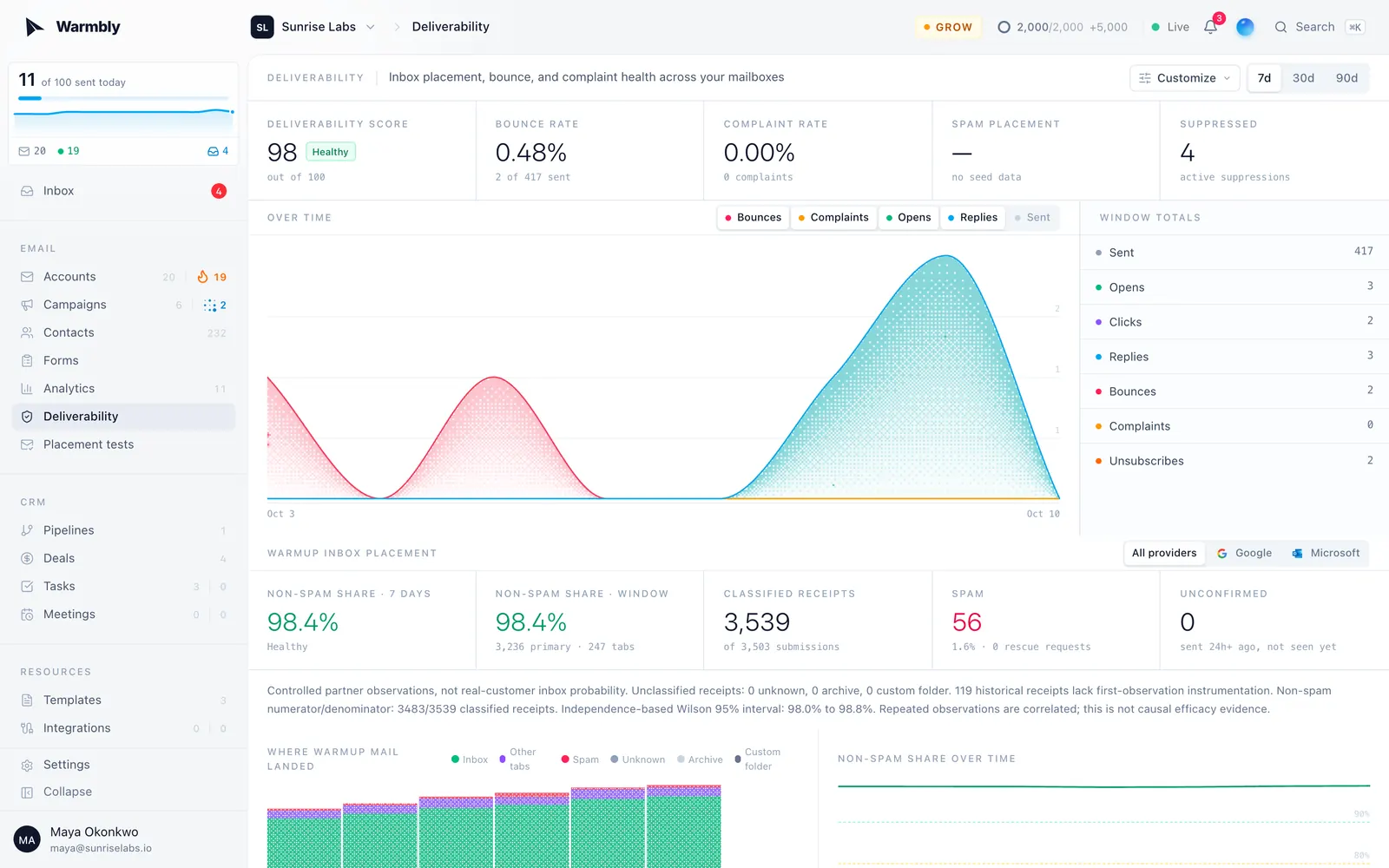
This image shows the Deliverability dashboard on Warmbly
Warmbly can help improve email deliverability. But it cannot guarantee inbox placement or instantly repair a damaged mailbox. It helps build sender reputation slowly and reacts when a mailbox starts having problems.
Warmbly does this in a few ways:
Warmup starts at 10 emails a day and increases by one each day up to 40 by default.
Warmbly slows sending when spam placement crosses its health thresholds.
A 5% bounce rate or 0.10% complaint rate can pause cold sending for seven days.
Warmup can continue at up to five emails a day after cold outreach starts.
These controls can stop a mailbox from continuing at full volume when its health starts to drop. They also give new mailboxes time to build sending history before heavier cold outreach begins.
But Warmbly cannot solve every cause of poor deliverability. A bad lead list can cause bounces. Spam complaints can damage sender reputation. An already damaged mailbox may also take time to recover.
So Warmbly can build and protect mailbox health. It can react when deliverability drops. But it should not be treated as a guaranteed fix for poor inbox placement.
Is Warmbly the Right Choice for You?
Warmbly is worth considering if you want more control over mailbox health while running cold email campaigns. Its main value is that warmup and inbox placement monitoring continue alongside your actual sending.
Warmbly may be a good fit if you:
Want to warm and send from the same mailboxes
Need to monitor inbox placement at Gmail and Outlook and Yahoo
Manage several sending mailboxes and want to spread campaigns across them
Want sending volume to react when mailbox health drops
Prefer one place for campaign replies and deliverability checks
Want a free self-hosted option and are comfortable managing it yourself
Warmbly may not be the right fit if you:
Need LinkedIn outreach alongside cold email
Want your outreach platform to provide the sending mailboxes
Expect warmup to guarantee inbox placement
Want the full shared warmup pool when self-hosting
Need more than 150 sends per day but do not want to move beyond the Starter plan
Warmbly is a better fit when email deliverability is a major part of your cold outreach setup. If you need outreach across more than email then its email-only approach may feel limiting.
Best Warmbly Alternative for Cold Outreach – Salesforge
Warmbly gives you the main tools needed to run cold email. But its outreach stays within email. If you also want to reach the same prospects on LinkedIn, Salesforge gives you that second channel without separating your campaigns across different tools.
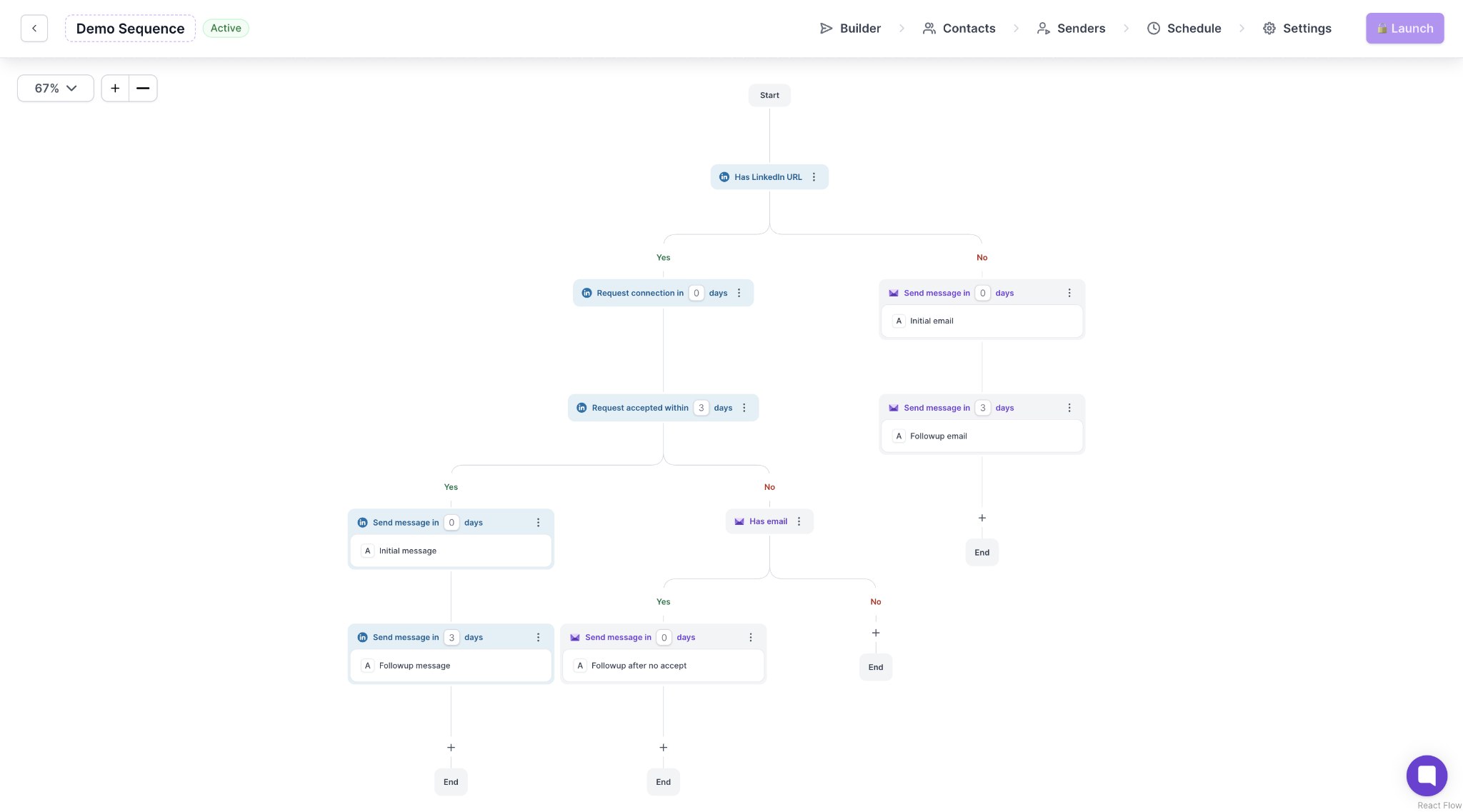
This image shows the Email and LinkedIn sequences by Salesforge
You can build sequences with email and LinkedIn steps. Salesforge Pro supports unlimited email mailboxes and 1 LinkedIn sender. Growth supports unlimited email mailboxes and unlimited LinkedIn senders.
You also get:
Smart Mailbox Rotation to spread email sending across connected mailboxes
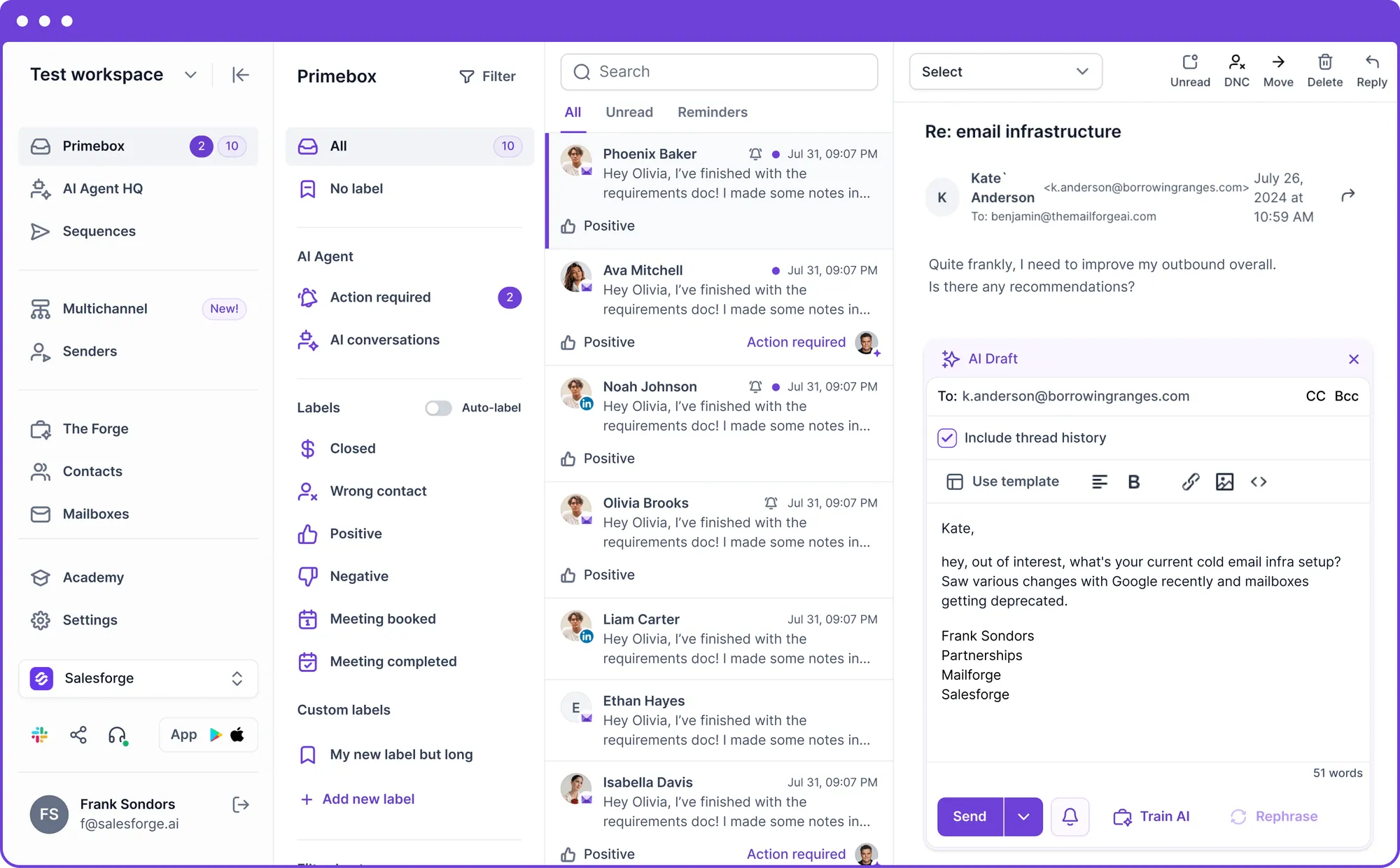
Primebox to manage email and LinkedIn replies in one place
This image shows the Primebox by Salesforge
Unlimited email warmup through Warmforge Premium at no extra cost
Placement testing and mailbox health monitoring through Warmforge Premium
Salesforge starts at $48 per month for Pro. Growth costs $96 per month.
So the reason to choose Salesforge over Warmbly is specific. If cold email alone is enough for you then Warmbly already covers that job. If you want to add LinkedIn to the same outreach sequences then Salesforge gives you more room to do that.
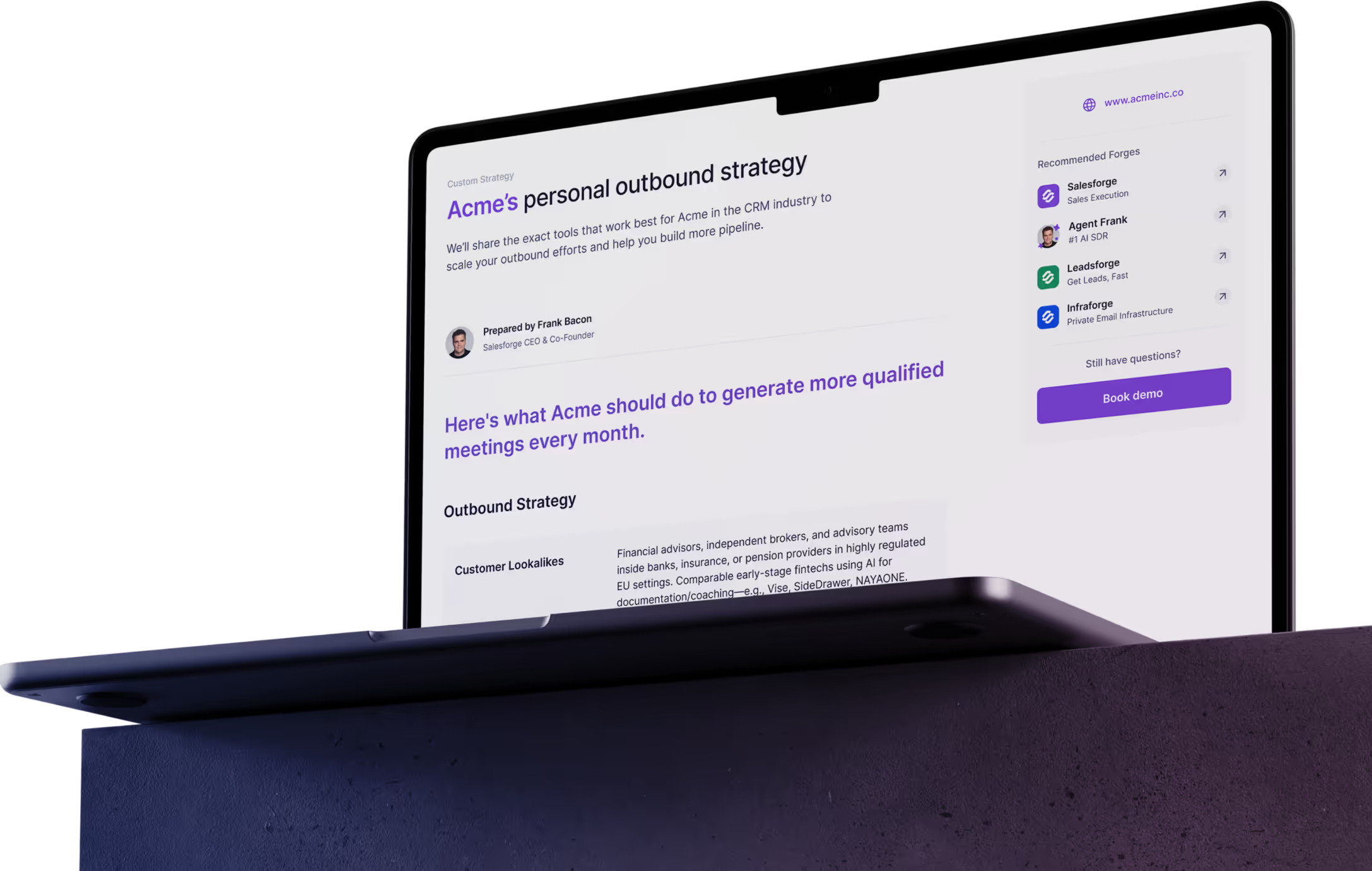
Personalized Outbound Strategy
Get The Right Outbound Strategy In Minutes
Enter your email to get a custom plan & stack recommendation for your
business
It's being carefully crafted by AI
Please check your mailbox in 5 minutes
Conclusion
Warmbly is worth considering if email deliverability is a major concern in your cold outreach.
It gives you warmup and cold email sending in the same platform. More importantly it keeps checking inbox placement after you start sending and can lower volume when a mailbox starts having problems.
But Warmbly cannot fix a bad list or guarantee inbox placement. It also keeps your outreach limited to email. That becomes a limitation if LinkedIn is also part of your outbound.
For that use case Salesforge is the better pick. You can run email and LinkedIn outreach together and get Warmforge Premium included for email warmup and deliverability monitoring.