Mailvery is an email warm-up tool used to prepare inboxes for cold email.
It runs real email interactions in the background to help improve sender reputation.
In this review, we break down how Mailvery actually works, what “unlimited mailboxes” really means, how warm-up limits are applied, and what kind of monitoring you get.
If you’re planning to use Mailvery for cold email, multiple inboxes, or team setups, this guide helps you decide if it fits your needs before you connect your inbox.
Key Takeaways
Start with Warmforge! Get deliverability and warm-up in one place.
Mailvery is an email warm-up and deliverability tool that runs real email interactions inside your inbox to improve your sender reputation.
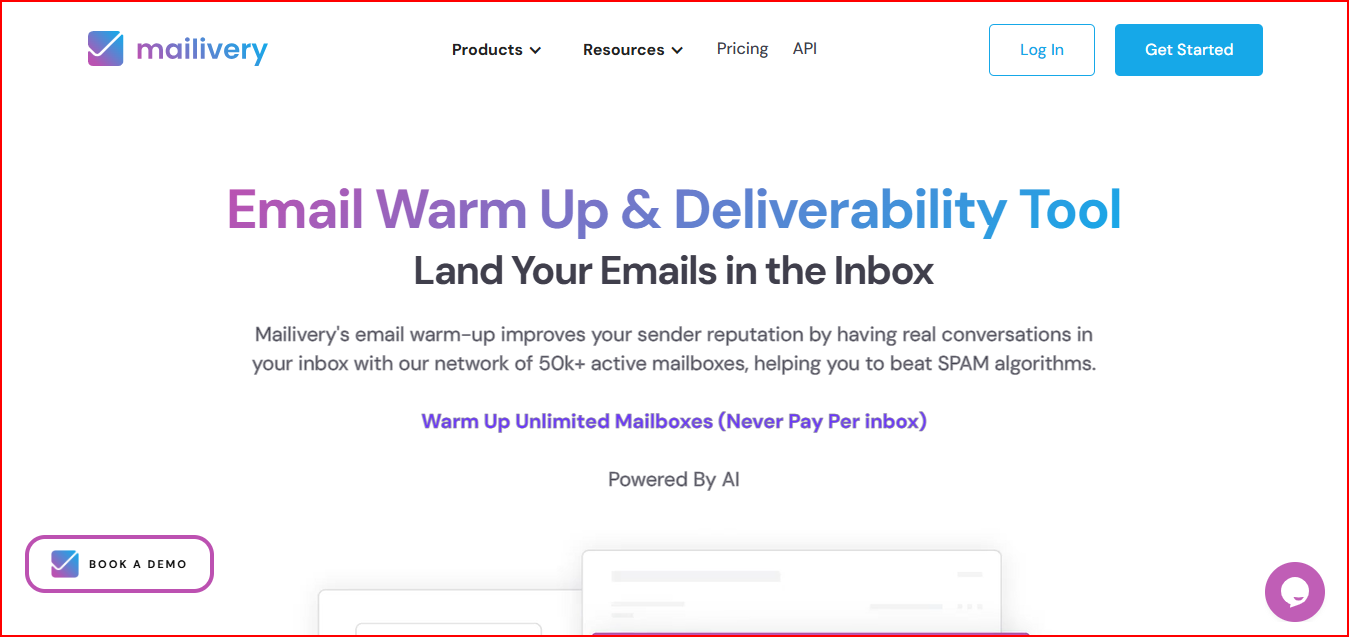
After connecting your email account, Mailvery automatically sends, opens, replies to, and organizes warm-up emails using real inbox-to-inbox interactions.
These actions simulate natural human behavior, helping email providers recognize your account as trustworthy and active.
Mailvery uses AI-generated email content and a peer-to-peer network of real mailboxes.
It supports unlimited inbox connections, includes spam and reputation analytics, and offers blacklist monitoring, email verification, team access, and API support.
In simple terms, Mailvery helps keep your email accounts active and trusted so outreach emails have a better chance of landing in the inbox.
Mailvery handles email warm-up through a set of automatic steps:
You connect your email account to Mailvery so it can start running warm-up activity.
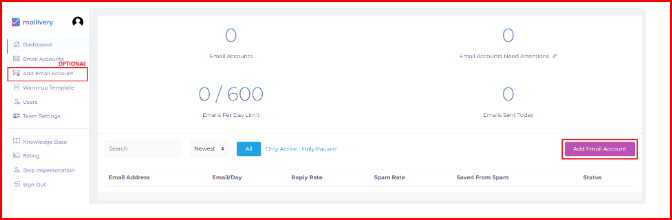
Mailvery automatically sends warm-up emails using its peer-to-peer network of real Mailvery users. These emails are exchanged between real inboxes.
Mailvery generates the warm-up email content using AI so the messages are not repeated or fixed.
Mailvery opens emails, sends positive replies, and moves emails if they land in Spam or Promotions to support sender reputation.
Mailvery shows spam placement and reputation data, along with blacklist status for your domain and IP.
Here are a few important things you should know about Mailvery before committing.
Mailvery allows you to connect unlimited mailboxes on all plans.
But the number of warm-up emails per day is limited and shared across all connected inboxes.
This means if you connect many inboxes, the daily warm-up emails are split between them.
The more inboxes you add, the less warm-up activity each inbox gets unless you increase your plan.
Mailvery’s pricing plans are based on total warm-up emails per day, not per mailbox.
For example, each plan has a fixed daily warm-up limit that is shared across all inboxes under the account.
These limits apply across all connected inboxes.
This directly affects how fast each inbox builds warm-up activity when multiple inboxes are connected.
While you can adjust volume and timing, Mailvery decides how emails are sent, opened, replied to, and moved between folders using its system.
You cannot manually control or customize individual warm-up conversations.
For users who want full manual control over every warm-up action, this is an important limitation to understand.
Mailvery includes spam, reputation, and blacklist monitoring, but the depth and frequency change by plan.
Lower plans monitor fewer blacklists and check them less often, while higher plans monitor more blacklists and check more frequently.
This affects how closely you can track deliverability issues.
Mailvery supports team usage, but the number of users depends on your plan.
If you are working with a team, agency, or shared setup, this limit matters before choosing a plan.
Mailvery pricing is simple and mainly depends on how many warm-up emails you can send per day.
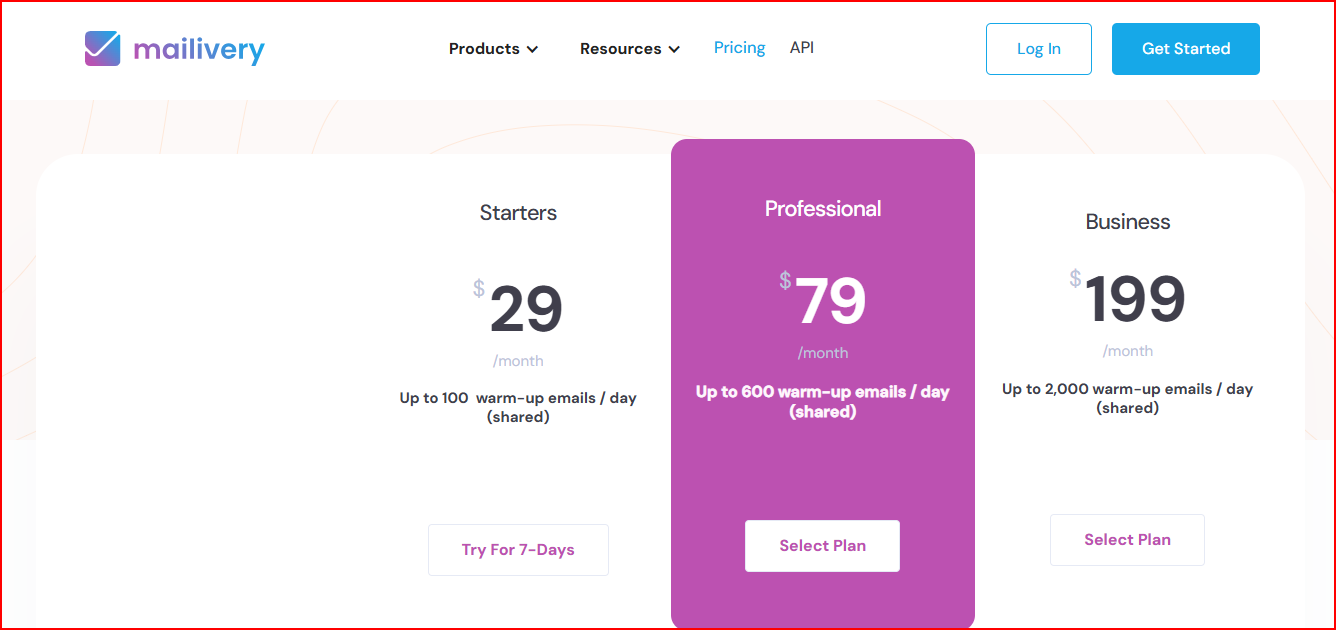
Includes 100 shared warm-up emails per day, unlimited mailboxes, 2 team users, basic blacklist monitoring, and 100 email verification credits.
Includes 600 shared warm-up emails per day, unlimited mailboxes, 4 team users, wider blacklist monitoring with faster checks, and 500 email verification credits.
Includes 2,000 shared warm-up emails per day, unlimited mailboxes, 10 team users, the widest blacklist monitoring with frequent checks, and 2,000 email verification credits.
These are the main reasons Mailvery can be a better choice than other warm-up tools, especially when you compare cost, scale, and daily usage.



Warmforge is warmup and email deliverability tool built to manage warm-up, inbox placement, and sender reputation together.
It keeps warm-up active in the background, runs placement tests to show inbox or spam placement, and checks mailbox health so deliverability issues can be spotted early.
Mailvery works well when your need is limited to email warm-up.
It helps get new inboxes ready and keeps the setup simple, which is useful if you’re just starting with cold email or warming a small number of inboxes.
As cold email becomes a regular part of your workflow, deliverability usually needs more attention than warm-up alone.
Warmforge is designed to manage deliverability continuously, not just during warm-up.
It keeps warm-up running in the background, shows where emails actually land through placement tests, and monitors inbox health.
With pricing based on per mailbox gives clearer control as you scale.
For teams where inbox placement directly affects results, Warmforge fits better in the long run.
Get Warmforge for $9 per mailbox and manage deliverability the right way