It is built more like an email infrastructure platform for teams that want dedicated servers, dedicated IPs, mailbox creation, and DNS setup handled in one place. If you're running outbound at scale, you know it matters. Mailreef helps remove a lot of the manual work involved in getting sending infrastructure live.
But the problem usually starts after the inboxes are created.
A domain can be configured correctly and still land in spam. A mailbox can be warmed up and still perform differently across Gmail, Outlook, and Microsoft 365. A dedicated IP can look clean on paper, while actual inbox placement tells a different story.
That is where Mailreef can start to feel incomplete.
It gives you the infrastructure layer, but many teams also need deeper visibility into what happens once campaigns are running: inbox placement tests, spam folder tracking, mailbox-level health signals, reputation monitoring, and reports they can show to clients or internal teams.
This list covers 5 Mailreef alternatives for teams that need more than mailbox setup.
Some tools focus on warmup quality. Some add inbox placement testing. Some combine deliverability monitoring with sending workflows. The right choice depends on whether your real problem is infrastructure, reputation, placement, or proof.
Quick Verdict: Which Mailreef Alternative Should You Choose?
Tool
Fit
Warmup
Placement Testing
Avoid If
Warmforge
Warmup, Heat Score, mailbox health
Yes
Yes
You need Mailreef-style mailbox/server creation
Warmy
Broad deliverability diagnostics
Yes
Yes
You need public flat pricing
Instantly
Sending plus warmup in one workflow
Yes
Limited by plan/workflow
You want a dedicated deliverability layer only
Lemwarm by lemlist
lemlist users
Yes
Via lemlist deliverability tools
You are not using lemlist
Mailreach
Warmup plus spam tests
Yes
Yes
You want the lowest per-inbox price
Why Users Look for Mailreef Alternatives
Teams usually do not replace Mailreef because they need “a better warmup tool.”
They start looking at alternatives when they realize Mailreef is solving the infrastructure side of the problem, while their real deliverability issue is happening after the inboxes are live.
Mailreef is useful when you want dedicated servers, dedicated IPs, mailbox creation, and DNS setup handled by one vendor. That is its core strength. But if the campaign is already running and emails are still landing in spam, the problem is no longer just mailbox setup.
Users typically look for Mailreef alternatives when:
The mailboxes are created correctly, but Gmail, Outlook, or Microsoft 365 still places emails in spam.
The team wants inbox placement testing before increasing sending volume.
The warmup status looks fine, but reply rates and placement data suggest otherwise.
The sender health view is too limited for client reporting or internal debugging.
The team already uses Google Workspace, Microsoft 365, Mailforge, Primeforge, or Infraforge and does not need another mailbox provider.
The operator wants warmup, placement testing, monitoring, and sending workflows in one place.
Mailreef can still be the right choice if the main requirement is dedicated infrastructure and mailbox provisioning. I would not replace it with a pure warmup or testing tool for that job.
But if the risk is reputation, placement, or visibility after setup, then a different layer of tooling may be needed.
How I Evaluated These Mailreef Alternatives
I evaluated these Mailreef alternatives by what part of the deliverability stack they actually replace.
That distinction matters because Mailreef is not just a warmup product. It sits closer to the infrastructure layer. So the wrong comparison would be to treat every alternative as a direct one-to-one replacement.
A warmup tool does not replace Mailreef’s dedicated servers and mailbox creation. An inbox placement tool does not replace infrastructure. A sending platform with built-in warmup may replace part of the workflow, but not always the underlying mailbox setup.
So I judged each alternative across five practical checks:
Warmup quality: Does the tool create steady, realistic mailbox activity that helps protect sender reputation?
Inbox placement visibility: Can the team see where emails actually land across Gmail, Outlook, Microsoft 365, spam, promotions, or other folders?
Infrastructure fit: Does the tool create mailboxes and sending infrastructure, or does it sit on top of existing inboxes?
Monitoring depth: Does it track DNS, MX records, blacklist status, mailbox health, sender reputation, and domain-level risks?
Workflow and cost: Does the pricing make sense for the number of inboxes, domains, senders, clients, and campaigns being managed?
The goal was not to find five tools that do the same thing as Mailreef.
The goal was to show which tool makes sense depending on the actual bottleneck: infrastructure, warmup, placement testing, monitoring, or sending workflow.
5 Best Mailreef Alternatives For Email WarmUp and Inbox Placement
Tool
Fit
Warmup
Placement Testing
Infrastructure Included
Pricing Note
Warmforge
Warmup, Heat Score, health checks
Yes
Yes
No
Paid slot pricing not publicly listed; 1 free warming slot and 1 free placement test
Warmy
Deliverability tools and expert help
Yes
Yes
No
Volume-based/custom; 7-day trial listed
Instantly
Sending plus warmup
Yes
Some deliverability controls
No dedicated Mailreef-style server
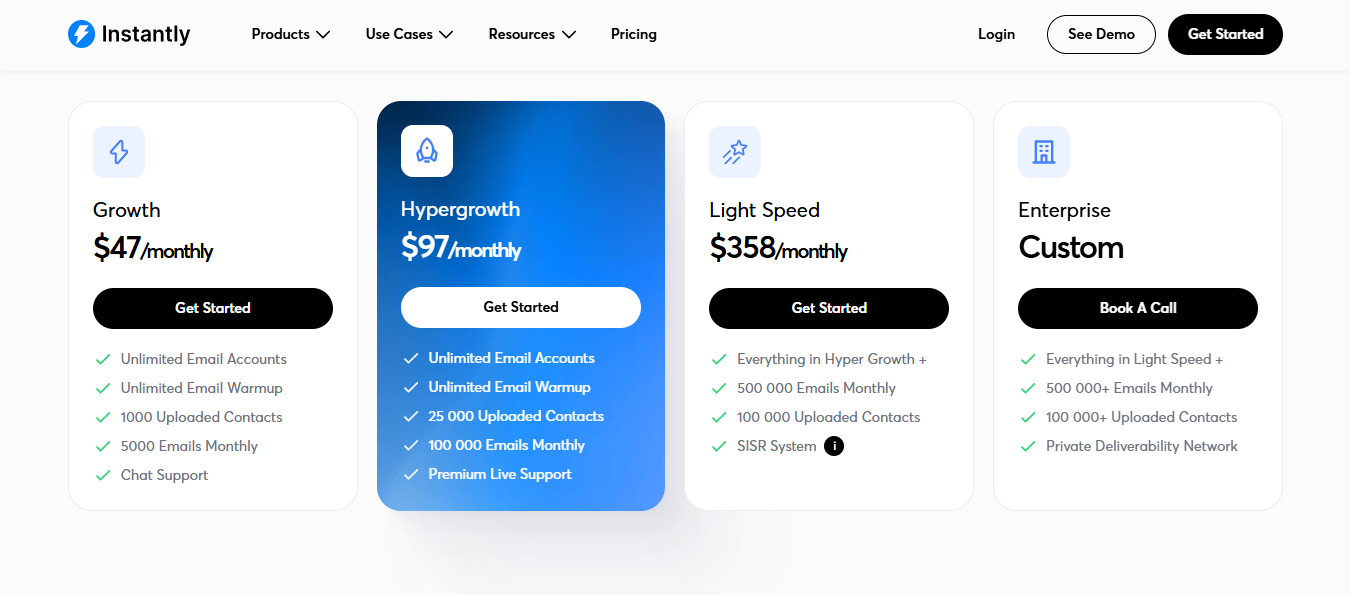
Outreach Growth is listed at $37.6/monthly
Lemwarm
lemlist users
Yes
Via the Lemlist deliverability hub
Lemlist has email/domain setup features
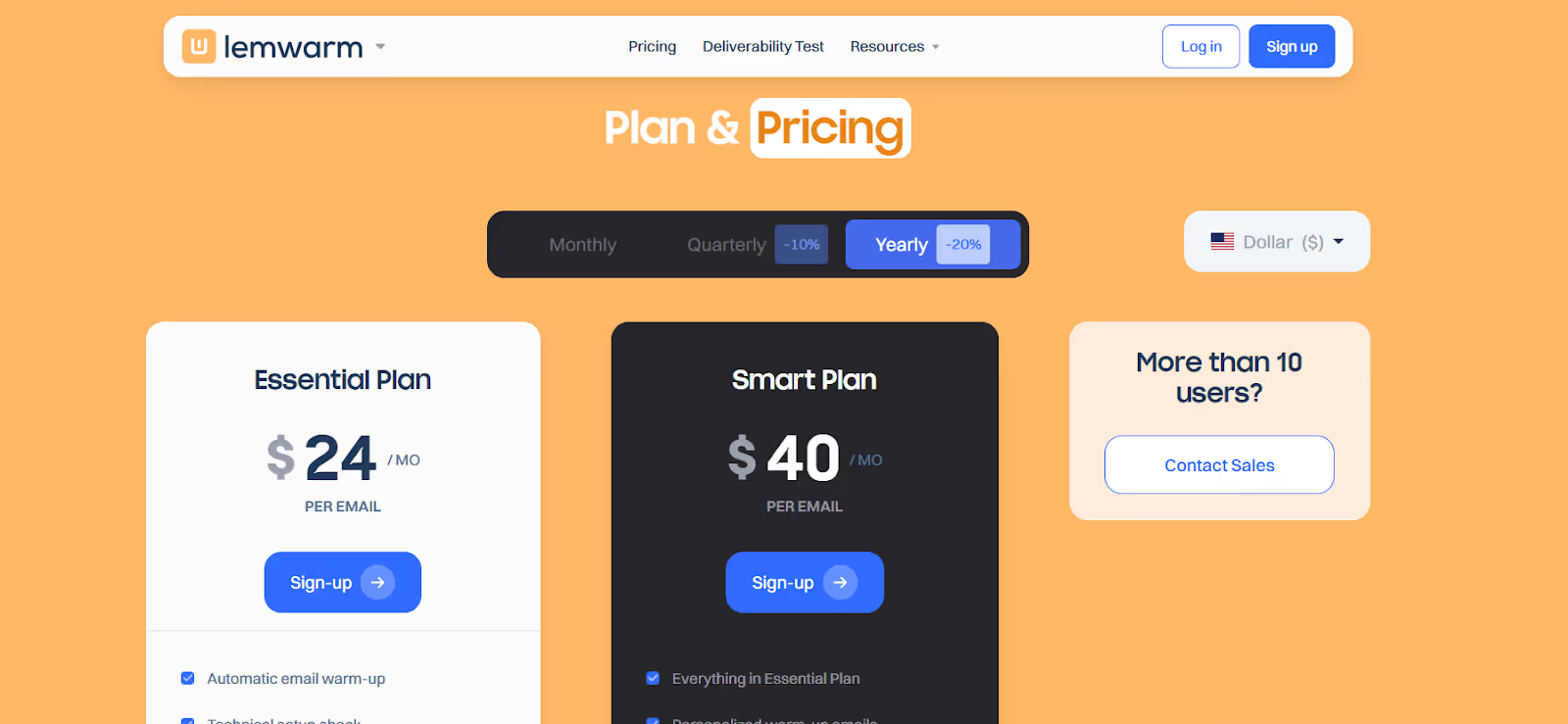
Email plan from $39 monthly or $31 yearly
Warmup Inbox
Budget warmup
Yes
Reputation scoring and alerts
No
$15 per inbox
Mailreach
Warmup plus spam testing
Yes
Yes
No
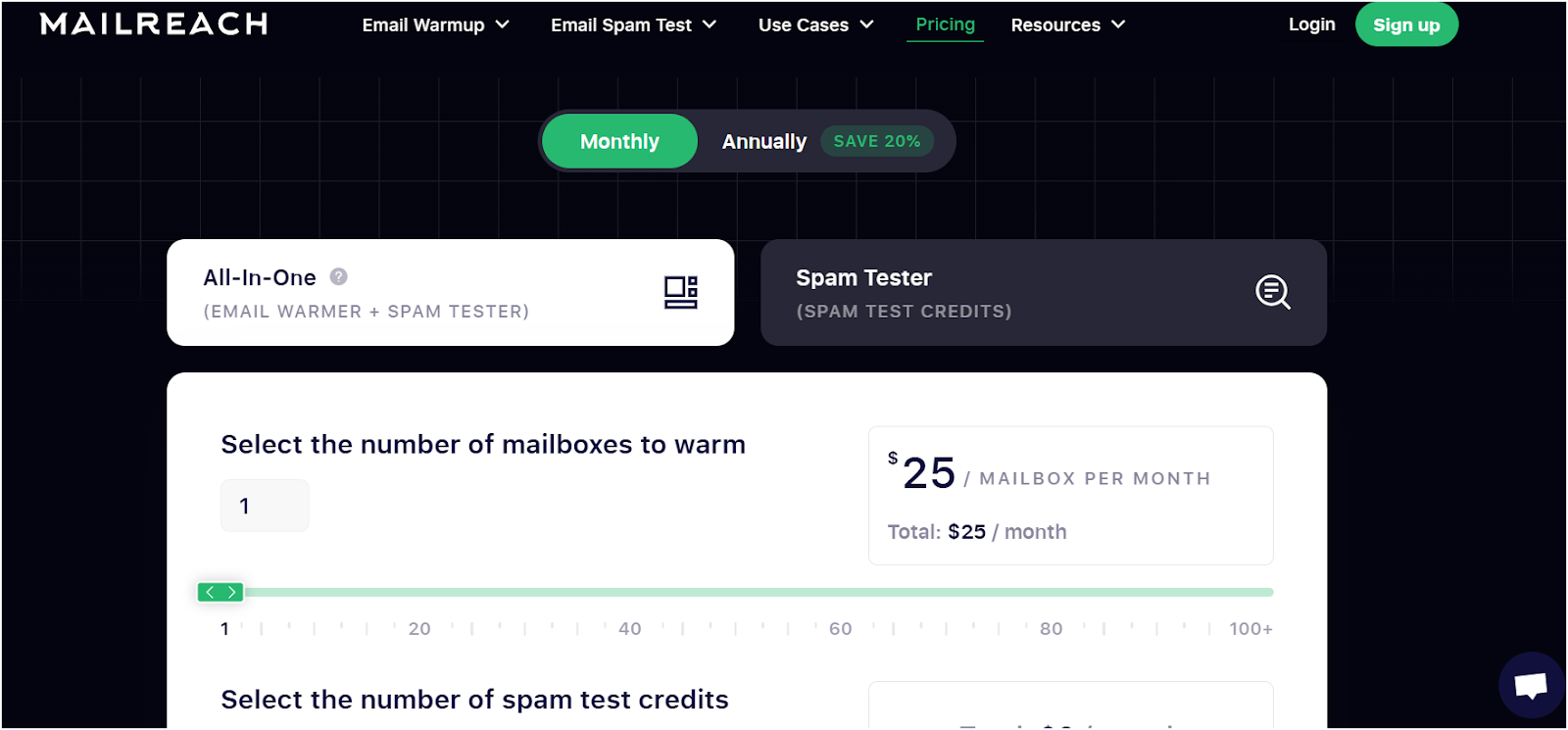
All-in-one around $25/month per mailbox monthly
Folderly
Remediation and monitoring
Yes
Yes
No
Demo-led; public homepage does not show flat pricing
1. Warmforge: Best for Warmup, Heat Score Monitoring, and Placement Tests
This image shows the Warmforge Homepage
Warmforge is the first pick when the Mailreef switch is about warmup or inbox placement, not mailbox infrastructure.
It warms mailboxes, shows a Heat Score for each mailbox, runs placement tests, checks DNS/MX and blacklist status, and supports Google Workspace and Microsoft 365 mailboxes.
This image shows the Warmup in Warmforge
The recommended warmup period is at least 2 weeks before prospecting, with warmup kept running afterward.
That is the outbound order that holds up. Infrastructure first. Warmup second. Clean list third. Personalized copy fourth. Volume last.
Warmforge sits in the warmup and monitoring layer. If you use Mailforge, Primeforge, or Infraforge for infrastructure, Warmforge tells you whether those mailboxes are ready to send from. Once they are, Salesforge handles the outreach.
This image shows the User review
Multi-channel sequences across email and LinkedIn, replies managed through Primebox, and Agent Frank running the full SDR workflow from prospecting to booked meetings without your team touching it until a conversation is ready.
Key Features
Email warmup for Google Workspace and Microsoft 365 mailboxes with a recommended 14-day warmup period
Heat Score monitoring shows mailbox health in real time. Target score is 85 or above before sending
Inbox placement tests showing where emails land across providers before campaigns go live
SPF, DKIM, and DMARC health checks run automatically on connected mailboxes
DNS/MX checks and blacklist monitoring for every mailbox in the account
First workspace perk: 1 free warming slot and 1 free placement test per month
Pricing
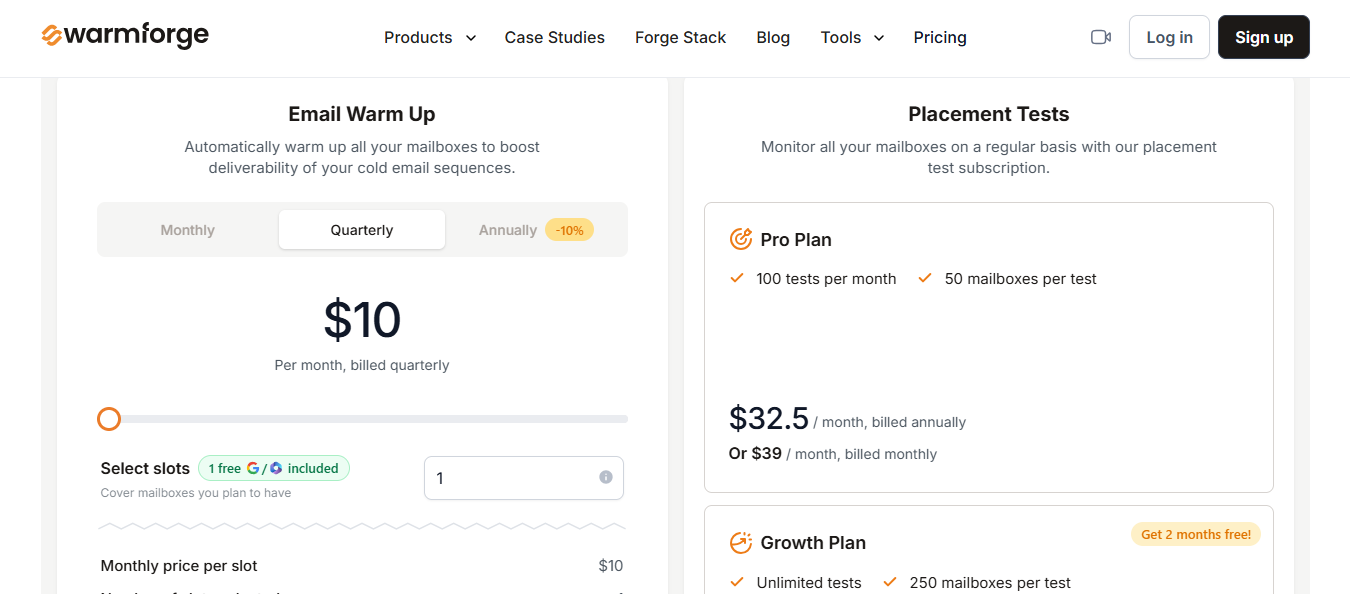
This image shows the Warmforge Pricing
1 free warming slot included
Email Warm Up: $10/slot/month, billed quarterly
Placement Tests Pro: $32.50/month (annual) or $39/month. 100 tests/month, 50 mailboxes per test
Placement Tests Growth: $140.80/month (annual) or $169/month. Unlimited tests, 250 mailboxes per test
Pros
Heat Score gives a direct mailbox-level signal before volume goes out
Placement tests show where emails land across providers, not just a generic spam score
Health checks cover DNS, MX, and blacklist status in the same view
Clean fit for Google Workspace, Microsoft 365, and Forge stack mailboxes
Cons
Not a direct Mailreef server or mailbox creation replacement
Best fit is Google Workspace and Microsoft 365. Check nonstandard providers before building the workflow around them
No free trial for mailbox slots, though a free placement test is available on the first workspace
Personalized Outbound Strategy
Get The Right Outbound Strategy In Minutes
Enter your email to get a custom plan & stack recommendation for your business
It's being carefully crafted by AI
Please check your mailbox in 5 minutes
2. Warmy: Best for Broad Deliverability Tools and Multilingual Warmup
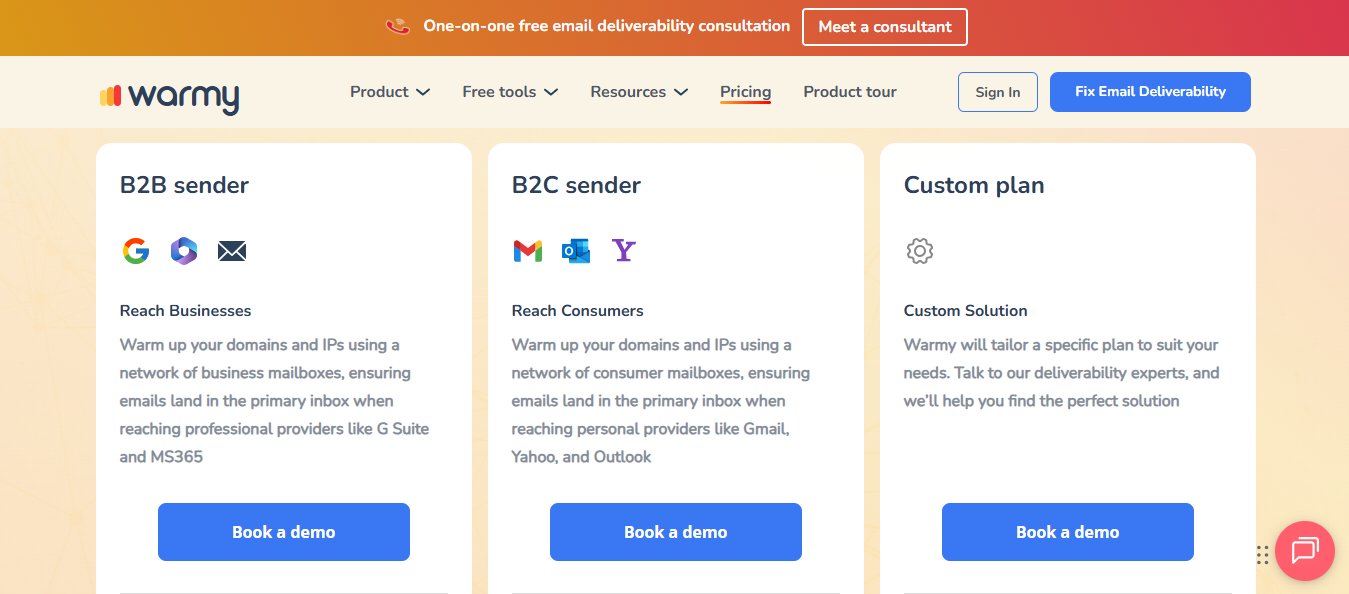
This image shows the Warmy Homepage
Warmy is the comparison to make when the team wants a standalone warmup vendor outside the Forge ecosystem.
It covers more ground than most warmup tools. Automated warmup, advanced seed lists, domain health monitoring, DNS checks, and a free tool suite are available without an account.
For teams that need warmup coverage across 30-plus languages or want more control over warmup distribution, Warmy has more configuration depth than most alternatives at this price point.
Key Features
Automated warmup simulating human-like email interactions across connected mailboxes
Customizable warmup schedules including email volume, reply rates, and ramp-up settings
Deliverability score with real-time inbox placement and sender reputation tracking
Multiple email opens per message to mimic genuine engagement
Reporting dashboard tracking inbox versus spam placement across mailboxes
Compatible with Gmail, Outlook, Zoho, and other major email providers
Pricing
This image shows the Warmy Pricing
Demo-led, volume-based pricing
No public per-slot table available. Pricing is confirmed after a demo
Pros
Good fit for teams that want a standalone warmup vendor outside the Forge stack
Google Postmaster integration helps when domain reputation is part of the reporting workflow
Demo-led pricing can work for higher-volume teams
Cons
Does not solve mailbox procurement, so it is not a direct Inframail replacement
Public pricing is not clear for users who want to model the cost per slot before a call
Less natural if Mailforge, Infraforge, Primeforge, or Salesforge already runs the rest of the outbound stack
3. Instantly: Sending Plus Warmup in One Workflow
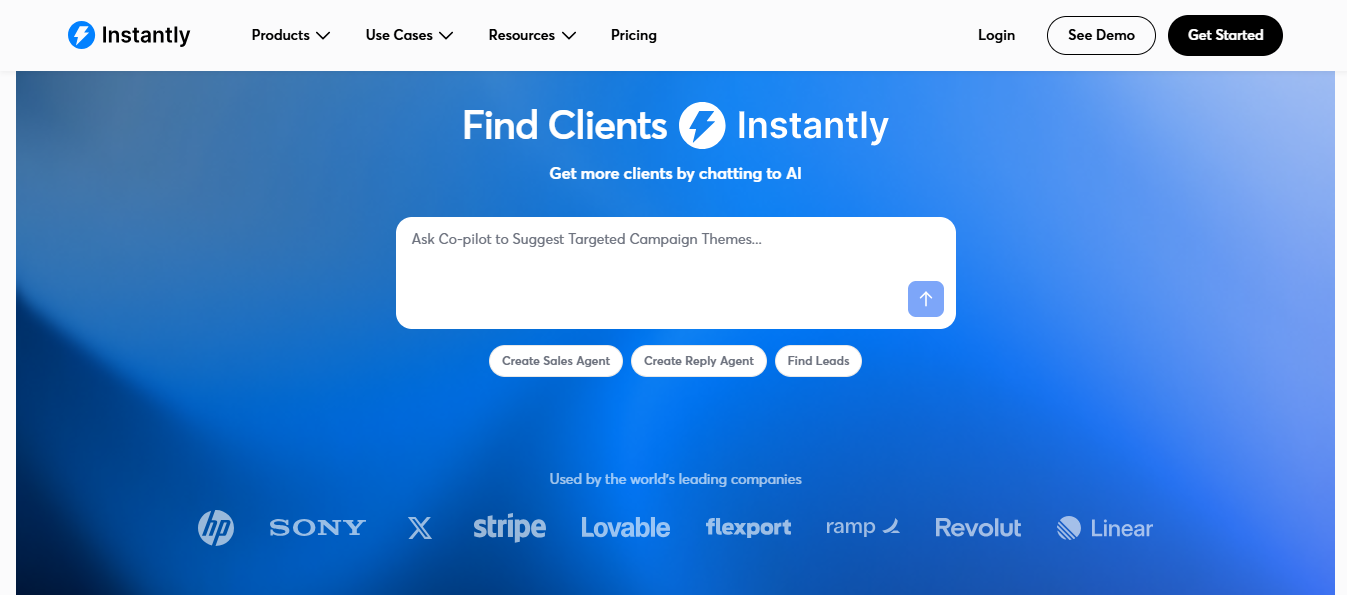
This image shows the Instantly Homepage
Instantly is the pick when you want cold email sending and warmup running inside the same product.
Connect inboxes, build sequences, let the warmup run in the background, and manage replies from one place.
The warmup pool claims over one million real email accounts, and the setup requires no configuration once inboxes are connected.
Inbox Placement Test add-on: $37.60/month (annual)
SuperSearch add-on: from $37.60/month (annual)
CRM add-on: from $37.90/month (annual)
Pros
Unlimited inboxes and unlimited warmup are included on every Outreach plan
Clean cold email sequence builder with multi-inbox sending
Strong integration library with HubSpot, Salesforce, Zapier, and API access
Cons
Email only. No native LinkedIn outreach or unified inbox across channels
Warmup dashboard scores have not reliably reflected real inbox placement in 2026
Inbox Placement Test is a paid add-on, not included in the base Outreach plan
4. Lemwarm
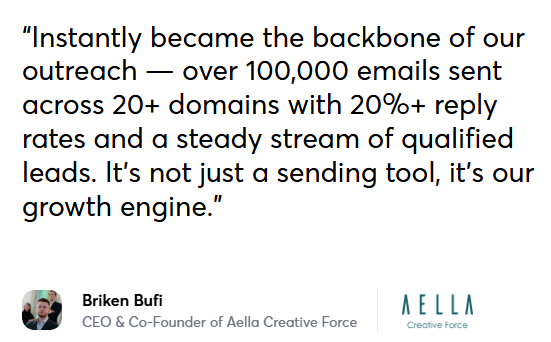
This image shows the Lemwarm Homepage
Lemwarm makes sense when your team already runs outreach inside Lemlist. The warmup is attached to the workflow you already use.
Lemwarm gradually increases email activity across connected accounts, mimics real conversations through replies and forwards, and marks emails as important to build sender reputation with email providers.
The Smart Plan adds personalized warmup emails that mirror your actual outreach templates, which keeps the warmup signal closer to how your real campaigns behave.
The fit is narrow but clean. If lemlist is already your sender, adding Lemwarm keeps the deliverability layer inside the same ecosystem without a separate vendor to manage.
Key Features
Automated email warmup with gradual volume increase across connected accounts
Human-like warmup emails simulating real replies, forwards, and engagement signals
Access to a warmup network with 20,000 or more healthy domains
Technical setup check covering SPF, DKIM, DMARC, and MX records
Deliverability reports tracking inbox placement and sender reputation
Smart Cluster for sending personalized warmup emails that mirror real outreach templates
Custom deliverability alerts and industry-specific warmup network on the Smart Plan
Clean fit for teams already running outreach inside Lemlist
Smart Cluster warmup mirrors actual email templates, keeping warmup behavior closer to real campaigns
Technical setup check covers authentication records before warmup begins
Cons
Less attractive if your team does not use Lemlist as the primary sender
Pricing is per email account, which adds up quickly for teams managing wide mailbox portfolios
Dashboard has been flagged by users as cluttered and harder to read than simpler warmup tools
5. Mailreach: Warmup Plus Spam Testing
This image shows the Mailreach Homepage
Mailreach is a good fit for teams that want warmup and inbox placement testing to run within the same deliverability workflow.
It connects to your email account, sends human-like warmup emails, generates smart replies, and monitors sender reputation in the background.
Beyond warmup, it tracks where emails land across inbox providers, checks blacklist status, and flags SPF, DKIM, and DMARC issues before they affect live campaigns.
The Spam Tester plan is separate from the warmup plan, so teams that only need placement testing without warmup can buy that layer independently.
For teams that need both, the all-in-one warmup plan covers inbox health checks, blacklist monitoring, and up to 100 warmup emails per day across Gmail, Outlook, and custom SMTP setups.
Pricing is per mailbox, which adds up at scale. Ten or more mailboxes on monthly billing puts the cost well above most alternatives on this list.
Smart replies generate realistic engagement signals to build sender trust over time
Inbox placement tracking showing whether emails land in primary, promotions, or spam
Blacklist monitoring with alerts when a domain or IP appears on a major blacklist
SPF, DKIM, and DMARC checks flag authentication issues before campaigns go out
AI-powered Co-Pilot for adjusting warmup logic without manual configuration
Spam Tester plan with 200 spam test credits, inbox placement checker, and Slack or webhook alerts
Compatible with Gmail, Outlook, Zoho, and custom SMTP setups
Pricing
This image shows the Mailreach Pricing
All-in-One Warmup: $25/mailbox/month or $20/mailbox/month (annual)
Spam Tester: $54/month or $43.20/month (annual). 200 spam test credits, blacklist monitoring, SPF/DKIM/DMARC checks
Enterprise: custom pricing for agencies managing 100 or more mailboxes
Pros
Inbox placement view breaks down primary, promotions, and spam by provider
Blacklist monitoring and DNS checks run alongside warmup in the same dashboard
Compatible with Gmail, Outlook, Zoho, and custom SMTP setups
Cons
No free trial. Full warmup access requires a paid plan from day one
UI has been flagged by users as dated and slower to navigate than alternatives
Does not include sending logic, reply handling, or campaign workflows
Personalized Outbound Strategy
Get The Right Outbound Strategy In Minutes
Enter your email to get a custom plan & stack recommendation for your
business
It's being carefully crafted by AI
Please check your mailbox in 5 minutes
Conclusion
Mailreef is useful when your priority is building outbound infrastructure from the ground up.
But alternatives make sense when the setup is already done and the bigger question is performance: inbox placement, sender health, reputation signals, and campaign readiness.
The best choice depends on what you need next:
Choose Warmforge if you already have mailboxes and need warmup, Heat Score monitoring, DNS checks, blacklist tracking, and placement tests.
Choose Warmy if you want a standalone deliverability platform with broader warmup and testing features.
Choose Instantly if you want warmup inside the same tool where your cold email campaigns run.
Choose Lemwarm if your team is already using lemlist and wants a simple native warmup add-on.
Choose Mailreach if spam testing and warmup are your main deliverability checks.
So the decision is not really “Mailreef vs every warmup tool.”
It is about which part of your outbound stack needs help.
If you need infrastructure, Mailreef can still fit. If you need visibility before scaling campaigns, Warmforge is the stronger option.