Inframail gets the mailboxes live. It does not tell you what happens after.
Are these mailboxes actually ready to send from?
Why is Gmail placement different from Outlook?
Why is the warmup signal showing green when replies are dropping?
Why is a client asking for deliverability proof that does not exist anywhere in the dashboard?
Inframail solves the capacity problem. Unlimited inboxes, dedicated US IPs, automated setup. That is useful. But the moment volume goes up, capacity stops being the hard part.
Readiness is the hard part.
This list covers 7 tools that solve different pieces of that problem. Some provision mailboxes. Some warm and monitor them. Some do both.
The right pick depends on which part of your outbound is creating the risk right now.
Most users compare Inframail after the first infrastructure question is already answered.
They have mailboxes. They have domains. SPF, DKIM, and DMARC setup is no longer scary.
The scary part is this: “Are these inboxes still healthy enough to send from?”
Inframail positions itself around cold-email infrastructure and offers two plans: Unlimited at $129/month and Agency Pack at $327/month.
Both include unlimited email inboxes, unlimited domain setups per day, dedicated US IPs, setup automation, priority support, and API access, with annual pricing discounted by 30% for Inframail sending capacity and plans.
That is useful if the job is capacity. But capacity is not the same as readiness.
Google and Microsoft placement behaves differently
Users want dedicated IP control
Reporting is too thin for client work
Pricing stops fitting the account model
Stay with Inframail if mailbox volume matters more than diagnostics. Add Warmforge if monitoring is the gap.
How I evaluated these Inframail alternatives
I evaluated each tool by the switch reason that matters after Inframail starts feeling limiting. The question is: what part of the outbound system is creating risk?
I used five criteria:
Deliverability visibility: Does the tool show mailbox health, heat score, placement results, blacklist checks, or authentication checks?
Infrastructure role: Does it sell mailboxes, domains, IPs, or improve the infrastructure the sender already owns?
Scale control: Can an agency manage many mailboxes, domains, clients, or providers without losing the signal?
Provider fit: Does it support Google, Microsoft, SMTP, Outlook-heavy workflows, shared IPs, dedicated IPs, or mixed setups?
Cost and switching risk: Is pricing public and tied to slots, mailboxes, sends, domains, or custom plans?
For deliverability-first senders, the winner is not always a direct Inframail clone. Warmforge wins when the job is knowing when a mailbox is ready and what to fix before a campaign burns.
7 Inframail alternatives for deliverability-first senders (comparison table)
Tool
Switch If
Main Deliverability Job
Mailbox/Infrastructure Included?
Pricing Note
Avoid If
Infraforge
You need dedicated IP control and private infrastructure
Private infrastructure, dedicated IPs, automated DNS setup
Yes
Mailboxes at $4/month billed yearly, IPs $99/month billed quarterly
You do not have the volume or discipline for dedicated IP management
Mailforge
You need shared cold-email infrastructure
DNS setup, inbox hosting, mailbox slots
Yes
Mailboxes at $3/month billed yearly
You need dedicated IP control
Mailreef
You want dedicated mailbox support
Dedicated server, IP, monitoring, support
Yes
From $240/month annual commitment plus send fee
You want low entry cost
Zapmail
You want a Google or Microsoft mailbox setup
Pre-warmed mailboxes, DNS setup, placement credits
Yes
Starter $39/month with 10 Google mailboxes
You need deep warmup controls
Maildoso
You want SMTP plus Google Mailbox options
SMTP, Google Workspace, IP rotation, placement tests
Yes
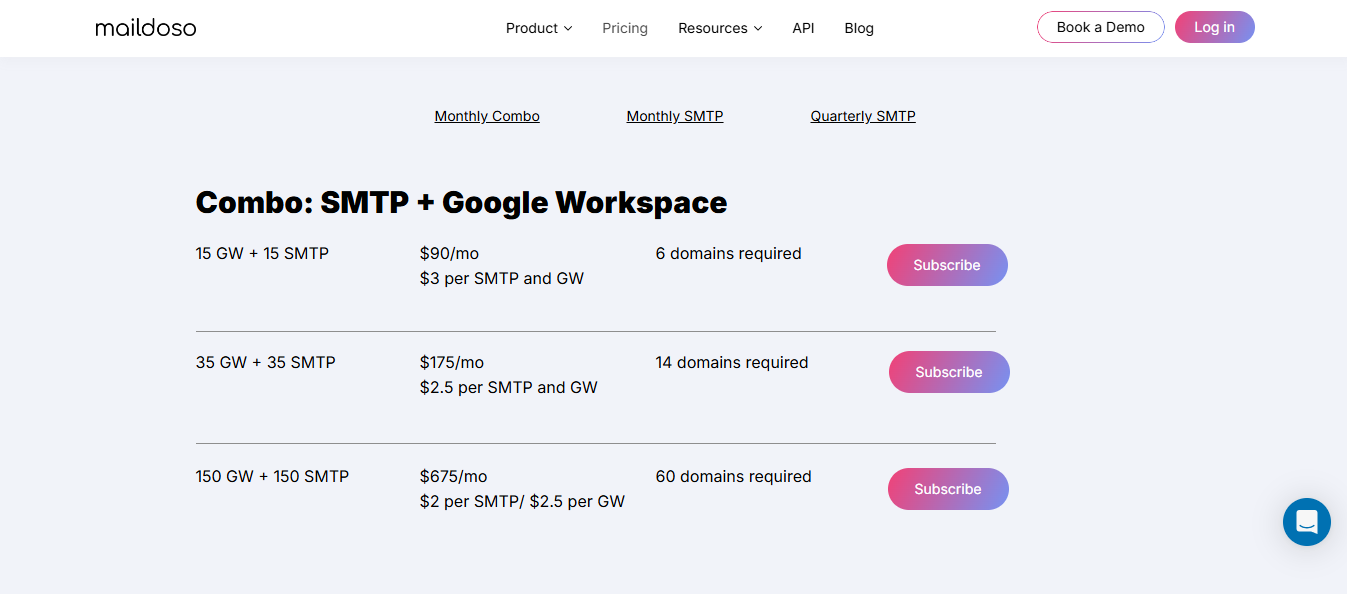
SMTP plans from $75/month, combo from $90/month
You need only a monitoring layer
Puzzle Inbox
You want Outlook plus Google diversity
Pre-warmed inboxes, DNS setup, provider choice
Yes
Outlook from $0.35/inbox, Google from $3/inbox
You need live warmup diagnostics
Infraboxes
You want affordable Private SMTP with strong deliverability
Placement Tests, DNS setup, provider choice
Yes
SMTP from $3.5/inbox, Google from $2.5/inbox
You need to do it on scale
1. Infraforge: Pick for dedicated IP infrastructure control
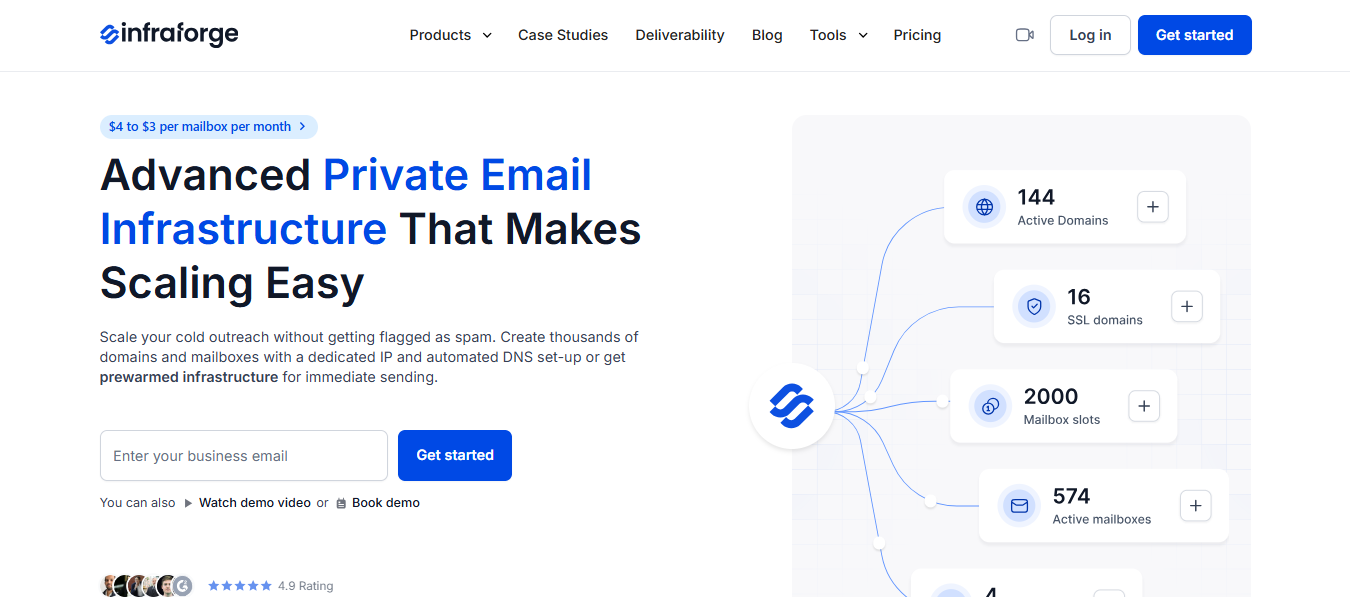
This image shows the Infraforge Homepage
Infraforge is the first pick when shared infrastructure is the wrong risk model for your sending setup.
That is the common switch point from Inframail. The operator needs dedicated IP control, cleaner reputation isolation, and more visibility into what is happening at the infrastructure level before campaigns scale.
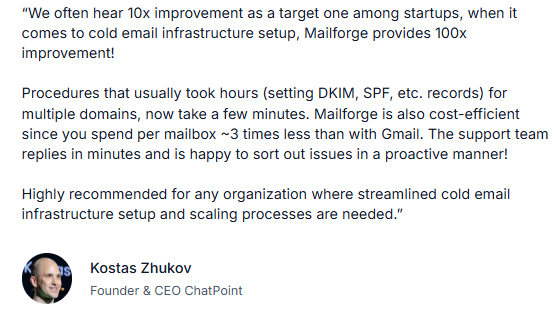
This image shows the User Review
Infraforge provides private email infrastructure with dedicated IPs, automated DNS setup, and API access. You own the IP reputation.
Bad lists and uneven sending patterns affect your IP only, which means discipline matters more here than on shared infrastructure.
Once the infrastructure is set up and mailboxes are ready, Salesforge is where the outreach runs.
Multi-channel sequences across email and LinkedIn, replies managed through Primebox, and Agent Frank handling the full SDR workflow from prospecting to booked meetings.
The path for Forge stack users is clean. Build mailboxes in Infraforge. Warm and monitor them in Warmforge. Send through Salesforge.
Key Features
Private email infrastructure with dedicated IPs for full sender reputation control
Automated DNS setup for every domain and mailbox added to the account
API access for programmatic mailbox provisioning and custom integrations
IP address add-ons for senders who need additional sending capacity
Masterbox for workspace-level mailbox visibility across the account
Minimum of 10 mailbox slots with .com domains available
Pricing
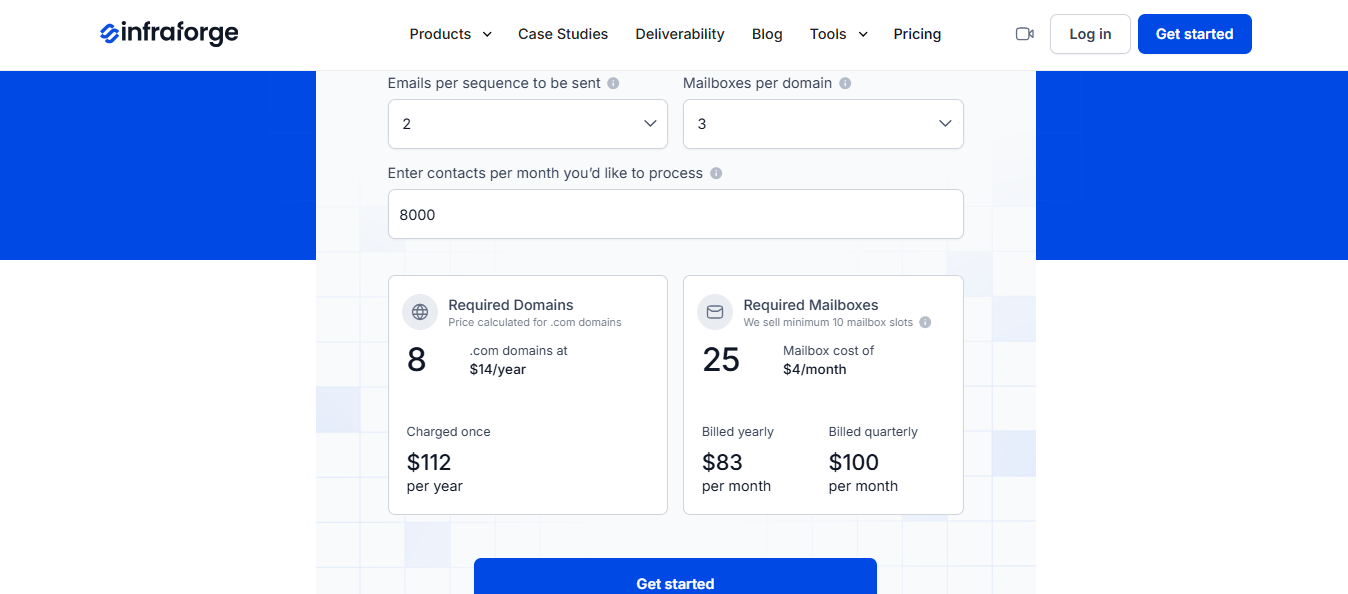
This image shows the Infraforge Pricing
Domains: $14/year for .com
Mailboxes: $4/month, billed yearly
Minimum of 10 mailbox slots
IP addresses: $99/month, billed quarterly
Masterbox: from $7/workspace/month, billed annually
Pros
Dedicated IP control gives serious senders full ownership of sender reputation
Automated DNS setup removes a common failure point for SPF, DKIM, and DMARC configuration
Pairs cleanly with Warmforge for placement checks and blacklist monitoring after setup
API access makes mailbox provisioning scalable without manual steps
Cons
Dedicated IPs add responsibility. Bad lists and uneven sending patterns can damage a private IP
Not the right first move for a sender with low volume
Higher setup discipline required compared to shared mailbox infrastructure
Personalized Outbound Strategy
Get The Right Outbound Strategy In Minutes
Enter your email to get a custom plan & stack recommendation for your
business
It's being carefully crafted by AI
Please check your mailbox in 5 minutes
2. Mailforge: Pick for shared cold-email infrastructure setup
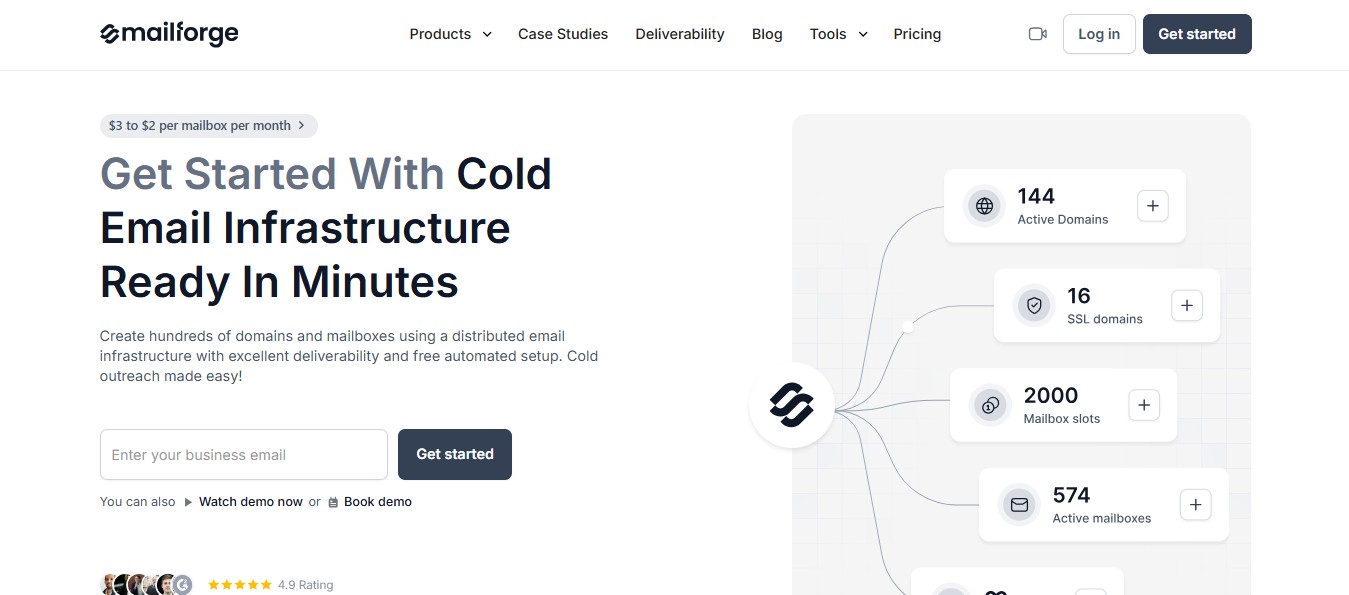
This image shows the Mailforge Homepage
Mailforge wins when the Inframail alternative needs to create mailboxes. It sells shared cold-email infrastructure with automated DNS setup, inbox hosting, domain buying, and mailbox slots.
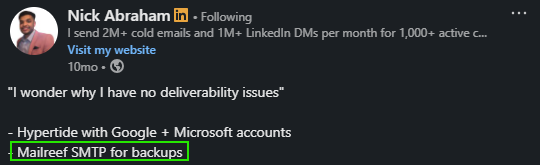
This image shows the User Review
The natural pairing here is Mailforge for infrastructure and Warmforge for warmup and monitoring. Mailforge creates the inboxes. Warmforge confirms they are ready to send from.
Key Features
Shared cold-email infrastructure with automated DNS setup
Inbox hosting and domain purchasing are included
SPF, DKIM, and DMARC are configured automatically
Mailbox slots with a minimum of 10
Recommended 2 to 3 mailboxes per domain, 30 emails per mailbox per day
Pricing
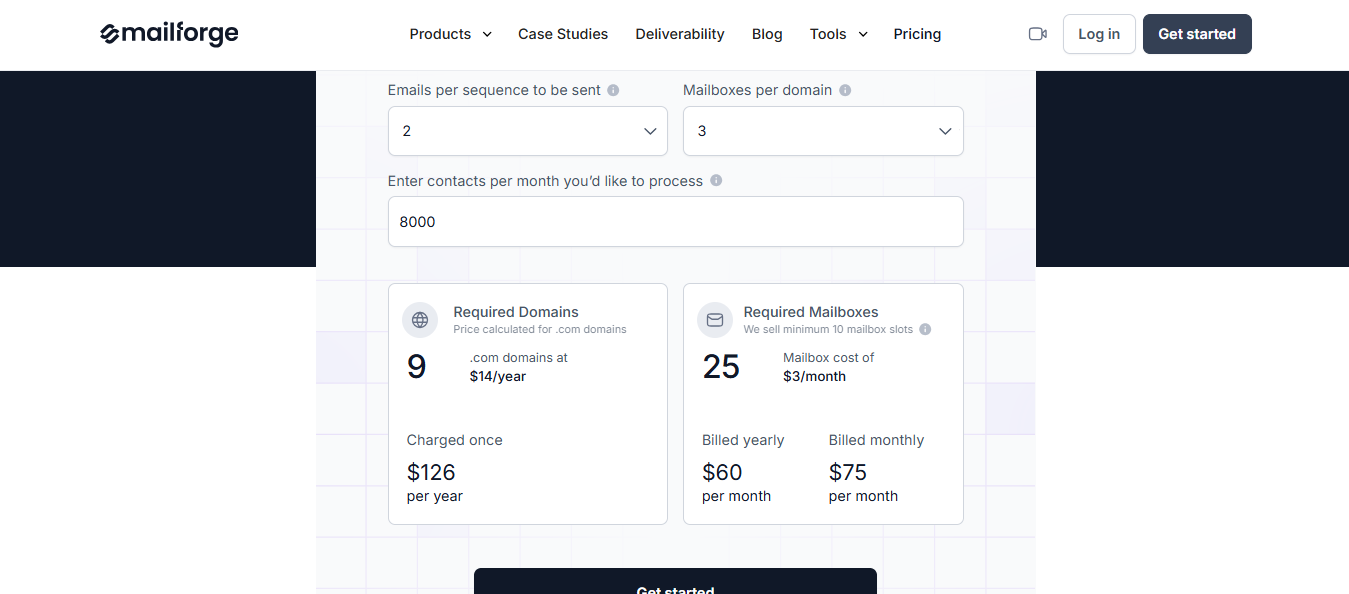
This image shows the Mailforge Pricing
Domains: $14/year for .com
Mailboxes: $3/month, billed yearly
Minimum of 10 mailbox slots
Pros
Strong fit for agencies building shared cold-email infrastructure from scratch
Automated DNS setup removes a common failure point for authentication records
Natural pair with Warmforge for warmup and placement monitoring after setup
Cons
Shared infrastructure is not dedicated to IP control
Does not replace a warmup and placement-monitoring workflow by itself
Minimum mailbox slots make less sense for a sender testing only a few inboxes
3. Mailreef: Pick for dedicated mailbox infrastructure with support
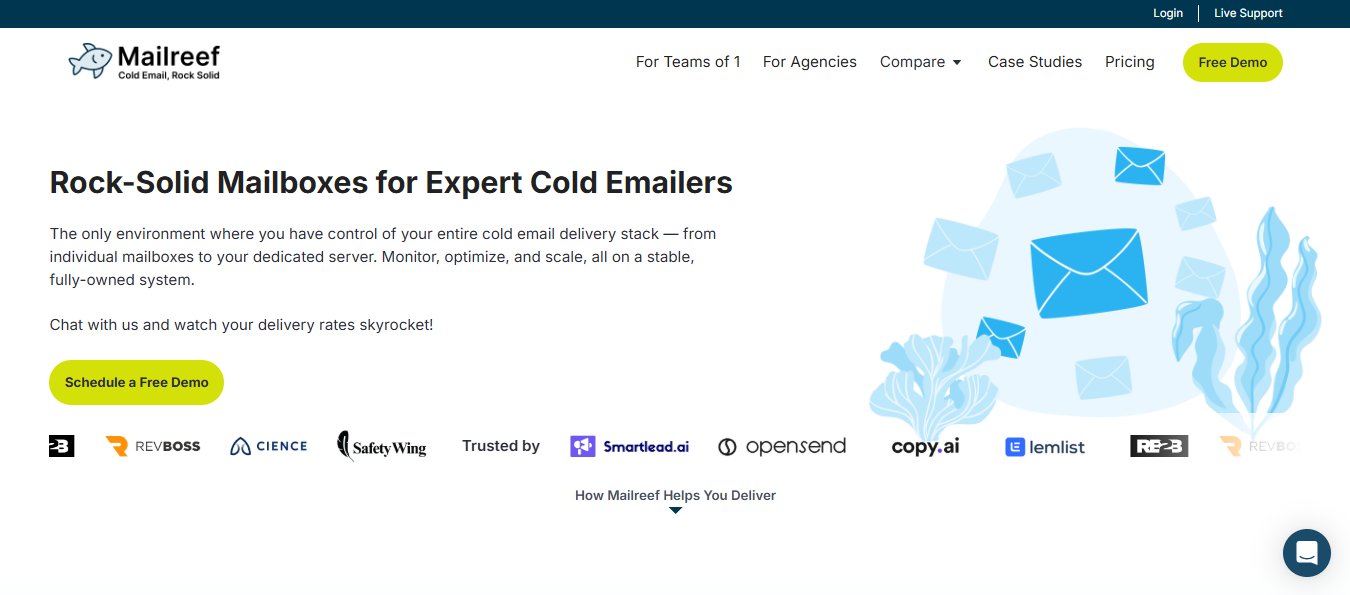
This image shows the Mailreef Homepage
Mailreef is for users who want a managed dedicated environment and hands-on support around it.
It is built for agencies and outbound teams that spin up large sending environments frequently and need mailbox provisioning, DNS configuration, and dedicated IP setup handled without manual work at each step.
The platform automates mailbox and domain deployment, configures SPF, DKIM, and DMARC on setup, and isolates sending reputation through dedicated cold email IPs.
API access and Zapier integration make it possible to provision mailboxes programmatically and connect directly to outreach tools without manual steps in between.
Key Features
Automated mailbox and domain provisioning with preconfigured DNS records on setup
SPF, DKIM, and DMARC auto-configuration for every domain added to the account
Dedicated cold email IPs to isolate sending reputation from other senders
Unlimited mailboxes across the account without inbox or domain caps
API and Zapier integration for programmatic mailbox creation and outreach tool connection
Centralized dashboard for managing domains, mailboxes, and performance metrics
Native integrations with Smartlead and Instantly for direct sequencer connection
Pricing
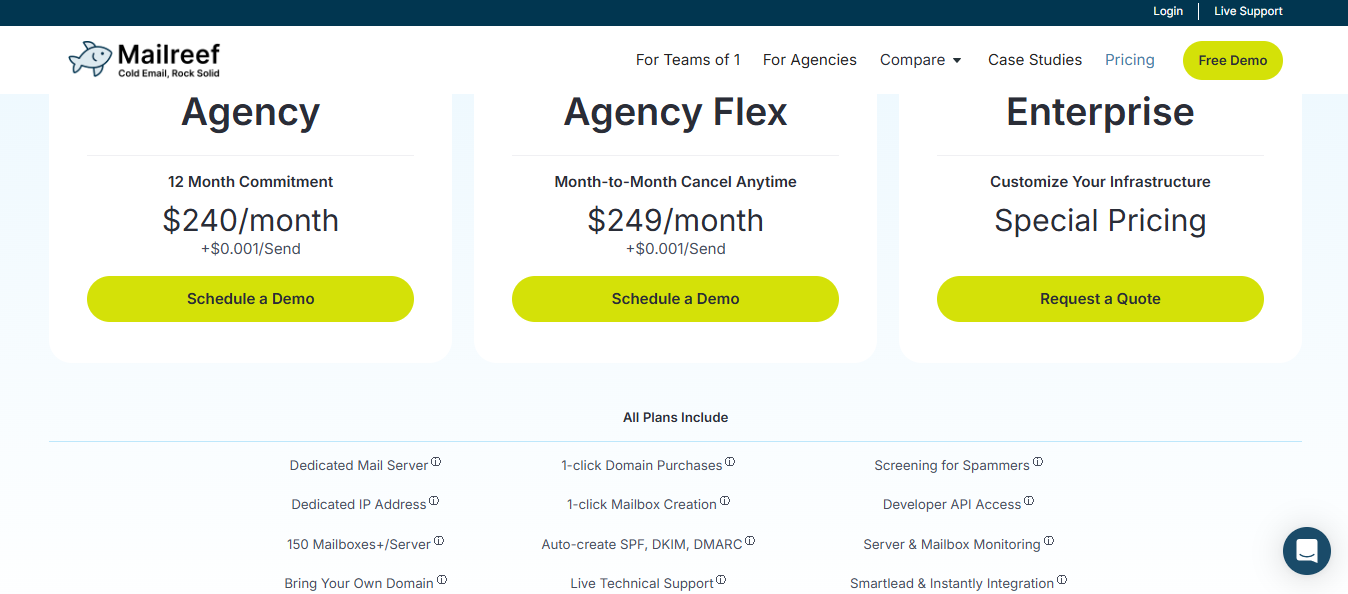
This image shows the Mailreef Pricing
Agency: $240/month with a 12-month commitment, plus $0.001 per send
Agency Flex: $249/month, month to month, plus $0.001 per send
Enterprise: custom pricing
Pros
Better than Warmforge if the issue is mailbox supply, server ownership, and support
Dedicated server and dedicated IP fit agencies that want a more controlled environment
Public pricing is clear enough for the first budget pass
Cons
Higher starting price than per-mailbox providers
Annual commitment applies to the lowest Agency plan
Send-based fees mean cost rises with volume, so heavy senders need to model total spend
4. Zapmail: Pick for Google or Microsoft mailbox setup on a budget
This image shows the Zapmail Homepage
Zapmail is a mailbox provider built for agencies, freelancers, and outbound teams that need Google Workspace accounts provisioned quickly and configured correctly from the start.
It handles domain registration, mailbox provisioning, and DNS configuration automatically, applying SPF, DKIM, and DMARC settings without manual setup at each step.
You pick a plan by mailbox count, Zapmail handles the backend, and the accounts are ready to connect to your sequencer.
For teams that provision mailboxes frequently and need the setup done right the first time, that removes a meaningful amount of manual work.
Key Features
Discounted Google Workspace access with automated mailbox provisioning
Domain registration with SPF, DKIM, and DMARC applied automatically on setup
Bulk export to cold email tools, including Instantly and ReachInbox
Placement test credits and AI insights credits are included across plans
API access and DNS management controls for teams managing infrastructure at scale
50 or more outreach tool integrations for direct sequencer connection
Workspace-level isolation to keep sending reputation separate across accounts
Pricing
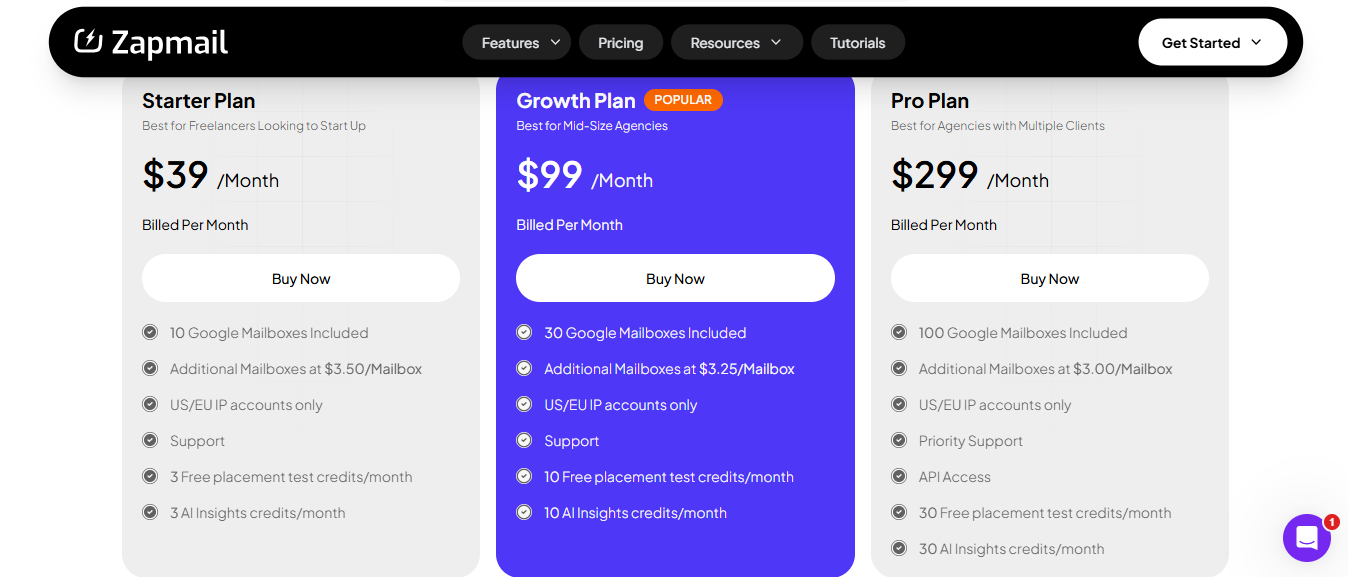
This image shows the Zapmail Pricing
Starter: $39/month. 10 Google mailboxes, additional mailboxes at $3.50 each
Growth: $99/month. 30 Google mailboxes
Pro: $299/month. 100 Google mailboxes
Pros
Clear mailbox counts in each plan make budget planning simple
Good fit when Google or Microsoft provider procurement is the main job
Placement test credits give users a basic signal after setup
Cons
Focuses more on mailbox provisioning than on warmup control or ongoing monitoring
Microsoft-heavy teams need to verify cost separately from the Google-first plan block
Not the best fit if the main need is Heat Score-style monitoring across existing inboxes
5. Maildoso: Pick for outbound mailboxes when you want a Google-focused alternative
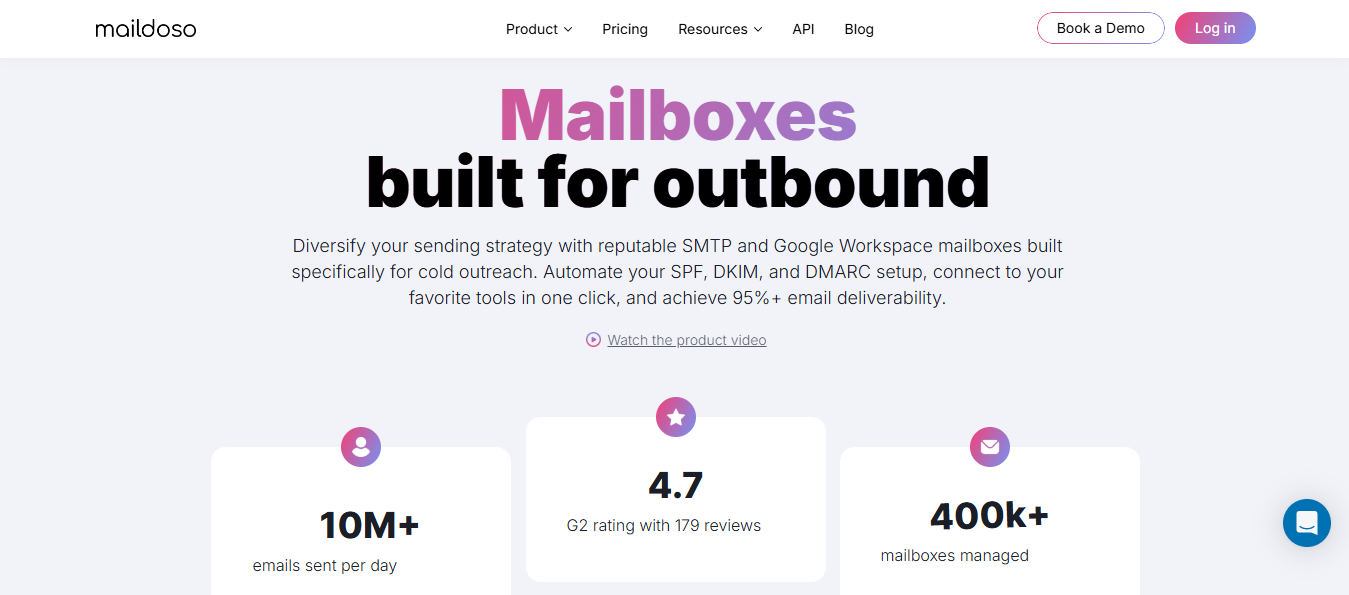
This image shows the Maildoso Homepage
Maildoso is a mailbox provider built for teams that need to spin up hundreds of domains and email accounts quickly without getting into complex manual configuration.
It handles the infrastructure layer end to end. Domains, mailboxes, DNS records, IP rotation, and a warmup process that gradually builds sending reputation before campaigns go live.
The platform also runs inbox placement tests every three days with health scores, which puts it a step ahead of pure mailbox providers that hand you an inbox and leave the monitoring to you.
Key Features
Automated domain and mailbox setup with SPF, DKIM, and DMARC configured on creation
IP rotation and dedicated IP options for sending reputation control
Automated email warmup to build domain and mailbox reputation before sending
Inbox placement tests every three days with health scores
Campaign monitoring across open rates, click-through rates, and deliverability metrics
Sending frequency controls and account rotation to reduce spam flag risk
Pricing
This image shows the Maildoso Pricing
SMTP: from $75/month for 30 mailboxes
Combo: from $90/month for 15 Google Workspace plus 15 SMTP mailboxes
Pros
Health scores and placement tests make it more diagnostics-friendly than pure mailbox shops
SMTP plus Google Workspace options give buyers more provider choice
Domains and mailbox licenses bundled in packages simplify procurement
Cons
Still mainly an infrastructure purchase
SMTP and Google Workspace behave differently, so buyers need to understand which lane fits their setup
Users who only need warmup and placement visibility may be buying more than they need
6. Puzzle Inbox: Pick for Outlook plus Google provider diversification
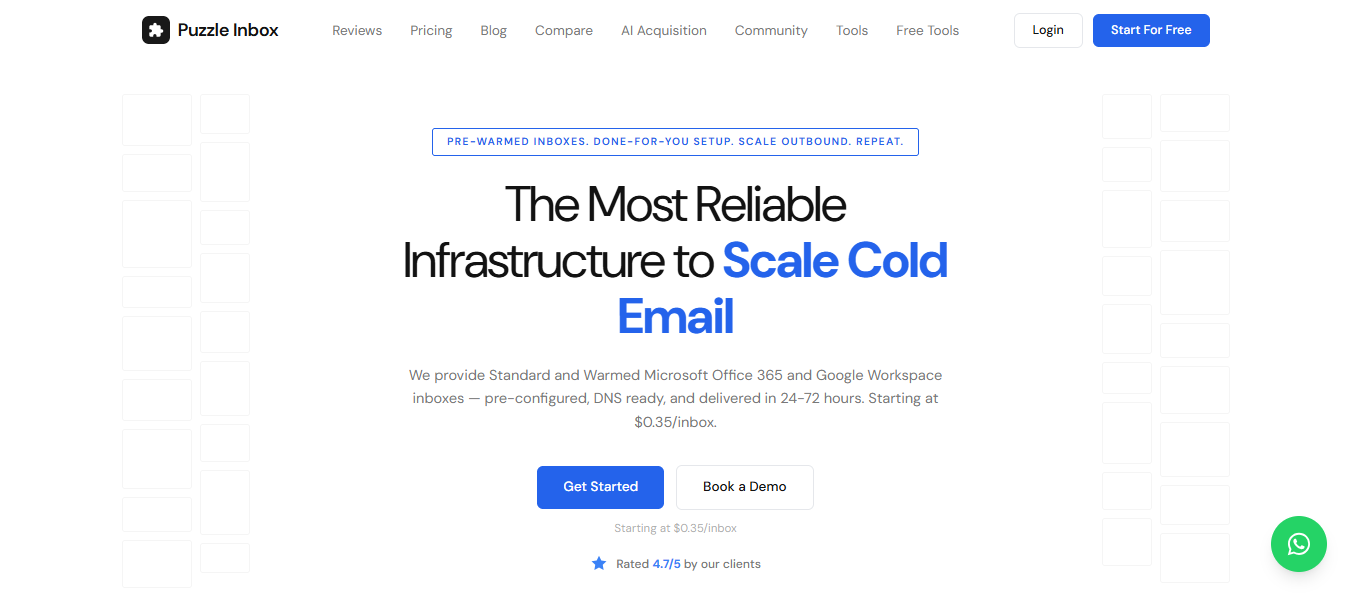
This image shows the Puzzle Inbox Homepage
Puzzle Inbox is a newer mailbox provider offering pre-configured Google Workspace and Outlook inboxes at a low entry price.
It is positioned for teams that want provider diversification across Google and Outlook without paying premium rates per inbox.
The service handles DNS setup, SPF, DKIM, and DMARC configuration and delivers accounts within 24 to 72 hours.
OAuth setup is included, which covers the authentication requirement for outreach tools that need it. Standard and pre-warmed options let buyers choose between cost and setup speed.
Key Features
Pre-configured Google Workspace and Outlook inboxes ready for cold outreach
DNS-ready setup with SPF, DKIM, and DMARC configured on delivery
OAuth setup is included for secure authentication with outreach tools
Standard and pre-warmed inbox options available
24 to 72-hour delivery after purchase
SMTP and IMAP connection to cold email tools
Pricing
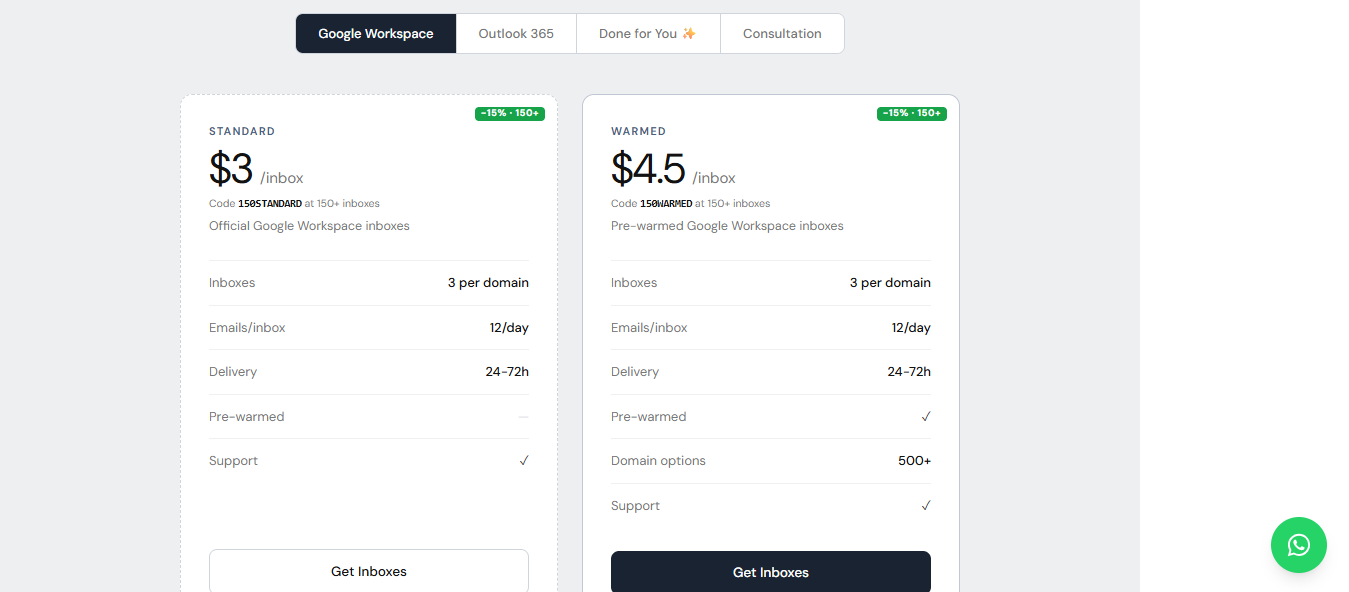
This image shows the Puzzle Inbox Pricing
Outlook 365 Standard: $0.35/inbox
Google Workspace Standard: $3/inbox
Google Workspace Pre-Warmed: $4.50/inbox
Pros
Very low listed entry price for Outlook inboxes
Useful for teams trying to diversify provider exposure across Outlook and Google
Standard and pre-warmed options let buyers choose between cost and setup speed
Cons
Pre-warmed inboxes still need inspection before live volume goes out
Lighter on active monitoring detail than Warmforge
Low inbox price does not remove the need for placement testing, DNS checks, and blacklist monitoring
Personalized Outbound Strategy
Get The Right Outbound Strategy In Minutes
Enter your email to get a custom plan & stack recommendation for your
business
It's being carefully crafted by AI
Please check your mailbox in 5 minutes
7. InfraBoxes: Pick for private cold email infrastructure when cost and deliverability control matter
InfraBoxes is a cold email infrastructure platform built for teams that want cheaper mailboxes without losing control over deliverability.
It gives you two mailbox options: private mailboxes at $3 per mailbox and Google mailboxes at $2.5 per mailbox. This makes it useful for agencies, outbound teams, and businesses managing 20–200+ mailboxes where standard Google Workspace pricing can become expensive fast.
The platform focuses more on inbox placement than fancy campaign dashboards.
It runs outbound mailboxes on private servers, aged IPs, isolated domain stacks, automated DNS setup, warmup, burn alerts, and placement monitoring. So instead of just buying inboxes, you get infrastructure that is actively managed for cold outreach.
One useful part is its isolation model. Every 10 domains are placed on their own dedicated stack, so one risky sender does not affect the rest of the setup. For agencies running campaigns across multiple clients, this gives better control compared to fully shared mailbox pools.
InfraBoxes also works with cold email tools like Smartlead, Instantly, Apollo, or internal outreach systems. So you can manage the infrastructure in InfraBoxes and still run campaigns from your preferred sequencer.
Key Features
Private mailbox infrastructure with aged IPs and domain isolation
Google mailbox option at lower per-mailbox cost
Automated SPF, DKIM, and DMARC setup
Smart warmup with gradual volume ramp-up
Burn alerts for risky domains or mailboxes
Inbox placement monitoring and domain health tracking
Bounce filtering and adaptive sending controls
Mailbox-level control to launch, pause, or reroute sends
Bulk domain and mailbox setup for outbound teams and agencies
Works with tools like Smartlead, Instantly, Apollo, and internal sequencers
Pricing
This image shows the InfraBoxes pricing
Private mailboxes: $3 per mailbox
Google mailboxes: $2.5 per mailbox
30 private mailboxes: around $90/month
30 Google mailboxes: around $75/month
100 private mailboxes: around $300/month
100 Google mailboxes: around $250/month
Pros
Lower mailbox cost compared to standard Google Workspace pricing
Private infrastructure gives more control than shared mailbox pools
Aged IPs, warmup, DNS setup, and monitoring are included
Domain burn alerts help teams catch deliverability issues early
Useful for agencies managing many domains, clients, or mailboxes
Works with existing cold email tools instead of forcing a new sending workflow
Cons
Still mainly an infrastructure tool, not a full cold email campaign platform
Teams need to understand how private mailboxes and Google mailboxes differ
Best suited for outbound teams with volume, not small teams sending from a few inboxes
The value depends on how well users manage sending volume, domains, and reply quality
Buyers who only need basic warmup may find InfraBoxes more advanced than required
My take:
InfraBoxes makes the most sense if you are scaling cold outreach and mailbox cost is becoming a real problem. It is not just selling inboxes. It is trying to give outbound teams cheaper infrastructure with more deliverability control.
For small teams, it may be more than they need. But for agencies or teams running 50,000+ cold emails per month, the private stack, burn alerts, DNS automation, and low per-mailbox pricing can make it a practical Maildoso alternative.
Conclusion: How to choose by deliverability risk, not just mailbox price
Inframail is a good option if you mainly need mailbox capacity and quick setup.
But if you are sending cold emails at scale, capacity is not enough. You also need to know whether your mailboxes are actually ready to send.
That is where the right alternative depends on your use case.
Use Mailforge if you want simple shared email infrastructure.
Use Infraforge if you need private infrastructure and dedicated IPs.
Use Mailreef, Zapmail, Maildoso, or Puzzle Inbox if your main goal is mailbox provisioning.
But if you already have mailboxes and want to track inbox placement, warmup quality, blacklist status, DNS health, and sender reputation, Warmforge is the better fit.
In short, do not choose an Inframail alternative only by mailbox price.
Choose the tool that helps you control the biggest deliverability risk in your outbound system.