
Personalized Outbound Strategy
Get The Right Outbound Strategy In Minutes
Enter your email to get a custom plan & stack recommendation for your business
It's being carefully crafted by AI
Please check your mailbox in 5 minutes

Replacing five outreach tools with one sounds like an easy win. Until that one tool is responsible for your lead quality, sender reputation, campaign volume and replies.
That is the real test for FoxReach.
A bad address can be caught before the first send. Warm-up placement feeds into a Health Score that refreshes every hour. If one inbox starts bouncing, FoxReach can pause it without stopping the other senders in the campaign.
That matters when you are rotating campaigns across dozens of inboxes rather than checking each sender yourself.
But FoxReach has an odd gap at the other end of the campaign. Its Agency plan allows 500,000 emails a month but gives you 800 Lead Finder reveals. You can scale the sending much further than the prospecting inside the product.
Then there is the lack of history. FoxReach has 11 Trustpilot reviews and one G2 review. The G2 reviewer gave it 3/5 and specifically mentioned glitches and bugs.
For this review, I wanted to see which tools FoxReach could actually take out of an established cold email setup without creating a new weak point somewhere else.
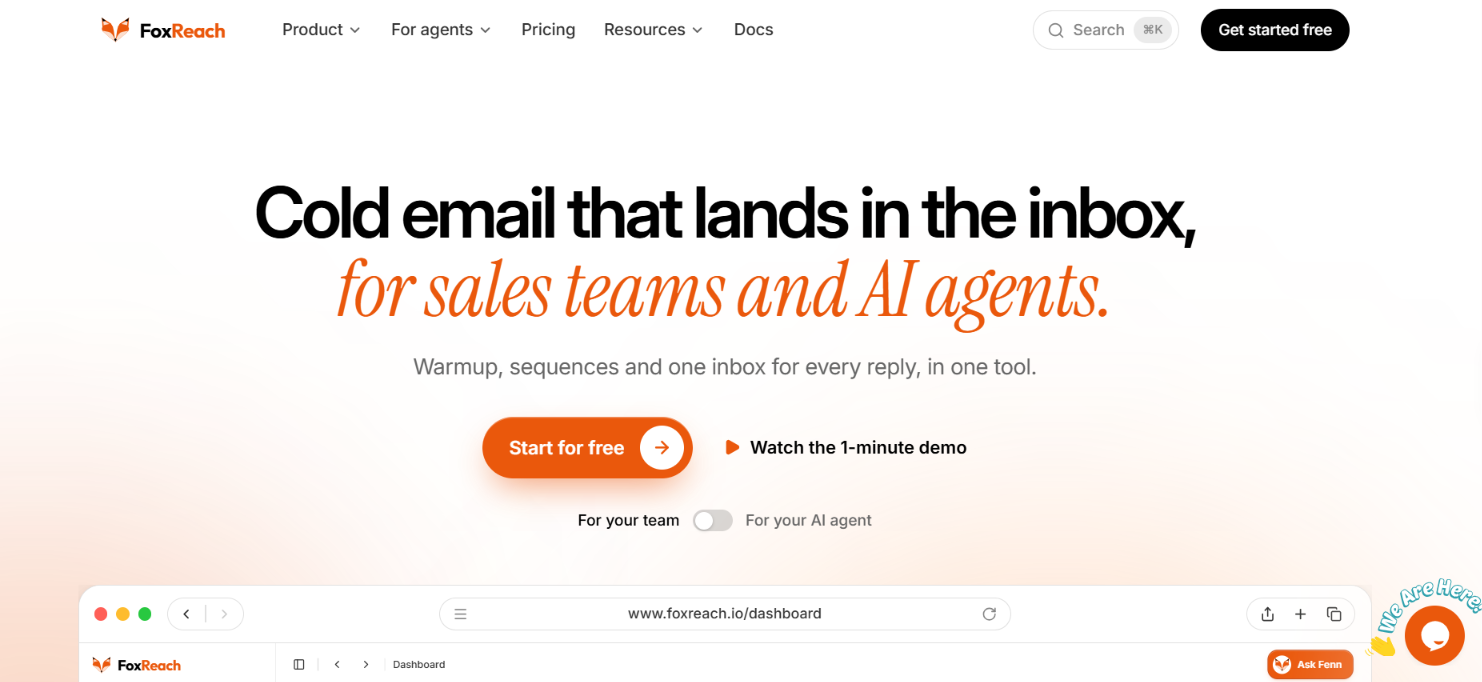
FoxReach covers most of what you need to run cold email. You can find leads inside the platform or upload your own list. Email verification is built in. You can then warm your mailboxes and use them in cold email campaigns.
For sending, you get:
Replies from your connected mailboxes go into one inbox. FoxReach sorts them by intent and can prepare a response. Fenn can also create campaigns and flag sender problems. You still approve its actions before they run.
There are some limits. FoxReach is focused on email. There are no LinkedIn steps in its sequences. Lead Finder also has fairly small monthly allowances. Starter includes 100 reveals. Growth includes 300. Agency includes 800.
Fenn can help with campaign work and replies. It is not an autonomous SDR that takes prospecting through to outreach on its own.
If email is only one part of your outbound process, Salesforge is the closer comparison to make. It handles cold email too but also lets you add LinkedIn to your outreach. That changes what you can run without adding another outreach tool.
Here’s a quick comparison with Salesforge:
FoxReach has 11 Trustpilot reviews with a 4.4/5 rating. Warm-up gets much of the praise. One reviewer liked the email health monitoring and deliverability features. Another said FoxReach helped recover inboxes that had started landing in spam.
Users also mention the simple setup and clean interface. MCP support was another positive point. One reviewer had only recently started using FoxReach. They said it was too early to judge campaign results or deliverability.
FoxReach has much less feedback on G2. It has one review with a 3/5 rating. The reviewer reported glitches and bugs. They also said the FoxReach team answered their questions and resolved the issues they raised.
FoxReach follows a simple cold email workflow from inbox setup to reply handling.
Connect Gmail, Google Workspace, Outlook, Yahoo, Zoho or a custom SMTP account. FoxReach checks the connection before saving the inbox.
You can also buy domains with Google Workspace or Microsoft 365 mailboxes through FoxReach.
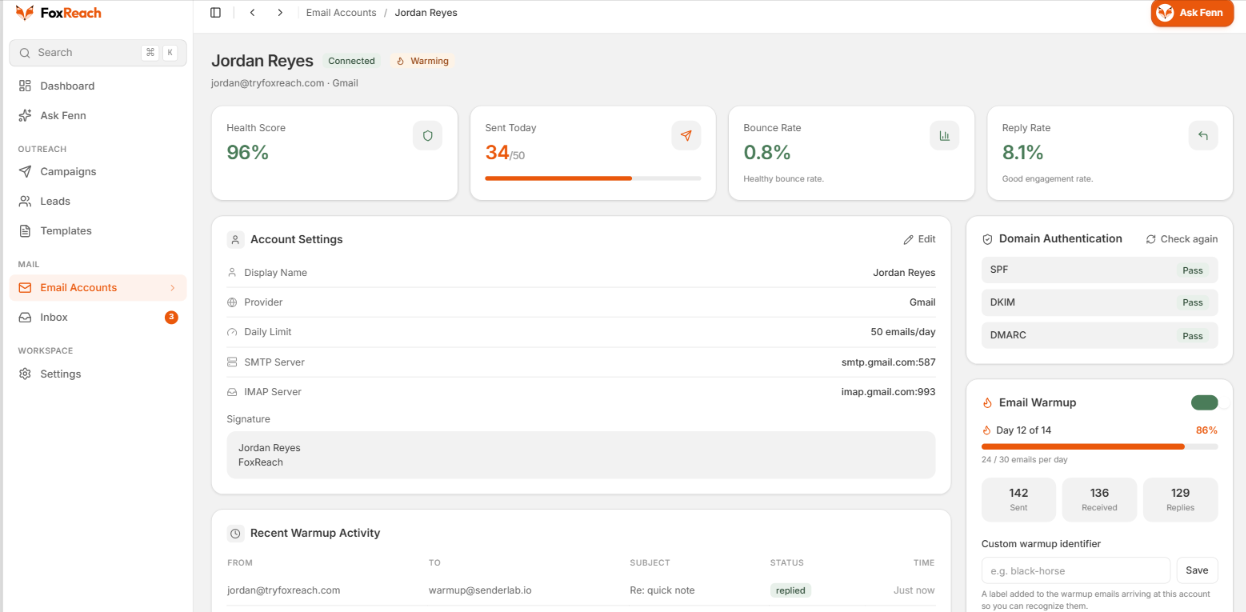
Turn on warm-up for your new inboxes. FoxReach starts at one email per day. Volume increases over a 14-day ramp.
Each inbox also gets a Health Score. This shows how much of its warm-up mail reached the inbox instead of spam.
Lead Finder lets you search by job title, location, industry, company and company size. You can reveal verified work emails for the prospects you choose.
If you already have a list, you can upload a CSV. FoxReach can verify the addresses and skips emails marked Bad.
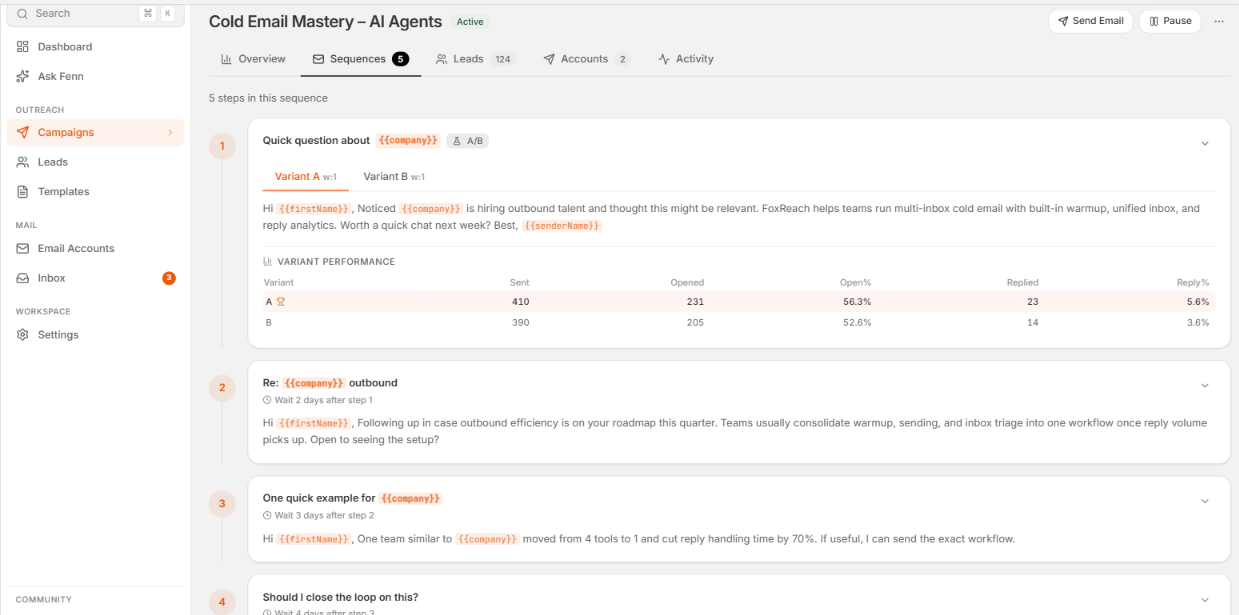
You can write the first email. Then add follow-ups and choose the delay between each step. You can personalize emails with lead data. A/B testing is available for individual steps. Follow-ups stop once a lead replies.
Choose the inboxes for the campaign. FoxReach rotates sends across them. If an inbox starts bouncing too much, FoxReach can pause it.
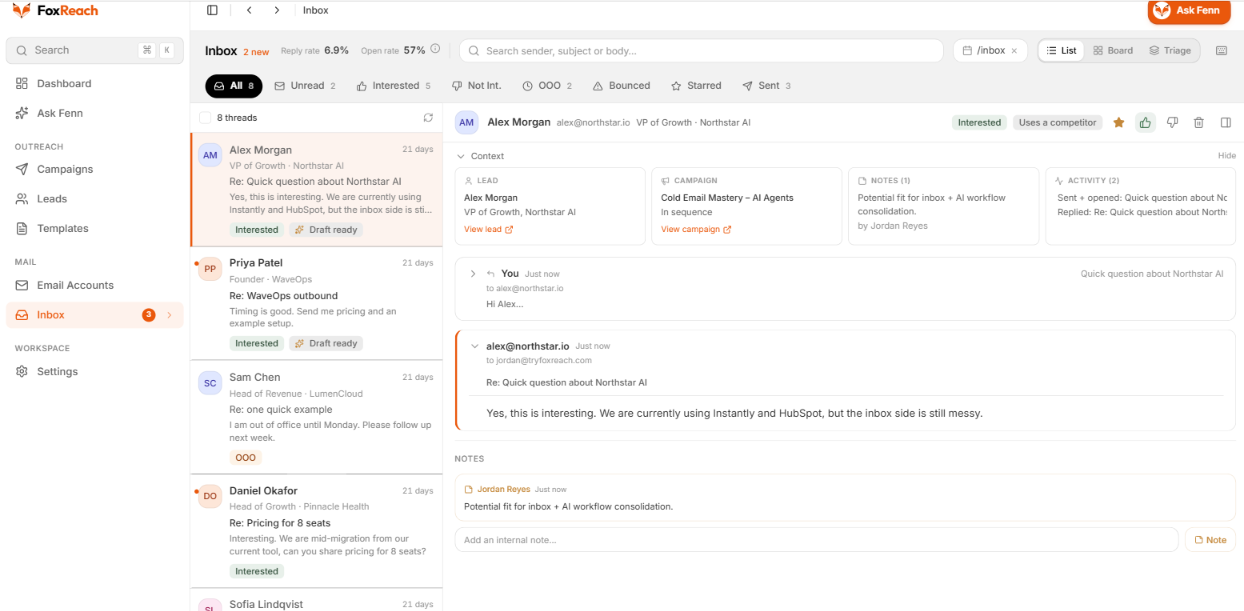
Replies from your connected inboxes appear in one place. FoxReach sorts them as Interested, Not Interested, Out of Office or Bounced.
It can also draft a response for you. Review the draft and send it from the same inbox that received the reply.
For FoxReach to replace your cold email stack, it has to handle the problems that appear before, during and after the send. I would judge it on five areas.
FoxReach watches deliverability at the inbox level. Its Health Score uses the last 7 days of warm-up placement and refreshes hourly. SPF, DKIM and DMARC are shown alongside it. Once campaigns start, bounce monitoring can pause a sender that begins having problems.
Health Score measures warm-up traffic. It is useful for spotting a weak inbox, but your actual campaigns still tell you how cold emails are placing.
FoxReach protects campaigns from bad data better than it supplies new data. Imported emails can be verified before sending, and addresses marked Bad are skipped.
Lead Finder does not scale as far as sending. Growth pairs 100,000 monthly sends with 300 reveals. Agency pairs 500,000 sends with 800 reveals. At higher volume, FoxReach can run the outreach, but most of the prospect list will need to come from elsewhere.
FoxReach scales by spreading volume across inboxes. Paid plans support unlimited connected email accounts, and several senders can rotate through the same campaign.
Each inbox is still monitored separately. If one starts bouncing, it can be paused without stopping the others. That pairing of mailbox rotation and inbox-level monitoring matters more than the headline 500,000-email limit.
FoxReach keeps the email campaign together from first touch to reply. Sequences support personalization, follow-ups and A/B variants. Once someone replies, the remaining follow-ups stop.
But the sequence ends at email. There are no LinkedIn steps. That is fine for email-only outreach, but you will still need another tool for LinkedIn.
Rotating across more inboxes usually spreads replies across them too. FoxReach pulls those conversations back into one place, checks for new mail roughly every 5 minutes and sorts replies by intent.
It can also draft a response using the lead, campaign and recent conversation. So the sending can spread across inboxes without the reply workflow spreading with it.
FoxReach can replace most of an email-only stack. The two parts it does not fully cover are high-volume lead sourcing and LinkedIn outreach.
Here is what FoxReach includes and where each feature fits into cold email:
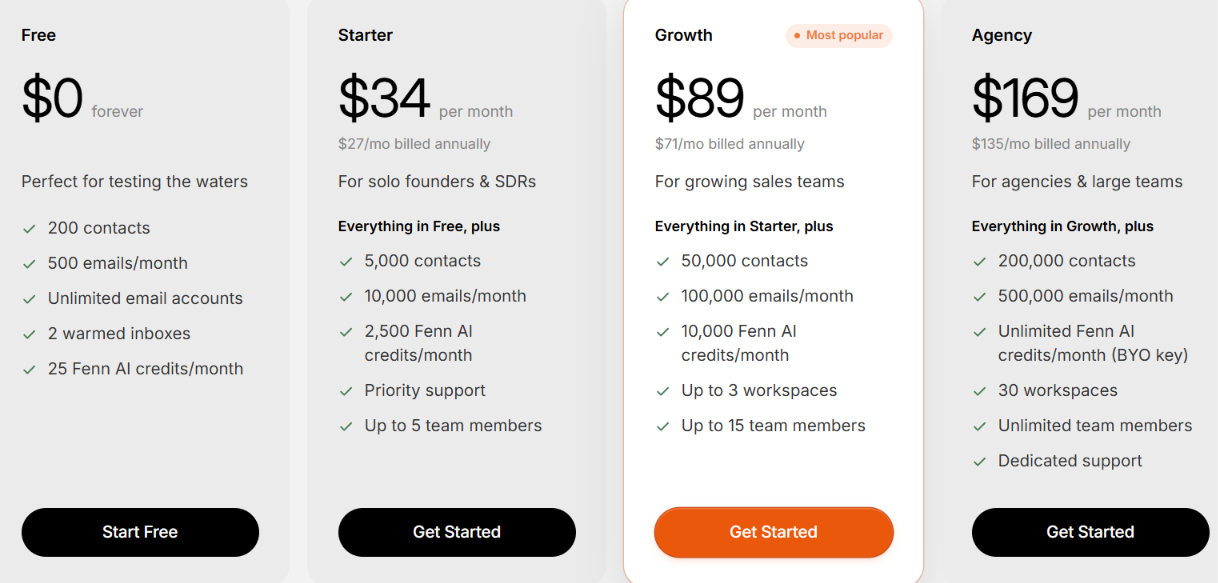
FoxReach has a free plan and three paid plans. Paid plans start at $34 per month.
All paid plans include unlimited email accounts and warm-up. Growth gives you 10x more sending volume than Starter but only 3x more Lead Finder reveals. Agency raises sending to 500,000 emails but includes just 800 reveals.
So FoxReach pricing scales better for sending than prospecting. If you plan to build large lists inside FoxReach, Lead Finder is the limit to watch.
FoxReach is best for people who want to run cold email from start to finish in one tool. If email is your main outbound channel, there is a lot here that can replace separate tools.
FoxReach is easier to justify when cold email is the main job you need it to do. If your outbound also depends heavily on LinkedIn or large-scale prospecting, you will still be paying for other tools alongside it.
If you like what FoxReach does for cold email but need LinkedIn too, Salesforge is the better alternative.
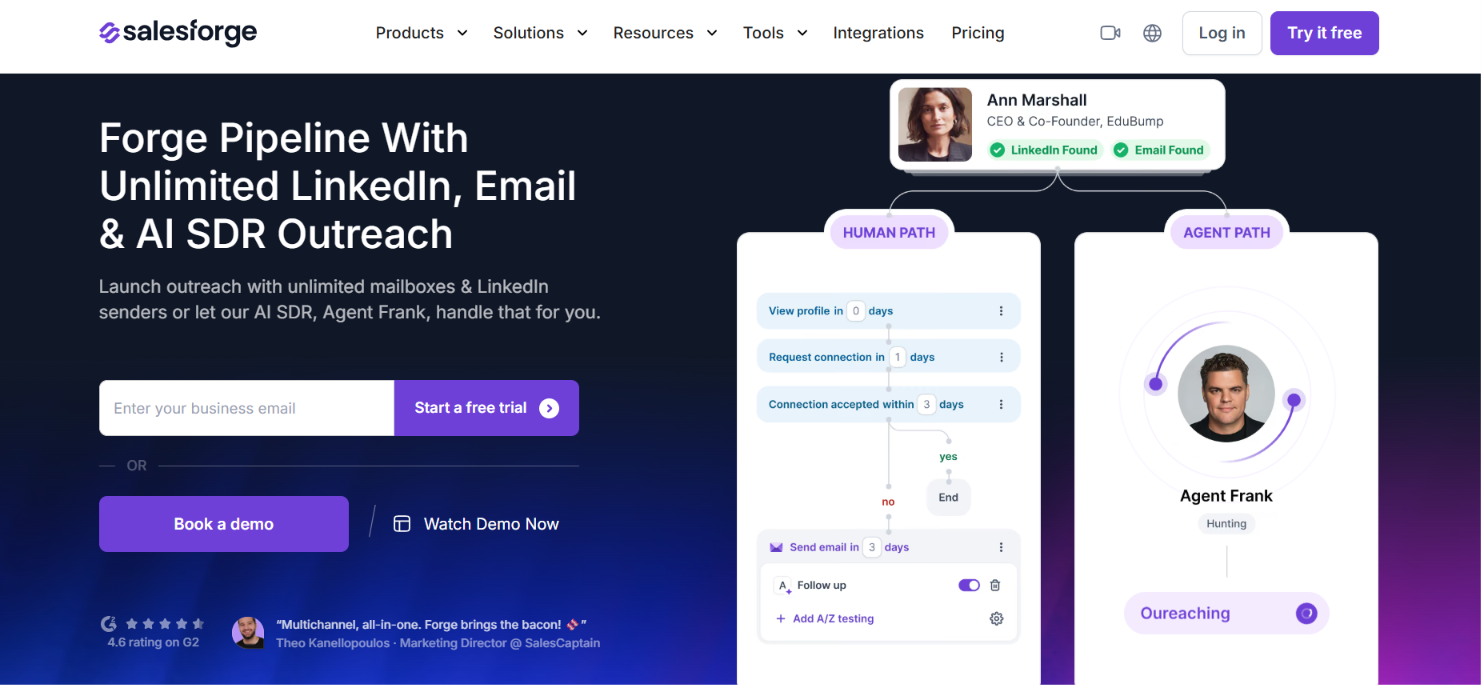
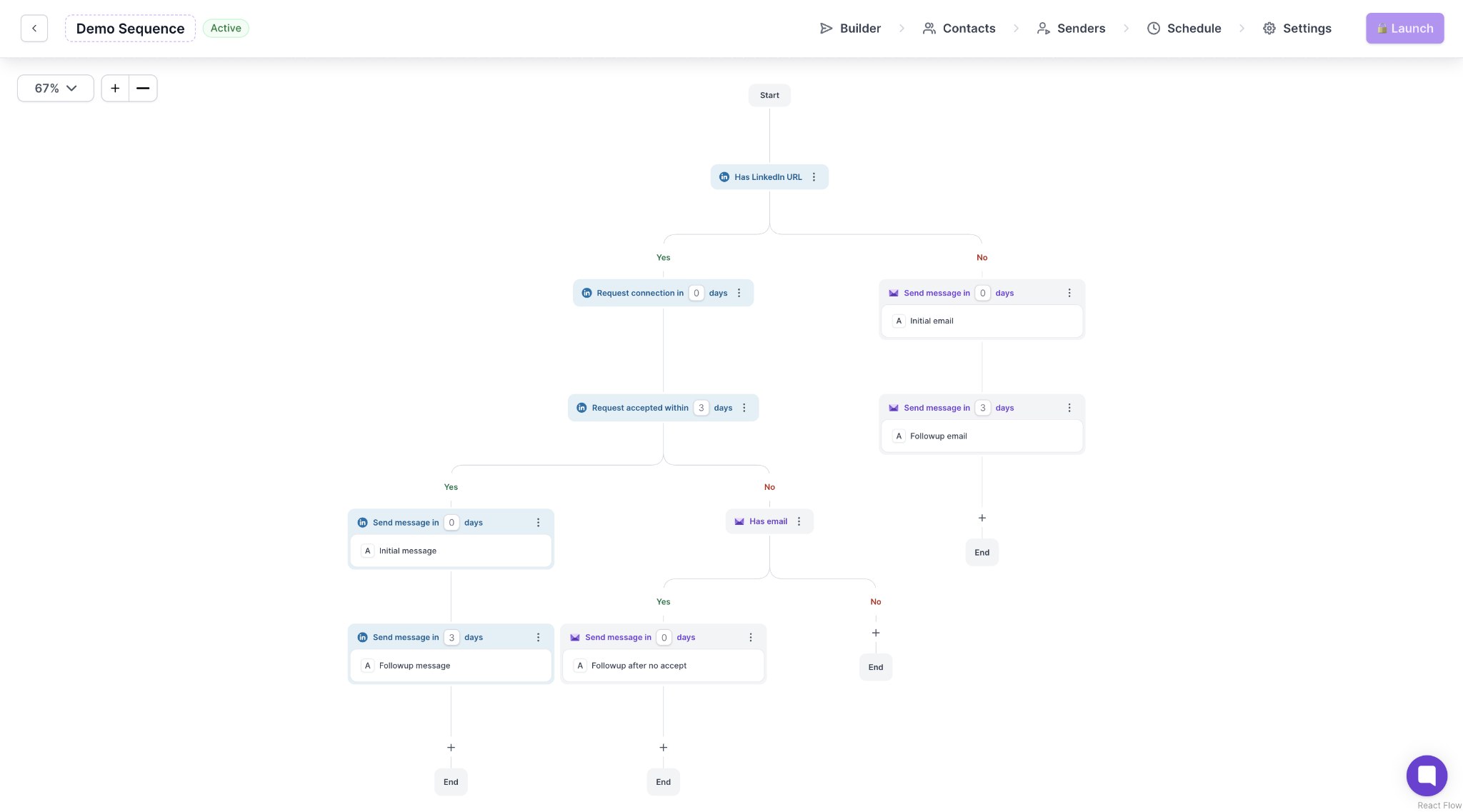
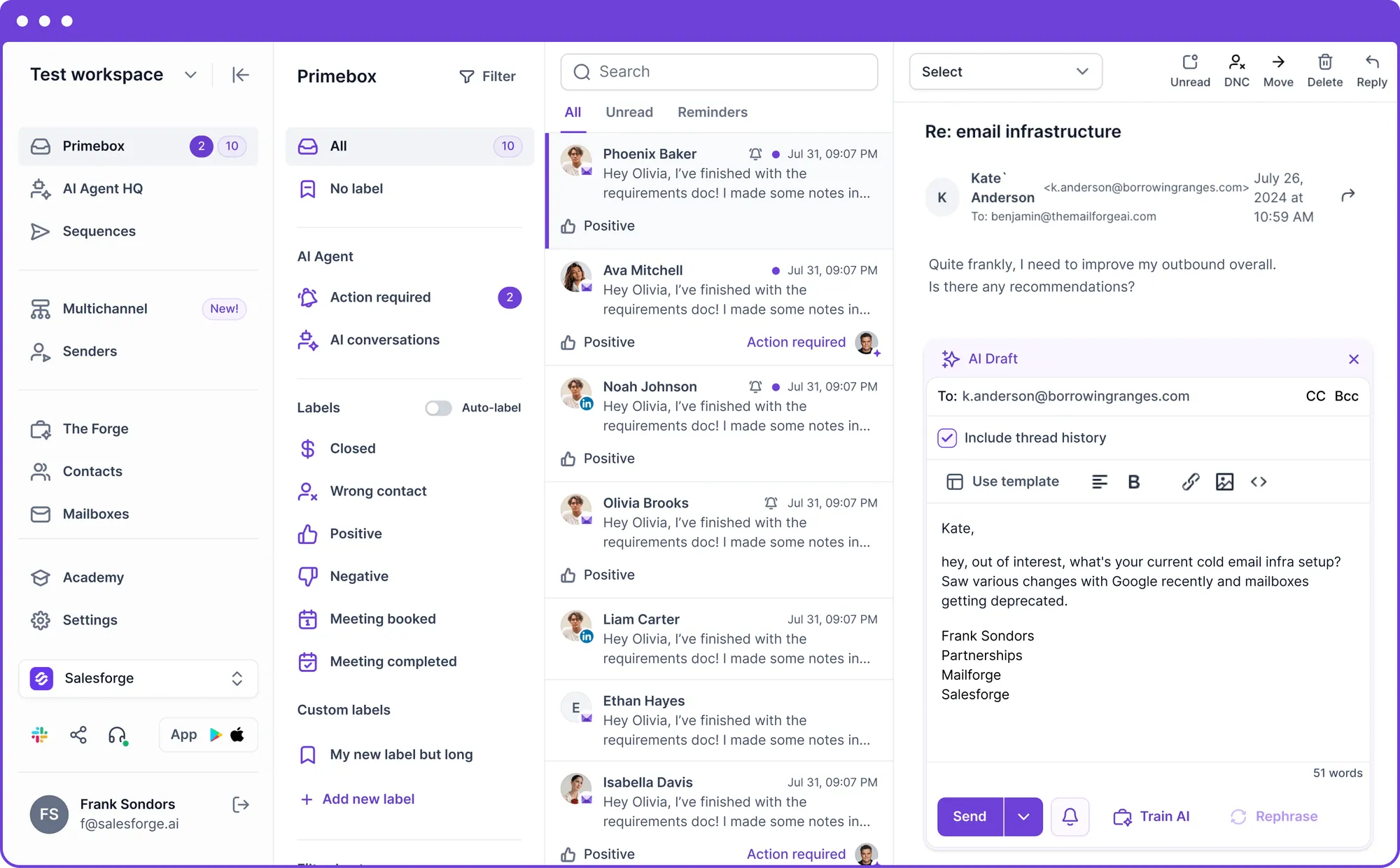
Salesforge is a cold outreach platform built around email and LinkedIn. You can connect your mailboxes and LinkedIn accounts, then use both channels in your outreach sequences.
Compared with FoxReach, Salesforge gives you:
Salesforge starts at $48 per month for Pro. Growth costs $96 per month and is where you get unlimited LinkedIn senders.
FoxReach still has the edge if you want lead search included in the same subscription. Its paid plans include Lead Finder. Salesforge uses Leadsforge as a separate product for finding prospects.
So, for email-only outreach, FoxReach already covers the main work. Salesforge becomes the stronger alternative when LinkedIn is a channel you actually plan to use alongside email.
Enter your email to get a custom plan & stack recommendation for your business
Please check your mailbox in 5 minutes
FoxReach is worth it if you want to run cold email without using separate tools for every step. You can find and verify leads. You can warm your inboxes and send sequences. FoxReach rotates emails across your inboxes and pauses senders that start bouncing. Replies then come back to one inbox.
The limits are clear too. Lead Finder will not cover large prospecting volumes. Fenn still needs your approval before taking action. And FoxReach does not support LinkedIn outreach.
So I would pick FoxReach for email-only outbound. It handles the main work from preparing an inbox to dealing with replies.
If LinkedIn is also part of how you contact prospects, Salesforge is the better choice. It lets you run email and LinkedIn outreach together.
Try Salesforge if you do not want your outreach limited to email.