If you are looking at Floworks AI for email warmup, chances are you are planning to run outbound at scale.
Maybe you are managing many email accounts and want to understand how Floworks AI fits into that setup.
In this review, I will walk you through Floworks AI in detail.
How its email warmup works when used for a large number of accounts, and what you should know before choosing it.
This is not a feature dump or a sales pitch.
It is a practical review to help you decide if Floworks AI makes sense for your email warmup needs.
Key Takeaways
Floworks AI is built as a full outbound sales platform, not a dedicated warmup tool.
Email warmup in Floworks AI is included as part of the overall system, not sold or managed separately.
Floworks AI does not show clear inbox placement results, so you can’t easily see where your emails are landing (Primary vs Spam).
The platform offers AI-driven outbound features like prospect research, automated follow-ups, and scheduling, which are separate from deliverability insight.
There is limited visibility into mailbox health or deliverability signals in Floworks AI, making it harder to check issues.
Because warmup is tied to outbound sending, Floworks AI may be enough if outbound is your main focus and deliverability is secondary.
Warmforge is the best Alternative to Flowork and focuses purely on warmup and deliverability, offering placement tests, domain, and mailbox health monitoring.
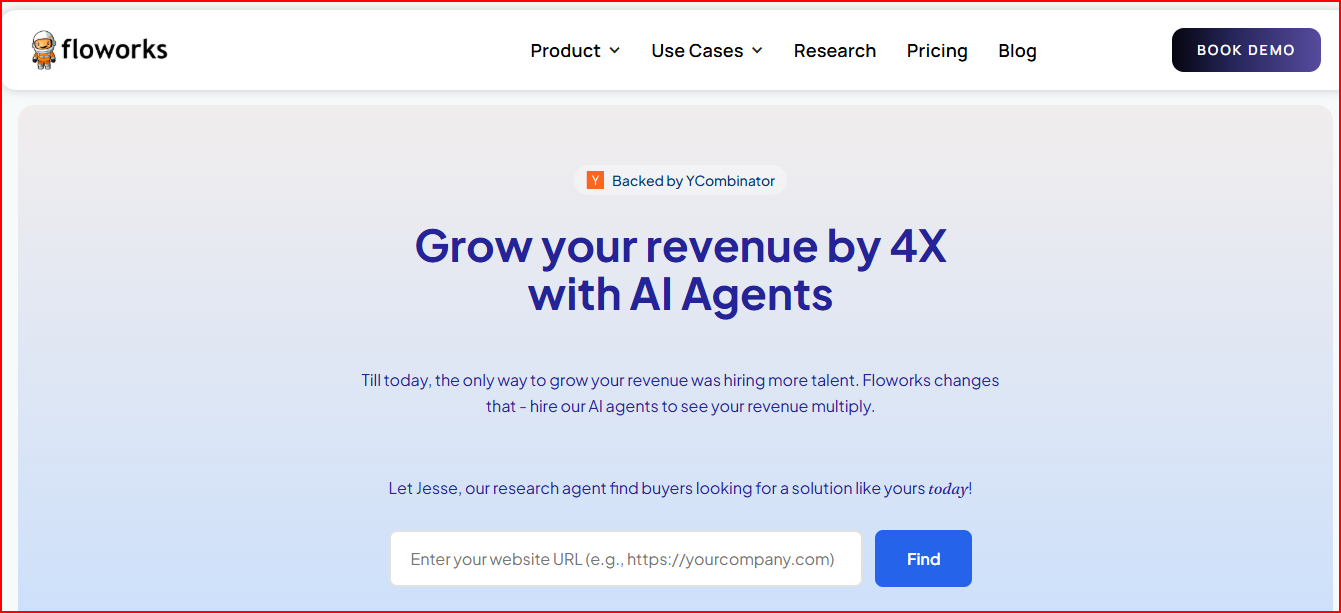
Floworks AI is a sales automation platform that uses AI agents to help teams run outbound sales.
This image shows the Floworks- A Sales outbound automation tool
Instead of doing everything manually, Floworks AI brings in AI agents that handle common sales tasks.
These agents help with finding buyers, researching prospects, writing outreach emails, sending follow-ups, and booking meetings.
Each AI agent is built for a specific job. Some focus on research, some on outreach, and some on handling objections or scheduling.
It helps take care of daily tasks, so your team can spend more time talking to prospects.
Floworks AI works as an all-in-one outbound setup. It includes email warmup and supports outreach through both email and LinkedIn.
The platform is designed to get started quickly, with the AI sales team set up in one day.
Personalized Outbound Strategy
Get The Right Outbound Strategy In Minutes
Enter your email to get a custom plan & stack recommendation for your
business
It's being carefully crafted by AI
Please check your mailbox in 5 minutes
Floworks AI Email Warmup: How It Fits Into Outbound
Floworks AI includes email warmup as part of its outbound setup.
Email warmup is available across its plans and is listed as unlimited.
Instead of offering email warmup as a separate tool, Floworks AI bundles it with its sales automation platform.
This means warmup runs alongside outbound activities like email outreach and LinkedIn outreach.
Floworks AI supports using multiple email and LinkedIn accounts.
Because of this, email warmup can be used across many inboxes at the same time.
Within Floworks AI, email warmup is part of a broader outbound workflow. It works together with AI-led research, outreach, follow-ups, and meeting scheduling.
Floworks AI Features That Affect Warmup and Outbound Quality
Here are the Floworks AI features that shape where email warmup runs and what kind of outbound activity they are part of.
AI SDR Agent Alisha and outbound email handling
Floworks AI uses an AI SDR agent called Alisha to handle outbound emails. Email warmup runs automatically in the same system as these outbound emails.
This helps keep warmup connected to real sending activity instead of running separately.
Deep prospect research and non-templated communication
Floworks AI includes deep prospect research and outreach messages that are purposely written. These messages are part of outbound emailing.
Email warmup exists in the same flow, so warmup happens in an environment shaped by this outbound communication.
Automated follow-ups and scheduling
Floworks AI automates follow-ups and meeting scheduling using outbound emails.
Since these emails run in the same system, warmup stays part of an active outbound cycle rather than a one-time or isolated process.
Unlimited email and LinkedIn accounts across plans
Floworks AI allows unlimited email and LinkedIn accounts.
This lets email warmup run across many inboxes within one setup, which helps keep all accounts in the same outbound context.
Private deliverability network (Advanced plan)
The Advanced plan includes a private deliverability network.
This network is the environment where outbound emails and email warmup operate together for enterprise users.
Floworks AI Pricing
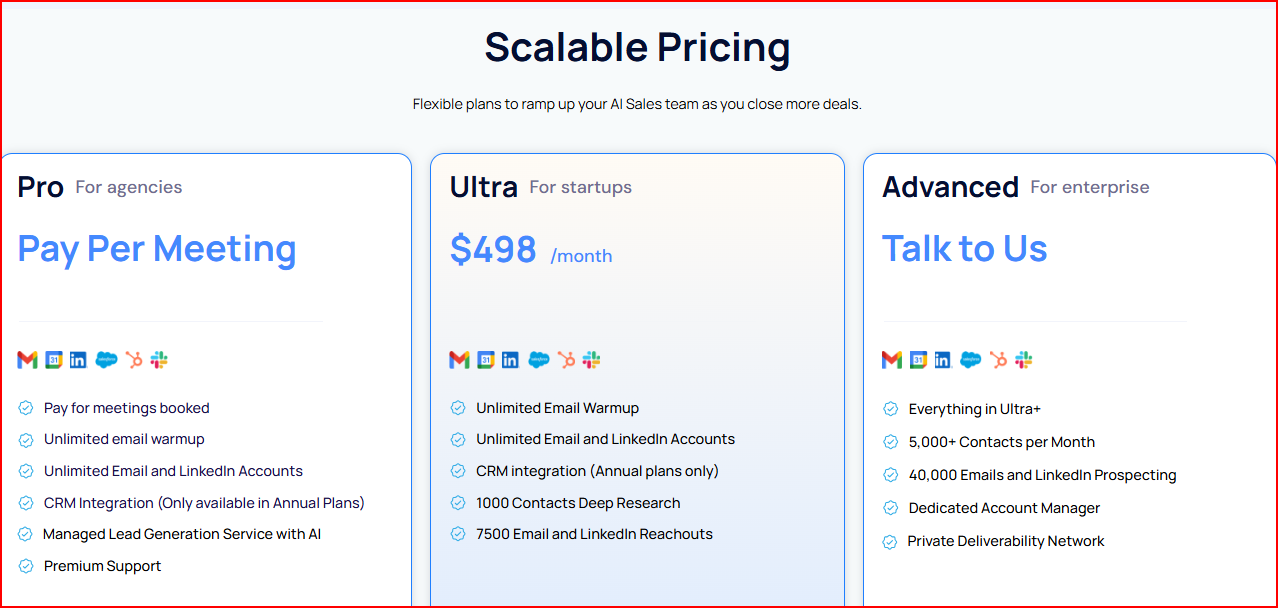
Floworks offers three pricing plans.
This image shows the Floworks pricing
Pro Plan (For agencies)
This plan uses a pay-per-meeting pricing model and includes unlimited email warmup.
You also get unlimited email and LinkedIn accounts, with warmup bundled into the full outbound setup.
Ultra Plan (For startups)
The Ultra plan costs $498 per month and includes unlimited email warmup.
It supports unlimited email and LinkedIn accounts, with set limits on research and outreach volume.
Advanced Plan (For enterprise)
The Advanced plan has custom pricing and includes unlimited email warmup at scale.
Warmup runs inside an enterprise setup with higher outreach limits and a private deliverability network.
Pros of Floworks AI
These are the key advantages I noticed while reviewing Floworks AI related to warmup:
You can handle email warmup and outbound emails in the same system, instead of using separate tools.
You can manage many email inboxes together, which helps when running outbound at scale.
Email and LinkedIn accounts are supported in one place, so warmup fits into a broader outbound setup
AI SDR Agent Alisha handles outbound email communication, keeping warmup connected to live outbound sending.
The platform is designed for quick onboarding, with the AI sales team set up in one day.
Cons of Floworks AI
These are the limitations I faced while using Floworks AI:
Floworks AI is made for full outbound sales. Email warmup is included, but it does not offer deep warmup or email deliverability control.
Because warmup is tightly tied to outbound activity, you cannot manage warmup independently.
Floworks AI does not provide clear inbox placement reporting or dedicated deliverability monitoring, so it is difficult track mailbox health during warmup
Pricing is structured around the entire sales automation platform, not warmup alone, which may make it harder to judge cost purely from a deliverability point of view.
Some plans come with defined limits on research and outreach, so scaling outbound may require moving plans rather than just adjusting warmup.
If you prefer a simple, focused tool just for warmup, the broader scope of Floworks AI can introduce extra setup and learning.
Warmforge: A Dedicated Warmup and Deliverability-First Alternative to Floworks AI
Warmforge is a dedicated email warmup and deliverability tool built to help you protect sender reputation and improve inbox placement.
Unlike outbound platforms that bundle warmup as a side feature, it focuses on warming up mailboxes, monitoring their health, and showing exactly where emails land.
It warms up inboxes using AI-written emails and a premium warmup pool made only of aged Google Workspace and Microsoft 365 accounts, creating natural activity that email providers trust.
It also gives you clear deliverability visibility.
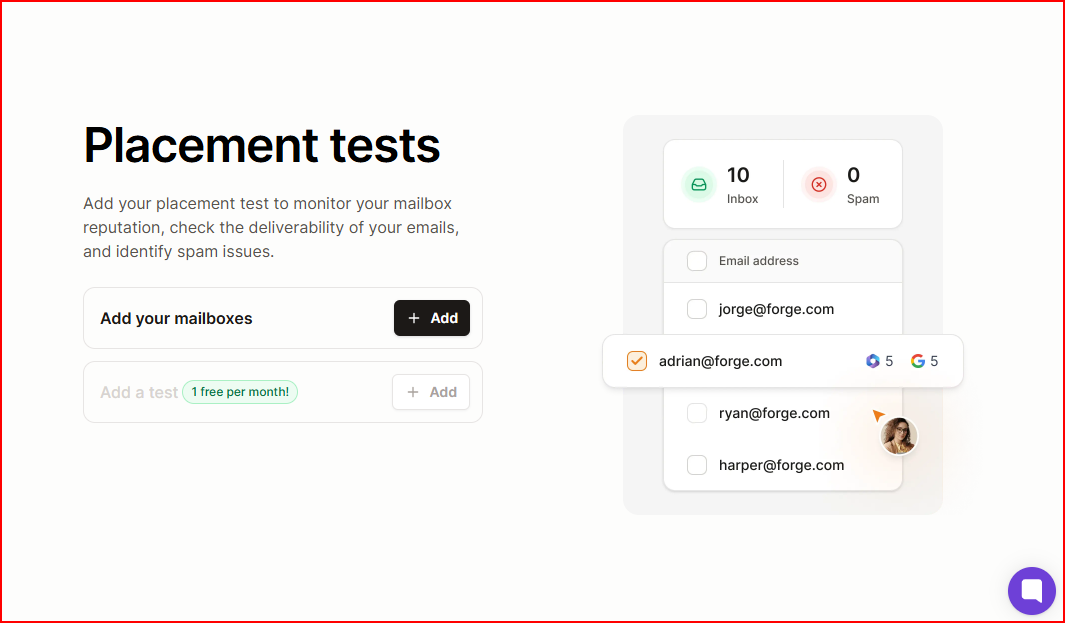
You can monitor mailbox health, check DNS setup, watch for blacklist issues, and run placement tests to see whether emails land in Primary, Promotions, or Spam.
Warmforge uses Heat Score™ as a core deliverability metric to show when your mailbox is ready to send. A score of 85+ means you can scale outreach without guessing.
This image shows the Warmforge- placement test
Warmup runs continuously and independently, without needing active outbound campaigns.
In short, Warmforge acts as a deliverability command center for teams that care about inbox placement and long-term sender reputation.
Floworks AI vs Warmforge - How They Really Compare
If you’re thinking about…
Floworks AI
Warmforge
What each tool is built for
Floworks AI is built to run full outbound sales with AI agents. Warmup supports that setup.
Warmforge is built only for email warmup and deliverability. That’s the whole focus.
How warmup fits in
Warmup lives inside outbound workflows and follows how campaigns are set up.
Warmup is the main job and keeps running, even without campaigns.
How much control you have
You don’t manage warmup separately. It moves with outbound activity.
You can manage warmup on its own, without tying it to sending campaigns.
Seeing where emails land
There’s no clear way to check inbox vs spam placement.
You can run placement tests and see exactly where emails land.
Tracking inbox health
Limited insight into mailbox health.
Clear view of mailbox health and deliverability status.
DNS and blacklist checks
No clear tools shown for DNS or blacklist monitoring.
Built-in checks for DNS setup, blacklists, and email health.
What kind of warmup traffic is used
Warmup runs as part of general outbound sending.
Warmup uses a premium pool of aged Google Workspace and Microsoft 365 accounts.
How deliverability is treated
Deliverability supports outbound, but it’s not the main focus.
Deliverability is the main focus of the tool.
How you pay
Warmup is included in the platform plans: Ultra plan $498/month, Pro plan (pay-per-meeting model), and Advanced plan (custom pricing). There is no standalone warmup price.
Warmup is priced per mailbox slot, starting at $9 per mailbox per month (billed annually).
Who each tool fits best
Teams that want outbound, AI SDRs, and warmup in one system.
Teams that care most about inbox placement and sender reputation.
Personalized Outbound Strategy
Get The Right Outbound Strategy In Minutes
Enter your email to get a custom plan & stack recommendation for your
business
It's being carefully crafted by AI
Please check your mailbox in 5 minutes
Conclusion
Floworks AI is built as a full outbound sales platform, with email warmup included as a supporting feature.
Because warmup runs inside the outbound system, visibility into inbox placement, mailbox health, and deliverability signals is limited, and warmup cannot be managed on its own.
When deliverability starts to matter more, these limits become clearer. That is where dedicated warmup tools like Warmforge helps better.
Warmforge is built specifically for deliverability, with independent warmup, mailbox health monitoring, placement tests, DNS checks, and blacklist monitoring.
It helps teams better understand and manage inbox placement and sender reputation during warmup.