Dashboard with spam rate, IP reputation, health score
DMARC, DKIM, SPF monitoring
Lemwarm
Per email account
Gradual warm-up over 3–4 weeks
20,000+ domains across 150+ countries
Deliverability reports & spam alerts
SPF, DKIM, DMARC, MX setup check
Warmup Inbox
Per inbox
75 / 250 / 1000 emails per day (plan-based)
30,000+ real inboxes
Live spam & category monitoring
Technical setup check only in Max plan
Mailwarm
Per account (SMTP-based)
50 / 200 / 500 emails per day (plan-based)
5,000+ Mailwarm accounts
Live inbox vs spam tracking (real-time %)
No built-in DNS/SPF/DKIM checks
Personalized Outbound Strategy
Get The Right Outbound Strategy In Minutes
Enter your email to get a custom plan & stack recommendation for your
business
It's being carefully crafted by AI
Please check your mailbox in 5 minutes
1. Warmforge
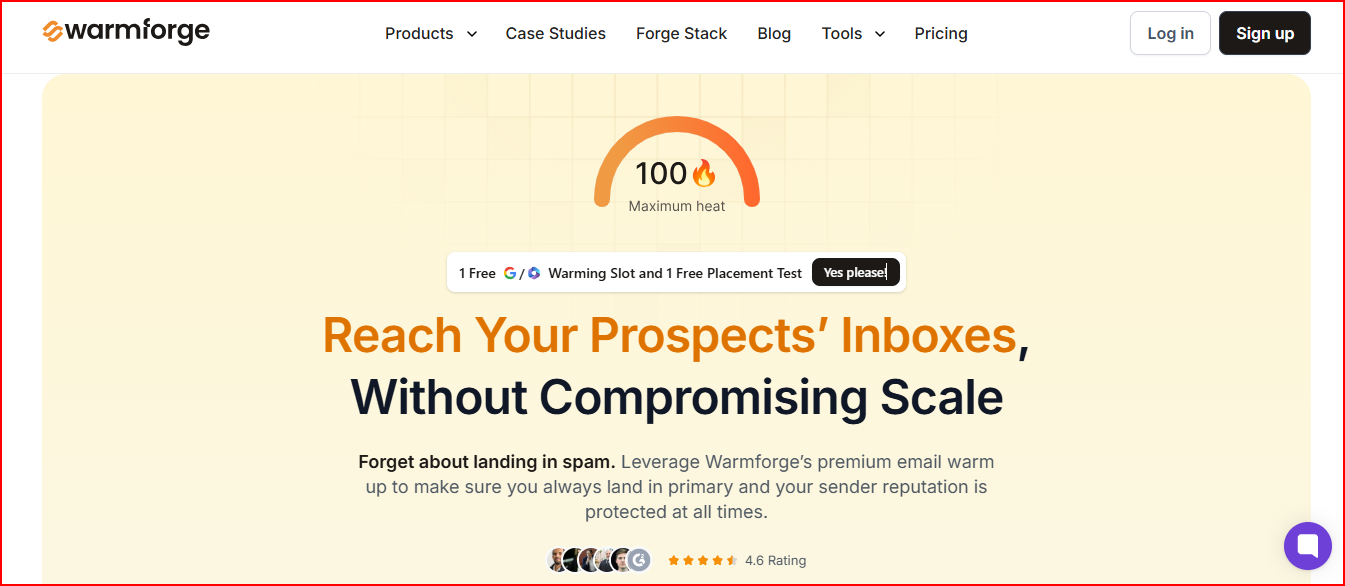
Warmforge is an AI-powered email warm-up and deliverability tool specially built for Google Workspace and Microsoft 365 mailboxes.
This image shows the Warmforge- Best Emailwarmup alternative with clear inox placement
You connect your mailbox, click once, and it starts warming it automatically.
The system sends unique AI-written emails that act like real human conversations.
This helps show email providers that your inbox is genuine and actively used.
Warmforge uses one premium pool with only aged Google Workspace and Microsoft 365 accounts, which helps improve sender reputation and more stable deliverability.
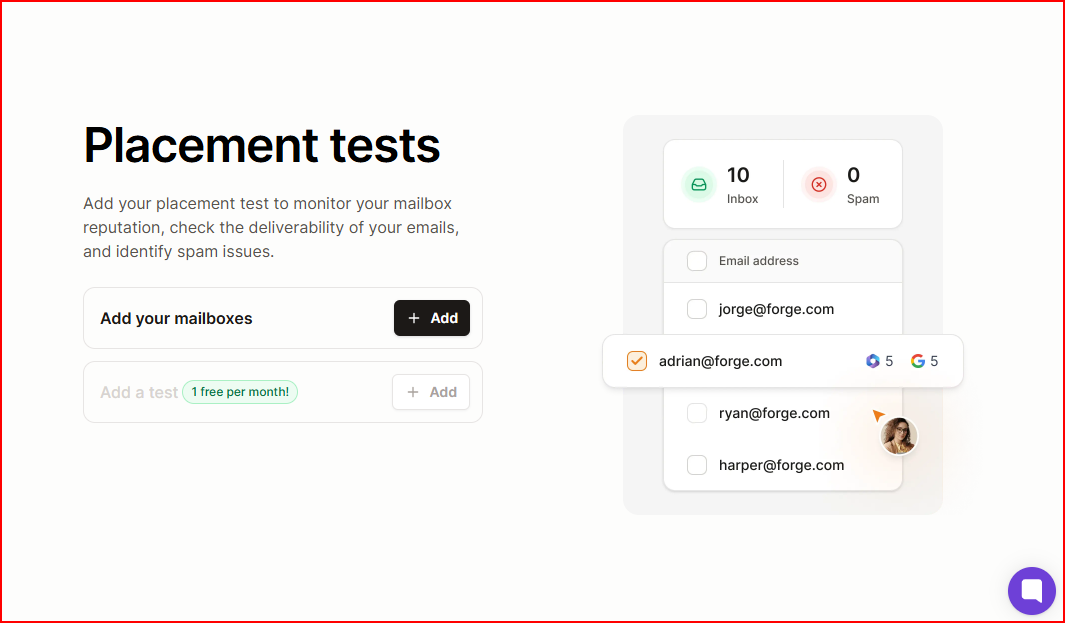
You can also run placement tests to see how your emails perform with specific providers like Google and Outlook.
This shows you clearly where your emails are landing.
This image shows the Warmforge placement test
It also checks your DNS records, MX records, and blacklist status, so you can spot infrastructure issues early.
In simple terms, Warmforge gives you automated warm up, provider-specific placement testing, and mailbox health checks in one place.
Key Features
Uses automated AI email warm-up with human-like sending behavior
Runs on a single premium pool of aged Google Workspace and Microsoft 365 accounts
Provides placement tests across providers like Google and Outlook
Monitors DNS records, MX records, and blacklist status
Recommends always-on warm-up for consistent sending patterns
Offers a free deliverability audit
Pricing
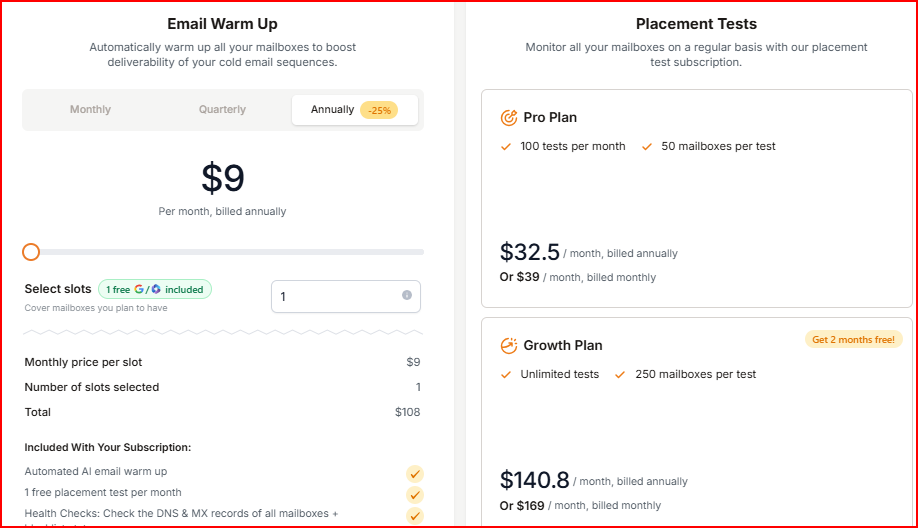
Warmforge pricing is simple. You pay based on how many mailboxes you want to warm and how many placement tests you need.
This image shows the Warmforge pricing
Email warm-up starts at $9 per month per slot (billed annually). You get 1 free slot included.
The warm-up plan includes AI email warm-up, 1 free placement test per month, and DNS, MX, and blacklist checks.
Placement Test Pro Plan is $39 per month (or $32.5 per month billed annually) for 100 tests.
Placement Test Growth Plan is $169 per month (or $140.8 per month billed annually) for unlimited tests.
Two 1-to-1 expert consulting sessions cost $500.
If you use Salesforge, Warmforge is included with unlimited mailbox slots.
Pros
Mailboxes are warmed inside a premium Google Workspace and Microsoft 365 pool, which helps maintain a cleaner reputation and stable inbox placement.
AI handles the warm-up automatically, so you do not have to manually manage activity across mailboxes.
Placement tests let you see how your emails perform with providers like Google and Outlook, so you are not guessing about deliverability.
DNS, MX, and blacklist checks help you detect infrastructure issues before they affect campaigns.
You can keep warm up running continuously, which supports consistent sending patterns over time.
If you are using Salesforge, warm up is included with unlimited mailbox slots, so scaling does not require extra setup.
Warmforge supports all mailbox types and uses aged Google Workspace and Microsoft 365 accounts in its premium warm-up pool.
Warmforge Cons
Users get only one free warm-up slot to test the product
2. Warmy.io
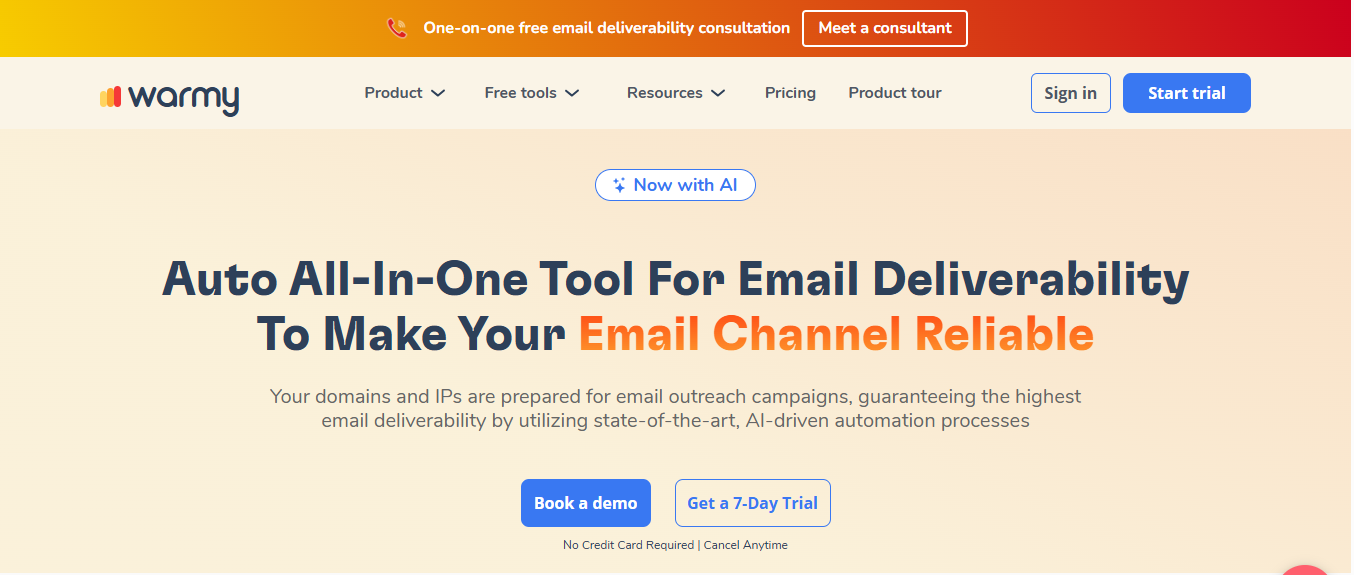
Warmy is an automated email warm-up and deliverability tool designed to improve inbox placement by engaging real people through real mailboxes.
This image shows the Warmy- best Emailwarmup alternative with multilaguage support
You connect your mailbox, and Warmy starts warming it automatically.
It sends fully personalized messages on different topics and in multiple languages.
It also provides monitoring through a dashboard where you can track deliverability progress, mailbox health, spam rate, IP reputation, and overall health score.
It works with major email providers like Gmail, Outlook, Zoho, Amazon SES, and more.
In simple terms, Warmy combines AI-powered personalized warm-up, real mailbox interactions, and deliverability monitoring in one system.
Key Features
Uses AI-powered email warm-up with fully personalized messages
Exchanges emails with real people and real mailboxes
Allows topic-specific warm-up based on your target audience
Supports email warm-up in more than 30 languages
Provides deliverability monitoring with dashboard and alerts
Shows spam rate, IP reputation, domain reputation, and health score
Integrates with Google Postmaster for monitoring
Works with major providers like Gmail, Outlook, Zoho, and Amazon SES
Offers safe auto settings with monitoring of DMARC, DKIM, SPF, IP, and domain status
Pricing
Warmy pricing is not publicly available.
It offers three types of plans:
B2B Sender plan for warming domains and IPs when sending to professional providers like G Suite and MS365
B2C Sender plan for warming domains and IPs when sending to personal providers like Gmail, Yahoo, and Outlook
Custom plan tailored to specific business needs
All plans include volume-based pricing, Google Postmaster integration, deliverability monitoring, and a dedicated deliverability expert.
A 7-day free trial is available with no credit card required.
Warmy Pros
Warm-up emails are fully personalized and topic-based, which helps create more natural engagement signals.
It exchanges emails with real people and real mailboxes instead of fake accounts.
You can warm up in more than 30 languages, which supports international outreach.
The dashboard shows spam rate, IP reputation, domain reputation, and overall health score in one place.
Google Postmaster integration gives visibility into sender reputation.
Warmy Cons
Pricing is volume-based and not publicly fixed, so exact costs depend on your setup
Requires booking a demo for plan details and customization
Does not provide a clear Inbox placement
3. Lemwarm
Lemwarm is an email warm-up and deliverability booster tool designed to help your emails land in the inbox instead of spam.
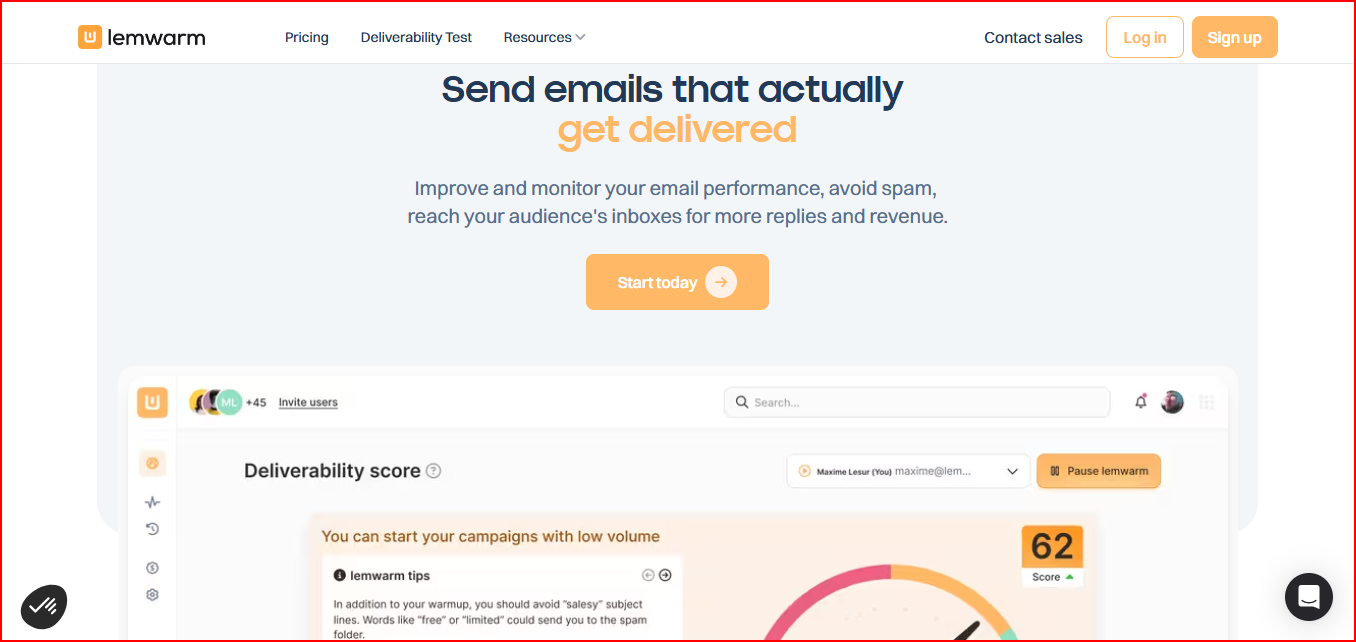
This image shows the Lemwarm- best Emailwarmup alternative from lemlist
You connect your email and turn it on. Lemwarm gradually sends automated warm-up emails to a premium network.
Before and during warm-up, Lemwarm checks your technical setup, including SPF, DKIM, DMARC, and MX records.
It also monitors your sending volume and content. If your email copy triggers spam filters, you receive alerts.
You get daily deliverability insights and reports to track sender reputation and overall performance.
In simple terms, Lemwarm combines automated warm-up, technical setup checks, spam risk monitoring, and ongoing deliverability insights in one system.
Key Features
Sends automated warm-up emails to a premium network of 20,000+ healthy domains
Checks SPF, DKIM, DMARC, MX records, and tracking domain setup
Provides personalized warm-up emails and automated replies
Monitors sending volume and warns about spam filter risks
Delivers daily deliverability reports and insights
Offers custom alerts and an industry-tailored warm-up network in Smart Plan
Included for free with an active lemlist subscription
Pricing
Lemwarm pricing is per email account.
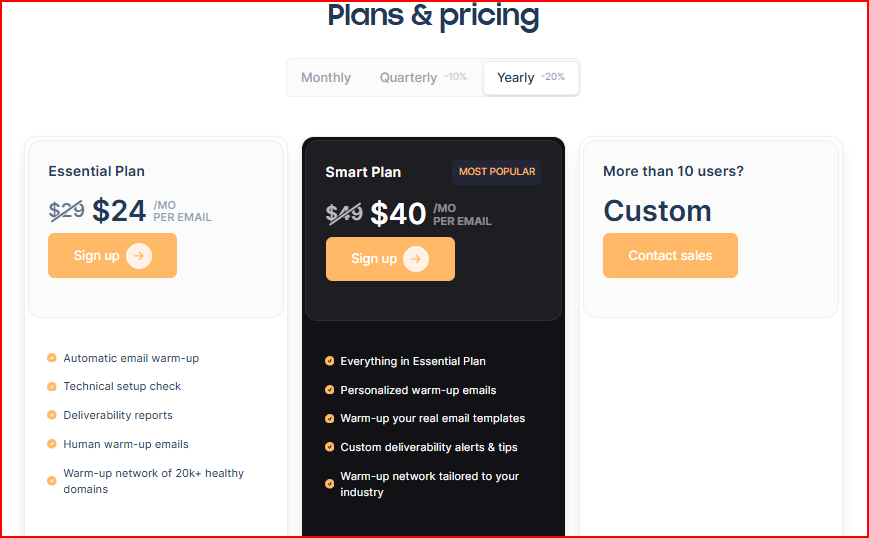
This image shows the Lemwarm pricing
Essential – $29 per email per month ($24 billed yearly)
You get automatic email warm-up, technical setup checks, deliverability reports, and human warm-up emails.
It includes access to a warm-up network of 20,000+ healthy domains.
Smart – $49 per email per month ($40 billed yearly)
You get everything in Essential, plus personalized warm-up emails and the ability to warm up your real email templates.
It also adds custom deliverability alerts, expert tips, and an industry-tailored warm-up network.
Custom Plan – Contact Sales
This is for teams with more than 10 users.
Pricing and setup are tailored based on your needs.
Lemwarm is also included for free if you have an active lemlist subscription.
Pros
Warm-up runs across a large network, helping improve domain reputation gradually.
Technical setup is checked before and during warm-up, which helps prevent configuration issues.
Personalized warm-up emails and replies keep activity natural instead of generic.
You receive daily insights and spam alerts, so you can adjust sending behavior early.
If you use lemlist, you get lemwarm included without paying separately.
Lemwarm Cons
It does not clearly show an inbox placement report across different mail providers, unlike some other warm-up tools like Warmforge.
Pricing is charged per email account, so costs increase as you add more mailboxes.
Personalized warm-up emails and an industry-tailored network are available only in the Smart Plan.
4. Warmup Inbox
Warmup Inbox is an email warm-up tool designed to improve sender reputation and help your emails land in the inbox instead of spam.
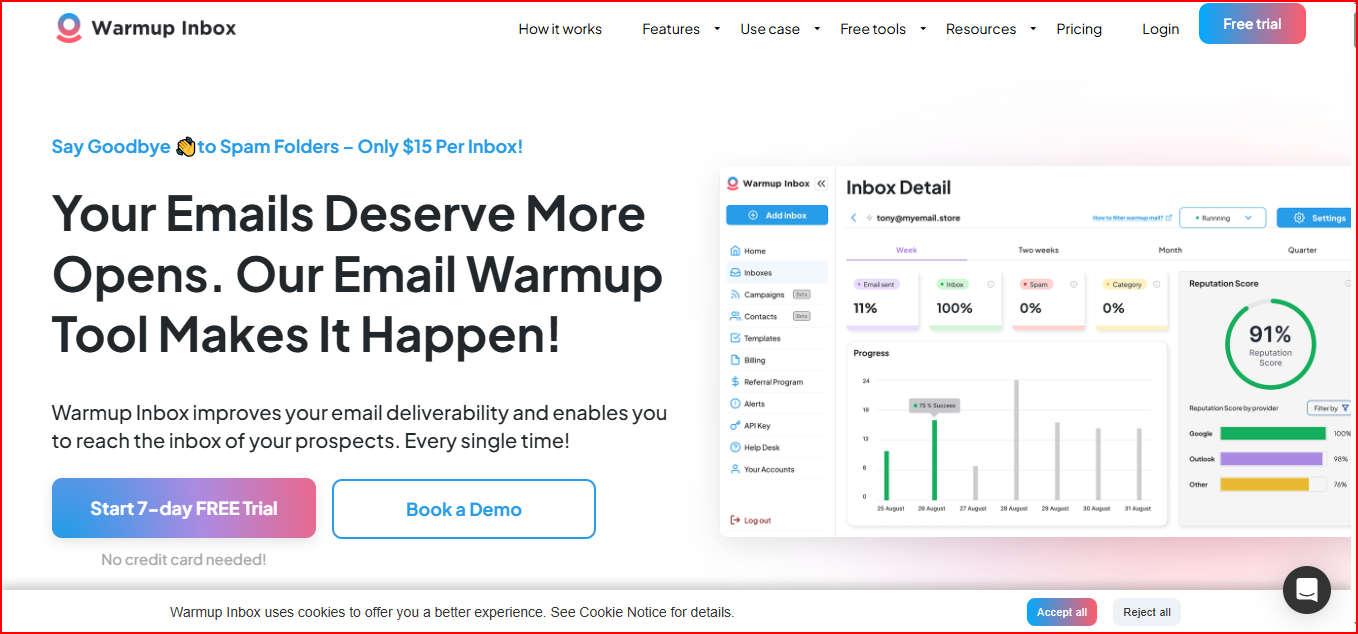
This image shows the Warmup Inbox- best emailwarmup alternative with large network
You connect your inbox, and the system automatically starts sending and replying to emails through a large network of real inboxes.
This activity increases gradually to build your sender reputation in a natural way.
It focuses on keeping your emails out of spam and promotions folders.
You also get monitoring features that track sender reputation, spam status, and category placement.
If something goes wrong, you receive alerts.
Warmup Inbox works with multiple providers like Gmail, Outlook, Zoho, and SendGrid.
In simple terms, Warmup Inbox combines automated warm-up, reputation monitoring, and reporting in one system to help maintain inbox placement.
Key Features
Sends and replies to emails automatically using a network of 30,000+ real inboxes
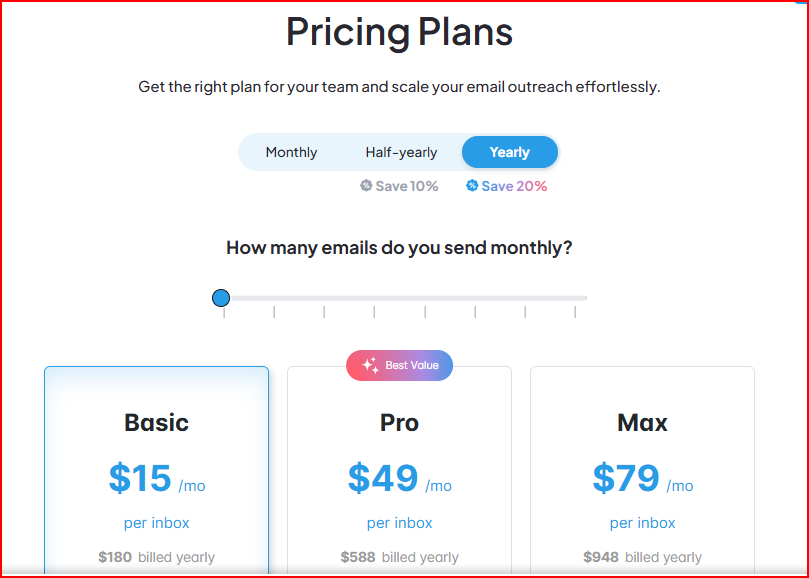
Basic – $15 per inbox per month ($180 billed yearly)
You get 75 warm-up emails per day with replies of up to 25%.
It also includes spam and category monitoring, reputation checks, dashboards, and AI-generated content.
Pro – $49 per inbox per month ($588 billed yearly)
You get 250 warm-up emails per day with replies of up to 45%.
You can add your own templates, choose warm-up topics, use language warm-up, and set custom warm-up settings.
Max – $79 per inbox per month ($948 billed yearly)
You get 1000 warm-up emails per day with replies of up to 50%.
It also includes a technical setup check, unlimited API access, and premium customer support.
There is also a 7-day free trial, and no credit card is required to start.
Warmup Inbox Pros
The large network of real inboxes helps build sender reputation naturally, which can improve inbox placement faster.
You get clear reports and alerts about spam and category placement, so you can see when things are going wrong.
Higher daily warm-up volumes on Pro and Max plans help scale warm-up activity for bigger campaigns.
Warmup Inbox Cons
Does not provide provider-specific inbox placement breakdown like Gmail vs Outlook rates.
Does not include ongoing DNS, MX, or blacklist health checks as part of the core warm-up process.
5. Mailwarm
Mailwarm is an email warm-up tool designed to improve sender reputation and help your emails avoid the spam folder.
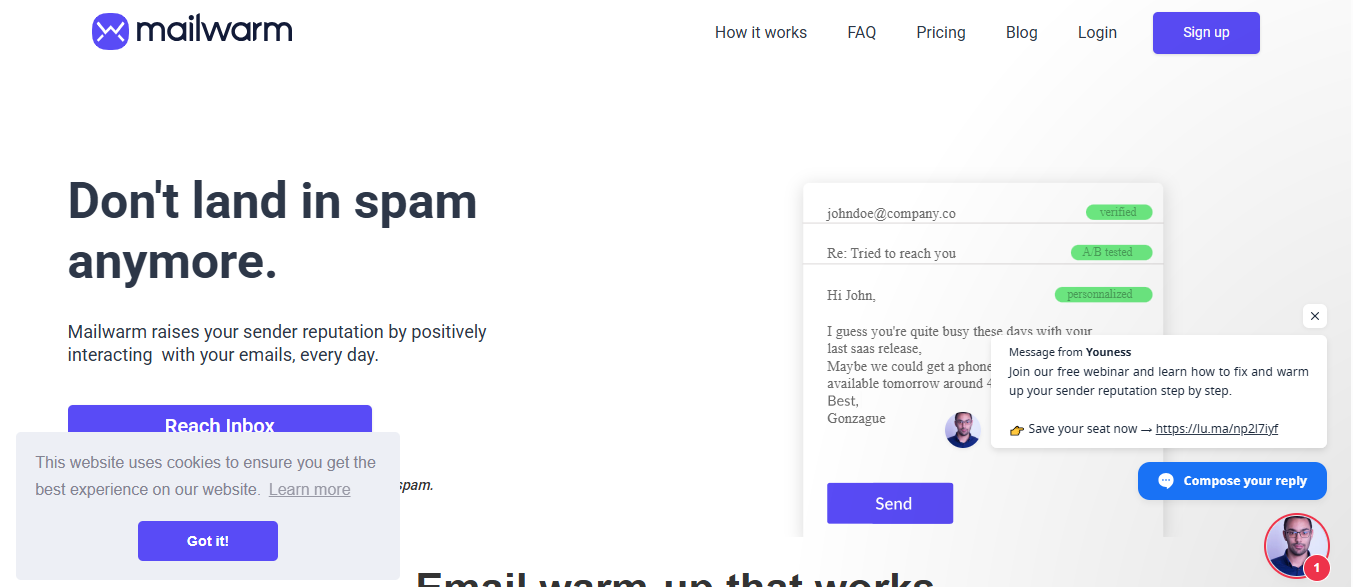
This image shows the Mailwarm- best emailwarmup alternative with SMTP support
You connect your inbox, and Mailwarm starts sending automated warm-up emails to thousands of Mailwarm accounts.
These emails receive positive engagement signals like opens, replies, marked as important, and marked as non-spam.
Mailwarm also provides live inbox vs spam placement tracking.
You can see real-time placement distribution per mailbox and per SMTP, instead of waiting days to understand where your emails are landing.
Warm-up runs daily based on your schedule. You can control interaction frequency, reply rate, and warm-up intensity from the dashboard.
It supports Gmail, Outlook, Yahoo, Zoho, AWS, SendGrid, Mailgun, and other SMTP-based platforms.
In simple terms, Mailwarm combines automated warm-up, live inbox monitoring, and dashboard control to improve inbox placement and sender reputation.
Key Features
Sends automated warm-up emails with positive engagement signals like opens, replies, and marked as important
Provides live inbox vs spam placement tracking per mailbox and SMTP
Runs continuous inbox placement tests 24/7
Offers dashboard control to adjust warm-up intensity and schedule
Supports Gmail, Outlook, Yahoo, Zoho, SendGrid, Mailgun, AWS, and other SMTP platforms
Pricing
Mailwarm plans are structured so you can choose what fits your warm-up volume and team size.
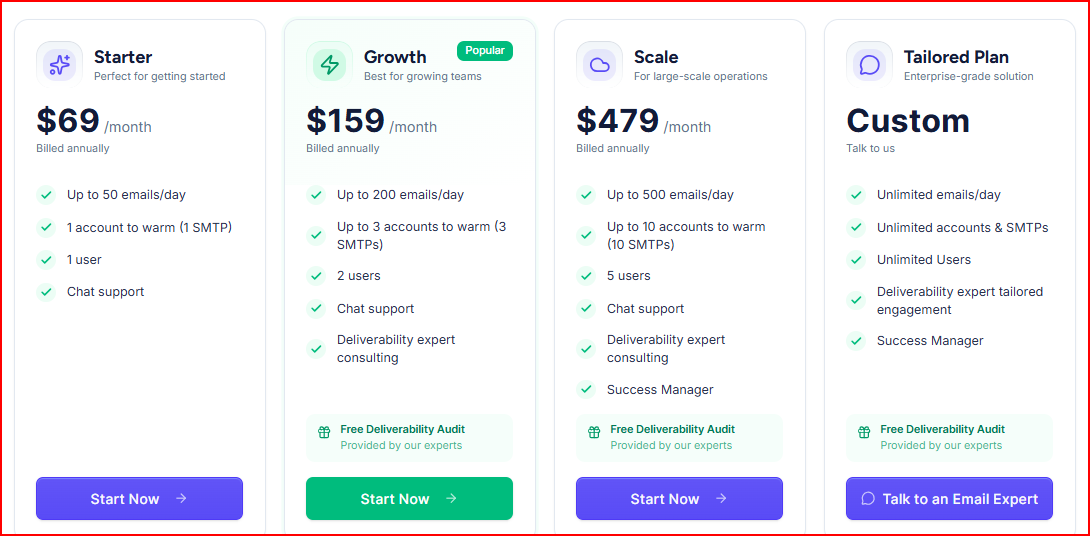
This image shows the Mailwarm pricing
Starter – $69 per month (billed annually)
You can warm 1 account (1 SMTP) with up to 50 emails per day.
Includes chat support and basic warm-up functionality.
Growth – $159 per month (billed annually)
You can warm up to 3 accounts (3 SMTPs) with up to 200 emails per day.
Includes deliverability expert consulting and a free deliverability audit.
Scale – $479 per month (billed annually)
You can warm up to 10 accounts (10 SMTPs) with up to 500 emails per day.
Includes expert consulting, success manager, and free deliverability audit.
Tailored Plan – Custom Pricing
Unlimited emails per day and unlimited accounts.
Includes tailored expert engagement and a success manager.
Pros
Mailwarm gives live inbox vs spam tracking, so you can see placement in real time instead of waiting for delayed reports.
You can control warm-up frequency, schedule, and reply rate from the dashboard.
It supports a wide range of SMTP platforms, which makes it flexible for different setups.
Mailwarm Cons
Warm-up focuses mainly on engagement signals like opens and replies. It does not include built-in SPF, DKIM, or DMARC setup checks.
It tracks inbox vs spam placement live, but does not provide deeper content-based spam warnings.
There is no defined warm-up duration guidance like 2–4 weeks, so ramp-up expectations are not clearly structured.
It improves engagement signals, but does not include structured technical mailbox health monitoring.
Personalized Outbound Strategy
Get The Right Outbound Strategy In Minutes
Enter your email to get a custom plan & stack recommendation for your
business
It's being carefully crafted by AI
Please check your mailbox in 5 minutes
Conclusion
If Maxify inbox placement starts to feel unstable as you scale, choosing the right warm-up system becomes important.
Warmforge is a strong Maxify alternative if you want automated warm-up with detailed placement testing and built-in health checks to improve deliverability.
Warmy is a better fit if you want personalized engagement-based warm-up using real mailboxes and the ability to test with a 7-day free trial.
Lemwarm works well for teams that want gradual reputation building across a large domain network with ongoing deliverability insights and monitoring.
Warmup Inbox is useful if your priority is live spam and category tracking with flexible daily warm-up volume per inbox.
Mailwarm is a good option if you want real-time inbox vs spam visibility and engagement-heavy warm-up activity that runs daily.
If your goal is to improve inbox placement more predictably while scaling multiple mailboxes, Warmforge is a strong starting point.
It combines automated warm-up, provider-level placement testing, and built-in technical health checks in one system.