
Personalized Outbound Strategy
Get The Right Outbound Strategy In Minutes
Enter your email to get a custom plan & stack recommendation for your business
It's being carefully crafted by AI
Please check your mailbox in 5 minutes

$1 per inbox sounds almost too good for email warm-up.
That is what EmailPond charges on its $199 Scale plan, which includes 200 connected inboxes.
You also get sender reputation tracking, inbox placement monitoring, and API access.
For that price, the offer looks strong. What is less clear is how well it performs in real cold email campaigns.
EmailPond is still relatively new, and there are very few independent user reviews showing whether its reputation system leads to better inbox placement over time.
So, can EmailPond really improve your deliverability when you are managing hundreds of inboxes?
In this EmailPond review, I’ll look at how it works, what you get, where it falls short, and whether it is worth using in 2026.
EmailPond includes the core features you would expect from an email warm-up tools, such as automated warm-up, sender reputation tracking, inbox placement monitoring, and API access.
To see where that feature set is strong and where it falls short, it helps to compare it with Warmforge. Warmforge also handles email warm-up, but adds dedicated placement testing and mailbox health checks for DNS, MX records, and blacklist status.
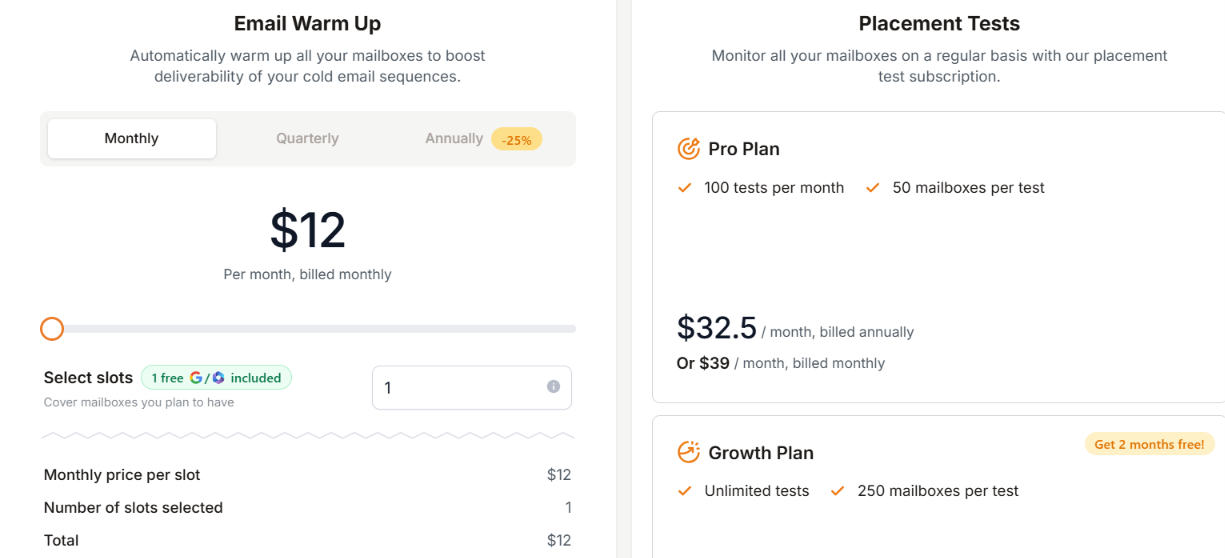
Both tools offer email warm-up and monitoring, but their pricing models work differently.
EmailPond offers fixed plans. Its Starter plan costs $49 per month and supports up to 20 inboxes. You pay the full $49 whether you connect 5, 10, or 20 inboxes, so the advertised rate of $2.45 per inbox only applies when you use every available slot. The same is true for its larger plans.
Warmforge charges according to the number of mailbox slots you need. If you only want to warm a few mailboxes, you can pay for those slots without committing to a larger bundle.
EmailPond offers better value when you can use most of the inboxes included in your plan. Warmforge is more flexible if you prefer to pay only for the mailboxes you actually need.
There are currently no user reviews for EmailPond on major platforms such as G2, Trustpilot, or Capterra. I also could not find meaningful firsthand feedback on Reddit.
This makes it difficult to judge how EmailPond performs for customers over time. For now, most of the information available about its features and performance comes from EmailPond itself.
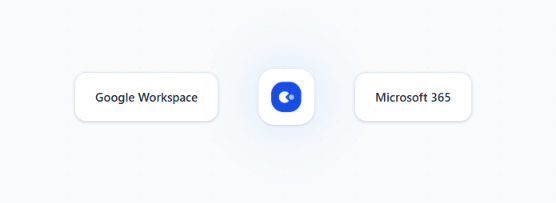
EmailPond keeps the setup pretty simple. You first connect your Google Workspace or Microsoft 365 inboxes through OAuth. Once connected, EmailPond starts warming them automatically by generating engagement and trust signals.
From there, you can keep an eye on sender health, inbox placement, and engagement while the warm-up runs.
Once you start your outreach campaigns, EmailPond can continue strengthening sender reputation in the background while you send.

So the process is simple, connect your inboxes, start warm-up, monitor their health, and continue warm-up alongside your outreach.
EmailPond focuses mainly on email warm-up and sender reputation. Here are the main features you get:
The feature set is fairly focused. You get the tools needed to warm inboxes and monitor sender reputation, along with API access if you want to automate the process.
No, not on its own. EmailPond mainly helps with sender reputation. It warms your inboxes, generates engagement signals, and lets you track reputation, inbox placement, and sender health.
That can help when poor sender reputation is hurting your inbox placement. But EmailPond cannot fix every reason your emails are going to spam.
For example, its own deliverability guide says warm-up does not fix broken email authentication, spam trap hits, or purchased email lists. Those problems need to be fixed separately.
So if you have a new inbox or need to build sender reputation, EmailPond can help build that reputation over time. But if your SPF, DKIM, or DMARC setup is wrong, or you are sending to a bad list, warm-up alone will not solve the problem.
There are also no user reviews yet to show how much EmailPond has improved inbox placement for actual customers. So its effect on deliverability is difficult to verify independently right now.
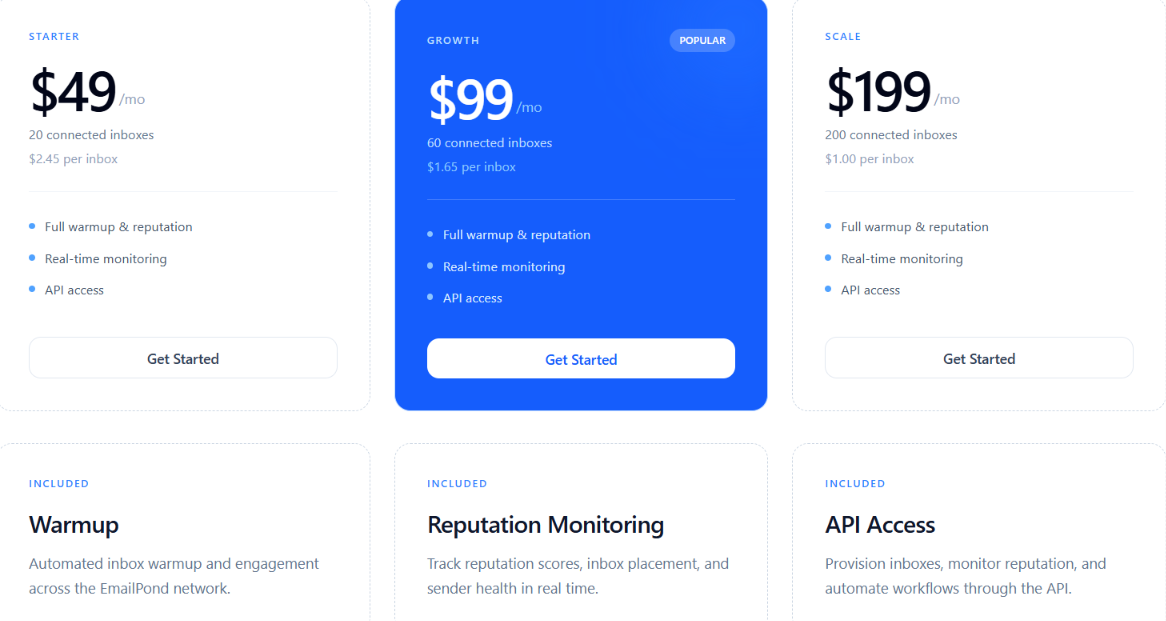
EmailPond has three pricing options based on how many inboxes you want to connect.
All three options include warm-up, reputation monitoring, real-time monitoring, and API access. If you need more than 200 inboxes or custom infrastructure, you need to contact EmailPond for pricing.
EmailPond lists each option at a fixed monthly price for a set number of connected inboxes. For example, Starter costs $49 per month for 20 connected inboxes, which works out to the stated $2.45 per inbox when all 20 are used.
The same applies to the Growth and Scale options. So EmailPond becomes cheaper per inbox when you use more of the inboxes included in your plan.
EmailPond makes the most sense if warm-up and sender reputation are your main priorities. It is especially suited to teams managing multiple Google Workspace or Microsoft 365 inboxes.
Overall, EmailPond is better suited to teams that already know what they need and mainly want warm-up, reputation monitoring, and automation. If you need broader provider support, email verification, or hands-on deliverability help, another tool may be a better fit.
EmailPond gives you warm-up and sender reputation monitoring. But if you also want to check where your emails are landing and catch problems with your mailbox setup, Warmforge gives you more tools for that.
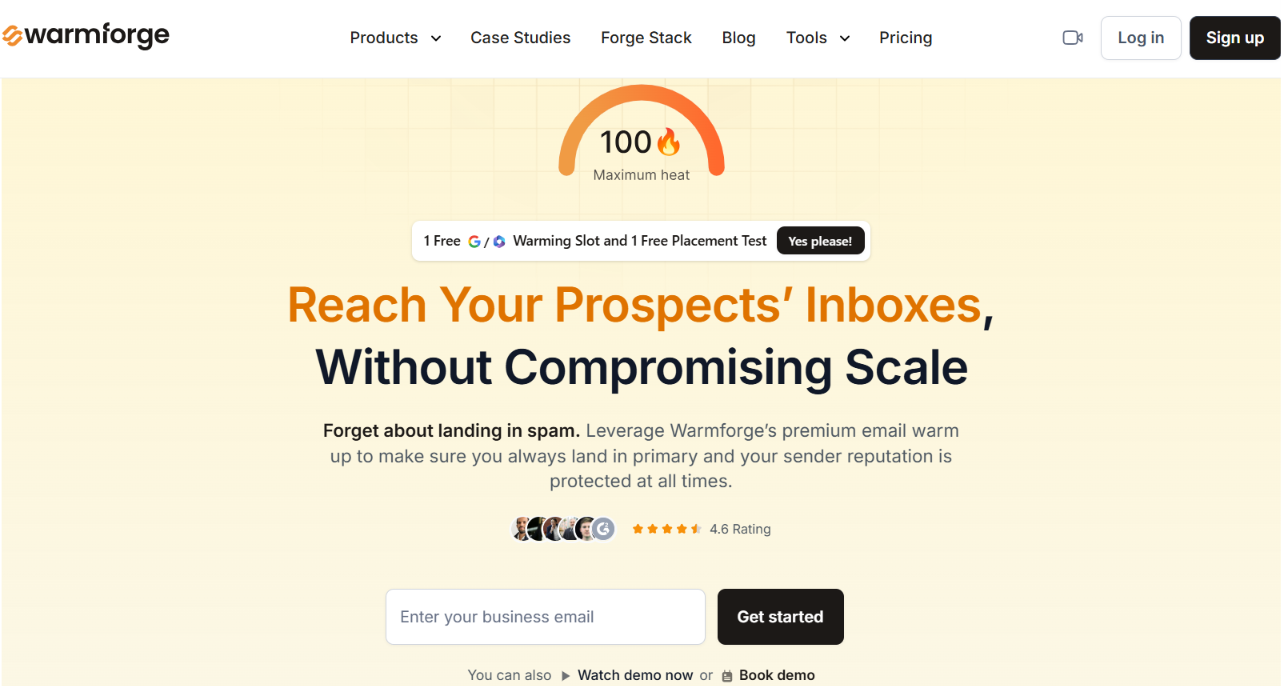
Warmforge is an email warm-up and deliverability tool for Google Workspace and Microsoft 365 mailboxes.
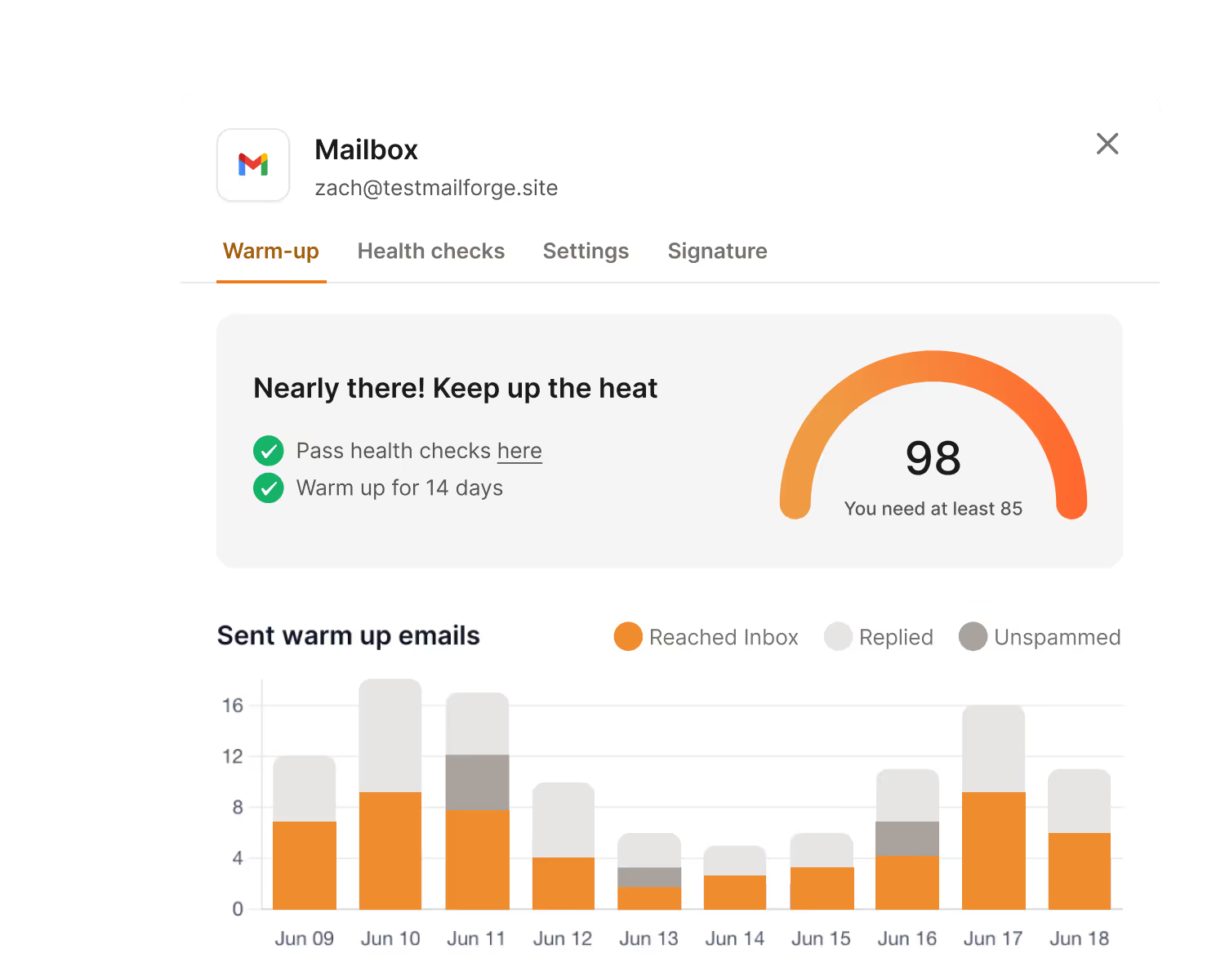
Along with warming your inboxes, it helps you check mailbox health and test inbox placement.
Here is what makes Warmforge different:
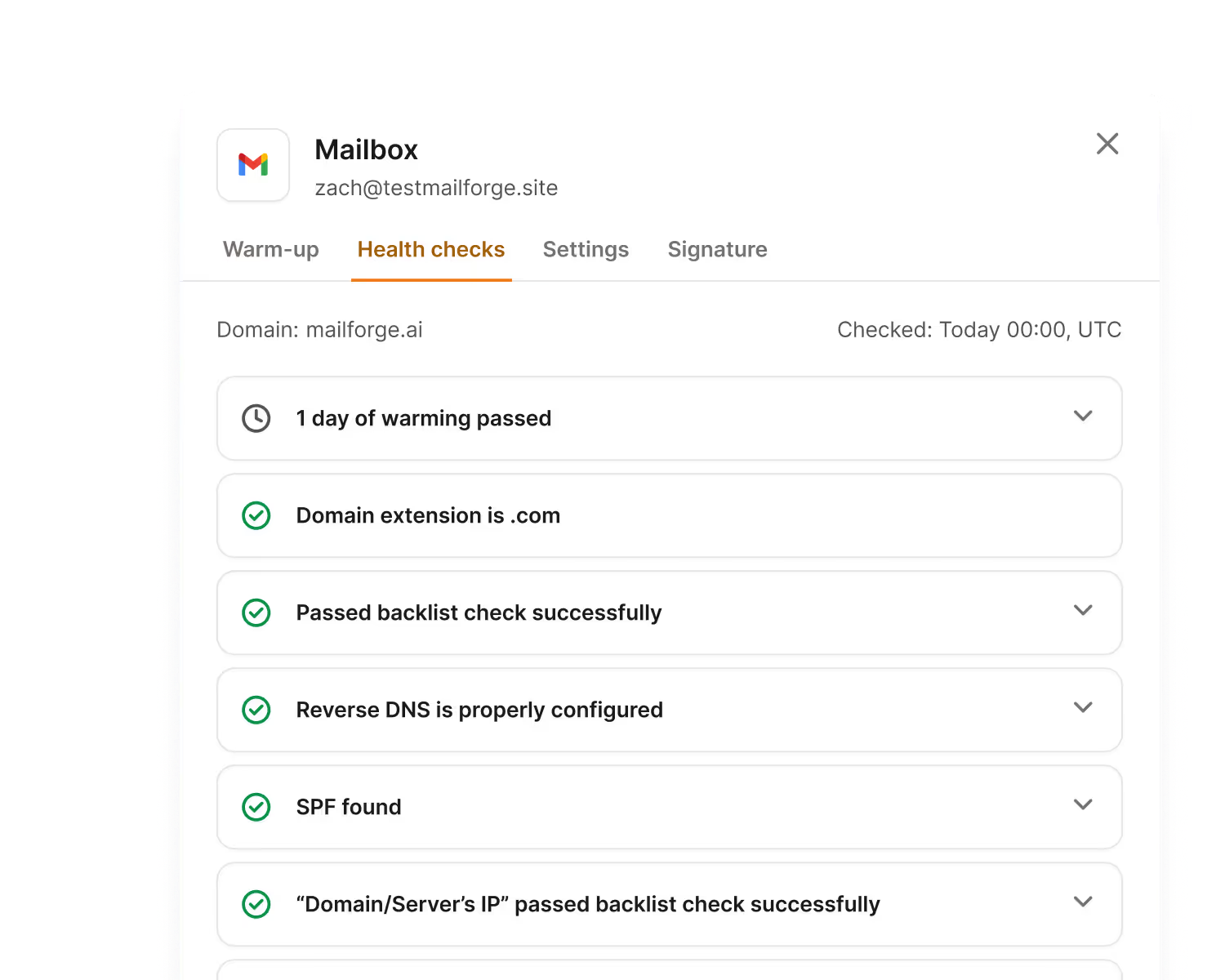
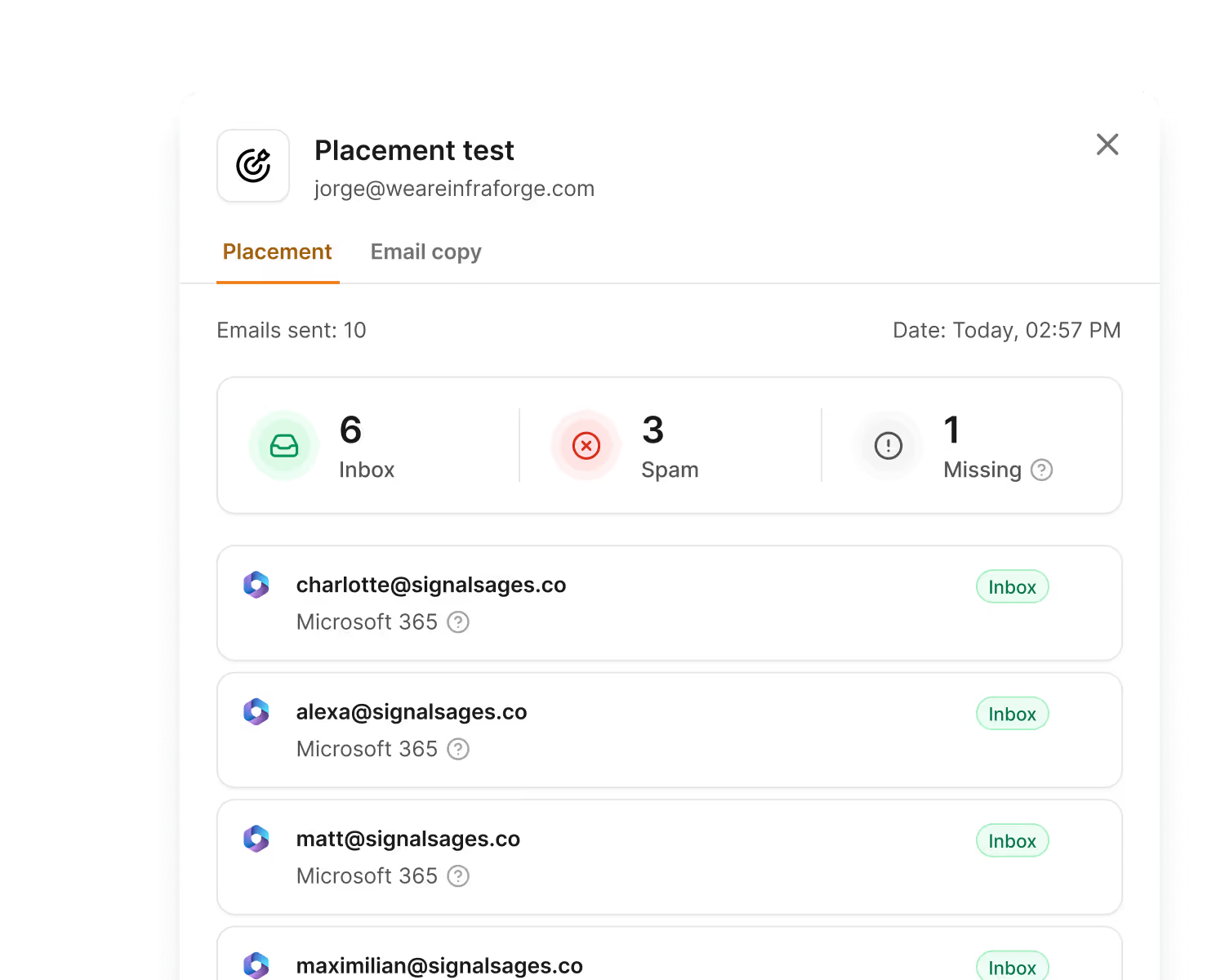
The main advantage over EmailPond is the extra visibility into your deliverability. If you want to warm your mailboxes while also checking their health and inbox placement, Warmforge is the more complete option.
Enter your email to get a custom plan & stack recommendation for your business
Please check your mailbox in 5 minutes

EmailPond is worth considering if you manage a lot of Google Workspace or Microsoft 365 inboxes and mainly need warm-up and sender reputation monitoring. Its pricing also gets as low as $1 per inbox on the Scale plan.
The bigger concern is the lack of customer feedback. There are currently no user reviews, so there is not enough independent evidence to show how EmailPond performs for customers over time. Warm-up also cannot fix every deliverability problem, such as authentication issues or bad email lists.
If you want more ways to check your deliverability, Warmforge is the better fit. Along with email warm-up, you get placement testing and Health Checks for DNS records, MX records, and blacklist status.
Try Warmforge if you want to warm your mailboxes while also checking their health and seeing where your emails are landing.