Dynamic segmentation is a game-changer for cold outreach. Unlike static lists, it updates prospect data in real time, ensuring your emails stay relevant. By tracking behaviors like website visits or email clicks, you can send hyper-personalized messages that boost response rates and reduce spam complaints. Segmented campaigns have been shown to achieve 14.31% higher open rates and 100.95% higher click-through rates, leading to potential revenue increases of up to 760%.
Dynamic segmentation ensures your outreach is timely, relevant, and effective, keeping your campaigns ahead of the competition.

Dynamic Segmentation Statistics: Impact on Email Campaign Performance
Start by analyzing your best customers to uncover patterns. Consider factors like company size, industry, technology usage, and buying habits. Companies with a well-defined ICP often achieve 68% higher account win rates.
Your ICP should focus on four key data types. Firmographic data includes details like industry, company size, revenue, location, and growth stage. Technographic data identifies the software and tools your prospects use. Demographic data covers job titles, seniority, and departments. Finally, psychographic data dives into values, attitudes, and decision-making preferences.
Collaborate with internal teams to validate your segments. Sales teams can provide insight into objections and pain points, while customer success teams know which clients see the best results. Use tools like LinkedIn Sales Navigator, ZoomInfo, or SalesIntel to supplement and verify your data. Keep everything organized in your CRM.
"Customer segmentation will become more dynamic and fluid, adapting in real-time to changes in segment behavior, market conditions, and competitive analyses." - Brianna Langley Henderson, Growth Marketer
Stick to 3–5 core segments that align with your value propositions. Over-segmenting can dilute your message and complicate your campaigns. Standardize data formats, like job titles or company names, to avoid missing prospects due to inconsistencies.
Once your ICP is set, you can refine it further by incorporating real-time signals.
After defining your ICP, enhance your segments with behavioral and intent data. Behavioral segmentation tracks actions like email opens, clicks, and website visits, while intent-based segmentation identifies leads showing buying interest - such as visiting pricing pages, attending webinars, or requesting demos.
Real-time updates make all the difference. For instance, set up CRM rules to automatically move a contact from "Cold Outreach" to "Engaged – High Intent" if they open an email twice and click a link. External signals like job postings, funding announcements, or changes in a company’s tech stack can also indicate readiness to buy.
Organize your list by engagement level: "Highly Engaged" (active in the last 30 days), "Moderately Engaged" (up to 90 days), and "Low Engagement" (over 90 days). Sending emails to highly engaged groups first helps maintain a strong sender reputation, signaling value to email providers. Apply sunset policies to remove or reassign inactive contacts after 3–5 campaigns.
"Behaviors that generate high scores - site visits, email opens, content downloads, forward detection, email clicks - are reliable proof that specific customers should be targeted for follow-up." - Jeffrey Goldsmith, Fractional CMO
Keep in mind that B2B lists decay at about 2% per month. Regularly cleaning your list every 2–6 months ensures accurate tracking and better deliverability.
Here are some practical segment types to consider for more effective cold outreach. Demographic segments focus on job title and seniority - CEOs might need strategic ROI discussions, while IT managers prefer technical details. Firmographic segments group prospects by industry or company size to address specific challenges, like compliance in healthcare or efficiency in manufacturing.
Technographic segments target prospects based on their tech stack. For example, Salesforce users might need different messaging compared to HubSpot users. Behavioral segments prioritize leads who show interest, such as visiting pricing pages multiple times.
Intent-based segments highlight high-priority leads, like those who request demos or attend webinars. Journey stage segments tailor messaging to where the lead is in the funnel - educational content for awareness, comparisons for consideration, and case studies for decision-making. Geographic segments can optimize send times, ensuring your emails land during peak business hours, typically 9:00 AM–11:00 AM local time.
| Segment Type | Example Criteria | Messaging Focus |
|---|---|---|
| Demographic | VP of Sales, IT Director | Role-specific pain points and seniority-level benefits |
| Firmographic | SaaS, $5M-$20M Revenue | Scalability and industry-specific compliance |
| Technographic | Salesforce users, AWS users | Integration ease and tech stack compatibility |
| Behavioral | Pricing page visitors, link clickers | Timely follow-ups based on recent interest |
| Intent-based | Webinar attendees, demo requesters | Sales-focused conversations and closing evidence |
Regional preferences also play a role. East Coast professionals often prefer direct, results-driven communication, while West Coast audiences may respond better to creative and innovative messaging. Tailoring follow-ups based on event participation, like post-webinar outreach, can lead to 3–5x higher conversion rates compared to generic approaches.
AI tools take the hassle out of dynamic segmentation by keeping tabs on live events like funding announcements, executive changes, and LinkedIn updates, ensuring segments are updated in real time. Instead of manually tracking these details, AI analyzes behavioral signals - things like website visits, email opens, and content downloads - and adjusts outreach sequences and segment priorities automatically. This automation can save sales professionals around 2.15 hours daily by cutting out repetitive tasks.
These tools also utilize Natural Language Generation (NLG) to fine-tune the tone of your messages. For instance, they can craft ROI-focused language for executives while emphasizing efficiency for managers. When paired with your CRM, the system can even reassign segments as deal statuses or lifecycle stages shift. The result? Prospects consistently receive messaging that's perfectly aligned with their current behavior and intent.
Platforms like Warmforge take this a step further, using AI-driven segmentation to boost email deliverability and improve campaign performance.
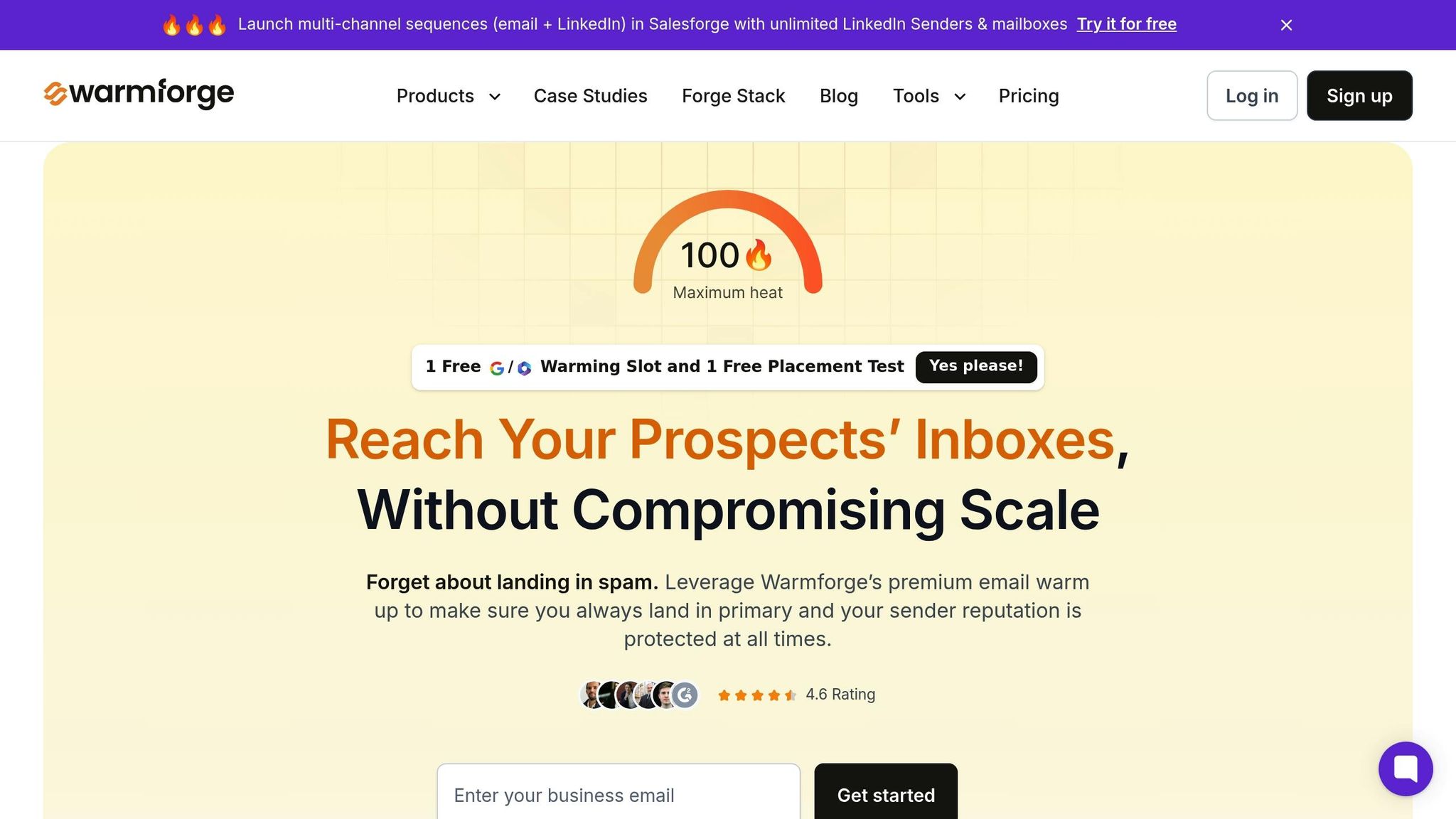
Warmforge is designed to handle dynamic segmentation at scale while safeguarding your sender reputation. The platform uses AI to simulate human-like email behavior, which builds trust with email providers. This ensures your segmented campaigns land in primary inboxes rather than spam folders.
It also provides a real-time heat score dashboard to monitor email deliverability. If performance starts to dip in a particular mailbox, you can quickly pivot - either shifting outreach to other channels or pausing that inbox to avoid damaging your overall reputation. This is especially critical when managing multiple segments. By capping each mailbox to about 50 daily emails (20 for warm-up and 30 for outreach), Warmforge helps maintain optimal deliverability.
On top of that, Warmforge conducts regular health checks on DNS and MX records, scans blacklists, and runs monthly placement tests to ensure your emails hit their targets. It integrates seamlessly with Salesforge for multi-channel outreach and Agent Frank AI SDR for autonomous prospecting. Plus, every user gets a free warm-up slot for a Google or Microsoft mailbox and a free placement test each month to measure performance.
In 2024, UniteSync CEO Carlos Palop Moliner leveraged Salesforge and Warmforge to reach music creators with unclaimed royalties. By automating personalized outreach and ensuring emails were properly warmed up, they achieved an 85.26% positive reply rate while keeping their Customer Acquisition Cost (CAC) at just $2.86. As Moliner put it:
"Cold email only works when it lands. That's where Salesforge and Mailforge have made the difference."
When comparing Warmforge to other platforms, its strength lies in its focus on email warm-up and deliverability. Here's a quick breakdown of how it stacks up against competitors like Instantly and Woodpecker:
| Feature | Warmforge | Instantly | Woodpecker |
|---|---|---|---|
| Primary Focus | Email warm-up & deliverability | Outreach scaling & campaign building | Sequence automation |
| AI Automation | Simulates human interactions for warm-up | AI for sequences and lead cleaning | Sequence-based |
| Real-Time Monitoring | Heat score & deliverability dashboard | Bulk domain testing | Limited |
| Multi-Mailbox Support | Unlimited (with scaling) | Yes | Yes |
| Native Integration | Salesforge, Mailforge, Agent Frank | Standalone | Standalone |
| Starting Price | $9/mailbox/month (annual) | $30/month | Varies |
Warmforge’s pricing starts at $12 per mailbox per month for monthly billing, but bulk purchases and annual plans can bring it down to as low as $3 per mailbox per month - a cost-effective choice for teams managing multiple segments. In contrast, Instantly starts at $30 per month, which can get pricey as your needs grow.
For example, the AKOOL Team used Salesforge's AI-powered segmentation and Warmforge’s infrastructure to scale their outreach to over 214,000 prospects. Despite the volume, they maintained a 16% positive reply rate by leveraging real-time monitoring and precise targeting. Reflecting on their experience, the team said:
"Outreach at our scale requires speed, segmentation, and precision - Salesforge gave us the infrastructure to do it all at once."
For teams looking to master dynamic segmentation, Warmforge and Salesforge offer a comprehensive solution, combining deliverability protection with smart campaign orchestration.
Once you've divided your audience into dynamic segments, the next step is crafting messages that feel personal and resonate with each group's specific needs and context.
Dynamic content blocks let you customize emails using both basic and advanced merge tags. For instance, simple tags like {{first_name}}, {{company}}, and {{job_title}} can personalize greetings, while advanced tags such as {{industry}}, {{pain_point}}, and {{recent_achievement}} allow you to tailor entire sections of the email based on recipient data.
You can also use spin syntax to keep your emails fresh. For example, {{RANDOM|Hi|Hello|Hey}} rotates greetings to avoid repetitive patterns. Beyond greetings, spin syntax can vary other sections of your email, ensuring a natural tone. Conditional logic (like Liquid syntax) takes things a step further by adapting content based on user behavior. For example, if a lead opened a past email, your next message could reference their specific interest.
Don't overlook the preview text - the snippet displayed after the subject line. A personalized preview grabs attention and boosts open rates. Margaret Sikora from Woodpecker.co emphasizes this point:
"A non-personalized email sent to a large group of recipients is just an inch away from SPAM".
Dynamic blocks are a powerful way to customize your messages for different segments, ensuring relevance and engagement.
Each audience segment responds to different messaging styles. For example, firmographic segments like SaaS companies with 50–200 employees prioritize scaling efficiently, while demographic segments, such as VPs of Sales, focus on reducing ramp time for new hires. Behavioral segments (e.g., prospects who frequently visit your pricing page) are ready for pricing discussions, and technographic segments (teams using Salesforce or HubSpot) value insights about specific integrations.
Here’s a quick breakdown of how to approach different segments:
| Segment Type | Key Personalization Element | Sample Subject Line | Messaging Focus |
|---|---|---|---|
| Enterprise | Scalability & ROI | "Strategic growth for {{company}}" | Long-term benefits and solving complex issues |
| Small Business | Affordability & Speed | "Quick win for {{company}}'s team" | Immediate efficiency and approachable tone |
| Role-Based (CFO) | Cost reduction data | "Reducing {{industry}} overhead by 20%" | Financial impact and bottom-line results |
| Behavioral (High Intent) | Recent website action | "Saw you checked our pricing page" | Relevant case studies or direct offers |
Tailoring content to specific industries or behaviors is key. For example, when targeting a healthcare company, use a healthcare-specific case study instead of a generic testimonial. Real-world results back this up: in 2025, SwayChic increased email open rates by 40%, doubled click-through rates, and tripled revenue by personalizing content based on recipient behavior. Similarly, Society6 boosted engagement by sending "Galentine's Day" emails to their female audience using gender-based segmentation.
Once you've refined your messages for each segment, it's time to structure concise email sequences to maintain momentum.
Keep your sequences short and effective - 2 to 3 follow-ups spaced 3–7 days apart work well. Use a simple three-sentence structure: start with a personalized hook, address a pain point with supporting evidence, and end with a clear, low-pressure call-to-action (CTA). Aim to keep the entire email under 110 words.
Fresh value in each follow-up keeps recipients engaged. This could be a new angle, a helpful checklist, or a relevant template. Use soft CTAs like "Reply 'yes' if you're interested" or "Should I send more info?" instead of immediately requesting a meeting. Referencing recent actions, like a LinkedIn post or job listing, helps you stay relevant.
Proven formulas can guide your messaging:
Behavioral triggers can also initiate targeted sub-sequences. For example, if a lead visits your pricing page twice, follow up with a pricing-focused email series. Jeffrey Goldsmith, a Fractional CMO, highlights the importance of tracking behaviors:
"Behaviors that generate high scores - site visits, email opens, content downloads - are reliable proof that specific customers should be targeted for follow-up".
Personalized subject lines can increase open rates by 50%, and segmented campaigns achieve a 14.31% higher open rate with double the click-through rates compared to generic emails. Persistence pays off too - response rates often spike after the second or third email. To protect your sender reputation, limit cold emails to no more than 30 per mailbox per day and rotate mailboxes as needed.
Once your segmented campaigns are live, tracking advanced analytics can turn educated guesses into measurable progress. For instance, open rates help you understand if your subject lines are resonating with each segment, while click-through rates and reply rates reveal if your calls-to-action (CTAs) and messaging align with what recipients actually want. Keeping an eye on bounce rates (aim for under 2%), unsubscribe rates (target below 0.5%), and spam complaints (stay under 0.3%) is crucial for maintaining a healthy sender reputation.
Start with the basics:
To go deeper, consider metrics like adjusted reply rate, which focuses only on responses from recipients who actually opened your email, giving you a clearer view of your message's impact. Another useful metric is the positive reply rate, which compares interested responses to negative ones, helping you evaluate the quality of your leads. Most importantly, track conversion metrics - how many recipients book meetings or sign up for demos - because those numbers reflect the true success of your campaigns.
Once you’ve established these benchmarks, you can fine-tune your approach through A/B testing.
A/B testing allows you to experiment with specific elements to see what resonates best. Focus on testing one variable at a time - like subject lines, opening sentences, or CTAs - to identify what drives better results. For reliable insights, test with at least 100–200 recipients per group, but if you’re running larger campaigns, aim for 1,000+ recipients to achieve statistical significance.
Timing matters too. Run open rate tests for 48–72 hours and reply rate tests for 5–7 days. Make sure you reach a 95% confidence level before declaring a winner. For example, in September 2025, River Island tested individual variables across their segmented campaigns. The result? A 30.9% increase in revenue per email, a 26% rise in open rates, and a 22.5% reduction in total email volume. They also found that subject lines addressing specific pain points performed 202% better than generic ones, and personalized CTAs doubled reply rates.
Once you’ve identified the winning elements through A/B testing, it’s time to scale your efforts. Create tightly focused groups of 50–200 prospects who share a common trigger, like recent funding or new hires. This keeps your messaging personalized, even as you scale.
To maintain deliverability, use multi-inbox rotation with 3–8 mailboxes per campaign. Limit daily sends to 30–50 emails per mailbox. If you’re scaling up to 1,000 daily emails, you’ll need 20–30 mailboxes spread across 5–10 domains. Tools like Warmforge can automate the warm-up process and monitor deliverability across these mailboxes, ensuring your emails land in inboxes instead of spam folders.
A great example of scaling success comes from October 2025, when UniteSync CEO Carlos Palop Moliner targeted music creators with unclaimed royalties. By using highly personalized, segment-specific messaging and automating outreach, the campaign achieved an 85.26% positive reply rate and a $2.86 customer acquisition cost.
To maintain performance, verify all email addresses before sending and immediately suppress hard bounces to keep bounce rates below 2%. Regularly review how each segment is performing and adjust your criteria based on engagement trends. This ongoing refinement ensures your campaigns stay effective as they grow.
Dynamic segmentation takes cold outreach from a scattershot approach to a finely tuned strategy. Instead of blasting the same message to thousands of potential leads, you can send personalized content that speaks directly to their needs, accomplishments, or timely events like funding milestones or new hires. This approach not only grabs attention but also reshapes how recipients view your outreach efforts.
The magic lies in automation. With dynamic segments that automatically update as prospect data evolves, your messaging stays relevant without the headache of constant manual adjustments. Add AI-driven personalization into the mix, and sales teams can produce thousands of tailored messages in no time. These tools set the stage for action and results.
Ready to dive in? Here’s how to incorporate dynamic segmentation into your outreach strategy.
Start by defining a clear Ideal Customer Profile (ICP). Break your audience into smaller, targeted groups of 50–200 prospects based on specific triggers like recent hires or technology updates.
Next, get your tech stack in place. A great tool to consider is Warmforge, which offers a 2–4 week email warm-up process. This gradual ramp-up helps build your sender reputation, ensuring your emails land in inboxes rather than spam folders. Plus, Warmforge provides perks like one free warm-up slot per user and a free placement test each month.
Once your campaigns are live, focus on optimization. Test subject lines and value propositions through A/B testing within each segment. Keep an eye on critical metrics like positive reply rates and bounce rates - aiming to keep bounces below 2%. When you find combinations that work, scale them up using multi-mailbox rotation. For best results, limit each mailbox to 30–50 emails per day to maintain domain health. Companies like UniteSync have seen outstanding results, such as an 85.26% positive reply rate, by combining precise segmentation, automation, and continuous refinement.
Dynamic segmentation takes your email campaigns to the next level by constantly updating prospect groups based on real-time actions like job changes, website visits, or how they interact with your emails. This approach ensures your messages feel timely and tailored, increasing the chances recipients will open and engage with them.
When you align your content with what each prospect cares about right now, the results speak for themselves. Open rates can climb by as much as 14.3%, while click-through rates may more than double compared to using static lists. Plus, it helps cut down on spam complaints and boosts email deliverability. Pairing this strategy with tools like Warmforge - which fine-tunes inbox placement and safeguards your sender reputation - can amplify these benefits even further.
The magic lies in automation. Dynamic segmentation keeps your audience lists and messaging up-to-date automatically, ensuring your emails stay relevant and impactful. It’s a smart way to avoid the pitfalls of generic campaigns and keep your outreach sharp and effective.
AI takes traditional prospect lists and turns them into live, ever-changing segments that evolve throughout your cold outreach campaigns. By monitoring signals like job title updates, funding news, LinkedIn activity, and website visits, it ensures your contacts are always sorted into the most relevant groups - think "newly funded SaaS founders" or "recently promoted marketing directors." This real-time segmentation helps your emails stay timely and personalized, leading to better open and reply rates.
Warmforge leverages these AI capabilities to fine-tune segmentation for cold outreach. Its AI engine constantly refreshes lead data, organizes contacts into effective segments, and pairs each group with messaging tailored to the latest insights. On top of that, Warmforge’s email warm-up and deliverability features make sure your emails hit primary inboxes, safeguarding your sender reputation and boosting response rates. Unlike static list-based tools, Warmforge’s AI-powered segmentation offers sales teams a more dynamic and effective way to drive measurable results.
Creating an Ideal Customer Profile (ICP) begins by pinpointing the types of companies that would gain the most from your solution. To do this, focus on essential characteristics like company size, annual revenue, industry, geographic location, and their specific challenges. Go a step further by understanding their decision-making processes, purchasing habits, and the technology they already use. A well-thought-out ICP enables you to craft outreach messages that truly connect with your audience, boosting response rates and engagement.
Once your ICP is set, put it to work by developing dynamic segments. These segments group prospects that align with your ICP and automatically update with new data, such as job changes or engagement signals. This makes it easy to personalize cold emails using dynamic fields like {{company}} or {{industry}}, ensuring your messages feel relevant and tailored. To enhance this strategy, pair it with an email warm-up tool like Warmforge, which helps your emails land in primary inboxes and protects your sender reputation.
Regularly revisit and refine your ICP by monitoring metrics like reply rates, meeting conversions, and bounce rates. If a segment isn’t delivering the expected results, adjust its attributes to keep your focus on the most promising prospects.