
Outlook warm-up tools are critical for improving email deliverability in 2026. They gradually build a sender's reputation, ensuring emails land in inboxes instead of spam folders. These tools are especially important for Outlook, known for its strict spam filters. Using AI and real email networks, they simulate natural email activity like opens, clicks, and replies to boost sender trust.
Here’s a quick rundown of the 10 best tools:
Quick Comparison:
| Tool | Key Features | Price (USD/month) | Free Trial/Plan |
|---|---|---|---|
| Warmforge | AI warm-up, Outlook-specific | $9-$12 | 1 free slot |
| Warmbox | AI-written emails, 35k inboxes | $15 | Yes |
| Mailreach | Real inbox network, analytics | $25 | Yes |
| Lemwarm | Lemlist integration | $29 | Yes |
| Instantly | Multi-account, bulk warm-up | $37 | Yes |
| Smartlead | Unlimited warm-up, tagging | $39 | Yes |
| Folderly | Deep analytics, enterprise | $200 | Yes |
| Warmy.io | AI strategies, detailed insights | $49 | Yes |
| WarmUp Inbox | Simple, 30k inbox network | $15 | Yes |
| Mails.ai | Unlimited accounts, AI tools | $24-$99 | Free plan |
Choosing the right tool depends on your budget, features needed, and the scale of your email campaigns. For small businesses, Warmforge and Warmbox offer affordable, AI-driven solutions. Larger enterprises may benefit from Folderly’s advanced analytics. Test free trials where available to find the best fit for your needs.

Warming up your Outlook mailbox is all about building trust with Microsoft's email filters. The trick? Imitate natural human behavior while slowly establishing a good sender reputation through consistent and genuine email activity.
Start with the basics: make sure your DNS settings - DKIM, DMARC, SPF, and MX records - are properly configured. These technical setups are your first defense against spam filters and show that your mailbox is professionally managed. They also set the stage for gradually increasing your email volume.
Increase your email volume gradually. Begin by sending 10–20 emails per day and increase this volume by 10–20% each week. Sending too many emails too soon is a surefire way to end up in Outlook's spam folder. A slow and steady approach helps Microsoft’s algorithms recognize consistent and natural email activity instead of sudden spikes that resemble spam campaigns.
Modern warm-up tools can help by creating varied, conversational emails that encourage authentic opens, replies, and clicks - key signals that build trust with Outlook.
Keep a close eye on your email performance. Monitor inbox placement, spam rates, and bounce rates in real time. If you notice more emails landing in spam, slow down your sending rate immediately and tweak your content strategy to address the issue.
Stick with the process: warm up your mailbox for at least two weeks before starting your outreach campaigns. This helps you avoid inconsistent sending patterns and ensures your reputation is solid before scaling up.
Outlook has its quirks, and its reputation scoring system requires special attention. Use tools that integrate directly with Outlook and allow for customizable warm-up schedules. These tools should align with your actual sending habits and business hours for the best results.
Organize and tag your emails in Outlook to present a professional image and further strengthen your sender reputation. Small details like this can make a big difference over time.
Finally, adopt adaptive warm-up strategies that adjust based on real-time deliverability metrics. This flexibility ensures your approach stays effective as conditions change.
For optimal results, consider leveraging networks of 10,000–35,000 real email accounts. These networks create authentic engagement signals, like opens and replies, which Outlook relies on to gauge trustworthiness.

Warmforge stands out as an all-in-one email deliverability platform built specifically for Outlook mailboxes. While many tools focus solely on email warm-up, Warmforge takes it further by offering AI-powered solutions tailored for Microsoft 365 users. Designed to navigate Outlook's stringent filters, it helps build trust and improve inbox placement, seamlessly syncing with Microsoft's ecosystem for optimal performance.
Warmforge is designed to work effortlessly within the Microsoft environment. It supports all Outlook mailboxes and Microsoft 365 accounts, offering secure connections through OAuth authentication. This integration allows users to utilize shared mailboxes and delegated access without affecting essential features like calendars, contacts, or email functionality.
"Yes! Warmforge works for all Google Workspace and Outlook mailboxes. You can easily connect them in seconds and start warming up right away." - Warmforge
Warmforge uses advanced AI to simulate human-like email interactions, building trust with email service providers (ESPs). Its AI autopilot replicates realistic send times, reply patterns, and natural conversation flows, boosting sender reputation and ensuring emails appear as legitimate communications.
"The email warm up works by mimicking human behaviour in your mailboxes to establish trust with ESPs. Just like two friends or business associates would. Our tool does just that in your mailboxes on AI autopilot with a single click of a button." - Warmforge
With these AI-driven techniques, Warmforge ensures consistent deliverability while maintaining a human touch.
Warmforge doesn’t stop at warming up emails - it also keeps a close eye on deliverability. The platform offers real-time health checks, monitoring DNS settings, MX records, and blacklist statuses. It runs placement tests with major email providers, sending test emails to identify and address potential issues before they escalate. Plus, Warmforge automatically removes emails that land in spam, helping to maintain trust with ESPs and improve inbox placement.
Warmforge offers a range of pricing plans to suit different needs:
Each user gets one free warm-up slot for a Google or Microsoft mailbox, along with one free placement test per month and access to health checks. For additional placement tests, Warmforge provides separate subscription plans:
Warmforge also integrates seamlessly with other tools in The Forge Stack ecosystem, including Salesforge, Mailforge, Infraforge, Primeforge, and Leadsforge. Together, these tools create a streamlined workflow for managing even the most complex Outlook environments.
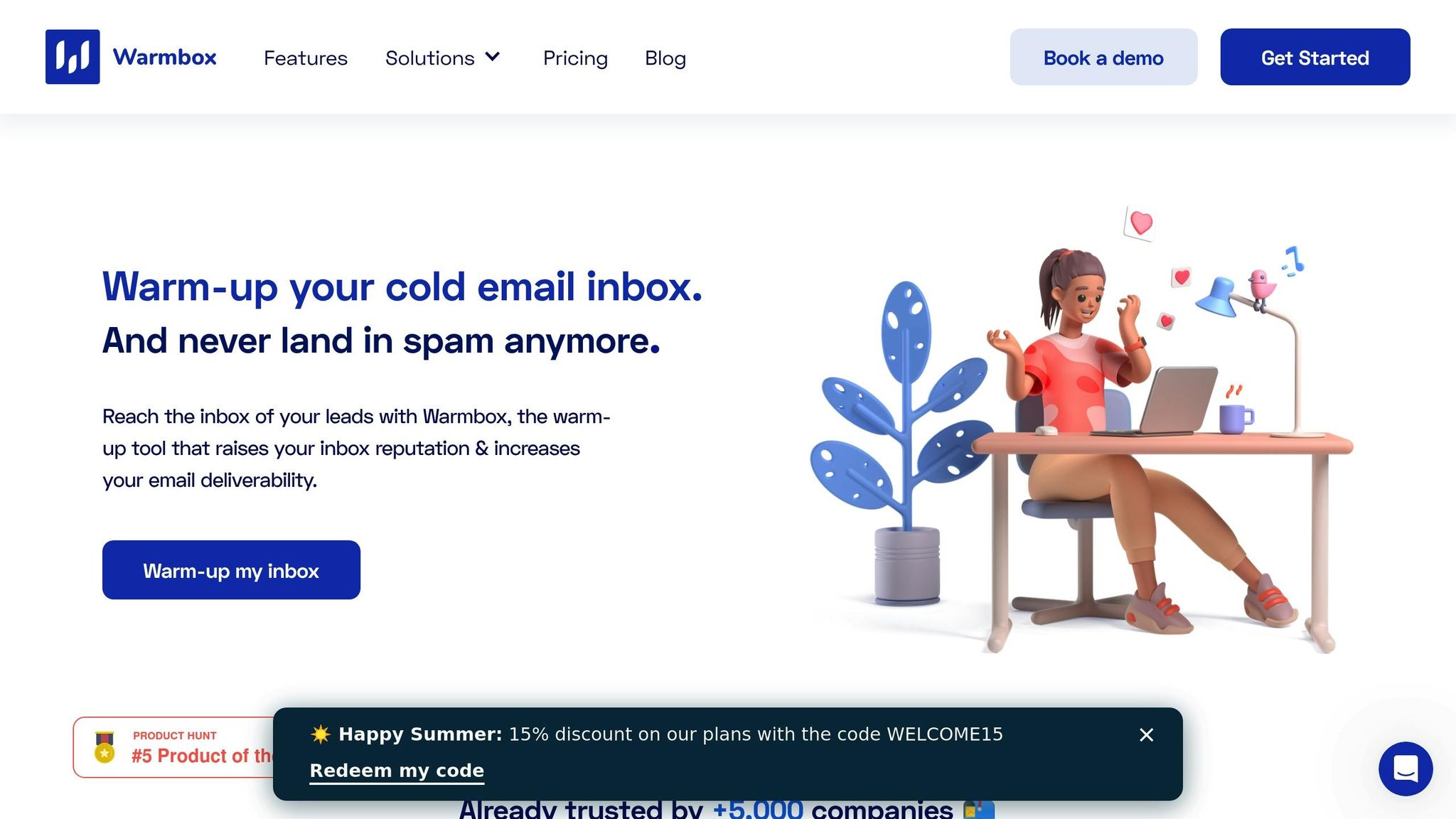
Warmbox is an automated platform designed to simplify email warm-up processes. With access to a network of 35,000 inboxes, it supports over 10 email providers and works seamlessly with Outlook. Its user-friendly setup appeals to marketers and businesses looking to enhance email deliverability without unnecessary complications, making it a great fit for Outlook's specific requirements.
For those using Outlook, Warmbox offers smooth integration through OAuth authentication. This allows users to connect their Microsoft 365 accounts directly from the Warmbox dashboard. Whether you're managing a personal Outlook account or overseeing multiple enterprise mailboxes, the platform is designed to accommodate both individual users and teams.
Warmbox uses GPT-4 technology to generate warm-up emails that mimic natural conversations. Its AI creates contextually relevant messages and simulates common email behaviors, such as opening messages, replying, and maintaining conversation threads. This helps establish a positive sender reputation. Users can adjust settings like email volume, warm-up speed, and engagement patterns to align with their specific outreach goals.
In addition to its warm-up features, Warmbox offers tools to monitor deliverability and check domain health. It scans major blacklist databases and alerts users to any issues, providing detailed reports to help resolve reputation problems quickly.
Warmbox offers a free trial for new users, along with a Solo plan priced at $15/month for one inbox. For larger organizations, scalable pricing and volume discounts are available. This straightforward pricing structure makes it an appealing choice for small and medium-sized businesses aiming to improve email deliverability.

Mailreach is a specialized tool for email warm-up, designed primarily for B2B cold outreach. It stands out with its strong support for Outlook and Office 365. The platform uses a network of over 30,000 real Google Workspace and Office 365 inboxes to create engagement patterns that email providers recognize and trust. With its seamless integration with Outlook, Mailreach ensures authentic engagement by relying on genuine inbox networks.
Mailreach offers a straightforward setup process for Outlook and Microsoft 365 users, accommodating both individual and enterprise mailboxes. The guided setup eliminates the need for technical expertise, making it accessible for users to authenticate their mailboxes and configure warm-up settings.
Mailreach uses AI-powered algorithms to mimic realistic email interactions. These algorithms handle tasks like opening emails, replying, starring, and threading - actions that simulate human behavior. The platform's reliance on real business-grade inboxes, rather than disposable SMTP accounts, sends trustworthy engagement signals. This approach enhances inbox placement rates and boosts sender credibility.
The platform includes an AI-driven health score that provides real-time monitoring of mailbox reputation and deliverability metrics. Users can track inbox placement rates, identify spam folder issues, and monitor overall sender reputation. This allows for quick action when problems arise. Additionally, Mailreach supports webhook integrations for syncing warm-up events with internal systems. Its inbox grouping feature is particularly useful for agencies and teams, offering a centralized dashboard to oversee deliverability across multiple domains and clients.
Mailreach employs a tiered pricing model based on the number of mailboxes and required features. While specific pricing details aren't always readily available, the platform generally offers custom plans tailored to volume and feature needs. Positioned as a mid-tier option, Mailreach balances affordability with robust functionality. It emphasizes improving deliverability over simple activity metrics, making it a strong choice for businesses focused on email performance. However, some users have noted that its pricing transparency could be clearer compared to other options in the market.

Lemwarm is a tool specifically designed for Lemlist users, offering built-in email warm-up functionality without needing third-party integrations. This makes it especially convenient for businesses already using Lemlist. The platform relies on a network of 20,000+ healthy domains to create authentic engagement patterns, which helps boost sender reputation effectively. Let’s dive into how Lemwarm works seamlessly with Outlook.
Lemwarm integrates directly with Outlook, as well as Gmail and SMTP connections, making it compatible with a variety of email providers. For Outlook users, the tool automatically tags warm-up emails for easy organization, ensuring your main inbox stays uncluttered. This feature allows you to manage your email warm-up process entirely within Outlook, eliminating the need to switch between platforms. Whether you're an individual or part of a team, this streamlined approach helps maintain an organized workflow and improves email deliverability.
Lemwarm leverages AI to create dynamic email warm-up strategies based on real-world interactions. Unlike solutions that use static templates, Lemwarm adapts to actual email behaviors and adjusts warm-up intensity in response to engagement levels and feedback from email providers. One of its standout features is the ability to generate realistic conversation threads during the warm-up process. These threads mimic genuine communication patterns, helping to bypass filters designed to spot artificial activity.
The platform offers real-time monitoring to keep track of your sender reputation. By providing clear insights into potential issues, Lemwarm helps users address problems early - before they can affect outreach campaigns. This ensures emails consistently land in the primary inbox, avoiding spam or promotional folders.
Lemwarm offers flexible daily sending limits, allowing users to customize their warm-up strategy to fit their specific needs. However, detailed pricing tiers are not publicly listed, so users may need to explore options directly with the platform.

Instantly has become a go-to email warm-up tool for Outlook users, particularly among sales and marketing teams. Its popularity is evident from a 40% growth in its user base throughout 2024, showcasing its ability to improve email deliverability effectively.
Connecting Instantly to your Outlook account is a breeze. The platform works seamlessly with major email providers, including Outlook, allowing users to link their Microsoft mailboxes in just a few steps. One standout feature is its automatic email tagging system, which keeps warm-up emails out of your main inbox. This ensures your mailbox stays tidy while the warm-up process works in the background. To enhance this integration, Instantly uses advanced AI to simulate natural email exchanges.
Instantly uses sophisticated AI to replicate real-world email interactions. It sends varied, natural-looking messages and conversation threads, responds to some warm-up emails, flags messages as important, and even retrieves emails from spam folders. These behaviors help train Outlook’s filters and improve your sender reputation [3, 5]. The platform also gradually increases email volume while maintaining realistic engagement patterns, creating a steady and organic trust-building process for your email profile.
The platform offers real-time analytics to address deliverability challenges, tracking key metrics like inbox placement, spam scores, and engagement rates. Instantly reports that users can achieve inbox placement rates exceeding 90% after completing the warm-up phase. Additionally, you can adjust daily sending limits and warm-up schedules to comply with Outlook’s sending policies, ensuring a smooth experience [3, 5].
Instantly provides a 7-day free trial, giving new users the chance to explore its features before committing. Paid plans start at $37 per month, covering basic warm-up and deliverability tools. Higher-tier plans include advanced analytics and support for multiple mailboxes. Pricing is in USD and billed monthly, with discounts available for annual subscriptions. The flat-rate pricing structure works well for managing several Outlook mailboxes, making it a flexible option for adapting to Outlook’s changing deliverability needs [3, 5].

Smartlead combines unlimited email warm-up capabilities with campaign automation, offering a streamlined solution for businesses looking to handle both tasks from a single platform. It’s especially popular among U.S. marketing agencies and sales teams that heavily rely on Microsoft’s email ecosystem. Its features are designed to integrate effortlessly with Outlook, as outlined below.
Smartlead integrates directly with Outlook.com and Microsoft 365, making it a natural fit for professionals using Microsoft’s suite of email services. By utilizing OAuth authentication, the platform securely connects to your Outlook mailboxes, ensuring warm-up emails are sent and received through actual Outlook accounts. This direct connection helps establish a strong sender reputation within Microsoft’s system, working in harmony with Outlook’s filtering processes.
The setup process is straightforward and tailored to meet the needs of U.S. businesses. You can easily connect multiple Microsoft 365 accounts, enabling efficient management of various sender identities.
Smartlead uses advanced AI to mimic genuine human email interactions. The AI generates dynamic, contextually appropriate content for warm-up emails and adjusts sending patterns to appear as if they’re coming from real users. One standout feature is its reply simulation, which creates natural back-and-forth conversations, boosting engagement signals and reducing the risk of emails being flagged as spam.
The platform offers real-time analytics on critical metrics like inbox placement, spam rates, and sender reputation. It actively monitors the health of your email campaigns and sends alerts if emails start landing in spam folders or if there are sudden changes in deliverability. For example, one U.S.-based agency reported a 40% increase in emails reaching primary inboxes within just 30 days, showcasing the effectiveness of Smartlead’s monitoring tools.
Smartlead’s pricing structure is designed to be budget-friendly while providing robust features. Its tiered plans, priced for the U.S. market, include unlimited warm-up - a major advantage over competitors that often impose limits or charge extra per mailbox. Additionally, a free trial lets users test the platform’s performance with their Outlook accounts before committing to a subscription.
The unlimited warm-up feature is particularly appealing for organizations managing multiple Outlook accounts or running large-scale campaigns, as there are no extra fees tied to the volume of warm-up emails sent. This makes Smartlead a cost-effective choice for businesses aiming to improve their email deliverability without breaking the bank.

Folderly is a high-end email deliverability platform that goes beyond simple warm-up tools. It's tailored for businesses and marketers who need advanced analytics and monitoring features alongside their Outlook warm-up efforts. With a focus on in-depth insights and proactive tracking, Folderly ensures top-tier Outlook deliverability.
Folderly integrates directly with Outlook.com and Microsoft 365 accounts, meeting the unique protocols and security standards these platforms require. It works seamlessly with both personal and business Outlook accounts, ensuring warm-up activities comply with Microsoft's authentication and filtering processes. The platform is designed to align with the security policies commonly found in U.S. enterprise environments, making it a reliable choice for automated warm-up tasks across multiple mailboxes. This smooth integration lays the groundwork for its advanced features.
Folderly employs AI to mimic authentic human email behavior. This includes sending relevant emails, replying to messages, and organizing emails into folders, all appearing natural to email providers. The AI adapts to user behavior, generating varied and realistic content to enhance credibility. This approach sets Folderly apart from tools that focus solely on basic warm-up processes.
Folderly provides extensive monitoring that goes well beyond standard metrics. It tracks inbox placement rates, spam folder occurrences, and sender reputation scores in real time. Users receive alerts for issues like blacklisting or sudden drops in performance. For instance, a marketing agency using Folderly with their Outlook accounts saw a 35% boost in inbox placement rates within two months. The platform identifies potential problems such as increased spam folder placement, declining sender reputation, and lower open rates, helping users address issues quickly.
Folderly’s premium features come at a starting price of around $200 per month per mailbox, making it more suitable for businesses with extensive email outreach needs rather than individuals or small teams. While there’s no permanent free tier, free trials or demos are available for evaluation. Industry experts highlight that although Folderly’s pricing is higher than basic warm-up tools, the detailed analytics, dedicated support, and advanced monitoring it offers make it a worthwhile investment for companies managing multiple mailboxes or running large-scale email campaigns. Its actionable insights and in-depth reporting are particularly beneficial for such organizations.
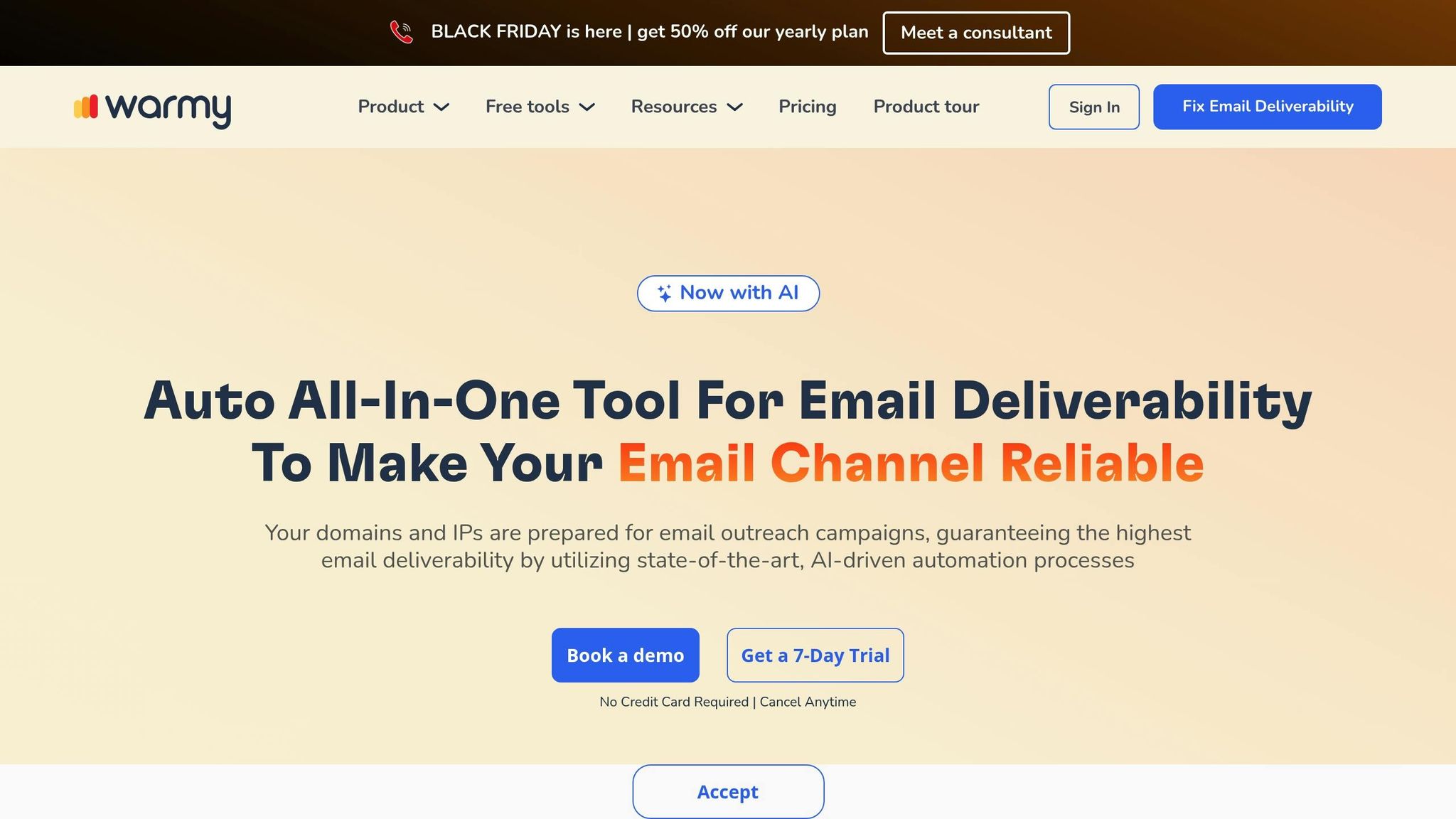
Warmy.io is an email warm-up tool powered by AI, designed to improve email deliverability. Trusted by over 7,000 businesses and boasting a 4.8/5 rating, this platform helps organizations of all sizes streamline their email outreach. Its smooth integration with Outlook makes it a top choice for improving deliverability.
Warmy.io is fully compatible with Outlook and Microsoft 365, adhering to their security and filtering protocols. This ensures the platform aligns with industry standards, making it suitable for both personal Outlook.com accounts and enterprise-level Microsoft 365 environments.
Warmy.io employs advanced AI to replicate natural email behavior, gradually building trust with email providers.
"Warmy uses AI & Google Postmaster to make sure emails bypass spam filters, build trust, and drive engagement." - Warmy.io
This intelligent approach goes beyond simply increasing email volume. It incorporates behavioral insights tailored to Outlook’s unique filtering systems, ensuring emails are delivered effectively. The platform also includes detailed tracking of email performance as part of its dynamic warm-up process.
Warmy.io provides robust monitoring tools to track email performance across various scenarios. It focuses on improving open and click rates while offering insights into sender reputation. These features help users optimize their Outlook campaigns.
"The platform's warmup processes make sure that our cold emails don't bounce into spam filters. It also makes use of AI behavior tracking as we're sending which is great for campaigns scaling." - Allan Black, Senior Affiliate & Strategic Partnerships Manager
These capabilities are designed to ensure secure, efficient, and effective email warm-up for Outlook users.
While pricing details are not publicly available, Warmy.io offers a free demo that requires no credit card and can be canceled at any time.
"AI integration for warmup that is revolutionary as a smart and time saving solution to warm up emails for outreach." - Thomas Petersen, Senior Product Manager
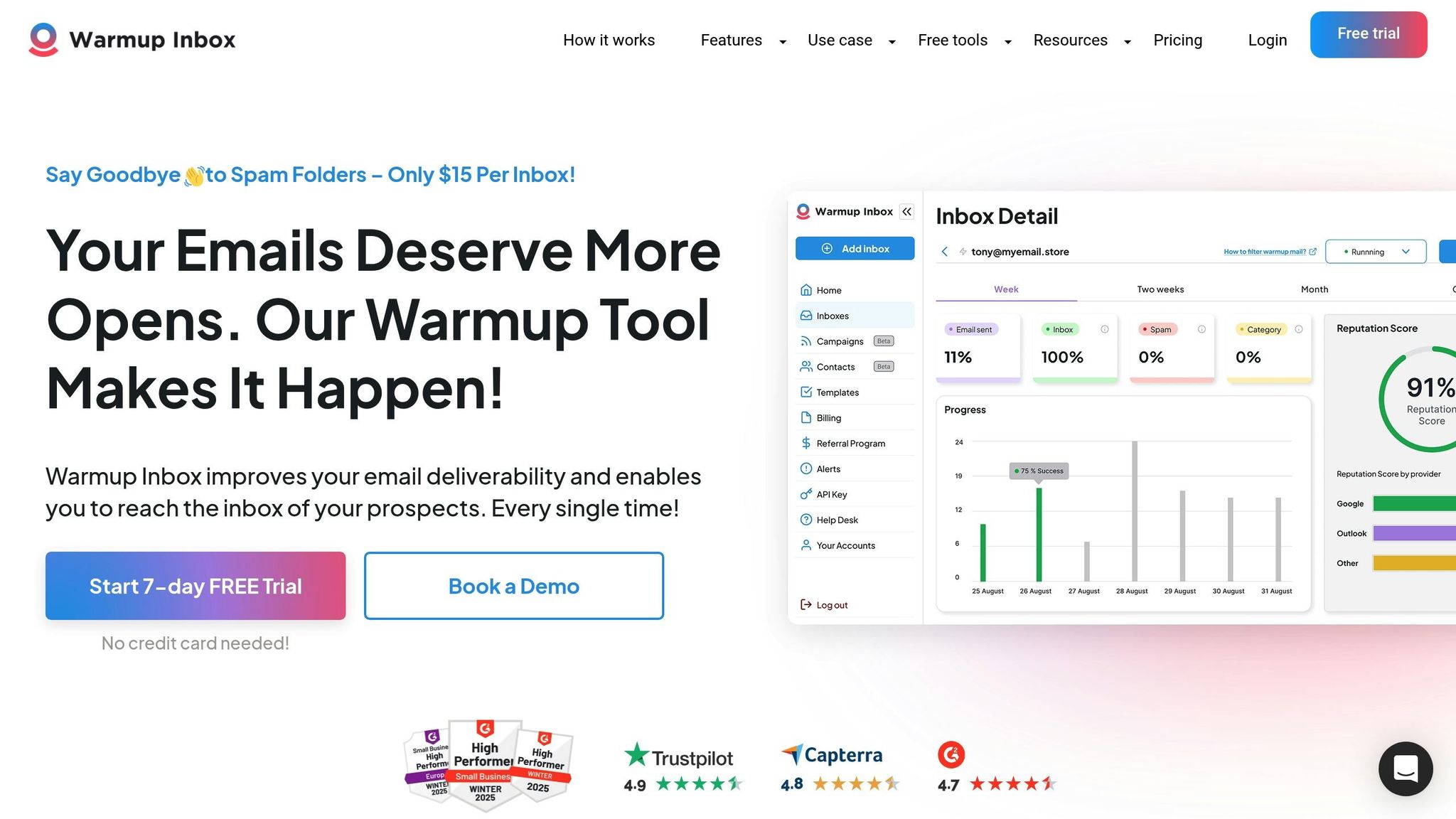
WarmUp Inbox is a straightforward email warm-up tool, designed with ease of use in mind. Powered by a network of over 30,000 real inboxes, it offers businesses a reliable way to improve their Outlook email deliverability. This platform is particularly appealing to solo senders and small businesses looking for an effective solution without the hassle of complex setups. Its features are tailored to work seamlessly with Outlook, supported by intelligent automation to make the process smooth and efficient.
WarmUp Inbox integrates effortlessly with Outlook, supporting both Outlook.com and Microsoft 365 accounts. It also accommodates other email platforms, allowing users to warm up Outlook mailboxes alongside Gmail and SMTP connections. One standout feature is its automatic tagging system, which organizes warm-up emails separately from regular inbox activity. This keeps the inbox tidy while maintaining a clear distinction between warm-up actions and everyday communications. This tight integration with Outlook helps mimic genuine user behavior, a critical factor in avoiding spam filters.
The platform employs AI-driven tools to replicate human-like email interactions. By automating actions like opening emails, sending replies, and creating conversation threads, WarmUp Inbox strengthens sender reputation while steering clear of spam filters.
WarmUp Inbox provides users with real-time tracking and detailed reports on campaign performance. These insights help monitor sender reputation and identify any deliverability issues early on. The platform also includes spam and category monitoring, so users can see exactly where their emails land and make adjustments as needed. Many users have reported significant improvements in deliverability, with fewer emails ending up in spam folders.
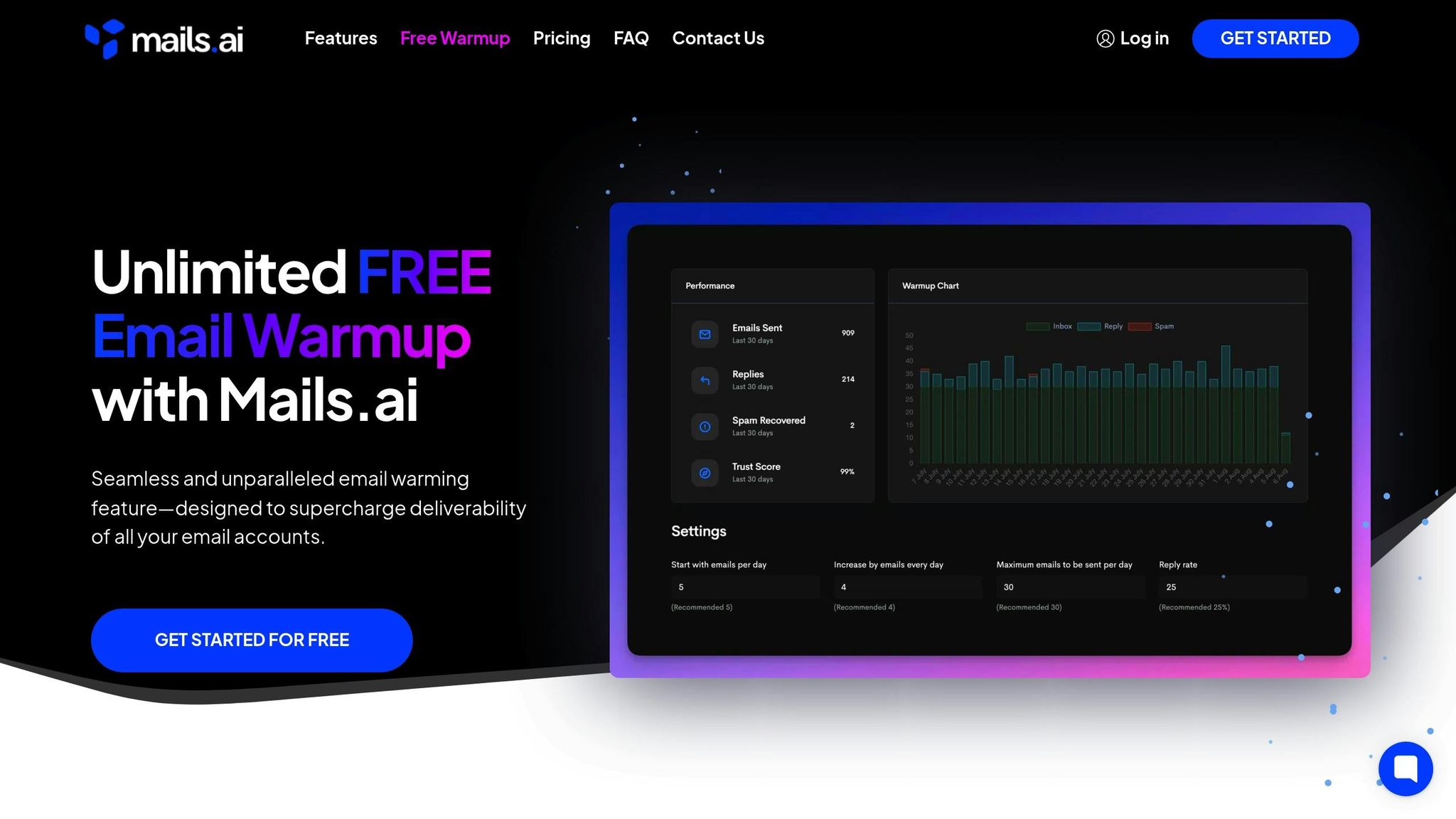
Mails.ai wraps up our list as a specialized warm-up tool tailored for Outlook users. Its standout feature? Unlimited email warm-up at every pricing tier, making it a practical choice for businesses of all sizes aiming to protect their sender reputation while scaling email campaigns. By combining traditional warm-up methods with AI-driven enhancements, Mails.ai ensures better inbox placement.
While Mails.ai’s free plan supports only Gmail and Google Workspace, its paid plans unlock full compatibility with Outlook. Users can connect unlimited Outlook accounts, making it a versatile option for businesses managing mixed email platforms or transitioning providers. The tool works seamlessly with both personal Outlook.com accounts and Microsoft 365 business accounts, aligning its warm-up processes with Microsoft’s email standards. This makes it a smooth fit for Outlook users looking for reliable performance alongside the features offered by other tools.
What sets Mails.ai apart is its use of advanced AI to simulate real email conversations and fine-tune sending patterns based on each account’s reputation and needs. Its dual-layer approach includes a Campaign Warmup feature, which focuses on detecting spam triggers by sending campaign emails to selected accounts while continuously refining spam algorithms. This ensures that emails appear more authentic and are less likely to end up in spam folders.
"Safely send thousands of emails daily while maintaining your sender reputation. Simply connect your sender accounts and let our AI automatically optimize email sending patterns." – Mails.ai
"Our aim is to create natural-seeming email conversations that are more likely to bypass spam filters and reach your intended audience." – Mails.ai
Mails.ai offers a "Forever Free" plan that includes unlimited email warm-up for Gmail and Google Workspace accounts. Paid plans unlock additional features, including full Outlook integration:
For those opting for annual billing, there’s a limited-time discount of up to 50%. This pricing structure lets users explore the platform's capabilities with the free plan before committing to a paid tier that unlocks Outlook features and more advanced tools.
When selecting the right Outlook warm-up tool, comparing features and pricing side by side can make the decision-making process much easier. Pricing ranges widely, from free plans to enterprise-level solutions exceeding $200 per month. Below, we’ll break down these tools by their pricing, features, trial strategies, and scalability to help you find the best fit.
| Tool | Key Features | Pricing (USD/month) | Free Trial/Plan | Best For | Notable Limitations |
|---|---|---|---|---|---|
| Warmforge | AI warm-up, deliverability monitoring, placement tests, health checks, DNS monitoring | $9-$12/mailbox (annual), $12/mailbox (monthly) | 1 free Google/Microsoft slot + 1 free placement test/month | SMBs, agencies, enterprises | Separate subscriptions for Forge Stack tools |
| Warmbox | AI-written emails, spam score checking, 10,000 inbox network | $15/mailbox | Free trial available | Startups, small businesses | 50 emails per day limit |
| Mailreach | Real business inbox network, health scoring, advanced analytics | $25/mailbox | Available | B2B teams, agencies | Higher cost for high-volume users |
| Lemwarm | 20,000+ domain network, Lemlist integration, conversation threads | $29/mailbox | Included with Lemlist subscription | Lemlist users, cold outreach teams | Most valuable for existing Lemlist customers |
| Instantly | Multi-account management, bulk warm-up, analytics dashboard | $37/month | Available | Agencies, high-volume senders | May lack deep deliverability insights |
| Smartlead | Custom schedules, email tagging, smart reply features | $39/month | Available | SMBs, sales agencies | Fewer advanced monitoring features |
| Folderly | Deep deliverability analytics, consultation services, enterprise features | $200/month | Available | Large enterprises, agencies | Higher price point |
| Warmy.io | Adaptive AI strategies, custom template support, detailed analytics | $49/mailbox | 7-day free trial | Agencies, advanced users | Limited automation options |
| WarmUp Inbox | 30,000+ real inbox network, ESP targeting, simple interface | $15/mailbox | 7-day free trial | Solo entrepreneurs, small teams | Basic feature set |
| Mails.ai | Unlimited accounts, campaign warm-up, AI-powered simulations | $24-$99/month (based on contacts) | Forever free plan (Gmail only) | Growing businesses, scalers | Free plan excludes Outlook support |
For those on a budget, options start at $15 per mailbox per month, making them ideal for solo entrepreneurs or small teams. Mid-tier tools justify their slightly higher prices with more advanced features and larger warm-up networks.
Warmforge stands out by offering one free warm-up slot for Google or Microsoft mailboxes, along with a free placement test each month. This unique offering lets businesses test the platform’s effectiveness before committing to its paid plans, which range from $9 to $12 per mailbox depending on billing frequency.
On the higher end, Folderly charges $200 per month, targeting large enterprises with features like advanced deliverability analytics and consulting services. This pricing reflects its focus on comprehensive email management rather than just warm-up functionality.
Beyond pricing, tools vary significantly in their features. For example, AI-driven automation is a key differentiator. Warmforge and Warmbox use AI to generate unique warm-up emails and simulate human-like behavior, while Warmy.io adapts its strategies based on mailbox performance. Meanwhile, WarmUp Inbox emphasizes its large network of 30,000+ real inboxes over AI-driven features.
Integration capabilities also play a critical role. Lemwarm integrates seamlessly with Lemlist, making it particularly appealing to existing Lemlist users. Warmforge, on the other hand, connects with The Forge Stack, which includes tools like Salesforge and Mailforge for multi-channel outreach.
Monitoring and analytics are other areas where tools diverge. Basic tools like WarmUp Inbox provide simple warm-up functionalities, while Warmforge includes advanced health checks, such as DNS and blacklist monitoring. Folderly takes it a step further with enterprise-grade consulting and in-depth analytics.
Trial strategies differ across platforms. Some, like Warmforge, provide ongoing free features, such as one free warm-up slot and monthly placement tests, allowing businesses to evaluate the tool long-term. Others, like Mails.ai, offer a "Forever Free" plan, though it’s limited to Gmail and Google Workspace accounts.
Warmforge’s permanent free slot and monthly tests are especially appealing to businesses that want to track improvements over time before scaling their email operations.
For agencies and enterprises managing multiple accounts, tools like Instantly ($37/month) and Smartlead ($39/month) are better suited due to their multi-account support. Conversely, per-mailbox pricing options (e.g., Warmforge, Mailreach, Lemwarm) provide predictable costs as businesses expand their email outreach.
Mails.ai offers a different approach with contact-based pricing ($24-$99/month), which can be advantageous for businesses with fluctuating email volumes. This flexibility makes it a good option for scaling operations without committing to fixed mailbox costs.
Selecting the right Outlook warm-up tool isn't just about finding the cheapest option - it’s about matching your needs with features that improve email deliverability. Here’s how to make an informed choice.
Start with compatibility and AI-driven features. Ensure the tool supports Microsoft 365 and Outlook mailboxes specifically. Tools that simulate realistic human interactions are a must, as they help build trust with Email Service Providers (ESPs). This trust is achieved through AI-generated interaction patterns that mimic genuine communication. For instance, tools like Warmbox and Mails.ai use AI to create unique email content and adjust sending patterns, though their effectiveness may differ.
Next, focus on technical capabilities and integration options. Robust monitoring and analytics are key. Choose tools that provide detailed deliverability insights, such as placement tests showing where your emails land across various ESPs. For example, Warmforge includes one free placement test each month, helping you track your results without extra costs. Additionally, features like DNS/MX record checks and blacklist monitoring are essential for protecting your sender reputation by catching potential issues early.
Factor in your budget and scalability needs. Pricing structures can vary widely - some tools charge per mailbox, while others are based on contact volume. If you manage multiple accounts, look for scalable options that can grow with your email outreach requirements.
Check integration compatibility. If you’re already using email outreach tools, ensure the warm-up tool integrates seamlessly into your workflow. For example, Lemwarm works well with other campaign tools, and Warmforge integrates with The Forge Stack to create a unified system for email management.
Take advantage of free trials. Testing tools before committing is a smart move. Warmforge, for example, offers one free warm-up slot for Google or Microsoft mailboxes permanently, along with a free placement test each month. Warmy.io provides a 7-day free trial, giving you a chance to explore its interface and effectiveness.
Evaluate the quality and size of the warm-up network. The size and reliability of a tool’s network significantly impact its performance. WarmUp Inbox operates with over 30,000 inboxes, Warmbox has 35,000, and Lemwarm uses more than 20,000 healthy domains. While a larger network can improve results, ensure it aligns with your specific needs in terms of quality and diversity.
Finally, don’t underestimate usability. A user-friendly interface is crucial. A complicated platform can slow down adoption and reduce efficiency. Use trial periods to ensure the tool is intuitive and that your team can easily access the features they need.
Look for ongoing and adaptive warming features. The best tools maintain consistent email activity even after the initial warm-up phase. Adaptive algorithms that adjust based on performance data can help sustain high deliverability over time.
By 2026, meeting strict deliverability standards will require specialized Outlook warm-up tools to secure a spot in the primary inbox. With email service providers continually tightening spam filters and refining reputation algorithms, manual efforts simply can't compete with the precision and efficiency of AI-powered automation.
The tools and strategies discussed earlier highlight approaches that have consistently delivered results. Many of the leading tools rely on extensive, well-established inbox networks, showcasing how crucial scale is for building a strong sender reputation.
Comprehensive platforms simplify the process by integrating features like DNS checks, placement testing, and automation into one seamless solution. Plus, free trials and built-in evaluation tools give businesses a chance to see measurable deliverability improvements before making a full commitment.
AI-driven techniques, such as adaptive content and behavior simulation, are now at the forefront of ensuring reliable inbox placement. These advancements are shaping the future of email deliverability, offering businesses a way to achieve sustained success.
When it comes to pricing, there's a range of options to fit different needs. Entry-level plans typically start at $15–$49 per month, while enterprise solutions cater to higher volumes with unlimited accounts. The key is finding the right balance between your email volume, feature needs, and the size of the tool's network to get the best return on your investment.
When selecting an Outlook warm-up tool, it's essential to weigh factors like features, compatibility, and overall performance. Prioritize tools that provide automated email warm-up, deliverability tracking, and placement tests. These features help ensure your emails reach the primary inbox while safeguarding your sender reputation. Platforms powered by AI can be particularly effective, as they simulate natural email behavior.
Make sure the tool integrates smoothly with your current setup, whether you're using Google Workspace or Microsoft Outlook mailboxes. Regular placement tests are critical to spotting deliverability problems early. To get the best results, warm up your mailbox for a minimum of two weeks before launching outreach campaigns, and keep the warm-up process running to sustain your email health over time.
AI-driven warm-up tools, such as Warmforge, play a crucial role in improving email deliverability by mimicking genuine human email interactions. This process helps email service providers view your account as reliable, lowering the risk of your emails getting flagged as spam.
These tools also keep an eye on essential metrics like placement tests and sender health, ensuring your emails consistently make it to the primary inbox. By protecting your sender reputation, they boost the effectiveness of your email campaigns.
When it comes to Outlook warm-up tools, budget-friendly options usually stick to the basics. They focus on essentials like automated email warm-up and improving email deliverability. These tools work well for small businesses or individuals who need a simple, cost-effective solution without any extra bells and whistles.
On the flip side, premium tools come packed with more advanced features. Think AI-powered behavior simulation, in-depth analytics, and built-in testing tools. These options also tend to offer better scalability, more robust support, and customization options, making them a great fit for larger teams or businesses managing complex email outreach campaigns. Deciding between the two really comes down to what your budget allows and what your specific needs are.
