
Gmail warm-up tools help you build trust with email providers by gradually increasing email activity while mimicking natural human behavior. This prevents your emails from landing in spam folders. With Gmail controlling over 75% of the U.S. email market in 2026, choosing the right tool is critical for improving deliverability. Here's a quick overview of the top tools:
Quick Comparison:
| Tool | Starting Price (Monthly) | Key Features | Best For |
|---|---|---|---|
| Warmforge | $9 | AI simulation, DNS monitoring, blacklist alerts | Teams needing an all-in-one tool |
| Lemwarm | $24 | Tailored warm-up, real-time tracking | Lemlist users |
| Warmup Inbox | $15 | Large network, affordable pricing | Solo users, startups |
| Mailwarm | $69 | High-quality interactions, blacklist monitoring | Users prioritizing engagement |
| TrulyInbox | $29 (Free plan available) | Unlimited inboxes, AI-driven interactions | Agencies managing multiple domains |
Each tool has strengths depending on your needs. For budget-conscious users, TrulyInbox and Warmup Inbox are solid options. For advanced features, Warmforge provides robust monitoring and warm-up capabilities. Choose based on your email volume, budget, and technical requirements.
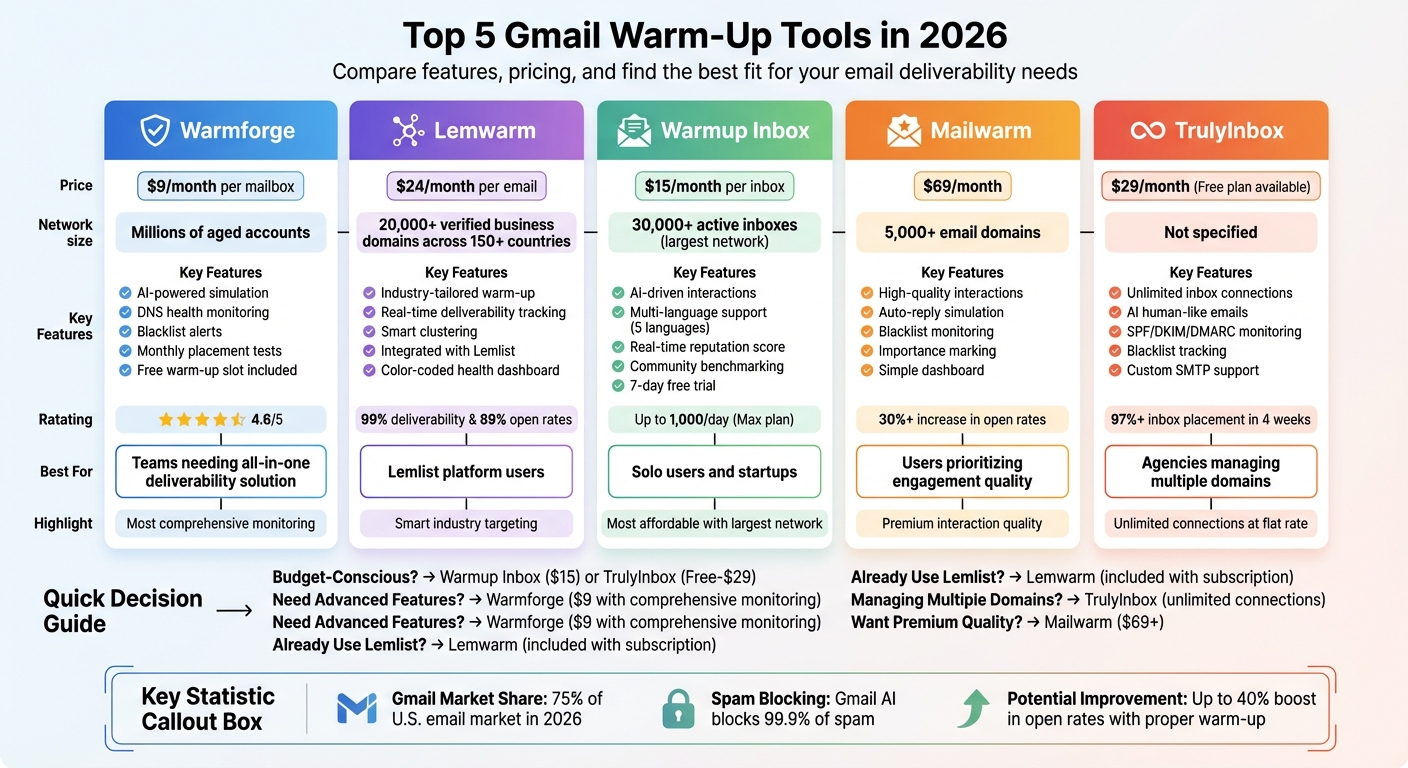
Gmail Warm-Up Tools Comparison 2026: Features, Pricing and Best Use Cases
Warmforge stands out in the email warm-up space with its AI-powered system and exclusive use of aged Google Workspace and Microsoft 365 accounts. Unlike many competitors that depend on non-verified SMTP inboxes, Warmforge maintains a secure, carefully managed network. This approach ensures mailbox reputations remain intact by avoiding unreliable third-party vendors or bad actors. Let’s dive into their key features.
Warmforge’s AI simulation is a game-changer. It generates emails in multiple languages that resemble genuine conversations between business professionals, steering clear of robotic or generic exchanges. According to Warmforge, "The unique emails written by AI signal to email service providers that these are legitimate inboxes rather than being used for phishing or anything else". The system also automatically removes emails that land in spam during the warm-up process, further building trust with email service providers (ESPs). For best results, keep the warm-up running even during live campaigns to maintain consistent sending patterns.
Warmforge offers comprehensive deliverability monitoring with placement tests each month. These tests send emails to major providers like Gmail and Outlook, tracking whether they land in the primary inbox, promotions tab, or spam folder. The platform also keeps an eye on DNS health, including SPF, DKIM, and DMARC configurations, as well as MX records and blacklist status. Instant alerts notify users of any issues, helping to quickly address problems. With a 4.6/5 rating for its deliverability services, Warmforge allows users to run at least one placement test per mailbox each month to catch potential performance drops.
Warmforge provides a free warming slot for either Google or Microsoft mailboxes, along with one free placement test per month for all users. Paid plans start at $9 per mailbox per month (billed annually) and drop to $3 per slot for larger subscriptions. Salesforge platform users get warm-up services at no additional cost. For those needing extra placement tests, the Pro and Growth plans are available at $32.50 and $140.80 per month (annual billing), respectively.
Warmforge maintains a vast warm-up pool consisting of millions of internally managed accounts. This large-scale network supports continuous and diverse warm-up activities while avoiding the risks associated with low-quality external SMTP accounts.
Lemwarm, part of lemlist's Pro plan, is designed specifically for users within the lemlist platform. It utilizes a global network of high-quality, business-grade inboxes to establish genuine trust signals with major email providers like Gmail.
Lemwarm uses AI to craft smart email content tailored to specific industries and niches, ensuring that emails avoid repetitive patterns that could trigger spam filters. The warm-up process begins with sending 5–10 emails daily, gradually increasing by 1–2 emails each day until the full warm-up is achieved within 3–5 weeks. The Smart Plan takes it a step further by grouping users into "smart clusters" based on their industry, target audience, and location. This ensures warm-up interactions closely match the user’s actual email-sending profile.
In addition to its AI email generation, Lemwarm emphasizes strong deliverability tracking to optimize performance.
Lemwarm provides a color-coded dashboard to monitor sender health in real time. Red indicates a high-risk status, orange signals the warm-up phase, and green confirms optimal sender health. Before starting the warm-up process, Lemwarm automatically checks critical technical settings like SPF, DKIM, DMARC, and MX records to ensure everything is configured correctly.
The results speak for themselves: Stan Stojanovic, founder of frontBrick, achieved a 99% deliverability score and a 72% open rate, while Charles Perret, CEO of devlo, saw his open rate climb to over 89% - a 27% improvement.
Lemwarm offers two pricing tiers. The Essential Plan is $29 per email per month (or $24 per email per month when billed annually), while the Smart Plan costs $49 per email per month (or $40 per email per month with annual billing). If you already have a lemlist subscription, Lemwarm comes included at no extra cost. Additionally, users can take advantage of a 10% discount for quarterly billing or a 20% discount for annual billing.
Lemwarm operates a network of over 20,000 verified business domains across 150+ countries, ensuring a geographically diverse reach. While its network is smaller compared to competitors like Warmup Inbox, which has over 30,000 inboxes, Lemwarm focuses on quality by using verified business accounts rather than lower-grade SMTP connections.
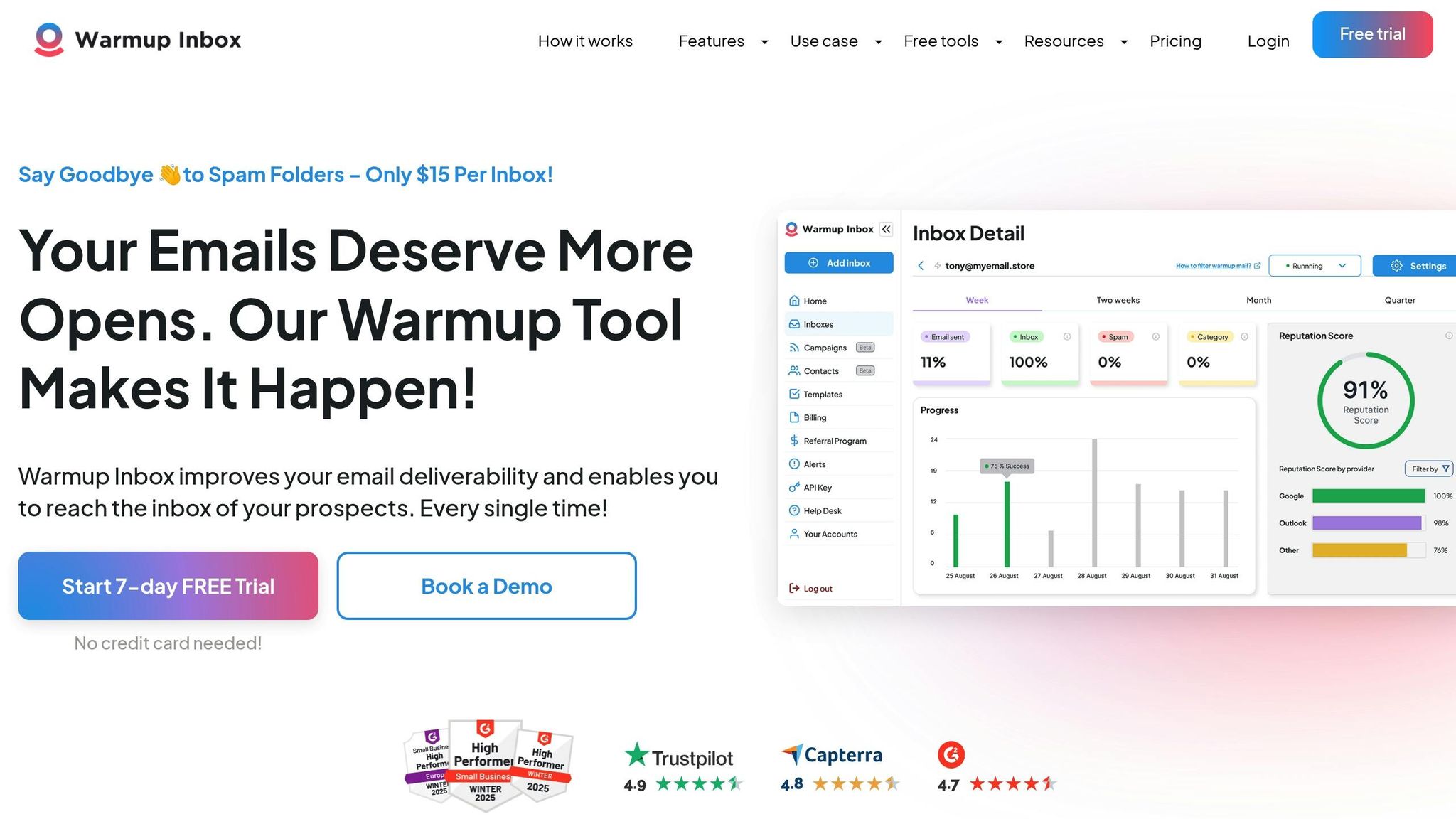
Warmup Inbox runs one of the largest email warm-up networks, connecting users to over 30,000 active inboxes. This broad network plays a key role in building sender credibility with Gmail and other major email providers.
Using its extensive network, Warmup Inbox incorporates AI to replicate human-like email interactions. The platform generates AI-driven content, which is reviewed by staff to ensure it mirrors natural conversations. It engages with emails by automatically opening them, clicking on links, and moving messages from spam to the primary inbox. For users on higher-tier plans, the platform allows customization of email topics and languages (English, French, Polish, Spanish, and German) to better suit specific audiences.
Warmup Inbox provides a real-time Reputation Score, comparing it to community benchmarks. The dashboard shows your email placement across Gmail's Primary, Promotions, and Spam folders and keeps an eye on domain blacklist status. If your reputation score drops below a safe threshold, the system sends an alert to pause campaigns. As one user, Nayanjyoti G., shared:
It greatly improved my email deliverability after 1 week of usage.
Warmup Inbox offers three primary plans, billed annually per inbox. The Basic plan costs $15 per month, providing 75 warm-up messages daily with a 25% reply rate. The Pro plan, at $49 per month, includes 250 messages daily, a 45% reply rate, language customization, and ESP-specific targeting. The Max plan, priced at $79 per month, supports up to 1,000 messages daily with a 65% reply rate and includes technical setup checks. For teams managing multiple inboxes, the Pro Bundle offers five Pro inboxes at $37 per inbox per month, with a 7-day free trial that doesn’t require a credit card.
| Plan | Monthly Price (Annual) | Messages/Day | Reply Rate | ESP Targeting |
|---|---|---|---|---|
| Basic | $15 | 75 | Up to 25% | No |
| Pro | $49 | 250 | Up to 45% | Yes |
| Max | $79 | 1,000 | Up to 65% | Yes |
| Pro Bundle | $37 per inbox | 1,250 total | Up to 45% | Yes |
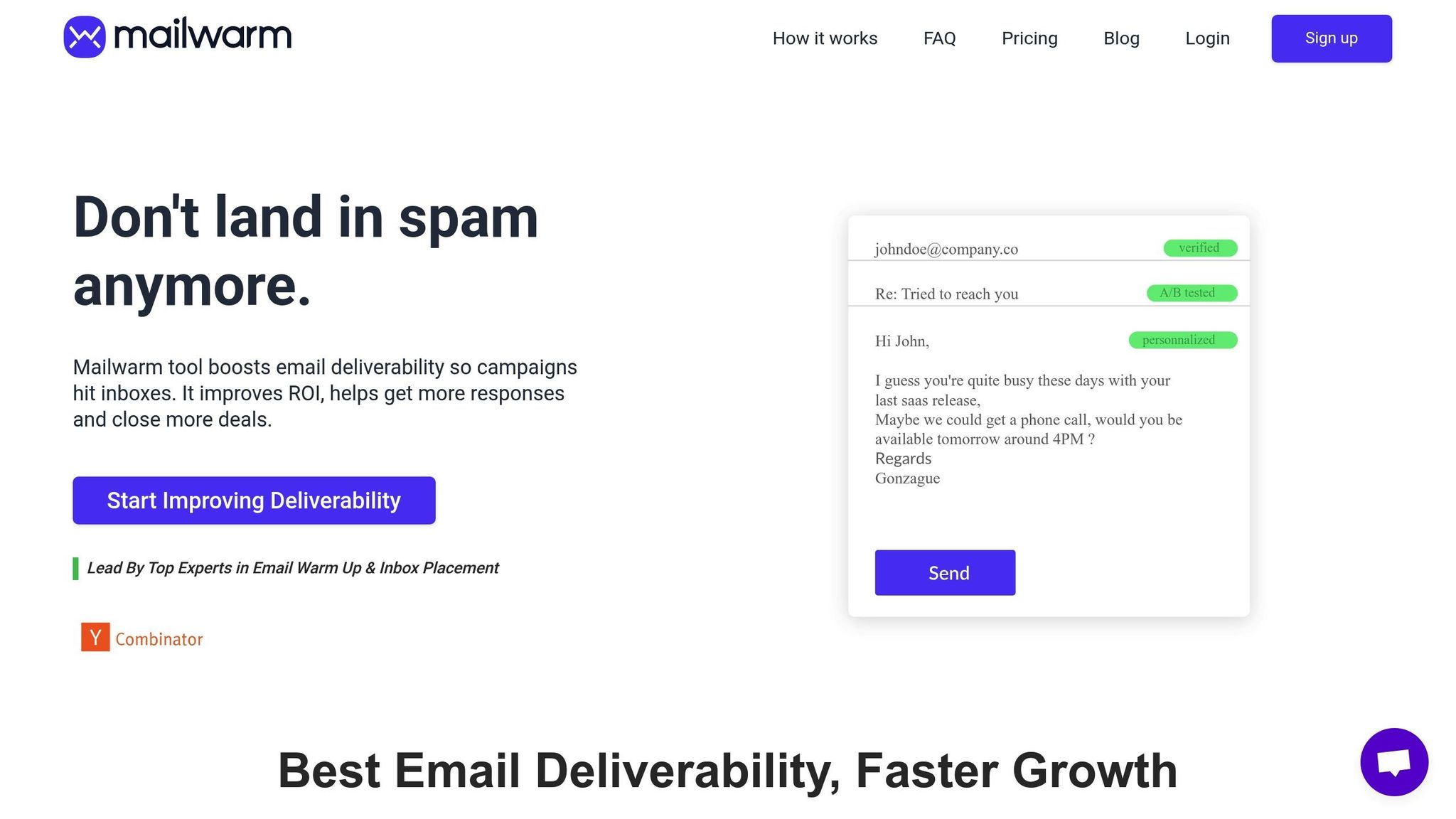
Mailwarm provides a straightforward option for those looking to simplify email warm-ups while maintaining effective results. Tailored for solo users and small teams, Mailwarm connects to a network of over 5,000 email domains. By simulating positive email interactions, it helps improve sender reputation with Gmail and other providers. Here's a closer look at its features: AI-driven simulation, deliverability tracking, and pricing.
Mailwarm uses automation to mimic real email interactions. This includes opening emails, moving them out of spam, marking them as important, and replying - all managed through an easy-to-use dashboard.
Max Markarenko, Founder & CEO of Docsify.net, shared his success story:
Using it almost for 2 months, and grow my open rate more than 30%. Must have for everyone, who runs cold outreach campaigns.
In addition to simulating interactions, Mailwarm keeps track of your sender health. Its dashboard lets users monitor daily activity and adjust warm-up intensity as needed. It also includes blacklist monitoring, notifying you if your domain ends up flagged as spam. Austin Monson from AskWonder.com praised the results:
I ran a deliverability test on the domain you guys are warming up and the results are looking brilliant! Big fan of you guys' service :)
Mailwarm offers three annual subscription plans to suit different needs:
While these prices are on the higher side, Mailwarm focuses on delivering a simple and effective experience.
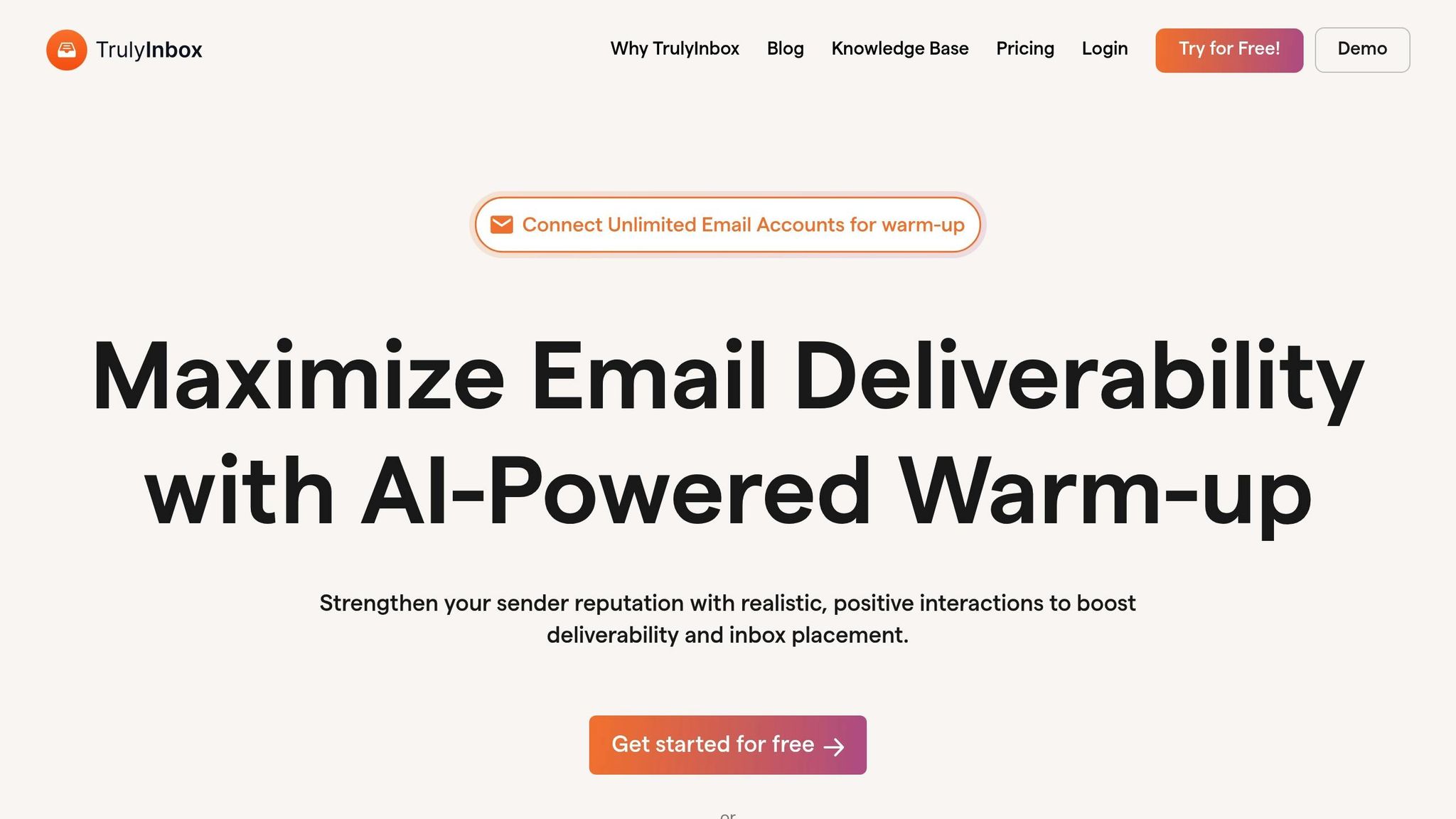
TrulyInbox stands out with its unlimited mailbox connections on all paid plans, starting at $29 per month, making it a solid choice for scaling email warm-up operations. It supports popular email providers like Gmail, Office 365, Outlook, Yahoo, Zoho, and even custom SMTP setups. To ensure top-notch deliverability, the platform combines AI-driven email simulation with detailed monitoring tools.
TrulyInbox leverages AI to craft human-like emails that are sent individually at random intervals, mimicking natural email behavior. This helps avoid spam filters and aligns with the trend of creating engaging, natural email interactions. These AI-driven emails include actions like replies and positive engagement signals, such as marking emails as important or opening them. Nikhil N., a Materials Planner, shared his experience:
TrulyInbox is simple and user-friendly. Replies are human like and helped me improved my sender reputation.
The platform goes beyond just sending emails - it actively monitors key deliverability factors. It checks SPF, DKIM, and DMARC records, tracks IP and domain blacklists, and provides a dashboard that displays deliverability scores and inbox placement stats. TrulyInbox claims that users can achieve over 97% inbox placement within 4 weeks. Roger A., an Executive Producer, shared his success story:
TrulyInbox saved my email reputation by pulling my emails out of spam. Prior to TrulyInbox, a lot of my emails were going to spam.
TrulyInbox offers five pricing plans, all of which include unlimited email accounts:
| Plan | Monthly Cost | Daily Emails Per Account | Reply Rate |
|---|---|---|---|
| Free Forever | $0 | 10 | Basic |
| Starter | $29 | 100 | 25% |
| Growth | $79 | 1,000 | 45% |
| Scale | $189 | 3,000 | 60% |
| Business | $289 | 6,000 | 65% |
The Free Forever plan is a rare offering among premium services, allowing users to test the platform with one email account. For teams managing multiple mailboxes, TrulyInbox's flat-fee pricing is more budget-friendly compared to competitors like Lemwarm ($24–$40 per inbox) or Warmup Inbox ($15 per account). However, some users have mentioned that its customer support and reporting features are more basic compared to other advanced platforms.
Here’s a quick breakdown of the strengths and weaknesses of each tool based on their features and functionality.
Warmforge acts as an all-in-one deliverability hub, combining automated warm-up with DNS monitoring, blacklist alerts, and placement tests. It even offers free warm-up and placement tests. However, its reporting could be more detailed, especially compared to enterprise-level diagnostic platforms.
Lemwarm works seamlessly within the Lemlist ecosystem, offering integration with campaigns and access to over 10,000 aged domains. On the downside, it’s not a standalone tool and only allows 40 warming emails per day on its entry-level plans.
Warmup Inbox stands out for its affordability, starting at just $15 per month, and is backed by a network of over 30,000 inboxes. The downside? Its interactions lack natural, human-like pacing, and it doesn’t clarify whether emails land in the Primary or Promotions tabs.
Mailwarm offers high-quality interactions, including replies and stars, but it comes with a hefty price tag, ranging from $69 to $479 per month. Additionally, its repetitive patterns might trigger AI spam filters.
TrulyInbox shines with its ability to support unlimited inbox connections on all paid plans, making it ideal for agencies managing multiple domains. Its free plan is great for testing, but Gmail setup requires manual configuration, and it doesn’t include built-in DNS management.
| Tool | Main Advantage | Main Disadvantage | Best For |
|---|---|---|---|
| Warmforge | Comprehensive health checks & DNS monitoring | Reporting lacks depth compared to premium tools | Teams needing an all-in-one deliverability solution |
| Lemwarm | Smooth integration with Lemlist | Limited to 40 warming emails/day on entry plans | Lemlist users |
| Warmup Inbox | Large network (30,000+ inboxes) at a low cost | Lacks natural pacing and tab placement insights | Solo users and startups |
| Mailwarm | High-quality interactions (e.g., replies) | Expensive and risks triggering spam filters | Users prioritizing engagement quality |
| TrulyInbox | Unlimited inbox connections | Manual Gmail setup and no DNS management | Agencies managing multiple domains |
These comparisons highlight the importance of choosing the right warm-up tool for maintaining strong inbox placement. Tools like Warmforge cater to Google Workspace and Microsoft 365 accounts, while some competitors rely on less reliable custom SMTP inboxes. Keep in mind that Gmail’s AI filters - designed to block over 99.9% of spam - can flag these unverified inboxes. To safeguard your email reputation, make sure your SPF, DKIM, and DMARC records are correctly configured before starting any warm-up process. Misconfigured authentication can severely impact your deliverability.
For those mindful of costs, TrulyInbox and Warmup Inbox provide appealing starting points. Meanwhile, Lemwarm offers smooth integration with Lemlist, making it a natural choice for existing users. For teams seeking a more robust solution, Warmforge serves as a comprehensive platform. It not only automates email warm-up but also includes DNS monitoring, blacklist alerts, and placement tests. Plus, it offers a bonus: one free warm-up slot and one free placement test each month, allowing you to gauge its effectiveness firsthand.
A consistent email warm-up strategy is key to fostering sender behavior that email providers trust. While advanced tools can help with monitoring and management, long-term success depends on a well-rounded strategy.
It's important to note that no warm-up tool can salvage poor-quality email lists or fix spammy content. As Desislava Zhivkova, CustOps Deliverability Team Lead at Omnisend, puts it:
Warmup cannot fix poor-quality lists or emails that read like spam. It only helps you protect your sending reputation.
Engaging, high-quality email practices remain at the heart of sustained deliverability success.
The quality of your network also plays a pivotal role. Tools that use real Google Workspace and Microsoft 365 accounts consistently outperform those relying on custom SMTP setups or disposable inboxes. This is particularly crucial since Gmail’s AI filters block over 99.9% of spam. By following proper warm-up practices, accounts can experience up to a 40% boost in open rates within just a few weeks. Selecting the right tool for your campaign and infrastructure needs is essential to building a strong sender reputation that lasts.
Gmail warm-up tools are designed to boost your email deliverability by gradually building a solid sender reputation. They mimic natural email behavior - like sending messages, opening them, replying, and even marking them as important. This activity signals to Gmail that your email address operates like a trustworthy sender, helping your emails bypass spam or promotions folders and land in the primary inbox.
These tools also keep an eye on key factors that impact deliverability, such as inbox placement and email authentication protocols like DKIM, SPF, and DMARC. They’ll alert you to any potential issues along the way. By steadily increasing sending volumes, simulating real engagement, and providing ongoing analytics, Gmail warm-up tools help establish a dependable sending profile, improving the success rate of your email campaigns.
When selecting a Gmail warm-up tool, focus on features that boost email deliverability, simplify scaling, and are easy to use. Tools that use AI to replicate human email behavior - like sending, replying, and opening emails - can significantly improve the chances of landing in the primary inbox rather than spam.
Pay attention to tools offering real-time deliverability monitoring, complete with detailed reports on inbox vs. spam placement and domain health. For those managing multiple mailboxes, scalability is a key factor. Opt for tools with transparent pricing and free trial options so you can evaluate their performance before committing.
Additionally, seamless integration with platforms like Google Workspace and Microsoft 365 can streamline your workflow. A tool with a solid reputation and positive user reviews is another strong indicator of reliability. By prioritizing these features, you’re better equipped to find a tool that aligns with your outreach goals.
Email warm-up tools can be a great way to improve your email deliverability, even if your list isn’t perfect. These tools work by gradually increasing the volume of emails you send, simulating natural interactions like opens and replies, and keeping an eye on where your emails land - whether it’s the inbox or the spam folder. This process helps build trust with mailbox providers, giving your emails a better chance of reaching their intended recipients, even if a few addresses on your list are outdated or inactive.
That said, warm-up tools aren’t magic wands. The core problems with low-quality email lists - like invalid or unresponsive addresses - don’t just go away. Sending to too many bad addresses can still hurt your sender reputation, lead to hard bounces, and even get you blacklisted. To avoid this, start by cleaning up your email list. Remove invalid addresses and verify domains to ensure your list is in good shape.
Once your list is clean, a tool like Warmforge can take things to the next level. It combines automated warm-up processes with real-time deliverability tracking and placement tests, helping you maintain a strong sender reputation. When paired with proper list cleaning, warm-up tools can be a powerful way to improve your email campaign results.
