When you manage many mailboxes or run your own sending system, choosing the right Email Warmup API is key to keeping deliverability stable.
The challenge is that each provider offers a different level of control, automation, and reliability, so finding the right fit can feel confusing.
In this guide, you’ll see the 5 best Email Warmup API providers to look at today.
We’ll break down Warmforge, Warmy, Instantly, Mailreach, and Mailivery, and how each one lets you handle warmup through API access or automated workflows.
By the end, you’ll have a clear picture of how these tools compare and which one makes the most sense for your setup.
Warmforge - Best email warm-up API for teams that need stable inbox placement, detailed warm-up diagnostics, and API-based automation for warming mailboxes at scale.
Warmy - A strong email warm-up tool for teams that want Google Postmaster insights and broader domain-level deliverability data alongside warm-up activity.
Instantly - Best for teams that want email warm-up and cold outreach in one platform, without managing a separate warm-up API or tool.
Mailreach - Well-suited for email warm-up focused on natural sending behavior and sender reputation recovery, especially for struggling domains.
Mailivery - Ideal email warm-up solution for agencies and SaaS teams that need to warm up a large number of mailboxes with flexible or unlimited inbox limits.
Short answer: judge an email warmup API on uptime, volume control, per-mailbox scale, pool quality, and placement data. Price comes last.
I have connected warmup APIs to three different sending setups. These are the eight things I check before I sign up.
API reliability and uptime: Warmup only works if it runs every day without a gap. Find the status page and ask for the real uptime number.
Real warmup control: You should be able to start, pause, and change daily volume from code. Ramp-up control matters most when you are repairing a domain you already burned.
Clear docs and same-day access:" Check whether you can get an API key and make your first call today. Some providers make you book a sales call before they hand over access.
Scale across mailboxes and domains: Ask whether warmup volume is per mailbox or shared across all of them. Shared limits look fine at 10 mailboxes and thin out fast at 100.
Strong warmup network quality: Pool quality beats pool size. Ask what is inside the pool, and whether warmup activity runs in more than one language.
Reputation tracking and placement data: Look for a reputation score per mailbox, placement tests across Google and Microsoft, and DNS, MX, and blacklist checks. Warmforge covers all three with Heat Score™, Inbox Placement Tests, and Health Checks.
Pricing at your real volume: Do the math at the mailbox count you will hit in six months. At $25 per mailbox, 100 mailboxes costs $2,500 a month.
Secure API access: Check the auth model before you connect live mailboxes. I look for scoped API keys, token-based auth, and the ability to revoke one key without breaking the rest.
5 Top Email Warmup API Providers (Discussed in Detail)
Go through the table below for a quick overview of all five email warmup API providers.
Aspect
Warmforge
Warmy
Instantly
MailReach
Mailivery
Best for
GTM teams that want warmup and deliverability data in one API
Agencies running B2B and B2C sending side by side
Small GTM teams that want warmup inside their sending tool
Agencies repairing client domains
Agencies and SaaS teams warming mailboxes at scale
Starting price
$9 per mailbox slot per month, billed annually
Not public, quoted after a call
$30 per month
$25 per mailbox per month
$29 per month
Free to try
1 free warmup slot
7-day trial
Free plan, no card
Not listed
7-day trial
Public API
Yes
Yes
Yes (API v2)
Yes
Yes (REST)
MCP server
Yes, via the Forge MCP server
Not listed
Yes, official
Not listed
Not listed
How you get API access
Self-serve key
After onboarding
Self-serve key
Self-serve, multi-step setup
Sales call first
Warmup volume model
Per mailbox slot
Per plan
Unlimited per account
100 emails per inbox per day
Shared across all inboxes
Mailbox limit
Per slot, no cap
Per plan
Unlimited
Per mailbox, no cap
Unlimited
Reputation score
Heat Score™ per mailbox
Adeline AI reputation monitoring
Account health score
Per-provider reputation score
Deliverability metrics
Inbox placement tests
Yes, Google and Microsoft
Yes
Basic
Yes, spam test credits included
Not listed
DNS, MX, blacklist checks
Yes, all three
Yes
No
Inbox and domain health checks
Blacklist monitoring only
Multilingual warmup
Yes
Not stated
Not stated
Not stated
Not stated
Mailbox support
Google Workspace, Microsoft 365, IMAP and SMTP
Google, Microsoft, SMTP
Google, Microsoft, SMTP
Gmail, Outlook, Office 365, SendGrid, SMTP
Google, Microsoft, SMTP
Sending and campaigns included
No
No
Yes
No
No
1. Warmforge
Warmforge is an email warmup and deliverability tool that also gives you an API to manage warmup directly inside your own system.
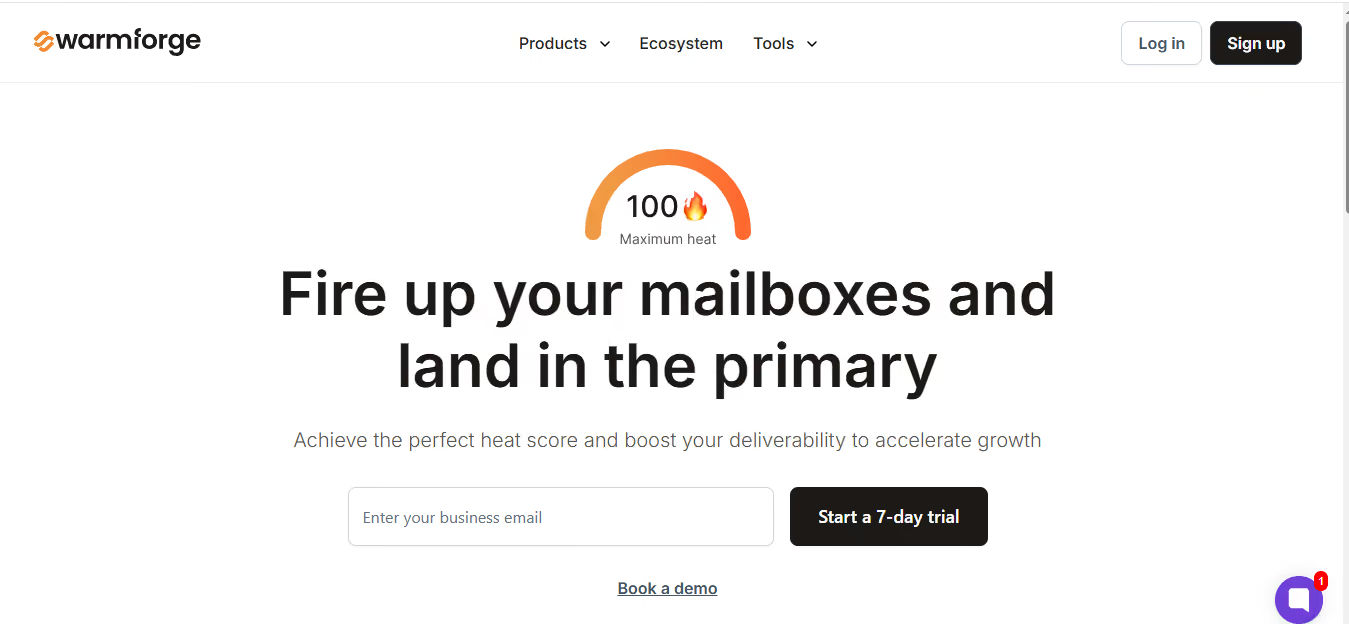
This image shows the Warmforge homepage
It creates natural inbox activity using AI-written emails so your mailboxes build trust with email providers.
It also offers placement tests and health checks, giving you a full view of how your mailboxes are performing.
Warmforge works with Google Workspace and Microsoft 365, and you can start warming up as soon as you connect your accounts.
Key Email Warmup API Features
AI-powered warmup that creates real inbox activity, not basic automated sends
Always-on warmup to keep sending patterns stable as volume changes
ESP-specific placement tests for Google Workspace and Microsoft 365
Large, active warmup network that scales smoothly with your inboxes
Pricing
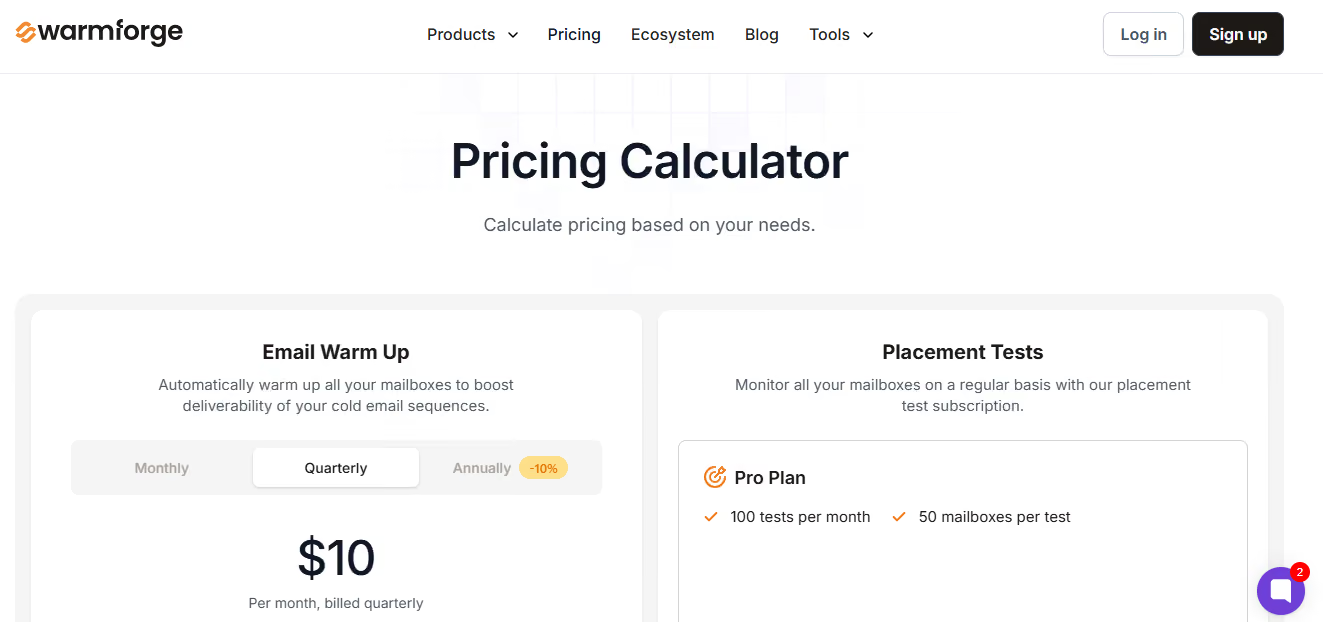
This image shows the Warmforge pricing
Warmup slots start at $10 per month (billed quarterly).
Each slot includes:
Automated AI warmup
One free placement test each month
Full DNS, MX, and blacklist health checks
Placement test plans:
Pro Plan: 100 tests per month for up to 50 mailboxes
Growth Plan: Unlimited tests for up to 250 mailboxes
You can also book two 1:1 expert sessions for $500.
If you use Salesforge, Warmforge warmup is included for free.
Pros
Stronger deliverability visibility with placement tests and health checks, which many warmup tools like Instantly and Mailery don’t combine in one place.
API support makes it easier to plug warmup and deliverability checks into your own system, unlike tools that stay mostly UI-based.
A large warmup network helps keep the mailbox reputation stable, even when scaling.
Good for teams that want deeper deliverability insight, not just basic warmup.
Cost advantage for Salesforge users, since warm-up is included for free.
Cons
Not an outreach platform, so you still need another tool if you want a warm-up and sending in one place (like Instantly).
2. Warmy
Warmy is an email deliverability platform that includes a dedicated Email Warmup API for teams and products.
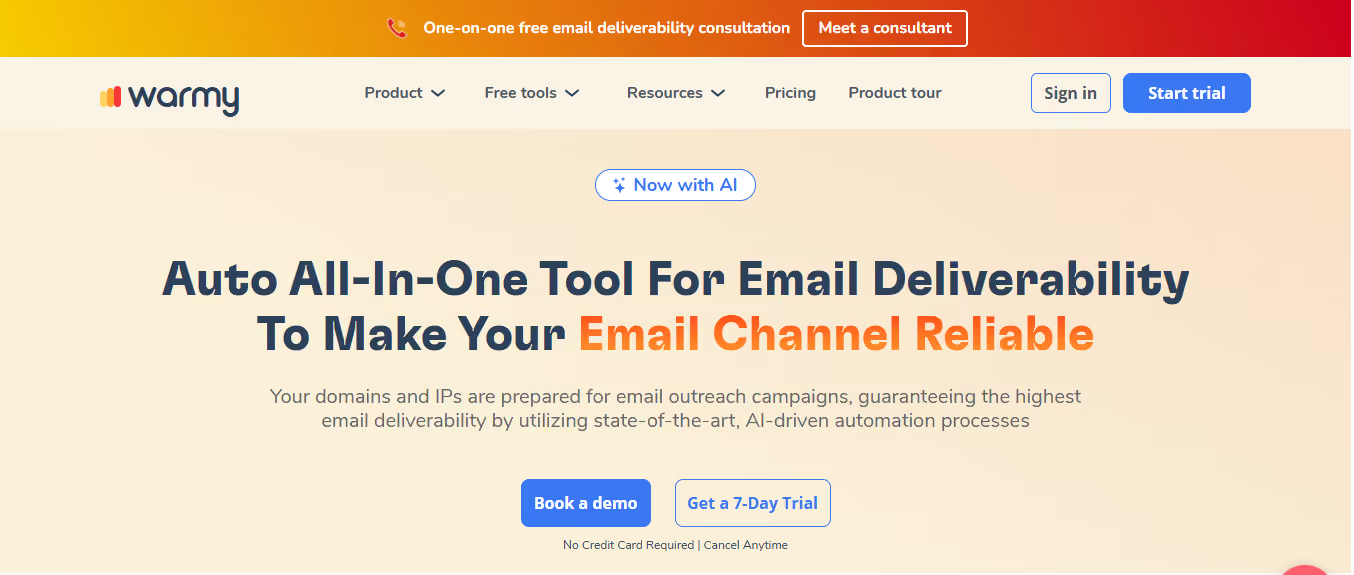
This image shows the Warmy homepage
It prepares domains and IPs for outreach using AI-driven automation and Google Postmaster data, giving you clear visibility into how email providers see your sending behavior.
Warmy is built around deliverability insights.
It helps you avoid spam, promotions, and inbox placement issues in real time, and gives your team a shared dashboard to monitor reputation and performance.
Key Email Warmup API Features
Email Warmup API to add automated warmup directly into your product or system
API access for deliverability workflows, not just warmup actions
Project and mailbox setup via API with quick onboarding
API-driven warmup control without manual dashboard work
Developer-friendly integration with ready-made interfaces and clear documentation
API support for scaling warmup across many accounts
Pricing
Warmy does not share its pricing publicly.
There is no fixed or self-serve pricing listed on the website.
Warmy mentions B2B, B2C, and custom plans, but exact costs are only provided after contacting their sales team or booking a demo.
A 7-day free trial is available, but pricing details are not disclosed upfront.
This means you’ll need to speak with their team to understand the actual cost.
Pros
Strong focus on improving inbox placement using AI and Google Postmaster data
Real-time insights make it easy to find and fix deliverability issues fast
API is flexible and works well for SaaS tools wanting a built-in warmup
Good for both B2B and B2C senders because of separate warmup networks
Dedicated experts available to help with deliverability guidance
Cons
API onboarding is not instant, which slows down developers who want to integrate quickly.
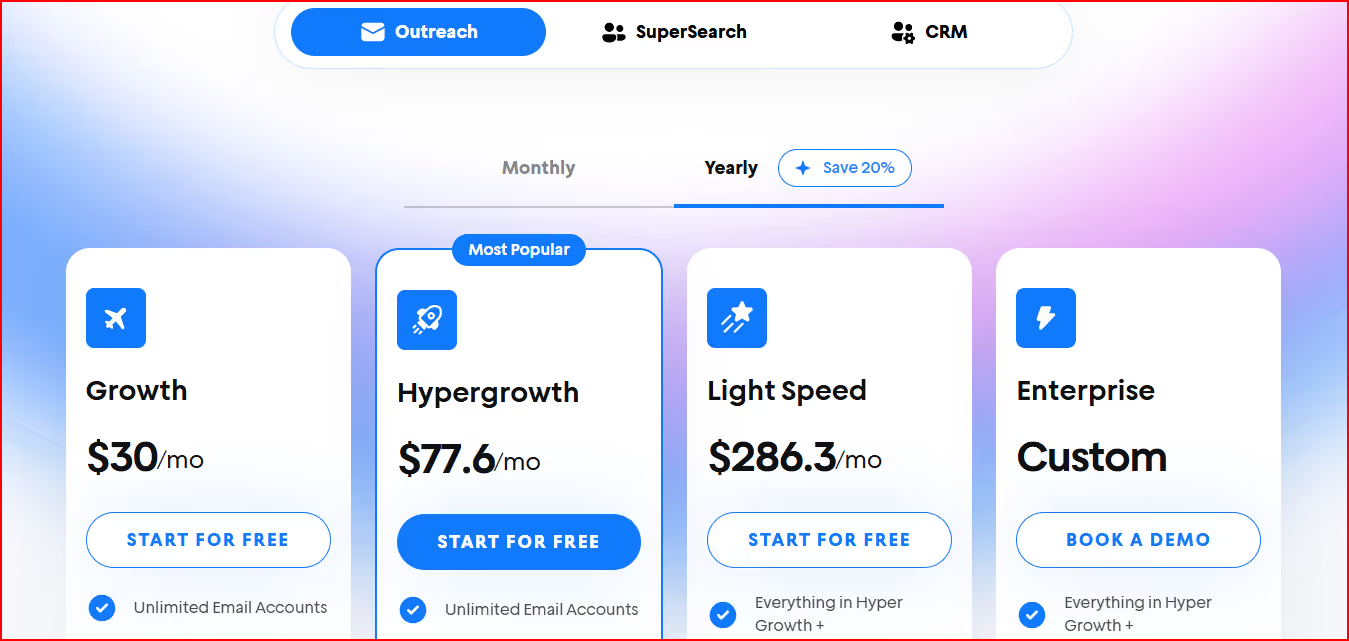
Light Speed - $286.3/mo: Higher sending limits and advanced features
Enterprise - Custom: More volume, a deliverability network, and an account manager
You can start for free with no credit card.
Pros
Easy for teams that want warm-up and outreach together instead of using two tools
Unlimited warmup makes it cost-effective when you manage many mailboxes
API and webhooks give flexibility for custom workflows
Very simple setup, even when adding a lot of accounts
Good option if you want sending, tracking, and warm-up in one platform
Cons
Warmup is tied to the outreach platform, so it’s not ideal if you only want warmup
Not as deliverability-focused as tools built purely for warmup and inbox health
If you prefer deep deliverability testing or mailbox diagnostics, other tools offer more detail
4. Mailreach
Mailreach is a deliverability tool that focuses on warming up your mailbox and improving your sender reputation.
This image shows the Mailreach homepage
It also gives you an Email Warmup API so you can add warmup directly into your own workflow or platform.
Mailreach is built for teams that want stronger inbox placement, smoother ramp-up control, and a warm-up process that feels natural and conversational instead of robotic.
Key Email Warmup API Features
Dedicated Email Warmup API built specifically for deliverability automation
API control over warmup pace and volume
Real-time reputation and performance data via API
Webhook and alert support for reputation score changes
API compatibility across major ESPs (Google, Microsoft, others)
Pricing
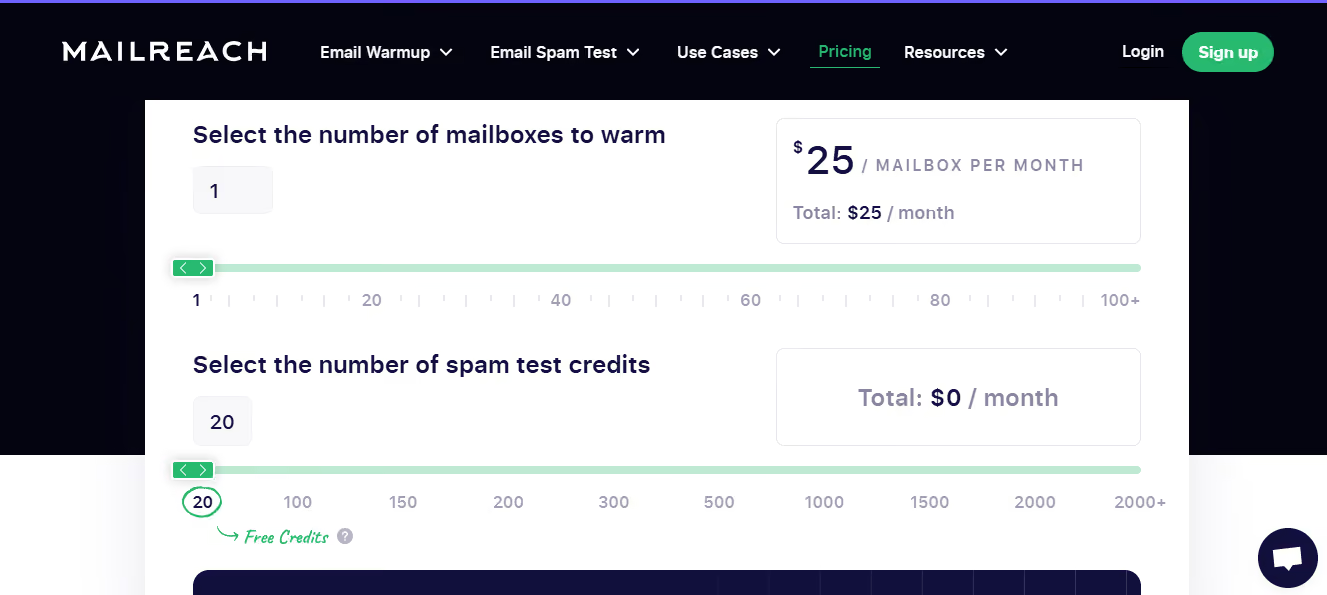
Mailreach keeps pricing simple and mailbox-based:
This image shows the Mailreach pricing
$25 per mailbox/month
Includes 20 spam-test credits, inbox and domain health checks, 100 warmup emails/day, and reputation tracking
Custom pricing is available for agencies or teams warming multiple mailboxes.
Pros
Mailreach builds trust faster because its warmup uses real, natural conversations, not basic one-way emails like many other tools.
You get more control over warmup speed, which helps when fixing a damaged domain, something many tools don’t let you fine-tune.
Reputation tracking is clearer than most competitors because it shows how each provider (Google, Microsoft, etc.) views your mailbox.
Warmup emails stay hidden, so your inbox doesn’t get messy when you're handling many accounts.
Cons
Pricing is per mailbox, so costs rise quickly if you manage a lot of accounts.
It’s not an outreach tool, so you still need another platform for sending campaigns.
Warmup caps (around 100 emails/day) make scaling slower compared to tools with heavier volumes.
API setup requires more steps, while some tools offer quicker plug-and-play access.
5. Mailivery
Mailivery is an email warmup and deliverability tool that uses AI plus a large peer-to-peer network to create real interactions in your inbox.
This image shows the Mailvery homepage
These interactions help your emails avoid spam filters and land in the primary inbox more often.
It’s built for teams, agencies, and SaaS platforms that want warmup at scale, and its API lets you automate mailbox connections, warmup settings, monitoring, and onboarding inside your own system.
Mailivery also includes blacklist monitoring, email verification, and customizable sending behavior to keep your reputation stable.
Key Email Warmup API Features
Full warmup control through API (start, pause, adjust volume, ramp-up)
API support for unlimited mailboxes under one account
Deliverability metrics and health data via API
Webhook notifications for warmup and mailbox events
Developer-friendly REST API designed for SaaS and high-volume teams
Pricing
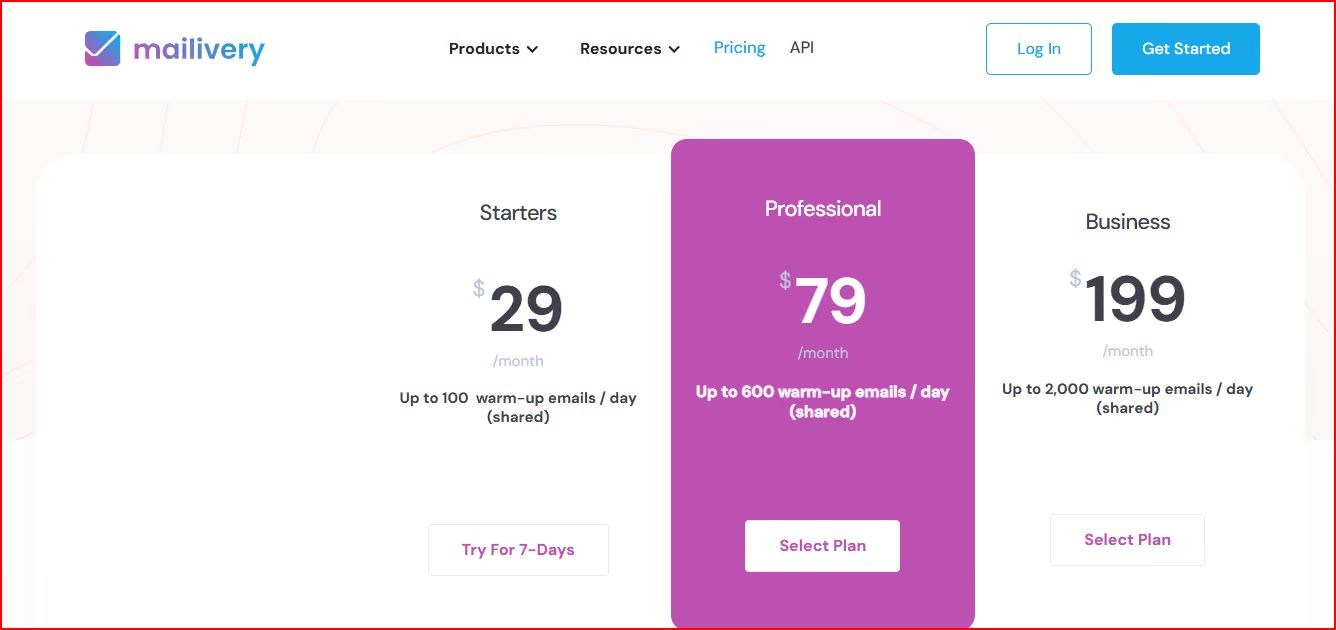
Mailivery offers simple plans with unlimited mailboxes and shared daily warmup limits:
This image shows the Mailivery pricing
Starters - $29/mo: Up to 100 warmup emails/day
Professional - $79/mo: Up to 600 warmup emails/day
Business - $199/mo: Up to 2,000 warmup emails/day
All plans include blacklist monitoring, analytics, AI content, and peer-to-peer interactions
7-day free trial available
Pros
Mailivery becomes more cost-effective than many tools because it lets you warm unlimited mailboxes, while most competitors charge per inbox.
Its peer-to-peer warmup with real accounts makes the interactions look more natural than tools that use basic bot emails.
The customizable sending behavior gives more control compared to tools that lock you into fixed warmup schedules.
Strong deliverability add-ons like blacklist monitoring and email verification give it an edge over warmup-only tools.
The API is built for large teams, agencies, and SaaS, making it easier to manage many inboxes from one system.
Cons
Warmup volume is shared across all inboxes, so each mailbox gets less warmup as you add more accounts, unlike tools that give fixed per-mailbox volume.
It doesn’t include outreach, so you still need a separate sending tool if you want campaigns and warmup together.
API access requires a call first, not instant signup, which slows down onboarding.
Plans may feel heavy for small users who only need to warm a few mailboxes, since Mailivery is designed more for scale.
How to Choose the Right Email Warmup API
Picking the right Email Warmup API mostly depends on how you work and how many mailboxes you manage.
Here’s a simple way to decide:
Your Need
Best-Fit Tools
Why These Tools Fit
Strong deliverability insight
Warmforge, Warmy, Mailreach
All offer solid diagnostics. Warmforge has structured tests, Warmy adds Postmaster data, Mailreach shows provider-specific reputation.
Easy API integration
Warmforge, Mailivery, Warmy
Clean APIs that integrate well into workflows or SaaS systems.
Managing many mailboxes
Mailivery, Warmforge
Mailivery allows unlimited inboxes; Warmforge scales smoothly with monitoring.
Warmup + deliverability tools together
Warmforge, Mailreach, Warmy
These combine warmup with reputation checks and mailbox health.
Warmup + outreach in one tool
Instantly
Includes warmup, campaigns, and sending in one place.
Fixing a damaged domain
Warmforge, Mailreach
Warmforge’s tests and health checks plus Mailreach’s controlled ramp-up help rebuild trust.
Cost-friendly at scale
Mailivery, Warmforge
Mailivery avoids per-mailbox fees; Warmforge keeps pricing predictable with slots.
Quick and simple setup
Instantly, Mailreach
Both are easy to start and beginner-friendly.
Conclusion
Choosing the right Email Warmup API comes down to what you need: automation, deliverability insight, scale, or an all-in-one outreach setup.
Each tool in this list solves the warmup problem differently.
Warmforge focuses on deliverability, warmup, placement tests, DNS/MX checks, blacklist monitoring, and an easy API.
Warmy adds Postmaster insights and broader deliverability reporting for mixed B2B/B2C sending.
Instantly is the right fit if you want warm-up and outbound campaigns in the same platform.
Mailreach is strong when you need natural warmup behavior and detailed provider-level reputation tracking.
Mailivery works well for agencies and SaaS platforms that need unlimited mailboxes and API-driven warmup across large setups.
If your main goal is to send at scale while keeping inbox placement stable, choose Warmforge.
It keeps deliverability predictable and makes warmup easy to automate, even when you’re managing multiple domains or mailboxes.
An email warmup API lets you start, pause, and monitor mailbox warmup from your own code instead of a dashboard. Most also return reputation and placement data you can show inside your own app.
2. Do I actually need a warmup API, or is a dashboard enough?
Most senders do not. Under 20 mailboxes, the dashboard is faster than building anything.
The API pays off when mailboxes get created automatically, like an agency onboarding a client every week.
3. How long does email warmup take before I can send cold email?
Two to four weeks for a brand new mailbox. I do not send a real campaign before day 14.
You can skip the wait with pre-warmed mailboxes from Primeforge or Infraforge. Warmforge keeps them warm after that, including IMAP and SMTP mailboxes from Mailforge.
4. How much does an email warmup API cost?
Expect $9 to $29 per mailbox per month, or a flat plan from $29 for unlimited mailboxes.
Here is the spread from this list:
Warmforge: $9 per mailbox slot per month, billed annually
MailReach: $25 per mailbox per month
Mailivery: $29 to $199 per month, unlimited mailboxes, shared daily warmup volume
Instantly: warmup included from $30 per month
Warmy: no public pricing, quoted after a sales call
5. Is Warmforge warmup really free with Salesforge?
Yes. Every Salesforge plan includes unlimited Warmforge warmup slots at no extra cost, on Pro at $48 per month and Growth at $96 per month.
Standalone Warmforge is $9 per mailbox slot per month, billed annually.
6. Does warmup on its own fix deliverability?
No. Warmup builds sender reputation, but it cannot save a bad list or a domain with broken DNS.
You still need SPF, DKIM, and DMARC set up correctly, validated contacts, sender rotation across mailboxes, and text-only emails.