But then the replies slowed down, or never came in the first place.
Perhaps your emails began landing in spam folders. Perhaps bounce rates increased. Perhaps one domain was flagged as spam faster than anticipated. And the most frustrating aspect? You were still unable to pinpoint the exact cause of the issue or identify which mailbox was responsible.
That is exactly why this list exists.
I've taken a look at 9 best email outreach tools and sorted them out by how well they manage deliverability.
Some are great at getting your emails into inboxes, while others shine when you're launching a campaign. A few even try to do both, but a few others might seem promising on paper, but they don't give you enough control when your sender reputation is already under pressure.
So this is not just another feature comparison.
It is a practical breakdown of which tool solves which deliverability problem, so you can stop guessing and start sending emails that actually reach the inbox.
Quick Summary: Which Email Outreach Tool Should You Choose?
Here is the short version.
Use Salesforge when mailbox health is the main problem, and you need a deliverability layer around your sender.
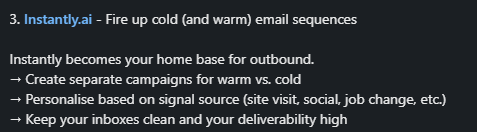
Use Instantly when you want cold email campaigns, unlimited email accounts, and unlimited email warmup in one platform.
Use Smartlead when higher-volume sending and add-on deliverability products matter more than simplicity.
Use Lemlist when personalization, email, and LinkedIn steps drive the buying decision.
Use Reply.io when a sales team needs multiple channels, active-contact pricing, and a warm-up included.
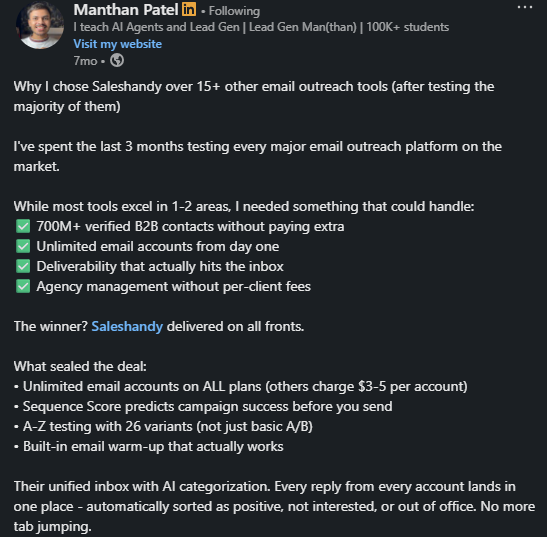
Use Saleshandy when you want affordable sender scaling with separate inbox placement plans.
Use Woodpecker when a smaller team needs adaptive sending, inbox rotation, and free warmup.
Use Mailshake when you want simple outreach with warm-up and verification included.
Use Apollo when the contact database matters more than deep deliverability controls.
How I Evaluated These Email Outreach Tools
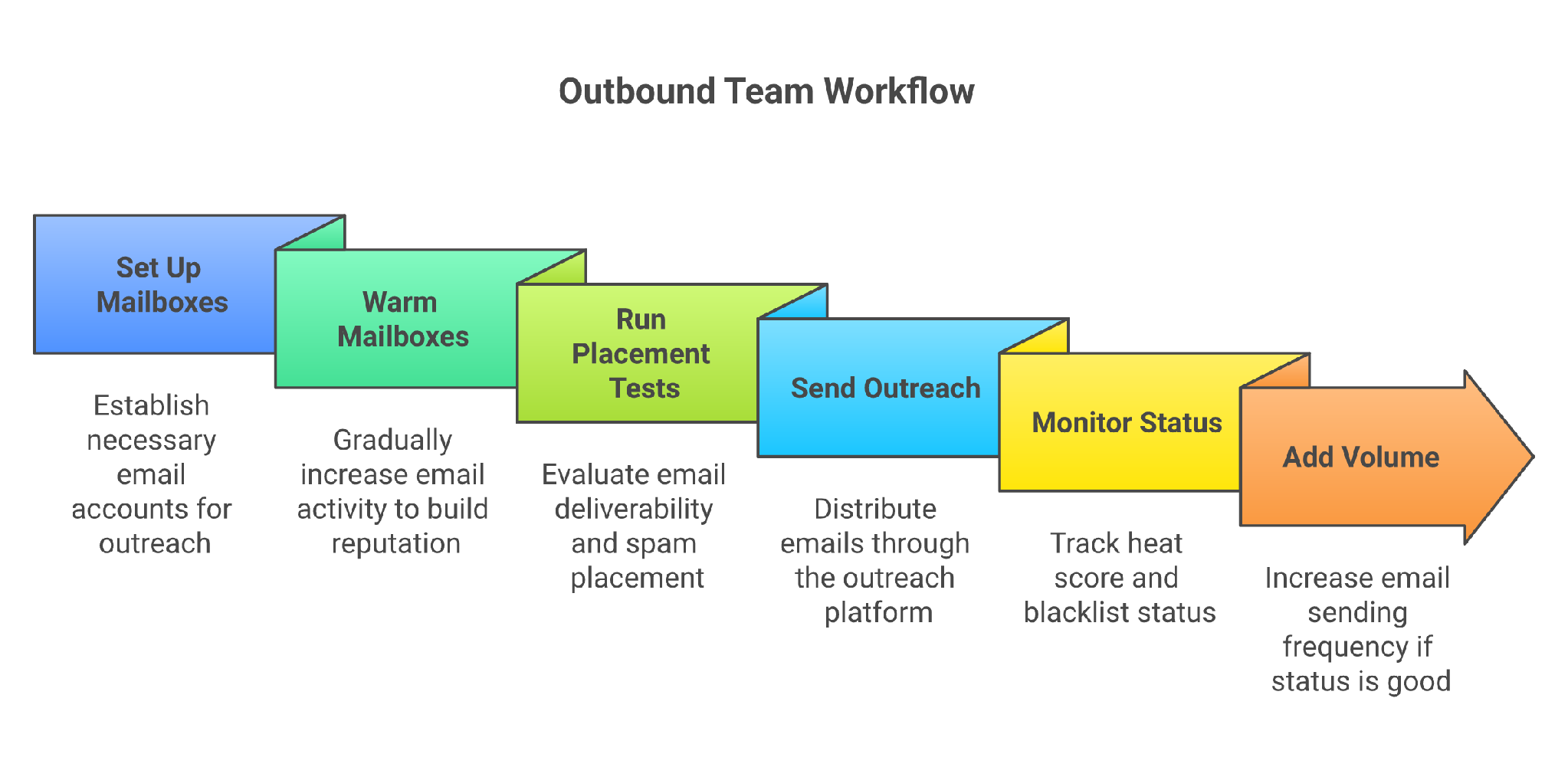
This image shows the Deliverability-first outreach stack
I evaluated each tool based on its ability to mitigate risks associated with outbound email, rather than the number of buttons it offers. Specifically, I considered five key factors:
Deliverability controls: warmup, placement tests, DNS/MX checks, blacklist checks, sender rotation, and health scores.
Sending workflow fit: whether the tool sends campaigns or protects mailboxes around another sender.
Scale protection: how it handles many mailboxes, daily limits, and account rotation.
Reporting: whether an operator can see inbox placement, mailbox health, bounce risk, and reputation movement.
Pricing risk: whether warmup, placement tests, verification, extra mailboxes, and infrastructure are included or sold separately.
Warm-up alone is not enough.
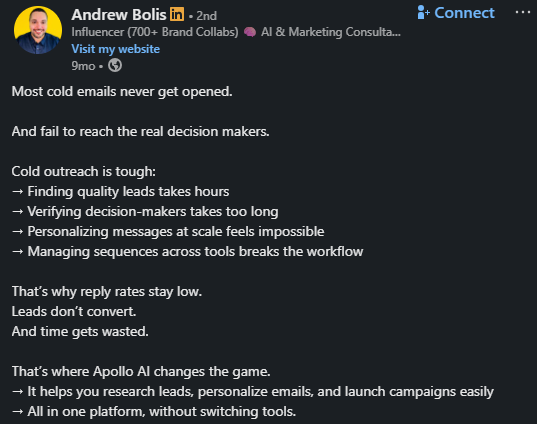
Kobi Omenaka, who publishes cold email teardown advice on LinkedIn, shared an 11-step client repair in his post, including Google Workspace setup, 21 days of warmup, SPF/DKIM/DMARC cleanup, and keeping bounce rates under 3%.
9 Best Email Outreach Tools Compared By Deliverability Protection
Tool
Use When
Main Protection
Pricing Signal
Avoid If
Warmforge
You want to send cold email through Salesforge with a clean, monitored mailbox layer underneath
Warmup, Heat Score, placement tests, SPF/DKIM/DMARC, and blacklist checks
$10 per slot per month, billed quarterly, one free slot included
You only need a sender without caring about mailbox health going into it
Instantly
You want cold email sending plus warmup
Unlimited email accounts and warmup
Growth is shown at $37.60 monthly on an annual display
You need a separate deliverability control center
Smartlead
You send at a higher volume
Warmup pool plus SmartDelivery, SmartSenders, SmartServers add-ons
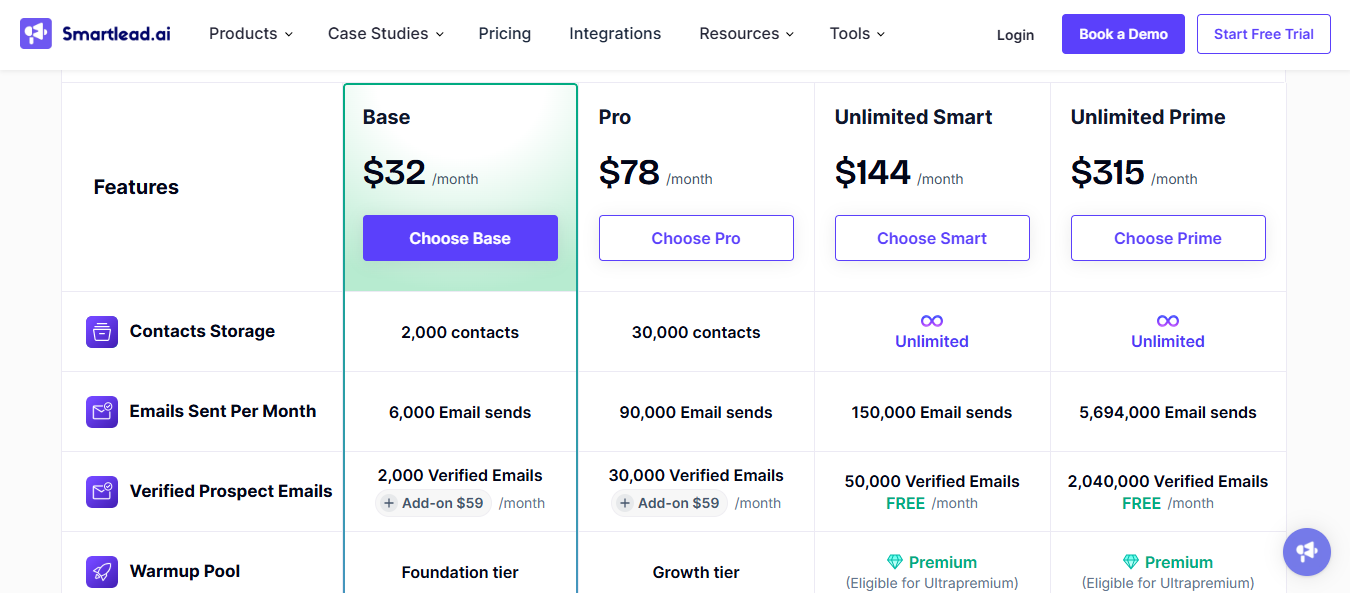
Base plan shown at $39 per month
You want the simplest setup
Lemlist
Personalization and multiple channels matter
Deliverability Hub and warmup
Email from $31/user/month yearly display
You only need mailbox health checks
Reply.io
Sales teams need channel coverage
Mailbox warm-ups and deliverability service options
AI SDR plans start from $500/month on an annual display
You need a lean cold email only
Saleshandy
Sender scale and placement testing matter
Unlimited email accounts plus inbox placement plans
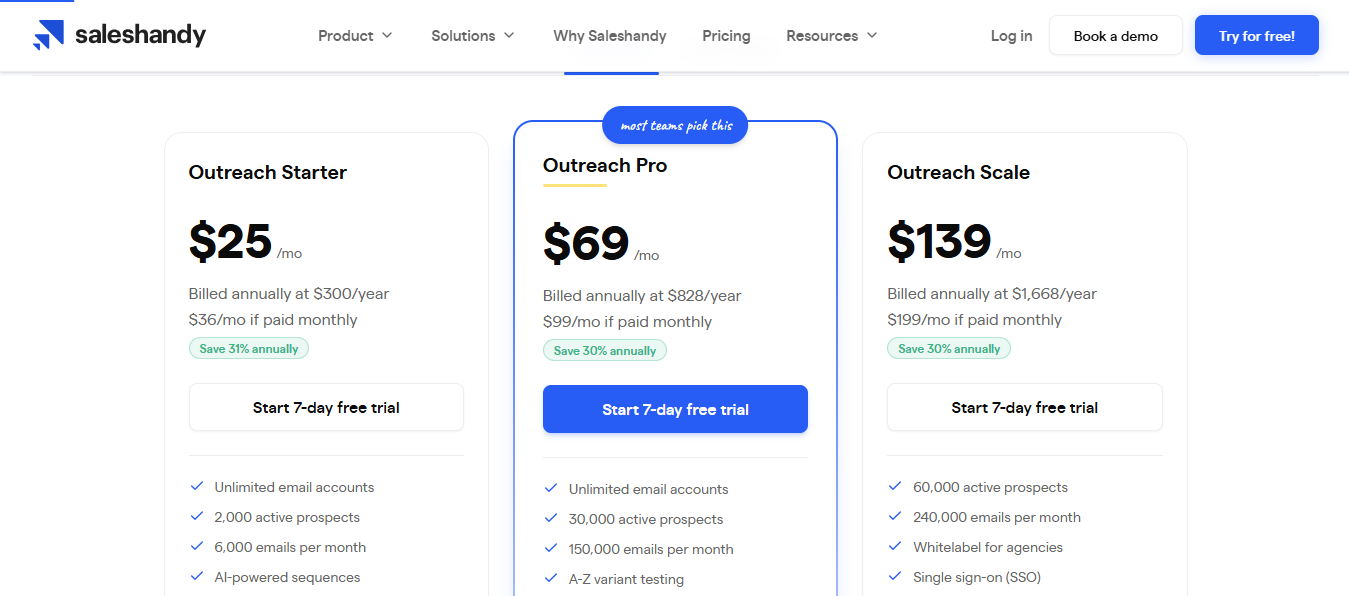
Outreach Starter $25/month annually
You need deeper mailbox diagnostics inside one view
Woodpecker
Smaller teams want simple sending
Free warmup, inbox rotation, adaptive sending
The pricing page lists the feature set and add-ons
You need advanced placement test programs
Mailshake
Simple outreach with warmup
Warmup, verification, throttling, and rotation on higher plan
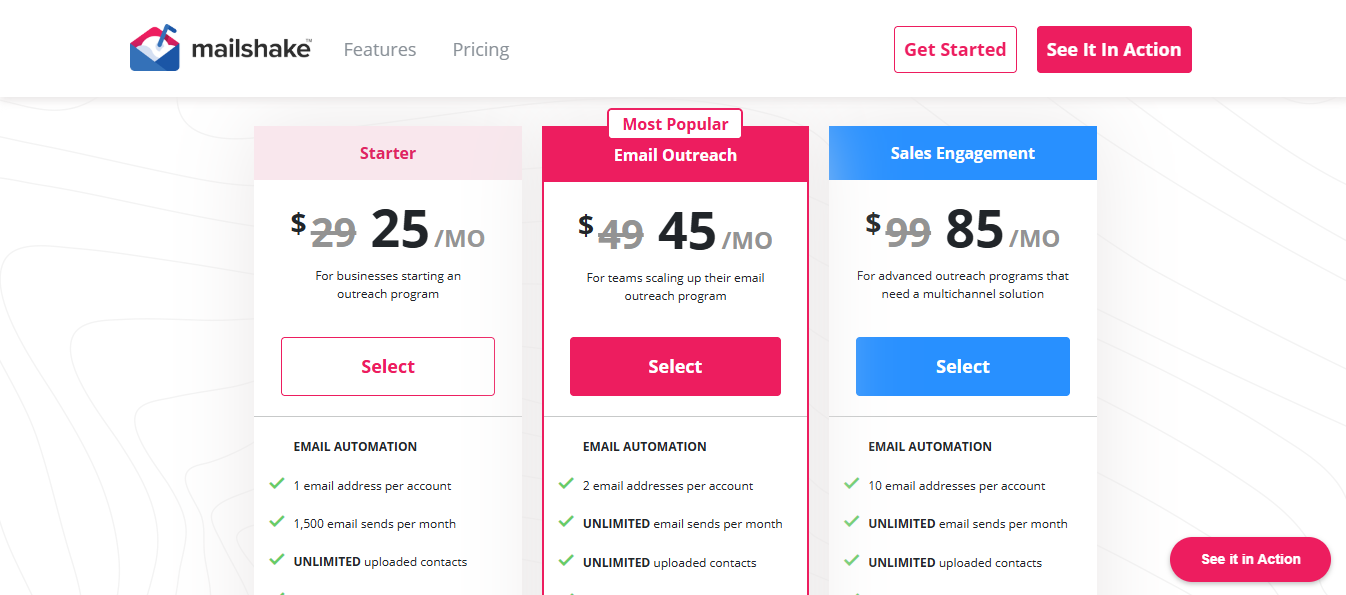
Starter $29/month
You need many sender accounts on the entry plan
Apollo
Data sourcing is the bottleneck
Database plus connected email workflows
Pricing centers data and platform tiers
Deliverability depth is the main decision
1. Salesforge: Best for AI-Powered Outreach With Deliverability Controls
Salesforge is built for teams that want to run outbound campaigns without treating deliverability as an afterthought.
Most email outreach tools focus on sequences, personalization, and reply tracking. Salesforge goes one layer deeper by connecting outreach with sending infrastructure, mailbox management, inbox rotation, and AI SDR workflows.
If you are sending cold emails from multiple mailboxes, domains, or workspaces, Salesforge helps you avoid the common mistake of pushing too much volume through unhealthy inboxes. You can run email and LinkedIn sequences, manage replies in Primebox, and use Agent Frank to handle the SDR workflow more autonomously.
This image shows the Warmforge user review
The strongest use case is the Forge stack. You can create mailboxes through Mailforge, Primeforge, or Infraforge, warm and monitor them with Warmforge, and then run outreach through Salesforge. That setup gives teams a cleaner path from infrastructure to warmup to sending, instead of forcing them to stitch together multiple unrelated tools.
Salesforge is not just a campaign builder. It is better suited for outbound teams that care about scale, mailbox safety, and reply management in one connected workflow.
Key Features of Salesforge
AI-powered email and LinkedIn outreach sequences.
Mailbox rotation to spread sending volume across multiple inboxes.
Primebox for managing replies from multiple mailboxes in one place.
Personalized outbound campaigns using AI-generated messaging.
Works well with Mailforge, Primeforge, Infraforge, and Warmforge for a connected outbound infrastructure stack.
Pros and Cons
Pros
Cons
It combines email outreach, LinkedIn steps, AI personalization, and reply management in one platform.
It supports unlimited mailbox connections, which helps teams spread sending volume safely.
Smart mailbox rotation helps reduce pressure on any single inbox or domain.
Primebox makes it easier to manage replies from multiple connected mailboxes in one place.
It fits well with the Forge stack: Mailforge, Primeforge, Infraforge, and Warmforge.
Agent Frank gives teams an option to move from manual sequencing to AI SDR automation.
It may be more than needed for teams sending from only one or two inboxes.
It still needs proper mailbox setup, domain setup, and sending discipline to work well.
Dedicated inbox placement testing and mailbox health monitoring are better handled through Warmforge.
It is not mainly a lead database, so teams may still need a separate source for prospect lists.
Agent Frank starts at a higher price point, so it is better suited for teams serious about outbound automation.
Salesforge Pricing
One free warming slot included
Email Warm Up: $10/slot/month, billed quarterly
Placement Tests Pro: $32.50/month (annual) or $39/month. 100 tests/month, 50 mailboxes per test
Placement Tests Growth: $140.80/month (annual) or $169/month. Unlimited tests, 250 mailboxes per test
Summary
Use Salesforge when you need a serious outbound platform that can handle AI-powered outreach, mailbox rotation, reply management, and scaled sending workflows.
Skip it if you only need basic warmup, inbox placement testing, or DNS monitoring. In that case, Warmforge is the more relevant tool.
Personalized Outbound Strategy
Get The Right Outbound Strategy In Minutes
Enter your email to get a custom plan & stack recommendation for your business
It's being carefully crafted by AI
Please check your mailbox in 5 minutes
2. Instantly: Use When You Want Simple Sending With Warmup Included
This image shows the Instantly AI Homepage
Instantly is a sender-first tool for teams that want to launch cold email campaigns without building a complex outbound stack.
The setup is simple. You connect inboxes, upload contacts, create campaigns, and keep warmup running inside the same platform. That makes it useful for founders, lean agencies, and small outbound teams that want fewer moving parts.
From a deliverability point of view, Instantly's main strength is that it makes mailbox connection and warmup easy. Unlimited email accounts and warmup on outreach plans help teams spread sending volume instead of relying on one or two inboxes.
The tradeoff is visibility. Warmup helps prepare mailboxes, but it does not always tell you where your live campaigns are landing. If inbox placement is already unstable, you may still need a dedicated placement testing and mailbox health layer around it.
Key Features of Instantly
Cold email campaign builder.
Unlimited email accounts on outreach plans.
Unlimited email warmup on Growth, Hypergrowth, and Light Speed.
Monthly uploaded contact and email-send limits by plan.
SISR on Light Speed for server and IP sharding.
Enterprise option for teams needing more advanced infrastructure support.
Pros and Cons
Pros
Cons
It combines sending and warming up in one tool.
It is easier to start than a multi-tool deliverability stack.
Hypergrowth gives more room for teams sending at a larger monthly volume.
Unlimited email accounts help teams spread sending across inboxes.
Light Speed adds SISR for teams that need more infrastructure protection.
Growth still caps uploaded contacts and monthly emails.
Stronger deliverability infrastructure sits on higher tiers.
It is not a dedicated mailbox-health control room.
Unlimited accounts do not mean unlimited campaign volume.
Teams with damaged domains may still need deeper placement testing.
Instantly Pricing
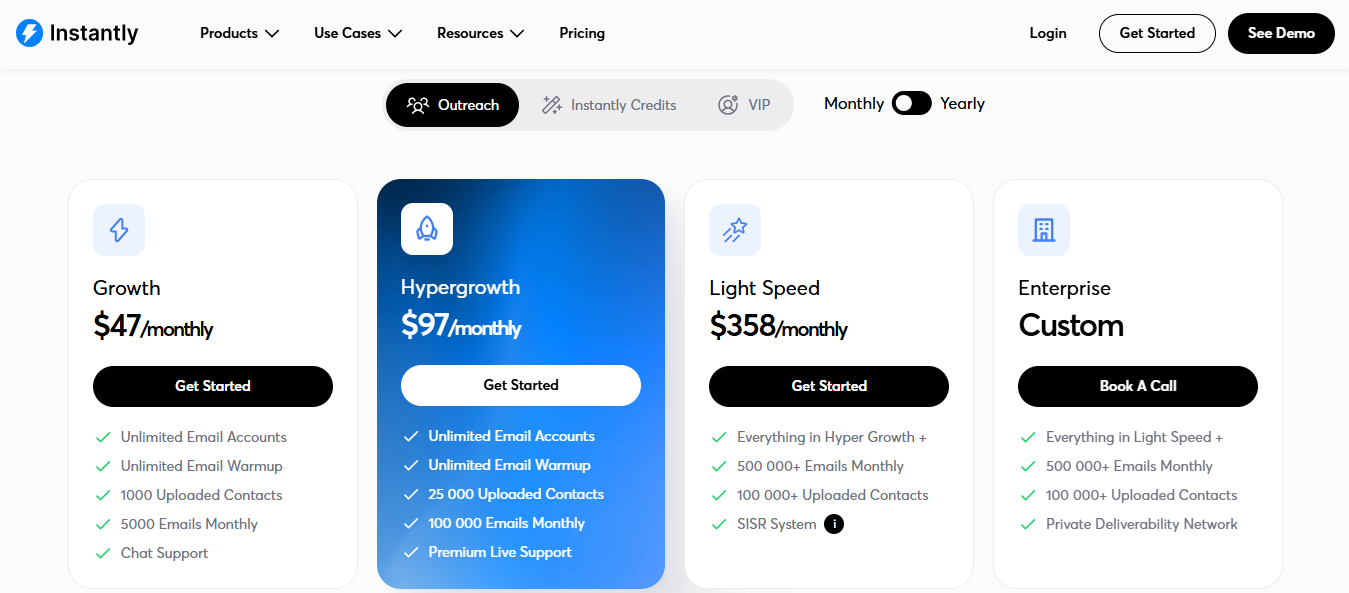
This image shows the Instantly AI Pricing
Growth: $47/month, with 1,000 uploaded contacts, 5,000 monthly emails, unlimited email accounts, and warmup.
Hypergrowth: $97/month, with 25,000 uploaded contacts and 100,000 monthly emails.
Light Speed: $358/month, with 100,000 uploaded contacts, 500,000 monthly emails, and SISR.
Annual billing usually lowers the displayed monthly price.
Summary
Use Instantly when you want simple cold email sending with warmup included.
Skip it if you need a dedicated deliverability control room with deeper placement testing, DNS monitoring, blacklist checks, and mailbox-level health visibility.
3. Smartlead: Use When High-Volume Sending Needs Extra Deliverability Products
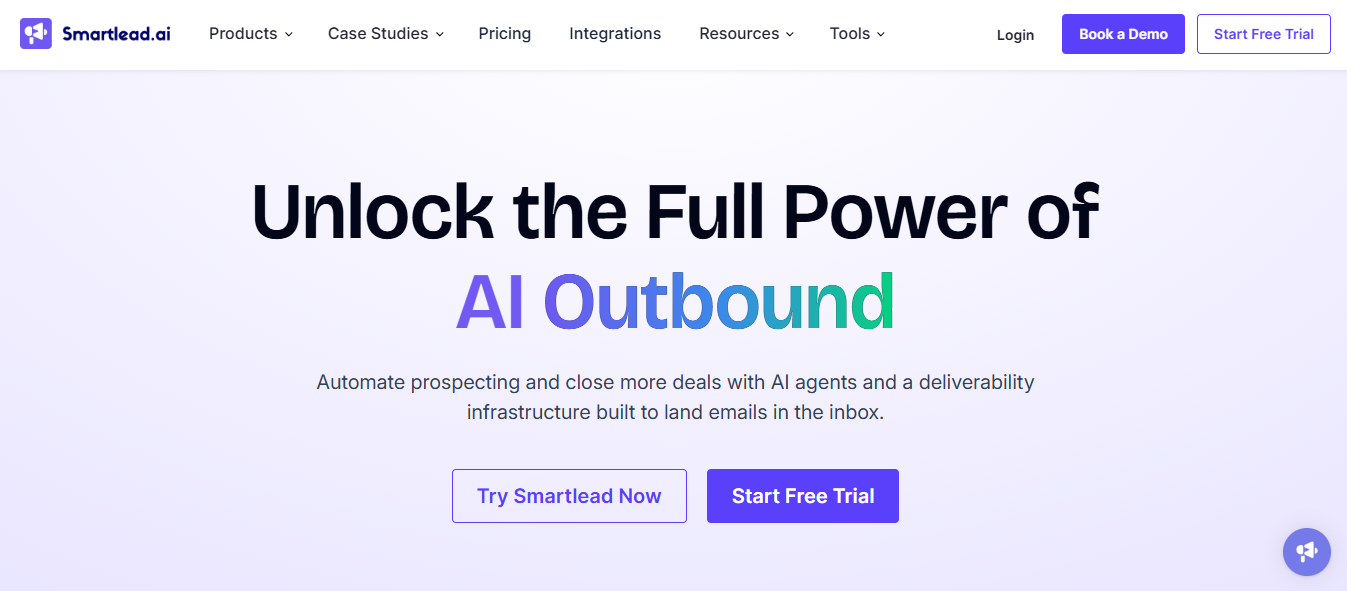
This image shows the Smartlead AI Homepage
Smartlead is better suited for teams that already think in terms of sending volume, multiple inboxes, verified lists, inbox placement, and outbound infrastructure.
It gives teams more room to build a high-volume cold email operation inside one ecosystem. You can run campaigns, warm up mailboxes, verify emails, test placement through SmartDelivery, and source sending infrastructure through SmartSenders.
The upside is flexibility. The downside is complexity.
Smartlead is not the simplest tool on this list. It works best when the operator understands deliverability basics: mailbox limits, list hygiene, domain setup, sending ramp, and how to read placement data.
Key Features of Smartlead
Cold email campaign sending.
Warmup pool for connected mailboxes.
SmartDelivery for placement testing and campaign sequence testing.
SmartSenders for buying and setting up Google, Outlook, and SMTP mailboxes.
SmartServers for private sending infrastructure.
Email verification options.
Higher send and contact limits on upper plans.
Pros and Cons
Pros
Cons
It fits teams that want sending volume and deliverability add-ons in one ecosystem.
SmartDelivery gives operators placement data instead of relying on warmup alone.
SmartSenders can help teams source and set up mailboxes.
Higher tiers raise contact and email-send capacity.
It gives agencies more room to build a scaled sending operation.
The add-on structure creates more buying decisions.
Beginners may find the setup heavier than Instantly or Mailshake.
Buyers need to check what is included versus sold separately.
It may be more product than a small team needs.
It still needs clean lists, conservative ramping, and good copy to protect reputation.
SmartDelivery Growth add-on: $49/month. 120 sequence tests, 50 sender accounts per test
SmartSenders add-on: from $13/domain/year and $4.50/mailbox/month
Summary
Use Smartlead when high-volume sending matters and your team has the operational discipline to manage deliverability add-ons properly.
Skip it if you want the simplest possible cold email setup.
4. Lemlist: Use When Personalization And Channel Mix Matter
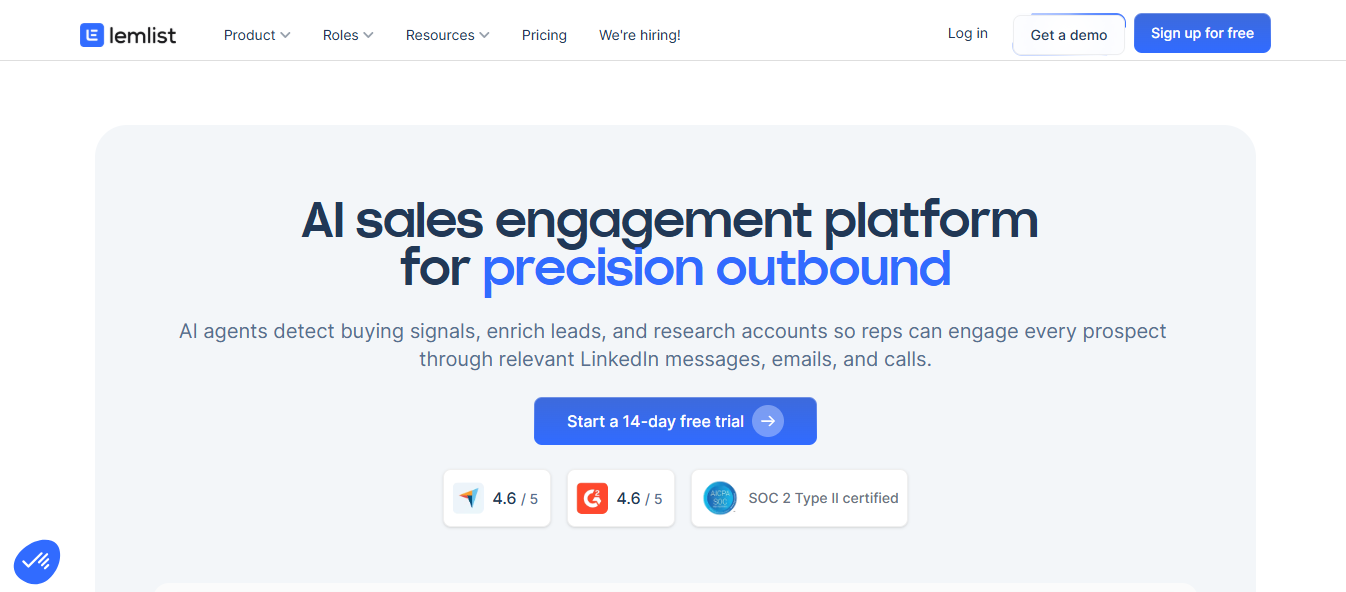
This image shows the Lemlist Homepage
Lemlist is not only a cold email sender. It is better positioned for teams that care about personalization, LinkedIn steps, lead sourcing, and multichannel workflows.
Sometimes deliverability is not the only reason campaigns fail. The mailbox may be fine, but the message may be too generic, the targeting may be weak, or the sequence may need LinkedIn touches around email.
That is where Lemlist fits better than a pure sender.
From a deliverability angle, Lemlist includes warmup and a Deliverability Hub, which helps cover the basics while campaigns run. But its real value is the campaign workflow around deliverability: personalization, prospecting, lead scoring, multichannel steps, and team collaboration.
Key Features of Lemlist
Email outreach with warmup.
Deliverability Hub for basic deliverability checks.
Email and LinkedIn multichannel outreach.
Lead database and email or phone number finder.
Unified inbox.
Lead scoring, personalization, and campaign scheduling.
Unlimited users and email senders on listed plans.
Pros and Cons
Pros
Cons
It is stronger when personalization drives reply quality.
Multichannel plans help teams pair email with LinkedIn steps.
The lead database helps teams source contacts inside the same platform.
Unlimited users and email senders can fit collaborative outbound teams.
Deliverability Hub and Warmup cover the basics while campaigns run.
It is broader than a dedicated deliverability layer.
Teams only checking mailbox health may pay for workflow features they do not need.
Email volume limits still matter by plan.
It may be less clean if the sender workflow already lives somewhere else.
It is not the first tool I would pick for a 50-mailbox diagnostic program.
Lemlist Pricing
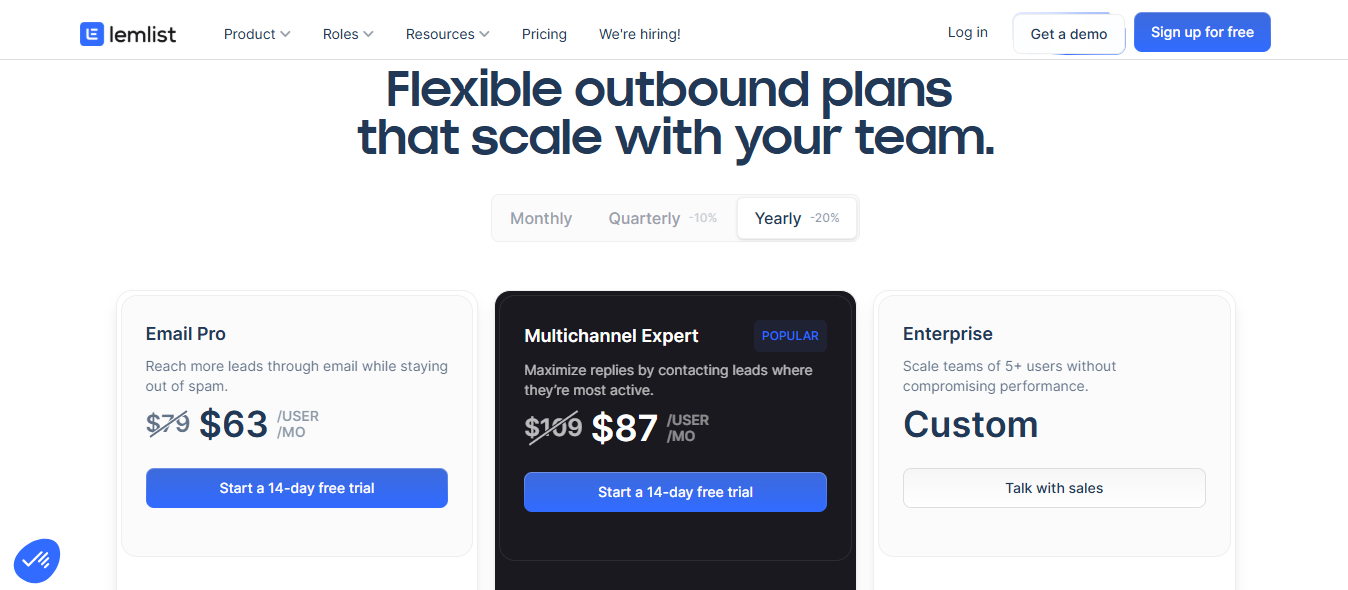
This image shows the Lemlist Pricing
Email: from $31/user/month on annual billing.
Multichannel: from $87/user/month on annual billing.
Enterprise pricing is available for larger teams.
Summary
Use Lemlist when personalized email, LinkedIn steps, and prospecting workflows matter as much as deliverability.
Skip it if your main need is mailbox health monitoring, placement testing, DNS checks, or blacklist monitoring.
5. Reply.io: Use When The Sales Team Needs Multiple Channels
This image shows the Reply io Homepage
Reply.io is closer to a sales engagement platform than a cold-email-only tool.
It makes sense when outbound is not just email. If your sales process includes LinkedIn, calls, SMS, WhatsApp, tasks, intent signals, team workflows, and manager visibility, Reply.io gives those workflows one place to live.
From a deliverability perspective, Reply.io supports mailbox warmup and unlimited mailboxes on listed plans. But the bigger reason to choose it is sales process control, not deep mailbox diagnostics.
I would not buy Reply.io only to warm 50 mailboxes. I would buy it when a sales team needs email, LinkedIn, calls, SMS, task management, and handoffs in the same system.
Key Features of Reply.io
Multichannel outreach across email, LinkedIn, calls, SMS, WhatsApp, and tasks.
Unlimited mailboxes and warmup on listed plans.
Active-contact based packaging.
Contact data and intent signals.
AI-assisted outreach workflows.
Jason AI SDR option for AI-led prospecting and outreach.
Pros and Cons
Pros
Cons
It fits sales teams that need process control across channels.
Active-contact packaging maps better to rep-led sales motions.
It can combine email, LinkedIn, calls, SMS, and tasks.
AI SDR packages include mailboxes, warm-ups, and deliverability services.
It is stronger when handoffs and team workflows matter.
There is too much scope for a cold-email-only team.
The buying motion is heavier than low-cost sender tools.
It is not a dedicated Warmforge-style mailbox health layer.
Teams should check fair-use rules before assuming unlimited use.
Multi-channel setup requires separate account connections per channel.
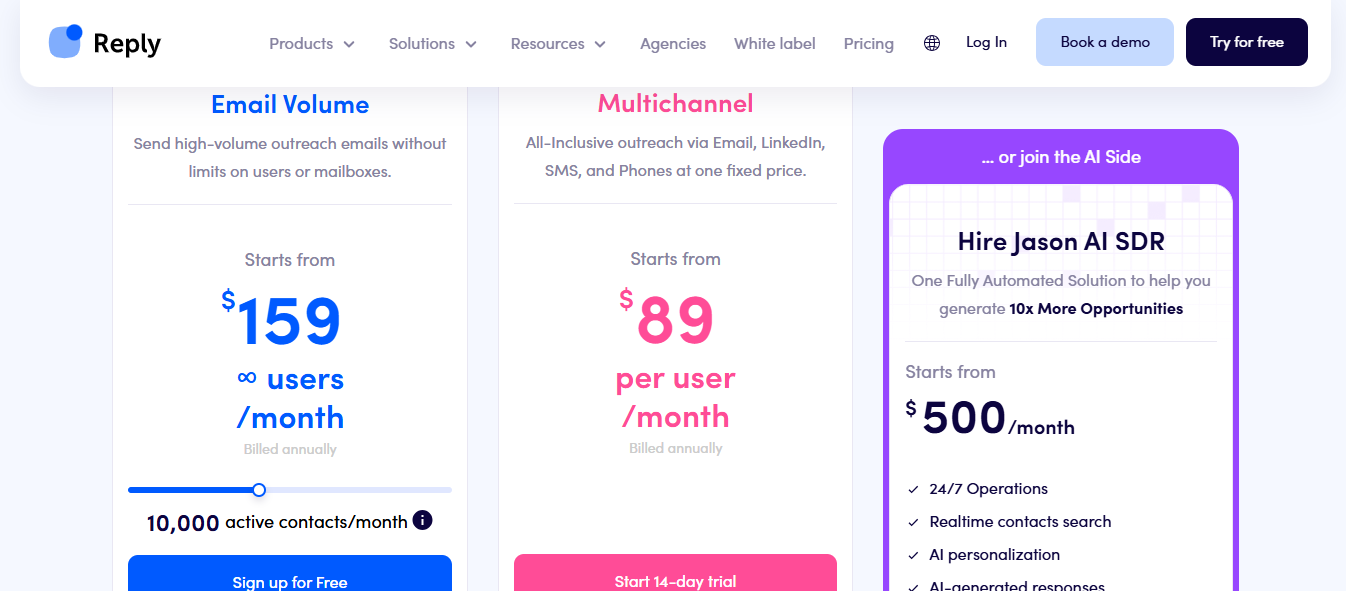
Reply.io Pricing
This image shows the Reply io Pricing
Email Volume: from $159/month (annual). Unlimited users and mailboxes, 10,000 active contacts/month
Multichannel: from $89/user/month (annual). Email, LinkedIn, SMS, and phone included
Jason AI SDR: from $500/month. 24/7 operations, real-time contact search, AI personalization
Agency plan available for teams managing multiple client accounts
Summary
Use Reply.io when email, LinkedIn, calls, SMS, tasks, and team workflows need to live together.
Skip it if you only need a lean cold email sender or a dedicated deliverability monitoring layer.
6. Saleshandy: Use When Affordable Sender Scaling Matters
This image shows the Saleshandy Homepage
Saleshandy is practical for teams that want to scale cold email without immediately buying a heavier sales engagement platform.
Its main strength is cost-friendly sender scaling. You can connect unlimited email accounts, run outreach campaigns, use warmup, and add inbox placement testing when deliverability becomes a bigger concern.
That makes Saleshandy useful for agencies, founders, and outbound teams watching cost per sender.
The limitation is depth. Saleshandy gives you useful deliverability features, but it is not mainly a dedicated mailbox health platform. If you need continuous monitoring, deeper placement testing, and infrastructure-level visibility, you may still want a separate deliverability layer.
Features of Saleshandy
Cold email outreach campaigns.
Unlimited email accounts on outreach plans.
Warmup account access.
Active prospect and monthly email limits by plan.
Inbox placement testing plans.
Email infrastructure add-on with SPF, DKIM, and DMARC setup.
Email verification and AI credits as add-ons.
Pros and Cons
Pros
Cons
It is cost-friendly for teams connecting many sender accounts.
Warmup account access is included across outreach plans.
Inbox placement plans make testing available without changing vendors.
Email infrastructure add-on helps teams buy configured mailboxes.
It works well for agencies watching cost per sender.
Outreach Starter still has active prospects and monthly email limits.
Inbox placement testing is packaged separately.
Deep diagnostics still require the right placement plan.
Infrastructure is an add-on, not a standalone product.
It is less focused than Warmforge for mailbox health monitoring alone.
Saleshandy Pricing
This image shows the Saleshandy Pricing
Outreach Starter: $25/month (annual) or $36/month. Unlimited email accounts, 2,000 active prospects, 6,000 emails/month
Outreach Pro: $69/month (annual) or $99/month. 30,000 active prospects, 150,000 emails/month
Inbox Free: $0/month. 2 placement tests/month, 1 sending account per test
Inbox Starter: $34/month (annual) or $49/month. 120 placement tests/month, 50 sending accounts per test
Email Infrastructure: from $2.99/mailbox/month (annual fixed)
Summary
Use Saleshandy when affordable sender scaling matters and inbox placement testing is useful, but not the entire product decision.
Skip it if you need the deepest mailbox health and deliverability monitoring layer.
7. Woodpecker: Use When Smaller Teams Want Adaptive Sending
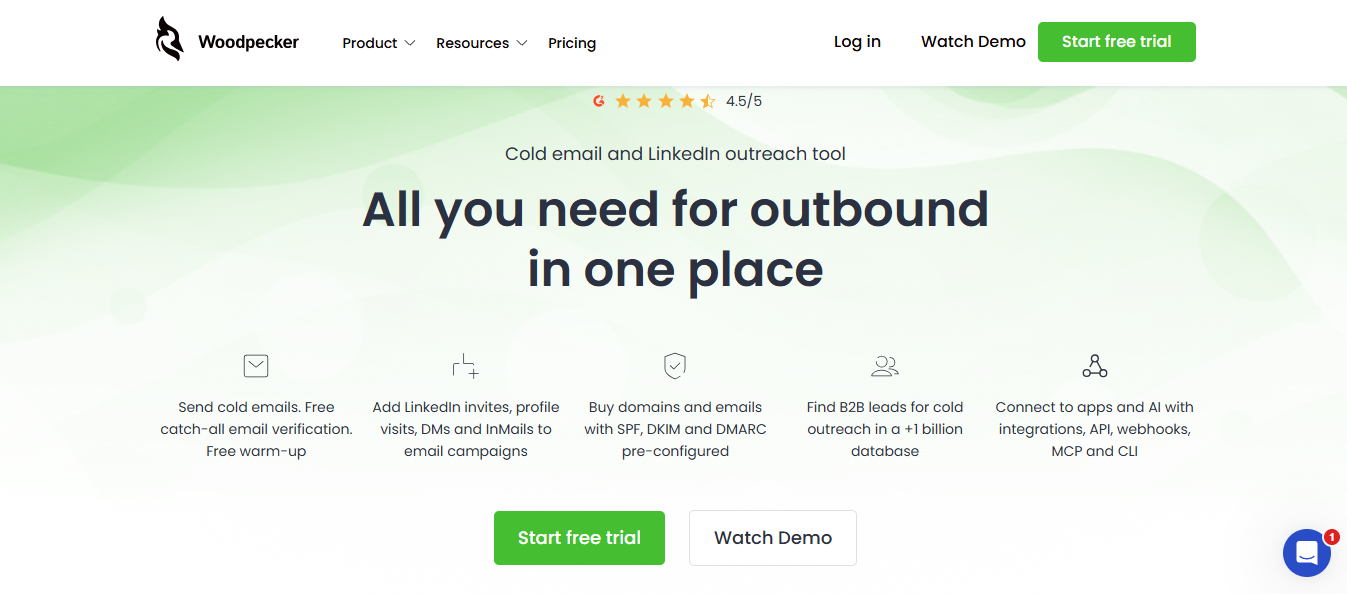
This image shows the Woodpecker Homepage
Woodpecker is a good fit for teams that want disciplined cold email sending without building a complex outbound stack.
It works well for smaller teams that need email sequences, inbox rotation, adaptive sending, warmup, verification, and a central inbox. The product is easier to understand than heavier sales engagement platforms, which makes it useful for teams that care about safer sending but do not need an enterprise workflow.
From a deliverability perspective, Woodpecker's value is sending control. Inbox rotation, warmup, verification, adaptive sending, and domain checks help reduce common mistakes like pushing too much volume through one inbox too quickly.
It is not the deepest placement testing platform in this list, but it gives smaller teams enough guardrails to avoid reckless sending.
Key Features of Woodpecker
Cold email campaigns and follow-ups.
Free warmup.
Free email verification.
Inbox rotation.
Adaptive sending.
Centralized inbox.
Domain audit and deliverability checks.
Add-ons for LinkedIn outreach, agency panel, Lead Finder, API, and more.
Pros and Cons
Pros
Cons
It is easy to understand for smaller outbound teams.
Free warmup and verification cover common early risks.
Inbox rotation helps reduce pressure on any single mailbox.
Adaptive sending helps teams avoid aggressive volume jumps.
Domain audit gives beginners a useful setup check.
It is not positioned as a deep placement-test program.
More warm-ups are listed as an add-on.
LinkedIn automation is also an add-on.
Agencies may need the agency panel add-on.
Larger teams may outgrow the lighter workflow.
Woodpecker Pricing
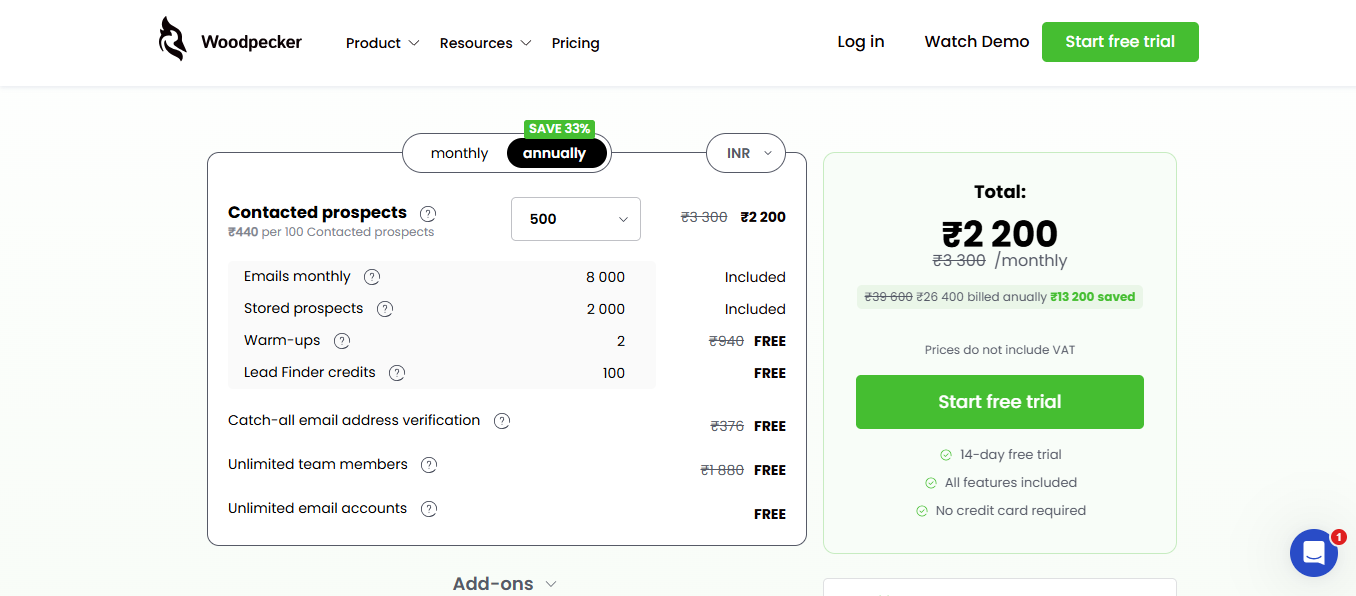
This image shows the Woodpecker Pricing
Free warmup and verification included on base plans
Add-ons available for more warm-ups, agency panel, LinkedIn automation, Lead Finder credits, domains, and emails
Price by the exact add-ons needed, not the base plan alone
Summary
Use Woodpecker when a smaller team wants controlled cold email sending with warmup, verification, and inbox rotation.
Skip it if you need a heavier deliverability command center or large-scale placement testing.
8. Mailshake: Use When Simple Outreach Is The Job
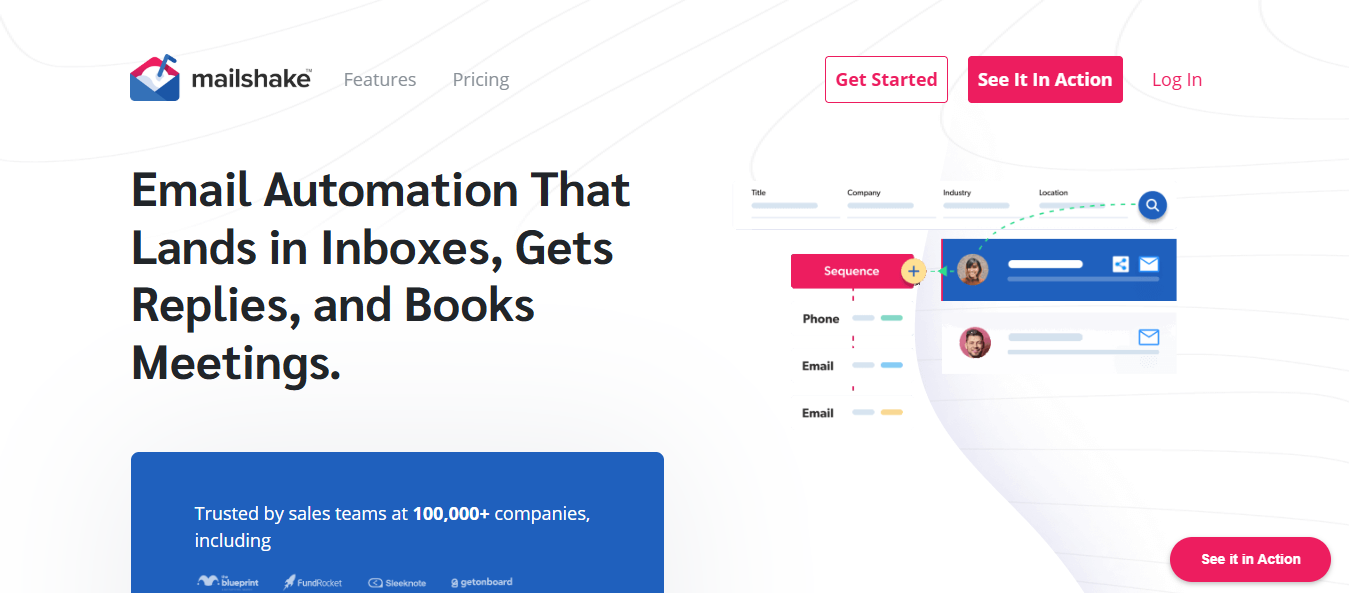
This image shows the Mailshake Homepage
Mailshake is the "keep it simple" option in this list.
It works best when the team wants to upload contacts, build sequences, warm accounts, verify emails, throttle sending, rotate email addresses on the right plan, and manage replies without turning setup into a full RevOps project.
From a deliverability angle, Mailshake covers the basics: warmup, email verification, throttling, rotation, and sending controls. That is enough for many small teams running straightforward campaigns.
The limitation is scale. If you are managing a large mailbox fleet, you need to check email address limits and plan fit before assuming it will work for a bigger sending operation.
Key Features of Mailshake
Cold email sequences.
Email warmup.
Email verification.
A/B testing.
Email rotation on higher plans.
Throttling and advanced scheduling.
Unified inbox.
Sales Engagement tier for broader outreach workflows.
Pros and Cons
Pros
Cons
It is simple enough for teams starting outreach.
Warm-up and verification are included in the listed plans.
Email Outreach adds rotation and throttling for safer sending.
Sales Engagement: $99/month. For multichannel outreach programs
Summary
Use Mailshake when simple email outreach is the job and your mailbox count is modest.
Skip it if your main problem is deliverability diagnostics, large sender fleets, or advanced inbox placement visibility.
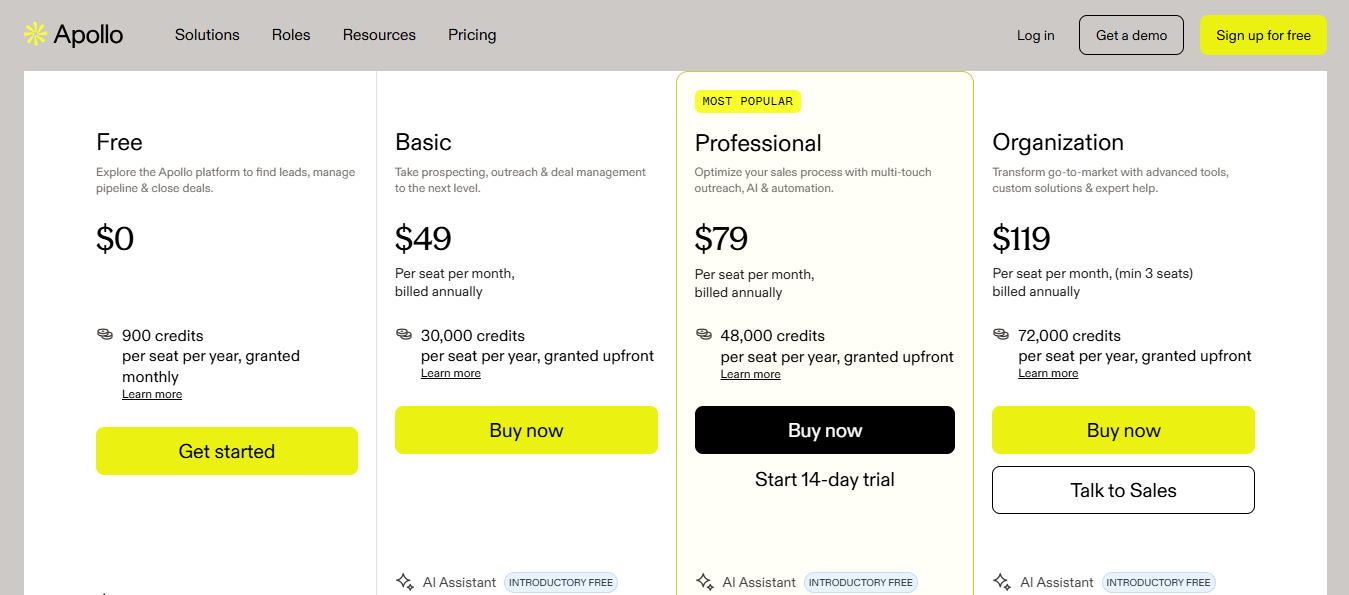
9. Apollo: Use When Data Sourcing Is The Main Bottleneck
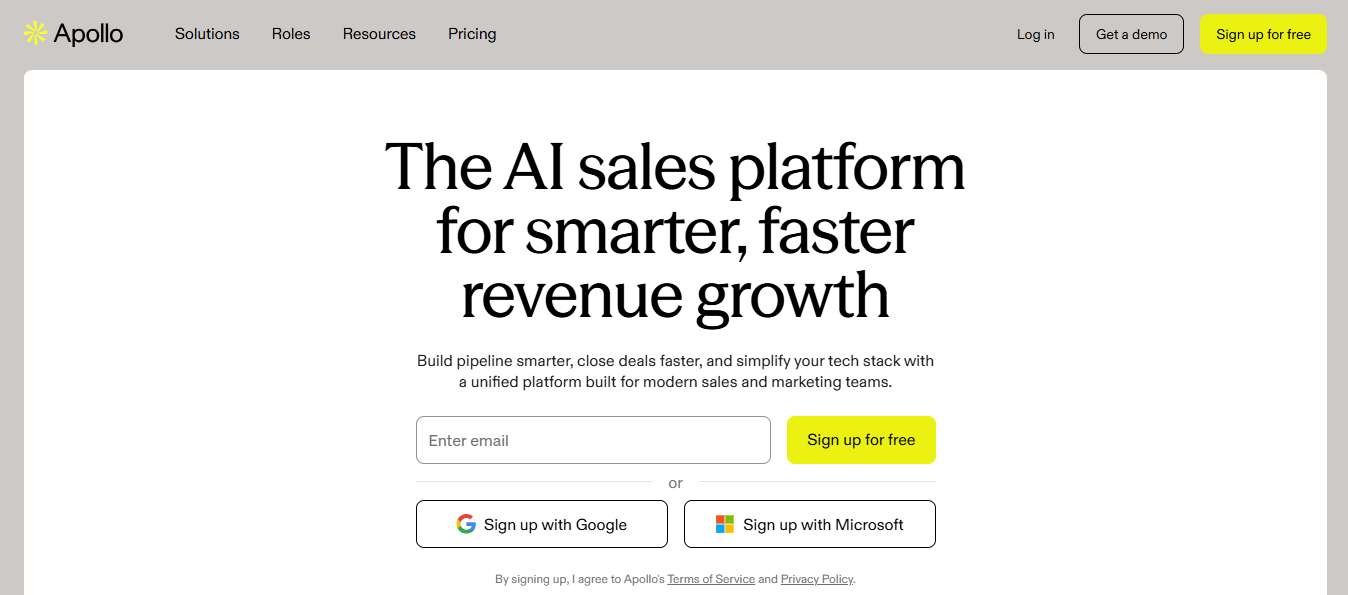
This image shows the Apollo Homepage
Apollo belongs in this comparison because many teams looking for email outreach tools are not only stuck on sending.
They are stuck earlier.
They need the right accounts, the right contacts, enrichment, workflow automation, and a way to turn that data into outbound activity. That is Apollo's lane. It is a data and engagement platform first, not a deliverability-first tool.
Apollo can help when your campaign problem is list quality, contact coverage, enrichment, or account discovery.
But if your mailboxes are already landing in spam, Apollo is not the first fix. You would still need proper mailbox setup, warmup, list hygiene, placement testing, and sender reputation monitoring.
Key Features of Apollo
B2B contact and account database.
Contact enrichment.
Sales engagement workflows.
Email sequencing.
CRM and workflow integrations.
Data credits by plan.
AI Assistant available on paid plans as an introductory offer.
Pros and Cons
Pros
Cons
It can solve prospect data and outreach workflow in one place.
It is useful when the team lacks enough qualified contacts.
Enrichment helps teams clean and complete prospect records.
Integrations make it easier to route data into sales workflows.
It can win when database coverage matters more than inbox diagnostics.
It is not the deepest mailbox-health monitoring option here.
Deliverability is not the main pricing story.
Teams still need warmup, placement testing, and list hygiene discipline.
It can be too broad if the sender stack is already built.
If inbox placement is broken, Apollo is not the first fix I would buy.
AI Assistant is included on paid plans at introductory free pricing
Verdict
Use Apollo when prospect data, enrichment, and contact sourcing are the main bottlenecks.
Skip it if your main problem is mailbox reputation, inbox placement, DNS health, or blacklist monitoring.
Personalized Outbound Strategy
Get The Right Outbound Strategy In Minutes
Enter your email to get a custom plan & stack recommendation for your business
It's being carefully crafted by AI
Please check your mailbox in 5 minutes
Conclusion: How To Choose Based On Deliverability Risk
Start with the failure point.
If mailbox health is the problem, start with Warmforge. Warm the mailboxes, run placement tests, check DNS/MX, and watch blacklist status before adding volume.
If you need sending and warming up in one place, compare Instantly, Smartlead, Saleshandy, Woodpecker, or Mailshake.
If LinkedIn and calls are part of the sequence, look at Lemlist and Reply.io.
If contact data is the bottleneck, Apollo fits better than a sender-first tool.
For Forge Stack users, the path is straightforward. Build mailboxes in Mailforge, Primeforge, or Infraforge. Warm and monitor in Warmforge. Send through Salesforge. Run placement tests before adding volume.
You define the ICP. Agent Frank finds the contacts, writes a different email for each one, sends the sequence, follows up, and drops interested replies into Primebox.
Your team only touches a conversation when someone is ready to buy.
Start your free 14-day trial and experience how much of your outbound you can take off your plate.