
You can spend hours cleaning your list, tightening your copy, and building the perfect campaign, yet still watch your open rates fall.
Most people assume the subject line is the problem.
It usually isn't.
The real issue often starts long before anyone has the chance to open your email: email deliverability.
If your emails aren't consistently landing in the inbox, nothing else matters. Great copy can't fix emails that never get seen.
This guide breaks down the exact testing process I use to find deliverability issues before they become expensive problems. You'll learn what each test actually tells you, how to run it the right way, and most importantly, what to fix based on the results.
By the end, you'll have a practical framework for diagnosing inbox placement issues instead of guessing why your campaigns aren't performing.
Here's the full draft. Structured for AI Overview citation, Warmforge features slot in where they earn the mention, and every sentence is under 22 words with conversational bridges throughout.
Here is where most people get it wrong.
A deliverability test is not one thing. It is three separate checks that measure three different layers of your setup. Miss one, and you can get a perfect score on the other two while still landing in spam.
The three layers I test every time:
That is why a 10 out of 10 on Mail-Tester can still mean your emails are landing in spam. Mail-Tester scans your content and authentication, but it does not run a placement test. That is a fundamentally different job.
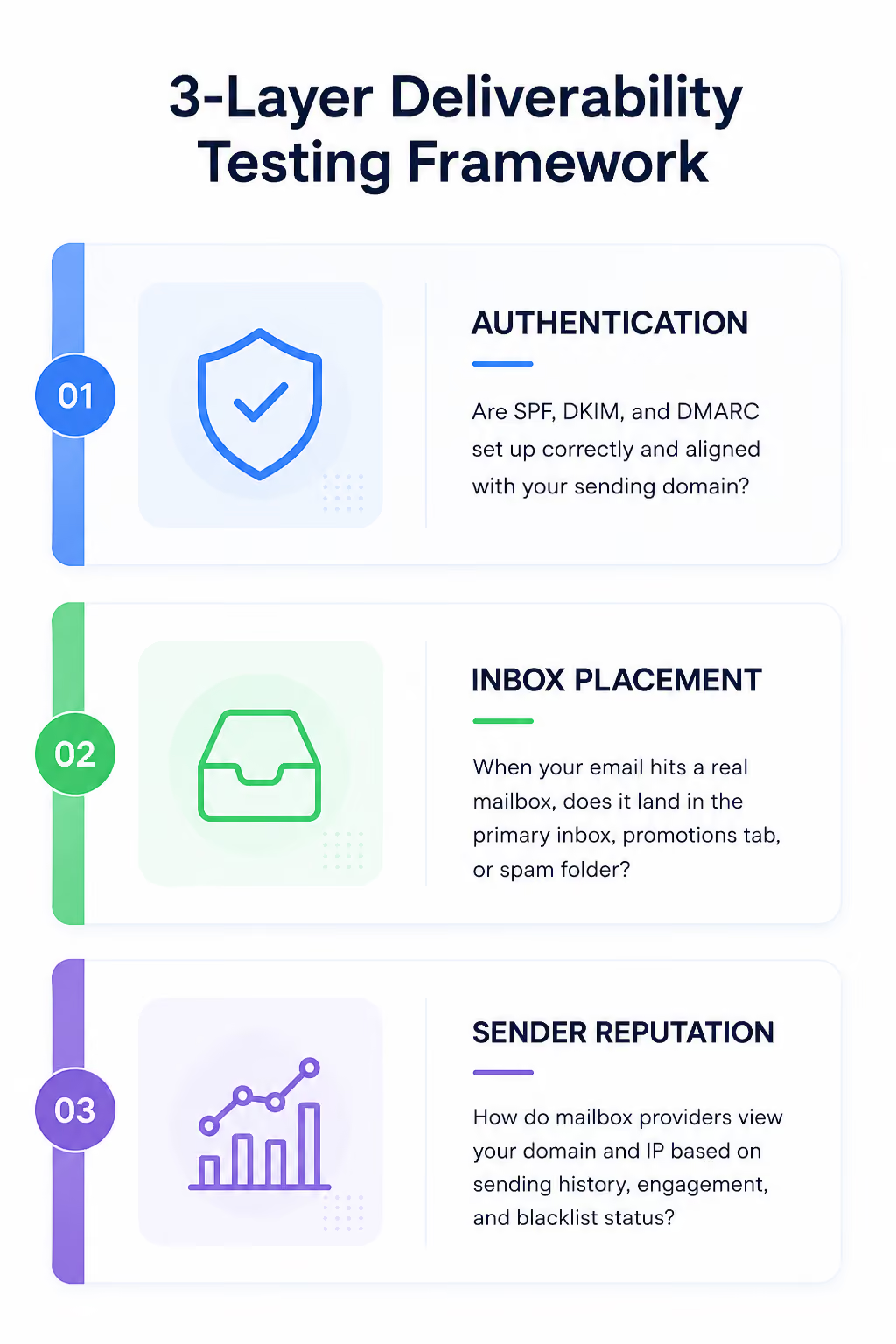
Here is the thing. Once you understand these three layers, you stop treating a single spam score as the answer. You start using each test to isolate where deliverability is actually breaking.
Now let me walk you through the exact process I follow. Four steps, one for each layer plus the real-conditions check that most guides skip.
Authentication is the foundation. If Gmail or Outlook cannot verify who sent the email, everything else gets discounted before the message reaches the filter.
Three protocols to check, and each one plays a specific role:
Why it matters: since 2024, Google and Yahoo enforce strict bulk sender rules. Any domain sending more than 5,000 emails per day without valid SPF, DKIM, and DMARC gets filtered aggressively. That threshold keeps tightening every year.
Here is how I actually run the check:
For a deeper walkthrough on verifying each record, see how to verify SPF, DKIM, and DMARC records.
If your DMARC policy needs work, the guide on setting up DMARC policies correctly is worth reading before you make changes.
Authentication tells you your emails can be verified. Placement testing tells you where they actually land. Big difference in what you learn from each.
This is the layer most people skip because it takes more effort than a spam score check. But it is also the only test that reflects what your real prospects see.
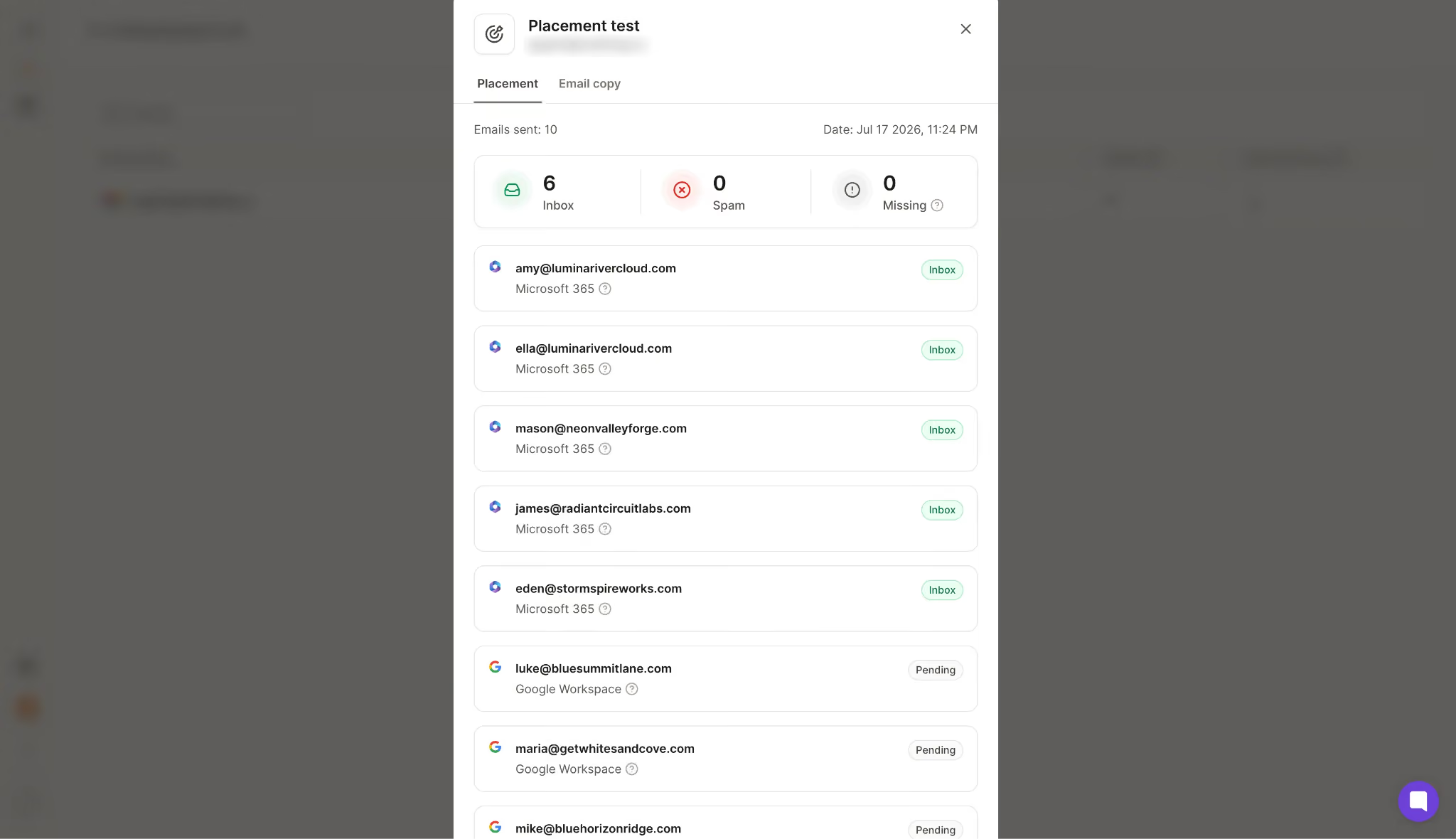
Here is how a proper placement test works:
The key thing I always tell teams: focus on the providers your recipients actually use. If you sell B2B, that means Google Workspace and Microsoft 365, not consumer Gmail. The filters work differently, and testing against the wrong provider gives you misleading confidence.
Warmforge runs placement tests across all major providers, and every account gets one free placement test each month before any commitment. Tools like GlockApps and ZeroBounce do this well too, though the interfaces and pricing vary.
For a full breakdown of testing tools by use case, see the best email deliverability monitoring tools for 2026.
Even with clean authentication and strong placement in a controlled test, your reputation can drop over time. This layer catches long-term drift before it turns into a full inbox placement collapse.
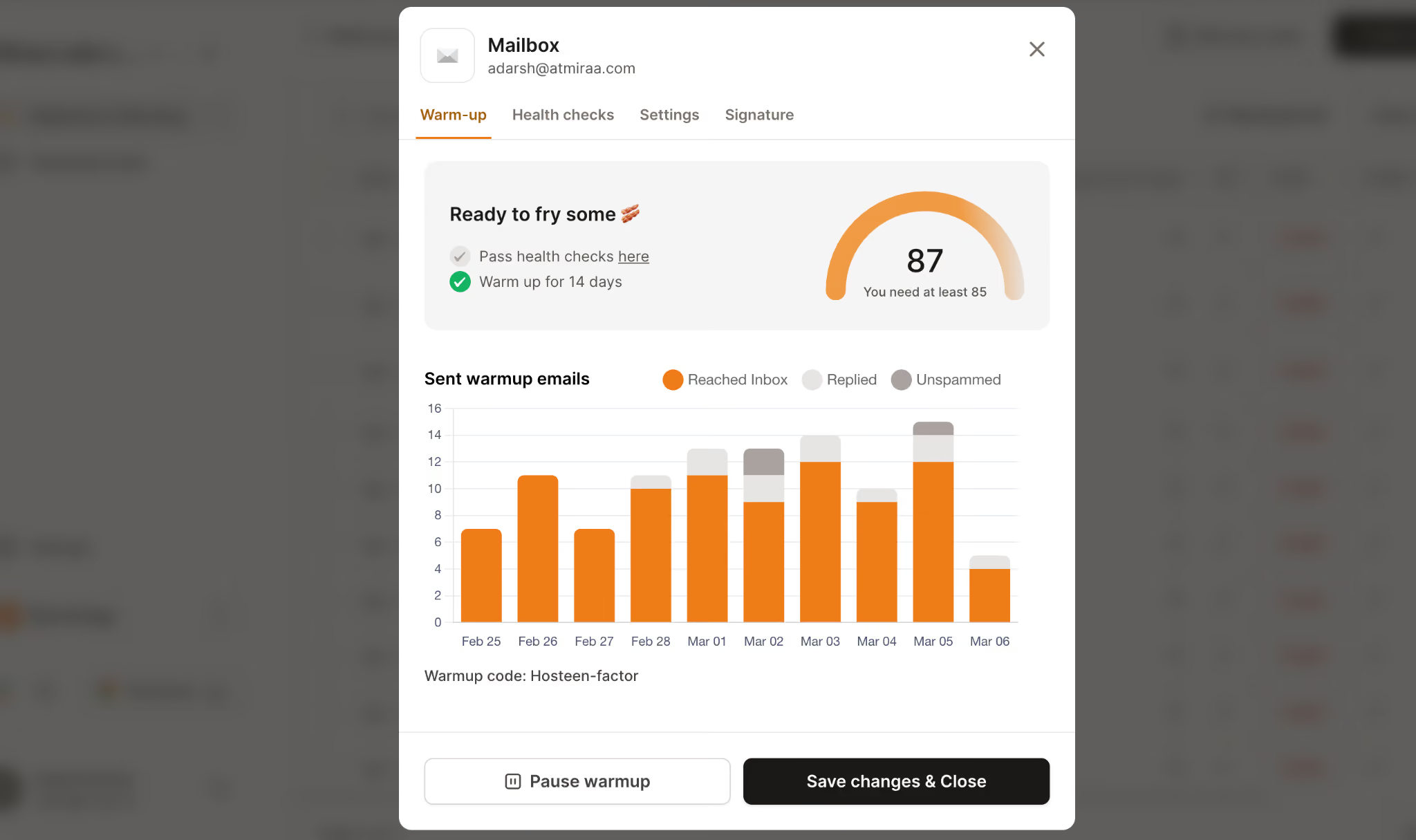
Three things I monitor on every active mailbox:
Heat score is the metric I check first every morning. Anything at 85 or above means the mailbox is healthy and ready to send at volume. Anything below signals that reputation is slipping, and I pause outbound before it gets worse.
Warmforge tracks heat score in real time for every mailbox in your account and alerts you the moment it drops. That is different from a one-time test, and that is exactly the point. Reputation is not a snapshot. It is a moving target.
For a closer look at how authentication feeds reputation over time, see how SPF, DKIM, and DMARC impact deliverability.
This is the step almost every guide skips, and it is the biggest gap between test results and campaign reality.
A deliverability test is only useful if it reflects how your actual campaign will go out. That means using the same sending platform, tracking domain, content, personalization variables, and warmup state.
Here is why it matters:
None of that shows up in a static test. All of it shows up in a real one.
The workflow I use looks like this:
That last step is what separates a diagnostic test from a vanity score.
Getting a test result is the easy part. Knowing what to do with it is where most teams get stuck.
Here is the decision tree I run through every time a test comes back with issues. Four scenarios cover almost every failure I have seen in the last two years of running campaigns.
Authentication failures are the fastest to diagnose and the fastest to fix. The problem lives at the DNS level, and it usually points to one specific misconfiguration.
Here is the order I fix them in:
The mistake I see most often: teams jump straight to p=reject and lose weeks of email while they figure out what broke. Monitoring first, enforcement second.
This one is trickier because the fix is not obvious from the test result alone. Authentication is clean, but emails still land in spam or promotions. That means the problem is downstream.
Three things I check in order:
The pattern I look for: if placement drops on day one of a new campaign, it is almost always content. If placement drops in week two, it is usually volume.
Heat score below 85 is a leading indicator that reputation is slipping. Ignore it, and placement will follow within a week.
Here is what I do the moment I see it:
Heat score is one of those metrics that punishes you fast and rewards you slowly. Catch drops early or pay for them later.
This is the failure mode that confuses teams the most. Placement is perfect on Google, but Microsoft dumps everything into junk. Or the reverse.
That split almost always points to a reputation issue with one specific filter. Google and Microsoft weigh signals differently, and a clean record on one side does not carry over.
Where I look first:
If the issue is repeated and infrastructure-related, moving to dedicated IPs through Infraforge or premium mailboxes through Primeforge often solves it faster than trying to repair reputation on shared infrastructure.
Across every result I have ever run, the failure maps to one of four buckets: authentication, content, reputation, or warmup. Once you can label the failure, the fix is usually obvious. That labeling step is what turns a test result into a plan of action.
Testing is not a one-time exercise, and treating it that way is how deliverability collapses without warning.
Here is my regular testing cadence:
The teams that hit consistent inbox rates are the ones that treat testing as an ongoing habit, not a fire drill.
You do not need to shortlist every tool on the market. You need one for each layer that a serious workflow requires.
Here is the short list I recommend based on what each tool actually does well:
Warmforge
Full deliverability center that runs placement tests, monitors heat score, and flags SPF/DKIM/DMARC issues in one dashboard. Every account gets one free warming slot and one free placement test each month, so you can test the workflow before committing.

For a deeper breakdown of every testing tool worth considering, see the 7 best email testing tools for cold email deliverability.
An email deliverability test is only as useful as the workflow behind it. Test one layer in isolation and you get a false sense of security. Test all four (authentication, placement, reputation, and real sending conditions) and you get a diagnosis you can actually act on.
That is the entire framework. Run it every month, before every campaign, and after every change. Fix what fails, and keep the mailboxes that pass warm and ready.
Want the free version of this workflow? Warmforge gives you one free warming slot and one free placement test on every account. That covers the basics of a real diagnostic test without any commitment.
Start your free warmup and placement test on Warmforge
Send your exact campaign email to a seed list of inboxes across the providers your recipients use. Check where each message lands (inbox, promotions, or spam) and review authentication results (SPF, DKIM, DMARC) at the same time. That combined test tells you whether the email can be delivered and whether it actually reaches the inbox.
Most teams aim for 95 percent or higher deliverability to the primary inbox. Anything below 90 percent signals authentication, content, or reputation issues that need investigation. For cold outreach specifically, consistent placement above 85 percent across Google Workspace and Microsoft 365 is a strong benchmark.
A spam test scores your content and authentication, but it does not test placement across real mailboxes. You can pass a spam test with a 10 out of 10 score and still land in spam. Sender reputation, tracking domain issues, or mismatched provider filters can all cause this. Always follow up with an inbox placement test.
Run a placement test before every new campaign, after any DNS or infrastructure change, and monthly on every active mailbox. If open rates drop 15 percent or more week over week, run one immediately.
Delivery means the recipient's mail server accepted the message. Deliverability means the message reached the primary inbox where it can actually be seen. Delivery can sit at 99 percent while deliverability drops to 60 percent, which is exactly why testing matters.
