I have sent cold email campaigns that booked 15 meetings in a week. I have also sent campaigns that got zero replies and tanked my domain reputation in the process.
The difference was never the subject line or the CTA. It was the list.
A cold email list is the foundation of every outbound campaign. Get the list right, and mediocre copy still books meetings. Get the list wrong, and the best email ever written goes nowhere. Recent cold email benchmarks show reply rates hovering between 1% and 5%. The senders beating those averages are not writing better emails. They are building better lists.
This guide walks through the full process. Defining your target audience, sourcing verified contacts, warming up your mailboxes, segmenting your data, and maintaining list quality over time.
Let's get into it.
A cold email list is a collection of contacts you have never interacted with before. These are people who match the profile of someone likely to benefit from your product or service.
Each record should include at minimum: full name, verified business email, job title, and company name. The more context you have (company size, industry, location, seniority level), the better your personalization gets.
A cold email list is not a marketing email list. Marketing lists are built on opt-in subscribers who signed up for a newsletter or downloaded a resource. They expect to hear from you.
A cold email list is outbound. The people on it have not opted in. That is why quality matters more than size. I have seen a list of 200 verified, well-targeted contacts outperform a purchased list of 5,000 generic addresses every single time.
Pre-built lists from third-party vendors are tempting because they save time. But they come with real downsides.
The data is often stale. People change jobs, companies rebrand, and email addresses go inactive. A list that was accurate when compiled could have 15% to 25% bad addresses by the time you buy it.
Worse, purchased lists are typically shared across multiple buyers. If 10 companies are emailing the same 5,000 people from the same list, inbox fatigue sets in fast. Reply rates drop. Spam complaints rise.
There is also a compliance risk. If the list was scraped without proper consent mechanisms, using it in GDPR-regulated markets could create legal exposure.
The safer approach is building your own cold email list using verified, real-time data sources. It takes more effort upfront, but the campaign performance difference is significant.
Building a cold email list without a defined Ideal Customer Profile is like fishing without knowing what you are trying to catch. You will pull in contacts, but most will not be relevant.
Your ICP has two layers.
These define the type of business you want to target:
Industry or vertical (SaaS, healthcare, ecommerce, manufacturing). Company size by employee count or revenue range. Geography (country, region, city). Growth stage (startup, scale-up, enterprise). Technology stack (what tools they already use).
These define the person inside that company you need to reach:
Job title and seniority (VP, Director, Manager, C-level). Department (Sales, Marketing, Operations, IT). Decision-making authority (budget holder vs influencer). Years in role (newer hires are often more open to new tools).
The more specific your ICP, the smaller and more targeted your cold email list becomes. That is a good thing. Smaller, well-targeted lists produce higher reply rates, lower bounce rates, and better pipeline quality.
Start by looking at your best existing customers. What do they have in common? Industry, company size, the title of the person who signed up, the problem they were solving. These patterns form the blueprint for your ICP.
If you do not have existing customers yet, study your competitors' case studies and testimonials. The companies they serve likely overlap with yours.
Once your ICP is defined, you need to find people who match it.
There are several reliable sources. The best results come from combining more than one.
This is the most efficient way to build a cold email list at scale.
A good B2B database lets you search by industry, job title, company size, location, seniority, and other filters. Then you export verified contact details.
I have been using Leadsforge for this. It gives you access to 500M+ verified B2B contacts with ICP-based search. You describe your ideal prospect in plain language ("marketing directors at SaaS companies with 50 to 200 employees in the US"). It returns targeted, verified results without manually filtering through dozens of dropdowns.
What makes a difference at the list-building stage is data accuracy. Leadsforge uses waterfall enrichment across multiple data providers to verify each contact before you reveal it. That means you are not paying for contacts that will bounce.
You can also use the lookalike feature to find companies similar to your best customers, or target followers of competitor company pages. Once your list is ready, it connects directly into Salesforge for outreach. No exporting to CSV. No importing into a separate tool.
LinkedIn is the most reliable source for B2B prospecting research. The free version lets you search by job title, company, location, and industry. Sales Navigator adds advanced filters like company headcount, seniority level, years in role, and recent job changes.
LinkedIn is best for identifying the right people. But it does not give you email addresses directly. You will need a separate tool to get verified contact details for the people you find there. A B2B database or email finder works for this.
For smaller, highly targeted lists, visiting a company's website can surface the right contacts. "About Us" and "Team" pages often list leadership with names and titles. Industry-specific directories, trade associations, and conference speaker lists can also surface relevant contacts.
This approach does not scale. But it produces very high-quality contacts when you need precision over volume.
If someone in your network knows the person you want to reach, a warm introduction is always stronger than a cold email. This will not help you build a list of 500 contacts. But it is worth layering into your sourcing strategy for high-value accounts.
Verification is not optional.
It is the single most important step between building your list and sending your first email.
An unverified cold email list will contain invalid addresses, inactive mailboxes, and role-based emails like info@ or support@.
These spike your bounce rate. If your bounce rate crosses 2% to 3%, email providers start flagging your sending domain. Your future emails start landing in spam, even the ones going to valid addresses.
That is the core of email deliverability: once your domain reputation drops, recovery is slow.
There are two approaches.
This is how Leadsforge handles it. Every email is checked through waterfall enrichment across multiple data sources before a credit is consumed.
Real-time verification produces cleaner lists because there is no lag between data retrieval and validation.
Not all verification is equal. A verified email means the address exists and can receive mail. But there are edge cases to watch for.
Catch-all domains accept all emails sent to any address at the domain, even if the specific mailbox does not exist. Verification tools cannot definitively confirm these, so they carry higher risk.
Role-based addresses (info@, sales@, marketing@) are technically valid but rarely produce meaningful replies. Remove them from your cold email list.
Temporary or disposable addresses pass verification but are designed to expire. These are less common in B2B but worth filtering out.
A good verification process catches all three and flags them before they enter your sequence.
This is the step most senders skip. And it is the step that wrecks campaigns the fastest.
You have a verified list. Your ICP is tight. Your copy is ready.
But if the mailboxes you are sending from have no sender reputation, your emails will land in spam before anyone sees them. A clean list does not fix a cold mailbox.
New mailboxes and mailboxes that have been idle for a few weeks have no sending history. Email providers like Google and Microsoft treat them as unknown senders. Sending 200 cold emails from an unknown mailbox on day one is the fastest way to get flagged.
The fix is warming up your mailboxes before you launch. Warmup is the process of gradually increasing email activity from a mailbox so it builds trust with inbox providers.
That means sends, opens, replies, and follow-ups that look like real human behavior. I recommend a minimum 14-day warmup period before sending any campaign.
I use Warmforge for this.
It runs an AI-driven warmup activity that mimics real conversations. Opens, replies, and follow-ups happen automatically, and the system tracks a heat score for each mailbox. Once the heat score hits 85+, I know the mailbox is ready to send.
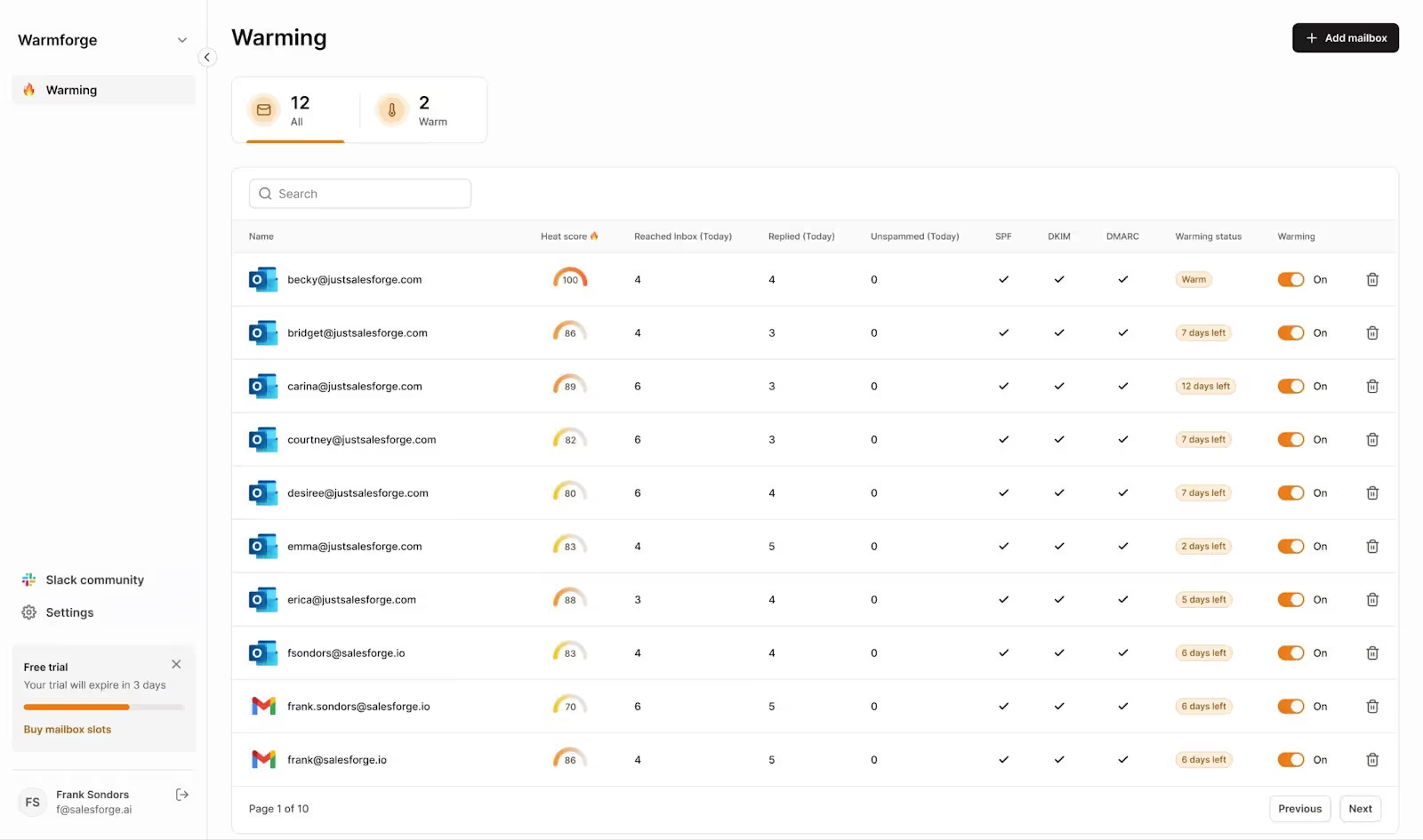
Beyond warmup, Warmforge also runs placement tests that show me where my emails land across Google and Outlook: inbox, promotions, or spam. That is the kind of data you want before committing your list to a live campaign.
I wrote separately about how the email warm-up process works and where it makes the biggest difference.
Here is the short version. Do not send to your carefully built list from a mailbox that has not been warmed up. The list is not the problem. The mailbox is.
A cold email list with 500 contacts should not receive the same message. Segmentation splits your list into smaller groups so each group gets a message tailored to their specific situation.
Segmented campaigns consistently outperform unsegmented ones because the message feels more relevant to the reader.
Separate decision-makers from influencers. A VP of Sales needs a different message than a Sales Operations Manager, even if they work at the same company. The VP cares about the pipeline and revenue. The Ops Manager cares about workflow efficiency and tool consolidation.
The pain points of a SaaS company are different from those of a manufacturing firm. Segmenting by industry lets you reference problems and outcomes specific to their world. That alone makes the email feel less generic.
Geography affects both messaging and logistics. A prospect in Europe may have GDPR concerns that a US-based prospect does not. And sending emails at 9 AM in their timezone (not yours) improves open rates.
If your product solves multiple problems, segment by the problem most relevant to each group. A lead generation agency cares about scaling outreach across clients. A startup founder cares about finding their first 100 customers. Same product, different angle.
Building a cold email list is not a one-time task. B2B contact data decays at roughly 2% per month. That means a list of 1,000 contacts loses around 20 valid addresses every month to job changes, company closures, and email deactivations.
If you do not maintain your list, your bounce rate creeps up over time and your sender reputation degrades.
For a deep dive on maintenance best practices, check out this guide on email list hygiene.
Even if you verified a list 30 days ago, run it through verification again before launching a new sequence. A 30-day-old list can have 2% to 5% new invalid addresses.
That is enough to push your bounce rate past the safe threshold.
Your contacts are not the only thing that decays between campaigns. If your mailboxes sat idle, their sender reputation may have dipped too. Before relaunching, check your Warmforge heat scores. If a mailbox dropped below 85, give it a few days of warmup before you load it with a fresh sequence.
A hard bounce means the email address does not exist. Do not retry these. Remove them from your list the moment they bounce. Most cold email software does this automatically, but double-check that bounced contacts are excluded from future sequences.
After running a campaign, review who opened, who replied, and who unsubscribed or complained. Contacts who never open across multiple campaigns may have inactive mailboxes. They are not technically bouncing, but they are not reaching a human either.
But engagement tracking at the contact level is only half the picture. If open rates are dropping across the board, the problem might not be your list.
It might be your deliverability. Running placement tests through Warmforge shows you whether emails are actually reaching the inbox or quietly landing in spam. You can check inbox placement across Google and Outlook before assuming your list is the issue.
If a list has been through 2 to 3 full sequences with no engagement, it is time to retire it.
Continuing to email unresponsive contacts drags down your domain reputation and wastes sending capacity.
Build a new list with fresh data, updated ICP criteria, and current verification.
If you are starting fresh, warm your mailboxes again before sending to the new list. The effort is worth it.
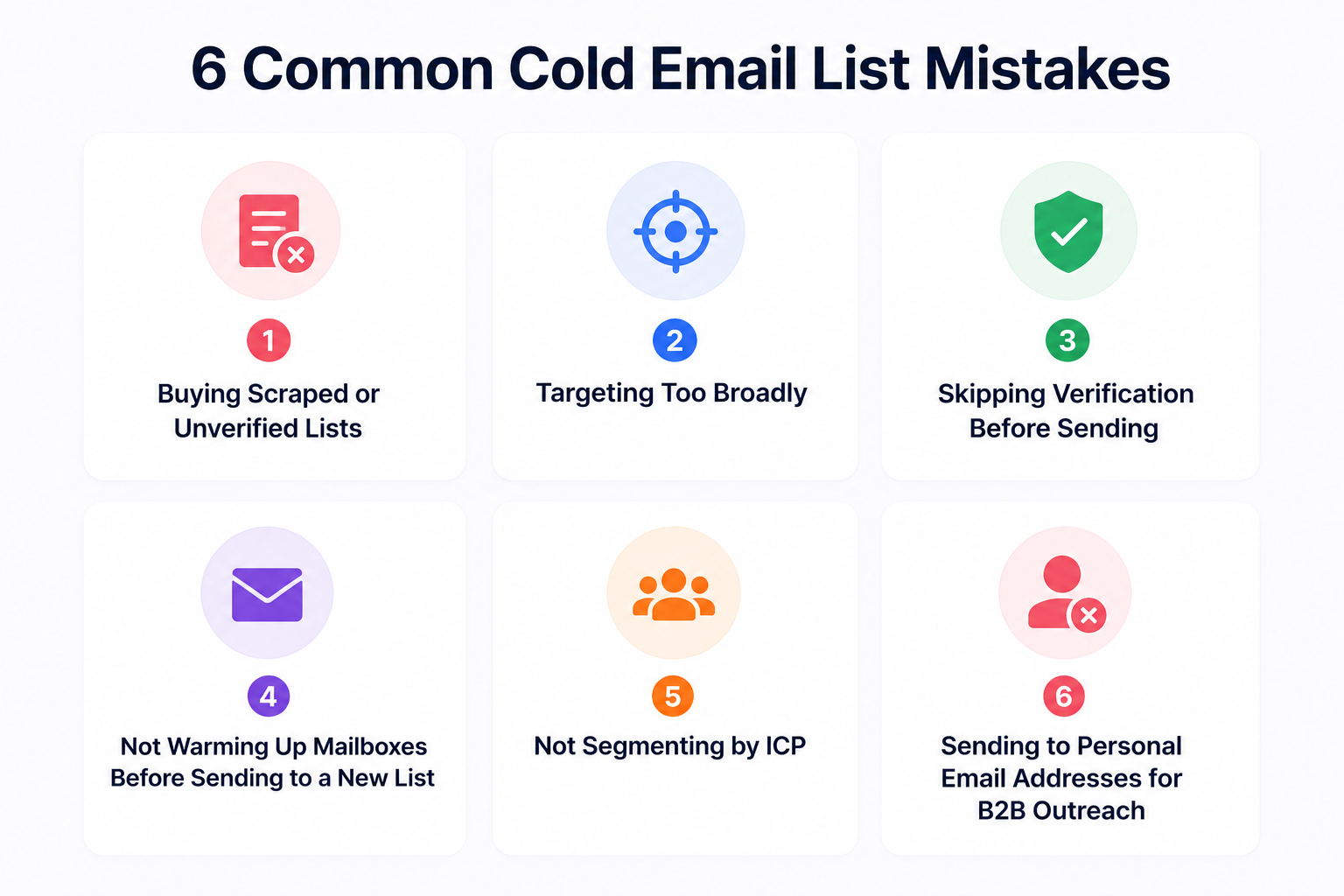
Cheap, pre-built lists from unknown vendors are the fastest way to damage your sender reputation. The data is often outdated, shared across buyers, and non-compliant with privacy regulations.
"All marketing managers in the US" is not a cold email list. It is a spray-and-pray strategy that produces low reply rates and high unsubscribe rates. Narrow your ICP until the list feels almost too small. That is usually the sweet spot.
Every unverified email is a gamble. At low volume, a few bounces do not cause much damage. At scale, a 3% bounce rate on 500 daily sends means 15 bounced emails per day. That is enough to erode your reputation within a week.
A verified list does not protect you from a cold mailbox. If your sending infrastructure has no reputation with inbox providers, your emails will land in spam. The quality of your list will not change that.
I have seen campaigns with perfect lists fail because the sender skipped warmup entirely. Warmforge handles this by running AI-driven warmup, monitoring heat scores, and running placement tests before your first send. If your mailbox is not ready, Warmforge tells you before you waste your list. For a broader look at what to check, here is a guide on how to fix deliverability issues before they compound.
Sending the same generic message to every contact on your list kills reply rates. Segmentation takes 30 minutes and can double your response rate.
Personal Gmail or Yahoo addresses should not be on a B2B cold email list. They signal poor targeting, increase spam complaints, and can create GDPR issues in regulated markets. Always target professional business email addresses.
A cold email list is a collection of verified contact details of people you have never interacted with before. Each record includes name, email, job title, and company. These contacts match your ideal customer profile.
Start by using LinkedIn's free search to identify prospects by title, company, and industry. For email addresses, some tools offer free tiers or trial credits. Leadsforge lets you test its 500M+ contact database to find verified B2B emails without a large upfront commitment.
Buying a list is not illegal in most countries. But using one carries risk. If the data was scraped without compliant sourcing, you could face issues under GDPR (EU) or CAN-SPAM (US). The safer approach is building your own list from compliant data sources with verified contact details.
There is no universal number. A list of 200 to 500 well-targeted, verified contacts is enough to run a meaningful cold email campaign. Quality matters more than size. A tight list with high ICP fit will outperform a large, loosely targeted one.
Before every new campaign. B2B data decays at roughly 2% per month. A list that was clean 30 days ago may already have enough invalid addresses to damage your deliverability. Re-verify, remove bounces, and retire unresponsive contacts regularly.
Yes. New or idle mailboxes have no sender reputation. Sending cold emails from them increases the chance of landing in spam, even if your list is verified and well-targeted. A 14-day warmup period builds that reputation through AI-driven email activity. Warmforge monitors mailbox health, tracks heat scores, and runs placement tests so you know exactly when your mailbox is ready to send. You can start with a free warming slot to test it.
The best tool depends on your needs. Look for one that combines a large verified database, advanced ICP-based filtering, waterfall enrichment, and real-time verification. Once your list is built, pair it with Salesforge for multi-channel outreach and Warmforge for mailbox warmup and deliverability monitoring.

